Does the ELEGOO Neptune 3 Pro 3D printer work with SimplyPrint, OctoPrint, Mainsail and Fluidd?
Each way of connecting it, what it needs, and how to set it up.
Doesn't ship with Klipper: it runs Klipper after you install it in place of its own firmware, a modification
What works with SimplyPrint
Connected through OctoPrint, SimplyPrint supports everything the ELEGOO Neptune 3 Pro lets other software do: the camera and AI failure detection, remote printing, temperature and movement control and AutoPrint. 3 features depend on how it's set up: the table says what each needs.
Every SimplyPrint feature, for each way of connecting it to SimplyPrint
Connected to SimplyPrint through
SimplyPrint feature
OctoPrint
Compatible
Monitoring
Live status and progress
Yes
Webcam
Yes1
AI failure detection
Yes1
Time left
Yes
Layer progress
Yes
Temperatures
Yes
Printing
Starting a print
Yes
Pause, resume and cancel
Yes
Skip objects
Depends2
Files
Print binary G-code (.bgcode)
Depends3
Printer control
Change temperatures
Yes
Moving with the controls
Yes
Homing
Yes
Extrude and retract
Yes
Change print speed
Yes
Fan speed
Yes
Baby stepping
Yes
Send G-code
Yes
Calibration
Change filament
Yes
Bed leveling
Yes
Z-Offset Calibration
Yes
Automation
AutoPrint
Pro
Yes
Download the file before the print starts
Depends4
Connected to SimplyPrint through OctoPrint
Compatible
Monitoring
Live status and progressYes
WebcamYes1
AI failure detectionYes1
Time leftYes
Layer progressYes
TemperaturesYes
Printing
Starting a printYes
Pause, resume and cancelYes
Skip objectsDepends2
Files
Print binary G-code (.bgcode)Depends3
Printer control
Change temperaturesYes
Moving with the controlsYes
HomingYes
Extrude and retractYes
Change print speedYes
Fan speedYes
Baby steppingYes
Send G-codeYes
Calibration
Change filamentYes
Bed levelingYes
Z-Offset CalibrationYes
Automation
AutoPrint ProYes
Download the file before the print startsDepends4
Works
Depends
Not supported
Needs a camera
Requires the OctoPrint plugin Cancel Objects
Requires the OctoPrint plugin BGCode
Requires version 4.2.0 or newer of the SimplyPrint plugin
ELEGOO Neptune 3 Pro owners on SimplyPrint
250+ printers use SimplyPrint
OctoPrint
5.0 out of 5
3 verified owners
Ratings come from owners whose printer has finished at least 10 prints with SimplyPrint.
What slicer to use for the ELEGOO Neptune 3 Pro
Use ElegooSlicer, ELEGOO's own slicer: it has a ready-made profile for the ELEGOO Neptune 3 Pro. Also with a profile for it: PrusaSlicer, OrcaSlicer, BambuStudio, CrealityPrint, Cura.
We only list slicers you can use in the SimplyPrint cloud, so there may be others for the ELEGOO Neptune 3 Pro.
Cloud-Based Slicer for ELEGOO Neptune 3 Pro: Use ElegooSlicer Online
Use ElegooSlicer and other slicers - directly in your browser with SimplyPrint's online cloud slicer. No installation required. Slice your ELEGOO Neptune 3 Pro models from any device, anywhere in the world!
Automatic Profile Updates: Profiles are automatically checked and fetched from the slicer GitHub repositories every day, as well as from our own open-source community-driven slicer profile database. This ensures you always have access to the latest profiles.
Note: Other slicers, such as Simplify3D, ideaMaker, SuperSlicer and KISSlicer, aren't in our cloud, so we don't track their profiles. They may still work well with your ELEGOO Neptune 3 Pro: check the slicer's own documentation or forums for a profile. You can also contribute profiles to our open-source slicer profile database on GitHub.
The app for the ELEGOO Neptune 3 Pro
ELEGOO doesn't make an app for the ELEGOO Neptune 3 Pro. SimplyPrint works as its app: on your phone and in any browser, with a slicer in the cloud.
There's no plate swapper or auto-ejection kit for the ELEGOO Neptune 3 Pro in SimplyPrint yet, but AutoPrint can still keep it printing: once the plate is clear, it starts the next job from your queue.
Bed slingers are the easiest to automate
The ELEGOO Neptune 3 Pro moves its bed back and forth, so its plate comes out to the front of the printer. That's what plate swappers like these use: they take the finished plate off and slide a fresh one on. Without a kit, a G-code routine can push cooled prints off with the toolhead.
ELEGOO Neptune 3 Pro specifications: bed size, print height and more
Its size, temperatures, multi-material and how it connects, from the maker and our own research.
Read more by the manufacturer
Size
Build volume
225 x 225 x 280 mm
Bed type
Square
Bed size
225 x 225 mm
Max print height
280 mm
Printing
Enclosure
Open frame
Motion system
Bed slinger
Max print speed
180 mm/s
Max extruder temperature
260 °C
Has heated bed
Yes
Max bed temperature
100 °C
Number of nozzles
1
Toolheads
1
Direct drive
Yes
Probing tool / Auto Bed Leveling
Yes
Filament width
1.75 mm
Multi-material
Toolchanger or hotend changer
No
IDEX (independent dual extruders)
No
Connecting
Connectivity
SD card, USB
Built-in camera
No
Prints from
microSD card
USB socket for printing over USB
USB-B
Supports serial printing
Yes
Shipped firmware
Marlin
Files and slicing
Supported file formats
G-code (.gcode, .gco, .g)
The printer
Printer manufacturer / brand
ELEGOO
Printer model name
Neptune 3 Pro
Made by a company from
China
Launched
November 2022
Disclaimer:
We strive to keep this information as current and accurate as possible, but cannot guarantee its completeness or reliability. Our data is based on user submissions and manufacturer references.
What filament can the ELEGOO Neptune 3 Pro print?
Filament compatibility for the ELEGOO Neptune 3 Pro: the materials it can handle, judged from its hotend, bed, chamber and enclosure.
Filament
Suitability
Notes
PLA
Great
The easiest filament to print. Works on almost any printer; a heated bed helps adhesion but is not required.
PETG
Great
Comfortably in range (PETG likes a ~230-250C hotend and a ~70-85C bed).
TPU & flexibles
Great
The direct-drive extruder feeds flexible filament well. Print slowly for clean results.
ABS & ASA
With care
The bed is hot enough, but ABS and ASA warp without an enclosure, which is strongly recommended for clean prints.
Nylon (PA)
With care
Possible with care - an enclosure and very dry filament are essential.
Polycarbonate (PC)
Not ideal
Not recommended - PC needs very high hotend temps and an enclosed chamber.
Carbon-fiber & glass-filled
With care
Possible if you fit a hardened or wear-resistant nozzle - the abrasive fibers quickly wear a stock brass nozzle.
Tip: this is a general guide from the printer's specs - always check your filament's recommended settings. With SimplyPrint you can save a profile for each spool and track exactly what filament you have in stock.
Best filament for the ELEGOO Neptune 3 Pro
Filaments the ELEGOO Neptune 3 Pro prints well, ELEGOO's own first, then the best known.
Finds a polished, beginner-friendly machine with simple auto leveling, a PEI flex plate and a good direct drive, at a bargain price; not as fast as newer printers but reliable with smooth, quality prints.
“The Neptune 3 Pro is a great 3D printer for people who want a polished machine that’s easy to use right from the box.”
Aurora Tech · March 21, 2023
Tests the Pro and the Plus: test prints in PLA, TPU, ABS, nylon and PETG, then speed runs at 120 to 200 mm/s on stock Marlin versus Klipper through a Sonic Pad. No overall verdict summarised here.
Uncle Jessy · November 11, 2022
First look at a pre-release unit. Likes the simple wiring, LED light bar and the direct drive, which printed flexible materials well; his only wish is a larger bed.
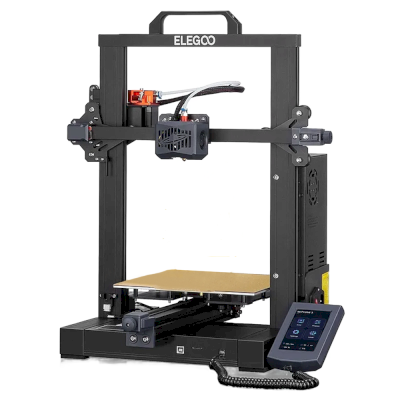
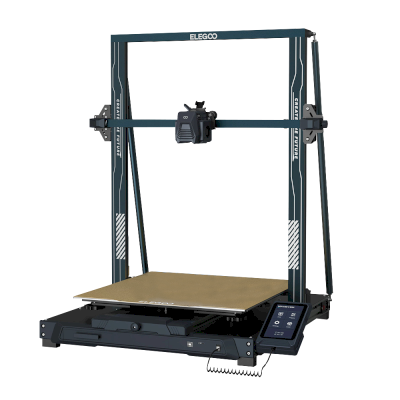
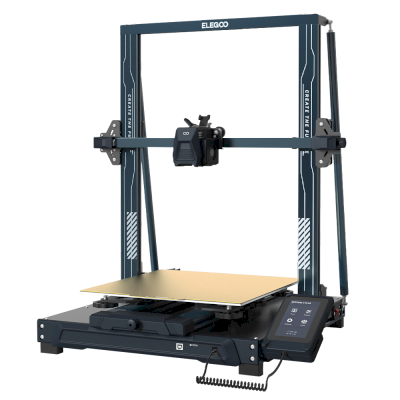
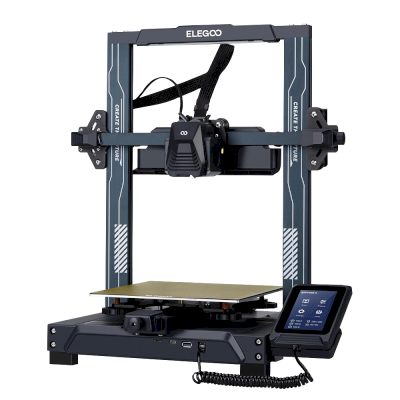
The ELEGOO Neptune series
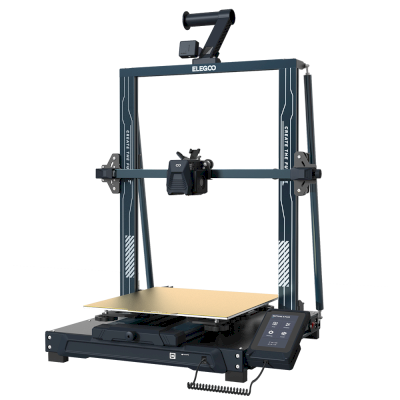
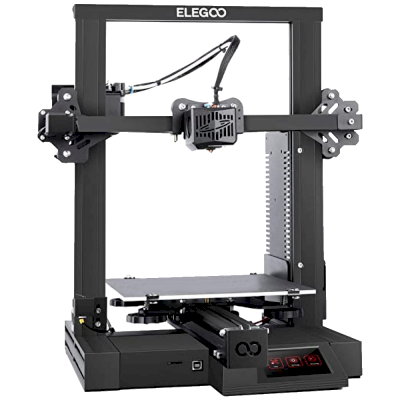
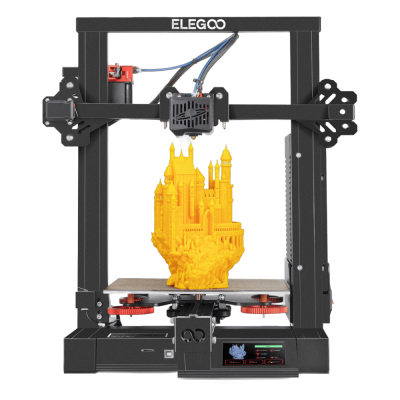
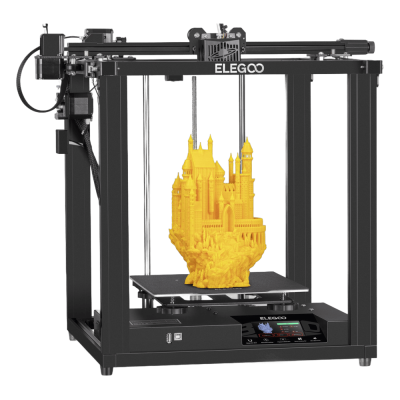
8 of the 12 ELEGOO printers in the series, the ones launched nearest this one, oldest first.
Compare the ELEGOO Neptune 3 Pro with similar printers
Printers from the same maker, of a similar size, printing the same engineering materials or multi-material like it, that you can buy today. Compare up to four side by side, with their specs and how each connects.
Who makes the ELEGOO Neptune 3 Pro, and how open ELEGOO leaves you: whether its printers run without its cloud, take any filament and slicer, and can be repaired. Each area is rated from public sources.
Openness: Mostly open (3.8 of 5)
Mostly open
Walled gardenOpen
ELEGOO is a Shenzhen company founded in 2015 that makes FDM and resin 3D printers, filament, laser engravers and STEM electronics kits. Its FDM range is the Centauri Carbon, an enclosed CoreXY printer, and the Neptune 4 series of open-frame Klipper printers, sold to hobbyists at budget to mid-range prices. DJI became a shareholder in 2025.
Founded:
2015 ·
Headquarters:
Shenzhen, China ·
Ownership:
Privately held through its parent, Shenzhen Zhinengpai (SmartPie) Technology; DJI became a shareholder in 2025 ·
Website:www.elegoo.com
ELEGOO is fairly open in daily use: its printers work over the LAN with open slicers and any filament, and it now publishes firmware source. Source releases have followed community pressure rather than launch, and spare parts for the newest printers are thin in its store.
Firmware and custom firmware ●●●●●
The Neptune 4 series runs Klipper. For the Centauri Carbon, which went on sale in February 2025, ELEGOO published its modified source on GitHub under GPL-3.0 in September 2025, saying it did so in response to user feedback.
[1][2][3][4]
Local control and integrations ●●●●●
ELEGOO's printers connect to its slicer on the local network by IP without an account. The Neptune 4 series serves Klipper's web interface and Moonraker, which OrcaSlicer reaches as an Octo/Klipper host. For the Centauri Carbon and Centauri Carbon 2, ELEGOO published Elegoo Link on GitHub in January 2026, an Apache-2.0 SDK for local discovery, status, file upload and print control. The Matrix phone app adds remote printing while the printer is online.
[5][4][16][6][17]
Third-party filament, slicers and parts ●●●●●
Third-party filament works; ElegooSlicer is an open-source OrcaSlicer-based slicer, OrcaSlicer works with the Neptune 4, and ELEGOO published the data format of its RFID filament tags so others can use it.
[7][8][4]
Repairs and spare parts ●●●●●
ELEGOO sells hotend, extruder and nozzle kits and some boards for the Neptune 4, and its wiki has many replacement guides, including the Centauri Carbon motherboard. The store's Centauri Carbon parts list is short (hotend kit, touchscreen, upper shell).
[9][10][11]
Data and privacy ●●●●●
LAN printing needs no account; the Matrix app and cloud do. The privacy policy names the companies responsible for personal data in each region (Shenzhen, Hong Kong, United States) but is written mainly for the online store.
[12][5]
Community and documentation ●●●●●
Active community and a wiki with guides per model; firmware and slicer sources are on GitHub, although the Centauri Carbon source came after users asked for it.
[11][7][1]
Pros
Works on the local network with ElegooSlicer or OrcaSlicer, with no account needed.
Open-source slicer and a published RFID tag format for filament.
Many step-by-step replacement guides in its wiki.
Offered owners compensation when the Centauri Carbon multi-colour add-on was delayed.
Cons
Centauri Carbon firmware source came about seven months after sales began, after users asked.
The Centauri Carbon's multi-colour add-on only became available in April 2026, after ELEGOO said in November 2025 it could not give a date.
Few complete Centauri Carbon parts are listed in its store.
The privacy policy is written mainly for the online store.
Track record
May 2026: ELEGOO's parent closed a B+ financing round of over 500 million yuan (about $73 million) from investors including Meituan, Hillhouse Capital and Shenzhen Capital Group. It reported 2025 revenue of 2.3 billion yuan.
[13]
April 27, 2026: CANVAS, the multi-colour system for the Centauri Carbon, became available, five months after ELEGOO said it could not give a release date.
[14]
November 18, 2025: DJI and Hangzhou Jiangyu Technology became shareholders of ELEGOO's parent company, according to a business registration update reported by TechNode. The size of the stake was not disclosed.
[15]
November 2025: ELEGOO said the multi-colour system it was developing for the Centauri Carbon did not yet perform as it wanted and that it could not guarantee a release date. It offered owners a choice of a $50 filament coupon, a 365-day warranty extension or $80 off a Centauri Carbon 2 Combo.
[14]
September 26, 2025: In response to user feedback, ELEGOO published the modified source code of the Centauri series firmware on GitHub under GPL-3.0.
[1][2]
February 2025: ELEGOO opened pre-orders for the Centauri Carbon, its first enclosed CoreXY printer, on 17 February 2025.
[3]
Researched from 17 sources, last checked October 18, 2026. Show sources
Is the ELEGOO Neptune 3 Pro compatible with SimplyPrint?
Yes. You can connect the ELEGOO Neptune 3 Pro to SimplyPrint via OctoPrint, then slice, queue, start and monitor prints from your browser or the mobile app.
How do I connect the ELEGOO Neptune 3 Pro to SimplyPrint?
Follow our step-by-step setup guide for the ELEGOO Neptune 3 Pro. It shows how to connect it via OctoPrint, what you need for each, and which to pick.
What slicer should I use for the ELEGOO Neptune 3 Pro?
We recommend ElegooSlicer for the ELEGOO Neptune 3 Pro. You can run it, and 6 other slicers, directly in SimplyPrint's online slicer - no install, on any device, with profiles for the ELEGOO Neptune 3 Pro kept up to date automatically.
Can I use OrcaSlicer with the ELEGOO Neptune 3 Pro?
Yes. OrcaSlicer comes with a profile for the ELEGOO Neptune 3 Pro, and you can run it in SimplyPrint's online slicer, so there's nothing to install.
What filament can the ELEGOO Neptune 3 Pro print?
Based on its specs (hotend up to 260C, heated bed up to 100C), the ELEGOO Neptune 3 Pro handles PLA, PETG, or TPU & flexibles well. See the full filament guide above for ABS, nylon, PC and composites.
Does the ELEGOO Neptune 3 Pro work with OctoPrint or Klipper?
The ELEGOO Neptune 3 Pro works with OctoPrint, and SimplyPrint connects to it through them - so you get cloud access, a queue and camera monitoring on top.
What is the ELEGOO Neptune 3 Pro's bed size and build volume?
The ELEGOO Neptune 3 Pro has a 225 x 225 mm print bed and prints up to 280 mm tall, a build volume of about 225 x 225 x 280 mm. See the full specifications table above for bed type, temperatures and more.
When did the ELEGOO Neptune 3 Pro come out?
ELEGOO launched the Neptune 3 Pro in November 2022.
Can the ELEGOO Neptune 3 Pro eject prints automatically?
There's no kit for it that we support yet, but SimplyPrint's AutoPrint can push prints off with the toolhead, or run your own ejection G-code, and then start the next job from your queue.
Where can I buy the ELEGOO Neptune 3 Pro?
From ELEGOO's own store, which has shops for Australia, the EU, the UK, the US and everywhere else. The links on this page go to those stores; some are affiliate links, so we may earn a commission at no extra cost to you.
Affiliate disclosure: Some links on this page are affiliate links. We may earn a commission if you make a purchase, at no extra cost to you. As an Amazon Associate, we earn from qualifying purchases.
 China
China
 OctoPrint








 Kiri:Moto

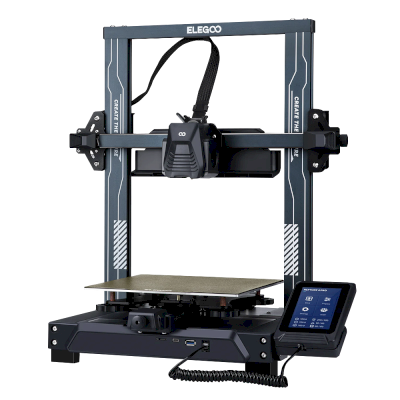

 Best for USA: ELEGOO's store for the US
 ELEGOO for Australia
 ELEGOO for the EU
 ELEGOO for the UK