Maintenance and sustainment
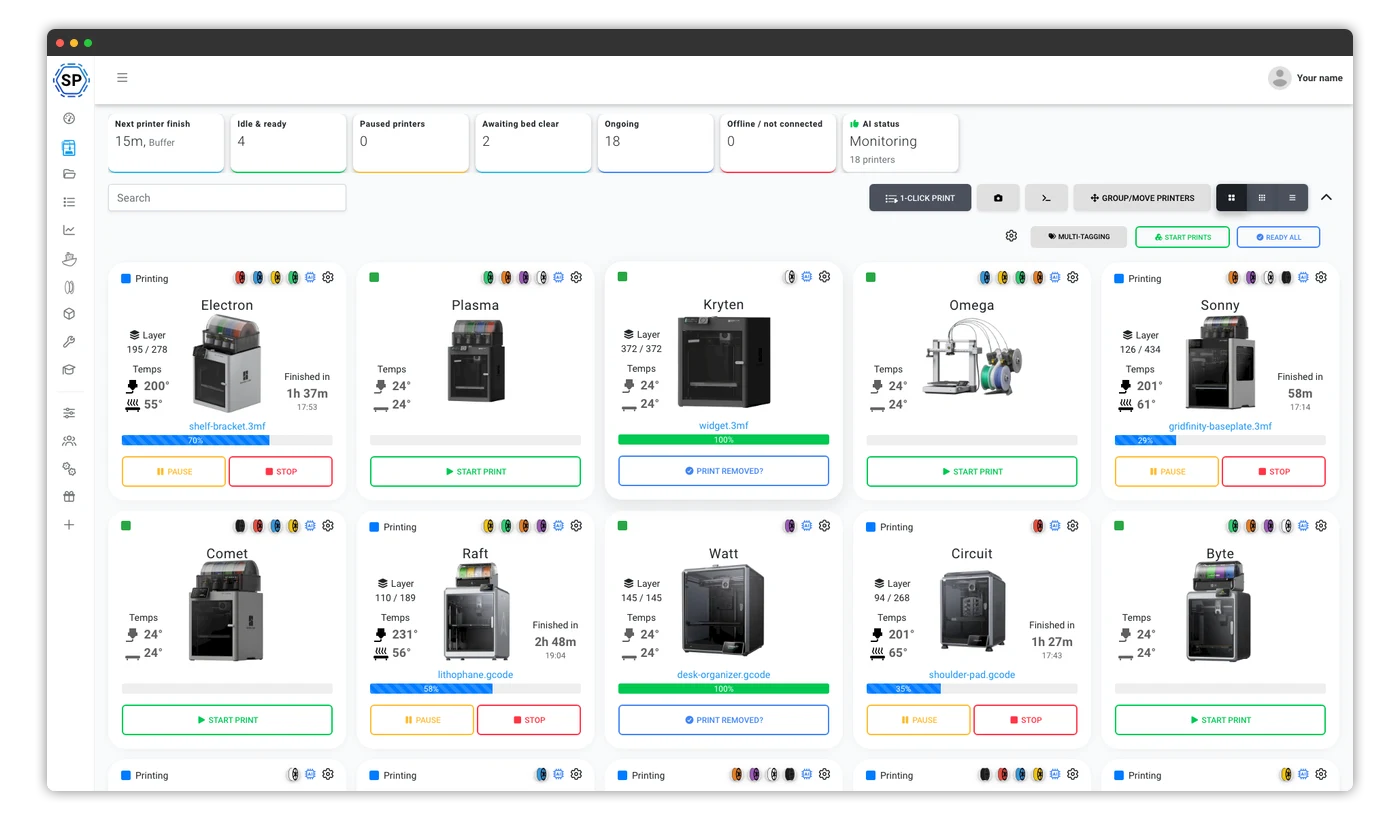
Coordinate printers used for workshop aids, covers, brackets, gauges and other locally approved support items.
3D printing software for defense and military
SimplyPrint is open to defense, military and government deployments. Run mixed-brand printers with central identity, granular access and an audit trail. Self-hosting can be scoped for select Enterprise customers.
Organisations across industries using SimplyPrint



















Started prints
0
Material usage
0
Hours printed
0
SimplyPrint is a platform for defense, military and government teams that need central control of supported FDM/FFF printers, clear access boundaries and a deployment conversation with their security organisation. SimplyPrint has been used to manage real 3D printing operations since 2020.
Running 3D printing operations since 2020
Built in-house by our own developers in Denmark, who ship updates almost every week and answer support questions too.
Read our story and meet the teamKeep printers, files, members and local settings separate by facility while central administrators manage the group through one Enterprise organisation.
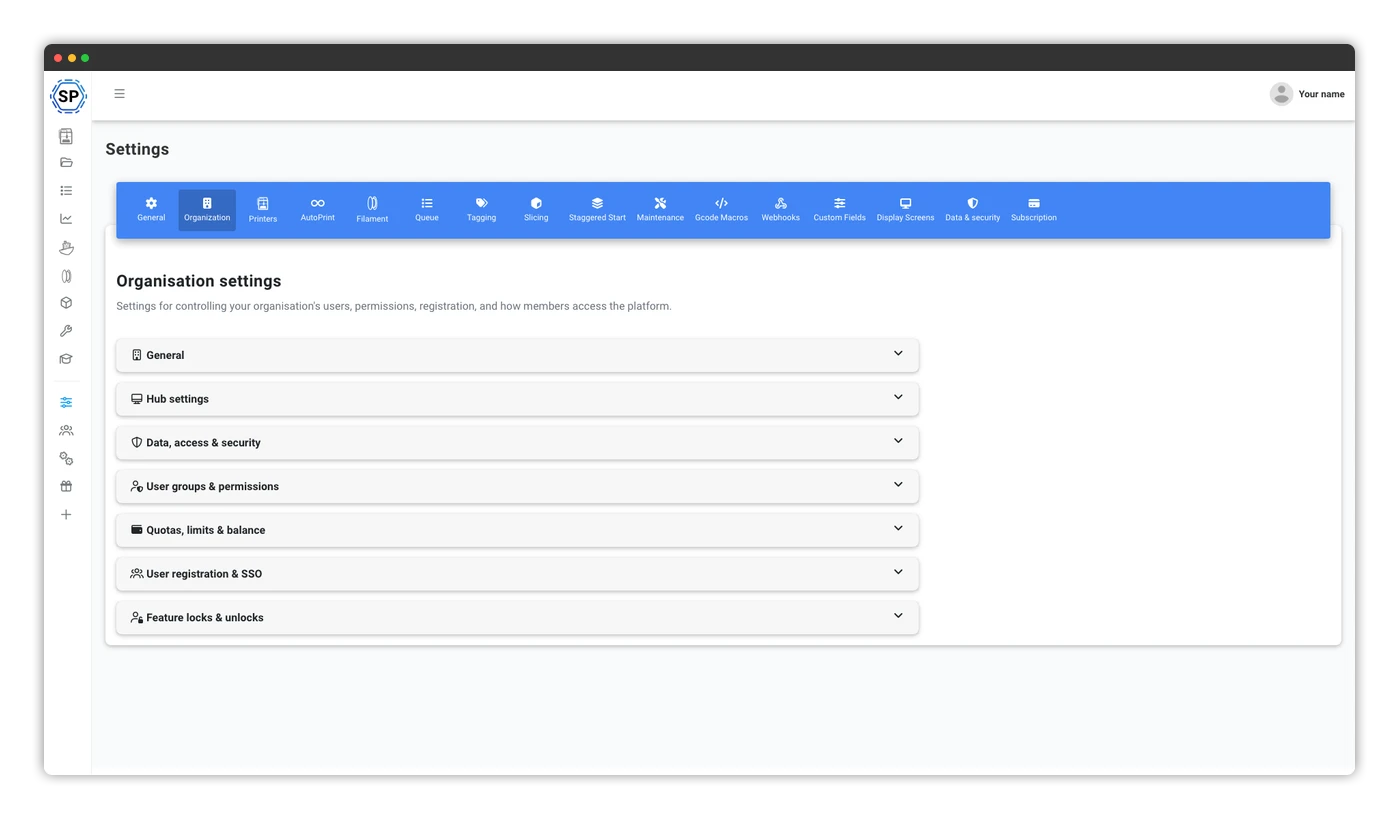
Model plants, labs, offices or campuses as separate locations. Local teams stay focused on their own fleet; central administrators can switch across the group.
Use the main organisation's SAML or OIDC provider across locations, with the option for a location-specific identity provider where policy differs.
Map values from a SAML attribute or OIDC claim to the right location or locations, then place users there when they sign in.
Share printer and user capacity under consolidated billing, or connect a location to its own Enterprise subscription without losing central management and SSO.
SimplyPrint manages connected printers and their users. It does not decide whether a file, material, network or part is approved for a classified, export-controlled or mission-critical workflow.
Coordinate printers used for workshop aids, covers, brackets, gauges and other locally approved support items.
Group printers by facility, unit or team while administrators retain one view of access, health and utilisation.
Separate users and printer groups, set granular permissions and expire temporary access on a date you choose.
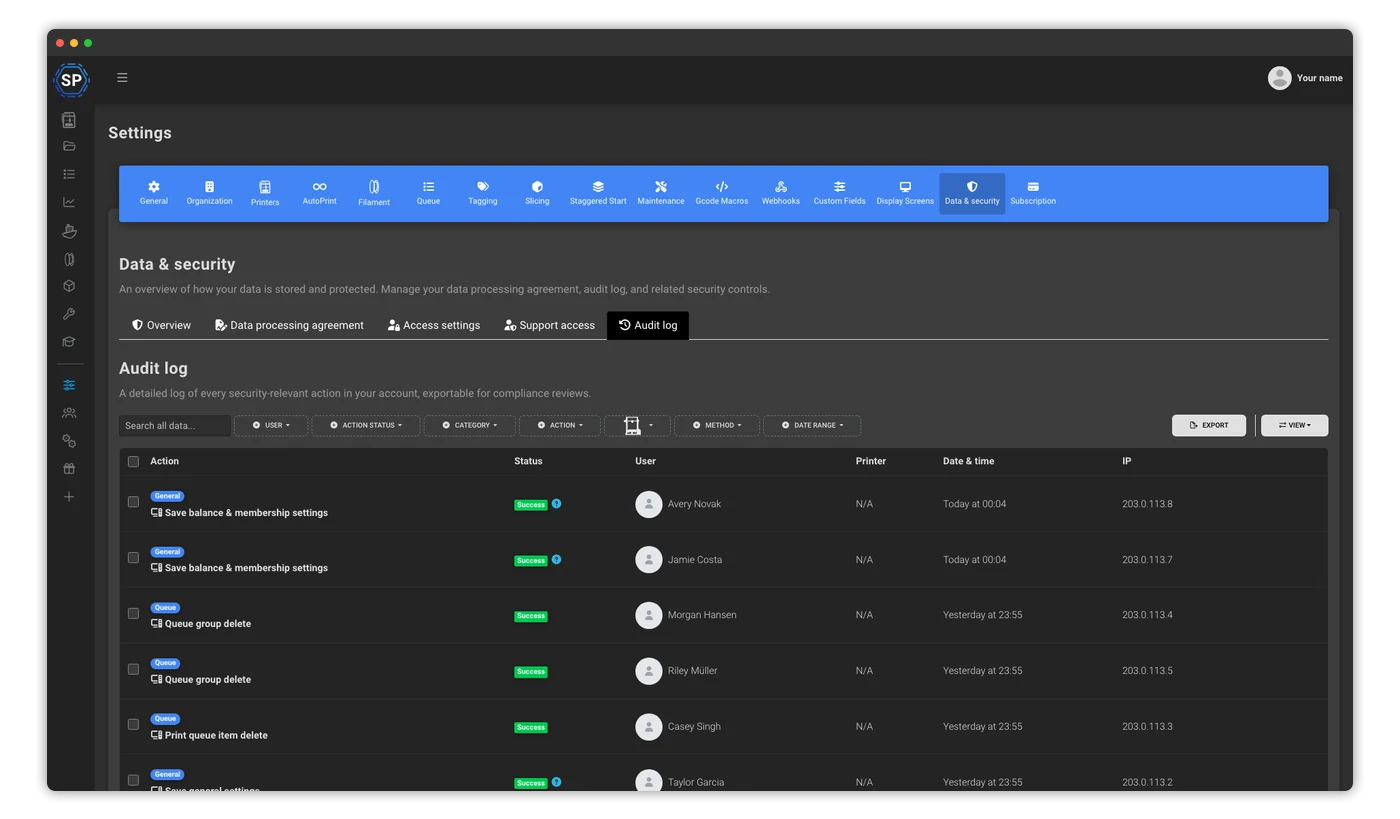
Retain job history, usage and cost data alongside an exportable log of security-relevant account changes.
Start with the actual boundary: who may sign in, from where, on which device, and what they may do after access is granted.
Connect SAML or OpenID Connect and map identity-provider groups to SimplyPrint roles.
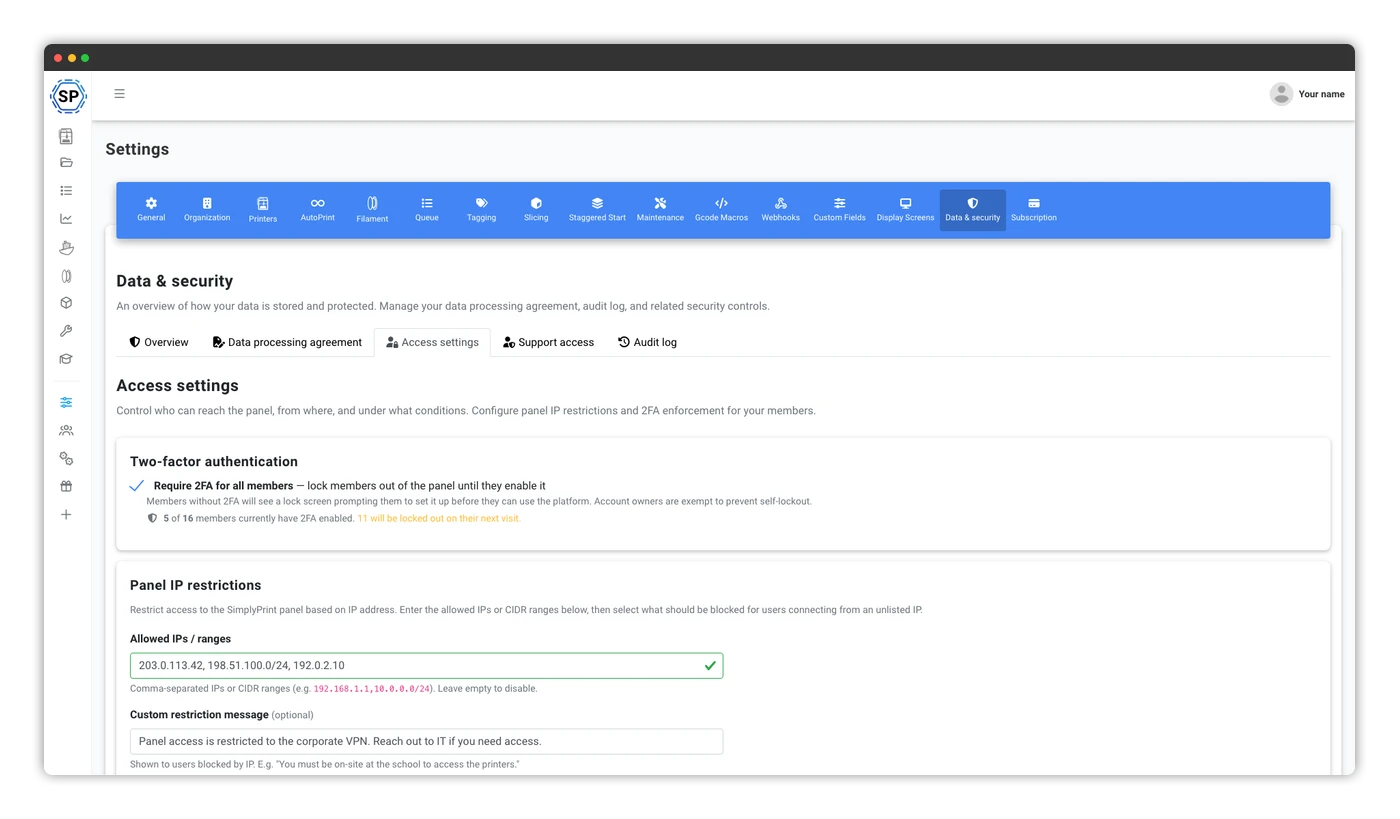
Require 2FA, approved devices, approved IP ranges or a combination chosen by the organisation owner.
Use granular permissions and printer groups to limit files, printers and actions by role.
Export the audit log and reconcile printer activity with your own operational and security processes.
Define what each role may see and do across files, printers and settings. The product provides the access controls and audit evidence; your security organisation decides how they map to the applicable program and system boundary.
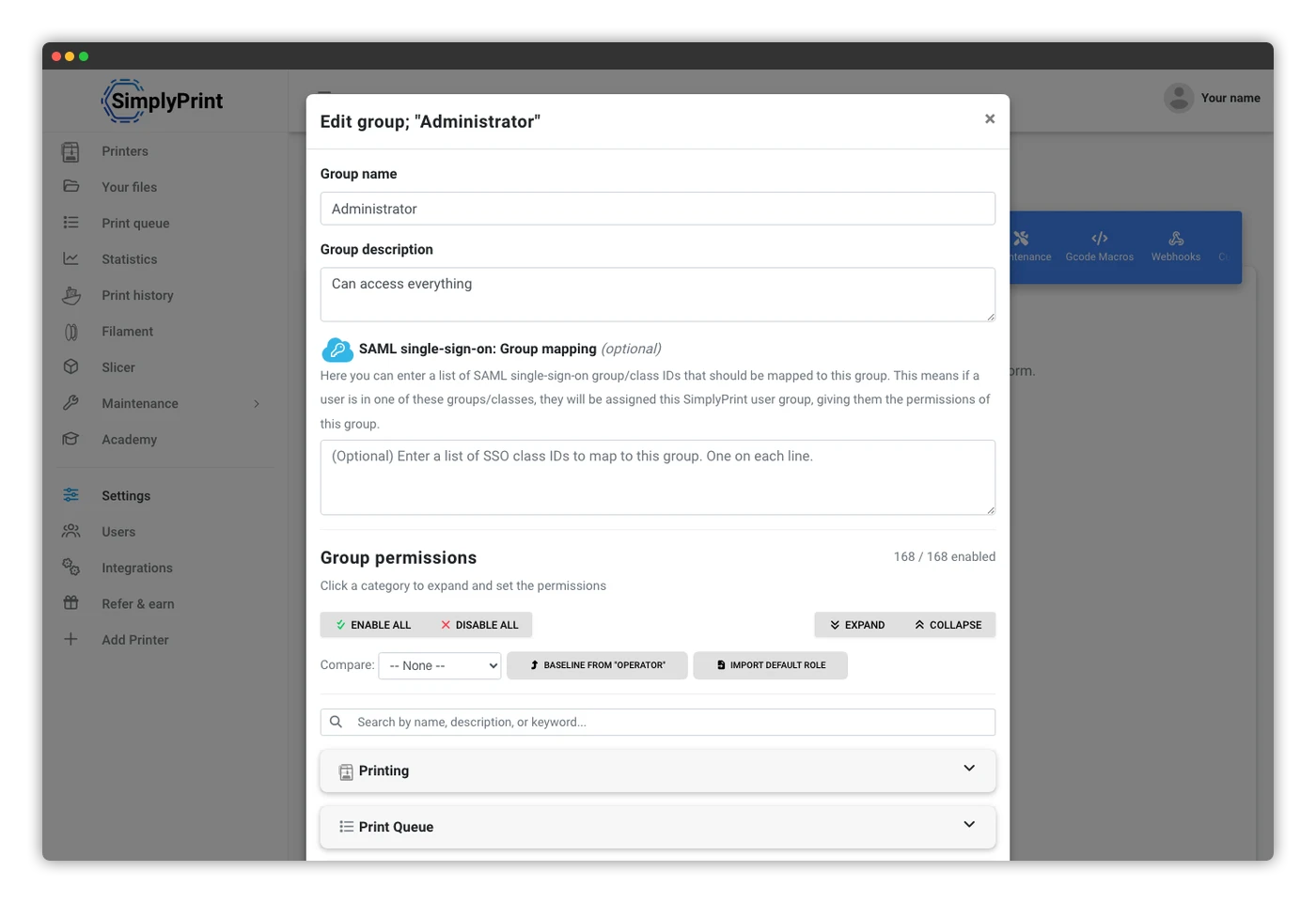
Standardise access and operations while teams keep the hardware and business systems that already fit their work.
Identity, access, evidence and agreements belong in the first evaluation - not after the fleet has already spread.
SAML 2.0 and OpenID Connect, with SCIM provisioning for Microsoft Entra ID and Okta.
Learn moreRestrict access by IP or CIDR range, require approved devices, and decide which actions are blocked off-network.
Learn moreReview security-relevant changes by actor, time and IP address, then export the evidence for your own review.
Learn moreAn in-product DPA, a 99.9% uptime SLA for the hosted service and a route for custom legal requirements.
Learn moreThe managed cloud is the standard SimplyPrint service and can be started online. For select defense, military and government Enterprise customers, a self-hosted deployment can be scoped subject to technical and commercial agreement. We define infrastructure ownership, network boundaries, update delivery, support access and operational responsibility with your team.
We do not present the standard product as automatically approved for classified information, export-controlled data or a named government framework. Approval and accreditation remain specific to your organisation and deployment.
The hosted Enterprise plan starts at $299/month for the account, with SSO, access controls, audit logs, DPA and the hosted-service SLA. Self-hosted architecture and support are agreed separately.
Book a demo See hosted pricingEvery industry page sits under the same SimplyPrint Enterprise platform; the workflow and deployment questions change.
Bring your fleet, identity, network and deployment requirements. We'll map the platform to the real environment.