
One AutoPrint method, a full stack of hands-free prints
JobOx ejects the entire finished plate and loads a fresh blank one from a stack, so SimplyPrint can run the next queued job without anyone touching the printer. Pick JobOx as your AutoPrint clearing method, set how many plates are in the stack, and queue your jobs - the fleet does the rest.

What is the JobOx clearing method?
JobOx is a physical plate-swapping hardware mod for desktop 3D printers, and a popular, fully supported plate changer in SimplyPrint.
Instead of pushing a finished part off the bed, JobOx swaps out the entire print plate for a fresh one after each print, drawing from a finite stack of plates. The printer keeps going, plate after plate, until the stack is empty.
In SimplyPrint this is a cycle-dependent clearing method: because the stack holds a fixed number of plates, you tell AutoPrint how many cycles to run so it stops automatically once the stack runs out, rather than dropping prints onto an occupied bed.
How JobOx works with AutoPrint
Set it up once in SimplyPrint and your printer runs through the whole plate stack on its own.
See JobOx in action
From the plate stack on the hardware to picking the method inside SimplyPrint.
JobOx lifts the finished plate clear and loads a fresh one before the next job starts.

A finite stack of plates feeds the changer. The number of plates is your unattended run length.
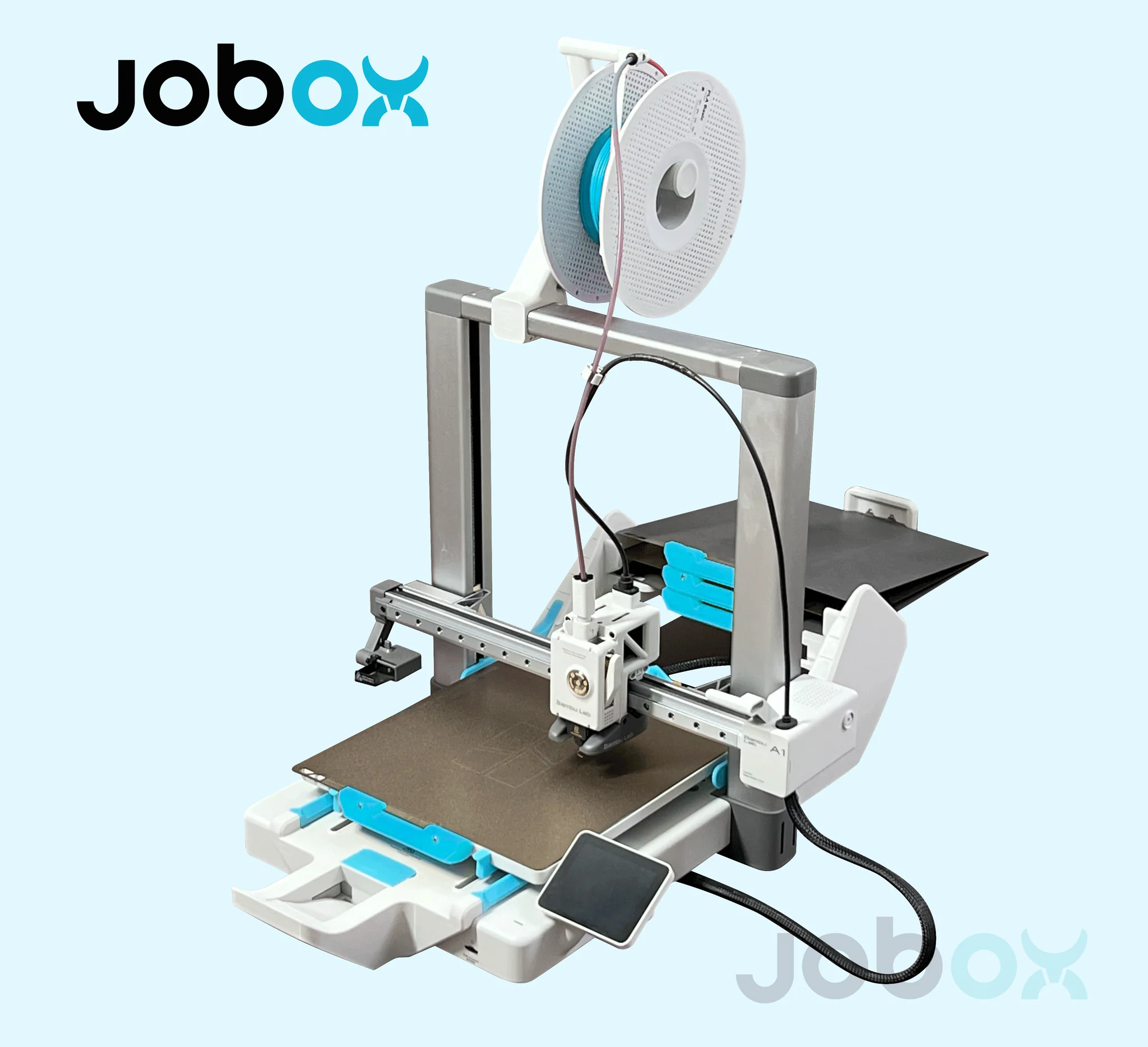
JobOx mounted on a Bambu Lab A1, ready to swap plates under AutoPrint control.

Selecting JobOx as the clearing method when enabling AutoPrint in SimplyPrint.

The plate-swap clearing gcode SimplyPrint generates for the JobOx method.

Turning on AutoPrint with the JobOx clearing method for a printer.
Works with these printers
JobOx supports a range of Prusa machines plus the Bambu Lab A1, all drivable by AutoPrint in SimplyPrint.
Get a JobOx plate changer
JobOx is sold by JobOx, not by SimplyPrint. Grab one direct from the maker and use code simplyprint at checkout for a discount.
Want the full product details, specs and supported-printer breakdown? Read our JobOx integration page for the product and buy angle - this page focuses on running it inside SimplyPrint.
Plan access: what plan do I need?
AutoPrint is included on Pro as 1 license (up to 5 total). Print Farm, Enterprise and Education include unlimited AutoPrint licenses. The JobOx clearing method itself is part of AutoPrint at no extra charge - you only buy the JobOx hardware.
| Feature / Limit | Free | Basic | Pro | Print Farm | Enterprise | School | Cloud Slicer | Filament Manager |
|---|---|---|---|---|---|---|---|---|
|
AutoPrint licenses
One license drives one printer's AutoPrint automation, including the JobOx clearing method.
|
1 included Up to 5 total · $3.00/mo per extra license |
Want to learn more about our plans?
View full pricing & feature comparison