What is Kiri:Moto?
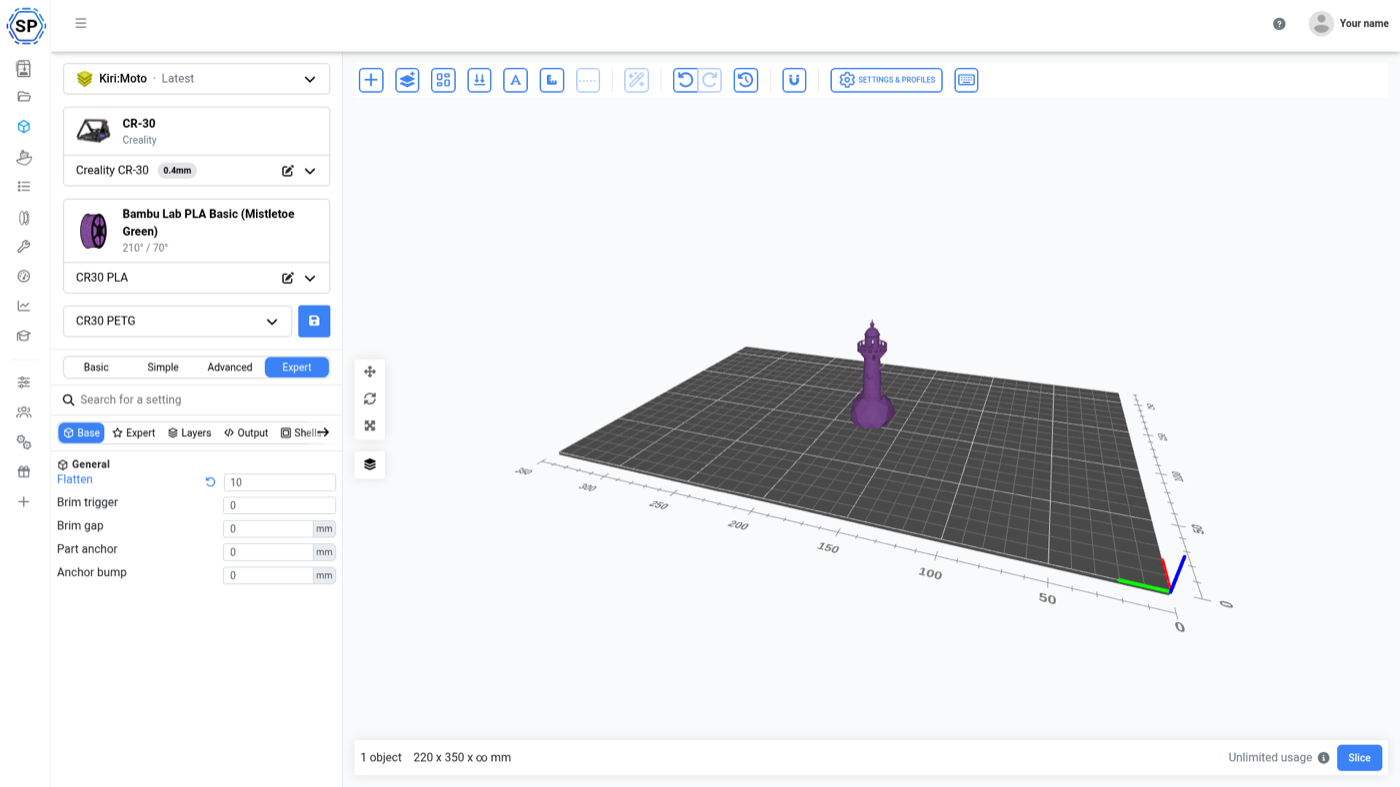
Kiri:Moto is an open-source 3D printing slicer written by Stewart Allen at Grid.Space. Where most slicers are desktop applications that were later wrapped for the web, Kiri:Moto was built to run in a browser from the beginning - and it slices for continuous-belt printers natively, which almost nothing else in the FDM world does.
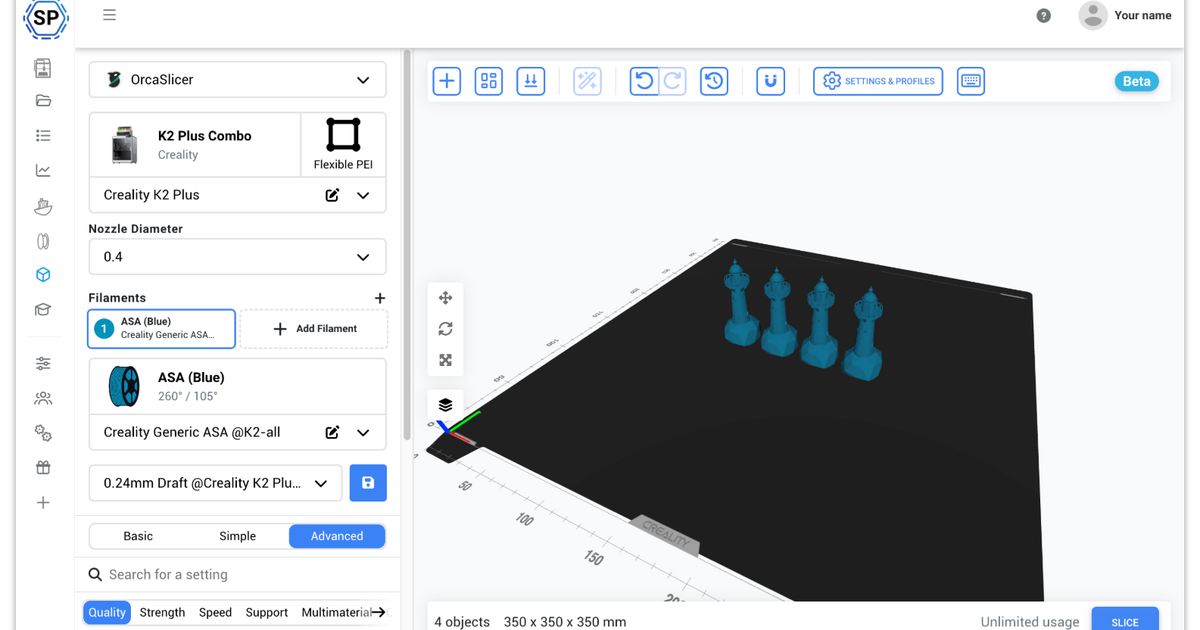
On SimplyPrint it is one of 7 slicing engines sitting behind one web interface. You pick the engine, we hand it the plate, and your files, profiles, print queue and printers stay exactly where they were. Switching engine is a dropdown, not a migration.
It is also the only one of those engines whose slicing can run on your own machine instead of ours.
We currently run version 4.7.1, released June 22, 2026, and the engine's own documentation lives at docs.grid.space.
Slice locally, in your own browser
The only engine that never has to touch our servers
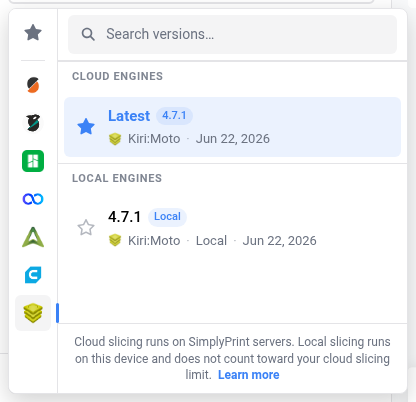
Open the slicer, pick Kiri:Moto, and the engine picker offers a second option next to the cloud: Local - "slice in this browser using the local runtime". Choose it and the Kiri:Moto runtime loads into the page and turns your plate into G-code on your own processor instead of ours.
Why you might want the local option:
- The slicing step stays on your machine. Your geometry is not handed to a slicing server to be turned into G-code - the browser tab does it.
- It runs on your hardware, not shared hardware. A local slice uses your own processor, so how fast it finishes is up to your machine rather than to how busy our slicing capacity is.
- It is still the same account. The resulting G-code saves, queues and prints exactly like a cloud slice, because only the slicing step moved.
That difference is also why they are priced differently. Local slicing is free and unlimited - it runs on your processor, so there is nothing for us to meter. Cloud slicing draws on your plan's monthly allowance, because it runs on hardware we pay for.
So why slice with Kiri:Moto through SimplyPrint?
Most slicers we support are desktop applications, so putting them in a browser is genuinely the thing SimplyPrint adds. Kiri:Moto is the exception: it has run in a browser since the day Stewart Allen wrote it, and you can use it right now at grid.space without an account, without us, and without anyone's servers. Being able to reach it from an iPad is not something we invented and we will not pretend otherwise.
What you get here is everything on either side of the slice:
- Your printers are already connected. The G-code does not get downloaded and carried anywhere - it lands in your file library and goes straight to a machine, or into the queue.
- One interface, whichever engine suits the printer. If you run a belt printer and a multi-colour machine side by side, Kiri:Moto slices the first and OrcaSlicer the second - same files, same account, a dropdown apart.
- More room than a browser tab has. When a model is too heavy to slice locally, the cloud option takes it without you switching tools.
- And local slicing stays free. No limit, no plan gate, no counter - it runs on your machine, so charging for it would be charging for nothing.
How Kiri:Moto compares with our other engines
Every engine we support is good at something different, and Kiri:Moto is the specialist. This table is generated from our own slicer, so it says what each engine can do through SimplyPrint today - which, for the last two columns, is not always the same as what the engine can do on its own:
| Engine | Where slicing runs | Belt printers | Multi-extruder plates (via us) | Per-object settings (via us) |
|---|---|---|---|---|
| PrusaSlicer | Our cloud | No | No | No |
| OrcaSlicer | Our cloud | No | Yes | Yes |
| BambuStudio | Our cloud | No | Yes | Yes |
| ElegooSlicer | Our cloud | No | Yes | Yes |
| CrealityPrint | Our cloud | No | Yes | Yes |
| Cura | Our cloud | No | No | No |
| Kiri:Moto | Our cloud, or your own browser | Yes | No | No |
Read it as a division of labour rather than a ranking. Kiri:Moto is what you want for a belt printer, or for slicing on your own machine; OrcaSlicer, BambuStudio, ElegooSlicer and CrealityPrint are what you want for a multi-colour plate.
Native slicing for continuous-belt printers
Infinite Z, without a patched slicer
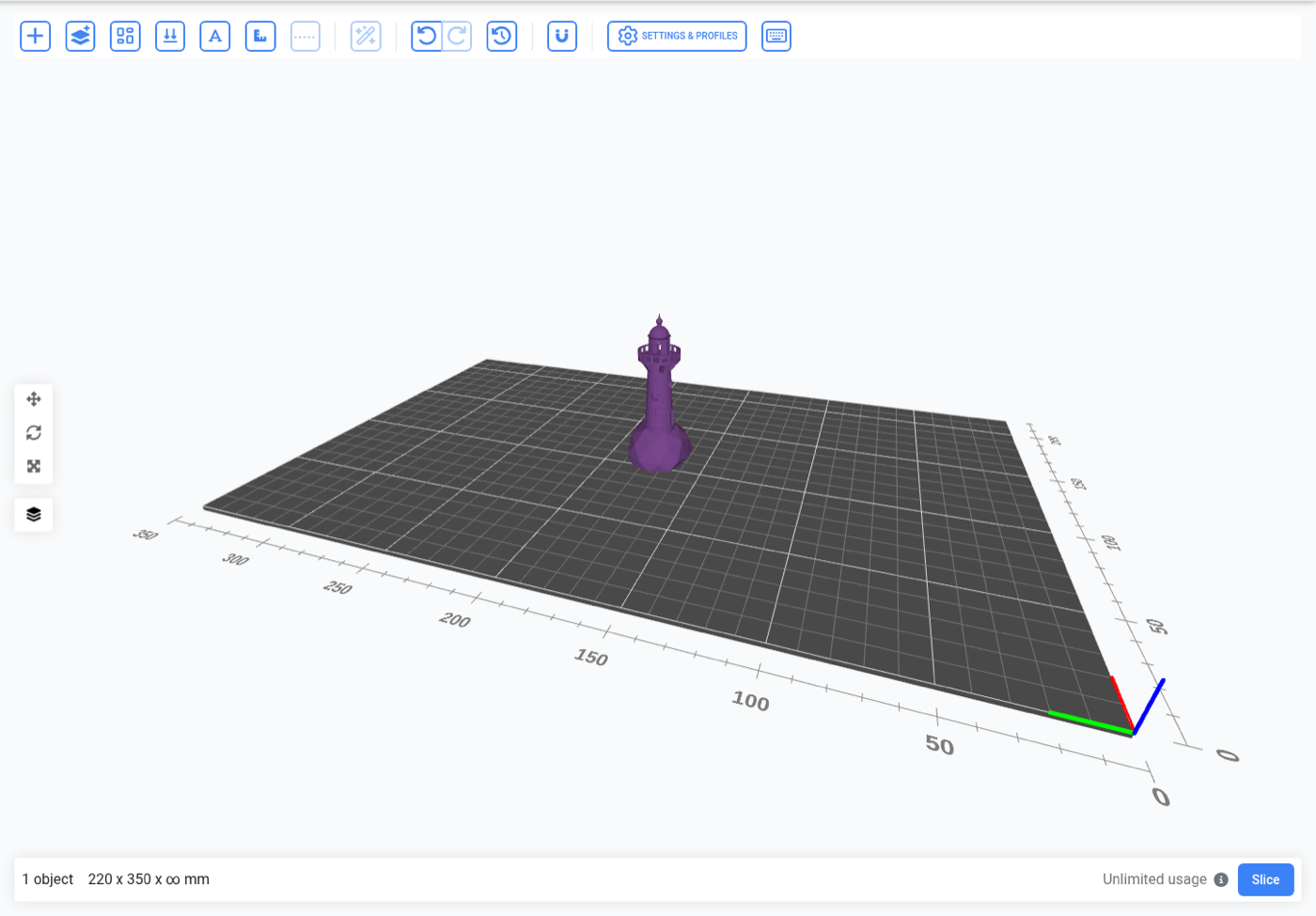
A belt printer has no fixed-height bed. The print surface is an angled conveyor, so the Z axis is effectively endless and a finished part rolls off the end while the machine keeps going. That geometry needs a slicer that understands it, and most do not.
Kiri:Moto does, and it is the only engine on SimplyPrint that does. Select a belt printer and the build area reports an unlimited Z and extends along the belt as you add parts; slice with Kiri:Moto and the G-code comes out in the belt's own angled coordinate system, with the anchor and lead-in a belt print needs - in the same interface you use for every other machine in the account.
Combine that with AutoPrint and the queue empties itself: because the part clears the bed on its own, there is no clearing routine to run between jobs and no one has to be there.
What Kiri:Moto will not do, and what to use instead
Three things you cannot do with Kiri:Moto on SimplyPrint today. All three are limits of our integration rather than of the engine - Kiri:Moto can do more than we currently ask of it - but they are real today, and pretending otherwise would only waste your afternoon:
- Multi-material or multi-colour plates - through us. Kiri:Moto handles multiple extruders perfectly well on its own; what SimplyPrint cannot do yet is hand it a multi-material plate, so we refuse one rather than silently dropping a material. For an AMS, a CFS or any other filament changer, switch to OrcaSlicer, BambuStudio, ElegooSlicer or CrealityPrint.
- Per-object settings - through us. You cannot give one model on the plate its own infill or supports, because the scene we send Kiri:Moto carries one set of settings for the whole plate. OrcaSlicer, BambuStudio, ElegooSlicer and CrealityPrint can.
- Resin, CNC or laser. SimplyPrint is an FDM platform, so we only ever ask Kiri:Moto for FDM output.
One interface, every engine
Kiri:Moto is one of the slicing engines we support. Explore the full cloud slicer, or read about the others: PrusaSlicer, OrcaSlicer, BambuStudio, ElegooSlicer, CrealityPrint & Cura.
Online Cloud-Based Slicer
Use PrusaSlicer, OrcaSlicer, BambuStudio, ElegooSlicer, CrealityPrint, Cura & Kiri:Moto online in the cloud - on any device, anywhere!
View Online Cloud-Based Slicer overviewAlso Available

PrusaSlicer Online
Use PrusaSlicer online in the cloud - on any device, anywhere!

OrcaSlicer Online
Use OrcaSlicer online in the cloud - on any device, anywhere!

BambuStudio Online
Use BambuStudio online in the cloud - on any device, anywhere!

ElegooSlicer Online
Use ElegooSlicer online in the cloud - on any device, anywhere!

CrealityPrint Online
Use CrealityPrint online in the cloud - on any device, anywhere!

Cura Online
Use Cura online in the cloud - on any device, anywhere!
What you get on each plan
Kiri:Moto itself is available on every plan, including the free one. What varies is how much cloud slicing you can do and how many profiles you can keep, since cloud slicing runs on our hardware. Slicing locally in your browser runs on yours.
| Feature / Limit | Free | Basic | Pro | Print Farm | Enterprise | School | Cloud Slicer | Filament Manager |
|---|---|---|---|---|---|---|---|---|
|
Max monthly cloud slices
How many slices per month can run on our servers
|
15 | 15 | ||||||
|
Max slicer profiles
How many custom slicer profiles you can save to your account
|
5 | 20 | 100 | 1000 | 5000 | 1000 | 50 | 5 |
Want to learn more about our plans?
View full pricing & feature comparisonKiri:Moto is one person's work - please support it
Nearly every other slicer on this platform is funded by a printer manufacturer. Kiri:Moto is not. It is written and maintained by Stewart Allen, largely on his own, with community pull requests arriving here and there - and he gives it away. He has also helped us directly over the years - not least in getting Kiri:Moto to slice inside the browser.
If Kiri:Moto is useful to you, put something behind it: Patreon, GitHub Sponsors, or PayPal. SimplyPrint has donated to the project in the past and sent pull requests to its GitHub. If Kiri:Moto becomes something our users lean on rather than a curiosity, we will be putting more back into it - that is the honest version, and it is partly in your hands.
Kiri:Moto is also bigger than the FDM slicing we ask it for: it has SLA and CAM modes we never call, because SimplyPrint is an FDM platform. And it is not the only thing he builds - Mesh:Tool for mesh repair and editing, Void:Form for parametric CAD modelling, and Carve Control for CNC, all from the same workshop. Worth a look whether or not you ever slice anything here.