Why use Cura online?
Cura is one of the most widely used 3D printing slicers in the world. Developed as open source and maintained by UltiMaker, it has introduced millions of people to 3D printing - for years it was the slicer that came recommended with budget printers like the Creality Ender 3, and its huge community means profiles, guides and tutorials exist for practically every printer ever made.
Desktop Cura only runs on Windows, macOS and Linux, though. With SimplyPrint's cloud implementation, the same CuraEngine now runs on our servers - so you can slice with Cura on Chromebooks, tablets, smartphones and low-spec laptops just as easily as on a workstation. No download, no install, no updates to manage.
The complete Cura setting catalog - 700+ settings in the cloud
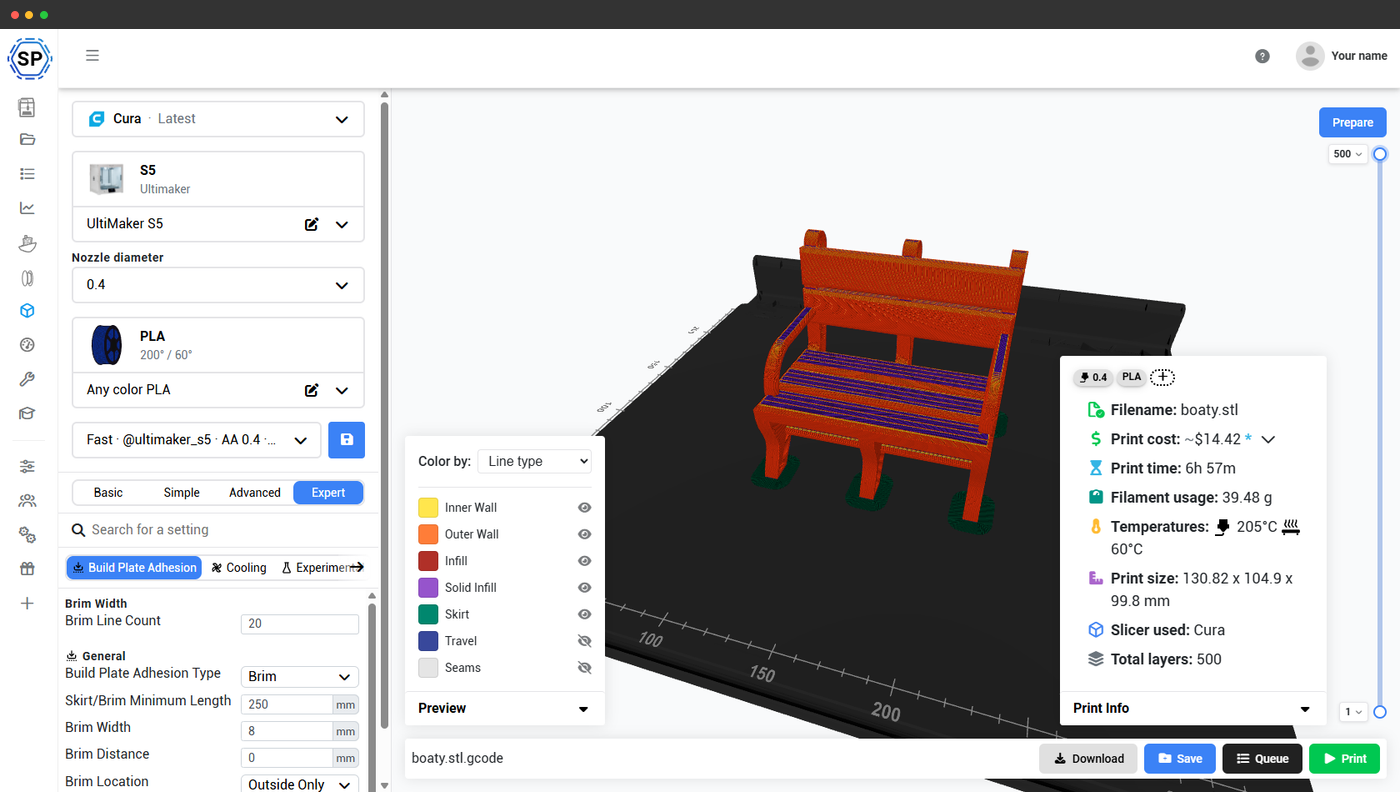
We use the unmodified official CuraEngine, and our web interface exposes its full setting catalog: over 700 Cura settings, under the same names and in the same logical groups you know from desktop Cura - including signature Cura features like tree supports, adaptive layer height and spiralize outer contour (vase mode).
Walls, top/bottom, infill, material, speed, travel, cooling, supports, adhesion, experimental - it's all there. Pick your depth with the Basic, Simple, Advanced and Expert modes, search any setting by name, tweak it, and save your tuned values as cloud profiles that follow you on every device.
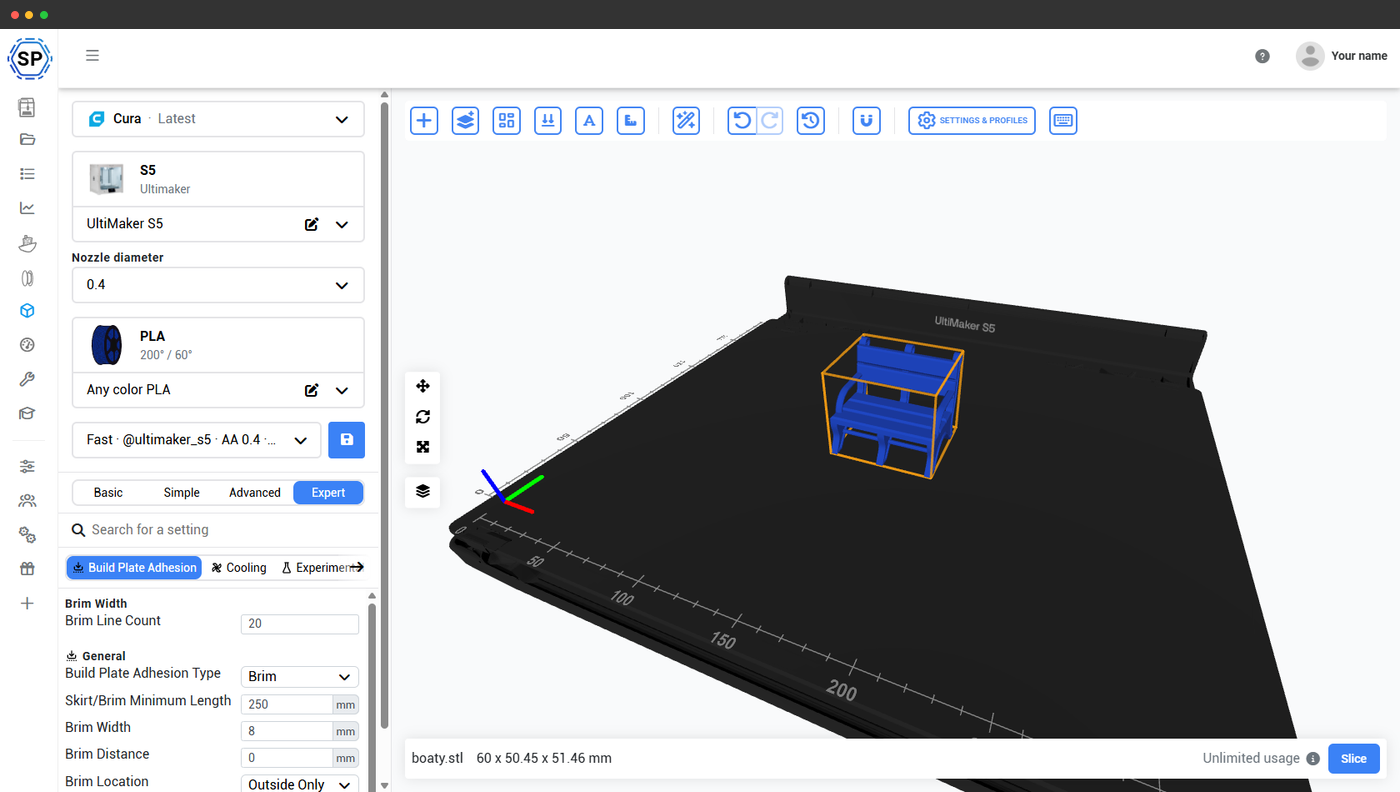
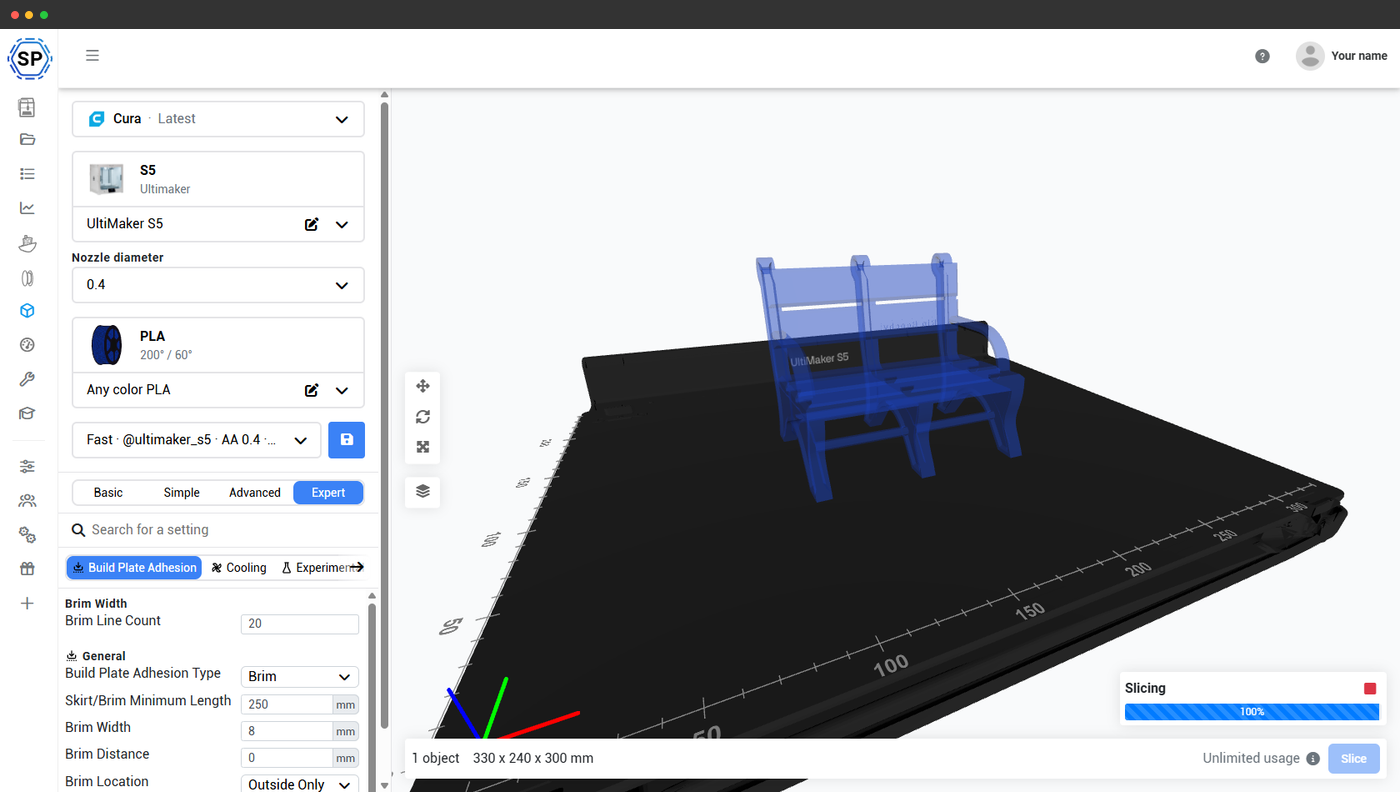
Cura in the cloud at a glance
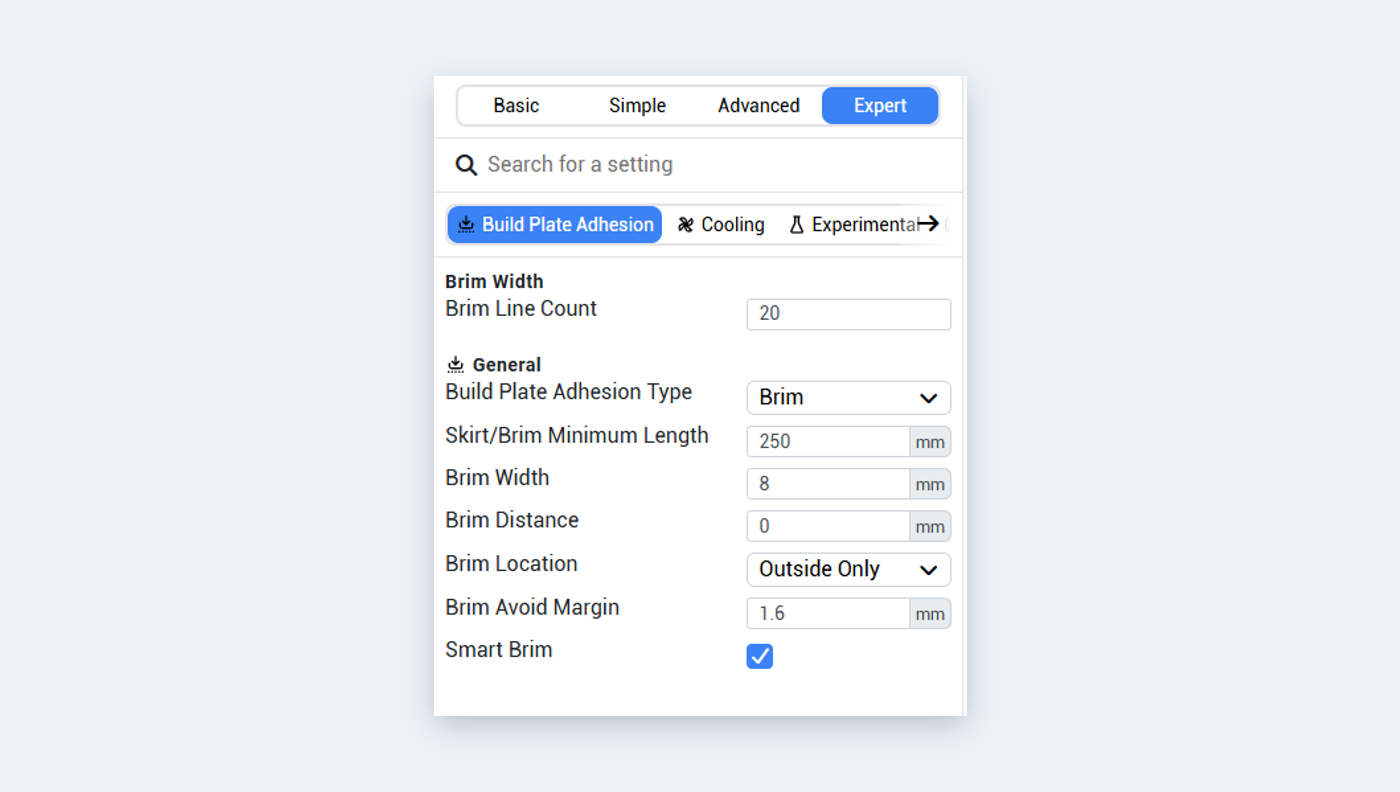
Every Cura setting
Basic, Simple, Advanced and Expert modes with searchable settings
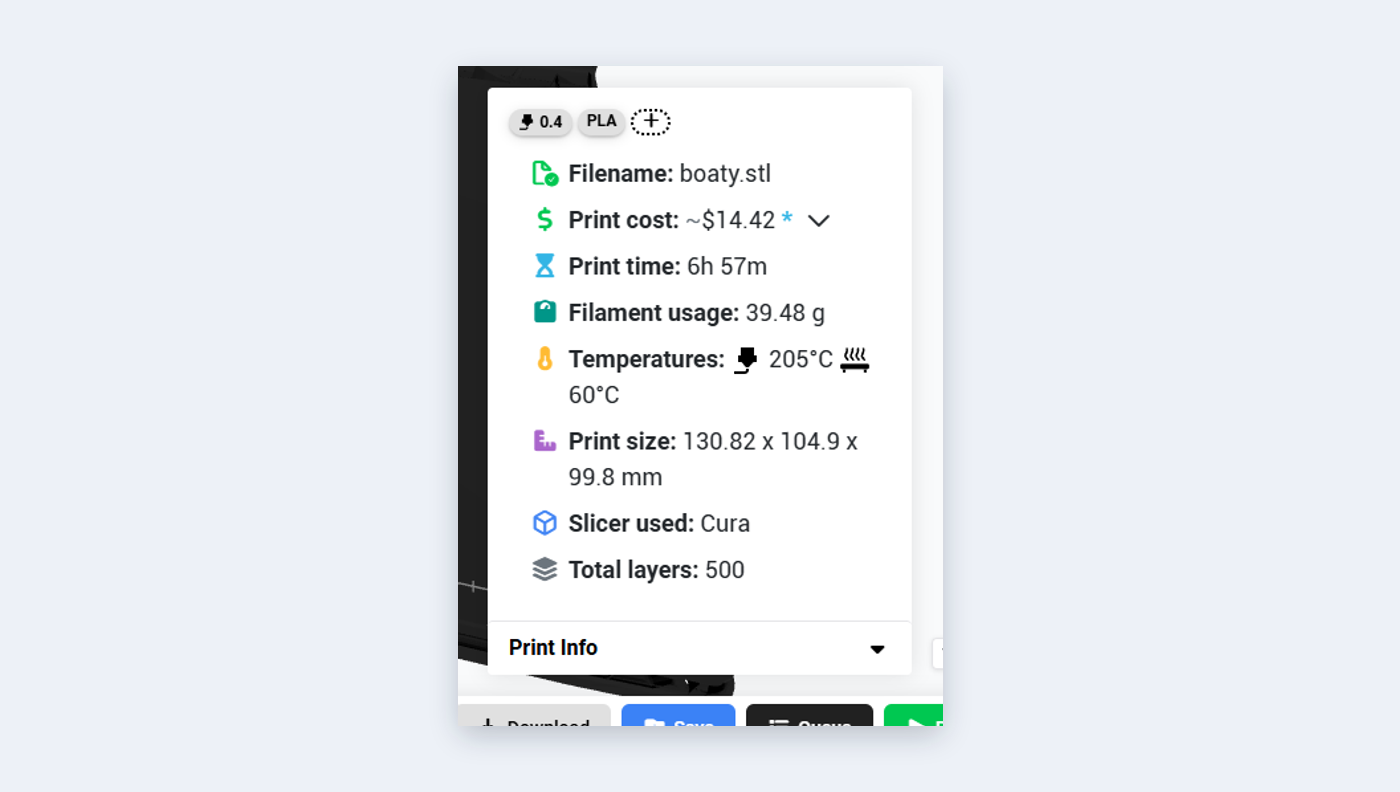
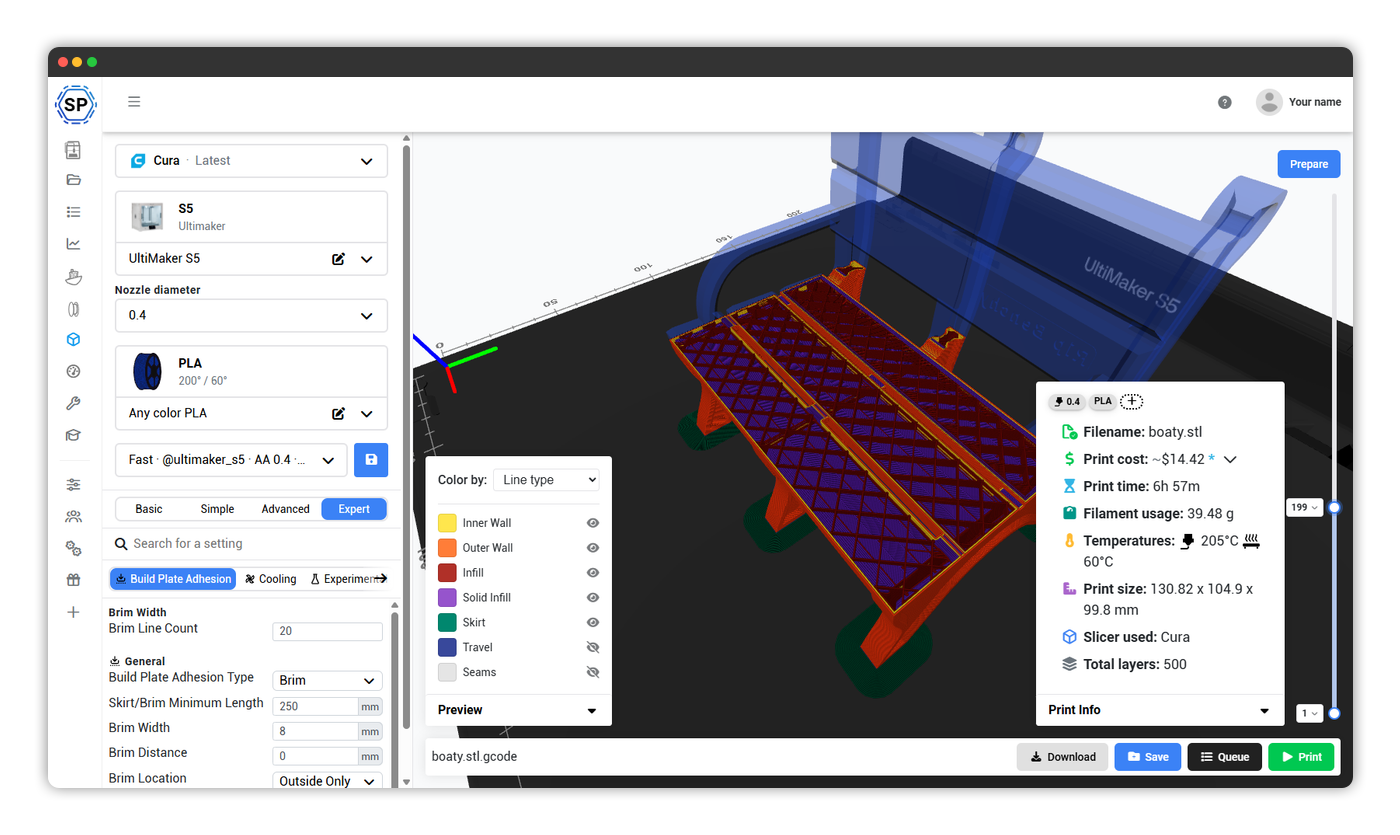
Per-slice print info
Cost, time, filament, temperatures and layer count on every slice
Layer-by-layer preview
Scrub the sliced toolpath, color-coded by line type
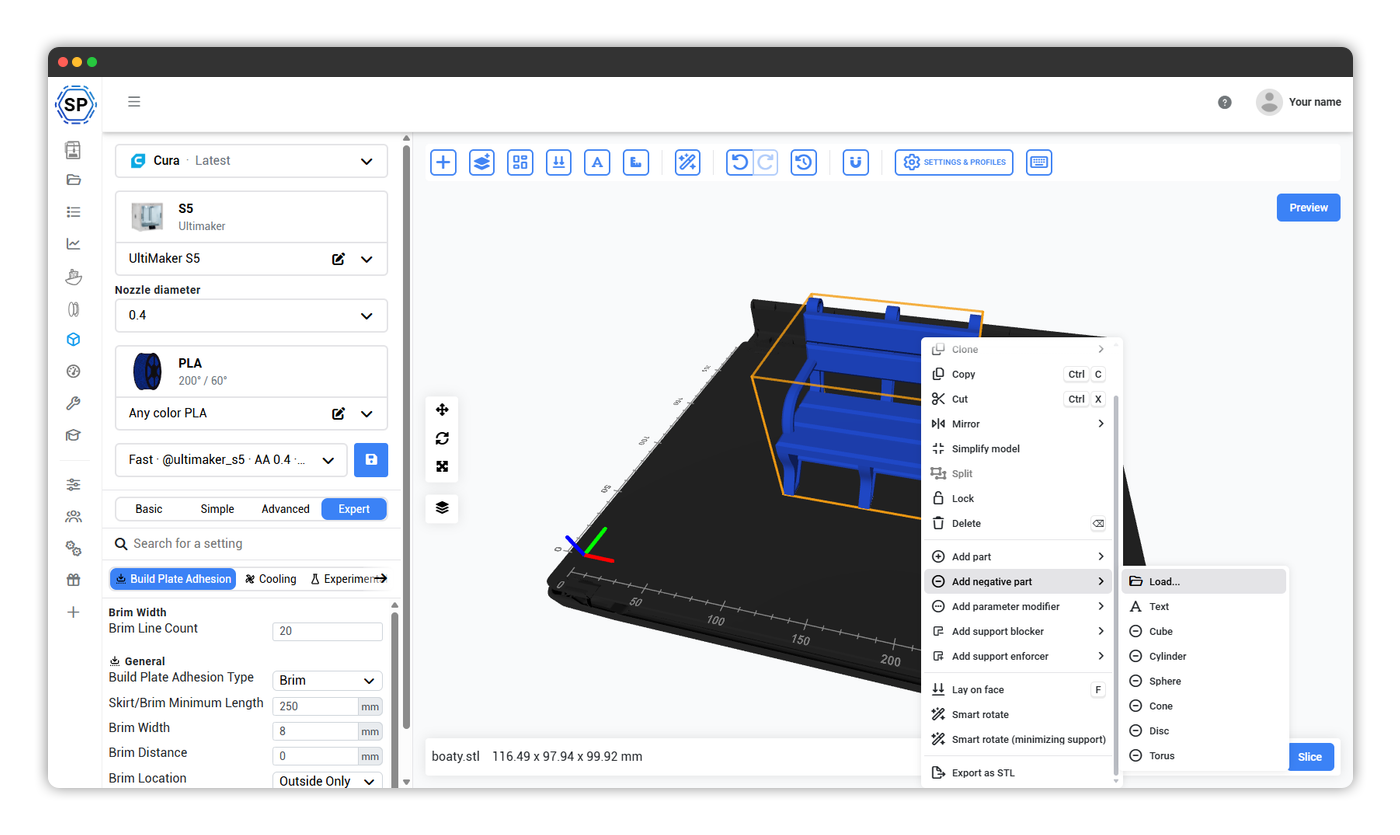
Full model-prep tools
Copy, mirror, split, lay on face, smart rotate and more
Use Cura on a Chromebook, tablet or phone: no install needed
Desktop Cura doesn't run on ChromeOS, iPadOS, Android or iOS - UltiMaker has said ChromeOS support isn't planned, leaving Chromebook users to wrestle with Linux containers and AppImage workarounds. Our cloud version of Cura makes all of that unnecessary: the full engine runs in any modern web browser, on any device.
Why this matters for Cura users:
- Chromebooks (schools & classrooms): classroom Chromebooks can't install desktop Cura, but they can run our cloud Cura in Chrome. Perfect for school 3D printing labs where Cura's beginner-friendly reputation made it the go-to slicer.
- iPads & Android tablets: design on the couch, slice and send to your printer without ever touching a desktop. The full interface is touch-friendly and adapts to smaller screens.
- Phones (iPhone & Android): need to re-slice and re-send a print from across the room? Open Safari or Chrome and you have full Cura.
- Low-spec laptops & older Macs: slicing happens on our servers, not your machine. A 5-year-old laptop can slice a complex model in seconds.
- Linux users: skip the AppImage permission dance - cloud Cura runs in Firefox, Chrome or any browser on any distribution.
Own more than one brand? One interface slices for all of them
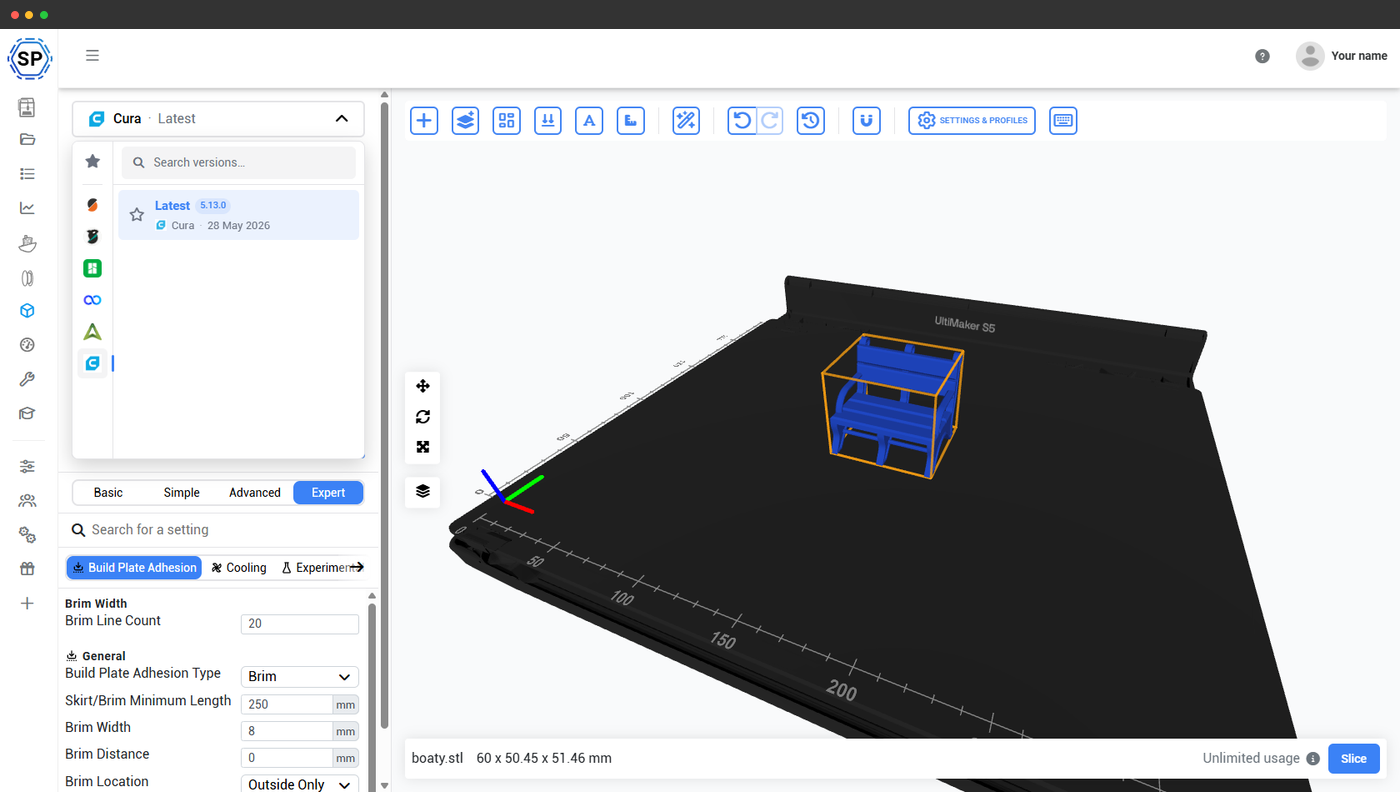
Most people come to SimplyPrint for a single slicer - but few 3D printing setups stay single-brand. A couple of Bambu Labs, an Ender 3, an Elegoo, maybe a Prusa alongside your UltiMaker: normally that means juggling a different desktop slicer per brand, each with its own interface, updates and quirks.
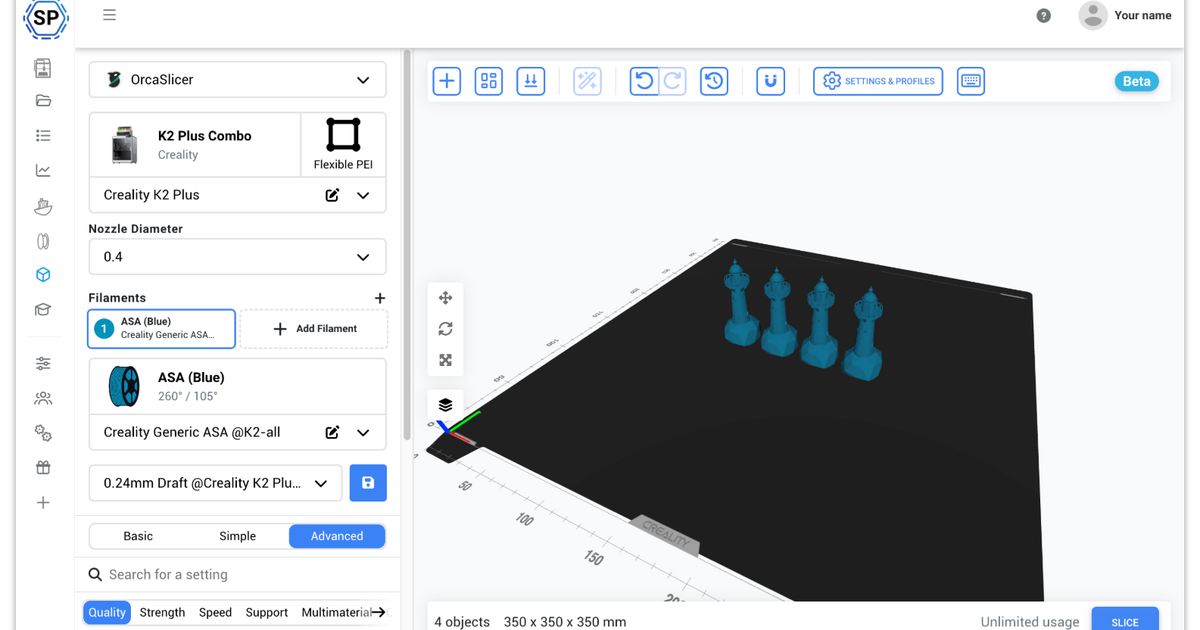
SimplyPrint gives you one unified slicer interface on top of six slicing engines: Cura, PrusaSlicer, OrcaSlicer, BambuStudio, ElegooSlicer, CrealityPrint & Kiri:Moto. The engine changes under the hood to match the printer you're slicing for - the interface, your workflow, your file library and your print queue stay exactly the same. Switching engine is one click, and every engine still exposes its full native setting catalog, so you never trade power for convenience.
More than just slicing: print, queue and save anywhere
SimplyPrint allows you to slice and print from anywhere; our platform doesn't just offer slicing - it offers a 3D printing ecosystem.
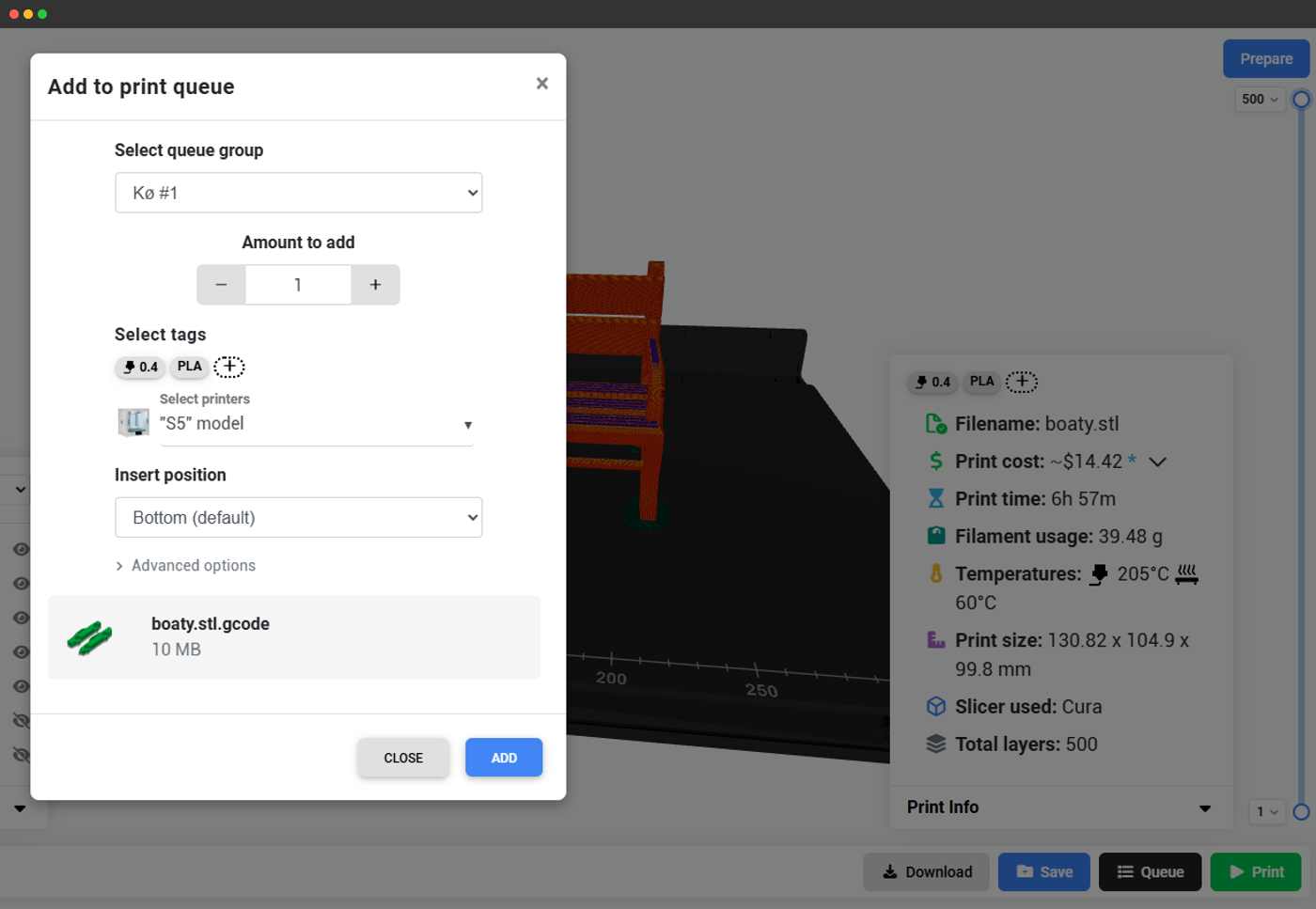
After slicing with Cura, see the full per-slice metadata (filename, print cost, time, filament usage, temperatures, print size, slicer + version) and then download the G-code, save it to your cloud files, queue it for later, or print directly on any connected printer - all in one click. Add filament tracking, live monitoring and multi-printer management, and your whole workflow lives in one place.
Learn more about our slicer & our other supported slicing engines
Cura is just one of the powerful slicing engines we support. Explore our complete cloud-based slicer solution and discover our other engines: PrusaSlicer, OrcaSlicer, BambuStudio, ElegooSlicer, CrealityPrint & Kiri:Moto.
Online Cloud-Based Slicer
Use PrusaSlicer, OrcaSlicer, BambuStudio, ElegooSlicer, CrealityPrint, Cura & Kiri:Moto online in the cloud - on any device, anywhere!
View Online Cloud-Based Slicer overviewAlso Available

PrusaSlicer Online
Use PrusaSlicer online in the cloud - on any device, anywhere!

OrcaSlicer Online
Use OrcaSlicer online in the cloud - on any device, anywhere!

BambuStudio Online
Use BambuStudio online in the cloud - on any device, anywhere!

ElegooSlicer Online
Use ElegooSlicer online in the cloud - on any device, anywhere!

CrealityPrint Online
Use CrealityPrint online in the cloud - on any device, anywhere!

Kiri:Moto Online
Slice with Kiri:Moto in our cloud, or entirely inside your own browser.