Used by 200+ educational institutions worldwide, including Brown University











Started prints
0
Material usage
0
Hours printed
0
Running classroom and lab printers since 2020
Our very first account was a school. Built in-house by our own developers in Denmark, who ship updates almost every week and answer support questions too.
Read our story and meet the teamReal labs run on SimplyPrint
From a university lab open to 2,200 students and staff to the school where it all started, these are real institutions running their printers from one place.
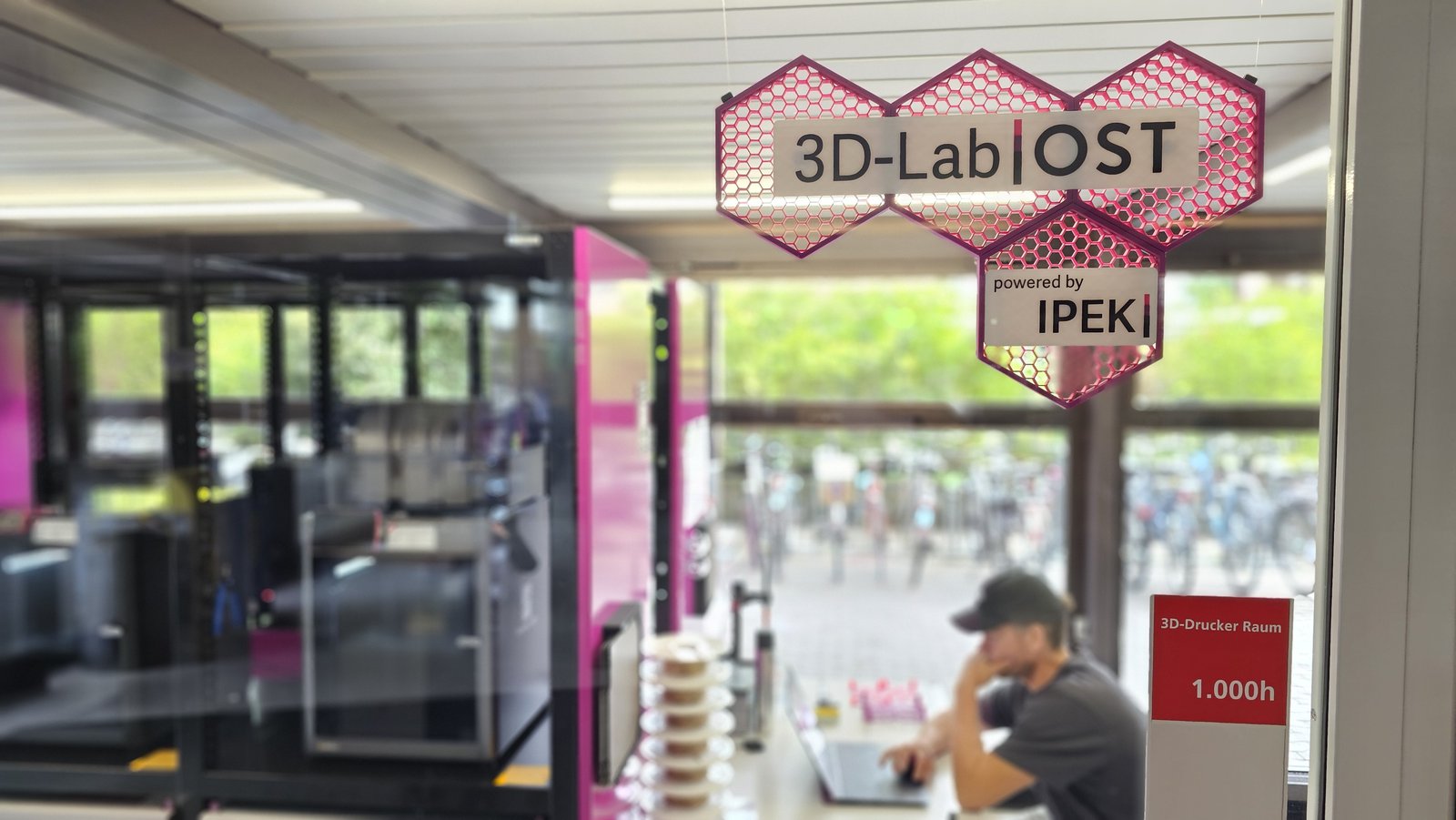
"Without the API it maybe would have been some Excel-shenanigans. Without the custom fields? Not a chance." Read their story
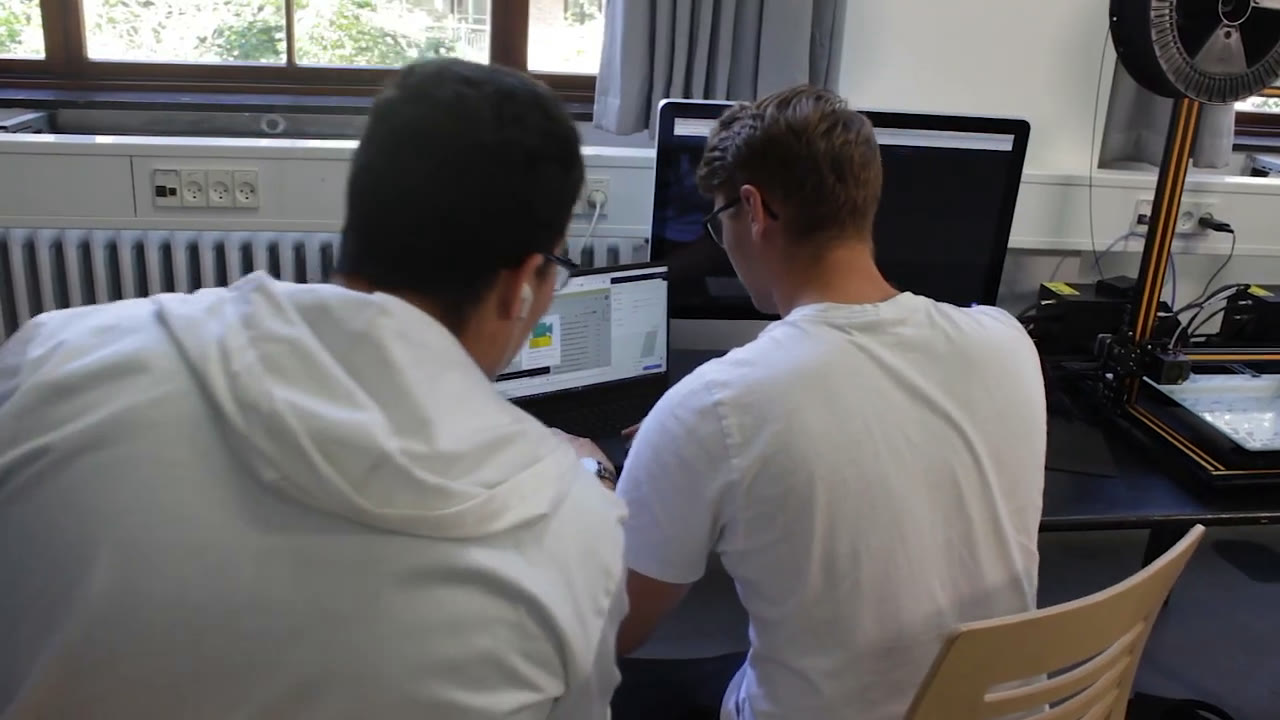
"Before SimplyPrint, our 3D printers were collecting dust. Now everyone can join in, and every teacher has the courage to include it in their teaching." Read their story
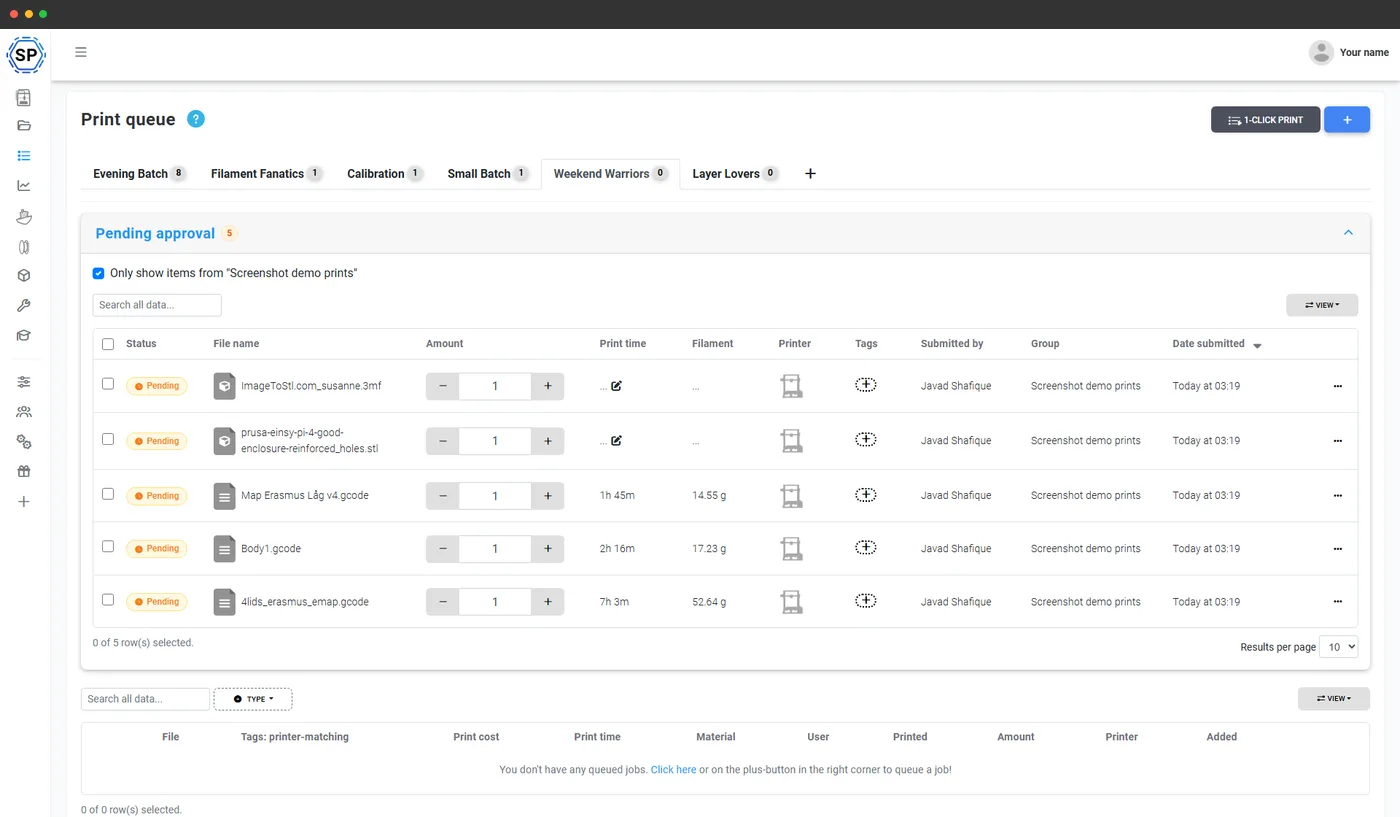
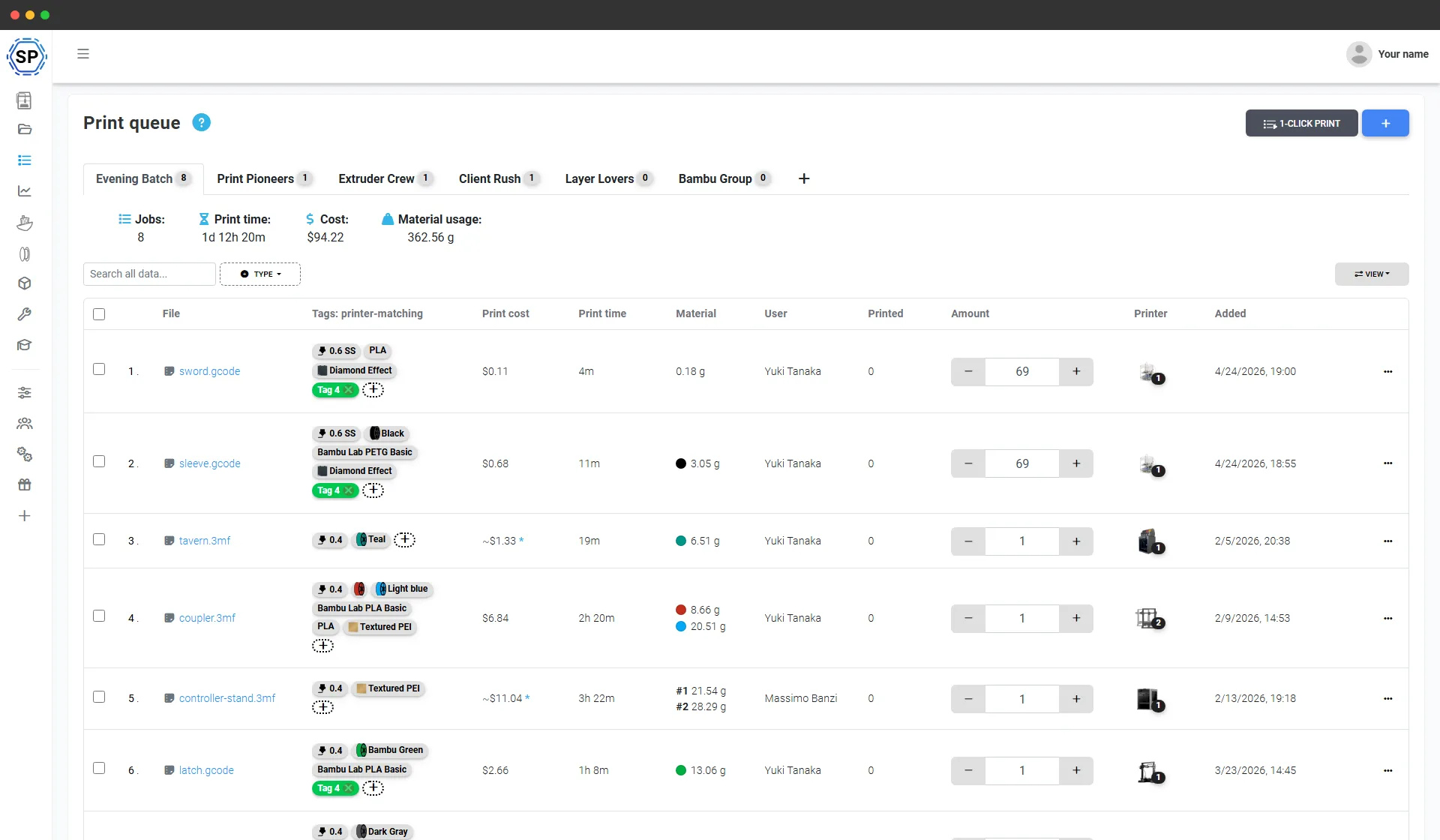
One shared queue for every student print
No more students emailing STL files to a teacher who then has to print them one by one. Students submit prints to the queue from any device, and the queue keeps track of whose job is whose, what's printed and what's next. Staff approve and start jobs, or students print themselves - your call. The hours you spend shepherding files come back every week.
Run it your way
Worried that centralizing takes away the experience of walking up to a printer and starting a print? It doesn't have to. You choose the workflow, per user group - keep the hands-on experience, add the oversight.
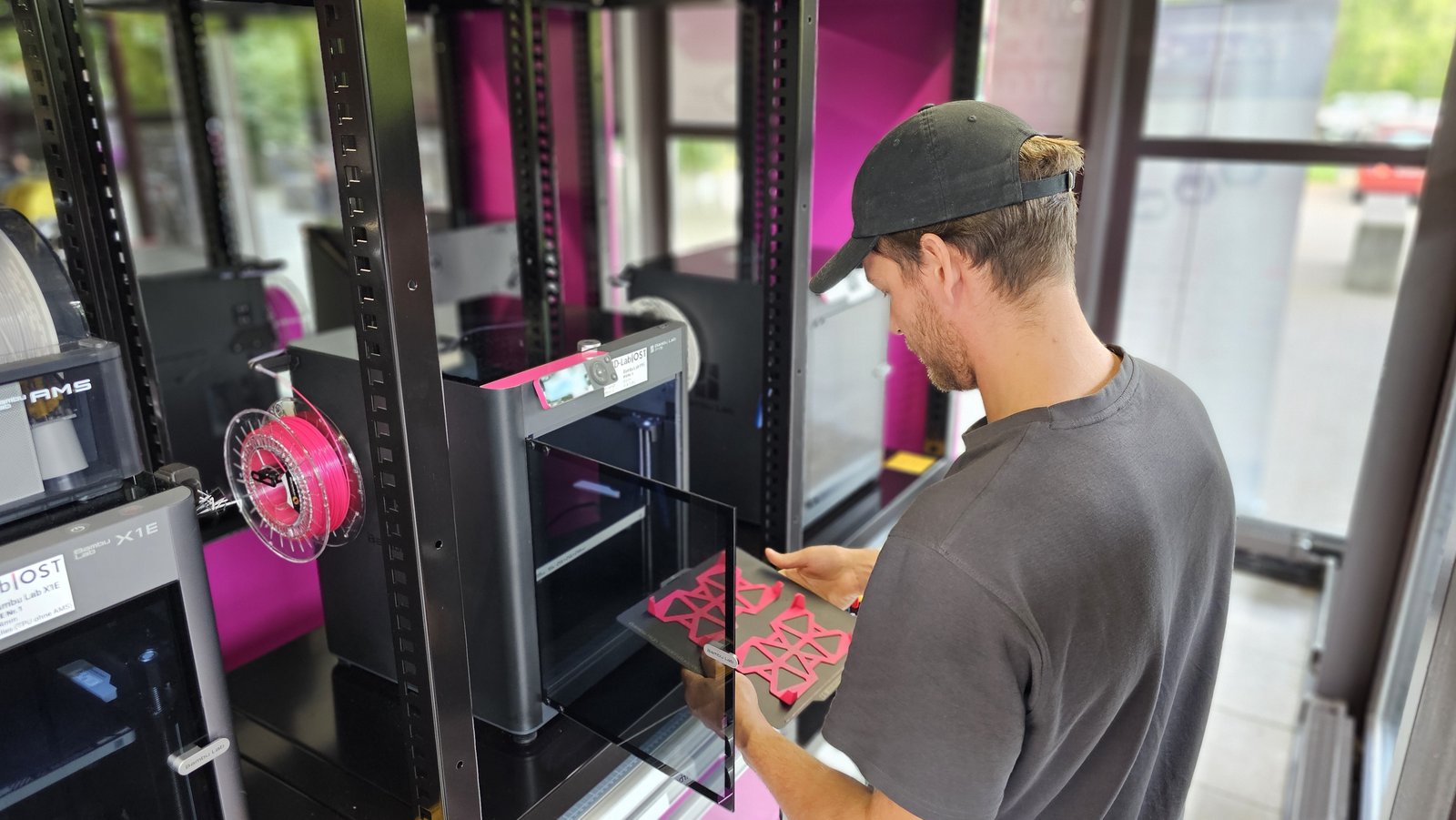
Self-serve: students walk up and print
Students start their own prints from their own account, hands on the machine and all. Add the guardrails you want: an IP allow-list so printing only works from the lab network, a shared lab station (the Hub), and a safety course students must pass before their first print.
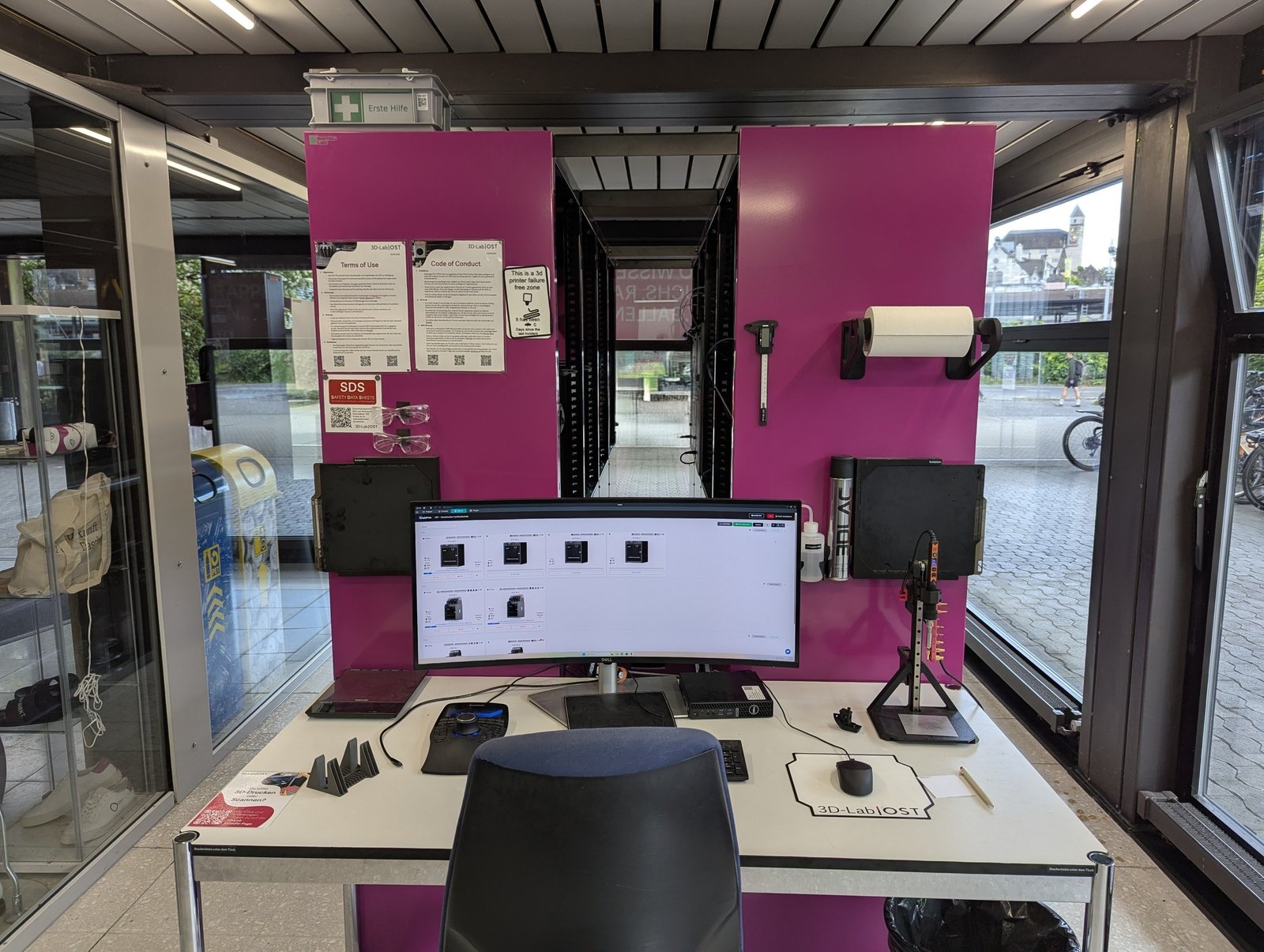
Managed: run it like a print service
Students add prints to the queue, a lab operator reviews, approves and starts them, and finished prints are handed off for pickup. Queue approval is built in as a permission - and students can still be allowed to start their own.
Photos: the OST 3D-Lab, Rapperswil-Jona, Switzerland.
Free 14-day trial · no credit card · nothing to install
Everything in one place
Profiles, permissions, quotas and usage all live where the printers do. Nobody slices the wrong thing, and nobody wonders who printed what.
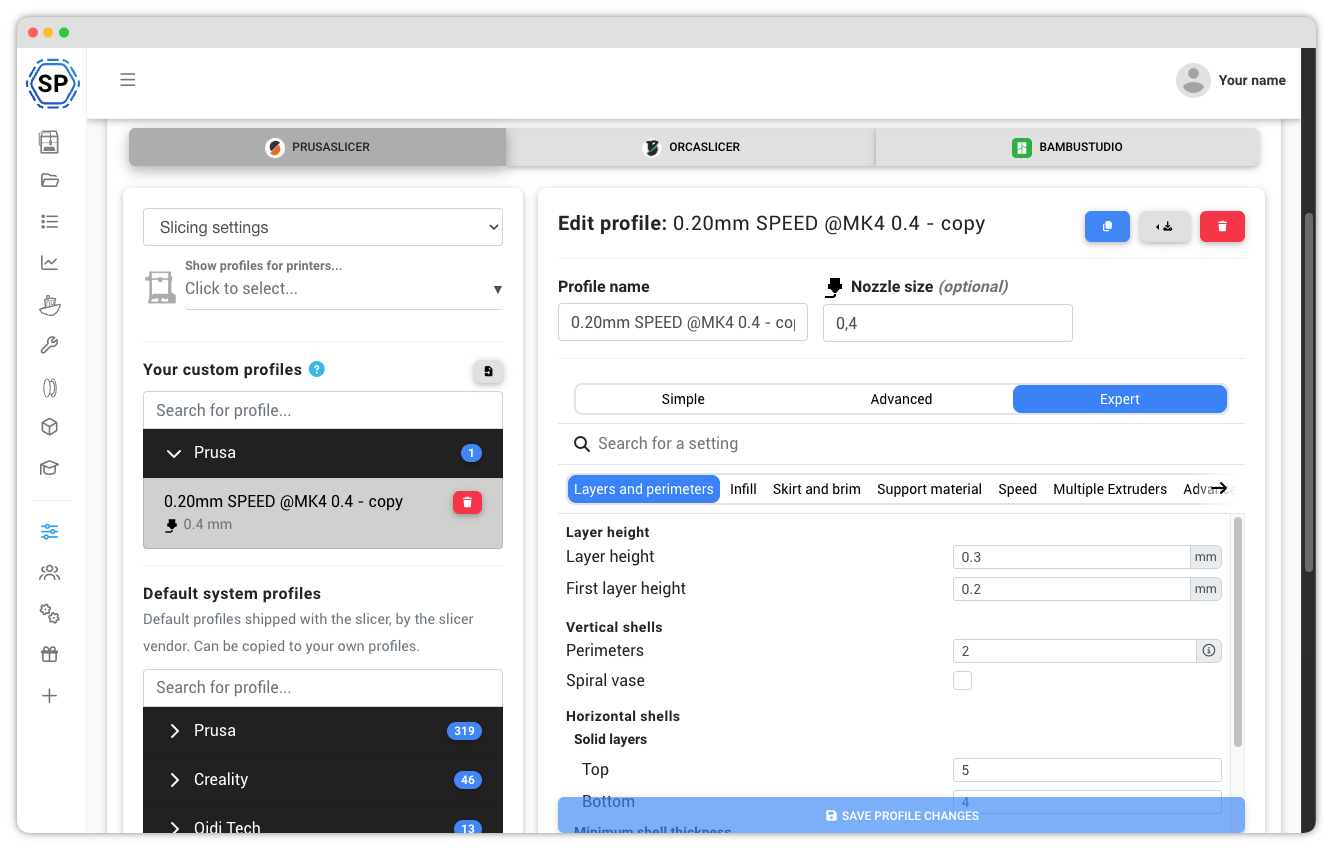
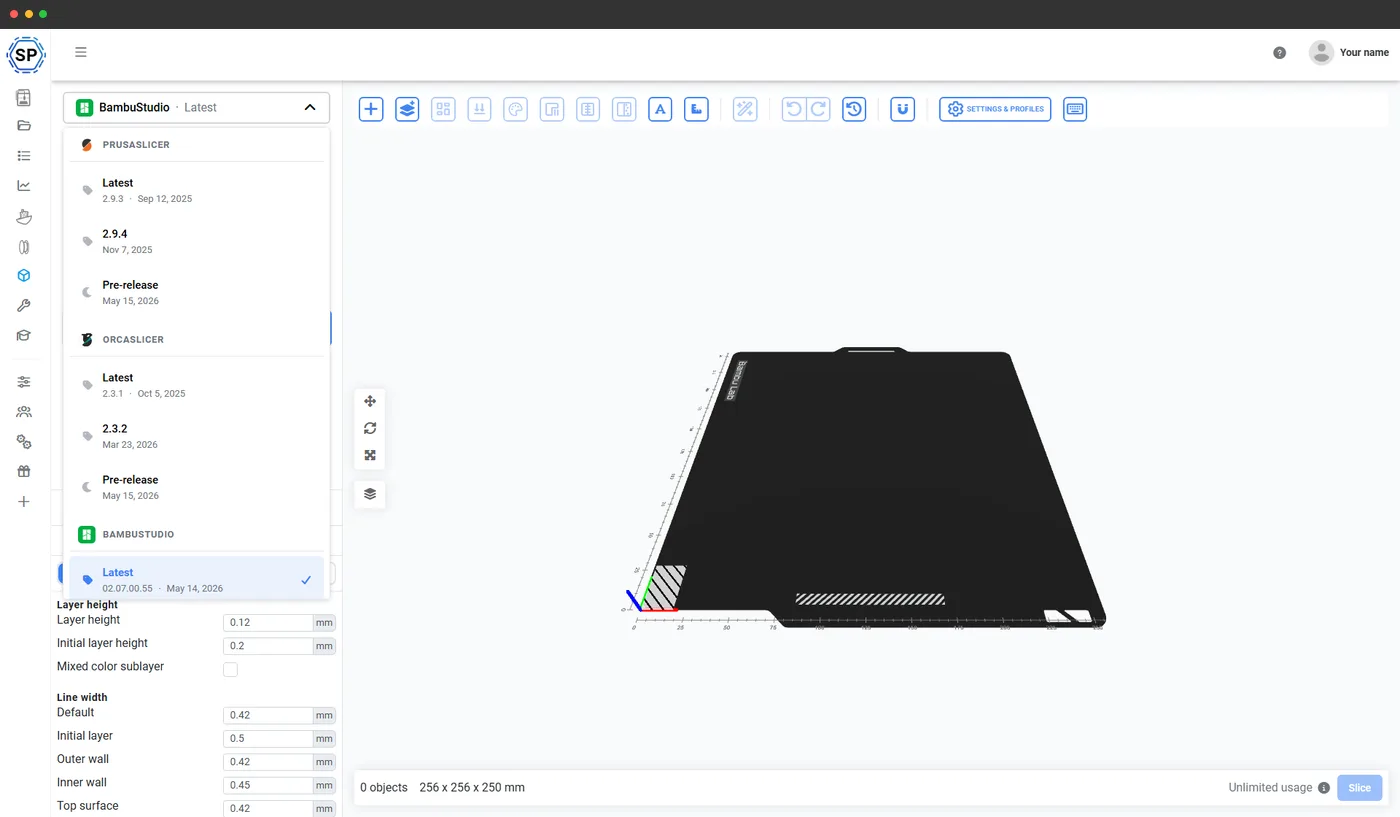
Shared slicer profiles
Students slice with the profiles you approve - the right printer, the right material, every time. Nobody installs anything or hunts for settings.
Learn more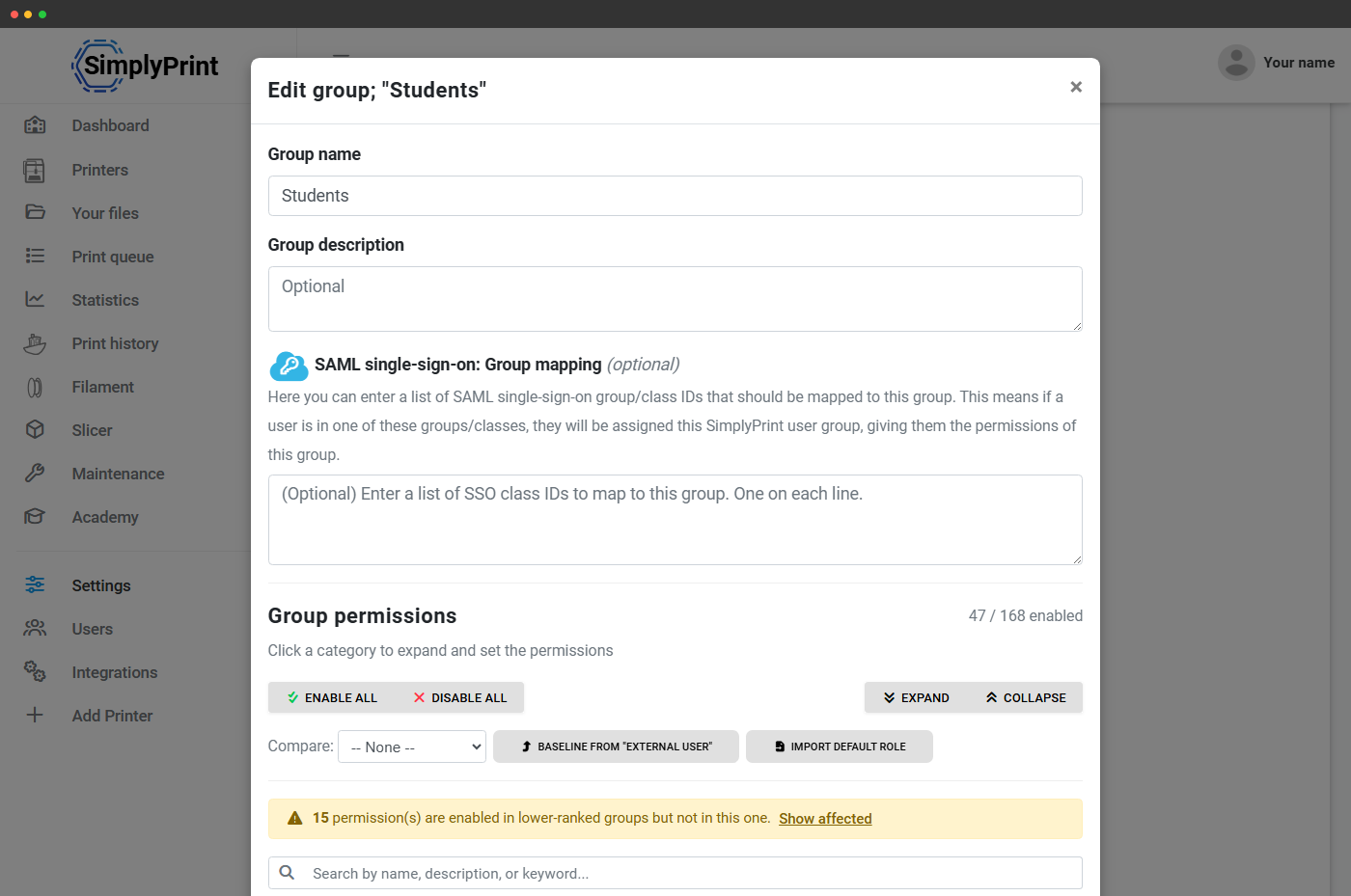
190+ permissions
Build user groups with exactly the rights they need: a trusted lab-tech group with more access, a first-year group with guardrails.
Learn more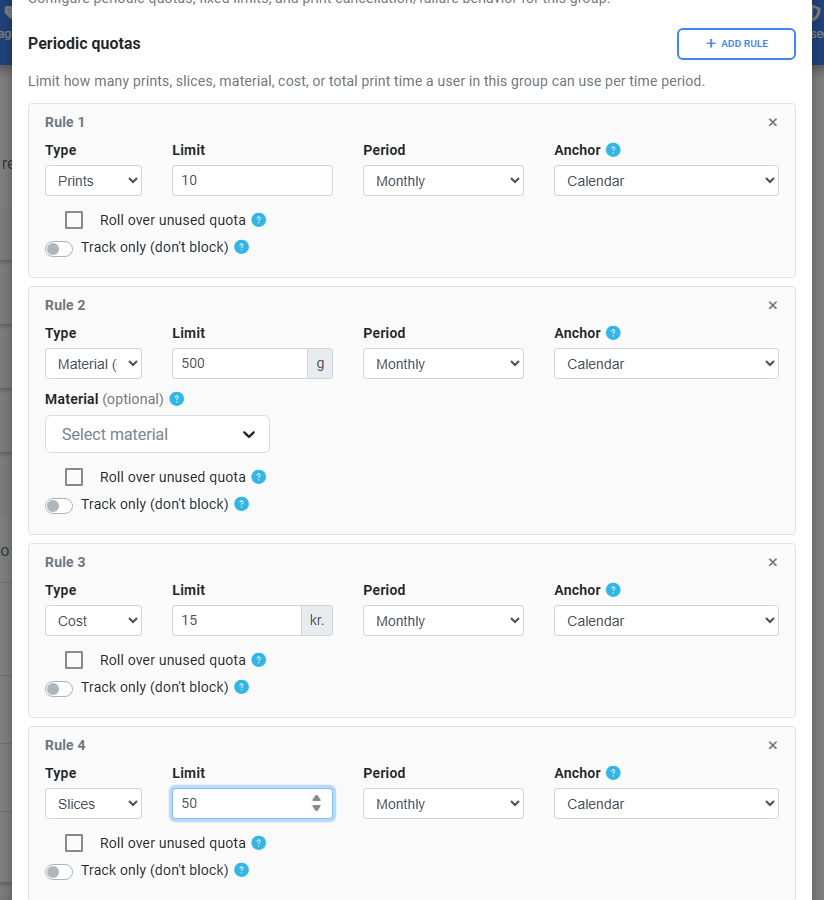
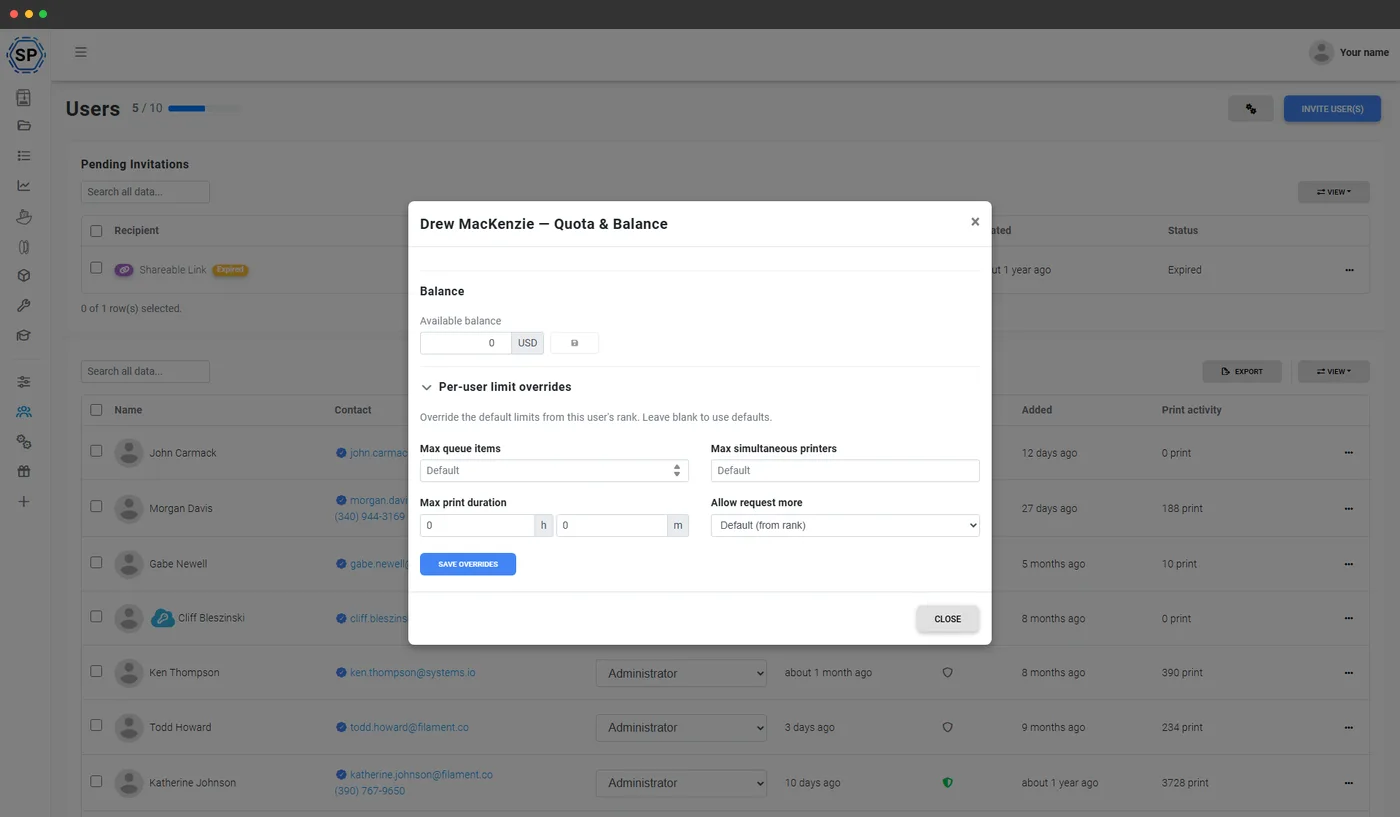
Quotas & balance
Cap each student by prints, material weight, print time or cost - per week, month or semester. Top up balances manually or through the API.
Learn more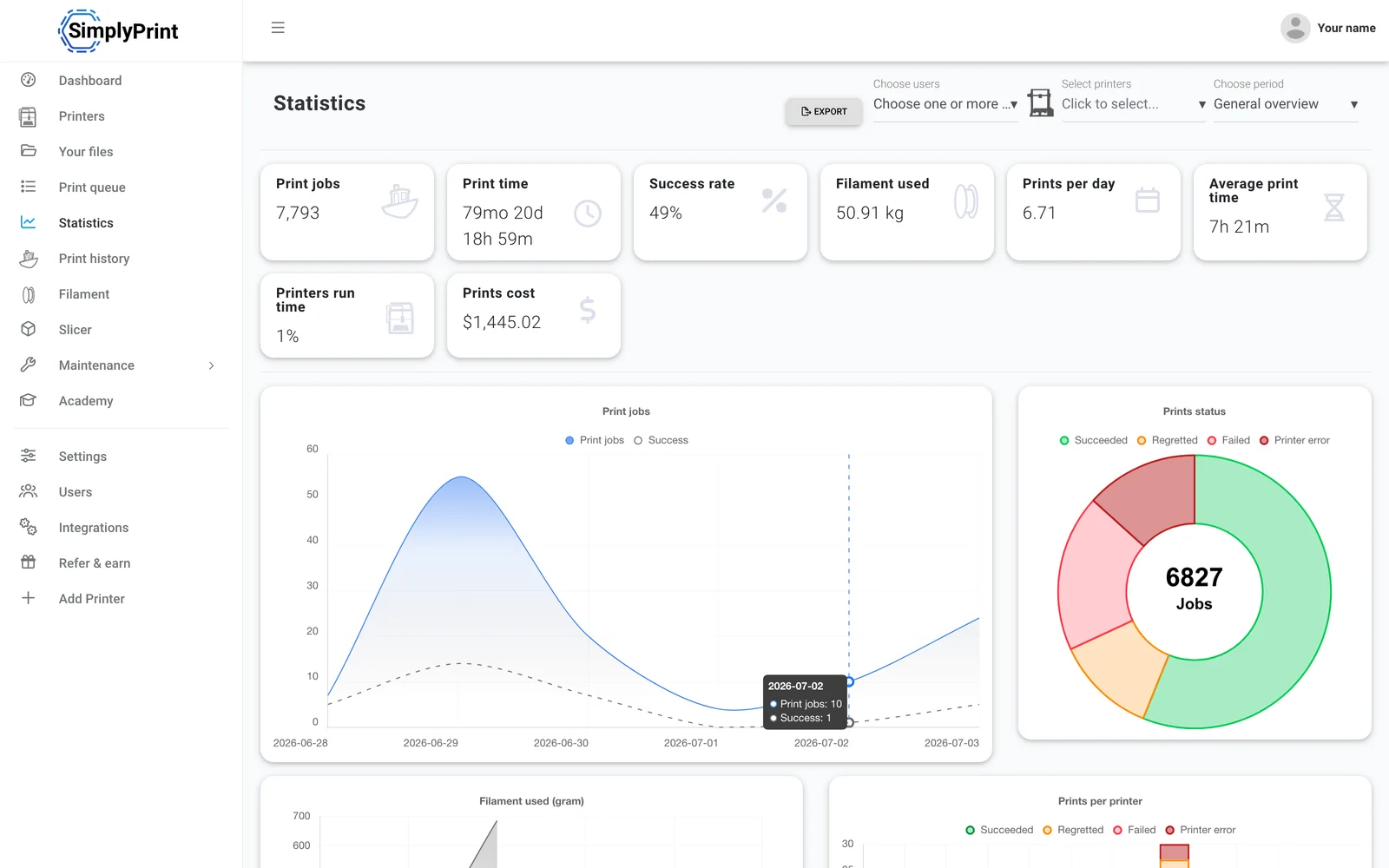
Statistics
Usage per student and per printer: jobs, print time, material used, success rate. The numbers to run a lab on, or bill a department with.
Learn moreTeach it, then unlock it
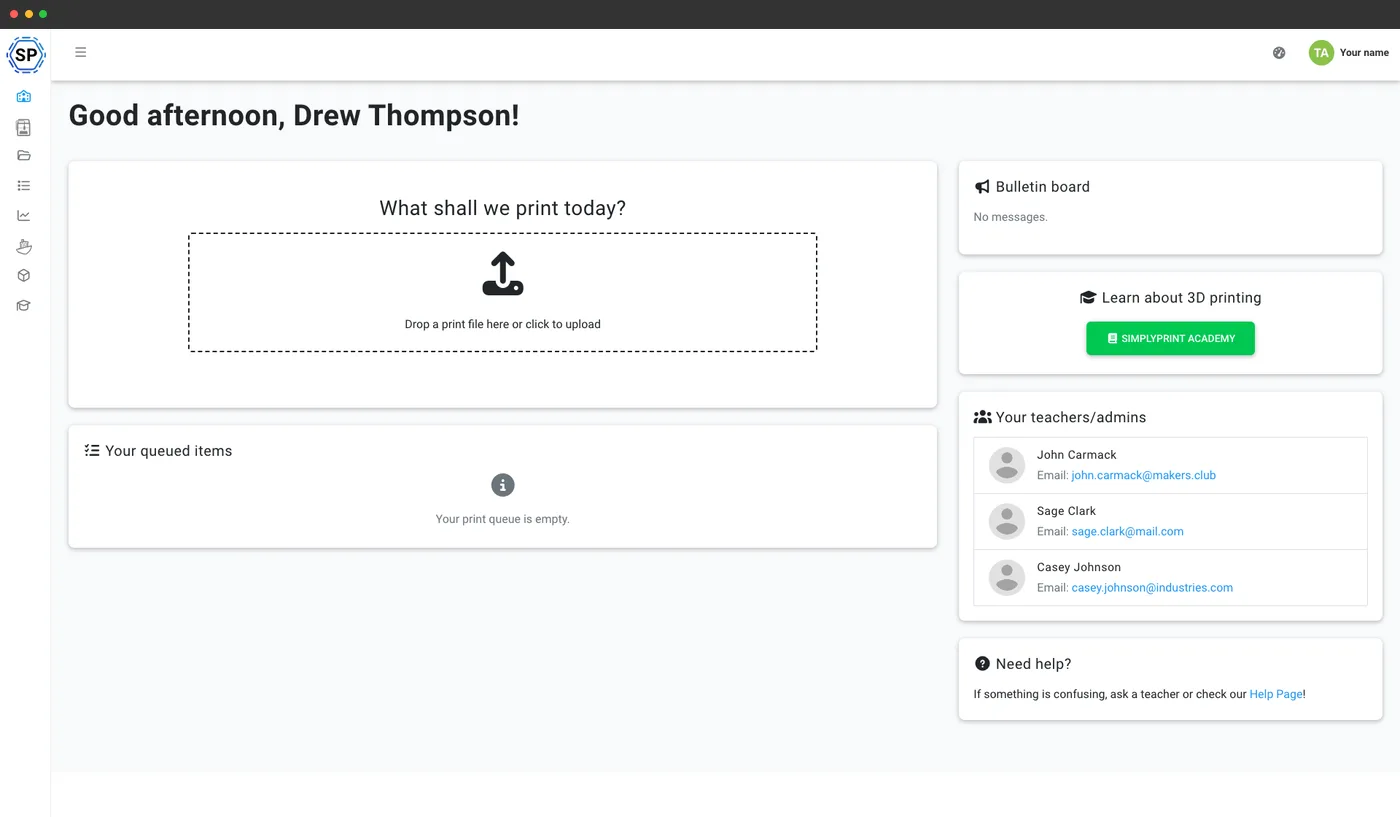
Slide-based courses with quizzes run inside the same panel students print from - no bolted-on learning platform. Use the built-in courses or author your own.
Then make them count: lock printing behind course completion. Until a student passes your safety course, the start-print button stays locked. Slicing, bed clearing and filament changes can be gated the same way, and passing a course can promote a student to a more trusted group automatically.
See the Academy for education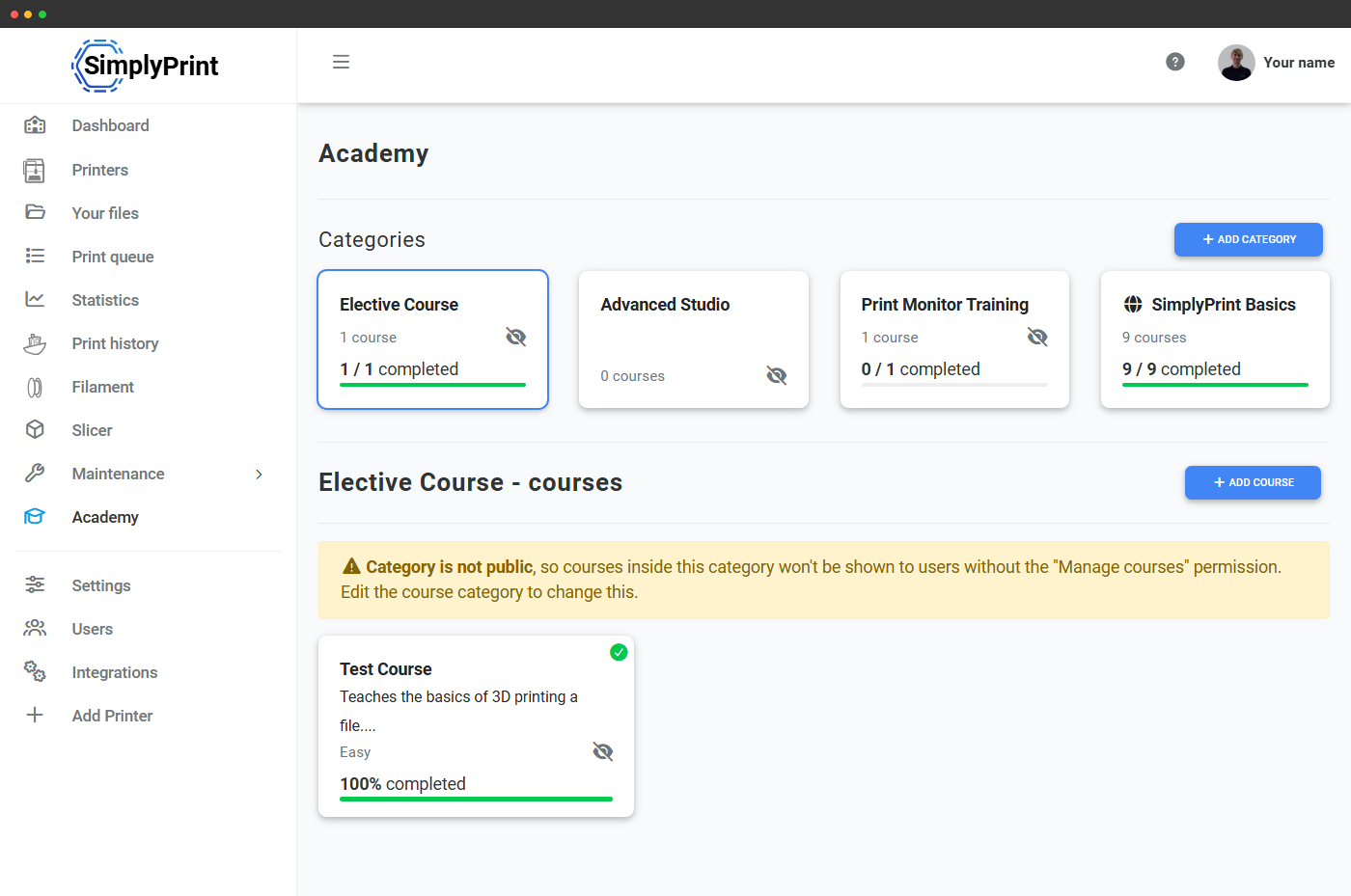
AI watches the prints, so staff don't have to
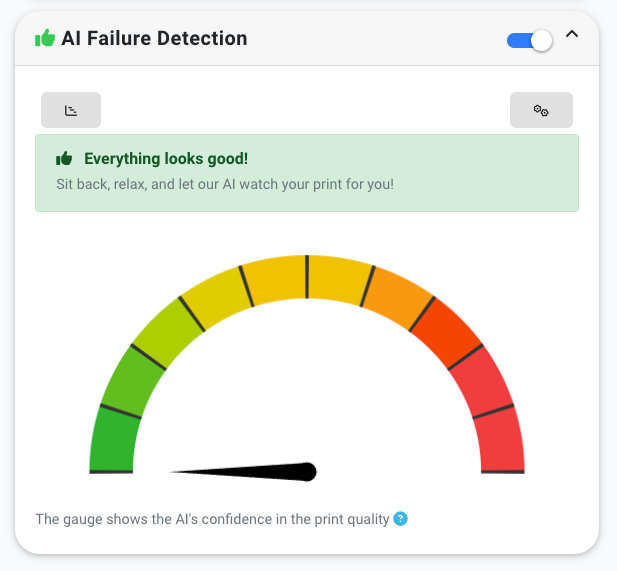
Student prints fail - that's part of learning. The AI catches spaghetti and warping early, notifies you, and saves the filament and the printer hours a failed overnight print would waste.
And don't worry: we do not train our AI on your prints unless you specifically opt in.
More about AI failure detectionBuilt to pass procurement
The answers IT and legal will ask for, ready before they ask.
Single sign-on
SAML and OIDC: Microsoft Entra ID, Google Workspace, Okta and more, plus Clever, InCommon and eduGAIN federation.
Learn moreWe sign DPAs
Signed the SDPC/TEC multi-state NDPA (Standard v1.0) - districts in 15 US states can subscribe via the General Offer. Custom DPAs for everyone else.
Accessibility
We target WCAG 2.1 AA and publish a VPAT 2.5 for procurement. Browser-based, keyboard-navigable, screen-reader friendly.
Learn moreStudent privacy
FERPA and COPPA aligned - we act as a "school official" under FERPA and never sell data. GDPR native.
EU data residency
A Danish company, founded 2020. Your data is hosted in EU data centres by default.
Serious infrastructure
Built on SOC 2 and ISO 27001 certified infrastructure, with 99.9%+ uptime tracked live on our public status page.


SimplyPrint is GDPR compliant; SOC 2 and ISO/IEC 27001 certifications are held by our hosting infrastructure.
Certifications & standards Security practicesPart of SimplyPrint for education. Teaching younger students? See SimplyPrint for the classroom
SimplyPrint is a cloud 3D printing platform - and not just for education. It also runs print farms, businesses and makerspaces, across 130+ brands and 610+ printer models. Check your printers.
Know how the print is going, from anywhere
Students get notified when their print finishes or fails, and staff can check any printer's camera from their phone. Free apps for iOS and Android.


SimplyPrint ⚫ Now
Print started on Printer 1
Estimated print time is 3d 4h
SimplyPrint ⚫ Now
Failure detected on Printer 2!
Want to pause or cancel?

Don't just take our word for it
Prefer a walkthrough? Book a demo
Pick a time and we'll show you SimplyPrint for your institution.