Your printer, your clearing motion, fully hands-off
No off-the-shelf clearing kit fits your setup? Build your own. Paste in custom clearing gcode, or wire up a robot arm, an ejector or a pneumatic scraper. SimplyPrint fires it in the AutoPrint loop, so the bed clears and the next job starts on its own.
What is the Custom gcode clearing method?
Custom gcode is the do-it-yourself clearing method for AutoPrint. Instead of a fixed mechanism, you supply the clearing motion and SimplyPrint runs it between the finished job and the next queued one. It comes in two flavours: write your own clearing gcode and paste it straight into SimplyPrint, or drive any custom hardware - a robot arm that lifts the finished part off the plate, a custom ejector, a pneumatic scraper. When a print ends, SimplyPrint runs your on-end gcode and then your clearing gcode, leaving the bed ready for the next print. It exists for the setups no packaged kit covers: if you can express the clearing as gcode, AutoPrint will run it.
How Custom gcode clearing works in SimplyPrint
Set up your clearing motion once and your printers keep clearing themselves.
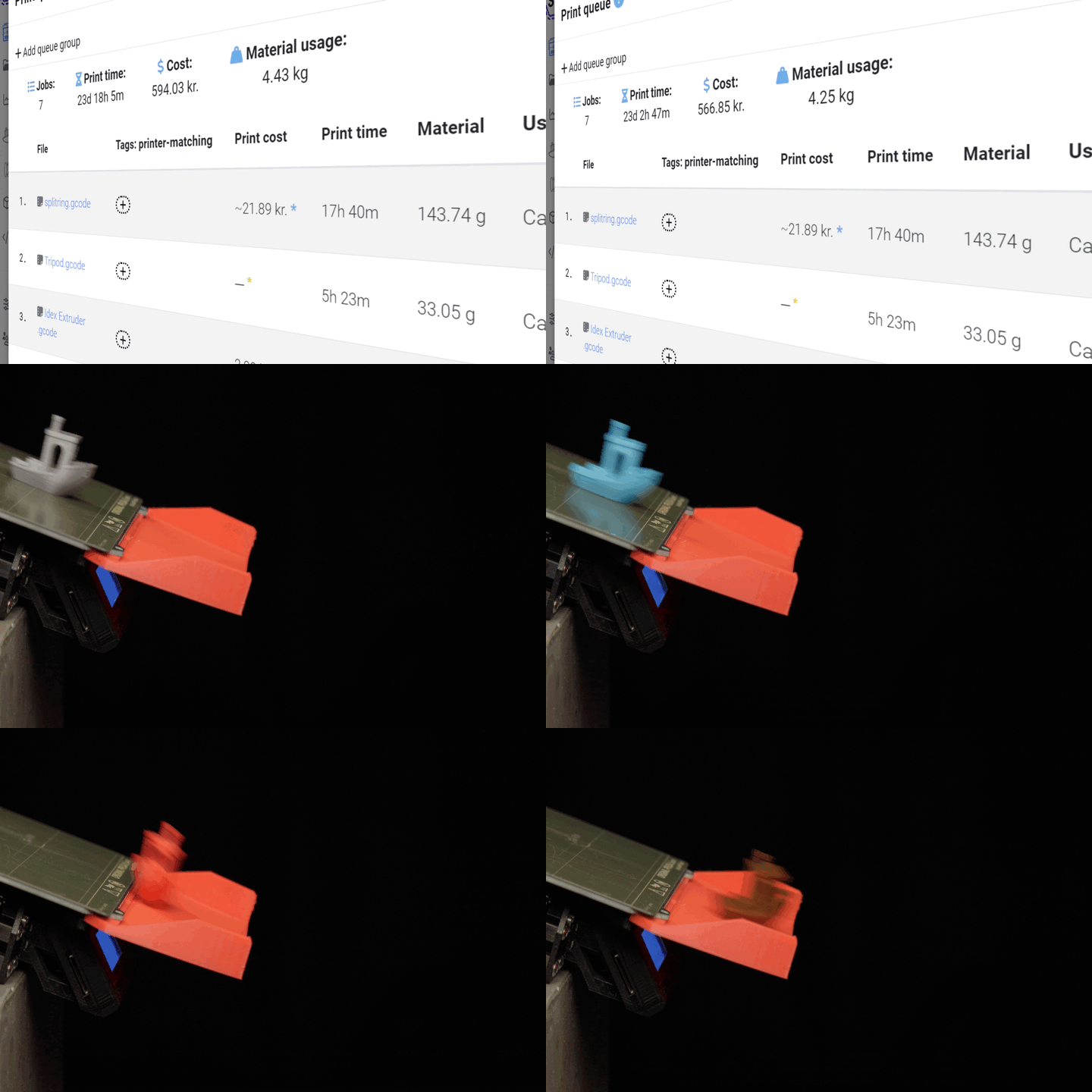
See it in action: robot arm and push-off
Two ways to build your own clearing - a robot arm lifting the part off the bed, or a custom push-off cycle.
A robot arm clears the bed
The hero example: a robot arm reaches in, picks the finished part off the plate and sets it aside. You write the arm's moves as clearing gcode, and SimplyPrint runs them between jobs so the printer never sits idle.
Or a custom push-off cycle
Prefer to push the part off yourself? Write a push-off sweep, an ejector trigger or a scraper pass as clearing gcode. If you can express the motion in gcode, AutoPrint will run it.
What you can build
If the clearing motion can be written as gcode, AutoPrint can run it. A few of the things people build:
Works with any printer
Because Custom gcode means you supply the clearing motion, it isn't tied to one brand or model. If your printer is connected to SimplyPrint and runs AutoPrint, it can run your clearing gcode. The only requirement is hardware that can actually clear the bed - a robot arm, ejector, scraper or sweep motion you can express as gcode. That makes Custom gcode the catch-all for setups no packaged clearing kit covers.
Nothing to buy from us - it's built in
Custom gcode is a built-in clearing method. There's no add-on kit to purchase from SimplyPrint. Turn on AutoPrint for a printer, pick the Custom gcode method, paste in your clearing gcode and you're set. You bring the hardware - a robot arm, ejector or scraper - and SimplyPrint runs the motion at the right moment. If you'd rather drive your clearing hardware from software with no gcode, use the API & webhooks method instead, which lets your own service control each step of the loop.
Read the clearing-methods guidePlan access: what plan do I need?
Custom gcode clearing runs through AutoPrint. AutoPrint is included on Pro as 1 license (up to 5 total). Print Farm, Enterprise and Education include unlimited AutoPrint licenses.
| Feature / Limit | Free | Basic | Pro | Print Farm | Enterprise | School | Cloud Slicer | Filament Manager |
|---|---|---|---|---|---|---|---|---|
|
AutoPrint licenses
One AutoPrint license per printer you want clearing itself with your custom gcode.
|
1 included Up to 5 total · $3.00/mo per extra license |
Want to learn more about our plans?
View full pricing & feature comparison