One A1 Mini, a stack of plates, zero babysitting
SwapMod is a physical plate-swapper for the Bambu Lab A1 Mini. After each print SimplyPrint ejects the finished plate and loads a fresh blank one from the stack, so the printer keeps going for as many plates as you set. Available as a pre-built kit or a printable DIY version, both fully supported.

What is SwapMod?
The clearing method
SwapMod is a mechanical plate changer from Swap Systems for the Bambu Lab A1 Mini. When a print finishes, it ejects the whole build plate and loads a fresh blank one from a finite stack, so your printer keeps producing parts unattended.
In SimplyPrint this is a cycle-dependent AutoPrint method: because the plate stack is finite, you set a max plate count (the default is 3) and AutoPrint runs that many jobs back-to-back, then stops cleanly when the stack would run out. SwapMod comes in two editions, both fully supported here: a pre-built mechanical kit and a printable DIY STL version.
What operators say
Print-farm operators in our 2026 feedback survey repeatedly named SwapMod-style automation a hidden gem for fleet capacity.
"We quadrupled our print-farm. Everything SwapMod-related is the hidden gem."
How SwapMod works in SimplyPrint
Set it up once and let the queue feed it. Connect your A1 Mini, turn on AutoPrint, pick SwapMod, set your max cycles, then queue jobs and walk away.
SwapMod in action
A closer look at the SwapMod plate changer mounted on a Bambu Lab A1 Mini, the plate stack it pulls from, and the clear gcode SimplyPrint generates for it.
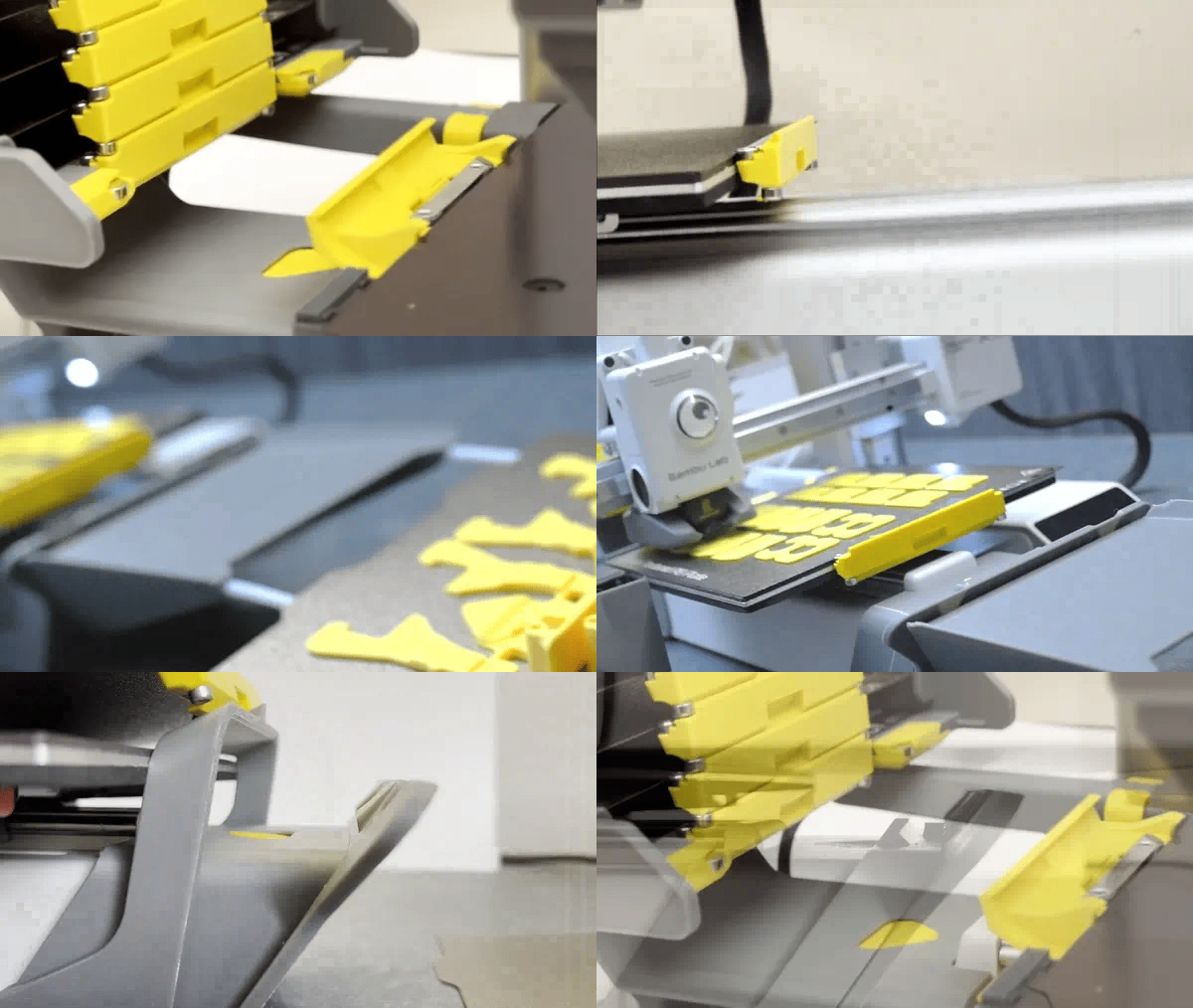
SwapMod ejecting a finished plate and loading a fresh one between jobs.

The SwapMod mechanism fitted to a Bambu Lab A1 Mini.

The finite stack of build plates SwapMod feeds from, one per print cycle.

How the swap motion clears the bed for the next job.

The clear gcode SimplyPrint generates and runs after each print to trigger the swap.
Which printers does SwapMod support?
SwapMod is built for one machine, and SimplyPrint supports it on that machine.
Get the SwapMod hardware
SwapMod is made by Swap Systems. Grab the pre-built kit or print the DIY version, then connect your A1 Mini to SimplyPrint and enable it.
Save 5 EUR at Swap Systems with code simplyprint-5-jbxa1.
Want the full product details, editions and price? Read the dedicated SwapMod integration page.
Plan access: what plan do I need?
SwapMod runs on SimplyPrint AutoPrint, which is included on Pro as 1 license (up to 5 total). Print Farm, Enterprise and Education include unlimited AutoPrint licenses.
| Feature / Limit | Free | Basic | Pro | Print Farm | Enterprise | School | Cloud Slicer | Filament Manager |
|---|---|---|---|---|---|---|---|---|
|
AutoPrint licenses
One license per printer you want to run hands-off with SwapMod.
|
1 included Up to 5 total · $3.00/mo per extra license |
Want to learn more about our plans?
View full pricing & feature comparison