What print head push-off is, in one line
Standard print head push-off is a built-in SimplyPrint AutoPrint clearing method for standard Cartesian / bed-slinger printers: the toolhead itself shoves the cooled, finished print off the bed so the next queued job can start - with no ejector arm, conveyor or extra hardware to buy.
What print head push-off is, and how it clears the bed
Standard print head push-off is a built-in bed-clearing method in SimplyPrint AutoPrint. Instead of an ejector kit, conveyor belt or robotic arm, it uses the printer's own toolhead to push the finished part off the build plate. When a job ends, SimplyPrint waits for the bed to cool to a release temperature so the print detaches cleanly, then runs the push-off cycle to clear the plate for the next job.
Because it relies only on the toolhead and a flat, removable bed, there is nothing to buy and nothing to install - which is exactly why it works on more printers than any hardware-specific method. Just keep in mind it is a push-off style method: the part has to be safe to shove off, so flat-ish, well-adhered geometries clear most reliably, while very tall or fragile parts may not be a good fit.
How it works in SimplyPrint
Set push-off as your clearing method once, then let AutoPrint run the queue hands-off.
How toolhead push-off works
Cool down, then sweep the part off the plate
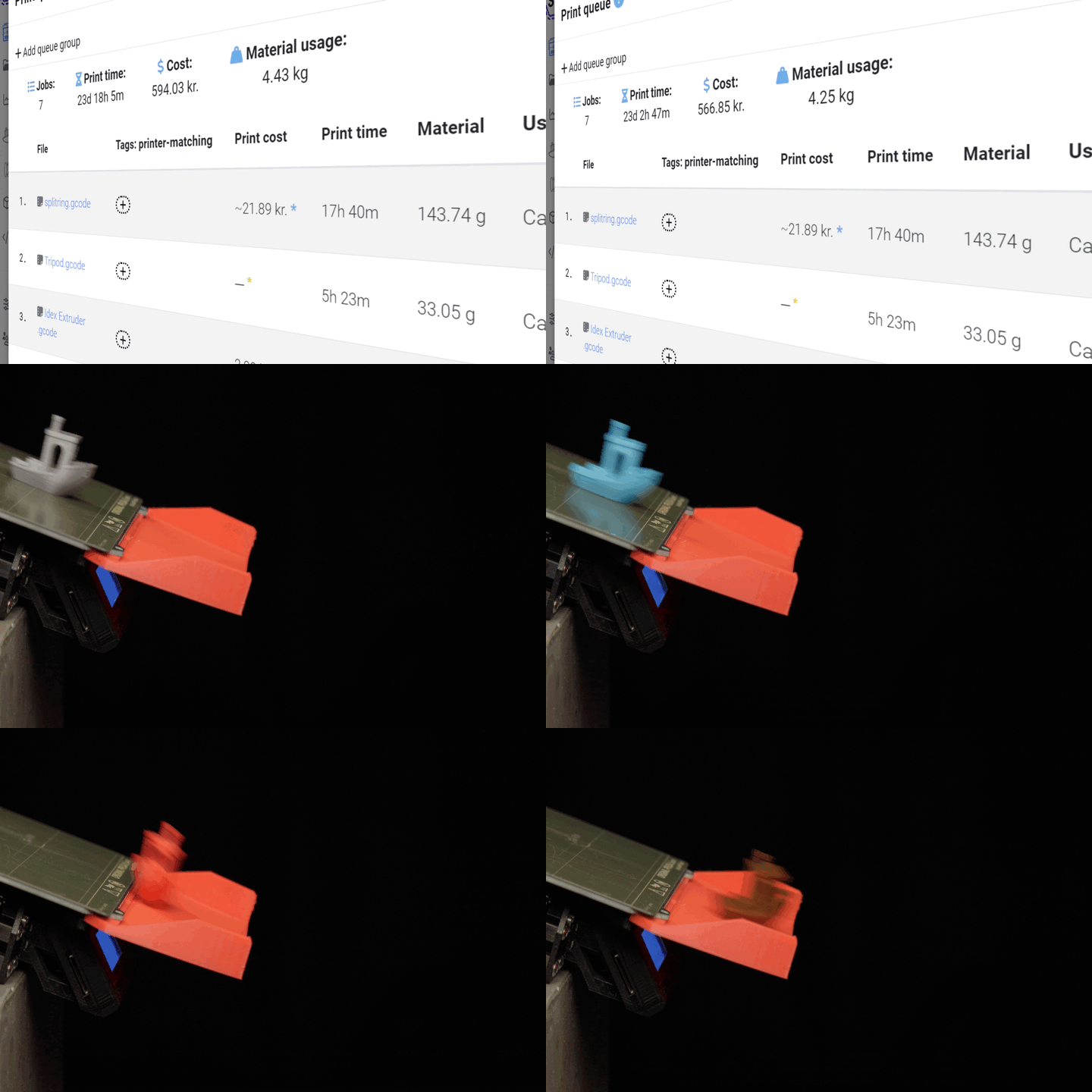
When a job completes, SimplyPrint holds until the bed cools to a release temperature, then moves the toolhead across the plate to push the finished part off - leaving the bed clear for the next queued print.
Part after part, no hands on the bed
AutoPrint clears the plate and starts the next job
With push-off set as the clearing method and AutoPrint enabled, your printer clears the bed and starts the next job by itself - part after part, no hands on the bed.
Works with these printers
Because push-off only needs the toolhead and a flat, removable bed, it works on most standard Cartesian / bed-slinger printers. That covers a huge range of popular machines, including the Ender 3 family, many Creality, Anycubic and Elegoo models, and Prusa printers.
If your printer has a flat, removable plate and parts that release once the bed cools, it's a good candidate. There's nothing to fit first - you set push-off as the clearing method directly in SimplyPrint and you're ready to go.
No hardware to buy - just turn it on
Unlike ejector kits, conveyors or plate cyclers, push-off needs no extra hardware at all. It's a built-in SimplyPrint AutoPrint method, so there's nothing to order, fit or wire up. Enable AutoPrint on a supported printer, choose push-off as the clearing method, and start queuing jobs.
For the exact setup steps and tuning tips (like getting the release temperature right for your filament), follow the help center guide.
Plan access: what plan do I need?
AutoPrint is included on Pro as 1 license (up to 5 total). Print Farm, Enterprise and Education include unlimited AutoPrint licenses.
| Feature / Limit | Free | Basic | Pro | Print Farm | Enterprise | School | Cloud Slicer | Filament Manager |
|---|---|---|---|---|---|---|---|---|
|
AutoPrint licenses
Each printer running hands-off with push-off uses one AutoPrint license. Push-off itself needs no extra hardware.
|
1 included Up to 5 total · $3.00/mo per extra license |
Want to learn more about our plans?
View full pricing & feature comparison