Cloud vs. On-Premise Solutions

Compare the managed cloud with a custom on-premise Enterprise deployment.

Two Enterprise deployment paths

Start in the cloud, or scope SimplyPrint inside your infrastructure

The managed cloud is the standard choice and is available through self-serve Enterprise signup. On-premise is a custom engagement for organisations with a defined infrastructure, data-boundary or network requirement.

Managed cloud

SimplyPrint operates the platform

Use the complete platform without running application servers, databases or object storage. SimplyPrint manages platform updates, backups, monitoring and capacity.

  • Self-serve Enterprise signup and a free 14-day trial
  • Managed application updates and security releases
  • Managed database, cache, storage and platform monitoring
  • The standard path to cloud slicing, AI and connected services

Start Enterprise trial
Custom on-premise

Your organisation controls the infrastructure

Run a scoped Enterprise deployment inside infrastructure operated by your organisation or an approved provider, with responsibilities agreed before implementation.

  • Customer-controlled infrastructure and network boundary
  • Docker-based application roles designed for the agreed environment
  • Defined ownership for backups, monitoring, updates and incidents
  • Enterprise software, implementation, maintenance and support agreement
Explore on-premise
Managed-cloud operations

The shortest path to a supported, continuously updated platform

The hosted service keeps infrastructure work with SimplyPrint, so your team can focus on printer access, workflows and integrations. Users work from the browser or mobile apps, while printers connect through supported built-in integrations, the SimplyPrint Client, OctoPrint or Klipper.

This is the right default for most organisations, including teams with strong security requirements that do not have a policy requiring customer-operated application infrastructure.

Managed maintenance for cloud-based 3D printer software
On-premise architecture

Containerized service roles, not a single desktop application

A SimplyPrint deployment can separate web and API traffic, real-time communication, scheduled workers, relational data, Redis and S3-compatible object storage. Exact production orchestration, capacity, credentials and network paths are designed around the approved environment.

Some features depend on external services. Cloud slicing, AI and other connected capabilities may need approved egress, a different topology or may be unavailable in a disconnected environment.

Docker-based, but not a public Compose download

If a custom Enterprise deployment is agreed, its production package and operating procedures are defined for that environment. Self-hosting is not a free edition of SimplyPrint.

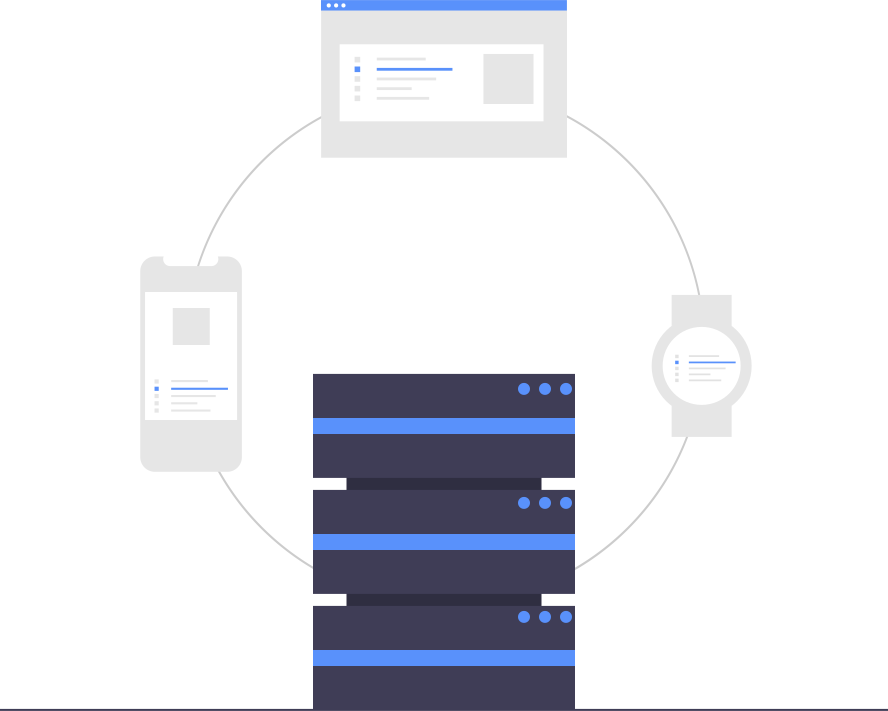
Illustration of servers representing a customer-controlled deployment
Responsibility comparison

The real difference is who operates each layer

AreaManaged cloudCustom on-premise
Application infrastructureOperated by SimplyPrintOperated inside the agreed customer environment
Capacity and monitoringManaged as part of the hosted serviceResponsibilities and escalation paths are agreed before launch
Backups and recoveryManaged under the hosted operating modelStorage, retention, testing and ownership are defined for the deployment
UpdatesReleased through the managed serviceDelivered through an agreed maintenance and change process
Connected servicesAvailable through the standard cloud topologyDepends on approved network paths and the agreed architecture
Commercial modelSelf-serve Enterprise subscriptionEnterprise subscription plus scoped implementation, maintenance and support
Government and regulated environments

Deployment inside an authorized boundary does not transfer authorization

SimplyPrint is not FedRAMP authorized. A custom deployment can be scoped to run inside infrastructure and a security boundary operated by the customer, including a government-cloud environment. Running there does not grant or transfer authorization.

The customer and its assessor remain responsible for defining the system boundary, selecting and operating controls, evaluating connected services and completing any required accreditation. Bring the named framework, contract and data classification to the first technical review.

Verify authorization status in the official FedRAMP Marketplace
Customer-controlled security boundary around an on-premise deployment

Frequently asked questions

What is cloud-based 3D printer management?

Cloud-based 3D printer management runs the control, monitoring and slicing software on remote servers instead of a machine you host yourself. You manage your printers from a web browser or mobile app, and updates, scaling and backups are handled for you. This is the standard SimplyPrint deployment.

Does SimplyPrint offer an on-premise or self-hosted version?

On-premise deployment is available to select Enterprise customers, subject to a technical and commercial agreement. The managed cloud is the standard, self-serve service; self-hosted infrastructure, networking, updates and support are scoped with your IT and security teams.

Where is my data stored, and is SimplyPrint suitable for enterprise IT?

The managed service supports single sign-on, audit logging and Data Processing Agreements, with published security practices for the hosted platform. Managed-service data is stored in EU data centres; customer-controlled infrastructure can be scoped for select Enterprise customers.

Is cloud 3D printer management secure compared to keeping it on-premise?

The managed cloud centralises platform updates, monitoring and access controls under SimplyPrint's operating model. On-premise can satisfy infrastructure-control requirements, but the deployment must explicitly assign security, monitoring, backup and update responsibilities between your team and SimplyPrint.

What happens to my prints if my internet connection drops?

A print that is already running continues on the printer during a temporary outage. Starting new prints, monitoring and other connected functions are unavailable until the connection returns; the local SimplyPrint Client then reconnects automatically.

Do I need dedicated IT staff or server hardware to use SimplyPrint?

Not for the standard hosted service: there is no SimplyPrint server to buy, host or maintain. Custom self-hosted Enterprise deployments do require an agreed infrastructure and operational owner. Printers connect through a built-in integration, OctoPrint or Klipper (Moonraker).

Is on-premise SimplyPrint a free self-hosted edition?

No. Self-hosting changes who operates the infrastructure; it does not remove the Enterprise software, implementation, maintenance and support agreement. It is a custom Enterprise deployment, not a public download.

Choose the operating model that matches the requirement

Start the managed Enterprise service online, or bring your infrastructure, network and compliance requirements to a deployment conversation.

Start Enterprise trial Discuss on-premise