The K3 is Creality's nozzle-changing CoreXY: four 0.4 mm hardened steel nozzles that swap in 4.8 seconds, for four colours or materials with little purge waste. It is for hobbyists and small makers who want fast, low-waste multi-colour printing, and it is still a pre-order.
Creality says the firmware is Klipper-based and root access is available out of the box; Moonraker/Fluidd not stated, expected like the K2 Plus.
Source
Klipper-based firmware; OctoPrint only on top of Klipper.
Source
Ships with Klipper: OctoPrint only runs on top of it, through the OctoKlipper plugin
What works with SimplyPrint
Connected through SimplyPrint Client, SimplyPrint is expected to support most of what it offers on the Creality K3: the camera and AI failure detection, remote printing, skipping objects, temperature and movement control, filament mapping for its multi-material unit and AutoPrint. Not available through SimplyPrint Client: baby stepping and Z-Offset Calibration. The table below compares the two ways of connecting it to SimplyPrint.
Every SimplyPrint feature, for each way of connecting it to SimplyPrint
Connected to SimplyPrint through
SimplyPrint feature
SimplyPrint Client
Expected to work
Klipper (Moonraker)
Expected to work
Monitoring
Live status and progress
Yes
Yes
Webcam
Yes
Yes
AI failure detection
Yes
Yes
Time left
Yes
Yes
Layer progress
Yes
Yes
Temperatures
Yes
Yes
Printing
Starting a print
Yes
Yes
Pause, resume and cancel
Yes
Yes
Skip objects
Yes
Yes
Files
Print sliced 3MF files
Yes
No
Printer control
Change temperatures
Yes
Yes
Moving with the controls
Yes
Yes
Homing
Yes
Yes
Extrude and retract
Yes
Yes
Change print speed
Yes
Yes
Fan speed
Yes
Yes
Baby stepping
No
Yes
Send G-code
Yes
Yes
Calibration
Change filament
Yes
Yes
Bed leveling
Yes
Yes
Z-Offset Calibration
No
Yes
Multi-material
Map filament to multi-material slots
Yes1
No
Sync loaded filament from the multi-material unit
Yes1
No
Automation
AutoPrint
Pro
Yes
Yes
Download the file before the print starts
Yes
No2
Connected to SimplyPrint through SimplyPrint Client
Expected to work
Monitoring
Live status and progressYes
WebcamYes
AI failure detectionYes
Time leftYes
Layer progressYes
TemperaturesYes
Printing
Starting a printYes
Pause, resume and cancelYes
Skip objectsYes
Files
Print sliced 3MF filesYes
Printer control
Change temperaturesYes
Moving with the controlsYes
HomingYes
Extrude and retractYes
Change print speedYes
Fan speedYes
Baby steppingNo
Send G-codeYes
Calibration
Change filamentYes
Bed levelingYes
Z-Offset CalibrationNo
Multi-material
Map filament to multi-material slotsYes1
Sync loaded filament from the multi-material unitYes1
Automation
AutoPrint ProYes
Download the file before the print startsYes
Connected to SimplyPrint through Klipper (Moonraker)
Expected to work
Monitoring
Live status and progressYes
WebcamYes
AI failure detectionYes
Time leftYes
Layer progressYes
TemperaturesYes
Printing
Starting a printYes
Pause, resume and cancelYes
Skip objectsYes
Files
Print sliced 3MF filesNo
Printer control
Change temperaturesYes
Moving with the controlsYes
HomingYes
Extrude and retractYes
Change print speedYes
Fan speedYes
Baby steppingYes
Send G-codeYes
Calibration
Change filamentYes
Bed levelingYes
Z-Offset CalibrationYes
Multi-material
Map filament to multi-material slotsNo
Sync loaded filament from the multi-material unitNo
Automation
AutoPrint ProYes
Download the file before the print startsNo2
Works
Depends
Not supported
Needs a multi-material unit
SimplyPrint doesn't support this through this connection yet.
What slicer to use for the Creality K3
Creality printers use CrealityPrint, Creality's own slicer. There's no ready-made profile for the Creality K3 in our cloud yet.
We only list slicers you can use in the SimplyPrint cloud, so there may be others for the Creality K3.
Cloud-Based Slicer for Creality K3: Use CrealityPrint Online
Use CrealityPrint and other slicers - directly in your browser with SimplyPrint's online cloud slicer. No installation required. Slice your Creality K3 models from any device, anywhere in the world!
Automatic Profile Updates: Profiles are automatically checked and fetched from the slicer GitHub repositories every day, as well as from our own open-source community-driven slicer profile database. This ensures you always have access to the latest profiles.
Note: Other slicers, such as Simplify3D, ideaMaker, SuperSlicer and KISSlicer, aren't in our cloud, so we don't track their profiles. They may still work well with your Creality K3: check the slicer's own documentation or forums for a profile. You can also contribute profiles to our open-source slicer profile database on GitHub.
The app for the Creality K3
Use SimplyPrint as the app for your Creality K3: watch and run it from your phone or any browser, slice in the cloud, and keep it next to your other printers. It's free to start. Creality's own app is Creality Cloud.
There's no plate swapper or auto-ejection kit for the Creality K3 in SimplyPrint yet, but AutoPrint can still keep it printing: once the plate is clear, it starts the next job from your queue.
CoreXY printers push their prints off
The Creality K3's bed only moves up and down, so the usual way to automate it is a G-code routine that lets the toolhead push the cooled print off the front of the plate before the next job starts.
Ways to automate it
Push prints off with the toolheadOn a CoreXY printer, a G-code routine can push the cooled print off the front of the plate before the next job starts.
Your own ejection G-codeWrite the routine that clears your plate, and AutoPrint runs it after every print.
Creality K3 specifications: bed size, print height and more
Its size, temperatures, multi-material and how it connects, from the maker and our own research.
Read more by the manufacturer
Size
Build volume
260 x 260 x 260 mm
Bed type
Square
Bed size
260 x 260 mm
Max print height
260 mm
Printing
Enclosure
Partly enclosed
Motion system
CoreXY
Max print speed
500 mm/s
Max extruder temperature
300 °C
Has heated bed
Yes
Max bed temperature
100 °C
Number of nozzles
4
Toolheads
4
Direct drive
Yes
Probing tool / Auto Bed Leveling
No
Filament width
1.75 mm
Multi-material
Multi-material units it works with
Creality CFS
Toolchanger or hotend changer
Yes
IDEX (independent dual extruders)
No
Connecting
Connectivity
Wi-Fi, USB
Built-in camera
Yes
Prints from
USB stick
Supports serial printing
No
Shipped firmware
Klipper
Files and slicing
Supported file formats
G-code (.gcode, .gco, .g)
The printer
Printer manufacturer / brand
Creality
Printer model name
K3
Made by a company from
China
Launched
October 2026
Disclaimer:
We strive to keep this information as current and accurate as possible, but cannot guarantee its completeness or reliability. Our data is based on user submissions and manufacturer references.
What filament can the Creality K3 print?
Filament compatibility for the Creality K3: the materials Creality lists for it.
Filament
Suitability
Notes
PLA
Great
On the maker's list of materials for this printer.
PETG
Great
On the maker's list of materials for this printer.
TPU & flexibles
Great
On the maker's list of materials for this printer.
ABS & ASA
Great
On the maker's list of materials for this printer.
Nylon (PA)
Great
On the maker's list of materials for this printer.
Polycarbonate (PC)
Great
On the maker's list of materials for this printer.
Carbon-fiber & glass-filled
Great
On the maker's list of materials for this printer.
Tip: this is a general guide from the printer's specs - always check your filament's recommended settings. With SimplyPrint you can save a profile for each spool and track exactly what filament you have in stock.
Best filament for the Creality K3
Filaments the Creality K3 prints well, Creality's own first, then the best known.
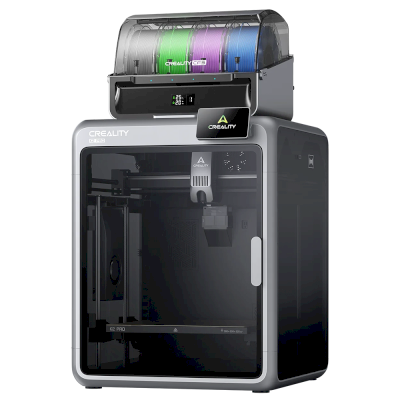
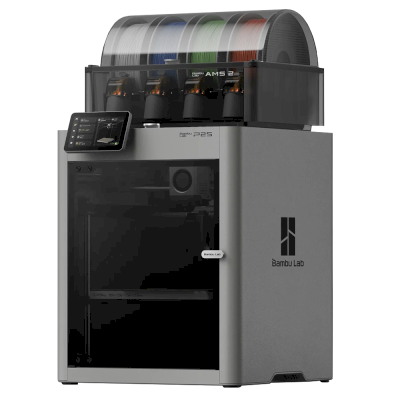
Choose the K3 if multi-colour waste and colour-change time are your main costs and you are happy to buy before reviews exist: Creality's own FAQ lists a 4.8 second nozzle change, 15 seconds for a colour or material change and an expected launch price below $900. Treat every figure as Creality's own claim. It is semi-enclosed, with an optional top cover that seals the chamber and adds a HEPA and carbon filter. For a similar tool changer with reviews, look at the Flashforge Creator 5; for a single-nozzle printer with a proven AMS, the Bambu Lab P2S.
Pros
Four nozzles and four spool slots for waste-free four-colour or multi-material printing out of the box (Creality).
A 4.8 second nozzle change and 15 seconds for a colour or material change, tested over 800,000 changes (Creality).
Mixed nozzle sizes are a core feature, with 0.2, 0.6 and 0.8 mm nozzles sold in a separate kit (Creality).
95A TPU out of the box, softer TPU with an optional kit, and a CFS Hub to add more colours (Creality).
Klipper-based firmware released in phases, root access out of the box, and Orca Slicer works with it (Creality). Expected to work with SimplyPrint through Klipper or the SimplyPrint Client.
Cons
A pre-order with no independent review, and its speed and waste figures are Creality's own claims.
Only partly enclosed: the chamber seal and HEPA and carbon filter come with an optional top cover (Creality).
Mixed nozzle sizes and softer TPU need extra kits sold separately (Creality).
Complex nozzle-swapping hardware is new and unproven over long runs.
Who it suits
SchoolsCan work
Multi-colour prints engage students and SimplyPrint can hold them for approval, but a hot, partly open machine with new hardware needs supervision.
HobbyistsGood fit
Low-waste, fast four-colour printing with a modifiable Klipper base, though untested by reviewers.
BusinessesCan work
Efficient multi-material prototypes, but new, partly open and unreviewed.
Print farmsCan work
Little waste per colour print and Klipper helps remote control, but new nozzle hardware has no track record for unattended fleets.
Printers from the same maker, of a similar size, printing the same engineering materials or multi-material like it, that you can buy today. Compare up to four side by side, with their specs and how each connects.
Who makes the Creality K3, and how open Creality leaves you: whether its printers run without its cloud, take any filament and slicer, and can be repaired. Each area is rated from public sources.
Openness: Mostly open (3.6 of 5)
Mostly open
Walled gardenOpen
Creality is a Shenzhen 3D printer maker founded in 2014. Its low-cost Ender series, launched in 2017, made desktop 3D printing affordable for many hobbyists. It now sells Klipper-based K-series CoreXY printers, Ender and CR open-frame printers, the Hi and SPARKX beginner lines, the CFS multi-material system, 3D scanners and laser engravers, and runs the Creality Cloud model platform. It listed on the Hong Kong Stock Exchange in 2026.
Founded:
2014 ·
Headquarters:
Shenzhen, China ·
Ownership:
Listed on the Hong Kong Stock Exchange (3388.HK) since 2026; founder Jack Chen is chief executive ·
Website:www.creality.com
Creality sits in the middle: its Klipper-based printers can be run locally with Fluidd and open slicers, and it publishes firmware source, but usually months after launch, and it dropped root access on its 2025 K1 revisions.
Firmware and custom firmware ●●●●●
Creality publishes Klipper firmware source for the K1, K2, Hi and Ender-3 V3 KE on GitHub under GPL, but after launch: the K1 source came about three months after the series launched in May 2023, the K2 and Hi sources in September 2025. Earlier K1 printers have an official root option with a published guide, but Creality's wiki says the 2025 K1C and K1 Max do not support root access.
[1][2][3][4][5]
Local control and integrations ●●●●●
Creality Print sends jobs over the local network with no account, and Creality Cloud is optional. The K2 series and Ender-3 V3 serve Fluidd on the printer, so other software can use Klipper's documented Moonraker API. On the K1 series, Creality's firmware notes treat Fluidd and Mainsail as add-ons owners install themselves, and Creality says the 2025 K1C and K1 Max do not support root access. The SPARKX i7 is set up through the Creality Cloud app.
[6][20][7][21][4][8][22]
Third-party filament, slicers and parts ●●●●●
Third-party filament works; Creality Print is an open-source (AGPL-3.0) slicer and OrcaSlicer supports Creality printers. Creality sells nozzle, hotend and extruder kits per model; newer K2 parts such as its nozzle kit are Creality designs.
[10][11][12]
Repairs and spare parts ●●●●●
Creality's store sells extruder, hotend, heating-block and print-head kits per model, and its wiki has parts lists and replacement guides for current printers (for example the K2 Plus and SPARKX i7 hotends).
[12][13][14]
Data and privacy ●●●●●
Local printing needs no account; Creality Cloud and its app need one. Creality's published privacy policy is written for its websites and services, allows use of data for targeted advertising, and says little about printer data or where it is stored.
[15][6]
Community and documentation ●●●●●
One of the largest user bases (second in consumer 3D printers by 2025 sales value, per figures in its listing), a public wiki with model-specific guides, firmware and slicer sources on GitHub, and an official forum.
[16][10][6]
Pros
Klipper-based models can be run entirely on the local network through Fluidd, without an account.
Firmware for most current models and the Creality Print slicer are published as source on GitHub.
Wide range, from budget Ender printers to multi-colour K2 machines.
Spare-part kits and model-specific replacement guides are easy to find.
Very large user base, so community help is easy to find.
Cons
Firmware source has usually appeared months after a model ships.
Root access, offered on earlier K1 printers, is not supported on the 2025 K1C and K1 Max.
The privacy policy says little about printer and cloud data.
The SPARKX line is built around the Creality Cloud app and an account.
Track record
May 2026: Creality listed on the Main Board of the Hong Kong Stock Exchange (3388.HK), raising about HK$1.27 billion net. Its prospectus showed 2025 revenue of RMB 3.13 billion and a net loss of RMB 182.4 million, after a profit in 2024.
[16][5]
November 2025: Creality's wiki states that the 2025 revisions of the K1C and K1 Max do not support root access, which earlier K1 printers offered through an official option and guide.
[4][17][3]
September 2025: Creality published the Klipper source for its K2 series and for the Hi on GitHub under GPL-3.0.
[2][18]
August 2023: About three months after the K1 series launched, Creality published its K1 Klipper source on GitHub, followed by a repository with a root guide and Fluidd and Mainsail install instructions.
[1][3][5]
Researched from 22 sources, last checked October 18, 2026. Show sources
Most likely. We expect the Creality K3 to connect to SimplyPrint via SimplyPrint Client or Klipper (Moonraker), but nobody has confirmed it yet. If you have one, the setup guide shows within minutes whether it works, and your answer confirms it for everyone.
How do I connect the Creality K3 to SimplyPrint?
Follow our step-by-step setup guide for the Creality K3. It shows how to connect it via SimplyPrint Client or Klipper (Moonraker), what you need for each, and which to pick.
What slicer should I use for the Creality K3?
Use CrealityPrint, Creality's own slicer, made for its printers. You can run it in SimplyPrint's online slicer; there's no ready-made profile for the Creality K3 in it yet.
Can I use OrcaSlicer with the Creality K3?
Yes, but OrcaSlicer has no built-in profile for the Creality K3 that we know of: start from a similar printer's profile and set the bed size, height and nozzle to match.
What filament can the Creality K3 print?
Creality lists PLA, PETG, TPU & flexibles, ABS & ASA, Nylon (PA), Polycarbonate (PC) and Carbon-fiber & glass-filled for the K3.
Does the Creality K3 work with OctoPrint or Klipper?
The Creality K3 works with Klipper (Mainsail and Fluidd), and SimplyPrint connects to it through them - so you get cloud access, a queue and camera monitoring on top.
What is the Creality K3's bed size and build volume?
The Creality K3 has a 260 x 260 mm print bed and prints up to 260 mm tall, a build volume of about 260 x 260 x 260 mm. See the full specifications table above for bed type, temperatures and more.
When did the Creality K3 come out?
Creality launched the K3 in October 2026.
Can the Creality K3 eject prints automatically?
There's no kit for it that we support yet, but SimplyPrint's AutoPrint can push prints off with the toolhead, or run your own ejection G-code, and then start the next job from your queue.
Where can I buy the Creality K3?
From Creality's own store, which has shops for Canada and everywhere else. The links on this page go to those stores; some are affiliate links, so we may earn a commission at no extra cost to you.
Affiliate disclosure: Some links on this page are affiliate links. We may earn a commission if you make a purchase, at no extra cost to you. As an Amazon Associate, we earn from qualifying purchases.
 China
China

 SimplyPrint Client
  Klipper (Moonraker)


 PrusaSlicer
 OrcaSlicer
 BambuStudio
 ElegooSlicer
 Cura
Cura Kiri:Moto


 Creality for Canada