Infinite Z, zero clearing cycle, fully queued
A belt printer has no fixed-height bed - the print surface is a moving conveyor, so the Z axis is effectively endless. Each finished part rolls off the end of the belt while the printer keeps going, which means there is no separate clearing routine to run. With SimplyPrint AutoPrint, you queue jobs back-to-back and the belt prints them one after another, completely hands-off.
What is a belt printer?
Infinite Z, continuous by design
A belt printer (also called an infinite-Z or conveyor printer) is a 3D printer whose print bed is a moving conveyor belt instead of a fixed plate. The belt is angled, and as the print grows it slowly advances - so the Z axis is effectively unlimited and you can print parts longer than the machine itself.
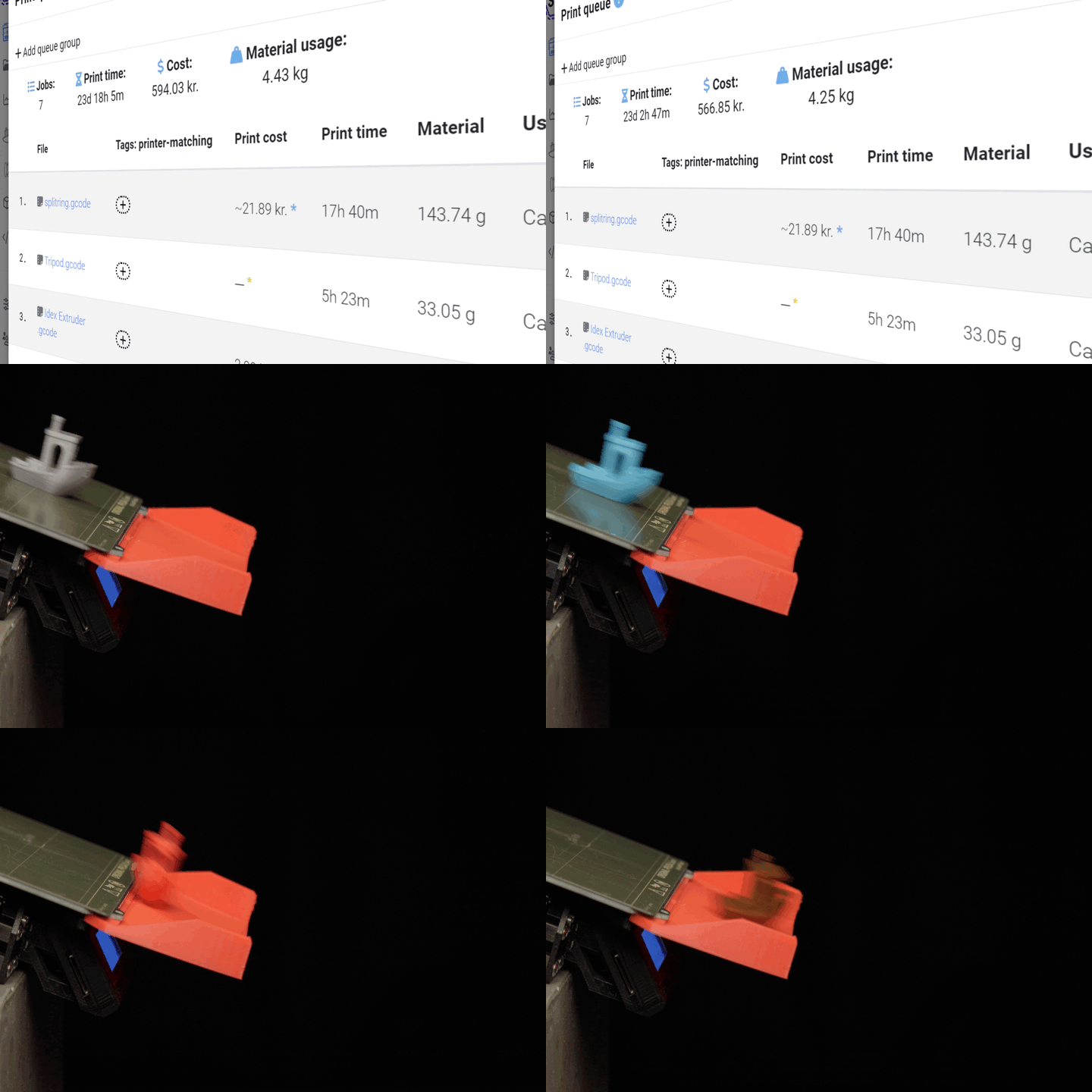
Because the part travels along the belt and rolls off the end on its own once it is finished, there is no separate clearing cycle to run. The next job simply starts behind it. That is what makes belt printers truly continuous - and a perfect fit for SimplyPrint AutoPrint, which keeps feeding the belt from your print queue without anyone touching the machine.
How to run a belt printer in SimplyPrint
Once your belt printer is connected, getting it cycling through jobs in AutoPrint takes three steps.
How a belt printer runs continuously
The part rolls off, the belt keeps going
As the print finishes it advances along the angled belt and drops off the end on its own. There is no plate to swap and no clearing routine - SimplyPrint AutoPrint simply starts the next queued job, so the line keeps cycling with no clearing cycle.
Works with these printers
This method works with belt and conveyor printers (infinite Z), including the Creality CR-30, IdeaFormer IR3 and iFactory One. If a machine prints onto a moving conveyor belt and lets the finished part roll off the end, AutoPrint can drive it.
Running a farm of belt printers? AutoPrint can feed every one of them from a single SimplyPrint print queue, so the whole line keeps cycling without manual hand-offs.
Nothing extra to buy or fit
Belt printers are made for continuous printing out of the box, so there is no add-on hardware, plate swapper or ejector arm to install. The belt itself does the clearing.
To run it hands-free, you only need your belt printer connected to SimplyPrint, AutoPrint enabled on it, and the belt-printer method selected. From there the print queue does the rest.
Plan access: what plan do I need?
AutoPrint is included on Pro as 1 license (up to 5 total). Print Farm, Enterprise and Education include unlimited AutoPrint licenses. The belt-printer method itself is built in - you only need an AutoPrint license to drive your printer hands-free.
| Feature / Limit | Free | Basic | Pro | Print Farm | Enterprise | School | Cloud Slicer | Filament Manager |
|---|---|---|---|---|---|---|---|---|
|
AutoPrint licenses
One license drives one belt printer running continuously from the queue.
|
1 included Up to 5 total · $3.00/mo per extra license |
Want to learn more about our plans?
View full pricing & feature comparison