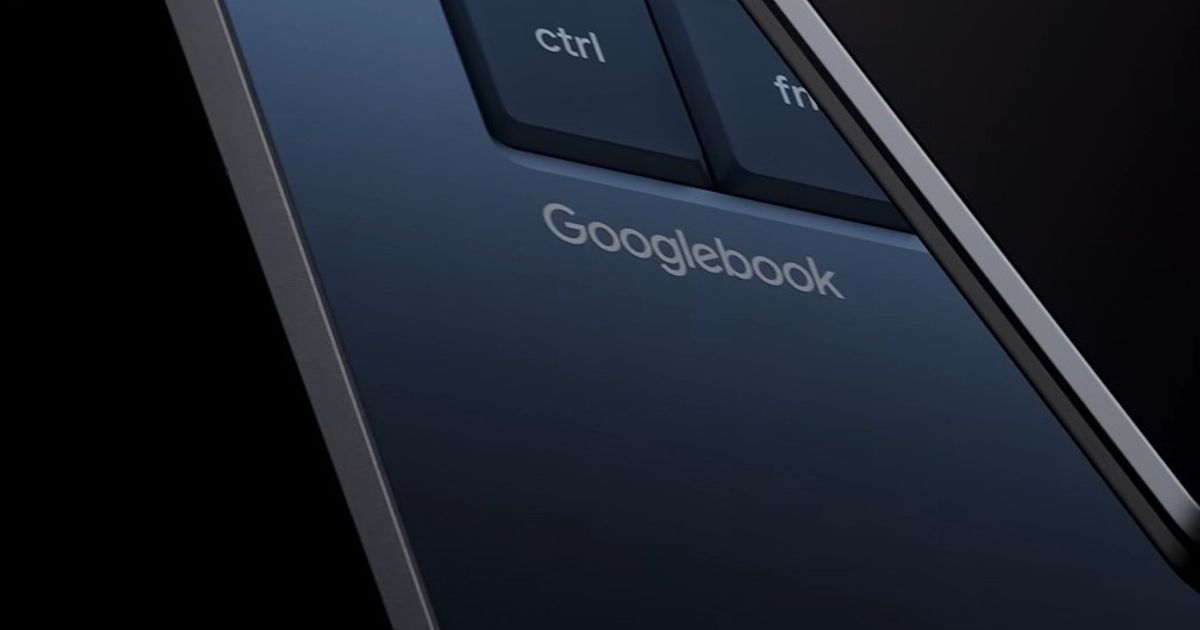
Google announced Googlebook in May 2026 as the long-term successor to Chromebook. It ships Fall 2026, runs Android 17 with full desktop Chrome, and is the first Google laptop platform built around Gemini at the OS level. The question every IT admin, teacher, and hobbyist is about to start asking is: will Googlebook 3D printing actually work, the way Chromebook 3D printing already works today? Short answer: yes, the browser-only SimplyPrint workflow you use on a Chromebook today will work the same way on a Googlebook tomorrow. This article walks through what's confirmed, what's still unknown, and what to expect for the three audiences this matters to.
The honest version is that nobody can answer every Googlebook question yet because devices are not in reviewers' hands. What we can answer is the question that actually drives the search: "is my SimplyPrint workflow safe on the Googlebook Chromebook successor?" The answer is yes for the parts of the workflow that account for ~99% of how SimplyPrint is used, and an honest "we expect so, but we will confirm at launch" for the narrow remaining slice. If you searched for "Googlebook slicer" or "Googlebook for schools" and ended up here, the rest of the article spells out exactly what we know, what we are guessing at, and what we will update once Aluminium OS 3D printing has been tested on real devices.
What Googlebook is, in plain English
Googlebook is a new device brand and a new operating system from Google. The OS is codenamed Aluminium OS and is built on Android 17, with Gemini integrated at the system level rather than bolted on as an app. It ships with full desktop Chrome and the Chrome extension ecosystem, and Google has named Acer, Asus, Dell Technologies, HP, and Lenovo as launch OEM partners. The first devices ship in Fall 2026. Google has not disclosed SKUs, RAM, CPU, battery, or pricing. The official site at googlebook.google takes 18-and-over email sign-ups for the announcement list.
The marquee features on the official site lean on Gemini and on Android-to-laptop continuity. Magic Pointer lets you select anything on screen and hand it to Gemini for explanation or action. Create My Widget builds a custom widget from a natural-language description. Cast My Apps streams Android phone apps onto the laptop without installing them. Quick Access surfaces files from a paired Android phone as if they were on the laptop. The cross-device features require Android 17 or newer on the user's phone. The Wikipedia overview summarises the announcement and reception. Some existing Chromebooks will be eligible to upgrade to Googlebook, and Chromebook itself continues in parallel for now, particularly in education, where Google confirmed that direction in a separate ChromeOS at BETT 2026 announcement.
Googlebook 3D printing: what changes and what does not
This is the load-bearing point of the article, so it's worth stating plainly: the SimplyPrint workflow is browser work. Designing in Tinkercad is browser work. Designing in Blender is desktop app work that ends in a browser handoff to SimplyPrint. Slicing on SimplyPrint is browser work, with the heavy lifting happening on our servers. Adding a file to the print queue, dispatching to a printer, watching the camera feed, getting an AI failure detection alert, approving a student submission, all of that is browser work. There is no desktop app to install on the laptop. There is no local slicer engine running on the laptop's CPU. There is no USB cable carrying G-code from the laptop to the printer in the typical 2026 setup. Almost everything is browser, and the printer is on the network.
Googlebook ships with the full desktop Chrome browser. That means every browser-based piece of the SimplyPrint workflow runs on Googlebook the same way it runs on Chromebook, Windows, macOS, and Linux today, because the underlying browser engine is the same. The cloud slicer supports OrcaSlicer, PrusaSlicer, BambuStudio, ElegooSlicer, CrealityPrint, and Cura engines in the browser, the file library stores models, the print queue dispatches them, and the live control panel monitors prints, all on the server side, all rendered into the laptop's browser. There is nothing in that stack that depends on Chromebook-specific behaviour, so there is nothing in that stack that breaks when Chromebook becomes Googlebook.
If you want the proof, look at the existing Chromebook slicer guide. Everything that article says is true on a Chromebook today is true for a Googlebook tomorrow, because Googlebook is closer to "Chromebook with more native power and Gemini features added" than to "a different platform we have to support separately". The same applies to the Tinkercad to Chromebook flow: Tinkercad runs in any browser, the SimplyPrint receiver runs in any browser, the laptop is a thin client either way. The Blender add-on workflow is one step removed because it depends on Blender itself being installed. Blender does run on Android as a community port, and if Googlebook's reported Linux container actually ships at launch, Blender's regular Linux desktop build should run there too. That last bit is speculation pending launch.
Online Cloud-Based Slicer
Use PrusaSlicer, OrcaSlicer, BambuStudio, ElegooSlicer, CrealityPrint, Cura & Kiri:Moto online in the cloud - on any device, anywhere!
Three audiences, three short answers
The "will Googlebook work for 3D printing?" question lands differently depending on who's asking. Three quick answers for the three groups who actually care:
- Schools and classrooms. The 18-and-over sign-up gate plus the absence of any announced education tier strongly suggest that Chromebook stays the school device at launch. Google's separate ChromeOS-for-education announcement at BETT 2026 reinforces the split: Chromebook is the school track, Googlebook is the adult and prosumer track. If you are a school IT admin running a 3D printing lab on Chromebooks, your workflow is not changing. When Googlebook eventually gets a managed education tier (Google has not committed to one yet), the same SimplyPrint cloud slicer will work on it the same way it works on Chromebook today. The schools landing page describes the current setup and applies unchanged.
- Hobbyists and individuals. If you buy or upgrade to a Googlebook this fall, your SimplyPrint workflow does not change. Sign in to the browser, open the cloud slicer, upload your STL or 3MF, slice, queue, print. The same five steps that work today on any laptop work tomorrow on Googlebook. The new Gemini features (Magic Pointer, Create My Widget, Cast My Apps, Quick Access) are not directly useful for slicing or printing, but they do not interfere with the browser workflow either.
- Print farm operators. You are already cloud-first. The SimplyPrint dispatch layer, the AutoPrint orchestration, the queue routing, and the printer-side network traffic all run independent of the operator's laptop. Whatever laptop the operator uses (Googlebook, Chromebook, Windows, MacBook, Linux desktop), SimplyPrint serves the same panel. Googlebook is irrelevant to your dispatch infrastructure. If anything, the bigger trackpad and screen real estate of premium Googlebook SKUs may be nice for operators who spend hours in the control panel, but that is comfort, not capability.
What is genuinely unknown right now
Honest list of the four big unknowns, because the article would not be useful if it pretended there were none.
- WebUSB and WebSerial parity with desktop Chrome. Google has not mentioned either standard in the Googlebook announcement. They affect only one narrow case in the SimplyPrint workflow: plugging a 3D printer into the laptop directly over USB. Most printers in 2026 are network-connected. Bambu Lab printers go through the SimplyPrint Bambu Lab Client, which runs on a Raspberry Pi or always-on computer on the network. Klipper printers connect through their host (a Pi running Mainsail or Fluidd) that talks to SimplyPrint over the network. Prusa printers use Prusa Connect, also network-based. Creality and Voron go the same way. The direct-USB-from-laptop-to-printer flow is the exception, and even for that exception, Googlebook ships full desktop Chrome, which has supported WebUSB and WebSerial for years. We expect parity but will confirm at launch.
- The Linux container. Reported by independent outlets but not confirmed by Google. If a Crostini-style sandboxed Linux container does ship and includes the same userland (Docker, Python, Node, GPU passthrough has been reported), then desktop slicer CLIs like PrusaSlicer's headless mode or CuraEngine could run sandboxed on the laptop itself. That is interesting for power users who want a local backup slice, but it is not load-bearing for the SimplyPrint workflow because the cloud slicer already covers the same engines.
- The education tier and managed device story. Google has not announced one. The current Chromebook education track continues. Schools planning purchases in the next 12 months should plan around Chromebook, not around an unannounced Googlebook education SKU.
- App store specifics. Tech outlets report a native Play Store with the full Android app surface, on the order of three million apps, but Google has not confirmed the specifics. For 3D printing, this is mostly a non-issue: no major slicer (PrusaSlicer, OrcaSlicer, BambuStudio, ElegooSlicer, CrealityPrint) currently ships a native Android build, so a Play Store on Googlebook would not unlock new slicers either way. The native Android apps that do matter for some users (camera apps, printer-vendor companion apps like the Bambu Handy app) would presumably work, but again, not load-bearing for the SimplyPrint workflow.
The pattern across all four is the same. The SimplyPrint workflow leans on full desktop Chrome plus the SimplyPrint cloud. Googlebook ships full desktop Chrome and does not change the cloud. The unknowns are about features beyond that, and even the most adversarial reading of those unknowns does not break the workflow.
What to do right now (while we wait)
Concrete advice for the months between Google's announcement and the actual ship date:
- If you are on a Chromebook today, you are already on the path of least resistance. Do not change anything. Your SimplyPrint workflow keeps working. When Googlebook ships, you can decide whether to upgrade an eligible Chromebook to Googlebook, buy a new Googlebook, or stay on Chromebook. Your account, your file library, your printer connections, your queue history, and your team setup do not move; they live on our servers.
- If you are planning a 2026 to 2027 device refresh for a school, the current ChromeOS roadmap is the safer bet for K-12 until Google clarifies the education story. Buy Chromebooks that are eligible for the Googlebook upgrade path (Google has indicated some Chromebooks will qualify), and you keep optionality without betting on an unannounced education SKU. The schools onboarding flow gives you the standard setup for either device.
- If you are buying a Googlebook this fall as a hobbyist, set up SimplyPrint the same way you would on any laptop. There is nothing to install, no driver to load, no Linux container to enable. Open the browser, sign in, slice. The free plan covers the entire round trip from upload to print on a connected printer.
- If you run a 3D print farm, Googlebook is irrelevant to your decision. Pick the laptop that suits your operators. The dispatch, the queue, the AutoPrint orchestration, and the AI failure detection all run on our cloud and your printer-side network, not on the operator's laptop.
What this article does not yet know, and the commitment to update
To be fully transparent about the speculative parts of this piece: Googlebook devices are not in reviewers' hands yet. Google has published the announcement and the official site, the BETT 2026 ChromeOS-for-schools post, and the OEM partner list. Everything else (Play Store specifics, the Linux container, WebUSB and WebSerial behaviour, the exact desktop Chrome build, the education device track) is either reported by independent outlets without Google confirmation or genuinely unknown.
When devices ship in Fall 2026, we will update this article with:
- Confirmed WebUSB and WebSerial parity (or any gaps) on shipping Googlebooks
- A direct test of the SimplyPrint cloud slicer on a Googlebook, with screenshots
- Whether Tinkercad's "Export to SimplyPrint" works identically on Googlebook (we expect yes, because both run in the browser)
- The Blender add-on story (does Blender install as an Android app, a Linux app, or neither)
- Any new education tier or managed device announcements from Google
- Real-world performance notes from running the workflow on actual hardware
Until then, the load-bearing claim of this article is the one we are confident in today: the SimplyPrint workflow is browser work and runs anywhere desktop Chrome runs. Googlebook ships desktop Chrome. The browser workflow runs on Googlebook.
Where this fits in the SimplyPrint browser story
This article is part of a small cluster of pieces on the same theme: that 3D printing in 2026 does not require a specific laptop, OS, or local install. For the Chromebook-specific version of the workflow, see how to slice on a Chromebook. For the Tinkercad-to-printer browser path that schools rely on, see how to 3D print directly from Tinkercad on a Chromebook. For Blender users on any operating system, see how to 3D print from Blender. All three describe variations of the same underlying pattern: design and dispatch happen in the browser, the cloud does the heavy work, and the laptop is a thin client. Googlebook is the next chapter of that pattern, not a break in it.
For the SimplyPrint side, the relevant feature pages are the cloud slicer, the file library, the print queue, and the live control panel. All of them are browser-rendered and all of them work on any browser-capable device including, we expect, Googlebook.
The summary is the same one we have been giving Chromebook users for years, applied to a new device: the laptop is no longer the slicing machine. The cloud is. Whatever Google ships in Fall 2026, SimplyPrint will be ready, because there is nothing to be ready for that we have not already built.