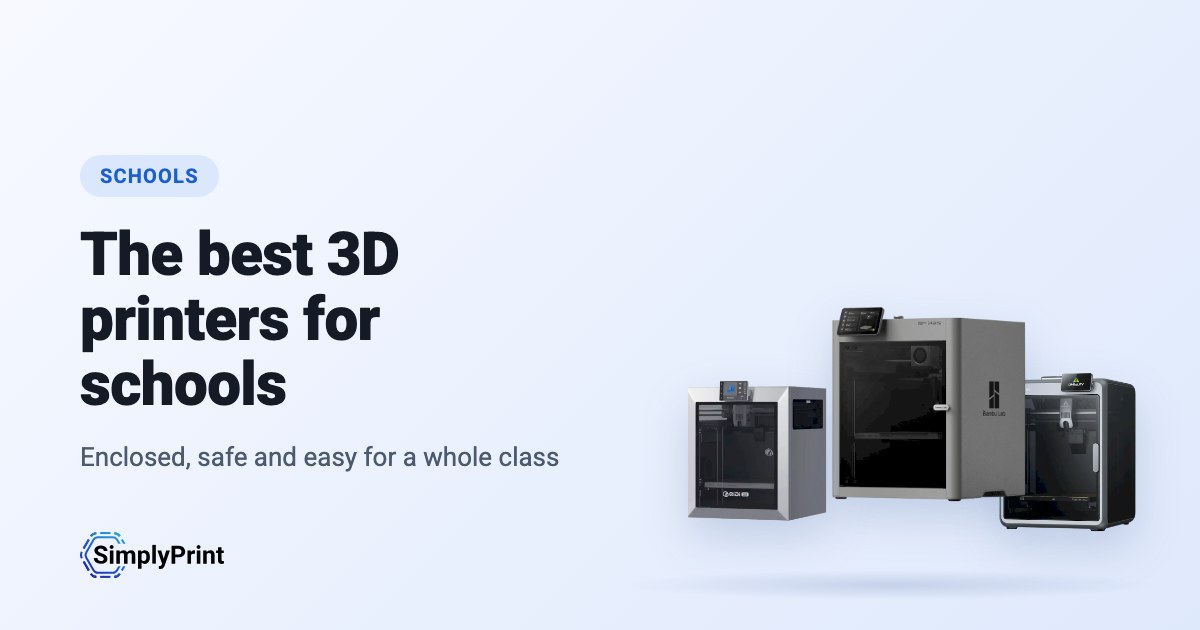
Buying 3D printers for schools is not like buying one for home. A classroom printer runs for students who have never used one. Nobody has time to tune it between lessons, and it has to be safe with thirty curious people around it. Whether you need the best 3D printer for schools with one lab or the best 3D printer for education across a district, this guide ranks the printers on sale today for exactly that. It reads what our printer catalog knows right now: how safe and reliable each printer is, and how it works with SimplyPrint. It also counts how many schools and makers already run it, the reviews, and the price you would pay in your region.
Our picks: the best 3D printers for schools in 2026
The best printer for a classroom overall, then the best for each budget. Every reason under a printer is read from its data and our assessment of it for schools, and the score is out of 100.
No printer in our catalog meets this guide's rules right now. Browse every printer that works with SimplyPrint instead. Pick your 3D printer
3D printers for schools, ranked
The top ten for schools. Open a printer for its specs, reviews and setup guide, or compare the top four on our printer comparison.
| # | Printer | Score | From | With SimplyPrint | Enclosure | Multi-colour | Brand openness |
|---|---|---|---|---|---|---|---|
| 1 | Prusa CORE One+ INDX 248 x 205 x 270 mm |
64 | - | Expected to work | Fully enclosed | - | Open |
| 2 | Anycubic Kobra S1 250 x 250 x 250 mm |
36 | $401.00 | Compatible | Unknown | - | Mixed |
Prices are the lowest we found in your region's stores in the last two weeks, and change often. Compare the top four side by side
The best 3D printer for classroom use: what to look for
Safety: an enclosure and a door that closes
A fully enclosed printer keeps students' fingers away from a nozzle running at over 200 °C and a bed that moves on its own. It also keeps the warmth in, which ABS and ASA need. An enclosure is not a fume filter on its own. For most classroom work, print PLA and keep the room ventilated. Choose a printer with a filter if you plan to print ABS or ASA often.
Reliable without a technician
A teacher has no time to tune a printer between lessons. Look for automatic bed levelling and calibration, and a maker that sells spare nozzles and build plates. Prefer a printer many other people run: more users means more fixes already written down. A printer that prints well on the first try every time beats a faster one that needs attention.
One printer, a whole class
The hard part of 3D printing in school is rarely the printer. It is thirty students and a handful of machines. With SimplyPrint, students send their files to a shared print queue and a teacher approves what starts. Quotas stop one class from using all the filament. Students slice in the browser on a Chromebook, with nothing to install. AI failure detection stops a print that goes wrong when nobody is in the room. Students who design in Tinkercad can send their models straight on. More on running a classroom in our guide to 3D printing in schools.
Budget, spares and the long run
A school printer often lives five years or more. Count the cost of filament, nozzles and build plates as well as the printer. Check that the maker sells spare parts in your country, and prefer brands with a steady track record. Buying several of the same model makes spares and lessons simpler.
Student data and the maker's cloud
Some printers send every job through their maker's cloud. When students' files and names pass through it, that cloud is part of your school's data-protection picture. Ask where it runs and what it keeps, or choose printers you can run without it. Our brand ratings below show how much each maker depends on its own cloud.
Before you buy: a checklist for schools
- Where will it stand? An enclosed printer in a classroom, an open-frame one in a supervised lab.
- Who will run it? Plan who starts prints, who approves them, and who clears the plate after the last lesson.
- How will students send prints? From Chromebooks or iPads, through a shared queue, with nothing to install.
- What will it print? PLA for most projects; anything hotter needs ventilation and a teacher's eye.
- What will it cost a year? Filament, nozzles, build plates and a software plan, not only the printer.
- Who answers when it breaks? A maker or reseller that sells spare parts in your country.
Open or walled garden: the brands behind the picks
Some printer makers work like Apple: their printer, slicer, cloud and spare parts work together out of the box, on their terms. Others work like Android: open firmware, any slicer, any filament, and parts you can buy or print. For a school, a closed system can be the simplest start, but it also means the maker decides what the printer can do in five years. We rate each brand in six areas from public sources, with a dated record of recalls, layoffs and policy changes.
Prusa
Openness: Open (4.9 of 5)
Open
Walled gardenOpen
Prusa
Openness: Open (4.9 of 5)Prusa Research is a Prague company founded in 2012 by Josef Průša, who came from the open-source RepRap project. It designs and builds the Original Prusa and Prusa CORE printers, makes Prusament filament, develops the PrusaSlicer slicer and runs the Printables model site. Printers are built in Prague and at its US site in Delaware, sold assembled or as kits, and used by hobbyists, schools, businesses and print farms.
Founded: 2012 · Headquarters: Prague, Czech Republic · Ownership: Prusa Research a.s., founded and led by Josef Průša · People: More than 1,200 people (company site, 2026) · Website: www.prusa3d.com
Prusa is the most open of the large brands: GPL firmware, an open slicer, full local control without an account and spare parts for everything. Hardware design files now come under Prusa's own Open Community License, which allows personal and in-house business use but not selling machines.
| Firmware and custom firmware ●●●●● |
Firmware for current printers is published on GitHub under GPL-3.0 and updated with every release. Official firmware is signed, but Prusa documents how to flash custom firmware by breaking a seal on the board and says this does not void the warranty. Prusa says firmware and printable parts are shared right away and electronics schematics later. [1][2][3] |
| Local control and integrations ●●●●● |
PrusaLink, built into the CORE One, MK4S, MK3.9, MK3.5 and XL, handles monitoring, file uploads and print control on the local network without internet or an account, and printing from USB works offline. Prusa publishes PrusaLink's HTTP API as an OpenAPI specification on GitHub, and its help centre covers OctoPrint setup. Prusa Connect is an optional cloud service for remote access. [4][15] |
| Third-party filament, slicers and parts ●●●●● |
Printers are open to any filament; PrusaSlicer is GPL-licensed and other slicers work. Instead of a locked RFID system, Prusa created OpenPrintTag, an NFC spool-tag standard that is free for any brand to use and works offline. [5][6] |
| Repairs and spare parts ●●●●● |
The e-shop sells spare parts for each printer, printable parts are published, and the full CORE One CAD files are released. Prusa's open-source page says its goal is printers that stay moddable and easy to repair for decades, and its licence explicitly allows making spare parts for your own machines. [7][3][5] |
| Data and privacy ●●●●● |
No account is needed for local use through PrusaLink or USB. Prusa Connect needs a Prusa account and stores G-codes and telemetry in the cloud. Prusa Research is an EU company and publishes its privacy policy and a Trust Center. [4][8] |
| Community and documentation ●●●●● |
Large community around Printables and the forum, a detailed knowledge base, and firmware and slicer developed in public on GitHub with open issue trackers. [1][4] |
- GPL firmware with a documented, warranty-safe way to flash custom firmware.
- Full control on the local network through PrusaLink, with no account needed.
- Spare parts for every printer, published printable parts and released CAD files.
- Kits available for people who want to build and understand their printer.
- Made in Prague, with a second factory in Delaware for US buyers.
- OpenPrintTag is an open spool-tag standard any brand can use.
- Hardware files use Prusa's own OCL licence, which bars selling machines built from them; it is not an OSI open-source licence.
- Electronics schematics are published later than firmware and printable parts.
- Remote access and cloud storage need Prusa Connect and an account.
- July 2026: Printed Solid, the Delaware company Prusa Research bought in 2022, was renamed Prusa USA. Its Wilmington site builds the MK4S and CORE One+, makes filament and is Prusa's US service centre. [9]
- December 2025: Prusa released the full CAD files of the CORE One under its new Open Community License (OCL). OCL allows modifying, sharing mods and in-house commercial use, and grants patent and repair rights, but bars selling machines built from the files without an agreement, so it is not a standard open-source licence. Prusa said it is also filing patents on its designs. [5]
- October 2025: Prusa launched OpenPrintTag, a published NFC standard for smart filament spools that any brand can use without licence fees, starting with redesigned Prusament spools. [6]
- November 2024: Prusa announced the CORE One, its first fully enclosed CoreXY printer with active chamber temperature control. [10]
- March 2023: Josef Průša wrote that open source in 3D printing was under strain from cloners and licence violations. With the MK4, Prusa released firmware sources and models of the plastic parts but held back the electronics plans, planning to publish them later under a new licence. [11]
Researched from 15 sources, last checked October 18, 2026. Show sources
- prusa3d/Prusa-Firmware-Buddy on GitHub github.com
- Flashing custom firmware (MINI/MINI+) | Prusa Knowledge Base help.prusa3d.com
- Open-source at Prusa Research prusa3d.com
- Prusa Connect and PrusaLink explained | Prusa Knowledge Base help.prusa3d.com
- Open-sourcing CORE One CAD Files Under the New Open Community License (OCL) blog.prusa3d.com
- The OpenPrintTag Is Here! The Open-Source Smart Spool Standard blog.prusa3d.com
- Spare parts | Original Prusa 3D printers prusa3d.com
- Privacy Policy | Original Prusa 3D printers prusa3d.com
- Delaware's Printed Solid rebrands to Prusa USA | Tom's Hardware tomshardware.com
- Introducing Prusa CORE One: Our new fully-enclosed CoreXY 3D printer blog.prusa3d.com
- The state of open-source in 3D printing in 2023 blog.prusa3d.com
- About us | Original Prusa 3D printers directly from Josef Prusa prusa3d.com
- The Great Recap of 2024 in Prusa Research blog.prusa3d.com
- Introducing the INDX: fast and affordable 8-material printing, exclusively on the CORE One blog.prusa3d.com
- github.com
In this guide: Prusa CORE One+ INDX
Anycubic
Openness: Mixed (3.0 of 5)
Mixed
Walled gardenOpen
Anycubic
Openness: Mixed (3.0 of 5)Anycubic is a Chinese 3D printer maker founded in 2015. It sells the Kobra line of FDM printers, including the enclosed Kobra S1 and S1 Max, the large Kobra 3 Max and the low-cost Kobra X, the ACE Pro multi-material unit and Photon resin printers. Its printers are aimed at hobbyists and home users at budget to mid-range prices.
Founded: 2015 · Headquarters: China (its global store is run by Hongkong Anycubic Technology Co., Limited) · Website: www.anycubic.com
Anycubic is mixed: its printers work locally in LAN mode, take third-party filament and slicers, and have spare parts and guides, but its published firmware source leaves proprietary parts closed, custom firmware is unsupported, and its cloud had a security incident in 2024.
| Firmware and custom firmware ●●●●● |
The Kobra 3, 3 Max and S1 run Klipper-go, Anycubic's Go port of Klipper. Anycubic published its source with the kernel and U-Boot under GPL, for the Kobra 3 in October 2024 and for the wider family in October 2025, but says some proprietary features are kept closed, and that modifying the firmware voids the warranty. The community project Rinkhals adds Fluidd, Mainsail and SSH, and reports that the newer Kobra X only accepts signed updates. [1][2][3] |
| Local control and integrations ●●●●● |
LAN mode lets Anycubic Slicer Next send prints, show progress and stream video on the local network without an account, and the S1's firmware 2.5.9.9 added sending from OrcaSlicer. With LAN mode on, the cloud, the app and AI failure detection are off, and the S1 must leave LAN mode and be bound to an account to update its firmware. Anycubic documents no local API for other software; Moonraker, Fluidd and Mainsail come only with the community firmware Rinkhals. [4][5][3] |
| Third-party filament, slicers and parts ●●●●● |
Third-party filament works. Anycubic Slicer Next is an open-source OrcaSlicer fork, and recent firmware accepts files sent from OrcaSlicer. Hotends, extruders and many other parts are model-specific Anycubic parts. [6][5][7] |
| Repairs and spare parts ●●●●● |
Anycubic's store sells hotends, extruders, motherboards, heated beds, motors and screens, and its wiki has replacement guides for current models, for example the Kobra S1 Max XY motors and the Kobra X Y-axis motor. [7][8][9] |
| Data and privacy ●●●●● |
LAN mode keeps data on the local network, but the app and cloud need an account. Anycubic's privacy policy allows broad collection, including product usage, device signals and nearby Wi-Fi access points, and storage in the United States. In February 2024 a flaw in its cloud MQTT server let a third party push a file to Kobra 2 printers; Anycubic apologised and patched it. [10][11][4] |
| Community and documentation ●●●●● |
Active user community and a wiki with guides and error codes for each model. Source releases leave proprietary parts closed, and custom firmware is a community effort. [4][2][3] |
- Budget to mid-range prices, with multi-colour Combo bundles.
- LAN mode works without an account.
- Spare parts and replacement guides for current models.
- Open-source slicer, and third-party filament works.
- Published firmware source leaves some features closed; modifying firmware voids the warranty.
- LAN mode turns off the app, cloud and AI failure detection, and firmware updates need the cloud.
- The privacy policy allows broad data collection.
- Its cloud was used to push files to printers in 2024 (fixed).
- October 2025: Anycubic published Klipper-go, its Go port of Klipper, as a standalone project for the Kobra 3, Kobra 3 V2, Kobra 3 Max and Kobra S1, with the MCU firmware, Linux kernel and U-Boot sources, on GitHub under GPL-3.0. It says some proprietary features remain closed. [2][12]
- October 2024: Anycubic published the Kobra 3 firmware sources (Klipper-go, MCU firmware, Linux kernel and U-Boot) on GitHub under GPL-3.0. [1]
- February 2024: A third party used a vulnerability in Anycubic's cloud MQTT server to make Kobra 2 Pro/Plus/Max printers download a file named 'hacked_machine_readme.gcode'. Anycubic counted 237 affected printers and over 2,000 that received the file, apologised for its late response, tightened cloud authorisation and released a firmware fix. [11]
Researched from 14 sources, last checked October 18, 2026. Show sources
- ANYCUBIC-3D/Kobra3 on GitHub github.com
- ANYCUBIC-3D/Klipper-go on GitHub github.com
- jbatonnet/Rinkhals (community custom firmware) on GitHub github.com
- Kobra S1 Max-LAN Connection Guide | Anycubic Wiki wiki.anycubic.com
- Kobra S1- Firmware update guide | Anycubic Wiki wiki.anycubic.com
- ANYCUBIC-3D/AnycubicSlicerNext on GitHub github.com
- Anycubic 3D Printer Parts & Accessories store.anycubic.com
- Kobra S1 Max - XY Motor Replacement Guide | Anycubic Wiki wiki.anycubic.com
- Kobra X - Y Axis Motor Replacement Guide | Anycubic Wiki wiki.anycubic.com
- Privacy policy | Anycubic Store store.anycubic.com
- Security Issue of Anycubic Cloud store.anycubic.com
- ANYCUBIC-3D/rv1106-kernel-open-source on GitHub github.com
- Anycubic 3D Printer | About anycubic.com
- About Anycubic | Anycubic Global Store store.anycubic.com
In this guide: Anycubic Kobra S1
Where they come from, and staying compliant
Most of the best 3D printers today come from Chinese companies, and this ranking reflects that: right now they give you the most printer for the money. That's no judgement of the people who make them. But for some buyers, where a printer comes from matters: many schools and school districts have procurement rules about where devices come from, and data protection rules about where student data may go.
One of the top 2 printers in this guide comes from a Chinese company. Here are the best-ranked from EU companies:
None ranks in this guide yet.
Any printer, on your terms, with SimplyPrint
Whoever makes your printer, SimplyPrint decides what it talks to:
- Off its maker's cloud. Most printers connect through the SimplyPrint Client on your own network, or in their local-network mode (Bambu Lab's LAN-only mode, with Developer Mode on its newer printers), so they never need their maker's cloud. You can block them from the internet entirely and let only the SimplyPrint Client connect out.
- Your data stored in Europe. SimplyPrint's cloud is hosted in Frankfurt, Germany, under the GDPR. See how we keep it secure and who processes data for us.
- One place for access. Users, permissions, single sign-on and an audit log, for every printer, whatever its brand.
- On your own servers, if you need it. See cloud vs. on-premise.
How we choose
No brand pays for its place in this guide. The ranking is a formula over our catalog, the same for every printer, and it runs again each time the page loads. For schools it weighs safety and reliability most:
| What we weigh | Points | How it is measured |
|---|---|---|
| Our assessment for this use | 20 | Our written assessment of the printer for this kind of buyer: great, good, OK or poor. A printer we rate poor for it is left out. Not every printer is assessed yet; for those, this factor is left out and the others count for more. |
| Works with SimplyPrint | 14 | Verified by SimplyPrint, compatible, or expected to work from how it connects. |
| Enclosure | 14 | Fully enclosed counts most, partly enclosed half. |
| How many are in use | 8 | How many printers of the model run on SimplyPrint, on a log scale: a sign of how many people trust it. |
| Price | 8 | The lowest current price for your region, compared on a log scale with the others in the guide. No current price counts low. |
| Built-in camera | 6 | A camera built in, for watching prints and failure detection. |
| The brand's openness | 6 | The brand's place on our open-to-walled-garden scale, below. Not rated yet counts as the middle. |
| Independent reviews | 5 | How many respected reviewers (press and YouTube) have reviewed it, up to four. |
| How new it is | 5 | Launched this year or last counts fully, less each year after. |
| The brand's track record | 5 | Negative events in the brand's last three years (recalls, layoffs, policy changes that took features away), each with its sources. Not researched yet counts as a small deduction. |
| Multi-colour and multi-material | 4 | Whether it ships with or works with a multi-material unit, a toolchanger or two extruders. |
| Rating by SimplyPrint users | 3 | What SimplyPrint users rate it, when they have. |
| Materials it prints well | 2 | How many kinds of filament it prints well, from its temperatures, enclosure and the maker's list. |
A printer is in the running when it works with SimplyPrint (verified, compatible, or expected from how it connects), is the maker's own model, and is still on sale: the maker still sells it, a store has a current price, or it launched in the last 3 years.
The score picks the printers, with one exception: where our own hands-on experience with a printer disagrees with its score, our editor can choose a different pick, and that pick says so. A printer replaced by a newer model we recommend instead is left out.
A few makers send us printers or work with us directly; where one does, the guide says so next to its printers.
Spotted something wrong? Tell us and we'll fix it. Contact us
The openness scale
Each brand is rated from 1 (closed) to 5 (open) in six areas, from public sources we list with every rating. The overall rating is the weighted mean, and places the brand on a scale from walled garden to open:
| Area | Weight |
|---|---|
| Firmware and custom firmware | 30% |
| Local control and integrations | 30% |
| Third-party filament, slicers and parts | 15% |
| Repairs and spare parts | 10% |
| Data and privacy | 10% |
| Community and documentation | 5% |
Open from 4.25 · Mostly open from 3.50 · Mixed from 2.75 · Mostly closed from 2.00 · Walled garden below that
Some buying links earn us a commission at no cost to you; they never change the ranking. We make SimplyPrint, which runs printers from every brand here, so "works with SimplyPrint" is one factor: it is the software a school would manage its printers with if it chose to.
Built today from our catalog: 2 printers ranked out of 3 on sale that work with SimplyPrint. 1 of them have our written assessment for this use. 2 of 2 brands shown are rated for openness.