Same fleet. Same data. From your own code.
The API exposes the same operations the panel uses: add to the queue, fetch printer state, upload files, inspect filament, read job history, drive bulk actions. One API key, one base URL per account, and you are building.
Start a print in one API call
The fastest path from your code to a moving extruder: POST a file ID to /queue/AddItem, target one or more printers, and SimplyPrint takes it from there. Behind the scenes the queue runs the same matching, approval and routing logic that the panel uses - so the print starts on the same printer it would have if a human pressed Print.
curl -X POST "https://api.simplyprint.io/{companyId}/queue/AddItem" \
  -H "X-API-KEY: your_api_key_here" \
  -H "Content-Type: application/json" \
  -d '{
    "fileId": "abc123",
    "amount": 1,
    "for_printers": "42,43",
    "position": "top"
}'{
"status": true,
"message": null,
"approval_status": "not_required",
"id": 90817,
"queue_position": 1
}Drive every part of your fleet from code
Over 100 REST endpoints covering every part of your fleet - printers, queue, files, filament, jobs, statistics, webhooks, custom fields and more. Not a slimmed-down subset: if it has a page in the panel, it has an endpoint in the API. Users, schools, maintenance, tags, slicer profiles and G-code macros are all wired in too.
- Queue - add items via /queue/AddItem, list pending approvals, set printer assignments, change order, approve or deny
- Printers - inspect state, send G-code, jog axes, control fans and motors, home, pause, resume, cancel
- Files & jobs - upload, move, fetch history, archive, retrieve cost estimates
- Filament - read inventory, assign to printers, adjust weight, mark dried, manage brands and colors
- Org & users - manage members, permissions, custom fields, tags, school classes
Read state. Send commands. Same auth header.
List every printer with one call. The response is the same printer object the panel renders - status, current job, temperatures, filament loaded, the lot.
curl "https://api.simplyprint.io/{companyId}/printers/Get" \
-H "X-API-KEY: your_api_key_here"curl -X POST "https://api.simplyprint.io/{companyId}/printers/actions/Pause" \
-H "X-API-KEY: your_api_key_here" \
-H "Content-Type: application/json" \
-d '{ "pid": 42 }'curl -X POST "https://api.simplyprint.io/{companyId}/printers/actions/SendGcode" \
-H "X-API-KEY: your_api_key_here" \
-H "Content-Type: application/json" \
-d '{ "pid": 42, "gcode": "G28 X Y" }'REST, JSON, one header - that's it
Every endpoint is HTTPS, JSON in, JSON out. Auth is one header: X-API-KEY: your_key_here. Responses always come back with a status boolean and an optional message, so error handling is the same shape across every call.
The base URL is https://api.simplyprint.io/{companyId}/{endpoint} - the {companyId} is your account ID, not an API version. No SDK is required; cURL works, Postman works, every HTTP client you already have works.
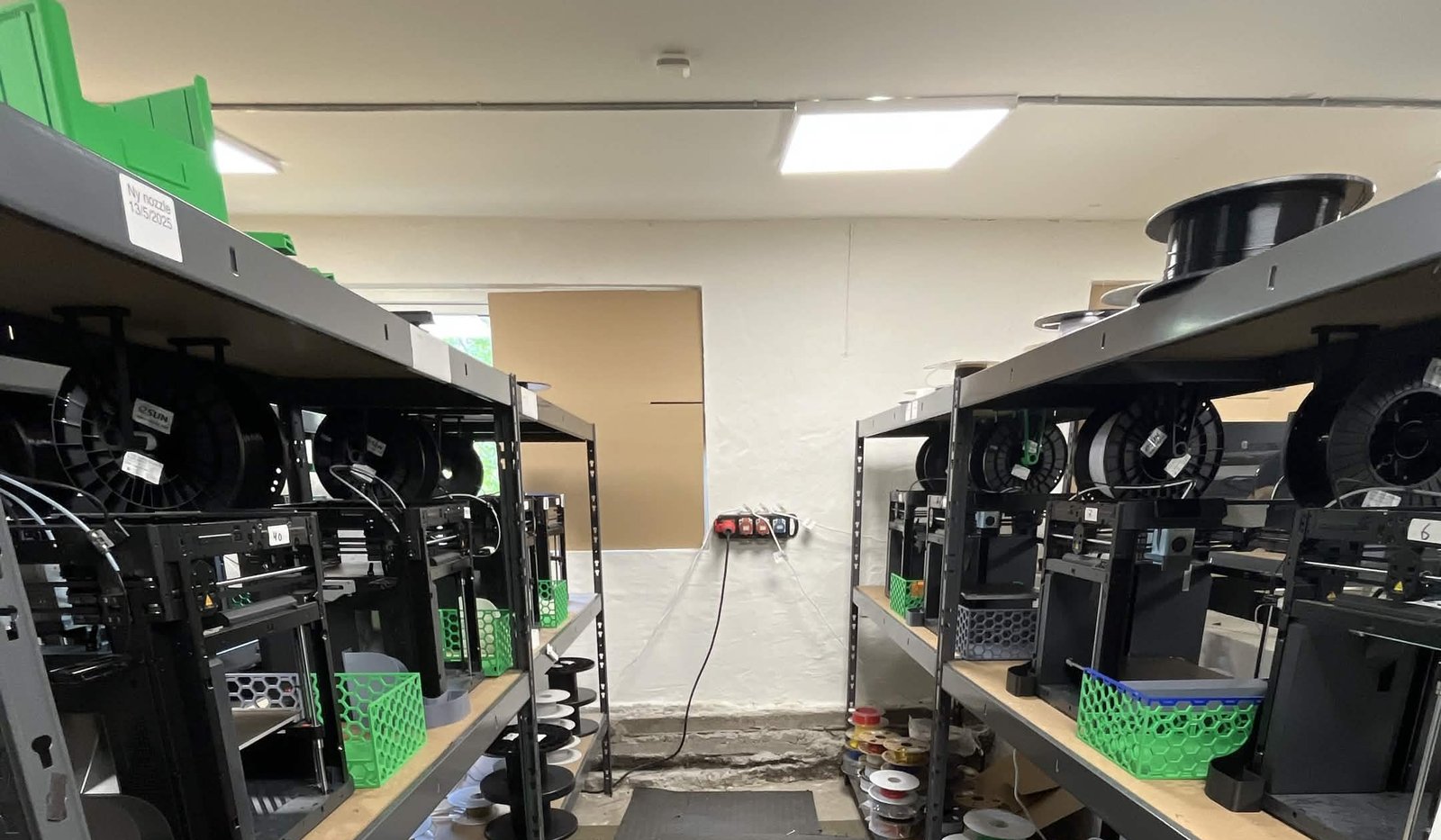
See how Weshape uses API to run ~50 printers
One of the most impactful features in SimplyPrint has been the API access, which has been implemented and expanded in the time we've been with SimplyPrint. We sometimes have unique challenges, and the API gives us an effective way to make it fit our exact use-case.
Building for a specific printer brand?
SimplyPrint is hardware-agnostic, but our brand-specific API pages cover the endpoints, code samples and quirks that matter for each ecosystem. If you're writing integration code that targets Prusa, Bambu Lab or OctoPrint hosts specifically, start here.
Drive Prusa MK4, MK4S, MK3.9, MK3.5, Mini+, XL and CORE One from code. PrusaLink-compatible.
Drive Bambu Lab X1C, P1S, P1P, A1, A1 Mini, H2D from code. AMS-aware.
Migrating off an OctoPrint REST integration? Same shape, hosted in our cloud, no new servers to stand up.
Two tiers: Basic API and Enhanced API
API access comes in two tiers, gated by plan. Basic gives you read access plus light writes; Enhanced unlocks the heavy hitters - file uploads, queue mutations, starting prints and sending G-code.
Basic API
Read printer state, queue, jobs, history, filament and tags.
Enhanced API
Full read and write: upload, start prints, send G-code, bulk actions.
Live API documentation with cURL for every endpoint
Every endpoint has a dedicated docs page with the request signature, parameter table, copy-paste cURL example and a real success response on the right. No more guessing at payload shapes - the docs are the spec.
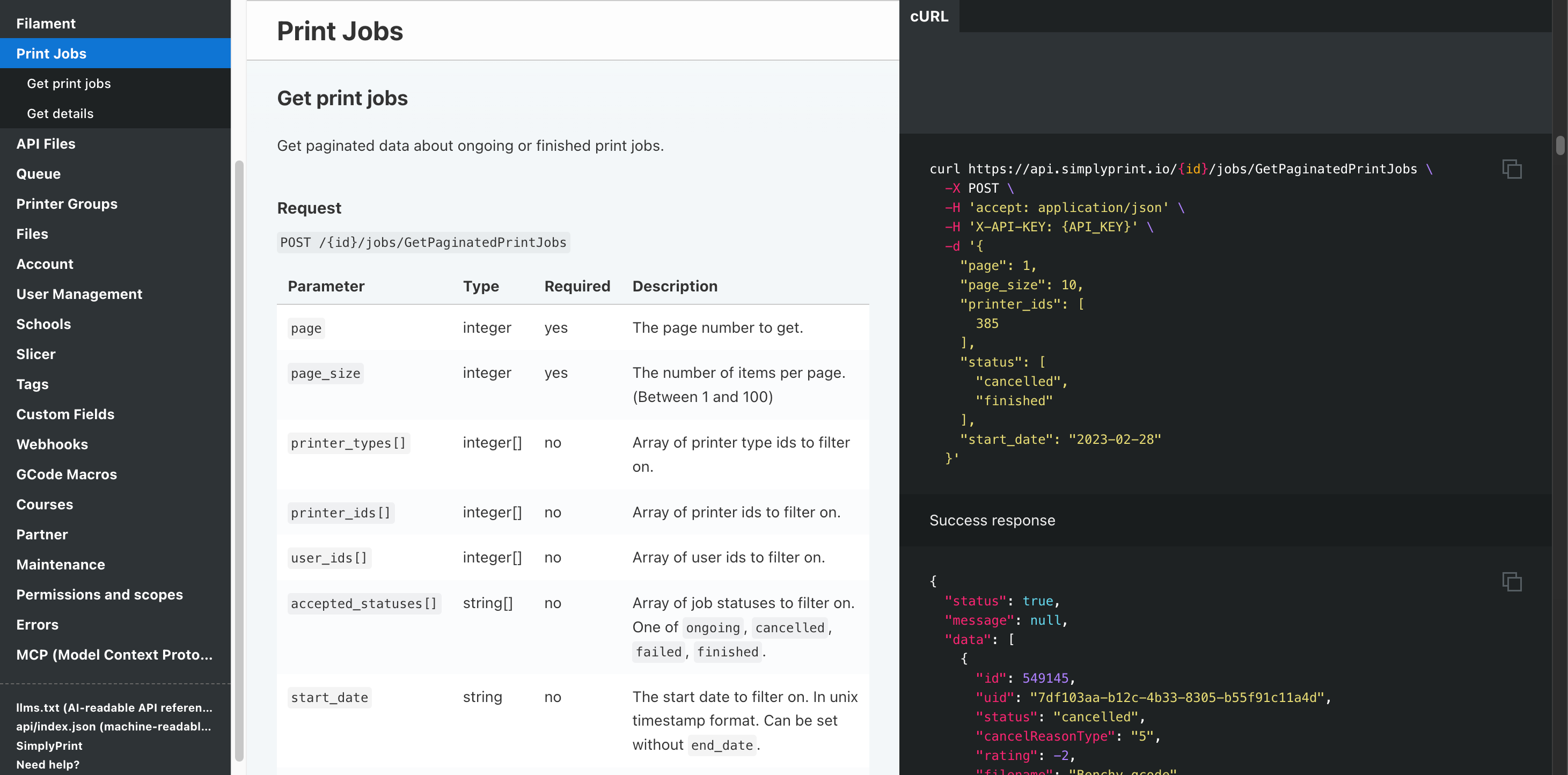
POST /{id}/jobs/GetPaginatedPrintJobs - paginated ongoing or finished jobs, filterable by printer, user, status and date.
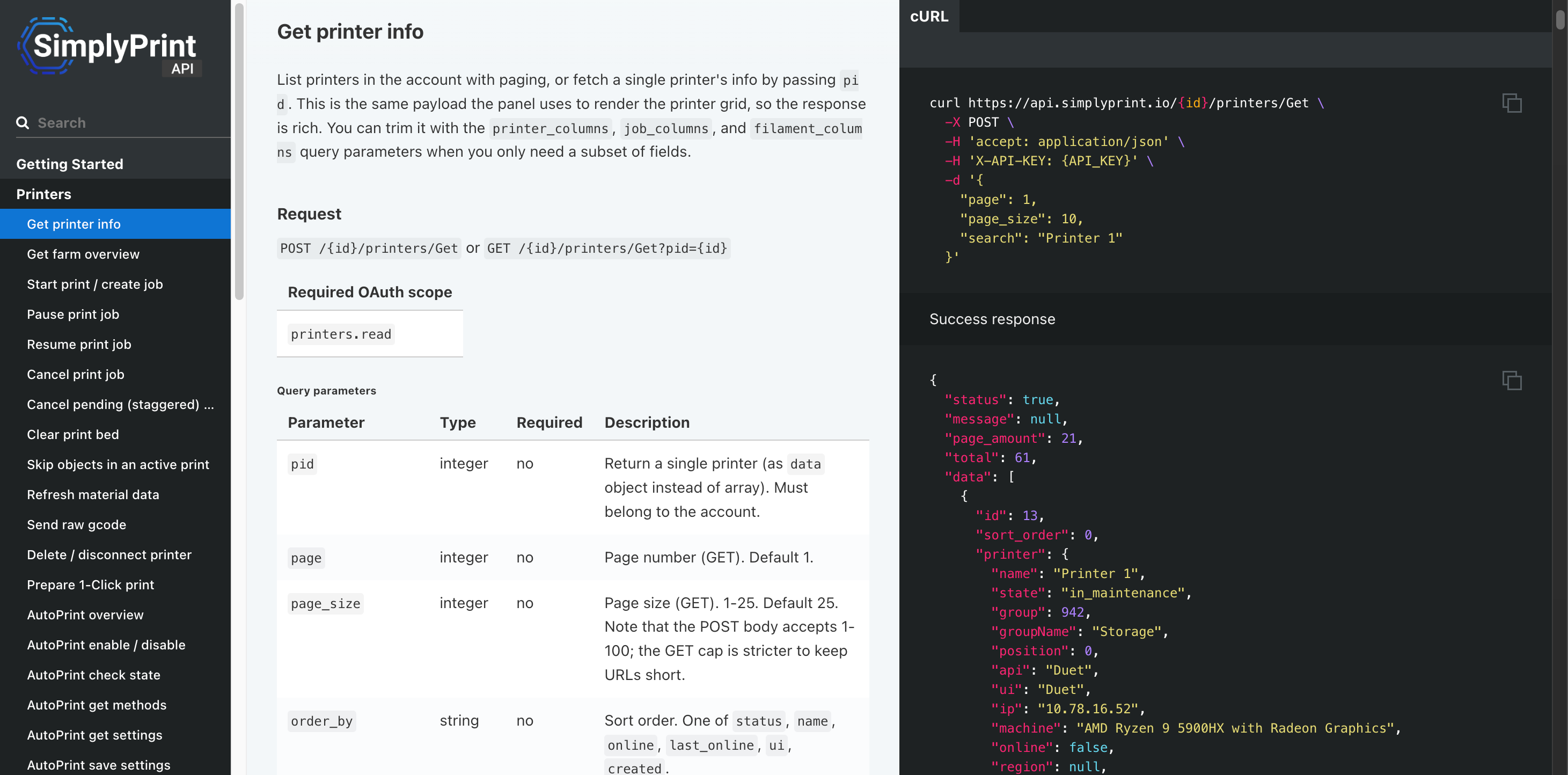
POST /{id}/printers/Get - one or many printers with state, filament, hardware specs and maintenance flags.
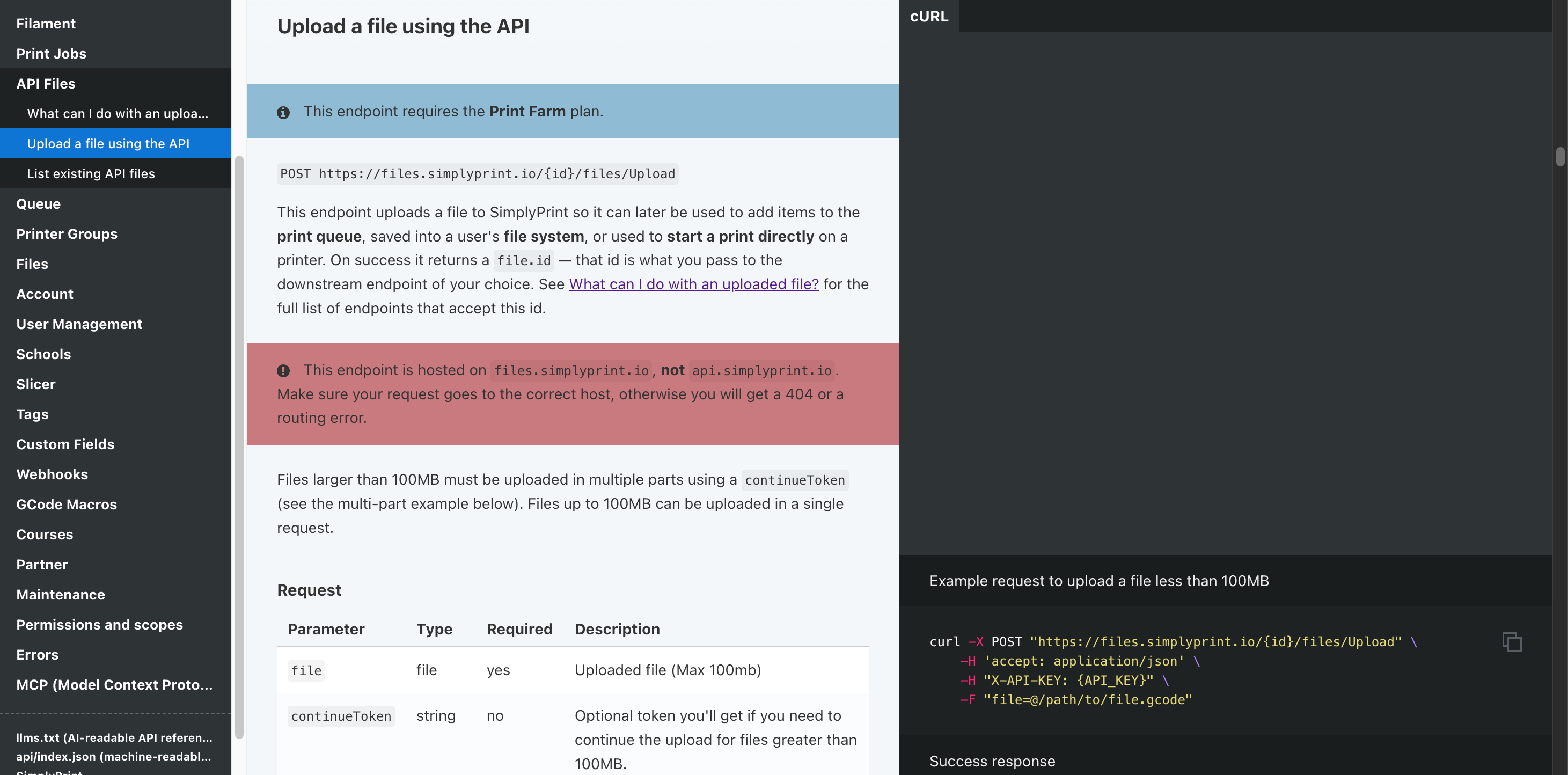
POST files.simplyprint.io/{id}/files/Upload - single-request up to 100 MB, multi-part for larger.
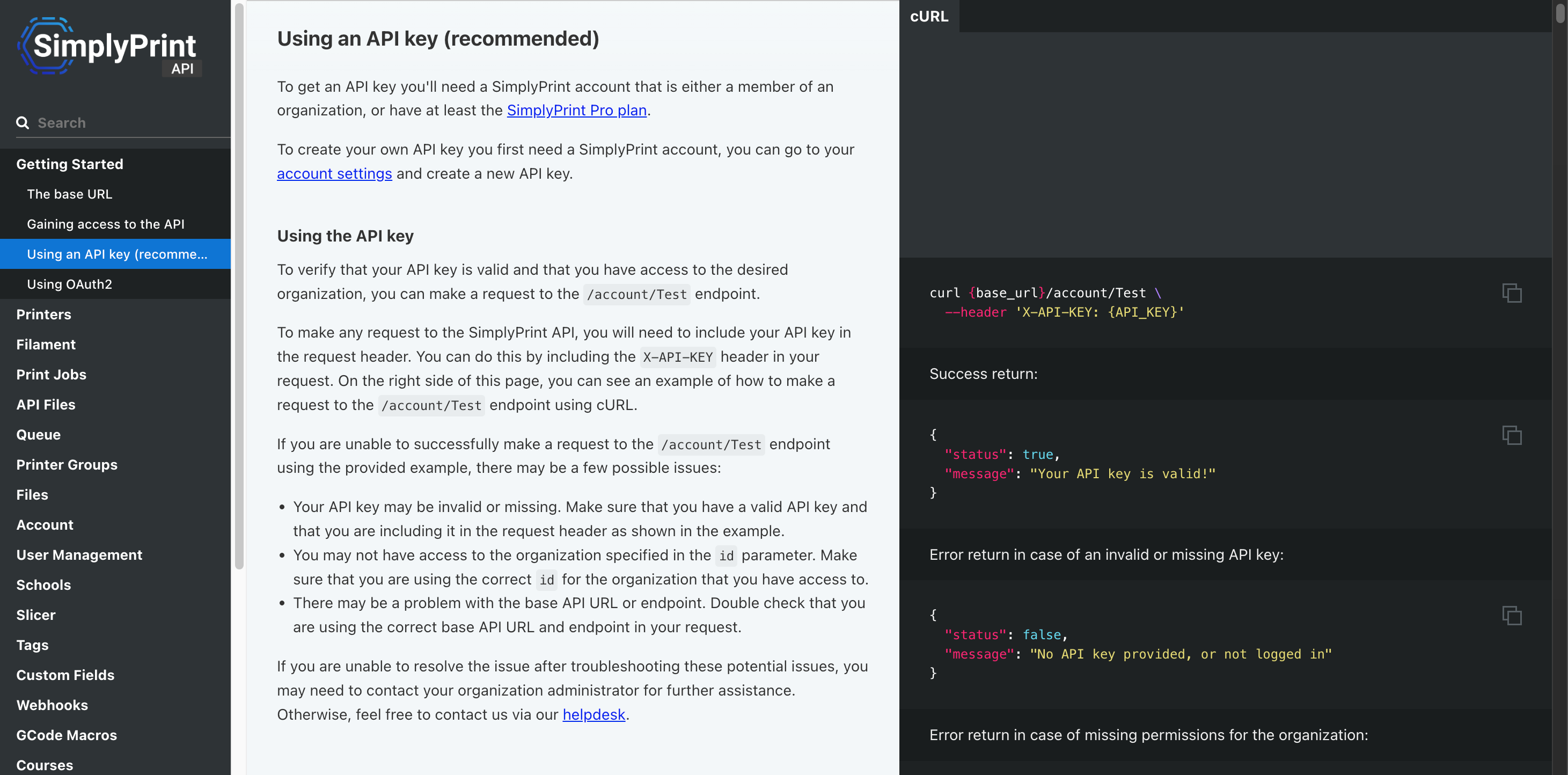
One header (X-API-KEY), one base URL. Get a key from your account settings.
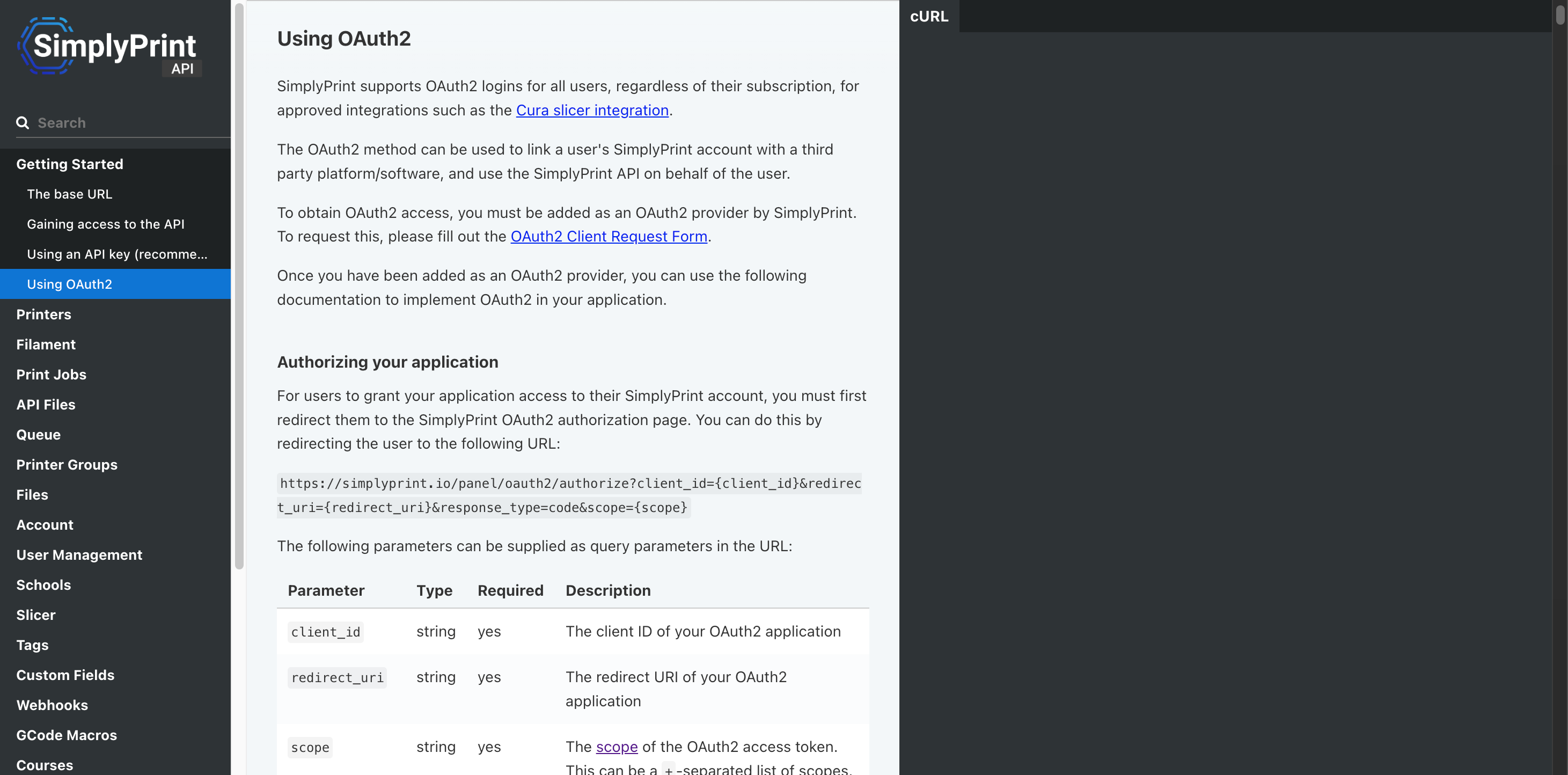
For partner apps - each customer connects their own account via the standard authorize / token exchange.
OAuth2 for partner integrations
Building a third-party app that other SimplyPrint customers will use? Use OAuth2 so each customer can connect their own account with a consent screen - no shared API keys, no copy-paste secrets. This is the same flow our official Cura integration uses, and the same flow we provision for partner integrations on platforms like Zapier, n8n, Make and Activepieces.
- Authorization URL: https://simplyprint.io/panel/oauth2/authorize
- Token exchange: https://simplyprint.io/api/0/oauth2/Token (the 0 is intentional - the exchange is account-scopeless)
- Discover the bound account: after exchange, call /account/GetUser with the bearer token to learn which company the user picked
- Subsequent calls: use the standard /api/{companyId}/{endpoint} path with the bearer token
# 1) Send the user to the consent screen
https://simplyprint.io/panel/oauth2/authorize
  ?response_type=code
  &client_id=YOUR_CLIENT_ID
  &redirect_uri=https://your-app.example.com/callback
  &scope=printers.read+queue.write+files.read
  &state=<random>

# 2) Exchange the returned code for an access token
curl -X POST "https://simplyprint.io/api/0/oauth2/Token" \
  -d "grant_type=authorization_code" \
  -d "code=AUTH_CODE_FROM_CALLBACK" \
  -d "client_id=YOUR_CLIENT_ID" \
  -d "client_secret=YOUR_CLIENT_SECRET" \
  -d "redirect_uri=https://your-app.example.com/callback"

# 3) Discover the bound company, then call API as that company
curl "https://simplyprint.io/api/0/account/GetUser" \
-H "Authorization: Bearer ACCESS_TOKEN"API rate limits and capability by plan
Free, Basic, Cloud Slicer and Filament Manager plans do not expose an API. Pro and above unlock Basic; Print Farm and above unlock Enhanced (file uploads and write mutations).
| Feature / Limit | Free | Basic | Pro | Print Farm | Enterprise | School | Cloud Slicer | Filament Manager |
|---|---|---|---|---|---|---|---|---|
|
API requests per minute
Rolling per-minute limiter. Bursts inside the window are fine; hitting the limit returns a short timeout, the limiter resets after the minute rolls over.
|
- | - | 60 | 180 | 600 | 180 | - | - |
|
Basic API access
Read printer state, queue, jobs, history, filament, tags. Pro and above.
|
||||||||
|
Enhanced API (full read & write)
Unlocks file uploads, queue mutations that start prints, direct G-code send, and bulk write operations. Print Farm and above.
|
||||||||
|
Zapier, n8n, Make & Activepieces
Connect via the official OAuth2-based pieces. Write capability inherits the account's API tier.
|
||||||||
|
AI agents via MCP
Connect Claude, Claude Code and other MCP-compatible AI clients to drive your fleet in natural language.
|
Want to learn more about our plans?
View full pricing & feature comparison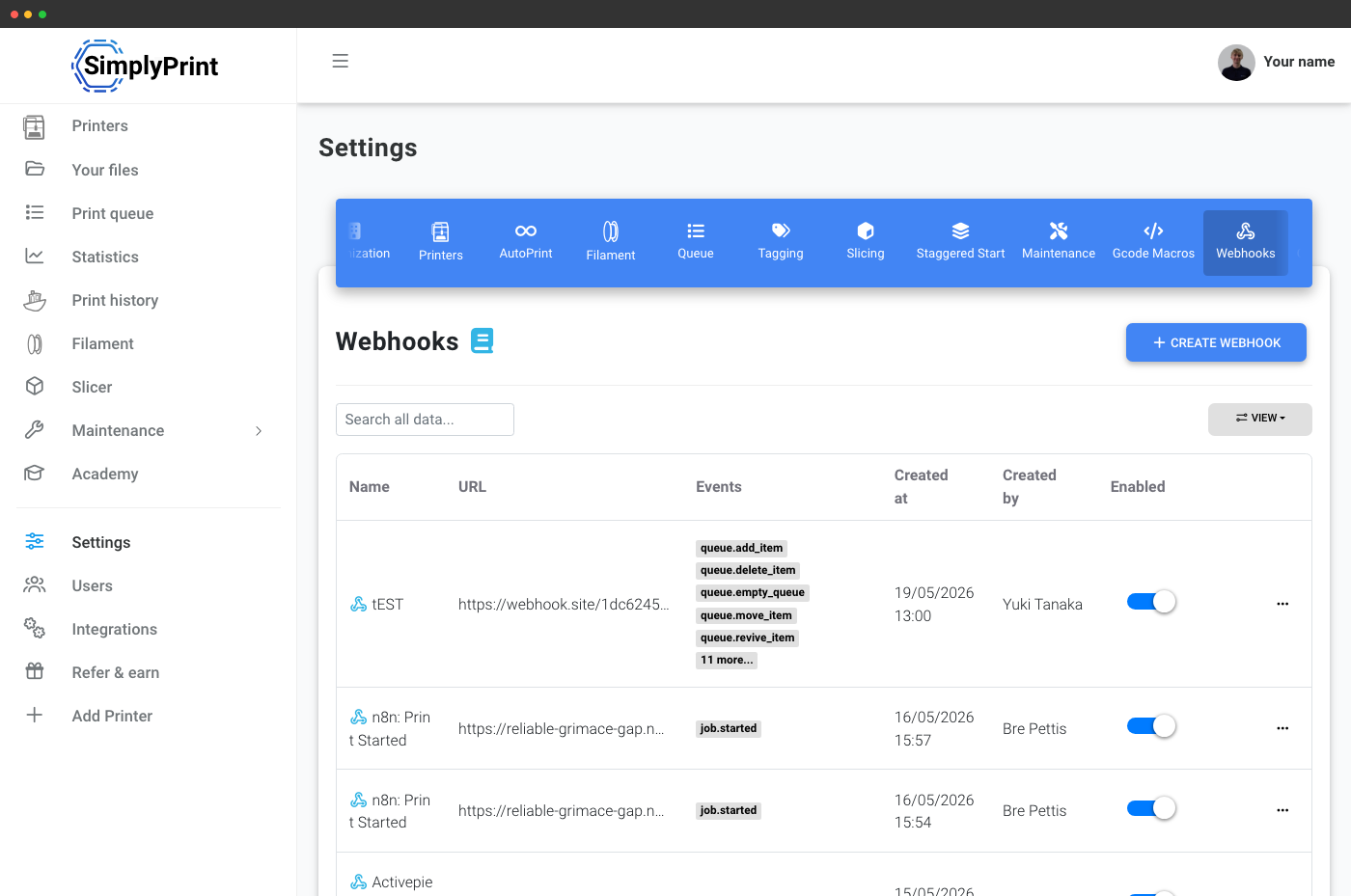
Pair the API with webhooks for push events
The REST API is the pull side - you ask, SimplyPrint answers. Pair it with webhooks for the push side: a print starts, a job finishes, a filament runs out, a queue item is approved - SimplyPrint POSTs the event to your endpoint so you don't have to poll. Together they cover every integration pattern.
Webhooks are part of Print Farm and above, and ride the same event model the panel uses internally.
Get an API key in 30 seconds
Sign in to the panel, open account settings → API, name your key, copy it. Done. Keys are per-user and respect that user's permissions in the account - so an integration runs with exactly the access its owner has, no more.
Open your API settings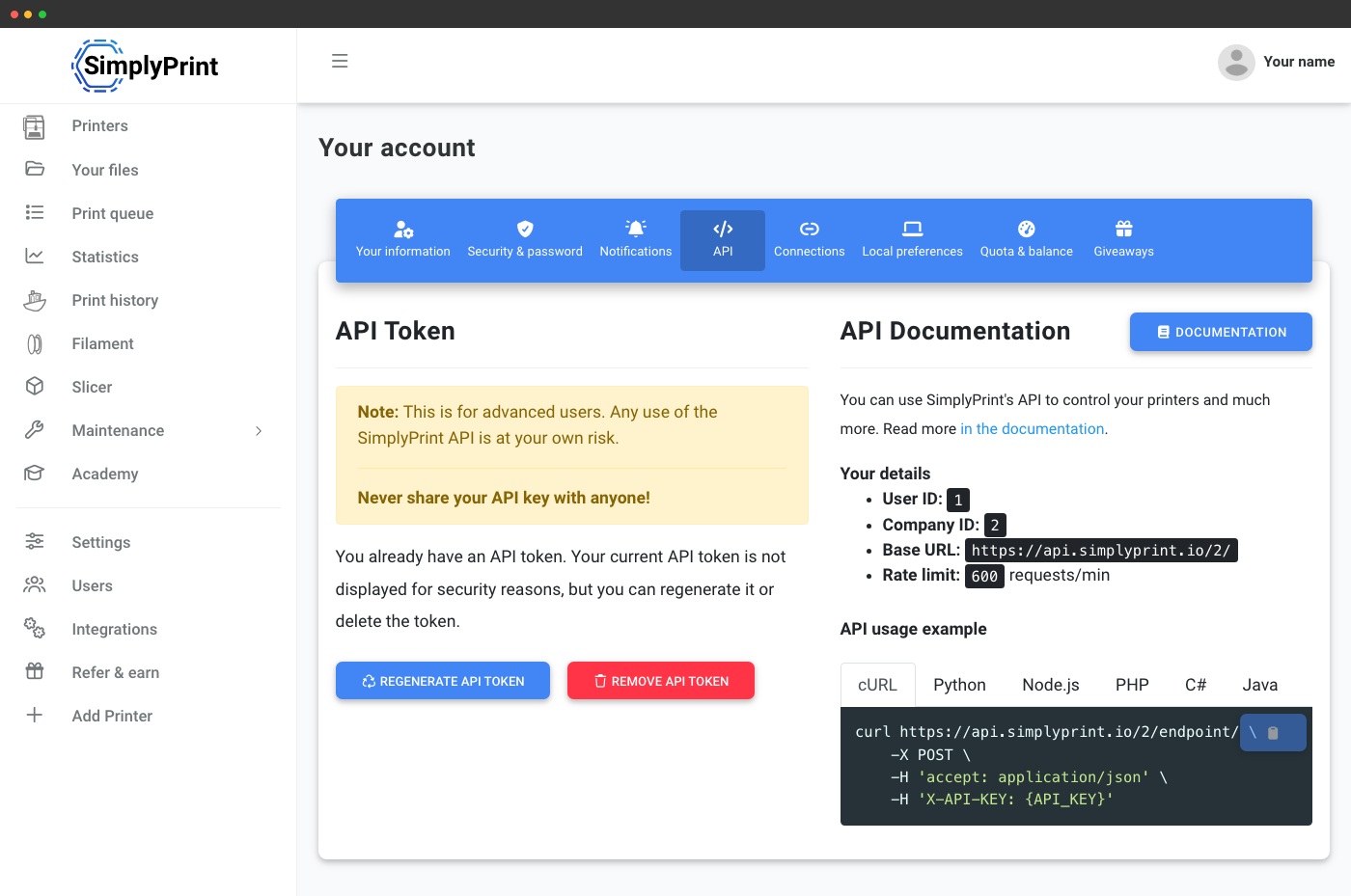
The full reference lives at apidocs.simplyprint.io
Every endpoint, request and response shape, error codes, OAuth2 flow, scope list. The docs are AI-friendly too - there is an llms.txt for one-shot AI ingestion and a structured api/index.json if you want to build tooling on top of the catalogue.
Open the API referenceBonus: the open Open Filament Database API
Beyond the SimplyPrint API, we also steward the Open Filament Database - an open-source, MIT-licensed catalog of 3D printing filament: brands, materials, colors, sizes and stores. It has its own fully open JSON API - no key, no auth, no rate tier - so you can pull brand, material and color data straight into your own app, slicer, store or spool tracker. It is the same data that powers SimplyPrint's own filament presets.
Endpoint: api.openfilamentdatabase.org - full docs at openfilamentdatabase.org/docs.
Frequently asked questions
How do I get an API key?
What are the rate limits?
API key or OAuth2 - which should I use?
Does it work with my Prusa / Bambu Lab / OctoPrint printer?
Are there webhooks for push events?
Is there an MCP server for AI agents?
Are there official SDKs?
Is there a sandbox or test environment?
What is the URL format - is there a v1 or v2?
If we ever ship a major-major change - breaking response shapes, a different auth model, or a URL restructure - it will land behind a /v2 (or similar) prefix and the existing API will keep working alongside it. Nothing like that is on the roadmap right now, just flagging how we would handle it.
Brand-specific API guides
Building against a specific printer ecosystem? Each guide covers the endpoints, code samples and quirks that matter for that brand.

Prusa API
Drive every Prusa printer in your fleet from code

Bambu Lab API
Drive every Bambu Lab printer in your fleet from code, AMS and all

OctoPrint API alternative
Hosted, fleet-aware replacement for an OctoPrint REST integration