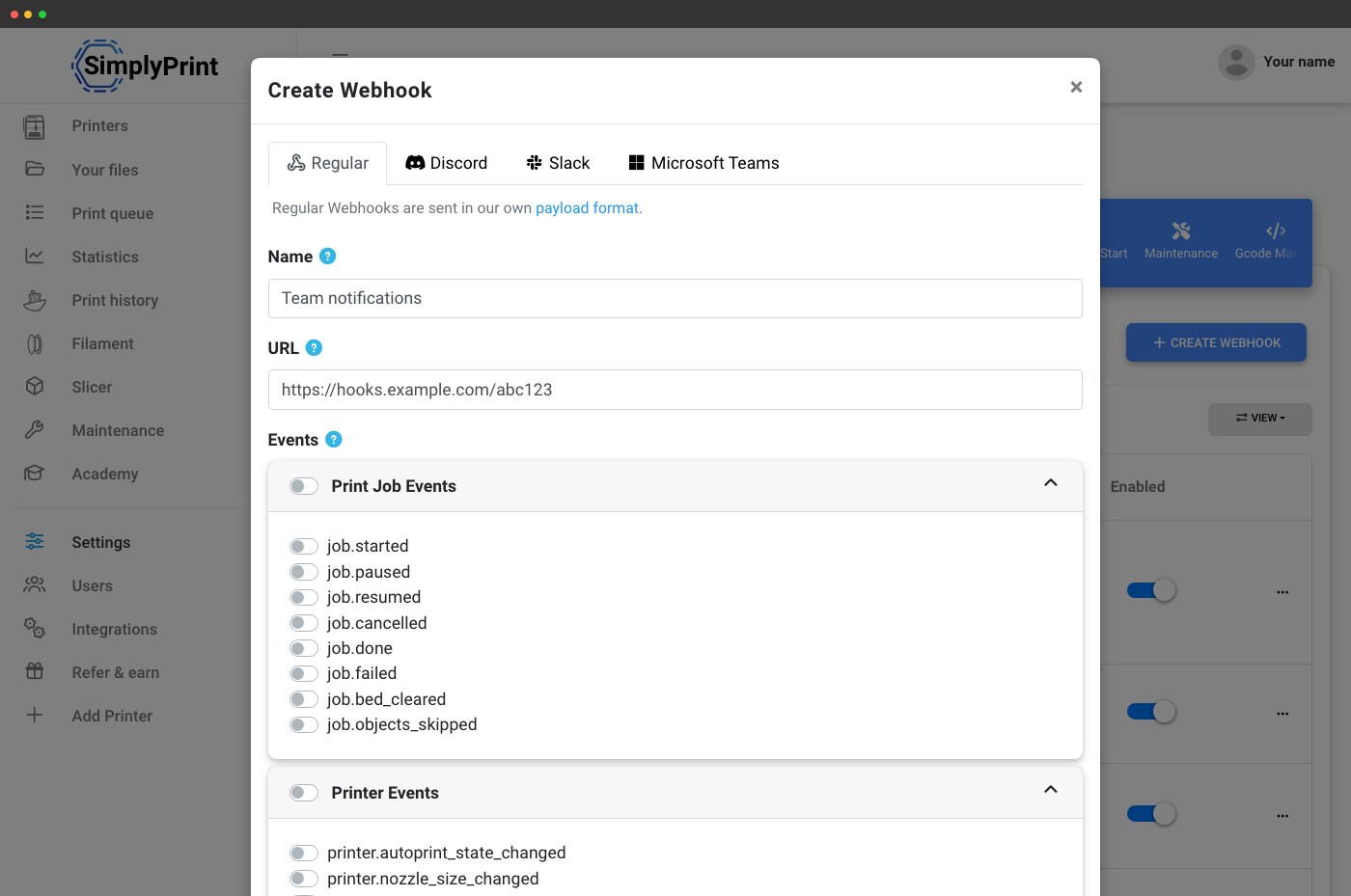
Pull when you want. Push when it matters.
The SimplyPrint API is great when your system asks the questions. Webhooks are how SimplyPrint tells you the moment something changes - without polling, without scheduled jobs, without missed events.
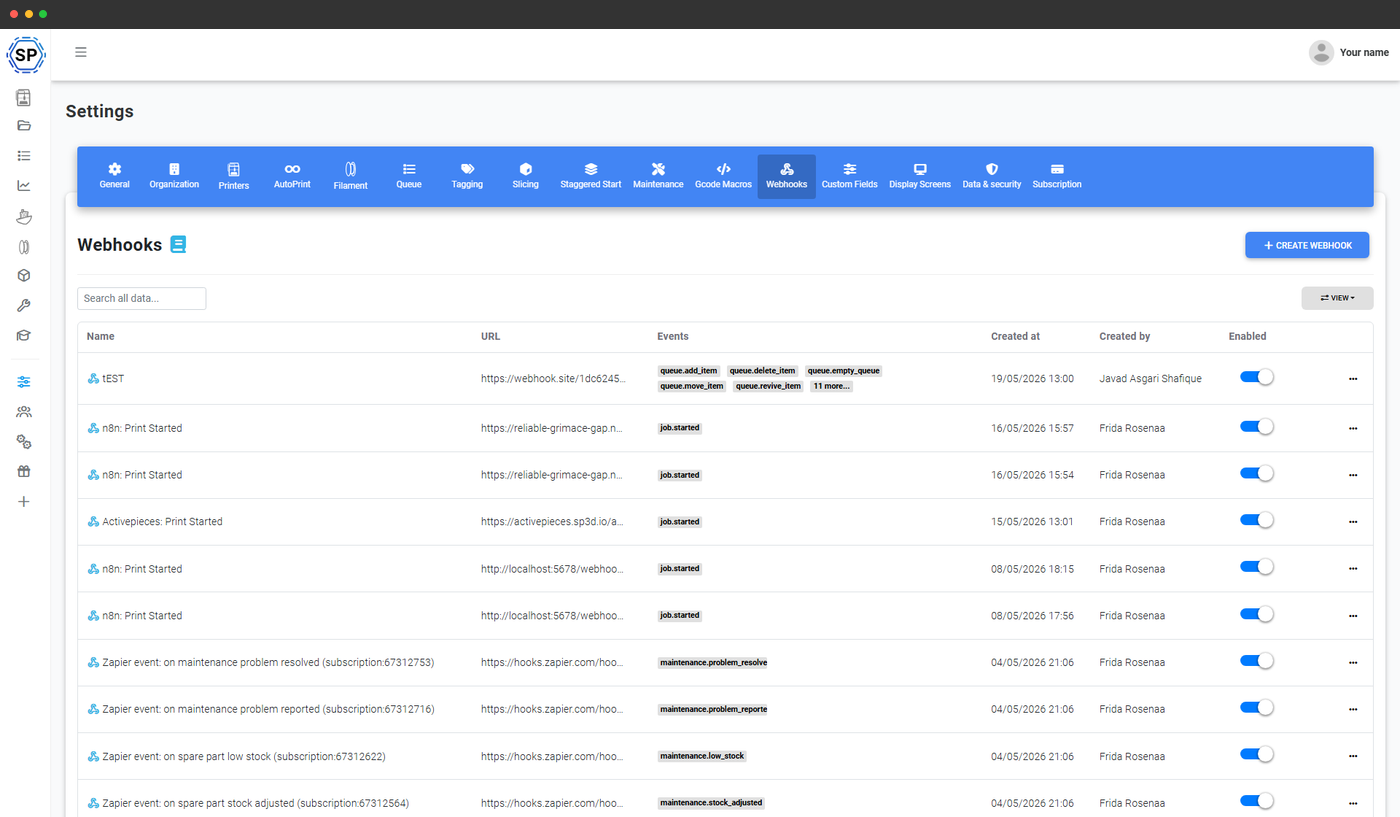
Push events instead of polling
A webhook is a URL you give to SimplyPrint. Every time something happens in your account that you've subscribed to - a print starts, a job fails, a queue item is approved, a spare part hits low stock - SimplyPrint sends an HTTP POST to that URL with the event payload. No polling loops, no rate-limit juggling, no "did we miss that one?" - just an event stream you can plug into anything that speaks HTTP.
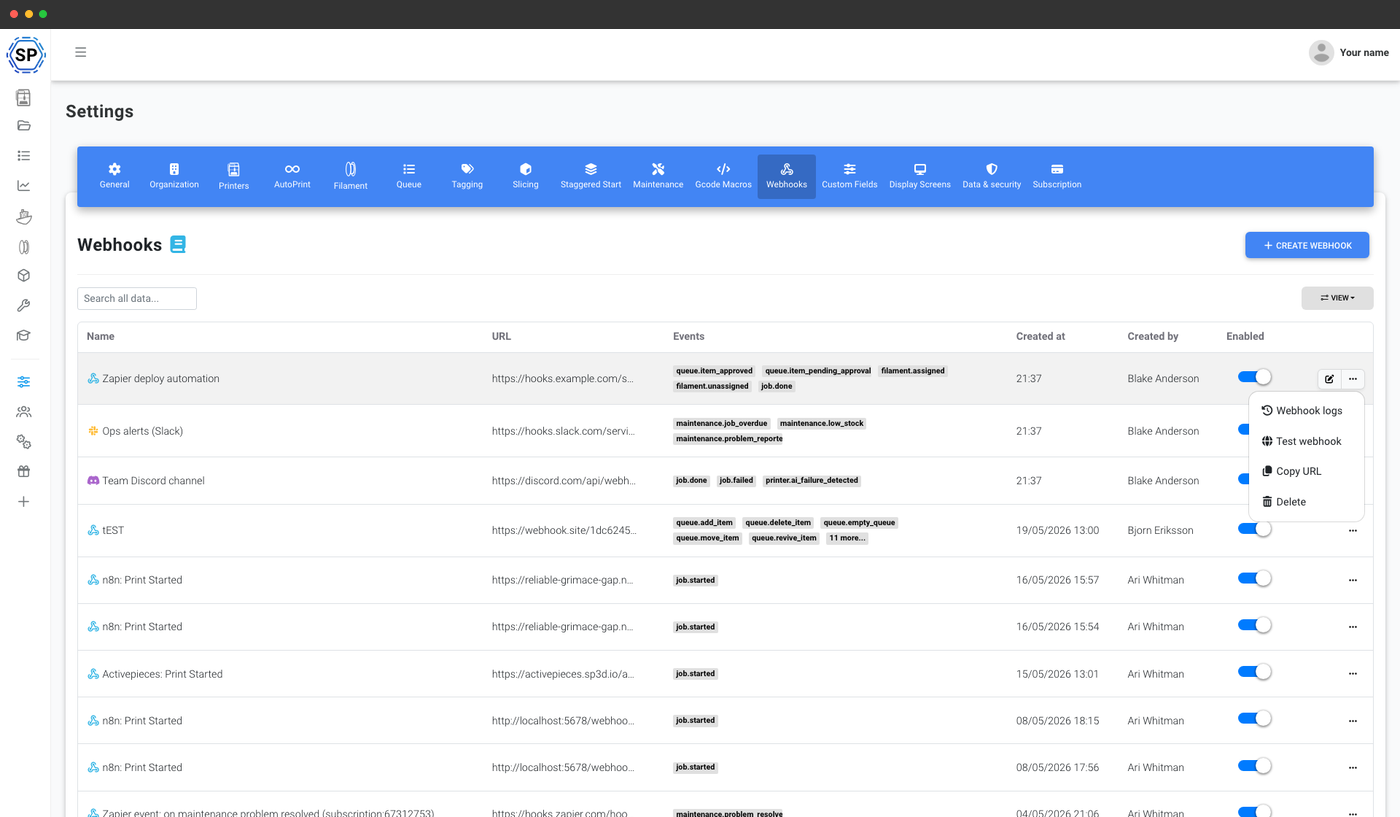
Create as many webhooks as you need. Pick exactly which events each one cares about. Disable one without deleting it. Inspect every delivery in the history view. It's the same primitive the rest of the web runs on - now wired into your 3D printer fleet.
Four delivery formats - one webhook system
SimplyPrint auto-detects the destination from the URL and formats the payload to match. Point a webhook at Discord and you get a proper embed with colour, fields and a timestamp. Point it at Slack and you get a Slack Block Kit message. Point it at Microsoft Teams and you get an adaptive card. Point it at anything else and you get clean raw JSON to do whatever you want with.
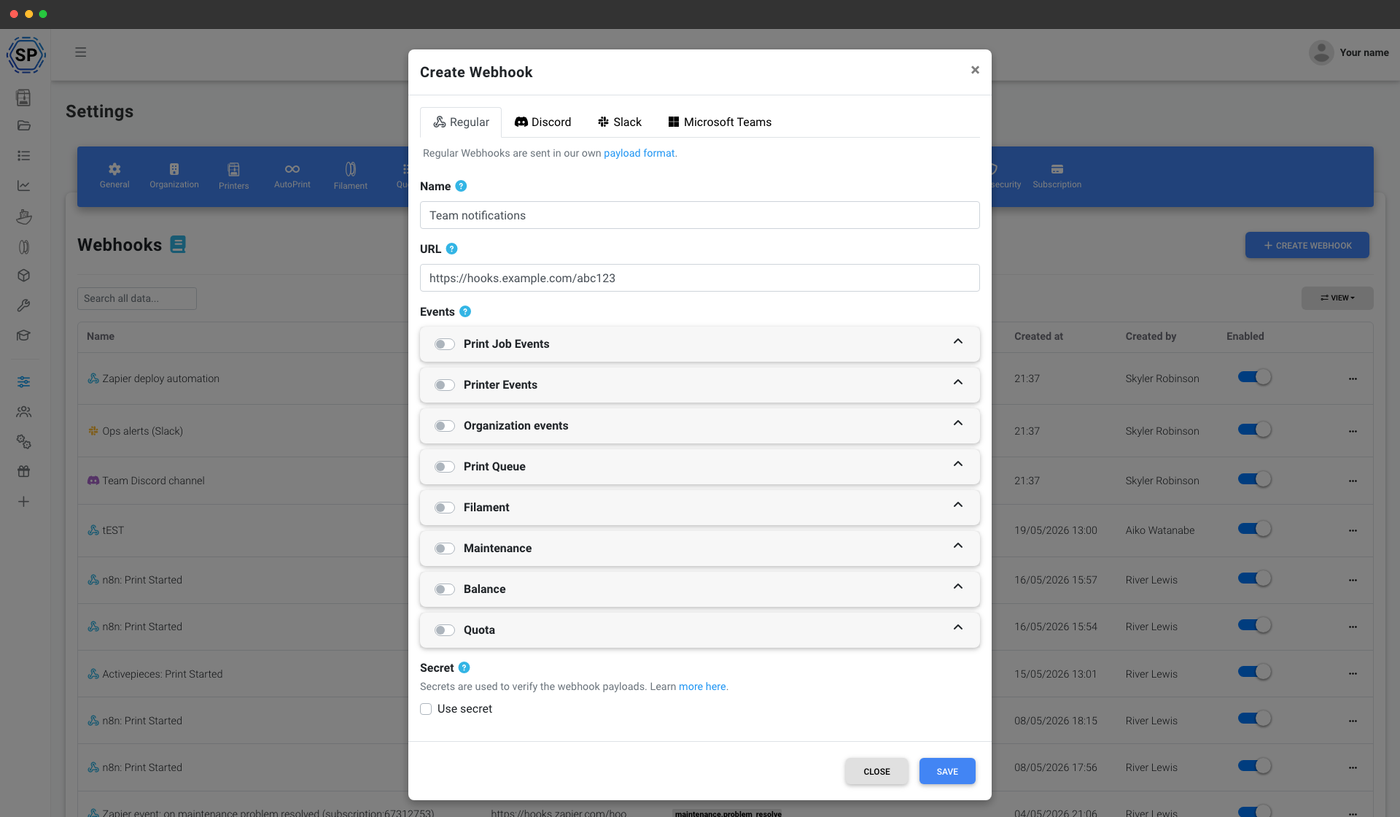
Clean POST body for Zapier, n8n, Make or your own backend.
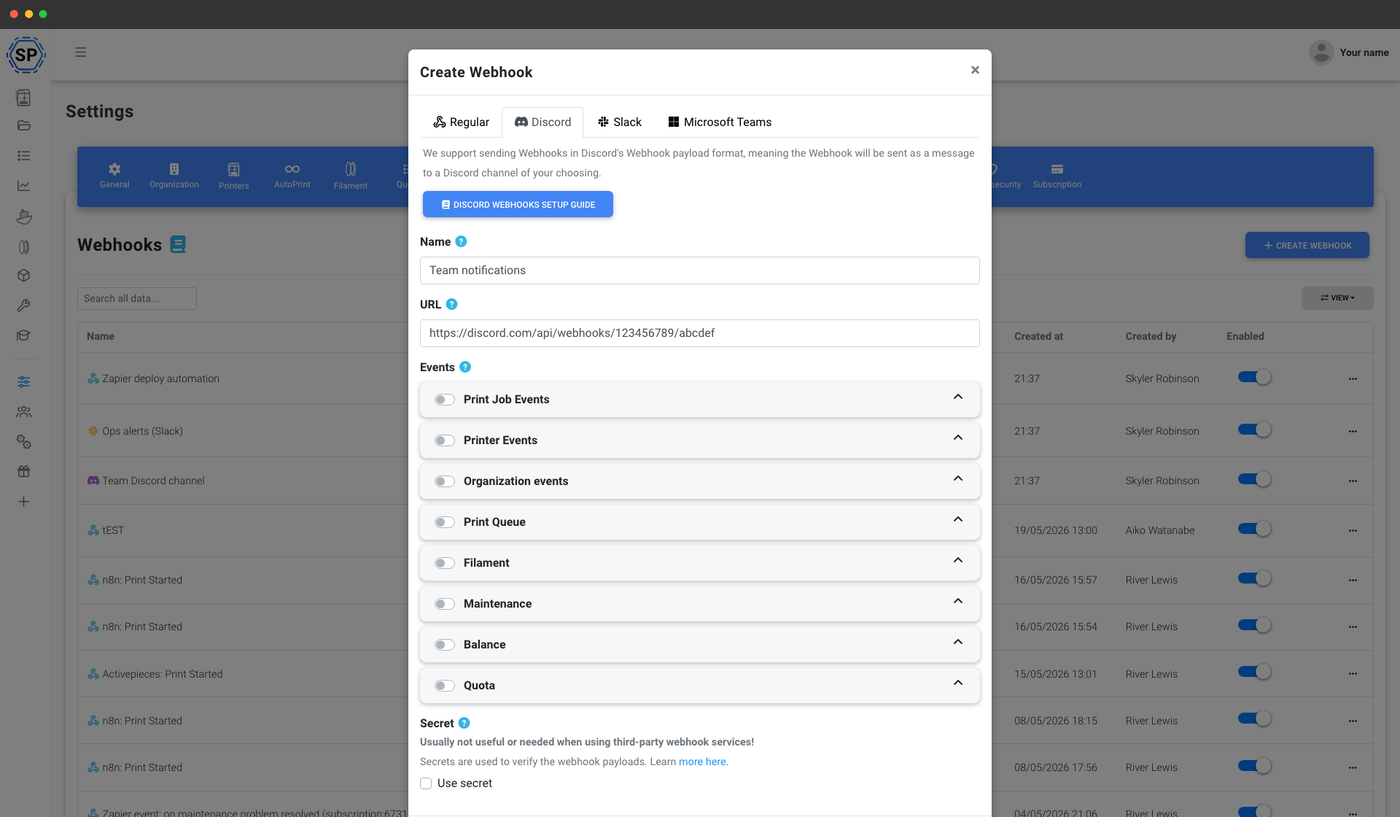
Paste a channel webhook URL and get rich embeds, no bot.
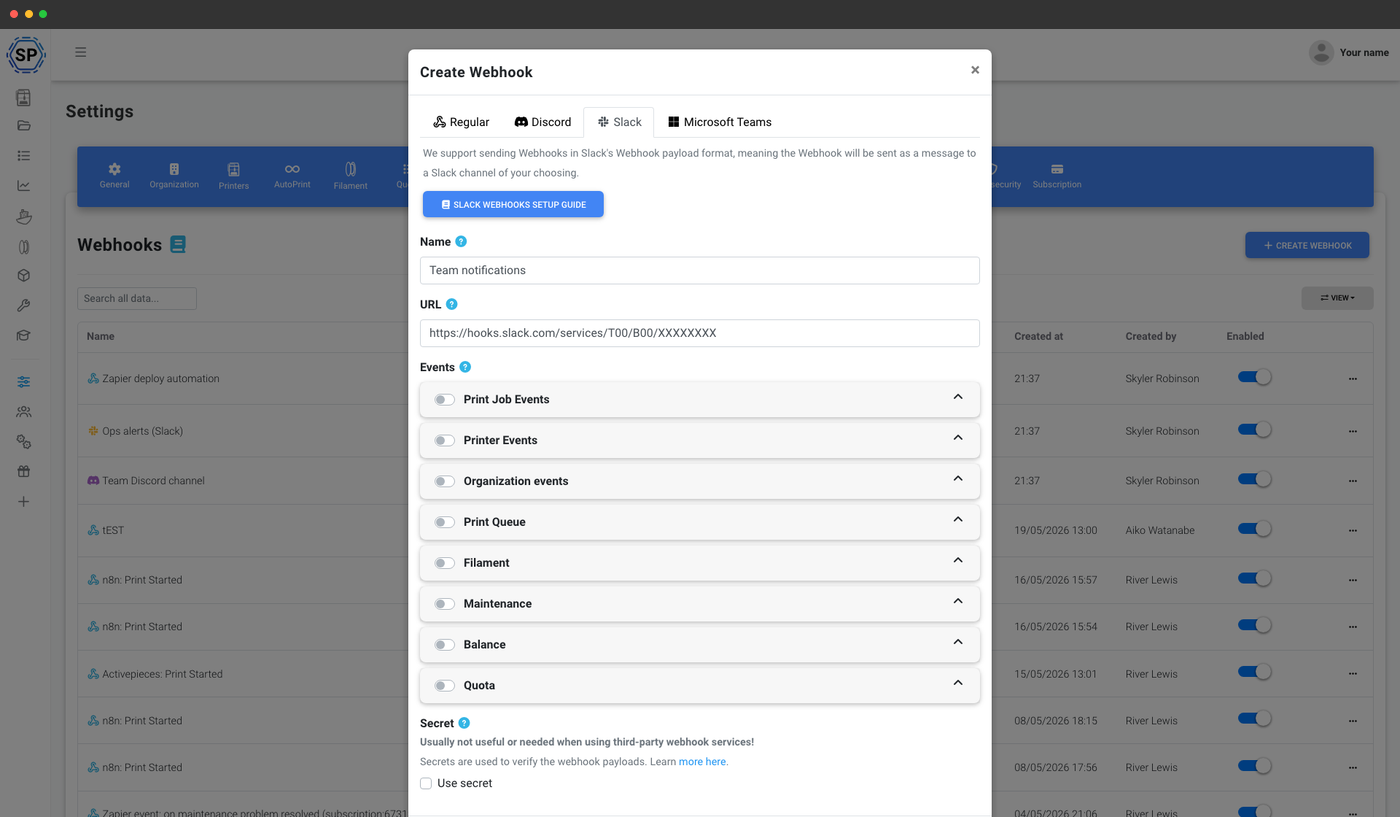
Native Block Kit messages from any Slack incoming webhook.
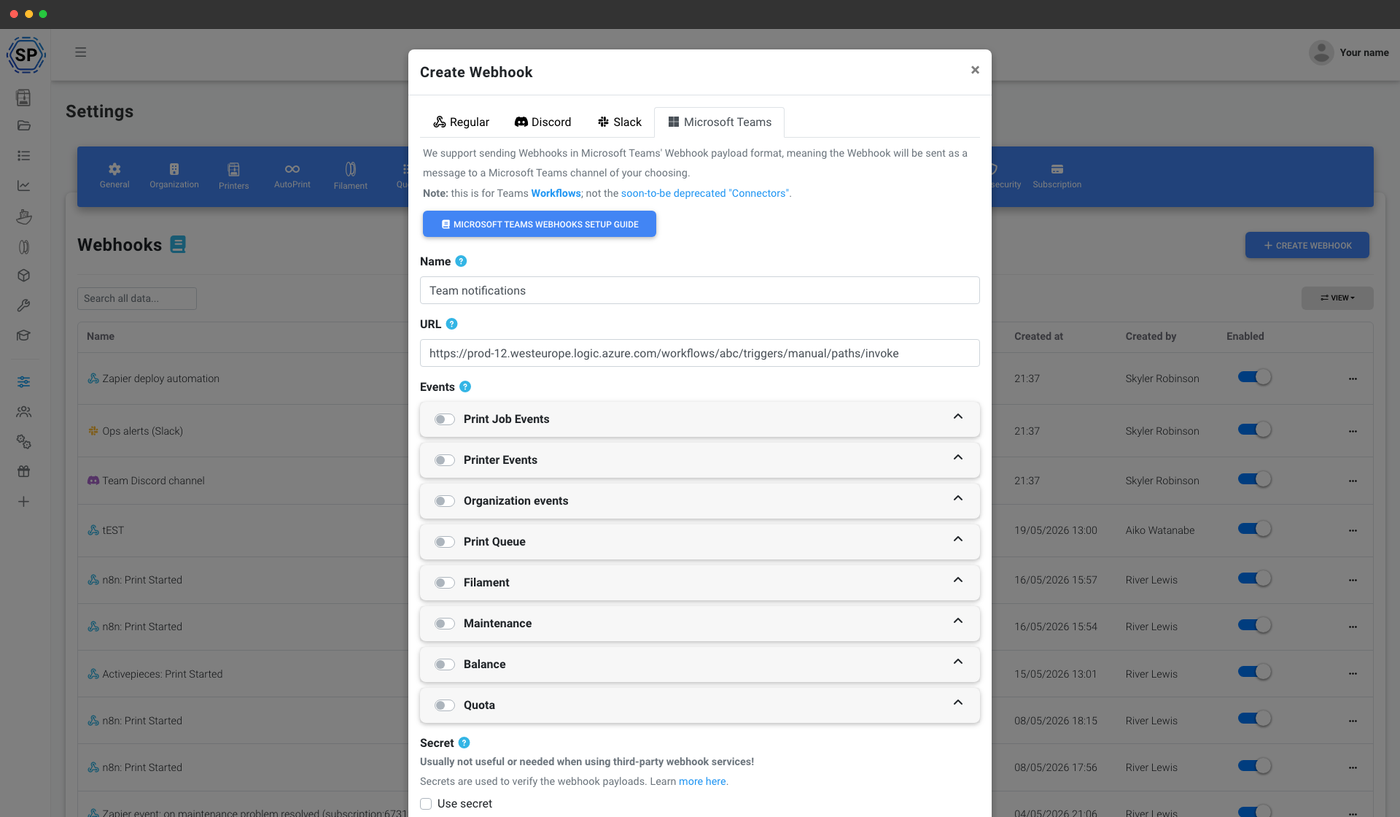
Adaptive cards posted to a Teams workflow or connector URL.
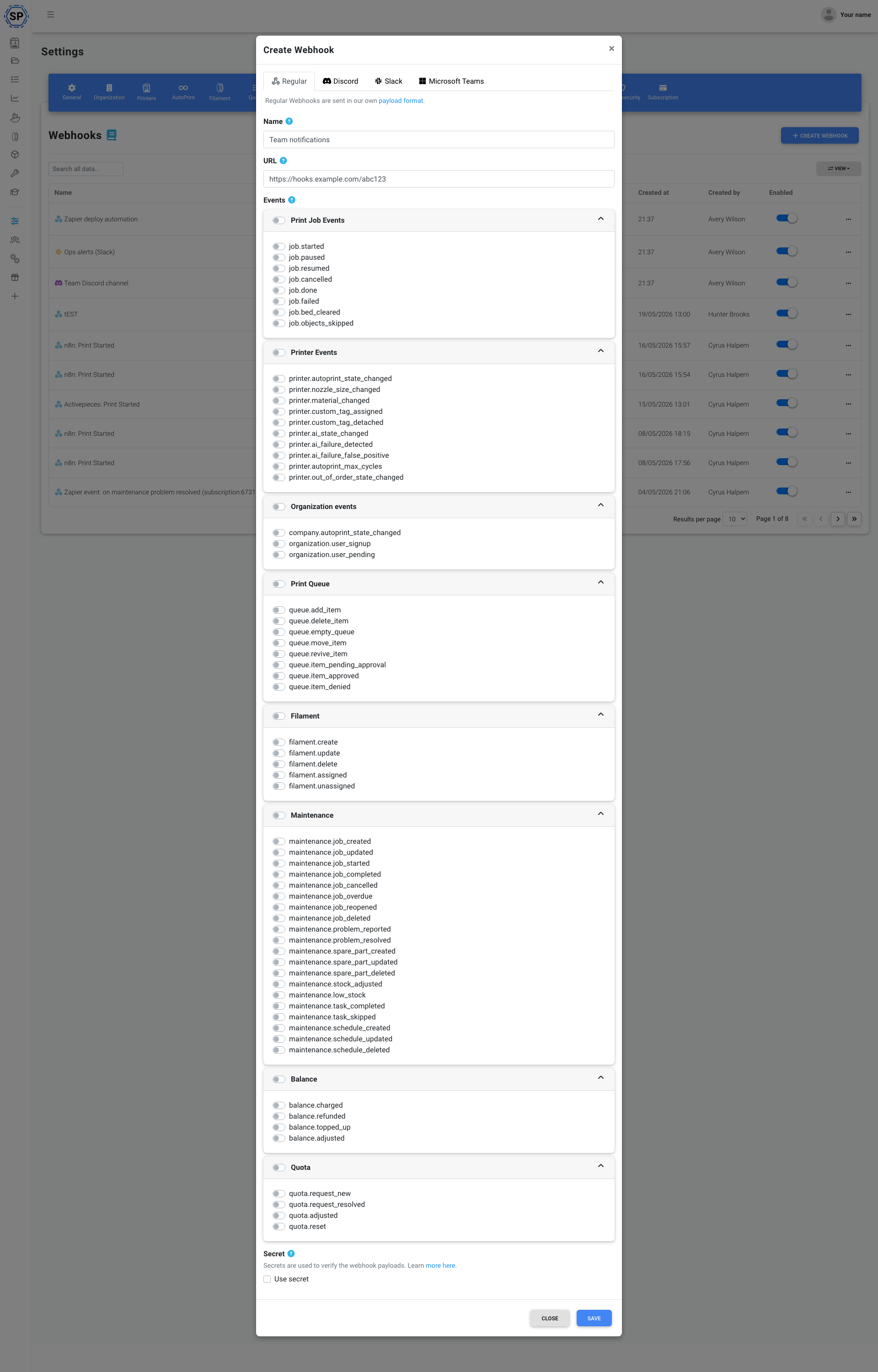
Every event your fleet generates, grouped into clean categories
Subscribe each webhook to exactly the events that matter to it. A team-wide Discord channel might only care about print finished and print failed. A Zapier automation might subscribe to queue item approved. A maintenance dashboard might want every maintenance.* event. You decide per webhook.
- Print job events - started, paused, resumed, cancelled, done, failed, bed cleared, objects skipped
- Printer events - AutoPrint state, nozzle size, material, custom tag assigned / detached, out-of-order state, AI state, AI failure detected, AI failure false-positive, AutoPrint max cycles
- Organization events - account AutoPrint state, new user signup, user pending approval
- Print queue - item added, deleted, moved, revived, pending approval, approved, denied, queue emptied
- Filament - created, updated, deleted, assigned to printer, unassigned
- Maintenance - job created / started / completed / cancelled / overdue / reopened / updated / deleted, problem reported / resolved, spare part created / updated / deleted, stock adjusted, low stock, task completed / skipped, schedule created / updated / deleted
- Balance - charged, refunded, topped up, adjusted
- Quota - new request, request resolved, adjusted, reset
A payload shape that's easy to write code against
Every regular-format webhook delivery looks the same on the outside: an envelope with the event name, an ISO timestamp, and the originating webhook_id, wrapping a data object whose shape is specific to the event.
The data object for a job.done event includes the print job, printer, file, user and elapsed time. A filament.assigned event includes the filament, the printer and which tool it landed on. A maintenance.job_overdue event includes the job, the printer, the responsible user and the original due date. Same envelope, event-specific data - so a single switch statement in your code handles the whole stream.
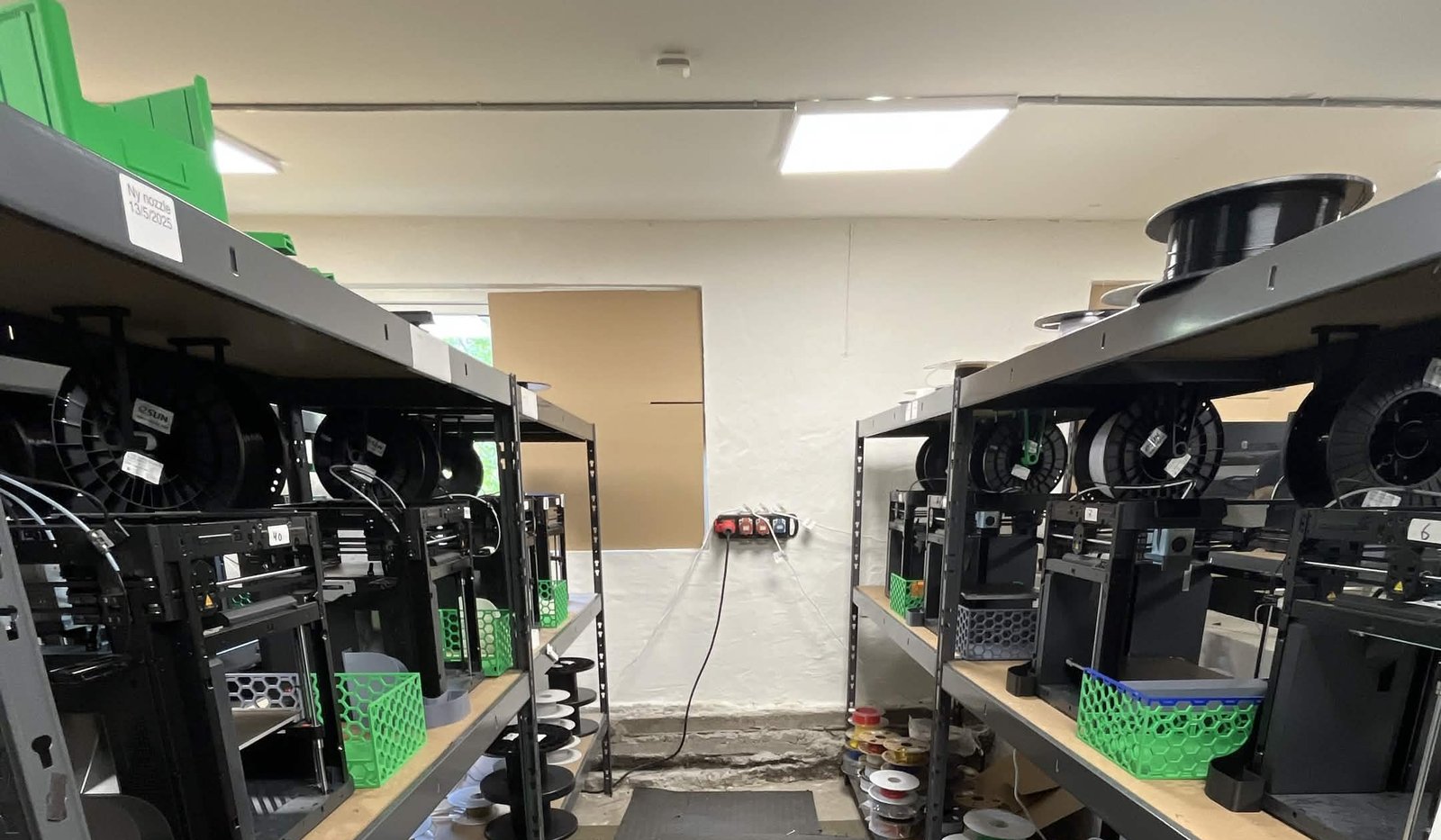
See how Weshape uses Webhooks to run ~50 printers
Order queueing is a webhook that feeds into the SimplyPrint API.
Test, sample and inspect - before you ship anything to production
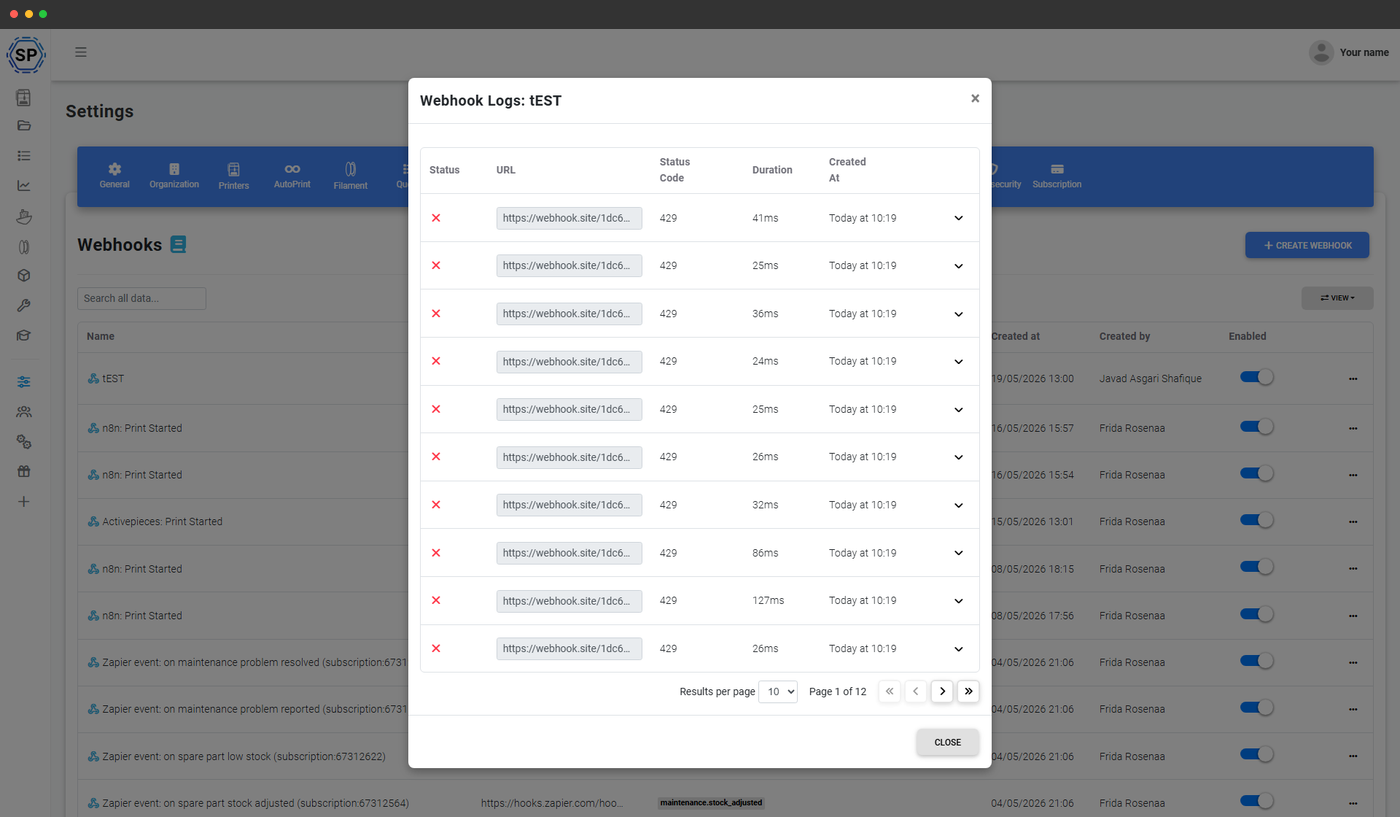
Webhooks should be boring. SimplyPrint gives you three tools so they actually are - inspect what you'll receive, send a test fire, and look back at every delivery that's already happened.
Send a test event
Fire a real-shape payload on demand from any subscription.
Sample payloads
Browse exact payload shapes before you write any code.
Delivery history
URL, HTTP status, response body and timestamp for every delivery.
What your webhooks look like once delivered
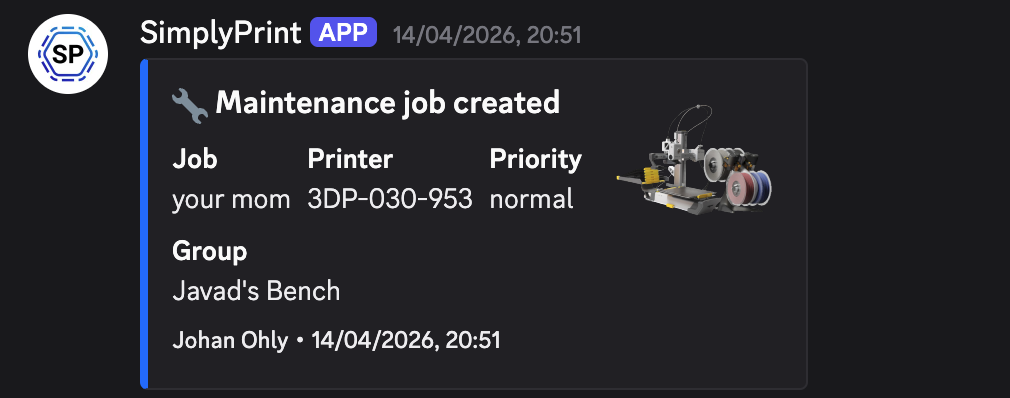
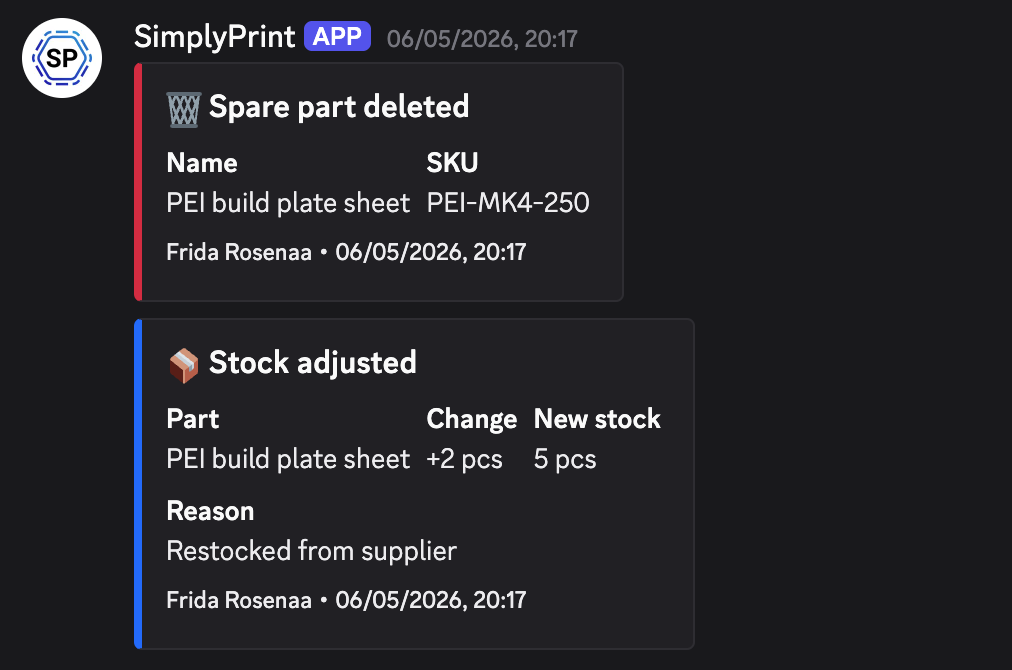
The Discord, Slack and Teams formats render as native embed cards in those apps - rich title, fielded payload, optional printer thumbnail. Here are three real deliveries from a print farm running SimplyPrint, captured directly from a Discord channel. Configure the format once; SimplyPrint takes care of the embed.
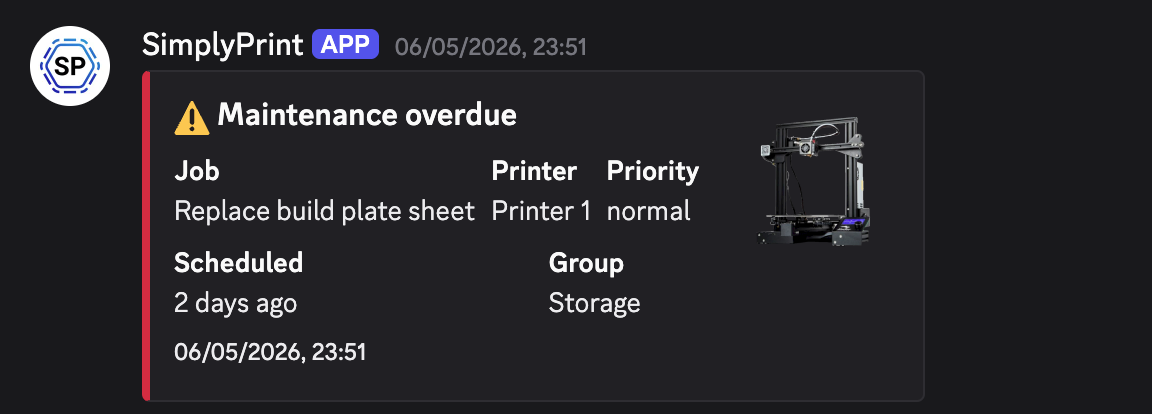
Maintenance overdue
A scheduled maintenance job missed its due date - job name, printer, priority, schedule, group, all in one card.
Maintenance job created
A new maintenance job is scheduled - printer, group and priority surface immediately in your team channel.
Spare parts inventory
Inventory mutations - parts deleted, stock adjusted, restocked - delivered as separate events so a workflow tool can react to each.
Optional secret verification - prove the request really came from SimplyPrint
Set a per-webhook secret and SimplyPrint sends it with every delivery in the X-SP-Secret header, so your receiver can check the request really came from us and didn't come from some random IP that guessed your URL. Skip the secret on internal-network webhooks where you don't need it. Rotate it whenever a key leaks - past deliveries are not invalidated, future ones use the new key.
Each webhook is also independently enabled / disabled - flip the toggle to pause a noisy integration without losing its event subscription or its history.
What people actually wire up
These are the patterns we see most often across print farms, schools, makerspaces and product teams running SimplyPrint.
Post job.done and job.failed to your team's channel.
Trigger invoices or fulfilment when a queue item is approved.
Ping ops on overdue maintenance or low spare-part stock.
Surface student submissions to teachers in real time.
The push half of a complete developer story
Webhooks pair naturally with the rest of the SimplyPrint developer surface:
- The SimplyPrint API lets your code pull any state on demand - printers, queue, files, filament, jobs.
- Webhooks let SimplyPrint push the moment something changes - so you don't have to poll for it.
- The SimplyPrint MCP server lets AI assistants (Claude, ChatGPT) read and act on the same fleet through a vetted tool registry.
Plan access: which plans include webhooks?
Webhooks are included on the Print Farm and Enterprise plans at no extra cost. No per-webhook fee, no per-delivery fee, no event caps.
| Feature / Limit | Free | Basic | Pro | Print Farm | Enterprise | School | Cloud Slicer | Filament Manager |
|---|---|---|---|---|---|---|---|---|
|
Webhooks
Full multi-channel webhook system - regular JSON, Discord, Slack and Microsoft Teams - with the complete event catalog, optional secret verification, and per-delivery history.
|
Want to learn more about our plans?
View full pricing & feature comparisonFrequently asked questions
How do I send events to Discord, Slack or Microsoft Teams?
discord.com/api/webhooks, hooks.slack.com/services or Teams workflow URL) and format the payload natively for that platform. No bot install, no app, no middleware.What events can I subscribe to?
How do I verify a request actually came from SimplyPrint?
Can I see what's been delivered?
Can I test a webhook before going live?
How is this different from the SimplyPrint API?
What about retries if my server is down?
Does SimplyPrint retry failed deliveries?
How long are delivery attempts stored?
Which plans include webhooks?
Step-by-step setup guide
For a walkthrough of creating your first webhook - including specifics for Discord, Slack and Microsoft Teams URLs - see the full webhooks helpdesk article.