Nozzle variants in the slicer and a new control widget layout
New features
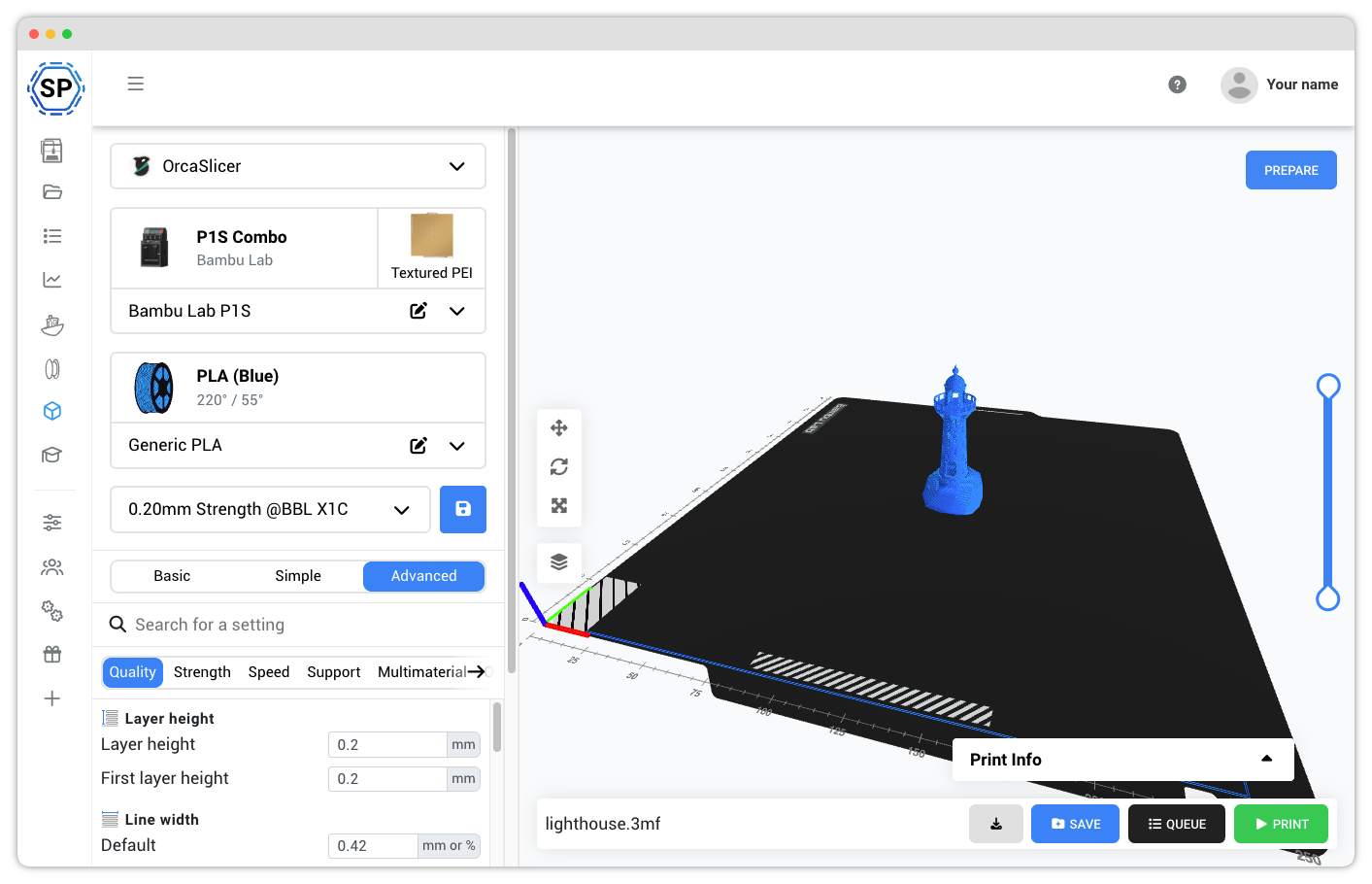
Nozzle variants in the slicer profile variant card UI now display a "High Flow" badge when applicable, making it easier to identify high-flow nozzles at a glance.
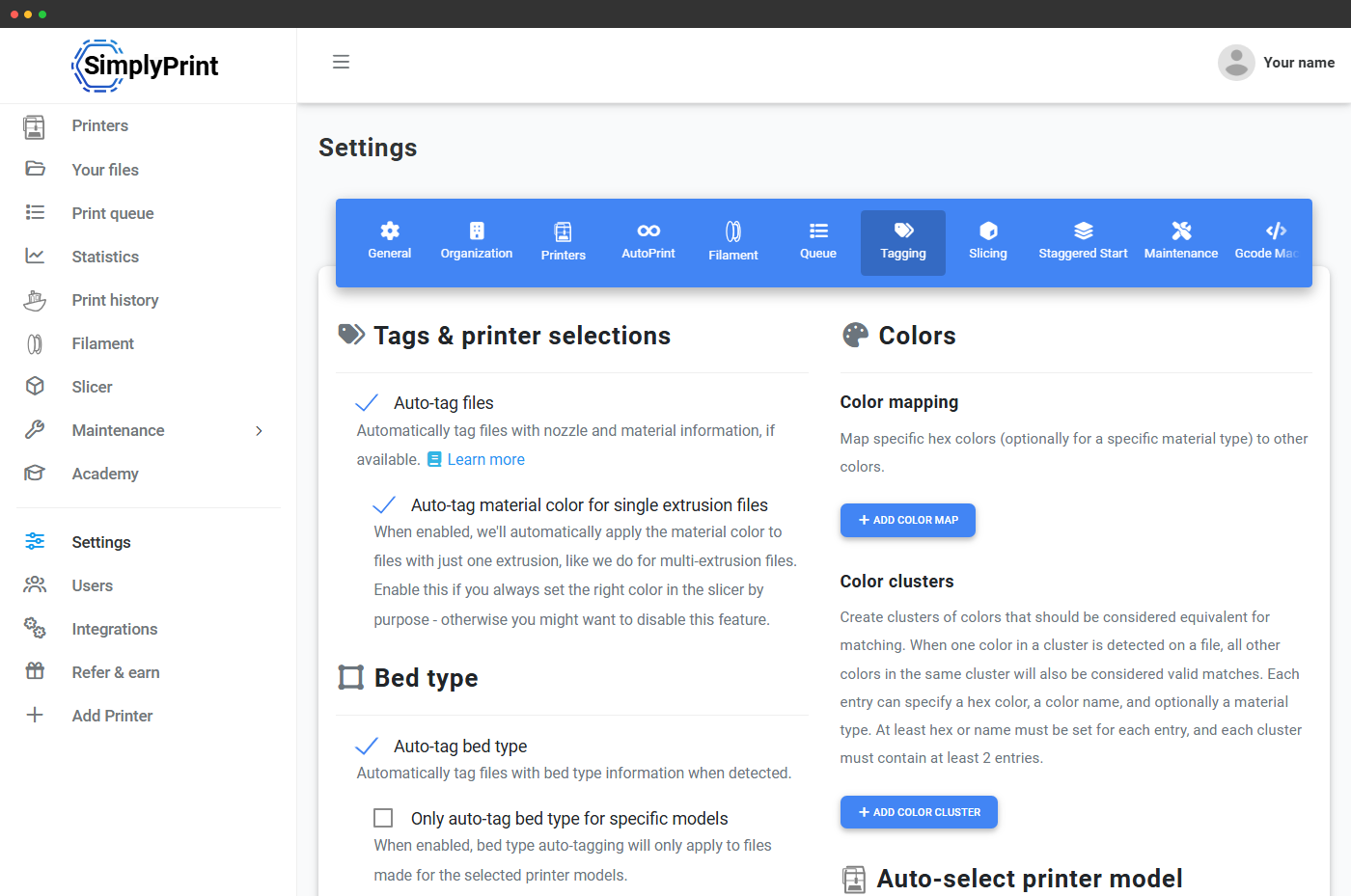
Material mapping now considers your color clusters when matching materials, providing smarter automatic material assignments.
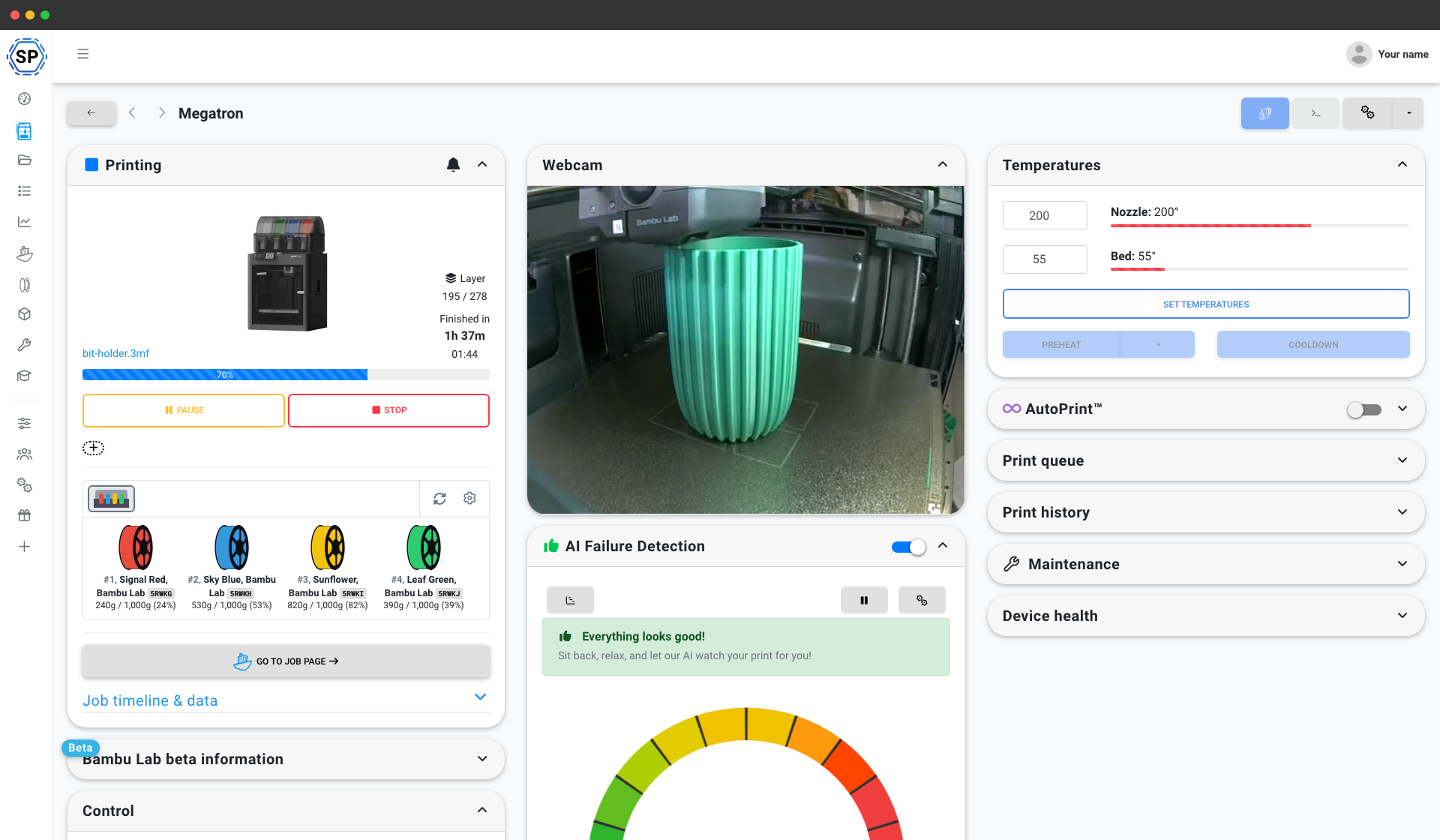
New control widget layout, with better responsiveness and new look
3 improvements
Fixed and improved material mapping for printers with multiple nozzles, ensuring correct material assignments across all extruders.
Creating a custom copy of a slicer profile now saves directly without extra steps. Also fixed an issue where some slicer settings were impossible to save.
The "Queue item is already done" error message is now clearer and more helpful.
6 bug fixes
Temperature input fields no longer shrink to unusable widths on smaller screens.
Resolved an issue where folder permissions weren't being saved correctly when updating folders.
Corrected an issue with viewing allowed printers that could prevent some printers from appearing.
Resolved an edge-case where material tags wouldn't display properly in the GCODE analysis results.
Fix adding printer groups showing up without reloading, same for sorting printers.
Fixed AMS material mapping issues with AMS HT present + improved H2D mapping support
FarmLoop, AutoPrint Manual Mode and a new AutoPrint look
New features
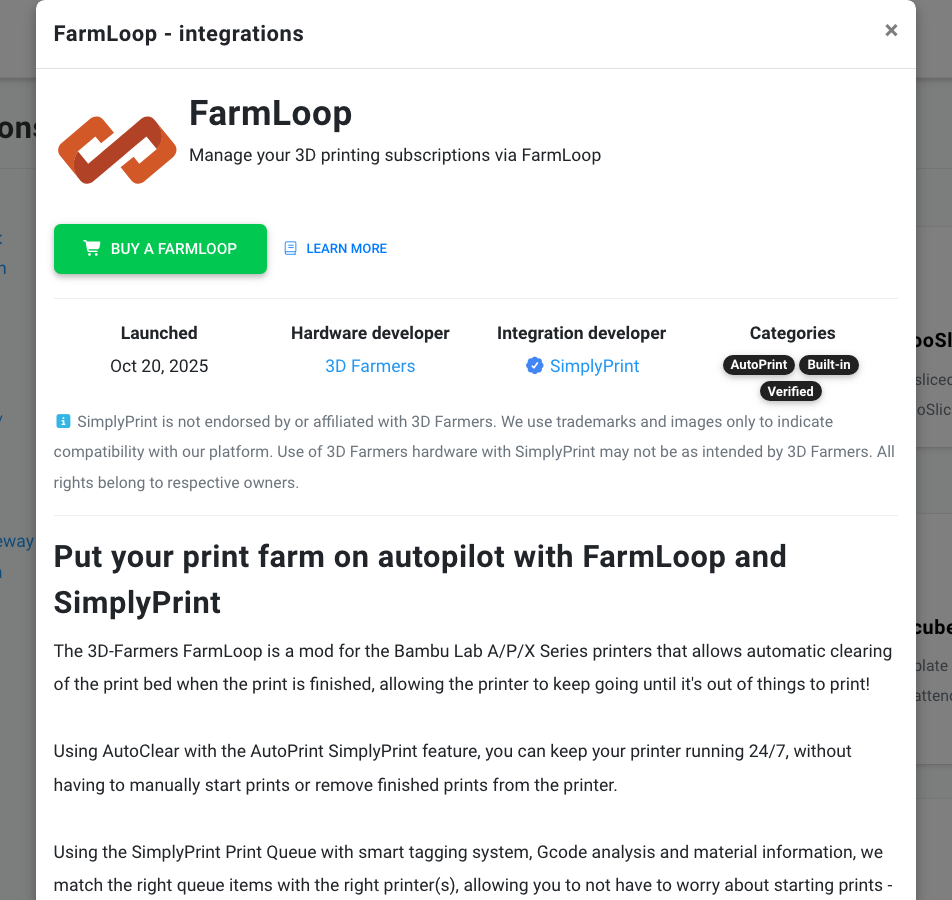
FarmLoop integration: The official integration with FarmLoop, the mod from the people behind the 3D Farmers YouTube channel and one of the most popular AutoPrint methods of late.
AutoPrint Manual Mode: AutoPrint starts the prints, and you clear the beds yourself. For farms that are not fully automated, and for parts that do not suit automation. From suggestion #383
Layer pauses in the slicer: Insert pauses at chosen layers while slicing.
AutoSwap for AutoPrint: New automatic swapping logic that handles prints in a smarter way.
Student and teacher dashboards: A school-friendly experience with dashboards for students and teachers, queue controls and a bulletin board. From suggestion #183
Bed Check AI: Optional AI checking of the bed, with webhook support.
Improvements:
New AutoPrint look · New setup guide · AutoPrint settings per printer model · Clear Timeout · Reduced motion · Holiday gimmicks opt-out, and 9 more
Show all 15 improvements
New AutoPrint look: Each printer's AutoPrint widget was redesigned, and shows AutoPrint's status and the next print much more clearly.
New setup guide: The setup guide was completely reworked.
AutoPrint settings per printer model: Set AutoPrint up differently for each printer model.
Clear Timeout: A Clear Timeout setting gives more control over clearing when a print finishes.
Reduced motion: The panel follows your browser's reduced-motion preference.
Holiday gimmicks opt-out: Turn off holiday animations and Easter eggs for your whole account. Works for OEMs, partners and schools too.
Adding many printers: A much better flow for adding several printers at once.
Slicer engines: Slicer engine updates, for better print compatibility and stability.
Printer detection: Better printer detection: OctoPrint, the A1 and A1 Mini, and multi-nozzle variants.
Post-processing: Post-processing improvements for FarmLoop, AutoSwap and layer pausing.
Top bar: The top bar handles overflow and hiding more sensibly.
Filament profiles: Clearer states, better matching and bulk update tools.
School management: Better admin tools and settings storage for schools.
Caching: Better caching, for faster loading.
Interface polish: Better focus states, alignment and ARIA labels, and other accessibility fixes.
Printflow3D for AutoPrint: Printflow3D is now one of the bed-clearing systems AutoPrint works with.
AutoClear for AutoPrint: AutoClear is now one of the bed-clearing systems AutoPrint works with.
Improvements
JobOx for the Bambu Lab A1: The JobOx AutoPrint method supports the Bambu Lab A1.
3 bug fixes
Fixed AutoPrint getting stuck when the printers ahead in line had nothing to print.
Fixed assigning tags sometimes removing other tags.
Fixed filtering by material type on the Filament page.
Compiled afterwards from our development history.
September 2025
· Web · From your suggestion
Staggered Start, Skip Objects and printer notifications
New features
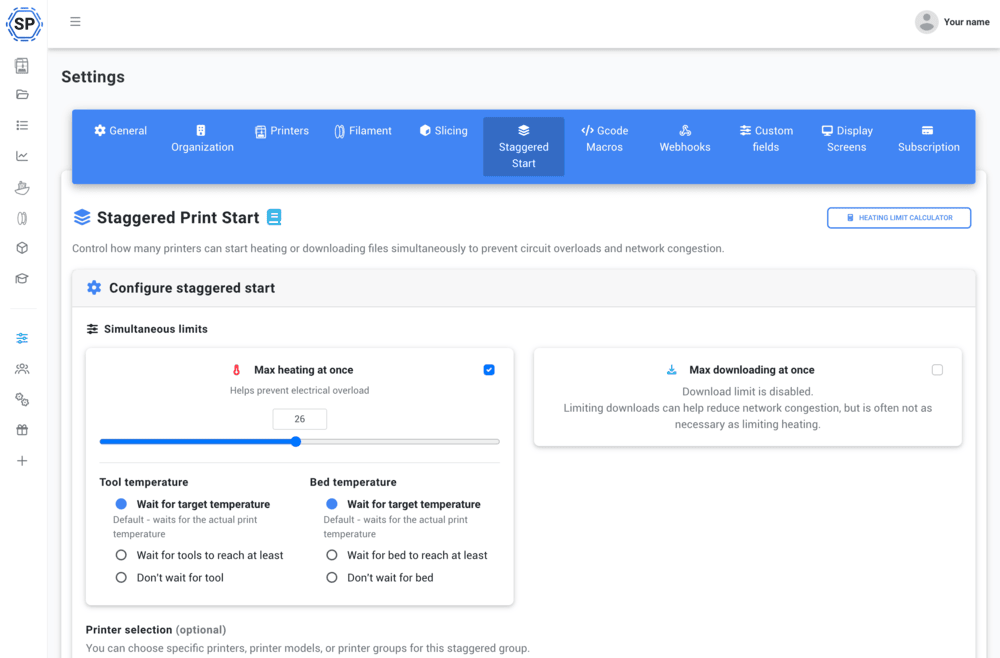
Staggered Start: Start all your printers at once without tripping a breaker. Heating draws far more power than printing, so Staggered Start limits how many printers heat up at the same time.
Skip Objects: Skip Objects is here, another feature that users asked for. From suggestion #139
Printer notifications: Printer notifications are out, including Bambu Lab HMS messages.
Printer groups and sorting in the app: Group and arrange your printers in the app, as on the web.
Assign printers to many files at once: Assign specific printers and printer models to several files at once, in the Print queue and Your files.
Single sign-on through InCommon and eduGAIN: We are members of InCommon and eduGAIN through WAYF, so schools and anyone else in those federations can set up single sign-on in a few clicks. Read WAYF's announcement.
ElegooSlicer integration: Send files straight from ElegooSlicer to SimplyPrint. Learn more.
Innocube3D SwapMod for AutoPrint: AutoPrint officially supports the Innocube3D SwapMod. Learn more.
Starter files: Every user, new and old, gets a "Starter files" folder from us, with models such as Benchy, the Calibration Cube and Stringing Hell, and some you may not know, like the SimplyPrint Lighthouse. More will be added.
Lock printers, and mark them out of order: Lock and unlock printers, and mark a printer Out of Order, which shows in the interface and in the Start print popup. AutoPrint, AI Failure Detection and Out of Order can be set for many printers or a group at once.
Improvements:
App redesign · Go to folder from search · Hover to see all tags · Tags on file cards · Multi-tagging · Cost fields, and 16 more
Show all 22 improvements
App redesign: A redesigned app, released about a week before this post: the same functions, with more of an app feel.
Go to folder from search: Right-click a file while searching your files and choose "Go to folder".
Hover to see all tags: Hover a long tag line in Your files to see the tags that did not fit.
Tags on file cards: Tags show directly on the cards in the file list.
Multi-tagging: A new "Auto tag (full override)" option runs tagging again from the G-code analysis.
Cost fields: Cost fields accept cents and other decimals.
Printer grouping and sorting: Automatic sorting options, and an easier way to move and group printers.
AutoPrint and Out of Order: AutoPrint turns off automatically for a printer marked Out of Order.
File management: Queue every file in a folder at once. Failed uploads are retried, up to three times, with at most five uploads running together.
3MF plates: Import several plates at once with automatic naming patterns, and split plates with file name validation.
Tagging: More than 15 new tagging settings. Nozzle tags work with multi-tagging, and tags stay in sync between file cards and the file sidebar.
Material database: Popularity figures for brands and materials, search, and a "Your brand not here?" option.
Filament handling: The extruder selector shows the assigned spool. Filament can be created and assigned automatically from the filament database, filament cost follows the actual spool, and a warning says when there is not enough filament left to reprint.
Printer capability checks: More actions, bed leveling for one, show only when the printer supports them.
Easier navigation: Arrow buttons to move between printers, a reload button on the control panel, and tidier group action menus where warnings can be hidden.
Plans, and slicer additions: The Print Farm plan includes 25 GB of storage per user, up from 5 GB, and the School plan 500 extra users, up from 200. In the slicer: object splitting, SVG import and export, a mesh issue analyser with warnings, better auto-rotate options with account defaults, keyboard shortcuts, view presets, clearer WebGL errors with a compatibility check, and a live chat help option.
Multi-nozzle printers: Multi-nozzle support: the H2D and H2D Pro, dual-nozzle handling, and MMS mapping fixes.
Webcams: Better webcam support: raw JPEG streams and the P1S webcam.
Developer mode check: A developer mode check for A1 series printers.
Bambu Lab connection: Smaller fixes and improvements to device mappings, AMS mapping, G-code commands, and cloud and local state handling.
New icons: The icon pack was upgraded, so the panel may look a little different.
Cloud Slicer since launch: Camera view presets, a new right-click menu, files in the print queue slice without leaving it, a clearer drop overlay, keyboard navigation in tabs and checkboxes, "Manage" links in the selectors, and easier profile management.
9 bug fixes
Fixed several problems with the tag line: overflow, sorting, styles and syncing.
Fixed printer selector bugs in model-only mode and when assigning for several extruders.
Fixed the drag and drop overlay staying on screen after a cancelled action.
Fixed group actions: translations, dropdowns and visibility.
Fixed the 3MF plate splitter's naming and its handling of bad characters.
Fixed duplicating a filament profile not keeping the spool cost.
Many small interface tweaks: spacing, colours, tooltips, overflow and banners.
File lists with 500 to 2,000 or more files perform better.
Slicer: fixed printer profile problems, including unsupported printer and engine combinations and profile overrides; interface glitches in dropdowns, the drop overlay, popovers, banners and menus; preview and compatibility screens not centring or clearing; STL parsing errors, which now show a message; and needless error checks while settings change quickly.
Binary G-code on any printer, and slicer profiles by filament brand
Improvements
Binary G-code on any printer: A .bgcode file is converted to plain G-code automatically when none of your printers can print the binary format.
Filament profiles by brand: The slicer takes the filament's brand into account when it picks a filament profile, and prefers a generic profile over one from the wrong brand.
Custom bed size in the slicer: The slicer uses a printer's custom bed size when one is set.
1 bug fix
Fixed "name already in use" when linking a printer again.
Compiled afterwards from our development history.
August 2025
· Web
Delete your own account
New features
Delete your account: Delete your own account from your user settings: confirm your password, tell us why if you like, and the deletion is scheduled.
Improvements
Slice cost from your spool: The cost shown for a sliced file is worked out from the spool assigned to the printer.
Bed temperatures in the slicer: Filament settings hide the per-bed-type temperatures that do not apply to your printer.
1 bug fix
Fixed profile pictures for people who sign in through single sign-on without an email address.
Compiled afterwards from our development history.
July 2025
· Web
Start print offers only the right printers, and a bed type filter
Improvements
Start print only offers the right printers: The Start print buttons in the print queue and in Your files list only the printers a file or queue item is meant for, and in the queue only those in its queue group.
Bed type filter: Filter your printers by bed type. The filter that used to carry that name is now "Bed shape".
API uploads with tags and custom fields: A file uploaded through the API can carry tags and custom field values.
Printer names per group: Two printers can share a name as long as they are in different printer groups.
2 bug fixes
Fixed "Cancel all" skipping paused prints.
Fixed "Queue item is already done" blocking a reprint of a finished queue item.
Compiled afterwards from our development history.
June 2025
· Web
A new cloud slicer and material system
New features
Cloud Slicer: A brand-new slicer in the browser, built on the engines and settings you already know, with slicing through the API too. Released in beta.
Cloud slicing API: The new slicer can be used through the API.
Open Filament Database: The Open Filament Database is a new open-source filament database, for SimplyPrint and for other software projects to use.
Material profiles: More options when you create or import a material profile: mark it as generic or as a branded filament, with the brand taken from the Open Filament Database or your own.
Bed type, nozzle type and nozzle volume: Printers and files carry three new details: bed type, nozzle type and nozzle volume.
Baby stepping: Baby stepping is supported.
Improvements:
Assigning and tagging materials · Creating spools · AI Failure Detection, retrained · Queue group order in 1-Click Print · Control widget runs on G-code macros · Macro variables, and 11 more
Show all 17 improvements
Assigning and tagging materials: Picking a material type, when tagging a file or printer, assigning filament or creating a spool, now searches a much longer list. Brand-specific material profiles can most often be assigned to your files and printers automatically.
Creating spools: Creating a filament spool is more polished, has more options, and imports the material profile automatically.
AI Failure Detection, retrained: The first big update to the AI model: "AMNet v8" replaces "AMNet v1". The feature stays in beta a little longer.
Queue group order in 1-Click Print: A new 1-Click Print setting changes how groups are matched: take the first item of every group before moving on, or work through one whole group before the next.
Control widget runs on G-code macros: Every button in a printer's Control widget (moving, flow rate, print speed, motors and fans) now runs a G-code macro. The same G-code as before runs by default, and you can change it.
Macro variables: Macros have their own variables, such as {step} for the Control widget's move macros.
Macros through the API: The SendGcode API endpoint can run a macro.
Print variables for AutoPrint: AutoPrint G-code can use variables from the last or current print, such as its maximum Z height.
If and while in G-code: G-code scripts support "if" conditions and "while" loops, useful for AutoPrint.
New G-code variables: Many new variables: travel speeds for X, Y and Z, a counter, and checks for the printer's firmware (Marlin, Duet, Klipper, Bambu, Prusa) and connection (OctoPrint, Duet, Moonraker, Bambu, Ultimaker).
G-code macros under Settings: The G-code Macros page moved from the sidebar to a tab in Settings.
Academy videos: Academy courses can embed YouTube videos from the youtube-nocookie.com domain.
Material mapper for 8+ materials: With eight or more materials, the printer selector shows a button that opens the mapping in its own dialog, so nothing overflows.
43 more default materials: 43 materials were added to the default list.
Prints credited on single-user accounts: If you are the only user of your account, a print started outside SimplyPrint is credited to you, and you are notified by your default notification settings.
Can see livechat permission: A new permission, off by default for students in schools.
Printer selector: Double-click a printer or model to pick it at once in single selectors, and use "Select all" and "Deselect all" in multi-selectors.
3 bug fixes
Fixed the name in the top bar not changing after you updated your name.
Fixed the Statistics page showing nothing, not even "Locked", on the Free plan.
Fixed the Smart Filament Changer asking to cool the printer down while a print was paused.
Refer a Friend, the affiliate program and the student discount
New features
Refer a Friend: Tell your friends or your network about SimplyPrint with your referral link, and get rewards.
Affiliate program: The next step up from Refer a Friend: get paid for referring people to SimplyPrint, with commissions starting at 70% of their spend in the first month. For YouTubers, bloggers, other influencers and website or webshop owners.
Student discount: Students get 40% off the Basic and Pro plans for as long as they are studying.
Webhooks, out of beta: Webhooks are out of beta, with new events, webhook logs and more.
3D-Printomat for AutoPrint: The 3D-Printomat system for the Bambu Lab A1 and A1 Mini is now an AutoPrint method. See the integration page; the code "simply10" gives 10% off.
Downloading printer state: A printer shows "Downloading..." while it fetches the file you sent. It helps avoid sending two prints to one printer when the download is slow or several people use the same printers.
AutoPrint material mapping: Material mapping for AutoPrint. Live since 2 February.
Material sync: Material sync for the printers that support it: Bambu Lab and the Direct Prusa integration. Live since 11 April.
Improvements:
BoxTurtle · Queue group priority in 1-Click Print · Enter to confirm in Add to queue · Active filament on the printer overview · Temperatures in the file sidebar · Special characters in folder names, and 13 more
Show all 19 improvements
BoxTurtle: BoxTurtle is in the list of multi-material methods, with experimental mapping support. Live since 8 February.
Queue group priority in 1-Click Print: Sort queue groups in 1-Click Print to give some of them priority. Live since 8 February.
Enter to confirm in Add to queue: An option in the Add to queue popup lets Enter confirm from anywhere in it. Live since 8 February.
Active filament on the printer overview: The printer overview shows each printer's active filament. Live since 8 February. From suggestion #199
Temperatures in the file sidebar: The file sidebar in Your files shows temperatures. Live since 8 February.
Special characters in folder names: Folder names can contain special characters such as "&". Live since 12 February.
M700 on RepRapFirmware and Duet: RepRapFirmware and Duet are marked as supporting M700 for filament changes. Live since 15 February.
Reprint when starting a print: Reprint is supported when starting prints. Live since 16 February.
Creality K2 setup guide: A setup guide for the Creality K2. Live since 28 February.
Creality CFS: Creality CFS is in the list of multi-material methods. Live since 28 February.
Anycubic Kobra 3 and Kobra 2 Pro setup guide: A setup guide for the Anycubic Kobra 3 and Kobra 2 Pro. Live since 28 February.
Update printer permission: A permission for updating a printer. Live since 17 March.
AutoPrint switch permission: A permission for turning AutoPrint on and off. Live since 17 March.
AMS 2 Pro and AMS HT: The Bambu Lab AMS 2 Pro and AMS HT are in the list of multi-material systems. Live since 25 March.
1-click print on the queue page: 1-click print is on the Print queue page. Live since 26 March.
How to support us: Free plan users have a "How to support us" button in the top menu. Live since 5 April.
Search by custom field values: Search finds custom field values. Live since 6 April.
Anycubic ACE Pro: The Anycubic ACE Pro is in the list of multi-material systems. Live since 14 April.
Bambu Lab client changes: Cloud webcam support, Docker images, faster downloads, two-way AMS sync, a "Restart Bambu" button on the control panel, a way to enter a missing local IP in cloud mode, and partial H2D support. Fixed printers going offline for no reason, stale webcam images in the AI and job timelines, and prints that pause right at the start not being recorded as started.
27 bug fixes
Fixed a printer staying subscribed after 1-click print was closed.
Fixed the layer display showing "null" for the current layer when a printer does not report it.
Fixed the login's reCAPTCHA check sometimes failing on a longer token than usual.
Fixed statistics bugs with a custom date range.
Fixed temperatures of unused tools staying in the G-code analysis and causing problems.
Fixed printer filters setting and changing the page address while in the printer selector.
Fixed "Select printers" loading forever on first load in some browsers.
Fixed the "Upgrade" button in the "You only have X spools left" notice on the Filament page.
Fixed an error when deleting a filament type.
Fixed the "bought at" date of filament created through the API.
Fixed popups being hidden right after the page loaded, so that start popups such as blog posts opened and closed again after a second.
Fixed nozzle sizes being rounded on screen, with 2.5 showing as 3 for example.
Fixed files of different colours, added to the queue together, all getting the same tags on any change.
Fixed the print cost not always using the currency from your user settings.
Fixed files from the new CrealityPrint slicer showing "Slicer: unknown".
Fixed the G-code preview not always working on custom domains and OEM sites.
Fixed the name of an imported file going wrong when it contained special characters such as "&".
Fixed the print jobs and filament usage charts using millimetres where they should use grams, in some cases.
Fixed a glitch that let a trial be reset over and over.
Fixed webhook addresses being cut at 128 characters in the form, where 512 are allowed.
Fixed some cases of "Printer file download: timeout".
Fixed printer sorting ending up in a random order in some cases.
Fixed the animated logo in the navigation bar collapsing too early at some screen widths in Firefox.
Fixed the print history saying "AutoPrint: user deleted" for prints no user had started.
Fixed the "Clear bed" webhook event not firing when several printers were cleared at once, or when no result was set, as can happen from the app.
Fixed the print cost calculator reading filament usage from the G-code analysis as grams when it was millimetres, which gave wrong costs.
Fixed the panel sometimes opening on a single printer's control panel for accounts with several printers.
Anycubic Kobra S1: The Anycubic setup guide covers the Kobra S1 too, and is clearer about which firmware to choose.
Compiled afterwards from our development history.
March 2025
· Web
AI failure detection
New features
AI Failure Detection: Webcam-based failure detection for spaghetti, warping and blobs that alerts you, or on paid plans pauses or cancels the print. Free for everyone during the beta.
Colour names on automatic tags: When a colour is tagged automatically from a file and it is a colour we know, the tag gets its name.
Compiled afterwards from our development history.
January 2025
· Web
Bambu Lab integration, with AMS support, in open beta
New features
Bambu Lab integration, open beta: Connect Bambu Lab printers to SimplyPrint, with AMS support, 3MF splitting and print start options. Open to everyone as a beta.
AMS support: Full support for the Bambu Lab AMS, regular and Lite. Learn more.
3MF splitting: A .3MF print file for Bambu Lab printers with several plates can be split into one file per plate. Learn more.
Multi-material methods: Pick a multi-material method for your printer: Bambu Lab AMS, Prusa MMU, Palette 2 or another way of printing several materials on a single extruder. Bambu Lab Combo models have AMS or AMS Lite on by default. Learn more.
Reprint: Print an old print again from the Clear bed popup, the print history or the job page. Learn more. From suggestion #91
Current layer: See the current layer while a print is running. Learn more. From suggestion #2
Printer search and filters: Search and filter your printers, and click the Farm overview cards to filter by them. The search term and filters are part of the address, so you can bookmark a view. How it works and which filters there are.
SwapMod for AutoPrint: The swapmod lets a Bambu Lab A1 Mini switch build plates by itself for continuous printing, and is now an AutoPrint template.
Move jobs between queues: Move queue items from one queue group to another. From suggestion #195
Go to job, and a new job page: While a print is running, a "Go to job" button on the printer's control panel takes you to the job page, which used to be reachable only from the print history or a notification. The job page itself was reworked and redesigned.
Attribute print jobs to the file owner: Two new settings under Settings > General, useful for schools: a print job can belong to the person who uploaded the file and not the person who started it, and the same for jobs AutoPrint starts.
Custom fields on the printer: Custom fields for print jobs can show on the printer while it prints: in the Grid view, the List view and the control panel. An order number is a good example.
Queue item timestamps: The print queue has an "Added" column showing when each item was queued. From suggestion #193
Shift-select in tables: Hold Shift to select every row between your last selection and the one you click, in any table with selectable rows. From suggestion #306
Print job archiving: Archive print jobs, one or many at a time, to keep test prints out of your statistics and print history. From suggestion #223
Transfer account ownership: On the Print Farm and School plans, the owner can hand the account over to another user, confirmed with two-factor or password.
Improvements:
Queue count in the print history · More compact printer grid · Brand and ID in Active materials · Queue data in the print history export · Started by · Forgot password in the Hub, and 2 more
Show all 8 improvements
Queue count in the print history: The file name column of the print history shows the queue item's count, as "number / total".
More compact printer grid: Printer images in the grid view are a little smaller, and file names get 90% of the width, up from 50%, so longer names fit.
Brand and ID in Active materials: The Active materials list on a printer's control panel shows the filament brand and the spool's four-character ID, for assigned spools.
Queue data in the print history export: The print history CSV export includes queue item data.
Started by: The print history shows who started a print, for the new "Attribute job to file owner" setting.
Forgot password in the Hub: The Hub's temporary login popup has a "Forgot password" button.
Setup guide disclaimers: Some printers, the Adventurer 5M for example, can use the regular Klipper and OctoPrint setup guides, with a short notice on top.
Statistics page: Loads up to 10 times faster for most users, most of all for accounts with many prints. "Printer activity per day" now counts a print's run time past its first 24 hours, and shows data from 26 January 2025 on.
14 bug fixes
Fixed the Smart Filament Changer on Klipper turning off every motor, not only the extruder, which lost the print when used mid-print.
Fixed changing a printer's model in the printer settings not setting the default number of multi-material extruders.
Fixed importing a file from the slicer that was not yours creating a G-code file containing the error, with no error shown.
Fixed files other than G-code not uploading through the API.
Fixed custom fields being submitted with errors, as long as the required fields were filled.
Fixed choosing a printer or model when adding a single item to the queue.
Fixed sorting a table by a custom field not working when some values were empty.
Fixed the "+" on the printer overview's stream being dark on dark in dark mode.
Fixed the plan selector of the price calculator not responding on mobile.
Creating a webhook shows an error when saving fails, and spaces in its address are converted before the address is called invalid.
Fixed Unilogin users without a role not being let in.
Fixed the Hub's temporary login being broken for some users.
Fixed users no longer on a paid plan keeping SMS as their notification method.
Fixed AutoPrint sometimes starting the same queue item on several printers that finished at exactly the same moment.