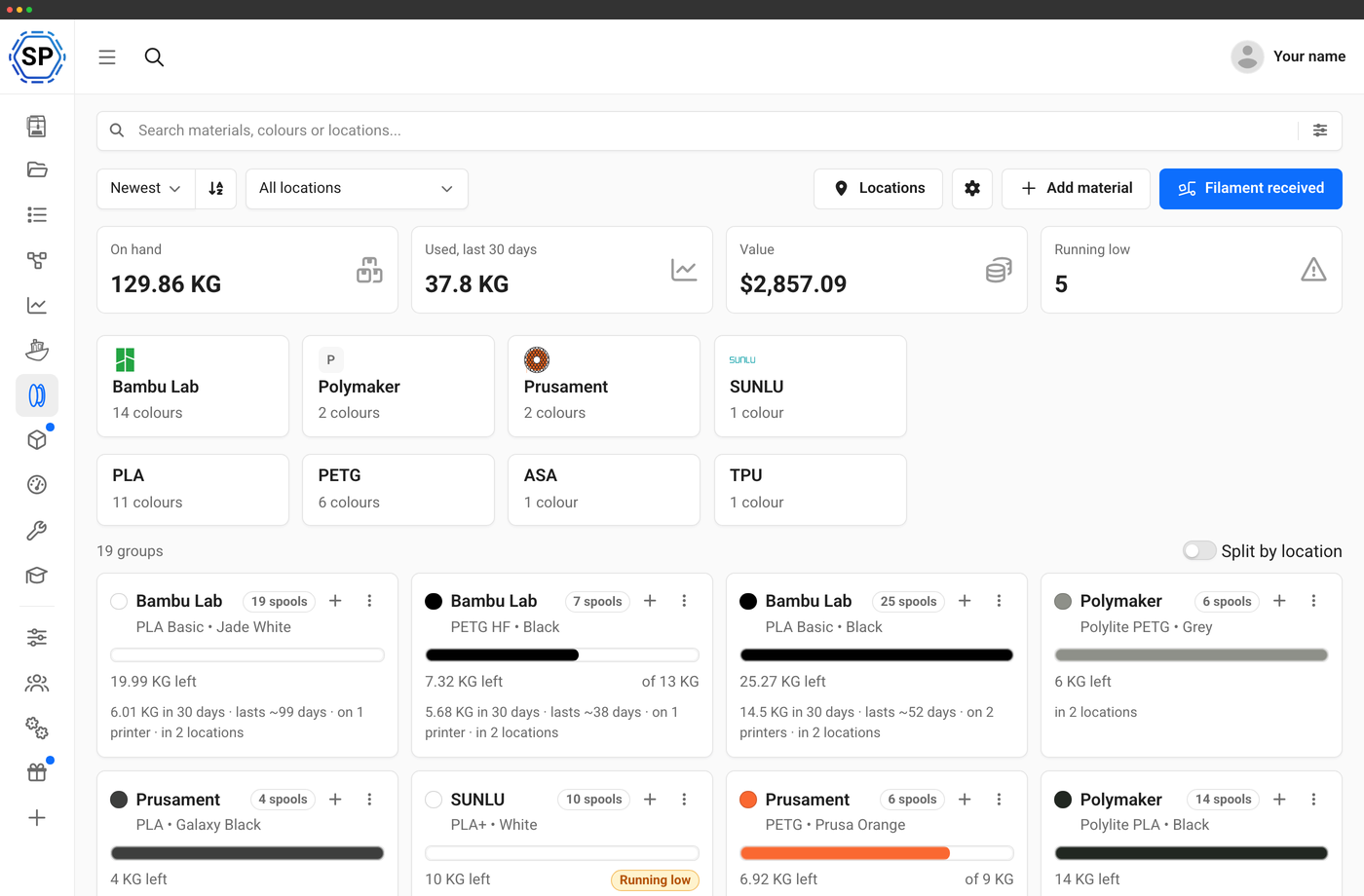
How filament inventory by weight works
In SimplyPrint this is called pooled stock. It is one of two ways the filament manager keeps your inventory: a record for every spool, or a total by weight for every brand, material and color. With pooled stock you record each delivery once and set a material and color on each printer. When a print ends, the grams it used come off that material's total and off the amount left on the printer. You always see what is on hand, what is running low and about how many days it lasts.
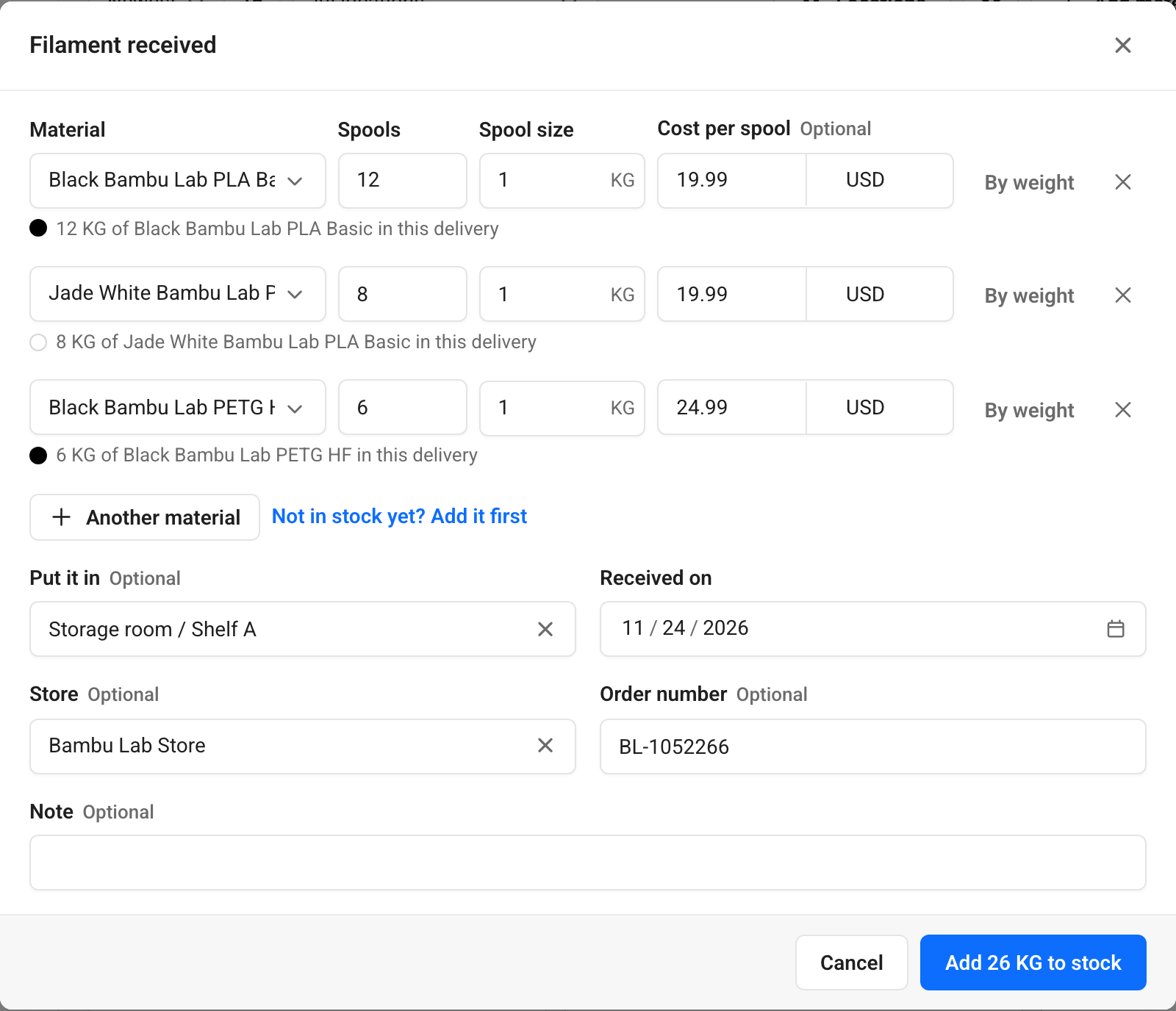
Receive a delivery of filament in one entry
By spool count or by weight, with cost, store and order number
When a box arrives, pick the material, enter how many spools came and what size they are, and it is in stock. One delivery can hold several materials, and each line can carry what you paid. The date, the store and the order number are kept with the delivery, so it is easy to find again when an invoice needs checking.
Prints take their filament off the total
Measured from the G-code, with nothing to link by hand
Set a material and color on a printer and it draws from your stock of that material. When a print started through SimplyPrint ends, the grams it used come off the total, worked out from the G-code. A print that is cancelled or fails takes roughly the part it completed. Printers with a multi-material unit that syncs with SimplyPrint, like the Bambu Lab AMS, set the material on each slot by themselves.
How automatic tracking works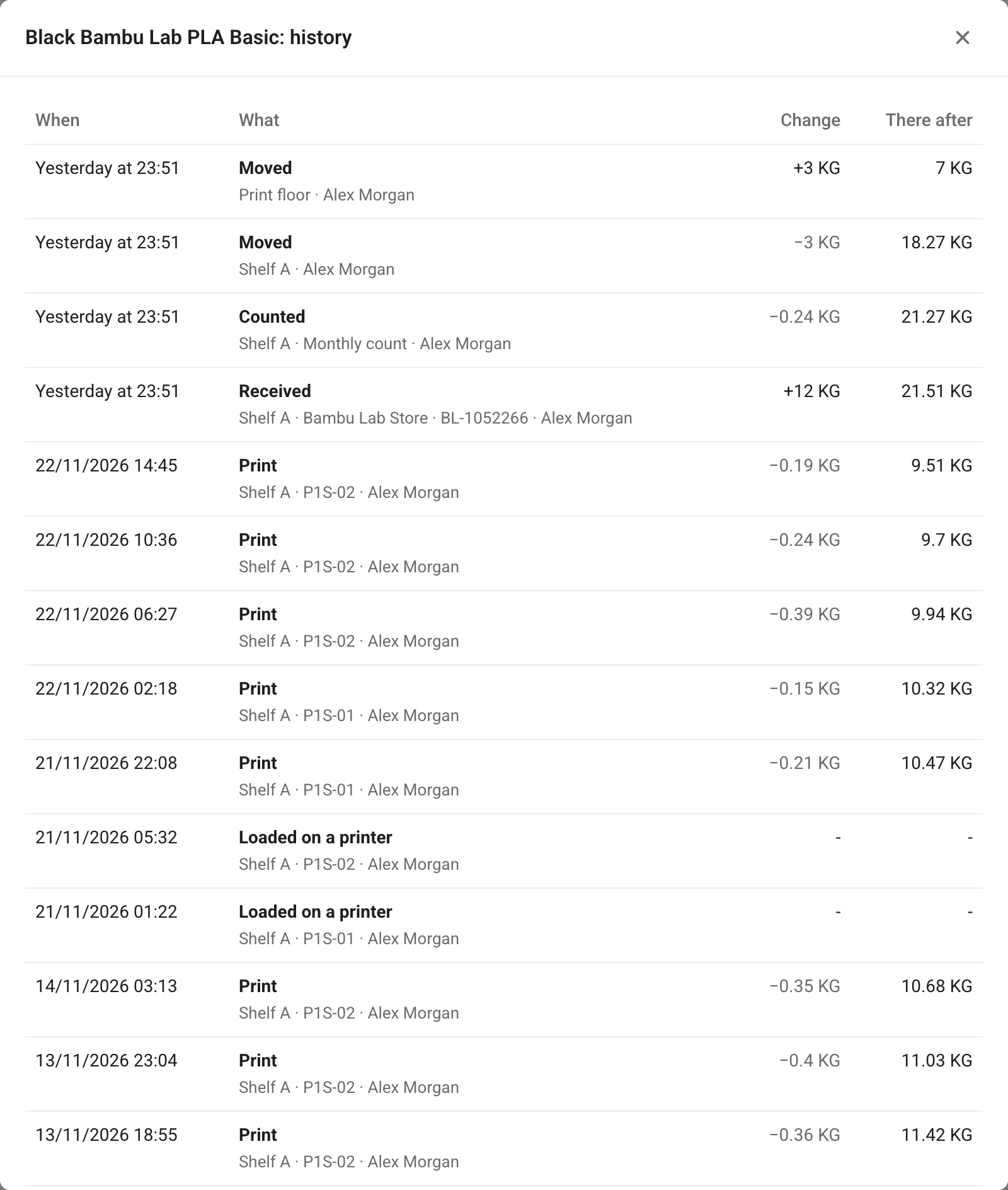
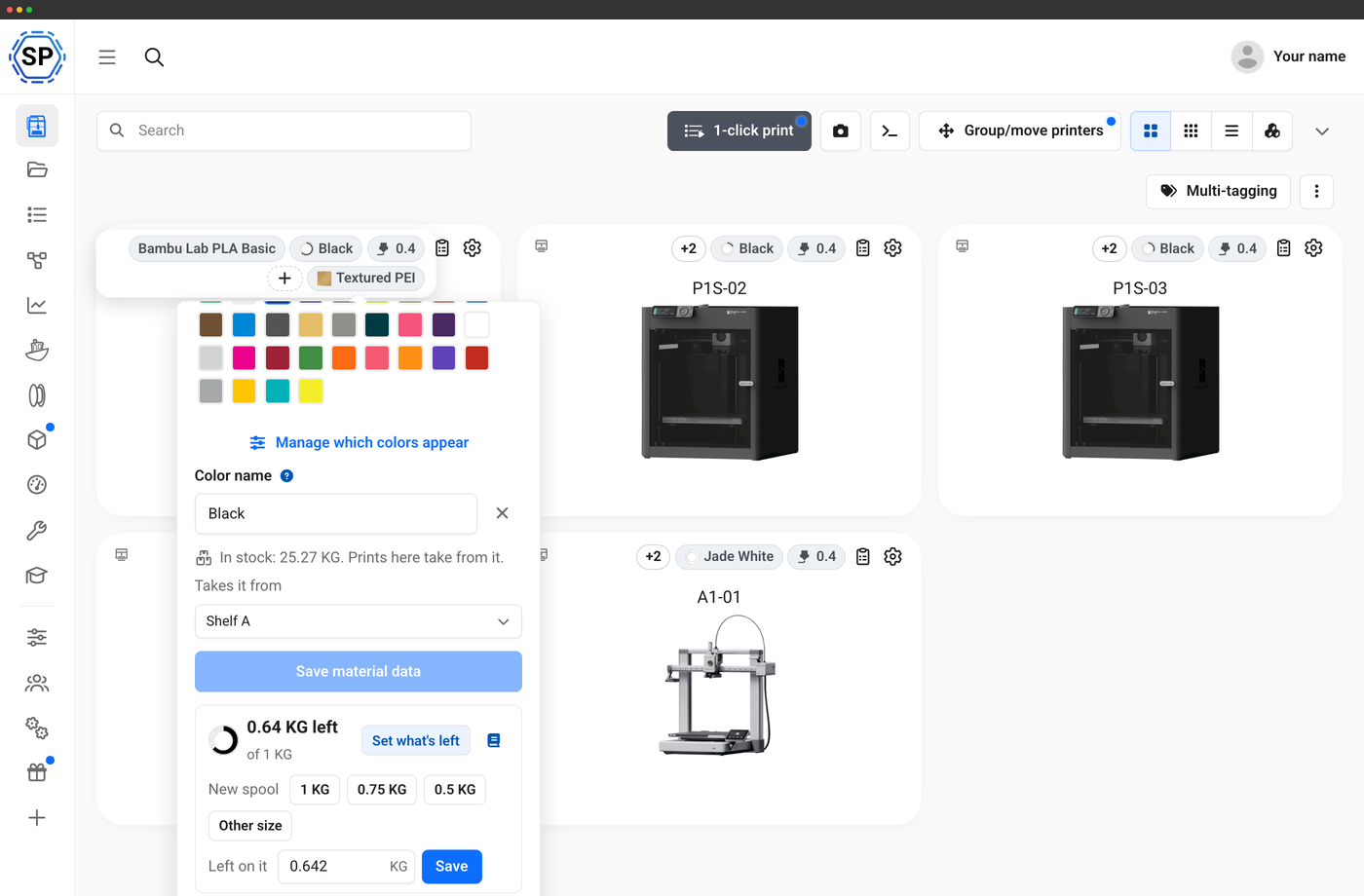
See how much filament is left on every printer
A new spool is one click
Each printer shows how much is left on the spool that is loaded, like 642 g left of 1 kg. Load a new spool and click Refill: the count starts over at a full spool. Weighed one? Click the amount and type what is left. A Bambu Lab AMS that reports how much is left fills it in by itself. And because SimplyPrint knows what is on the printer, the print queue can skip a printer that does not have enough left for the job.
See the print queueKnow what is running low before it runs out
Days left, at the pace you actually print
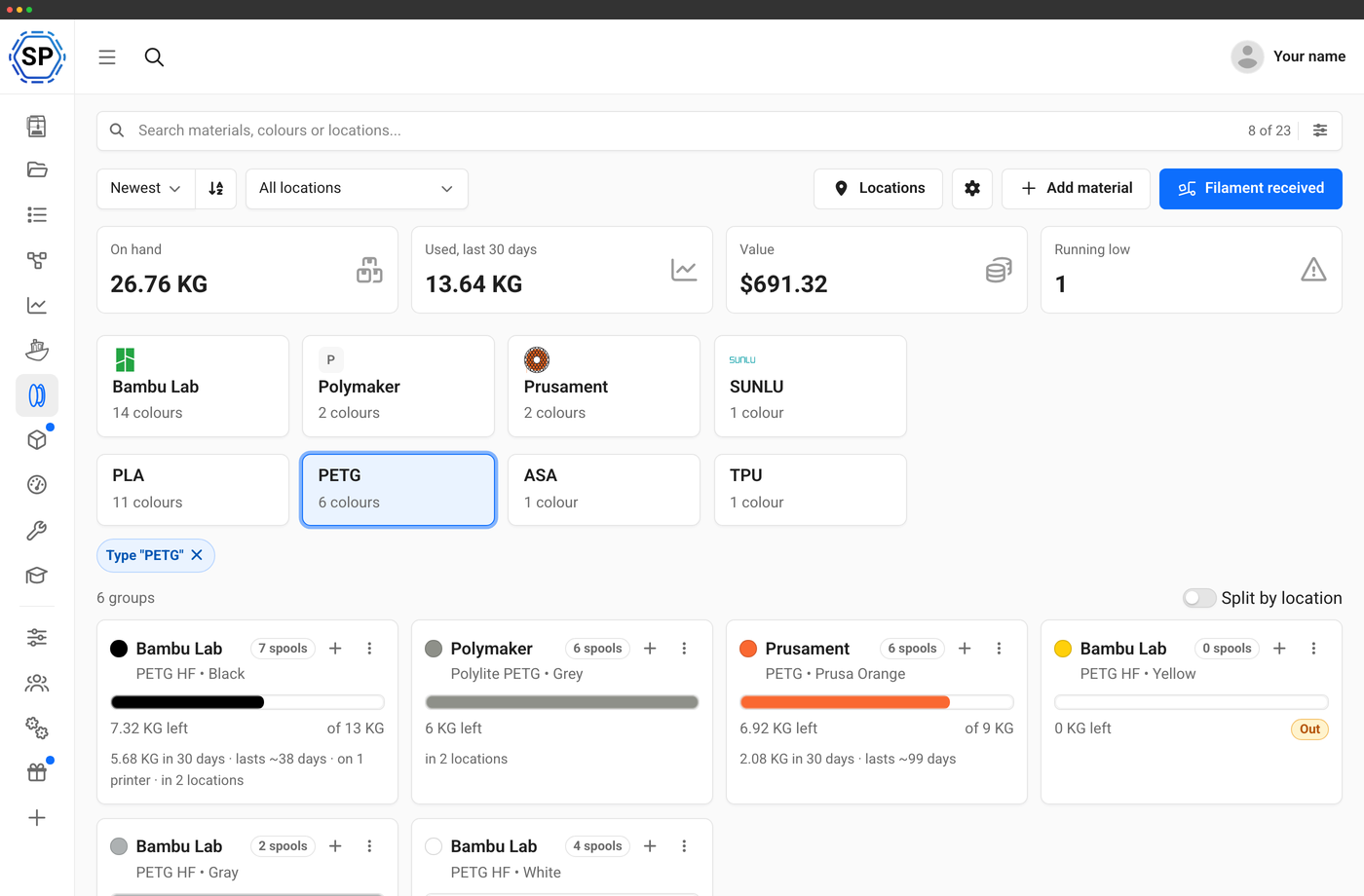
Every material shows how much you used in the last 30 days and about how many days the rest will last. Set the amount at which a material counts as running low, or leave it empty and SimplyPrint flags it when you are down to the last spool. The top of the page adds up the materials you are looking at: what is on hand, what you used in the last 30 days, what the stock is worth and how many are running low.
Count the shelf, correct the total, keep the history
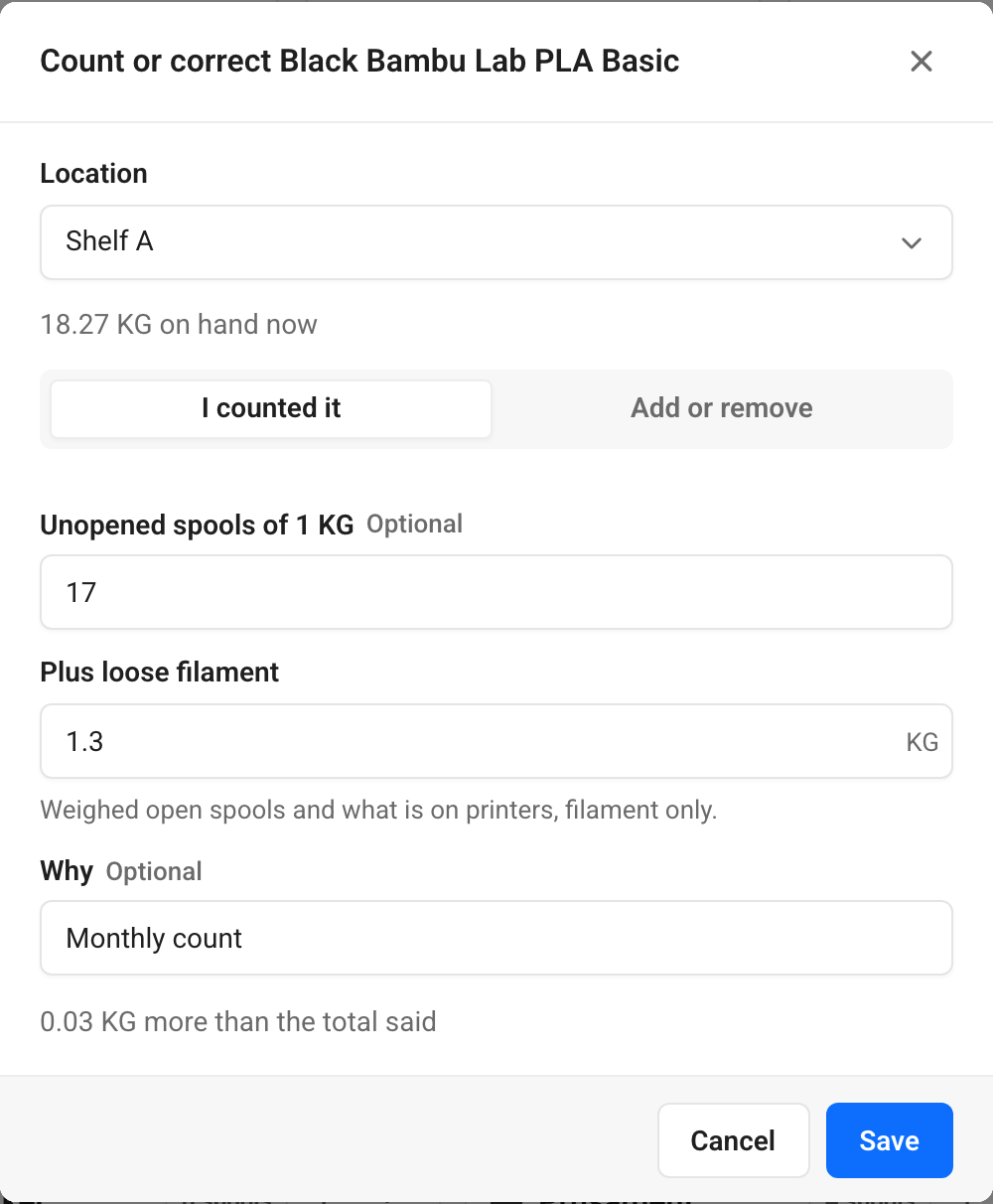
Stock drifts: a tangled spool is thrown away, a print is started from an SD card. Count what is on the shelf - unopened spools plus the weight of the open ones - and SimplyPrint shows how far the total was off and puts it right. Every change is kept with its date and the total after it: deliveries, prints, counts, corrections and moves.
Keep the same filament in more than one place
A storage room, and a shelf by the printers
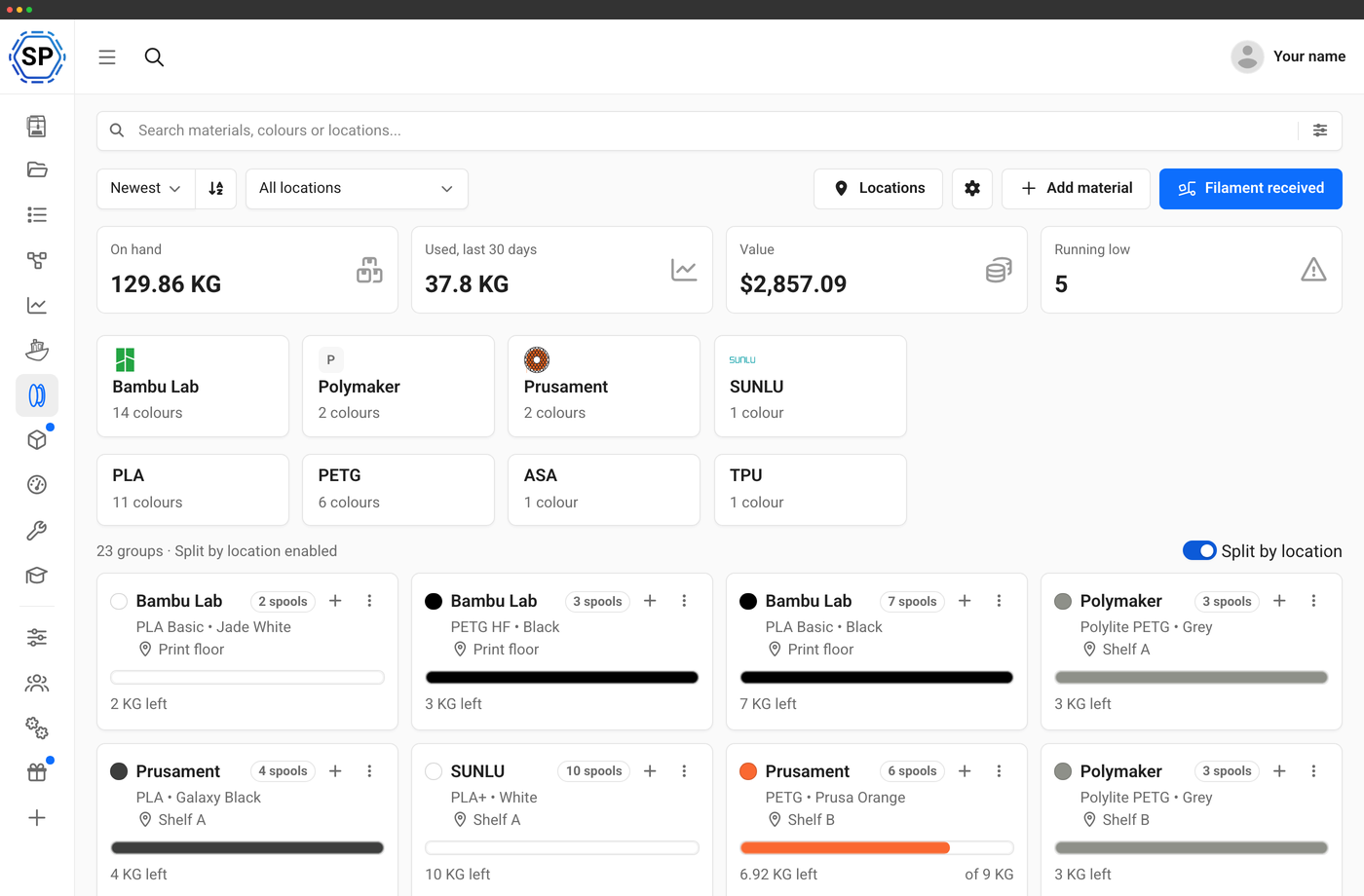
A storage room and a shelf by the printers can both hold black PLA. Move an amount from one to the other, and choose which location a printer takes from. Running low looks at all locations together: a material is low when its total is, not when one shelf is empty. Split the page by location to see which shelf needs filling from the storage room. Storage locations need a plan that includes them: see the table below.
Per spool or by weight: which should you use?
Pick per account, switch whenever you like
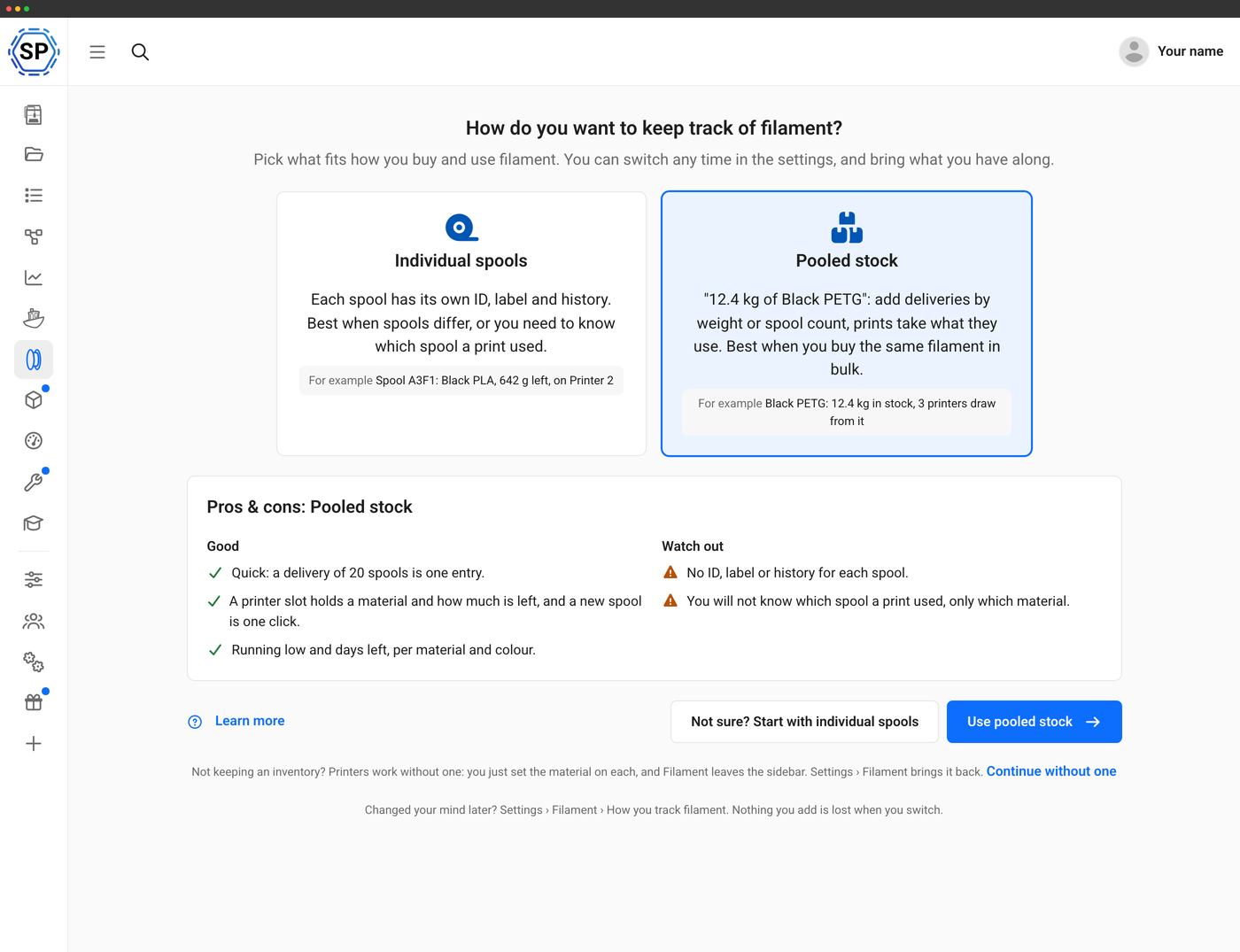
Individual spools give every spool its own ID, label and history. That is the right choice when your spools differ, when you want a QR label or NFC tag on every spool, or when you need to know which spool a print used. Pooled stock keeps a total by weight, which is the right choice when you buy many spools of the same filament and only need to know how much you have and when to buy more.
Individual spools is the default, and nothing changes for an account that uses it. You can switch either way whenever you like and bring your inventory along, within your plan's limits on spools and materials: spools are added up into stock, and stock is split back into spools. The spools you had before come back with their IDs and labels, filled from what is in stock.
Plan access: how much can you keep in stock?
Tracking filament by weight is part of the filament manager on every SimplyPrint plan, including Free. Plans differ in how many materials you can keep in stock, where one material is one brand, material and color. A material kept in several locations counts once.
| Feature / Limit | Free | Basic | Pro | Print Farm | Enterprise | School | Cloud Slicer | Filament Manager |
|---|---|---|---|---|---|---|---|---|
|
Materials in stock
How many brand, material and color combinations you can keep a total for.
|
15 | 40 | 150 | 15 | ||||
|
Filament manager
Spool records and automatic usage deduction, on every plan including Free.
|
||||||||
|
Storage locations
Nested locations (room, shelf, drawer) with capacity limits.
|
Want to learn more about our plans?
View full pricing & feature comparison