 China
China
AtomForm Palette 300 at a glance
The Palette 300 is AtomForm's enclosed 12-nozzle printer: a 300 mm build cube, a 350 degrees C hotend, a 65 degrees C heated chamber and a six-spool drying and feeding unit. It is for makers and small businesses who want multi-colour and multi-material prints with far less filament waste.
- Build volume
- 300 x 300 x 300 mm
- Enclosure
- Fully enclosed
- Max print speed
- 800 mm/s
- Prints well
- PLA, PETG, ABS & ASA, Nylon (PA), Polycarbonate (PC)
- Built-in camera
- Yes
Connect the AtomForm Palette 300 to SimplyPrint
Does the AtomForm Palette 300 3D printer work with SimplyPrint, OctoPrint, Mainsail and Fluidd? Each way of connecting it, what it needs, and how to set it up.
-


Klipper (Moonraker)
Not confirmed yet - help us find out
AtomForm has not said what firmware it runs. Source
Help us confirm Be one of the first to confirm it -

OctoPrint
Directly, over USB
Not confirmed yet - help us find out
Not shipping yet; no connectivity details published. Source
Help us confirm Be one of the first to confirm it

What slicer to use for the AtomForm Palette 300
None of the slicers in SimplyPrint's cloud can slice for the AtomForm Palette 300 that we know of: it doesn't take standard G-code. Use the slicer its maker recommends.
No profile for the AtomForm Palette 300
 PrusaSlicer
 OrcaSlicer
 BambuStudio
 ElegooSlicer
 CrealityPrint
 Cura
Cura Kiri:Moto
We only list slicers you can use in the SimplyPrint cloud, so there may be others for the AtomForm Palette 300.
No online slicing for the AtomForm Palette 300
AtomForm Palette 300 specifications: bed size, print height and more
Its size, temperatures, multi-material and how it connects, from the maker and our own research. Read more by the manufacturer
Size
| Build volume | 300 x 300 x 300 mm |
|---|---|
| Bed type | Square |
| Bed size | 300 x 300 mm |
| Max print height | 300 mm |
Printing
| Enclosure | Fully enclosed |
|---|---|
| Max print speed | 800 mm/s |
| Max extruder temperature | 350 °C |
| Has heated bed | Yes |
| Max bed temperature | 100 °C |
| Heated chamber | Up to 65 °C |
| Number of nozzles | 12 |
| Toolheads | 12 |
| Direct drive | No |
| Probing tool / Auto Bed Leveling | No |
| Filament width | 1.75 mm |
Multi-material
| Toolchanger or hotend changer | Yes |
|---|
Connecting
| Built-in camera | Yes |
|---|---|
| Supports serial printing | Unknown |
| Shipped firmware | Unknown |
Files and slicing
| Supported file formats | G-code (.gcode, .gco, .g) |
|---|
The printer
| Printer manufacturer / brand | AtomForm |
|---|---|
| Printer model name | Palette 300 |
| Made by a company from | China |
| Launched | 2026 |
Disclaimer: We strive to keep this information as current and accurate as possible, but cannot guarantee its completeness or reliability. Our data is based on user submissions and manufacturer references.
What filament can the AtomForm Palette 300 print?
Filament compatibility for the AtomForm Palette 300: the materials it can handle, judged from its hotend, bed, chamber and enclosure.
| Filament | Suitability | Notes |
|---|---|---|
| PLA | Great | The easiest filament to print. Works on almost any printer; a heated bed helps adhesion but is not required. |
| PETG | Great | Comfortably in range (PETG likes a ~230-250C hotend and a ~70-85C bed). |
| TPU & flexibles | With care | Possible, but a Bowden extruder makes flexibles harder - print slowly and prefer firmer (higher-shore) TPU. |
| ABS & ASA | Great | Enclosed, with a hot enough hotend and bed: ABS and ASA print well. |
| Nylon (PA) | Good | Doable with care - dry the filament thoroughly, and an enclosure helps a lot. |
| Polycarbonate (PC) | Good | In range for PC. Dry the filament, print slowly, and use an enclosure for the best results. |
| Carbon-fiber & glass-filled | With care | Possible if you fit a hardened or wear-resistant nozzle - the abrasive fibers quickly wear a stock brass nozzle. |
Tip: this is a general guide from the printer's specs - always check your filament's recommended settings. With SimplyPrint you can save a profile for each spool and track exactly what filament you have in stock.
When to choose the AtomForm Palette 300
Choose the Palette 300 if multi-colour waste and swap time are your main costs and you are willing to be among the first owners: AtomForm's page still invites sign-ups for early access, and we found no independent review. Its waste and speed figures are the maker's own and apply to a single colour or material change. For a tool changer with independent reviews, the Snapmaker U1 or Flashforge Creator 5 are the nearest named alternatives; for a single-nozzle printer with a proven AMS, the Bambu Lab P2S or H2S.
Pros
- Twelve nozzles swapped automatically, for up to 36 colours and 12 materials in one print (AtomForm).
- Enclosed, with a 350 degrees C hotend, a 65 degrees C heated chamber, and dual carbon and HEPA filtration (AtomForm).
- The RFD-6 holds six spools with drying up to 85 degrees C while printing (AtomForm).
- Up to 800 mm/s, active auto-levelling and a camera that watches for spaghetti and warping, with cloud services that can be turned off (AtomForm).
- A quiet design, at 48 dB or less in standby by AtomForm's measurement.
Cons
- Not clearly on sale yet: the page asks for sign-ups to early access, and no price is listed.
- No independent review found, and the waste and speed savings are AtomForm's own numbers for a single swap.
- We have not confirmed how it connects to SimplyPrint; both Klipper and OctoPrint are unknown, so check before buying for a fleet.
- Twelve nozzles and a swapping mechanism mean more parts that can wear and need care.
Who it suits
-
Schools Can work
Enclosed and filtered, but a new, complex machine with unconfirmed SimplyPrint support.
-
Hobbyists Good fit
Low-waste multi-colour printing is attractive, but it is unproven and not clearly shipping.
-
Businesses Can work
Multi-material parts in a heated chamber, but no reviews, no published price and no confirmed SimplyPrint route.
-
Print farms Not a good fit
No track record, complex nozzle swapping and no confirmed remote-management route.
Written from the maker's information and independent reviews. Read more by the manufacturer
Printers like the AtomForm Palette 300 that work with SimplyPrint
Printers from the same maker, of a similar size, printing the same engineering materials or multi-material like it, that you can buy today and that we know work with SimplyPrint.
-
Bambu Lab H2S Combo
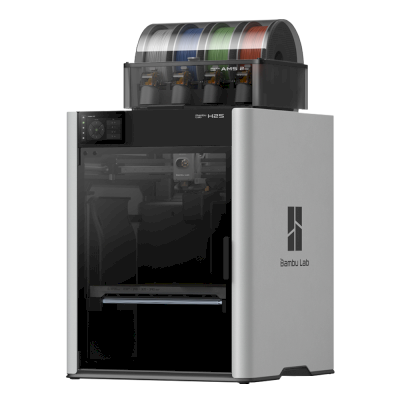 340 x 320 x 340 mmLaunched August 26, 2025Connects with: SimplyPrint ClientSimilar build volume · Also prints ABS & ASA, Nylon (PA), Polycarbonate (PC)Verified by SimplyPrint
 -
Bambu Lab H2D Combo
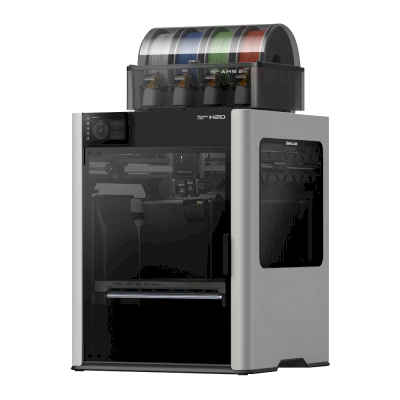 325 x 320 x 325 mmLaunched March 25, 2025Connects with: SimplyPrint ClientSimilar build volume · Also prints ABS & ASA, Nylon (PA), Polycarbonate (PC)Verified by SimplyPrint
 -
Bambu Lab H2C Combo
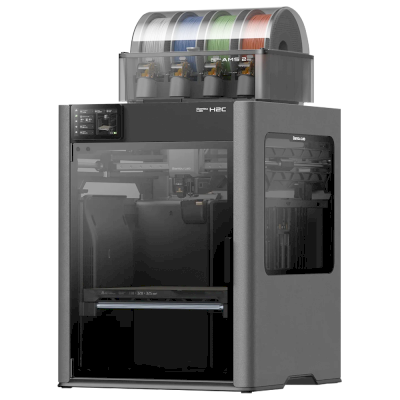 330 x 320 x 325 mmLaunched November 18, 2025Connects with: SimplyPrint ClientSimilar build volume · Also prints ABS & ASA, Nylon (PA), Polycarbonate (PC)Verified by SimplyPrint
 -
Creality K2 Pro Combo
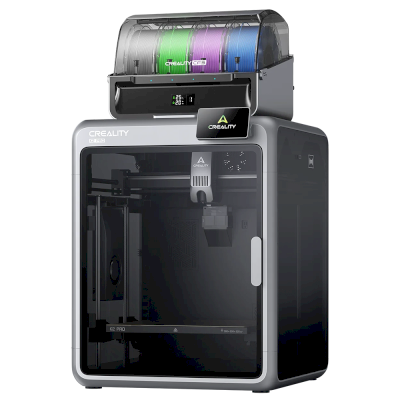 300 x 300 x 300 mmLaunched August 25, 2025Connects with: SimplyPrint Client, Klipper (Moonraker)Similar build volume · Also prints ABS & ASA, Nylon (PA), Polycarbonate (PC)Compatible
Frequently asked questions
Is the AtomForm Palette 300 compatible with SimplyPrint?
We don't know yet. SimplyPrint works with 130+ brands and 600+ models via OctoPrint, Klipper and built-in integrations; if you have a AtomForm Palette 300, our compatibility check tells you in a few questions how it could connect.
What slicer should I use for the AtomForm Palette 300?
None of the slicers in SimplyPrint's cloud can slice for the AtomForm Palette 300 that we know of: it doesn't take standard G-code. Use the slicer its maker recommends.
What filament can the AtomForm Palette 300 print?
Based on its specs (hotend up to 350C, heated bed up to 100C), the AtomForm Palette 300 handles PLA, PETG, ABS & ASA, or Nylon (PA) well. See the full filament guide above for ABS, nylon, PC and composites.
What is the AtomForm Palette 300's bed size and build volume?
The AtomForm Palette 300 has a 300 x 300 mm print bed and prints up to 300 mm tall, a build volume of about 300 x 300 x 300 mm. See the full specifications table above for bed type, temperatures and more.
When did the AtomForm Palette 300 come out?
AtomForm launched the Palette 300 in 2026.
© 2026 SimplyPrint. All rights reserved. This page and the compatibility, specification and review data on it are compiled by SimplyPrint and may not be copied, scraped, reproduced or republished, in whole or in part, without prior written permission. Printer images are the property of their respective manufacturers and are shown for identification purposes only; SimplyPrint claims no ownership of them. Quoted reviews belong to their authors.