A 3D print farm is a group of 3D printers run in parallel as a business, so one operator can produce far more than a single machine ever could. To start and run a 3D print farm you validate demand with one printer, price your work to cover your real costs, then scale on actual orders using a shared queue and automation, and a platform like SimplyPrint ties the whole fleet together from one screen. The honest truth the hardware blogs skip is this: the printers are the easy part. Your time is the bottleneck, and the farms that win are the ones that design their operations, not just their printer shelf, from day one.
What is a 3D print farm, and do you actually need one?
A 3D print farm is several 3D printers producing parts at the same time, managed as one operation rather than as separate hobby machines. The appeal is obvious: ten printers can make ten things at once. The trap is just as obvious in hindsight. Buying a wall of printers before you know what sells turns a hobby into expensive idle iron.
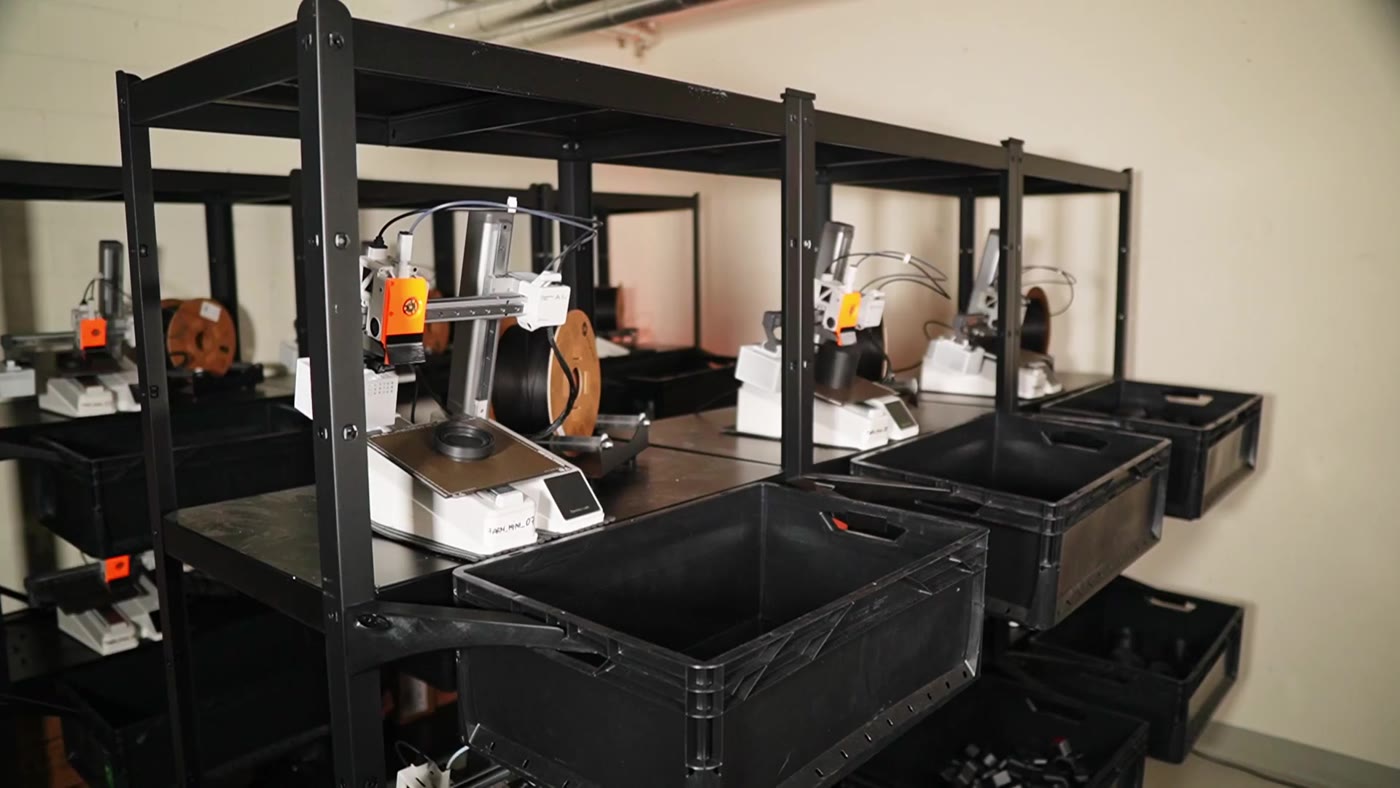
The discipline that separates profitable farms from abandoned ones is starting with a single printer. Use it to validate a product, learn your real failure rate, and find out how much human time each order actually eats. Only when one machine is reliably busy and profitable should you add a second. A "3d printing farm" is a production system, and you cannot optimize a system you have not yet run. One printer, real orders, honest numbers first.
The operators who have actually scaled say the same thing about where new farmers go wrong:
A print farm is a manufacturing business, not a printer collection. The bottleneck is almost never how many printers you own, it's whether you have a proven product with real demand. The second thing they underestimate is post-processing and fulfillment. The printing is the easy part; packing, shipping, customer service, and quality control are where the hours actually go.
That is Yanyan Huang, founder of 3D Farmers, in their print farm story. Prove the demand before you buy the iron.
How much does it cost to start a 3D print farm?
Startup cost scales with ambition, but the hidden costs are what catch people. The printer price is the headline; the spares, enclosure, shipping supplies, payment fees and your own unpaid hours are the real budget.
| Setup | Rough startup cost | What it includes beyond printers |
|---|---|---|
| 1 printer (validate) | $400 to $900 | Filament, spare nozzles, basic tools |
| 2 to 3 printers | $1,800 to $2,800 | Spares, enclosure, shelving, shipping supplies |
| 5 to 10 printers | $4,000 to $10,000 | Spare parts pool, dedicated circuit, fleet software |
| 25 printers | $20,000+ | Electrical work, racking, a second operator |
That bottom row scares people most, but the electrical line item is the one you can defer. Staggered start caps how many printers preheat at once and releases them as each reaches temperature, so a growing fleet draws far less peak current and can often keep running on the circuits you already have, instead of paying an electrician to add new ones every time you add machines.
A "3d printing business plan" worth the name budgets for consumables and labor, not just machines. The hardware is the smallest line item over a year.
Is a 3D print farm actually profitable?
Yes, but the headline margins hide the real story. Operating margins of 40 to 60 percent and gross margins of 30 to 70 percent are commonly cited, and they are achievable on the materials side. The number that matters is net margin after you pay yourself, and that is where many "3d printing business" attempts quietly fail.
One widely shared operator post-mortem ran a print business for eight months, earned $3,666 in revenue, and netted roughly 8 percent before quitting, concluding it was "a job, not a business" because per-order human time never shrank. That is the single most important lesson in this guide. Hardware parallelizes; your hands do not. A farm becomes a real business only when you automate the repetitive work and price design, handling and failure into every quote. Profit lives in operations, not in plastic.
How many printers do you need to be profitable?
Fewer than most people expect, if you sell smart. Around four to six well-utilized printers can clear roughly $10,000 per month on consumer products. Go up-market into business prototyping at $100 or more per design-hour and three machines can match it, because you are selling expertise instead of grams of filament.
The constraint is rarely machine count. It is operator attention. One person can only babysit so many concurrent jobs before quality slips and failures go unnoticed. As one survey respondent running 19 printers put it:
If someone orders 270 of the same item, I can now just queue it up and know when it's complete. It makes the most difficult part of running the print farm an easy thing.
That operator reported saving 13 to 15 hours a week. The lesson is that profitability comes from raising how many printers one person can effectively run, not from buying more printers you cannot watch.
What is the best printer for a print farm, and why is brand lock-in a trap?
The best printer for a farm is a boring, reliable, well-supported one, and you do not need them all to match. Bambu Lab machines are fast and consistent, Prusa printers are famously serviceable and well-documented, Creality and Elegoo cover budget volume, and resin has its place for fine detail. Most guides over-index on this choice because the people writing them sell printers.
The bigger decision is avoiding brand lock-in. Single-vendor apps like Prusa Connect, Bambu Handy and Creality Print each manage only their own machines, so a mixed fleet means juggling several walled gardens. A vendor-agnostic platform manages them all together. SimplyPrint runs 600+ models from 130+ brands in one account, so you can buy whatever printer is best value this quarter and still queue everything from one place.
How do you manage and monitor multiple printers at once?
This is where a farm is won or lost, and it is the gap the hardware blogs leave open. The operating model is a centralized queue that matches each job to a printer that can actually run it, then a layer of monitoring so you are not walking the floor checking screens.
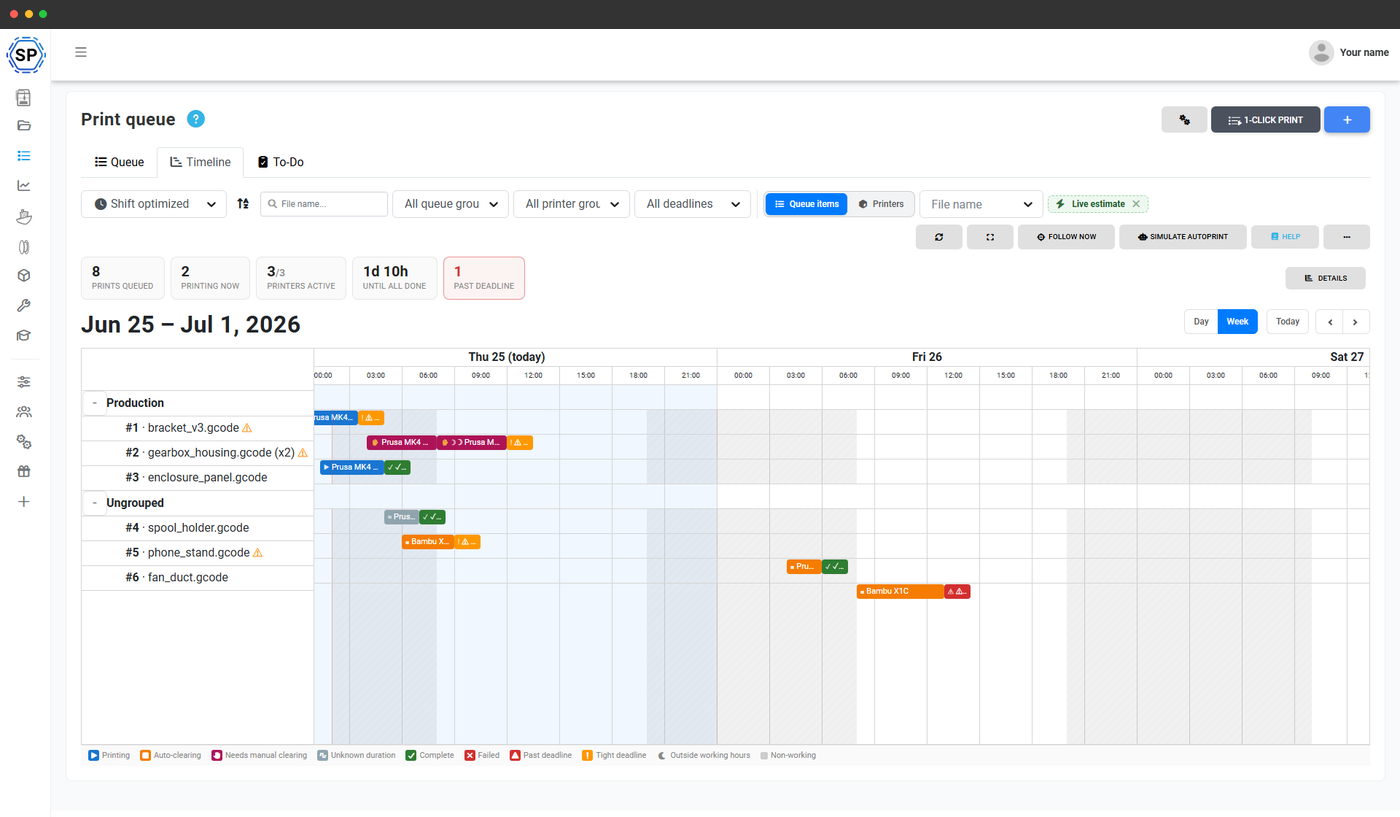
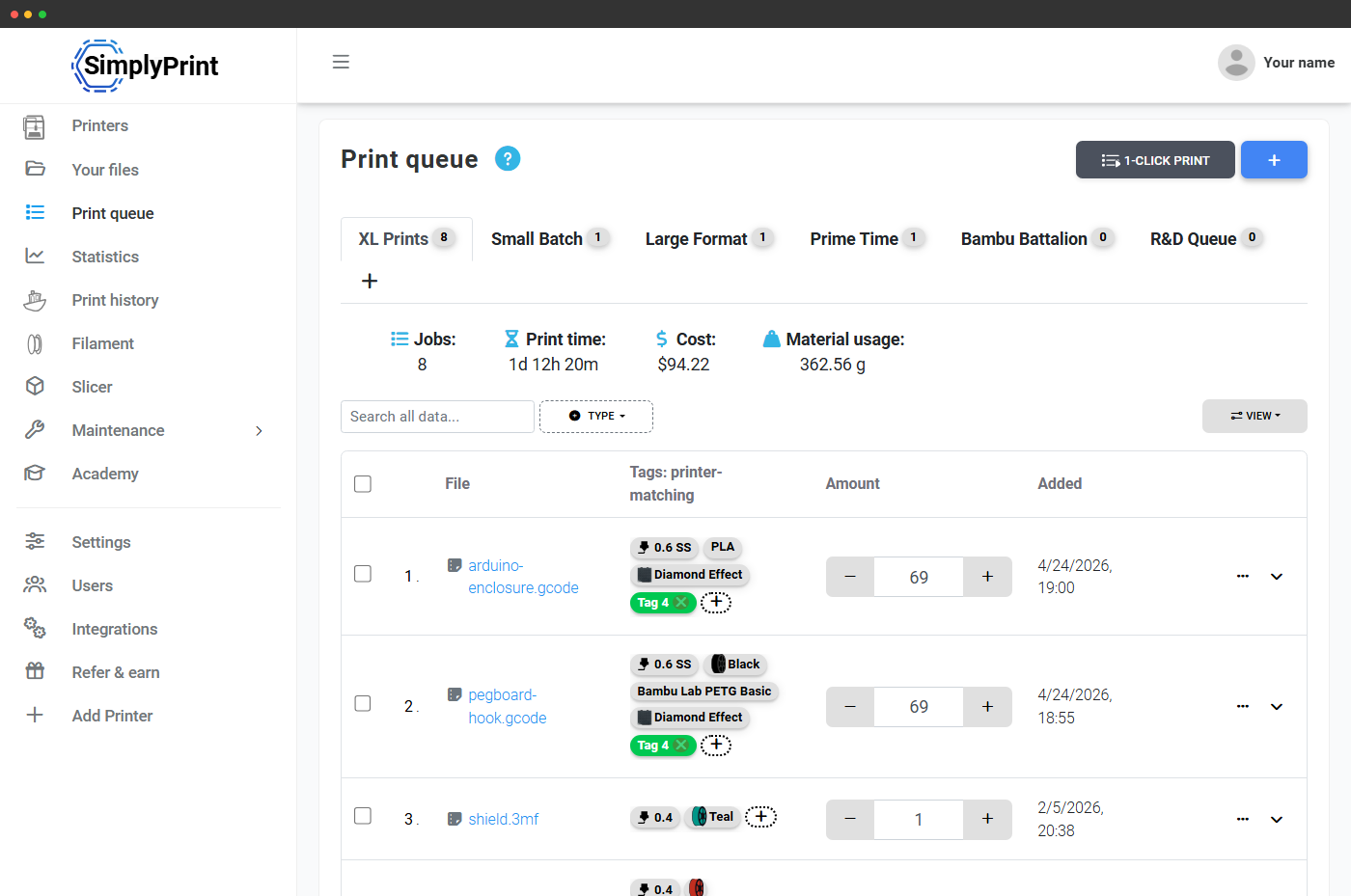
A real queue does more than list jobs. It matches by max print size, temperatures and tags such as nozzle size, material and color, so a job only goes to an eligible printer. You set a quantity as one entry, so 270 copies is one line that counts down, not 270 separate jobs. One click starts the next matching job on every available printer at once, and across a mixed fleet each compatible machine pulls the next job as it frees up, with the same job never handed to two printers. Queue groups keep a single customer order together so it ships complete. This is the print queue, and in our survey nearly every farm named it the feature they would miss most.
How do you automate continuous printing so the farm keeps running overnight?
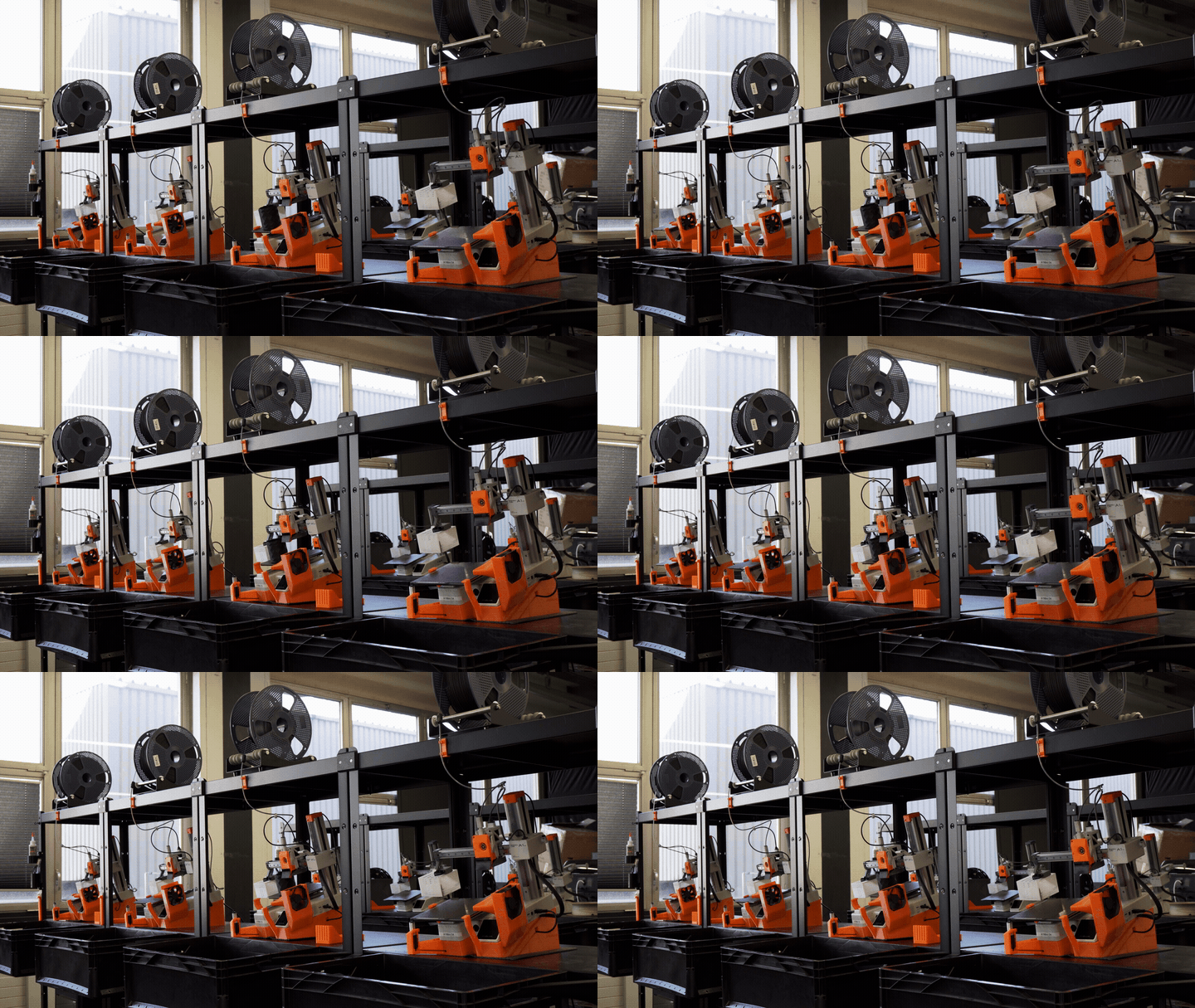
The leap from a managed queue to a real production line is automation. Continuous printing means a printer clears its own bed, then automatically starts the next matching job from the queue, so machines keep working while you sleep or pack orders.
SimplyPrint's AutoPrint clears the bed however suits each printer: a toolhead push-off, plate-changer mods like SwapMod and JobOx, belt printers, robot arms, the API, or a manual mode where you clear by hand and mark the bed ready. It then starts the next matching job from your queue. An optional, camera-based AI bed check (in beta, free with AutoPrint) confirms the plate is empty before the next job starts. One survey operator running seven printers said they "can run close to 24/7 now due to notifications for print completion," saving 10 to 12 hours a week.
The operators who run the most printers per person treat bed clearing as the first thing to automate, not the last:
Automate the bed clearing. It's the single change that unlocks unattended printing... bed clearing is what changes the math on how many printers one person can run.
That is Yanyan Huang, founder of 3D Farmers, in their print farm story. Automation handles the repetitive starts, but a farm should still run with basic safety supervision: a camera, smoke and heat sensors, and AI failure detection that can pause a bad print. For the mechanics of how each clearing method works and how the queue handles a failure so one bad print does not become ten, read our deep-dive on continuous 3D printing for a print farm.
How do you handle power and electrical load as you scale?
This is the operational detail almost every guide reduces to "ventilation," and it is the one that trips an actual breaker. The danger is not steady-state running; it is the preheat spike when many printers heat their beds and nozzles at once. Start 20 printers together and you can pull far more current than a single circuit allows.
The fix is staggered start, which caps how many printers preheat simultaneously and releases the rest as each reaches temperature. It is wired in at the platform level, so it applies whether a print starts from the queue, one-click, or an order coming in through the API, with nothing to forget per print. There is a built-in heat-up-limit calculator that factors in your region, breaker amps and printer size. For the power economics, the math behind the heat-up limit, and where staggering stops and an electrician starts, see our guide to staggered start for a 3D print farm.
How do you keep a growing farm running with maintenance?
A farm at scale is a fleet of wear-and-tear machines, and unplanned downtime quietly eats your margin. Nozzles clog, belts loosen, build plates lose adhesion, and a printer that fails silently at 2am costs you a full job's filament and time. The fix is a maintenance routine that runs on cadence, not on crisis.
The practical model is four cadences: a daily glance at the fleet, a weekly check, a runtime-triggered service based on print hours, filament used or failure count, and on-demand fixes when something breaks. When a printer enters maintenance, it should automatically drop out of automated printing and queue matching so the system never hands it a job it cannot finish. For a full routine, the spare-parts inventory to keep on hand, and how maintenance mode pulls a printer out of the queue automatically, follow our 3D print farm maintenance checklist.
What can you make and sell, and where should you sell it?
This is the question behind "3d printing business ideas" and "what can i make with a 3d printer to sell," and the honest answer is: sell where the margins last. Common sellers include desk organizers, cosplay and prop parts, tabletop gaming terrain, phone and gadget accessories, replacement parts, and educational models. Searches for "etsy 3d printed" items and "top selling 3d printed items on etsy" point to real demand, and Etsy is a genuinely good place to "sell 3d prints" and get your first orders fast.
But channel durability matters more than the first sale. The realistic picture across channels:
- Etsy and marketplaces: great discovery, but a bestseller often peaks in two to three months before copycats start a price war. Use it to start, not to depend on.
- Your own store: lower traffic at first, but you keep the customer, the margin and the brand. The durable channel.
- Business prototyping and contract work: the highest-value lane, often $100 or more per design-hour, and far less price-sensitive than consumer plastic.
When you do "sell 3d prints online," diversify early. For deeper background on the economics of additive manufacturing at scale, industrial vendors like Markforged publish useful material on production-grade printing.
How do you price 3D prints so you actually make money?
The "3-5x material cost" rule of thumb that floats around forums loses money, because it prices only the plastic. Most operators underprice because they ignore the three costs that actually scale: design and setup time, post-processing and handling, and your failure rate. A 14-hour print that fails at hour 13 is not free; it cost a full plate of filament plus machine time you cannot resell.
A pricing model that survives includes material, machine time, design or prep time, post-processing, a realistic failure allowance, and payment and platform fees. A "3d printing cost calculator" is exactly the tool for this, and SimplyPrint tracks cost per job so you can quote customers from real numbers instead of guesses. The point is simple: price your time and your failures, not just your filament, or you will be busy and broke.
How do you turn Etsy, Shopify and ShipStation orders into queued jobs (via the API)?
The single biggest ask from our farm survey was order integration, and several farms built their own. The mechanism is the SimplyPrint API, which adds items straight to the queue, the same action the panel uses, with tags and a queue group attached to each order. A paid order on Etsy, Shopify or ShipStation becomes a queued job automatically, routed to the right printers and grouped so it ships together.
This is the difference between a hobby and a "3d printing business" you can run without living inside the order inbox. Wiring orders into the queue removes the most repetitive task in the whole operation: copying each order, finding the file, picking a free printer and starting it by hand. With your team, the queue can also be shared: let staff add jobs while you control who can start prints, using multiple users. The order comes in, the right job lands on the right machine, and you spend your time on the business instead of on data entry.
Learn from real print farms
The fastest way to avoid the expensive mistakes is to study operators who already made them. A few worth following, each running on SimplyPrint:
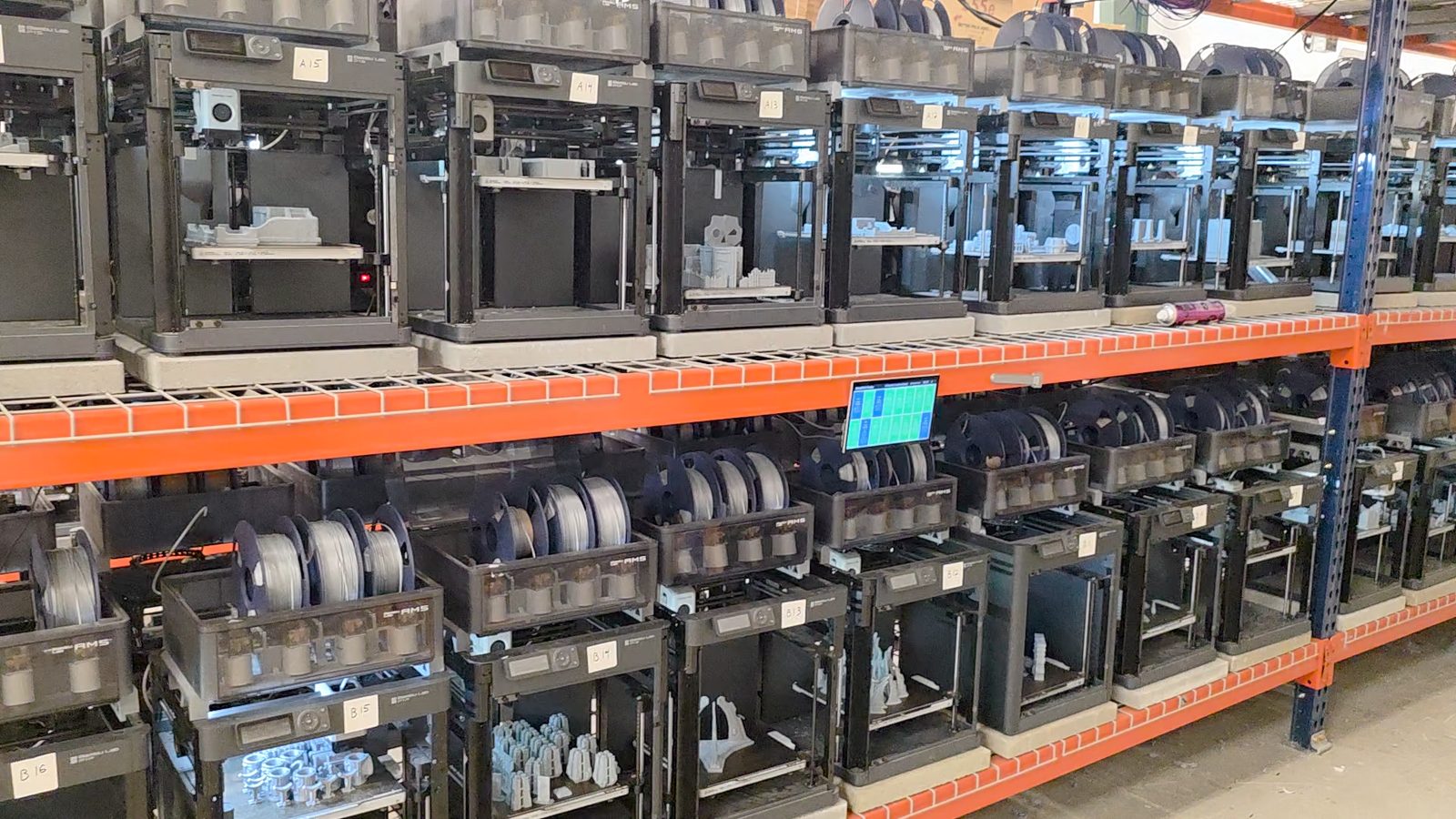
- 3D Farmers (Switzerland) runs 40+ Bambu Lab machines on their own FarmLoop automation, and they teach the whole playbook on a YouTube channel and a community. Read how they automated their farm.
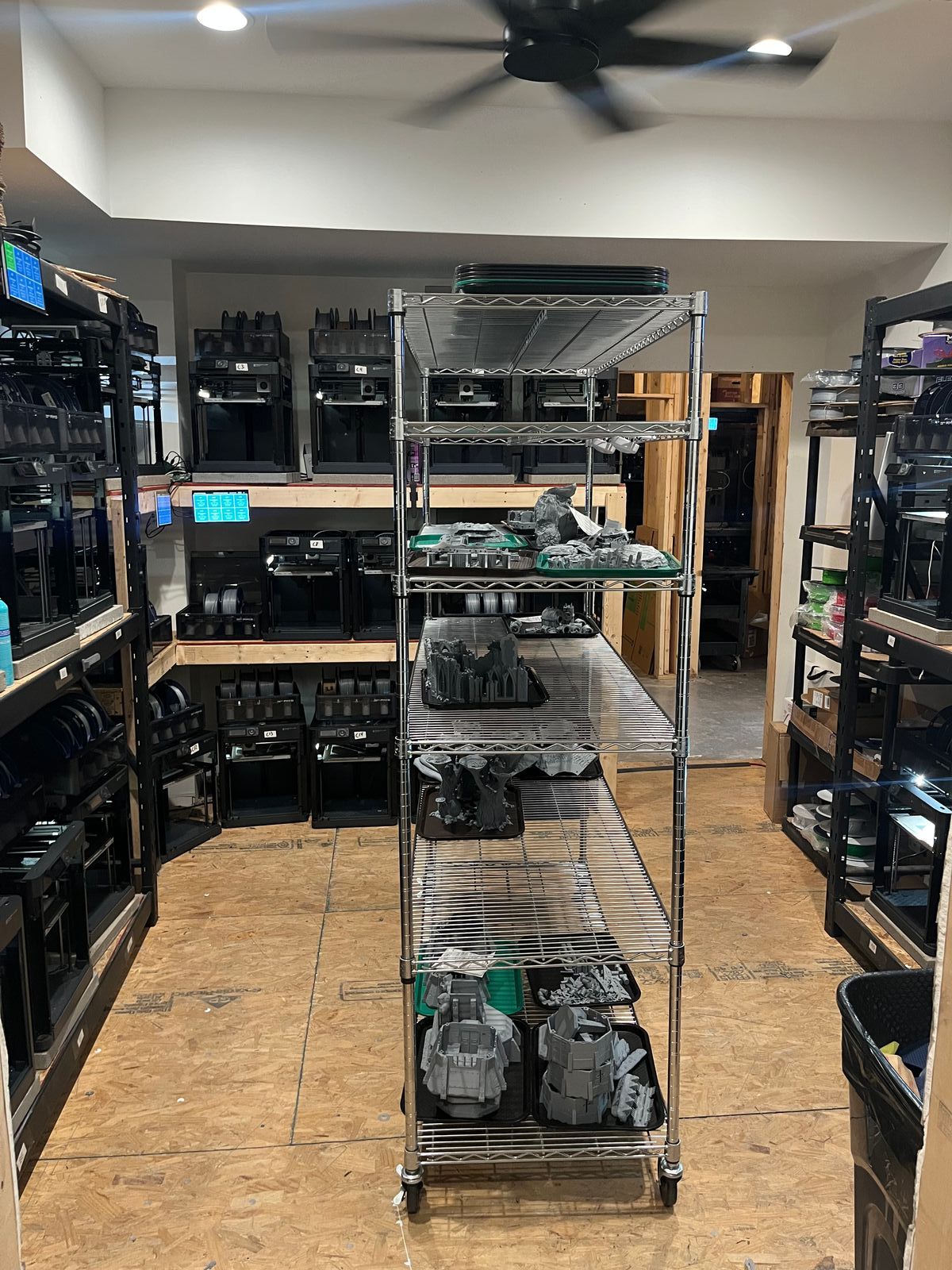
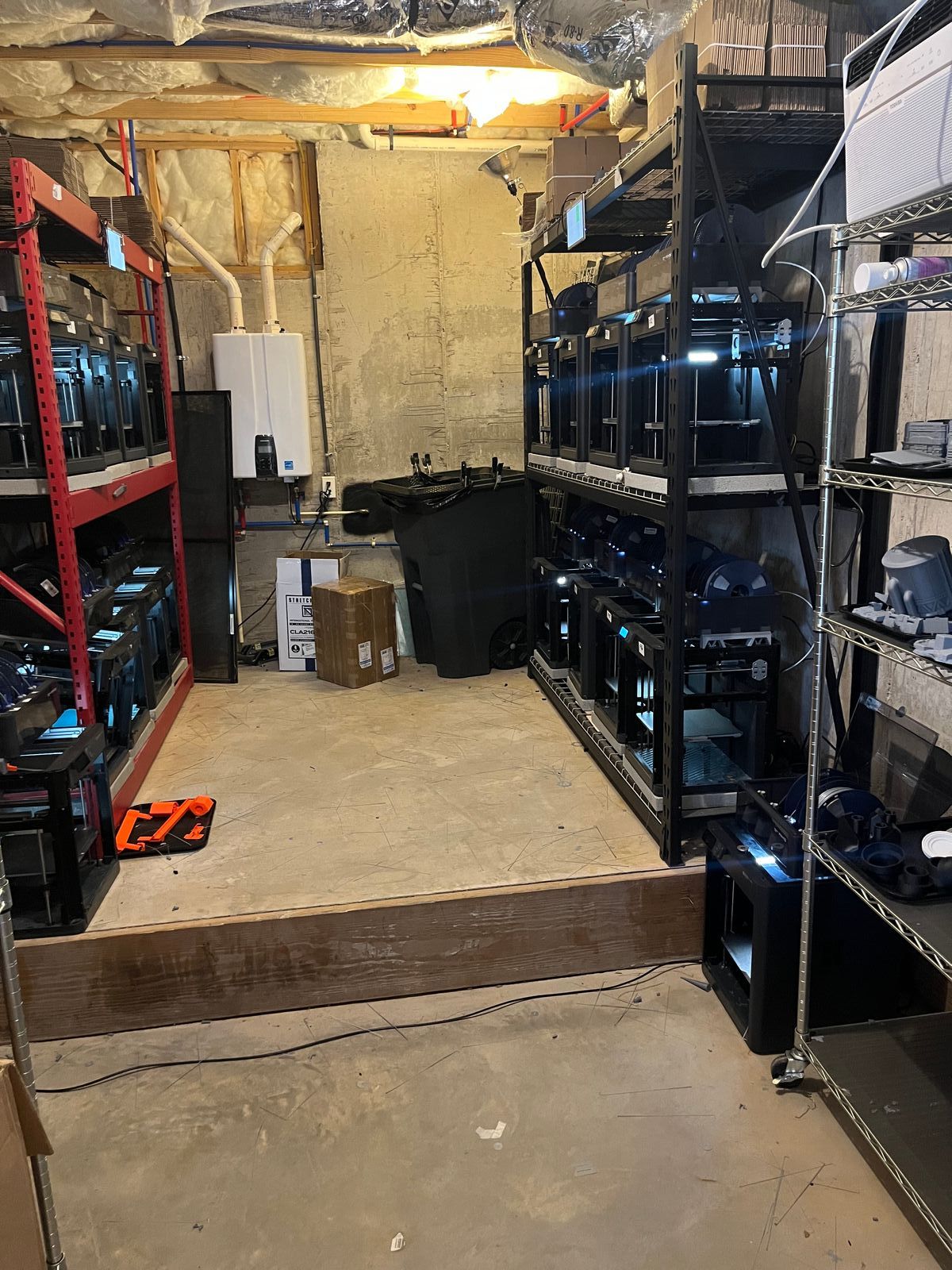
- Tabletop Terrain grew from a single basement printer into a 650 square metre warehouse selling one focused product line. See how they scaled.
- Weshape designed automation in early, at just five printers, so growth never meant more babysitting. Read their approach.
- Lab3D proves the manual path can work too, running a 100+ printer farm without auto-ejection. See their setup.
If you want structured, operator-led training rather than scattered videos, 3D Farmers also runs a paid community for new and scaling farm owners: the 3D Farmers Skool community.
When should you scale, and when should you not?
Scaling a farm is a series of operational triggers, not a single leap. Add a printer when your current machines are reliably busy and the queue has a real backlog. Add automation, like auto-ejection, when you are spending more time clearing beds than the parts are worth. Add a second operator when one person can no longer catch failures fast enough. Move out of the garage when power, heat or noise hit a wall.
Tabletop Terrain is the clearest illustration of doing this in order. They went from a single printer in a basement to a 650 square metre warehouse, but only by proving the product and the per-operator output first.
The trap to avoid is the "job, not a business" outcome: scaling iron while every order still needs the same human time. Our survey backs this up with hard numbers. Farms on SimplyPrint save 10 to 15 hours a week, lift capacity 20 to 50 percent, and one 140-printer operation reported managing "approximately 2x the printers with the same number of staff," delaying a hiring spend entirely. As one 16-printer farm summed it up: "SimplyPrint is a game changer, it allows you to increase your work output without increasing your workload." Scale the output per operator first. The printers come after.