What the 3DQue ejection kit is, in one line
The 3DQue ejection kit is a toolhead-driven, push-off bed-clearing kit for many popular printers (Ender 3, Prusa MK3S+, CR10, Sidewinder and others). With SimplyPrint AutoPrint controlling the queue, it lets one printer finish one part, eject it with the toolhead, and immediately start the next - so a queue runs unattended instead of one job at a time.
What the 3DQue ejection kit is, and how it clears the bed
The 3DQue ejection kit is a hardware add-on from 3DQue that lets a printer auto-eject finished prints using its own toolhead. When a job ends, the toolhead moves across the plate and pushes the part off, clearing the bed for the next print. Because it relies on the toolhead rather than a printer-specific mechanism, the same approach works across a wide variety of popular machines.
On its own the kit just clears the bed. SimplyPrint is what turns that into real automation: AutoPrint decides when a print is done, triggers the ejection routine, and then pulls the next job from your print queue. This is a push-off style clearing method, so prints need to be designed to release cleanly when the toolhead pushes them.
How it works in SimplyPrint
Set the ejection kit as your clearing method once, then let AutoPrint run the queue.
The kit, and the AutoPrint setup
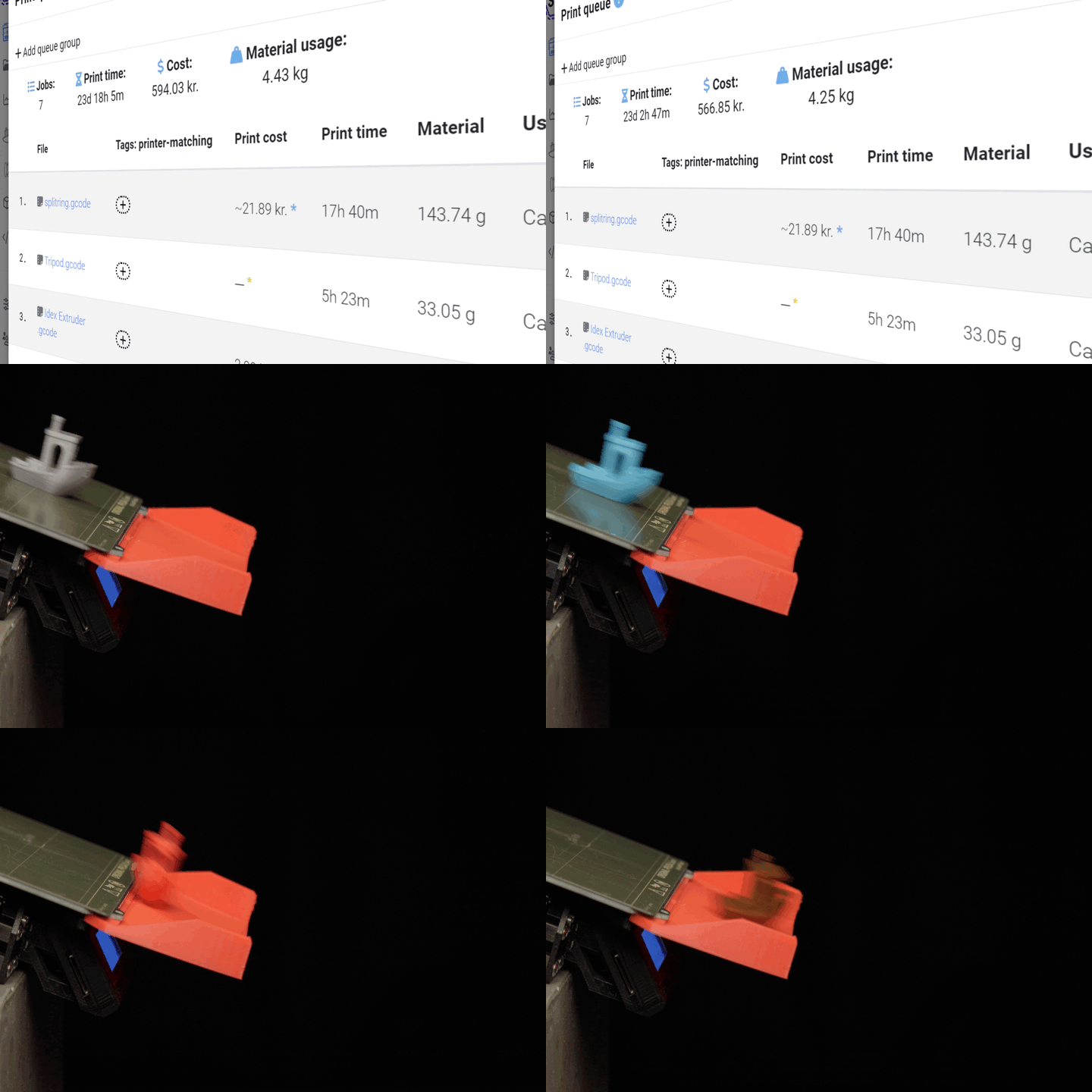
The 3DQue ejection kit on a printer, and the steps to drive it from SimplyPrint AutoPrint.

A printer fitted with the 3DQue ejection kit, ready to auto-clear the bed.

Choose the 3DQue ejection kit as the clearing method in AutoPrint.

SimplyPrint generates the toolhead ejection gcode for you.

Enable AutoPrint and the printer ejects each finished part and continues.
Works with these printers
Because the 3DQue ejection kit clears the bed with the toolhead, it supports a wide range of popular printers, including:
Prusa Mini, Artillery Genius, Ender 3, Voxelab Aquila, Prusa MK3S+, CR10(S), CR10(S) Pro / Pro V2 and the Sidewinder X1 / X2.
If your printer is on this list, SimplyPrint can drive the ejection kit through AutoPrint. Check 3DQue's own listing for the latest hardware and fitment details before you buy.
Get the hardware
The ejection kit itself comes from 3DQue. Grab it from their store, fit it to your printer, then come back and set it as your clearing method in SimplyPrint. For full product details, fitment notes and what's in the box, read the integration page.
Get the 3DQue ejection kitWhere to go next
Plan access: what plan do I need?
AutoPrint is included on Pro as 1 license (up to 5 total). Print Farm, Enterprise and Education include unlimited AutoPrint licenses.
| Feature / Limit | Free | Basic | Pro | Print Farm | Enterprise | School | Cloud Slicer | Filament Manager |
|---|---|---|---|---|---|---|---|---|
|
AutoPrint licenses
Each printer running hands-off with the 3DQue ejection kit uses one AutoPrint license.
|
1 included Up to 5 total · $3.00/mo per extra license |
Want to learn more about our plans?
View full pricing & feature comparison