Free maker mod, fully automated by AutoPrint
Loop is a free open-source project by Pierre Trappe. SimplyPrint is not affiliated and does not sell it, but AutoPrint supports it: connect your Prusa MK3S+, enable AutoPrint, pick the Loop method, and it clears each finished print and starts the next queued job with no gcode splicing by hand.
What is Loop?
Open-source auto bed clearing
Loop is an open-source, community-built modification for the Prusa MK3(S/+) that clears the bed automatically so the printer keeps going. It is a free maker project on GitHub by Pierre Trappe, not a product sold by SimplyPrint.
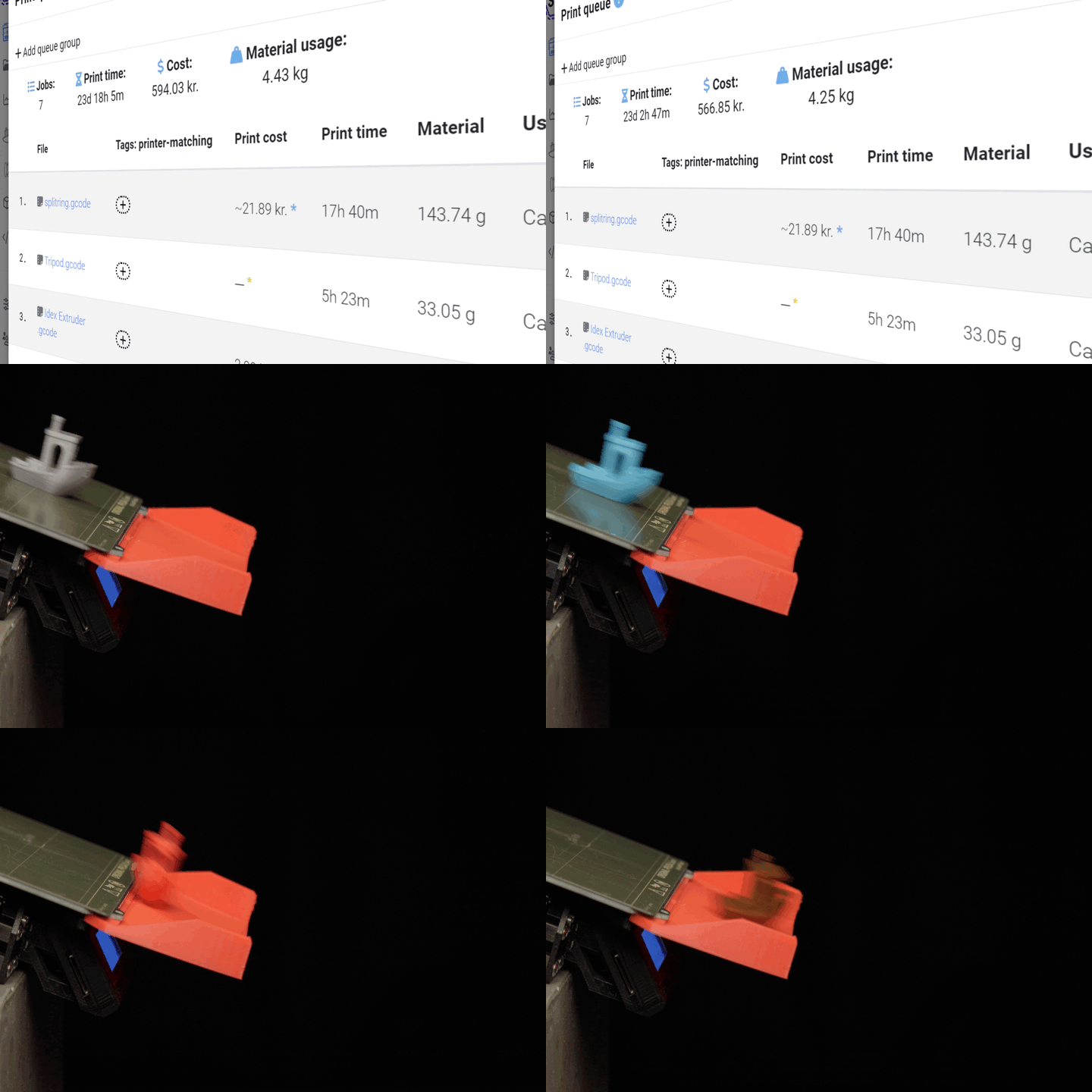
Once a print finishes, Loop removes the part from the bed and frees the surface for the next job. With SimplyPrint AutoPrint driving it, you do not splice gcode files together by hand and you do not need to babysit the printer between prints - the queue and the mod do the work.
How to set up Loop in SimplyPrint
Once your Prusa MK3S+ has the Loop mod fitted, getting it running in AutoPrint takes three steps.
The Loop mod, and the AutoPrint setup
The open-source Loop hardware on a Prusa MK3, and the steps to wire it into SimplyPrint AutoPrint.

The open-source Loop bed-clearing mod fitted to a Prusa MK3.

Choose Loop as the bed-clearing method for your Prusa in AutoPrint.

SimplyPrint generates the clearing gcode for the Loop mod.

Turn AutoPrint on and the printer clears the bed and continues on its own.
Works with these printers
Loop is built for the Prusa MK3(S/+). It is an open-source mod designed around that specific machine, so it works with the Prusa MK3, MK3S and MK3S+. If you run a fleet of MK3S+ printers, AutoPrint can drive Loop on every one of them from a single queue.
Get the Loop mod
Loop is a free, open-source maker project. You can grab the build files, parts list and instructions from the project on GitHub.
For the full product details - what it is, what you need and how to build it - see the integration page. This page is about running it inside SimplyPrint AutoPrint.
Learn more
Plan access: what plan do I need?
AutoPrint is included on Pro as 1 license (up to 5 total). Print Farm, Enterprise and Education include unlimited AutoPrint licenses. The Loop mod itself is free and open-source - you only need an AutoPrint license to drive it.
| Feature / Limit | Free | Basic | Pro | Print Farm | Enterprise | School | Cloud Slicer | Filament Manager |
|---|---|---|---|---|---|---|---|---|
|
AutoPrint licenses
One license drives one printer running Loop.
|
1 included Up to 5 total · $3.00/mo per extra license |
Want to learn more about our plans?
View full pricing & feature comparison