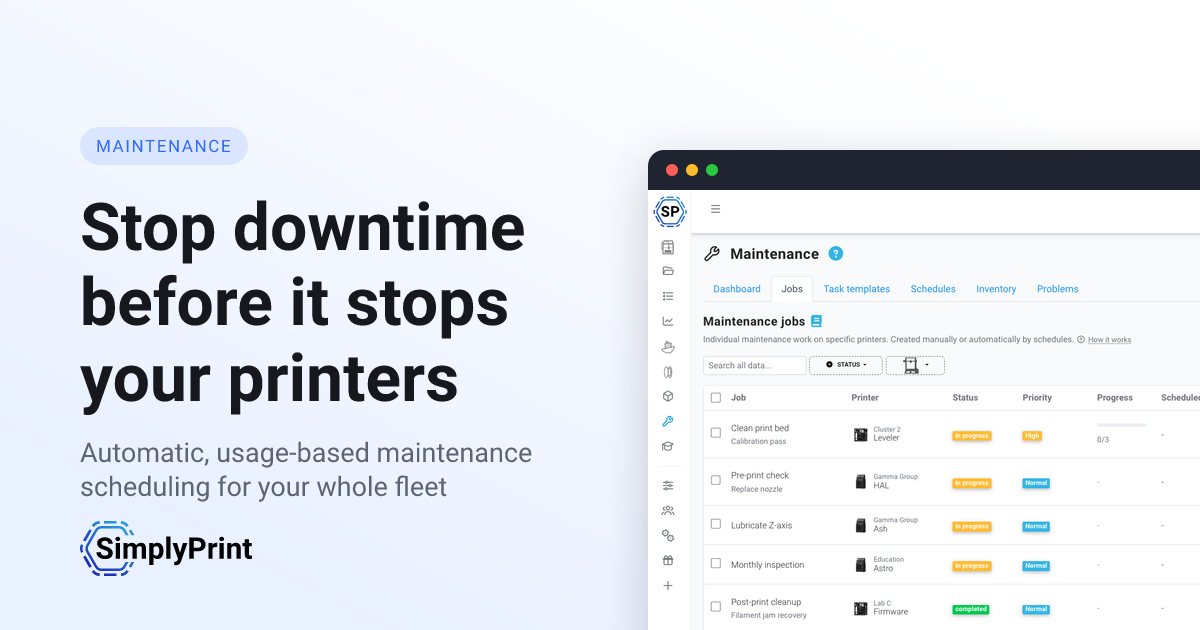
Preventative maintenance is what keeps a print farm running
Whether you're running a 100-printer farm, a university lab, or a busy makerspace, downtime costs you prints. Stop relying on memory, sticky notes and end-of-week panic - let the same data that powers your statistics tell the system when each printer needs attention.
It happens automatically
You configure the rules once; the system creates the jobs forever
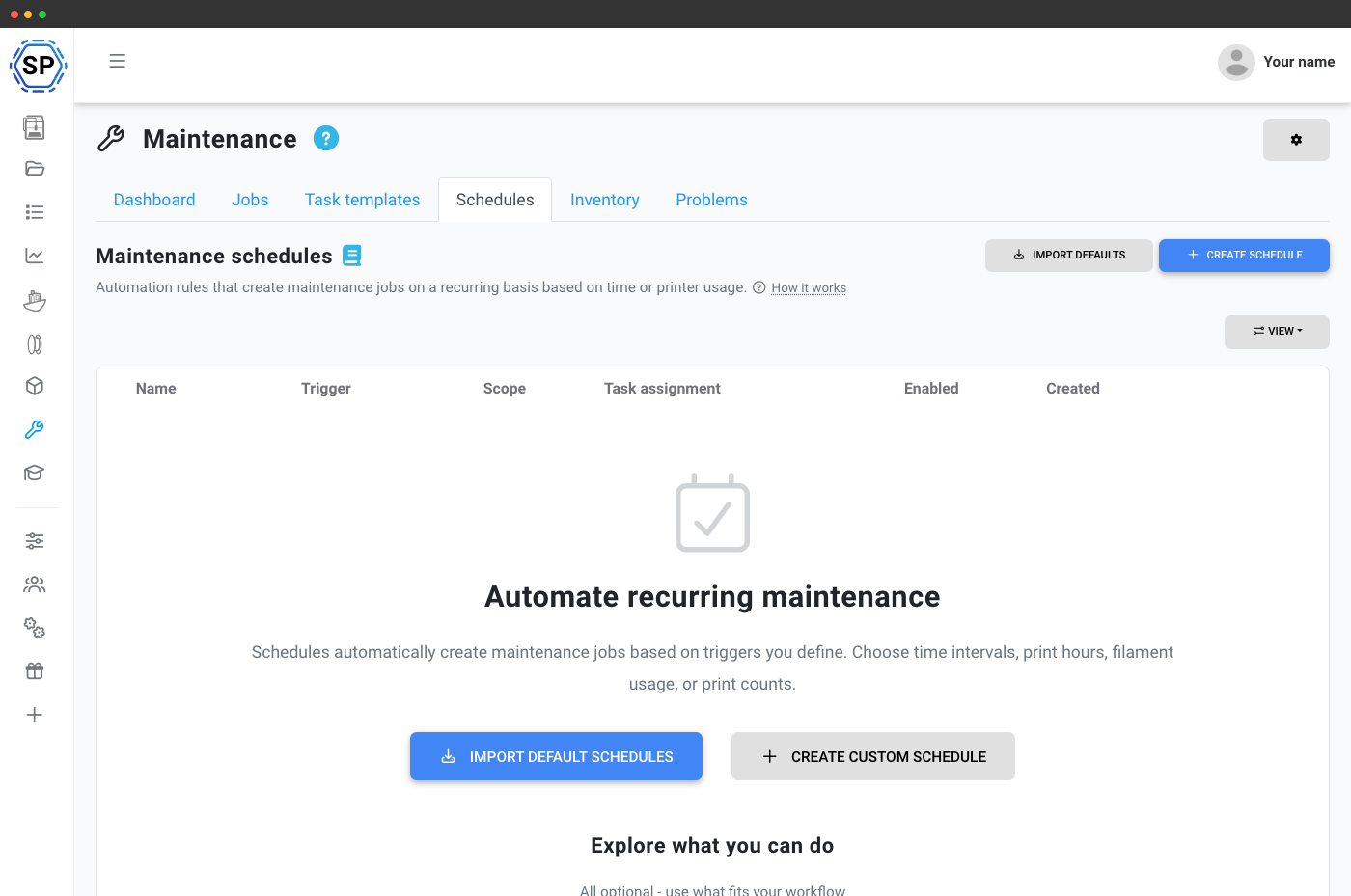
Every print job that runs through SimplyPrint contributes the data the maintenance system needs: print hours, filament grams used and print count since the last service, tracked per printer per schedule. A background evaluator reads those counters once an hour and creates work orders the moment a printer crosses your threshold ("every 200 print hours", "every 5 kg of filament", "every 100 prints", "every 30 days").
A moving-average predictor uses each printer's recent daily usage to create jobs ahead of when they'd be due, so your team can plan instead of react. On Bambu Lab printers, incoming HMS notifications (the codes the printer raises for clogged nozzles, loose belts, dirty Lidar, lubrication intervals etc.) can also auto-create the matching maintenance task. No spreadsheets, no calendar reminders, no "who was meant to do that?".
See printer maintenance in an interactive demo
The complete maintenance toolkit, in one place
Five tightly integrated building blocks: jobs track the actual work, schedules automate when it happens, task templates define how it's done, inventory tracks the spare parts, and problems let anyone flag printer issues for the team to action.
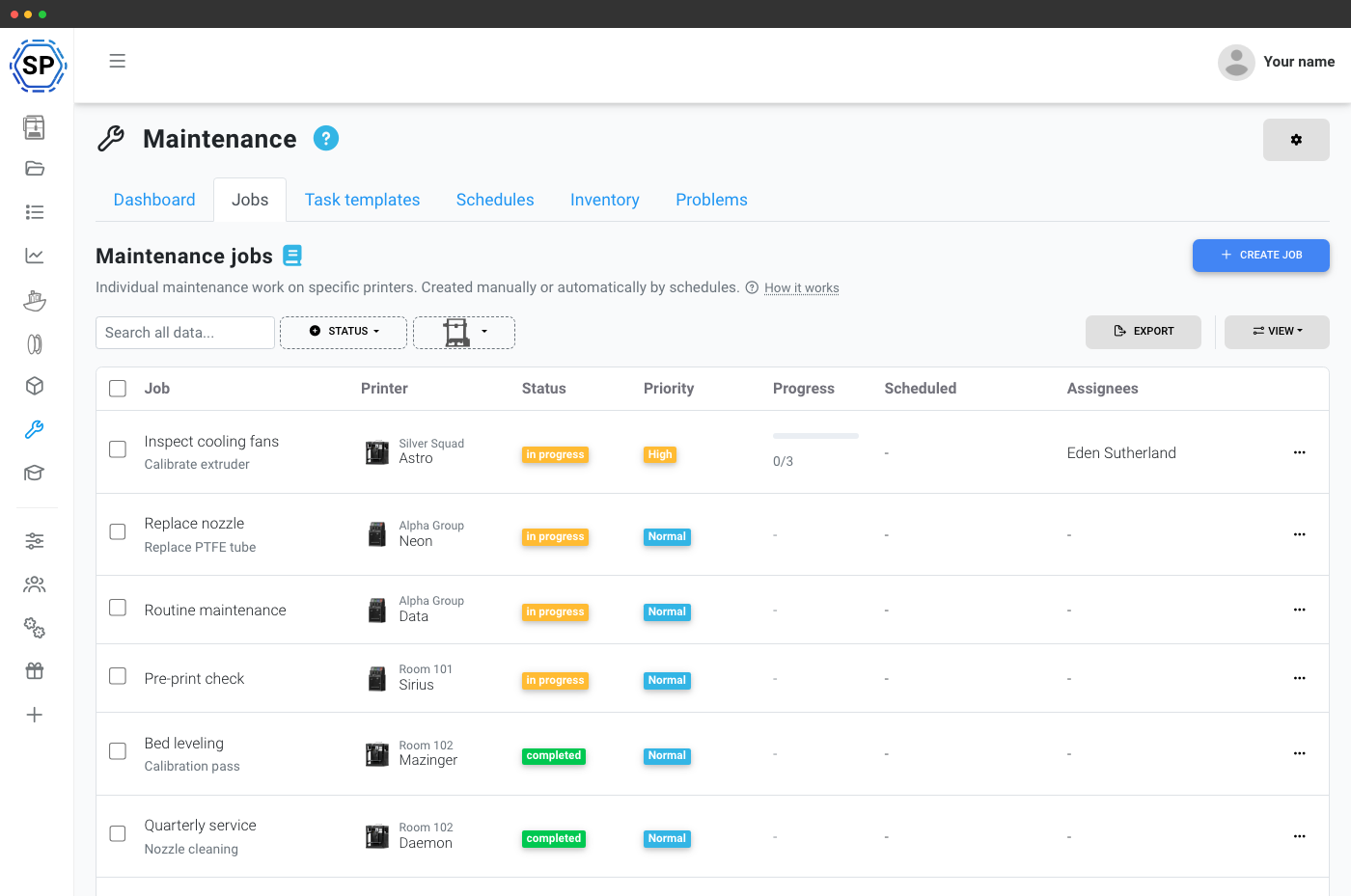
Work orders assigned, tracked and timestamped end-to-end.
Auto-create jobs by time, print hours, filament or failures.
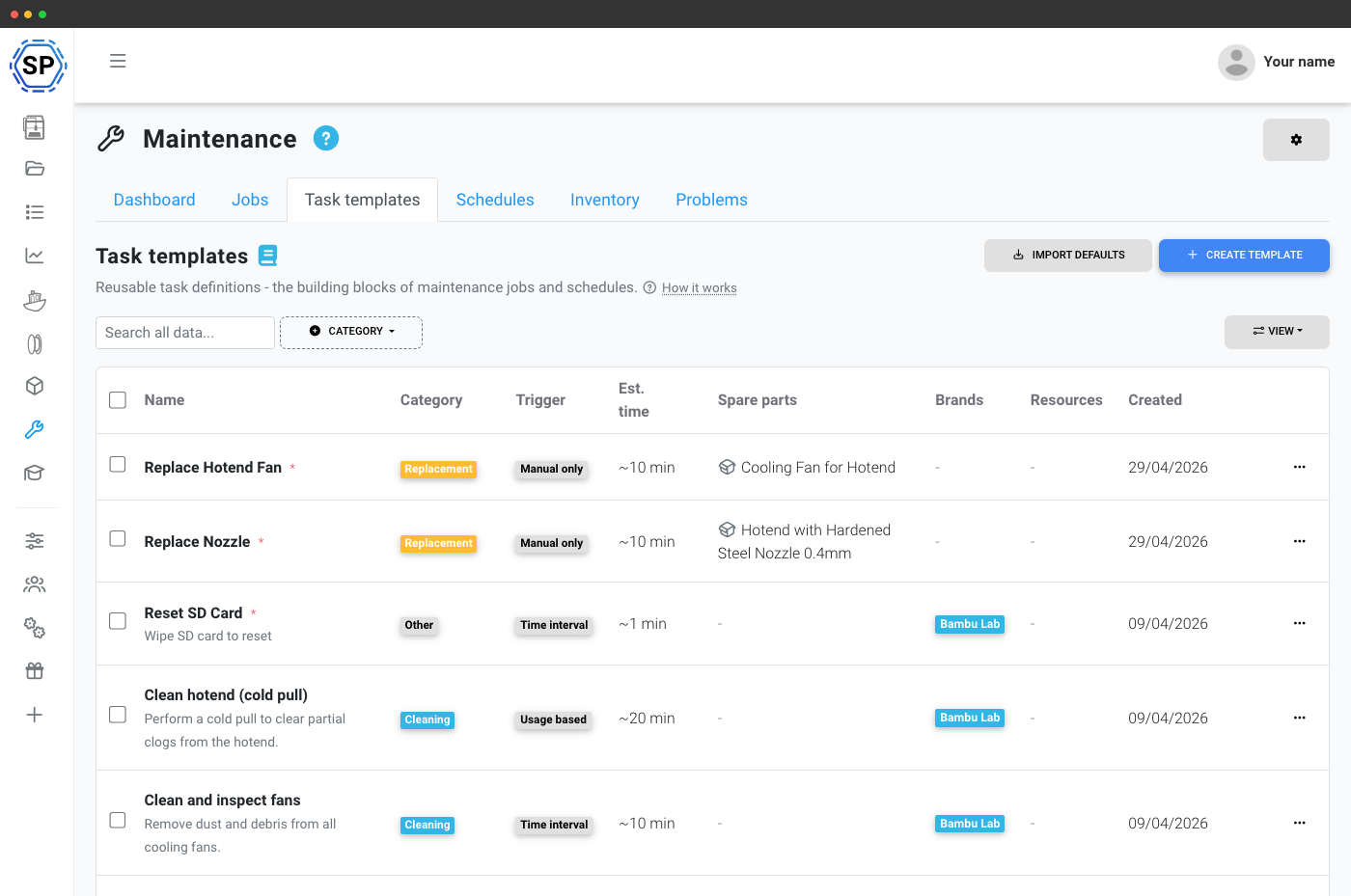
Reusable procedures with instructions, video and spare parts.
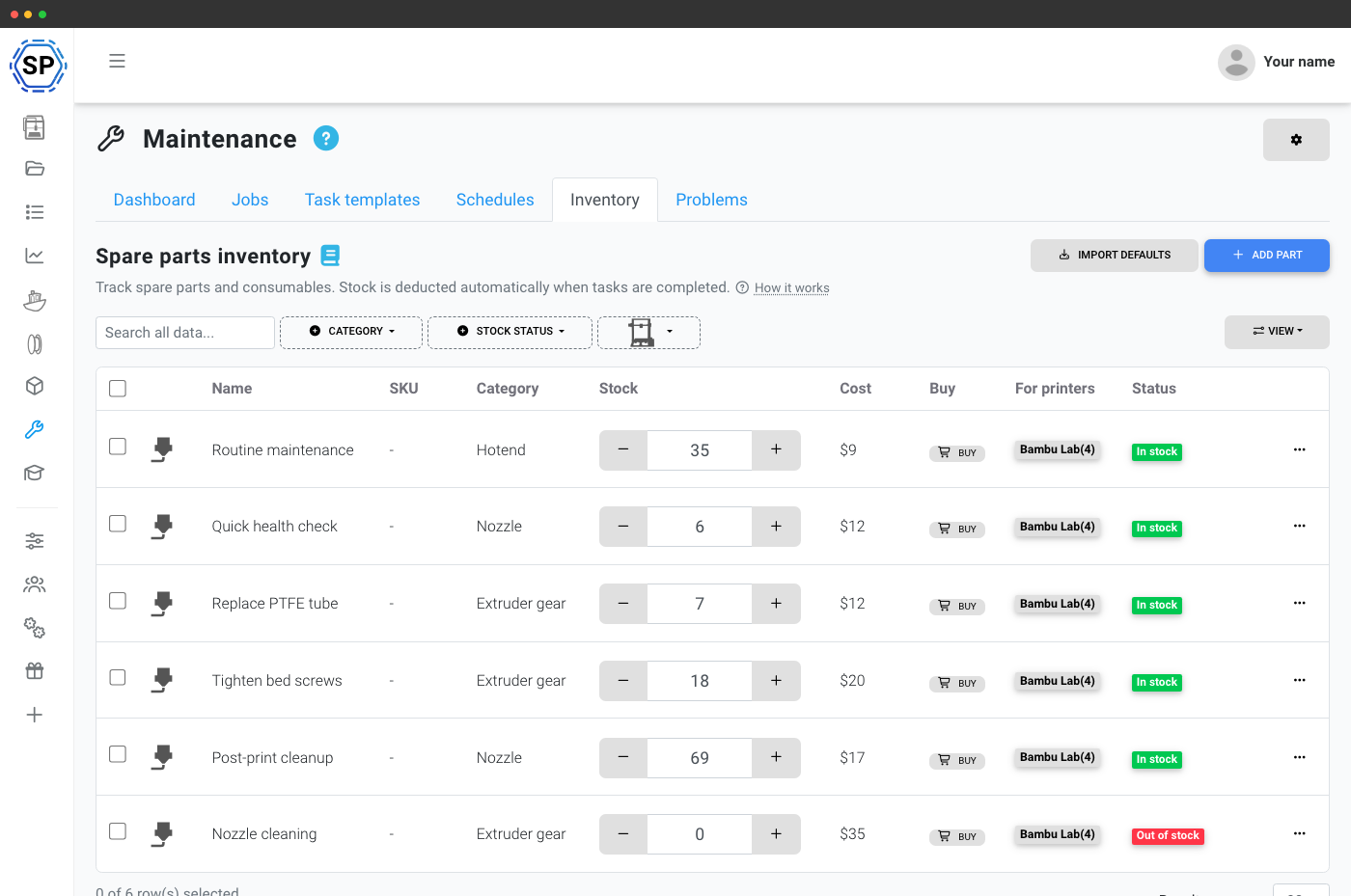
Stock levels and low-stock alerts with auto-deduction.
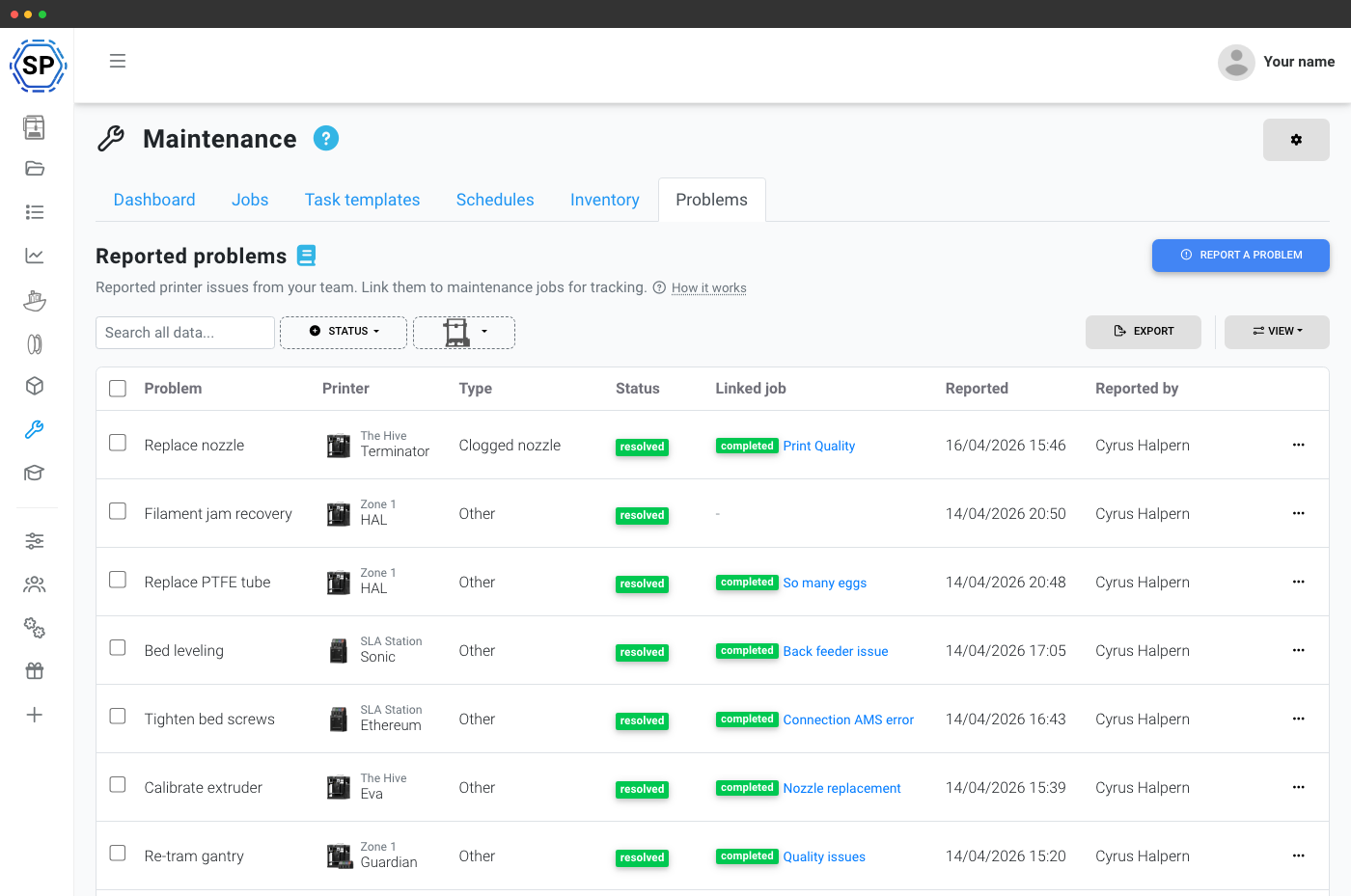
Anyone can report a printer issue and link it to a job.
One dashboard for your whole maintenance operation
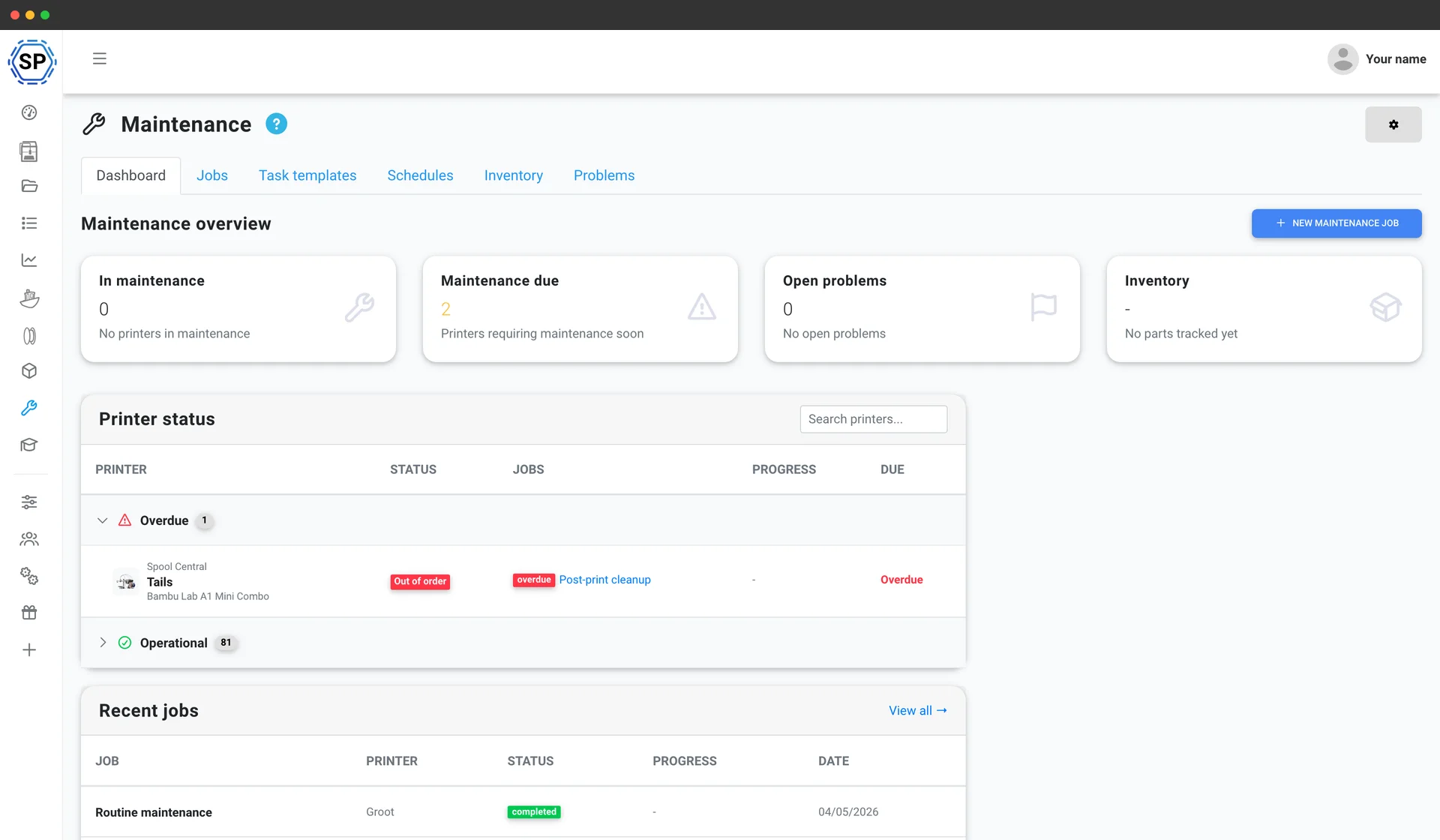
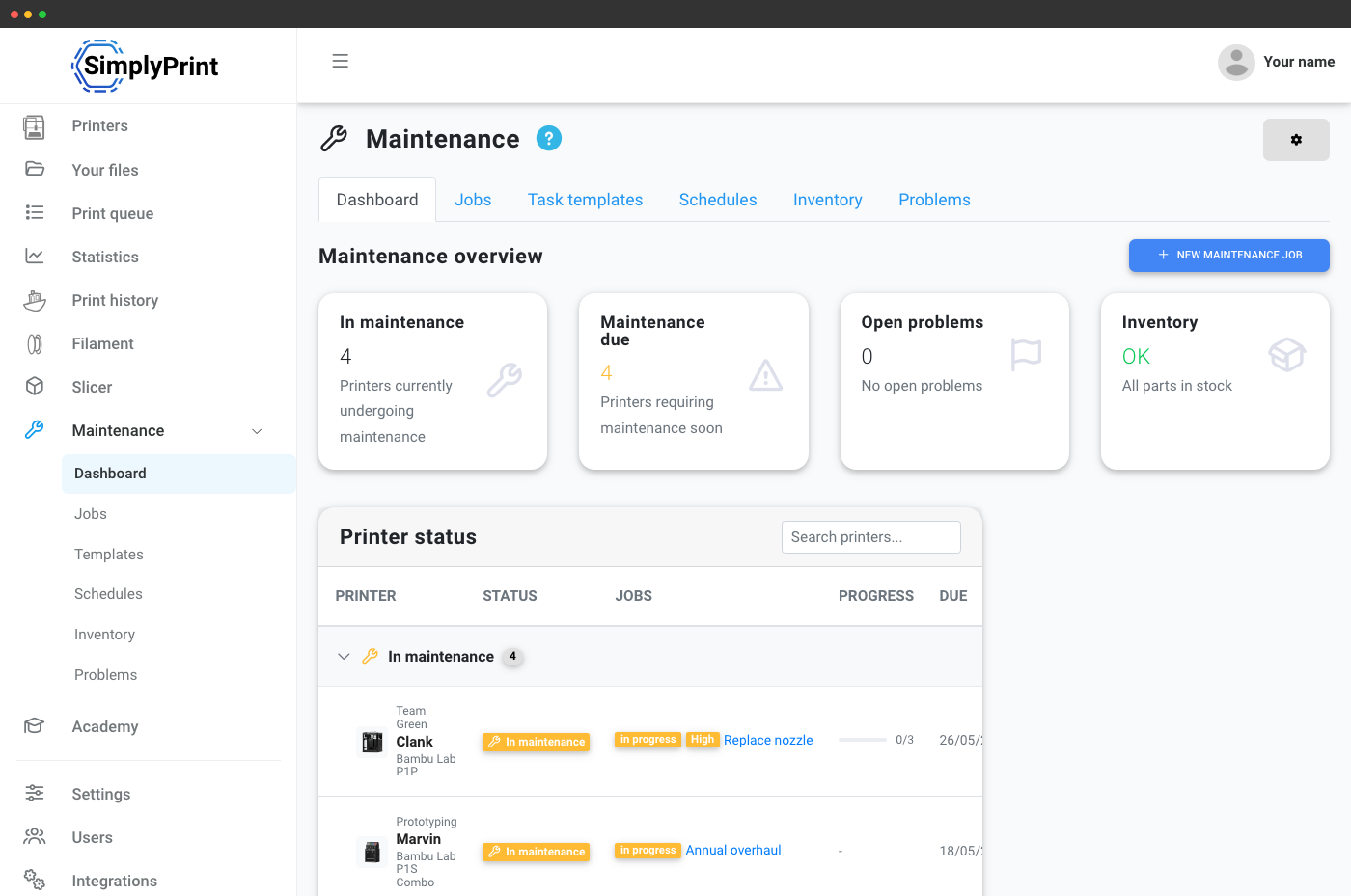
Open the maintenance page and see at a glance: how many printers are in maintenance, which are overdue, what jobs are running today, and which spare parts are running low. The printer status table groups every machine in your fleet by its current state - operational, scheduled, overdue, in maintenance, or out of order - so you always know where to focus first.
If you're new to the feature, a guided getting-started walkthrough takes you through the first setup steps - so even someone who's never managed a maintenance program can have one up and running in minutes.
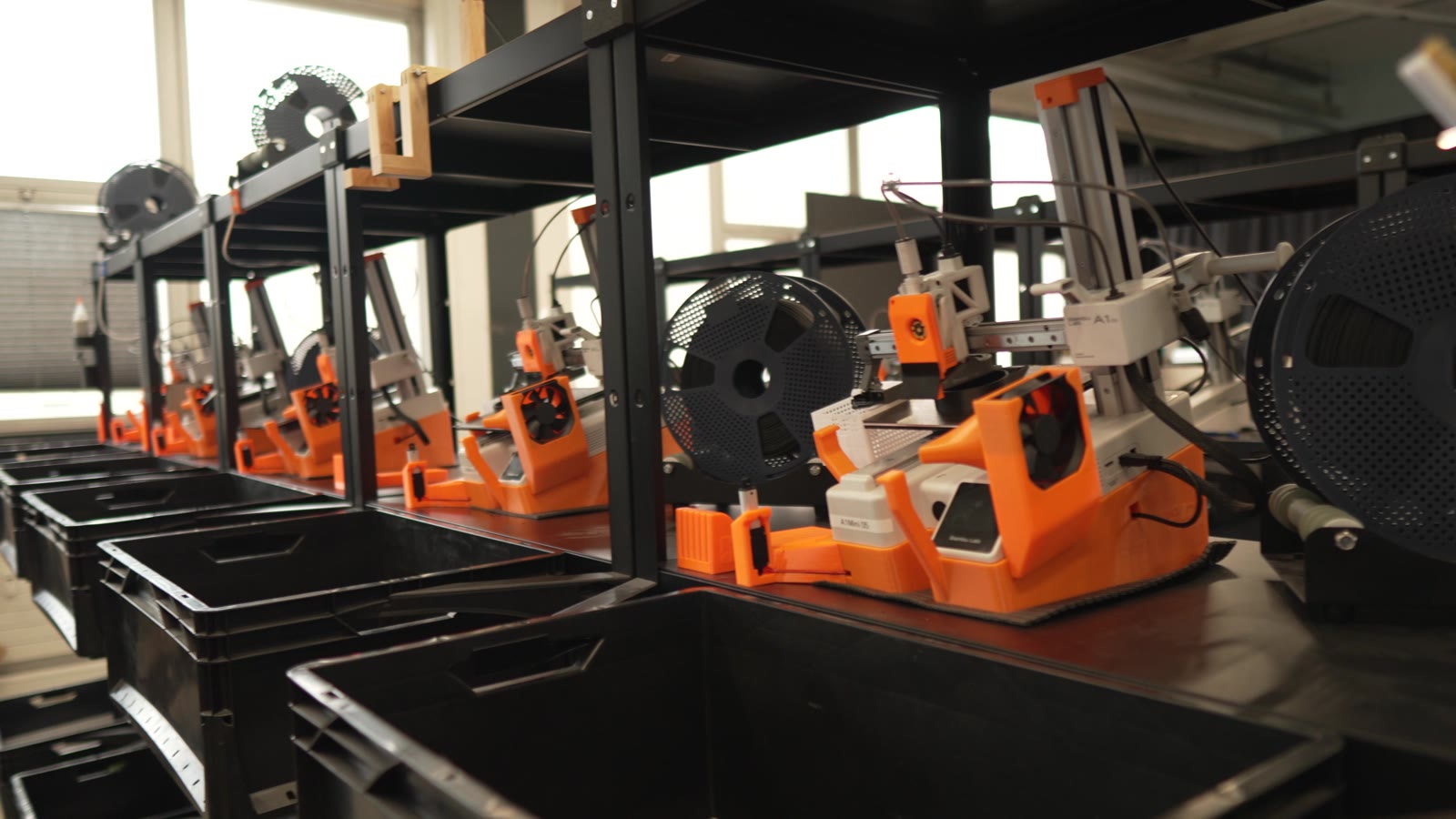
See how 3D Farmers uses Printer Maintenance to run 40+ printers
A printer that's serviced on schedule fails less, prints more consistently, and costs you fewer wasted nights. Treat maintenance as part of production rather than an interruption to it.
Define a maintenance procedure once - reuse it forever
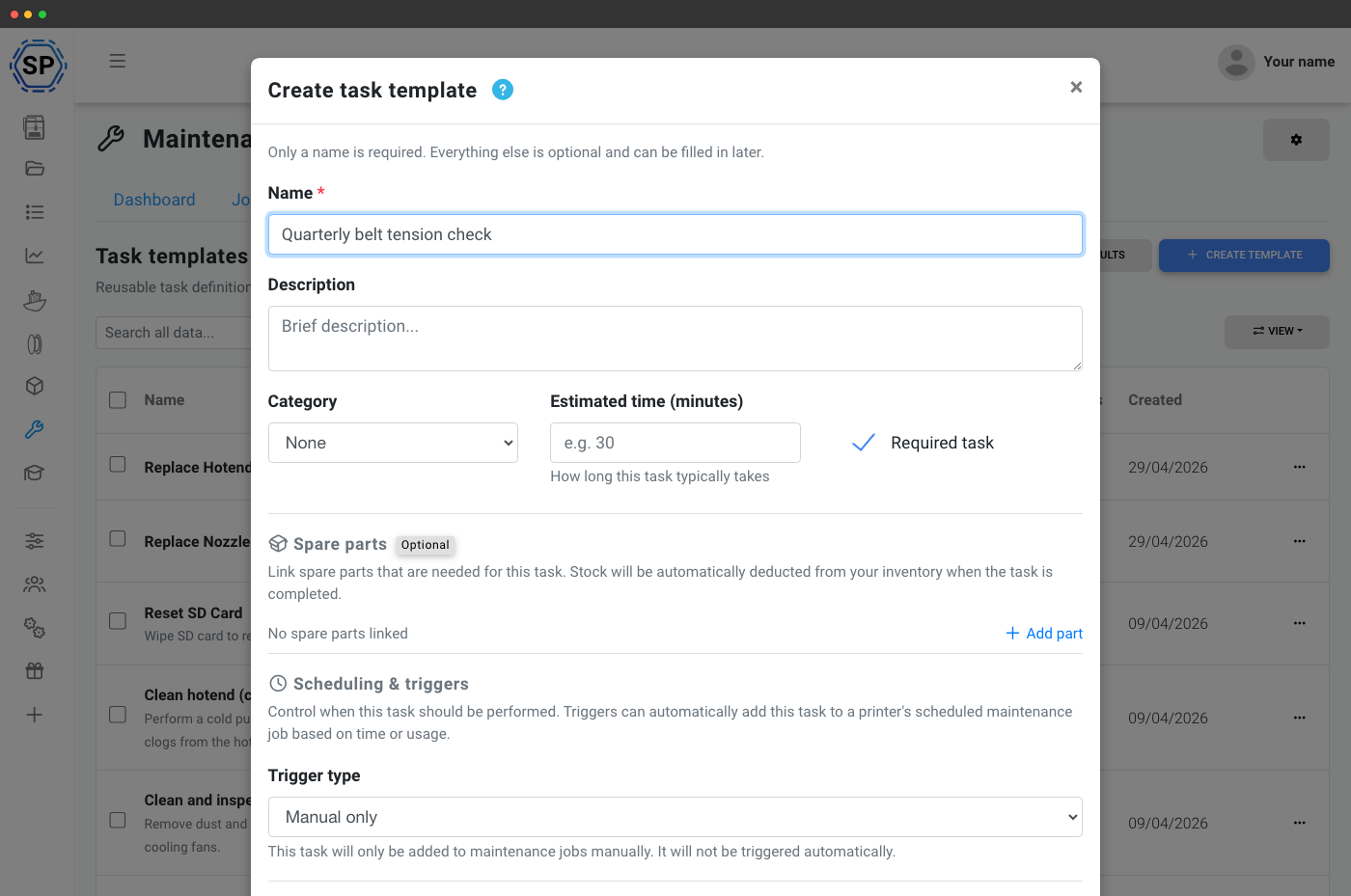
Task templates are the heart of the system. Create a template like "clean print bed", "replace 0.4mm nozzle" or "check belt tension" with step-by-step instructions, reference links, embedded YouTube tutorials, estimated time and required spare parts.
Pick a category (cleaning, lubrication, replacement, calibration, inspection, firmware), set a scope (all printers or selected printers, brands or models), and define a trigger so the system knows when the task is due:
- Always - include in every maintenance session
- Time interval - every X days since last completion per printer
- Usage-based - every X print hours or X grams of filament
- Problem-based - when a matching issue is reported on a printer
- Failure-based - after X print failures (optionally filtered by cancel reason)
Maintenance that schedules itself
Schedules watch your printers and create jobs when maintenance is due - no spreadsheets, no calendar reminders, no "who was meant to do that?" conversations. The system evaluates active schedules once an hour and acts on the printers that need it.
Use any trigger that matches how your fleet actually works:
- Time-based - every 7 / 30 / 90 / 365 days with optional minimum-usage threshold
- Print hours - the smart one, with a prediction engine that learns each printer's average daily usage and creates jobs ahead of when they'll be due
- Filament consumption - track extruder wear by grams pushed through
- Print count - one for every N completed prints
- Task threshold - bundle multiple due tasks into one efficient job
- Failure count - catch struggling printers before they waste more filament
Track every maintenance job from start to finish
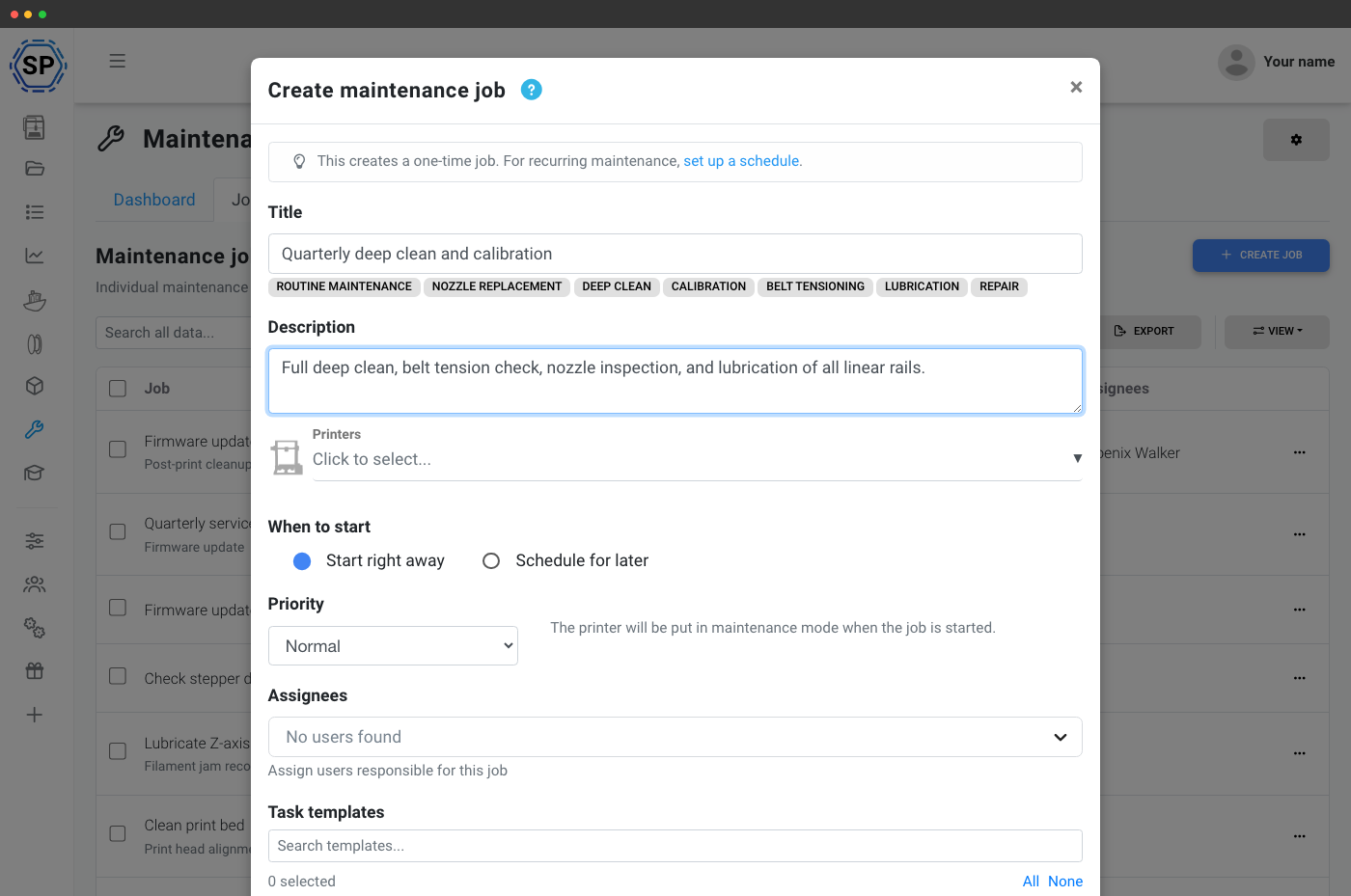
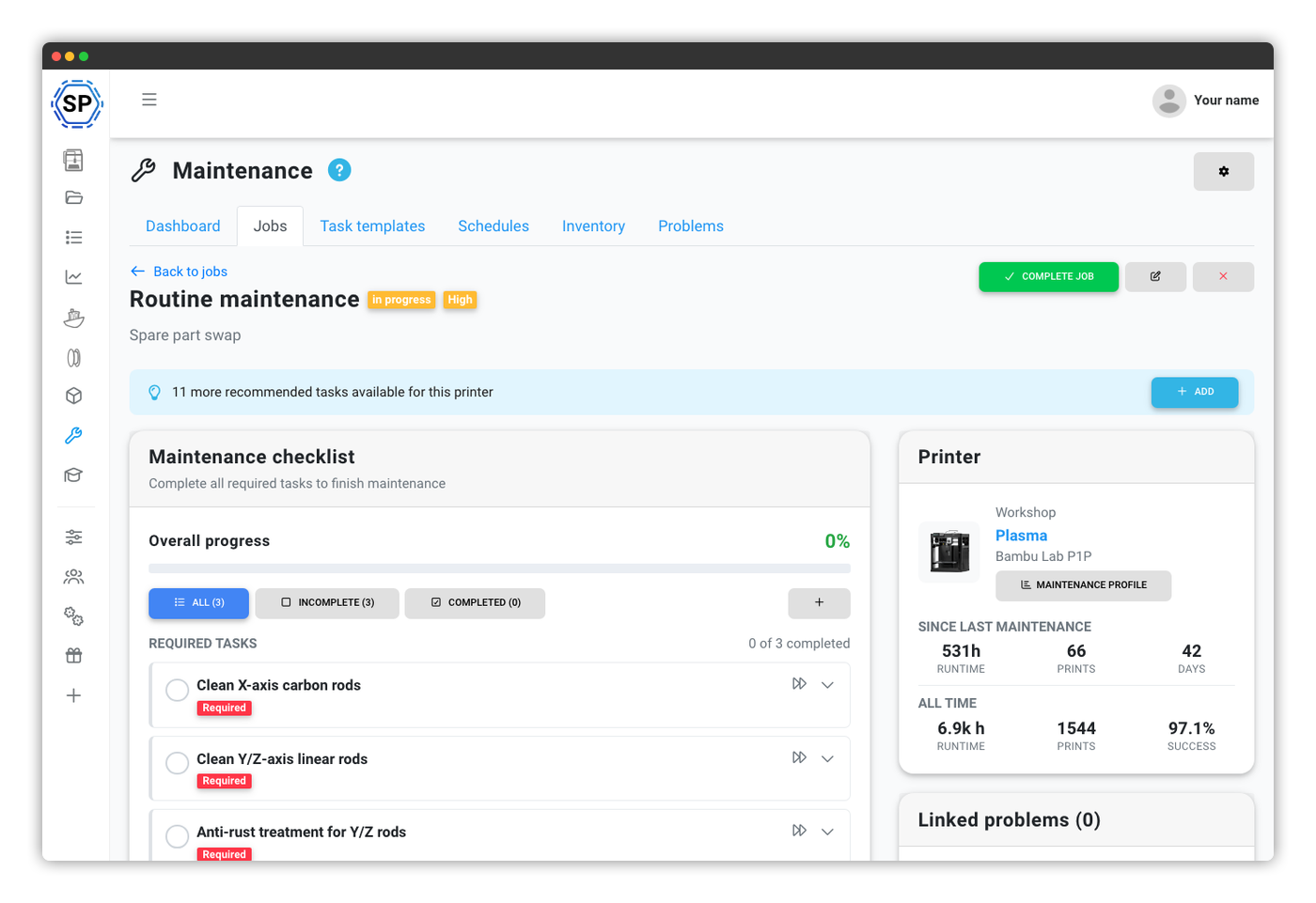
A maintenance job is a work order: it has a title, priority, assigned team, a checklist of tasks, a start date, and a complete audit trail of what happened and when. Jobs flow through a simple lifecycle - scheduled → in progress → completed (or cancelled, with the option to reopen) - and progress updates in real time as tasks get checked off.
Create a job in seconds
Pick the printer, priority and templates - presets do the rest.
Full work order
Tasks, assignees, due dates, timeline and comments with attachments.
Built-in printer actions
Run bed leveling, filament change or G-code from a task.
Batch jobs fleet-wide
Complete one task across every printer in one click.
Automated dispatch respects maintenance mode
Starting any maintenance job puts its printer in maintenance mode. AutoPrint skips it, and 1-Click Print skips it until the job is completed or cancelled. Authorized maintenance managers can still start a print manually after a warning, so pair maintenance mode with a clear rule for manual dispatch while service is underway.
Spare parts inventory built right in
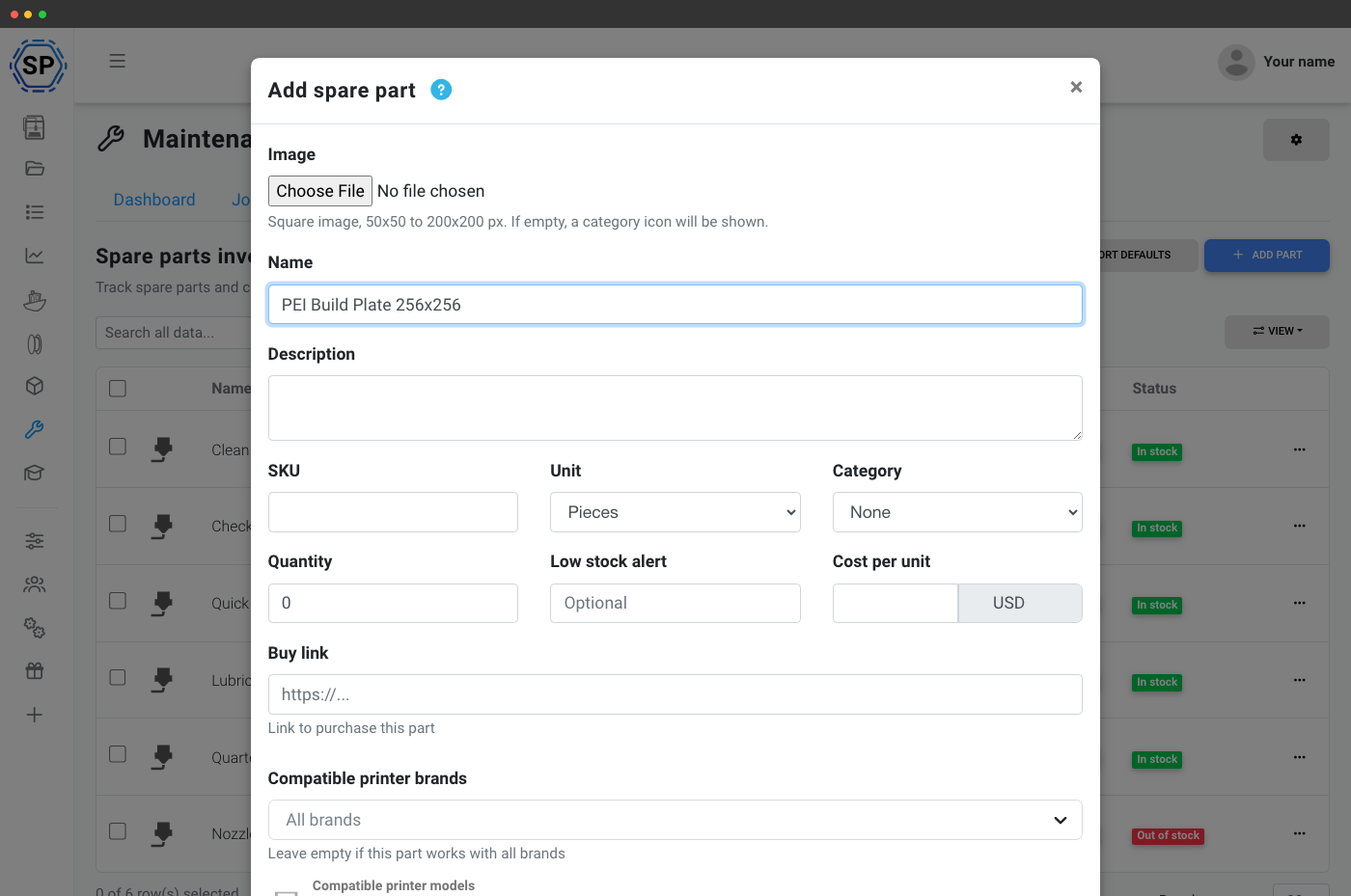
Stop running out of nozzles at the worst possible moment. Track every spare part - nozzles, belts, bearings, PTFE tubes, fans, filters - with stock levels, low-stock thresholds, supplier links and per-part cost. Stock is deducted automatically when a maintenance task that uses it is completed, and refunded if the task is unchecked.
Parts with supplier info
Categories, thresholds, models, suppliers - or import defaults.
Low-stock alerts
OK / Low / Out-of-stock pills with notifications and webhooks.
Designed for teams - even fleets with 20 different operators
Maintenance is rarely a one-person job. Assign jobs to specific team members, assign individual tasks to different people within the same job, set a default responsible user on each task template, and route notifications to the right people automatically.
Five permission levels keep things tidy:
- View maintenance - see jobs, schedules, templates, inventory, problems
- Manage maintenance - create / edit / start / complete jobs and schedules
- Complete tasks - check off tasks in the checklist
- Manage inventory - add / edit / adjust spare parts stock
- Report problems - flag printer issues
A full maintenance history for every single printer
Every printer in your account has its own maintenance profile: status badge, total maintenances, total downtime, next scheduled service, open problems, days since last maintenance, success rate, full job history, every task ever completed (with who and when), every spare part consumed on that machine, and an activity timeline.
The profile also predicts the next maintenance based on your active schedules - even before a job has been created. That makes it easy to spot patterns: the printer that fails 3x more often than the others, the one that goes through nozzles every two weeks, the one that's actually been quietly perfect for six months.
Powered by the same data behind your statistics
Maintenance and statistics are two views on the same numbers
The schedules don't run on a separate ledger. Every minute SimplyPrint spends watching a printer print is also a minute it spends incrementing the maintenance counters: print hours, filament grams, completed prints, failures, cancel reasons. The statistics page is the at-a-glance view; the maintenance schedules are the act-on-it view. Both read the same source of truth, so the moment a metric changes, both pages reflect it.
That's also why turning on AI failure detection, the filament manager, or per-print cost calculation makes maintenance richer too: more signal in, smarter scheduling out.
Running Bambu Lab printers? Maintenance reads HMS notifications
Your printer says "lubricate my rods", SimplyPrint schedules the task
Bambu Lab's HMS (Health Management System) raises codes for issues the printer detects on itself - clogged nozzles, loose belts, dirty Lidar, lubrication due, foreign objects on the heatbed, waste-chute build-up. SimplyPrint ingests every HMS notification from your Bambu fleet and, where a code is mapped to a maintenance template, auto-creates the matching task. No more reading codes off the printer screen and guessing what they mean.
Out of the box, SimplyPrint maps the most common Bambu HMS codes (lubrication, rod / rail cleaning, nozzle clog, build-plate cleaning, waste-chute cleaning, Lidar cleaning, belt-tension checks). You can extend the mapping with your own templates.
Don't start from scratch - import the built-in library
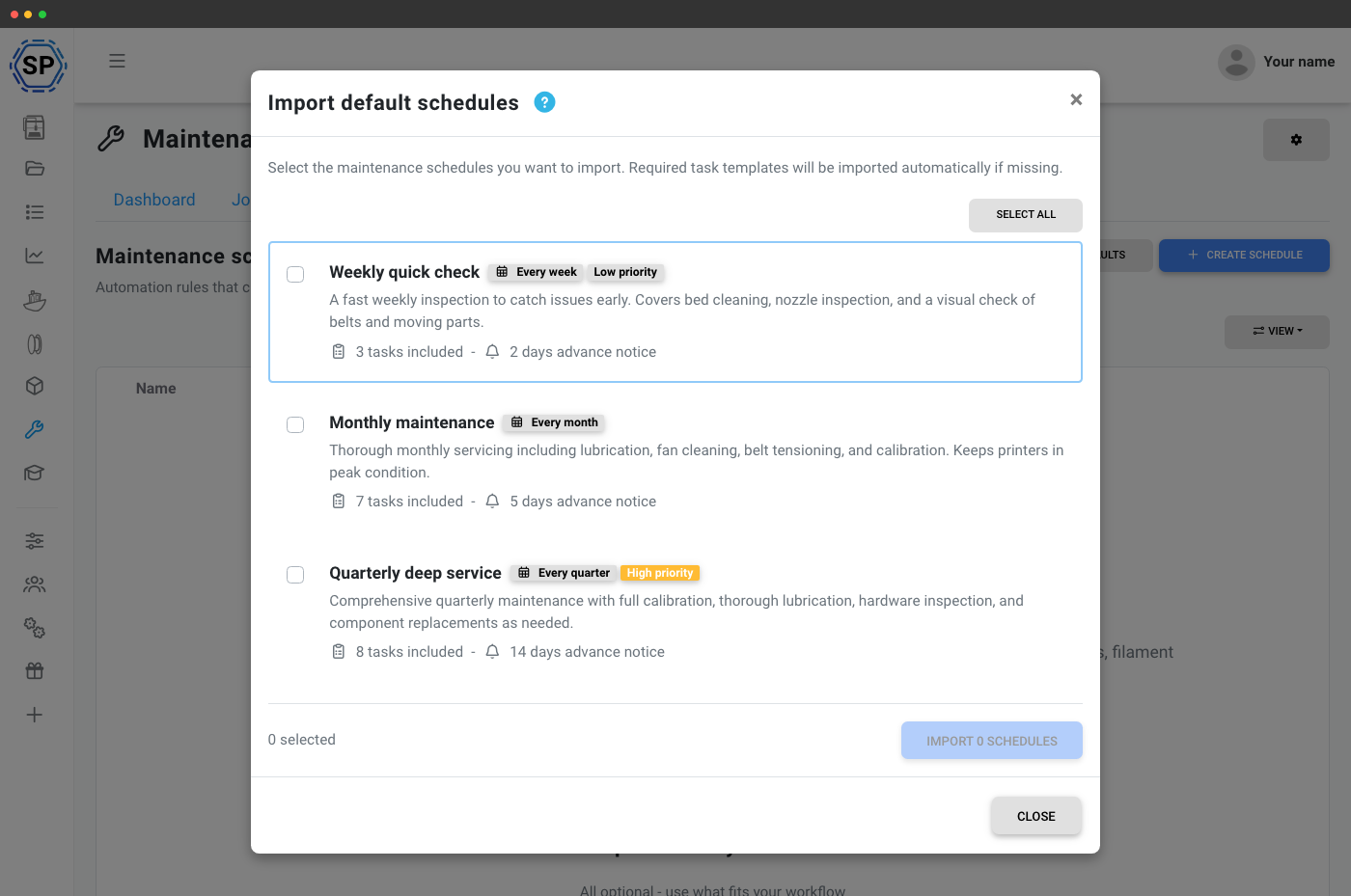
Not sure what maintenance you should be doing? SimplyPrint ships with a library of default task templates, schedules and spare parts you can import in one click. They cover the patterns most farms need:
- Weekly quick check (bed clean, nozzle inspection, belt check)
- Monthly maintenance (lubrication, fan cleaning, calibration)
- Quarterly deep service (full calibration, hardware inspection)
- Annual overhaul (full teardown-level inspection)
- Every 200 / 500 print hours - usage-based
- Every 5 kg of filament, every 100 prints - throughput-based
Plan access: what's required for the maintenance feature?
The full printer maintenance suite is included on Print Farm, Enterprise and School plans - no per-printer surcharge, no separate add-on, no usage caps.
| Feature / Limit | Free | Basic | Pro | Print Farm | Enterprise | School | Cloud Slicer | Filament Manager |
|---|---|---|---|---|---|---|---|---|
|
Printer maintenance
Master toggle for the maintenance dashboard, profiles, and notifications.
|
||||||||
|
Maintenance jobs
Create, assign, schedule and complete work orders for one or many printers.
|
||||||||
|
Task templates
Define reusable maintenance procedures with triggers, spare parts and tool integration.
|
||||||||
|
Maintenance schedules
Automate job creation by time, print hours, filament use, print count, failure count or task thresholds.
|
||||||||
|
Spare parts inventory
Stock tracking, low-stock alerts and automatic deduction tied to maintenance tasks.
|
||||||||
|
Problem reporting
Anyone with permission can report printer issues and link them to maintenance jobs.
|
Want to learn more about our plans?
View full pricing & feature comparison