The companion to the SimplyPrint web panel
Sign in once with the same account you use on simplyprint.io and every printer, camera and notification setting is right there. No extra setup, no separate subscription, no per-device fee. The app is included on every plan from Free to Enterprise.
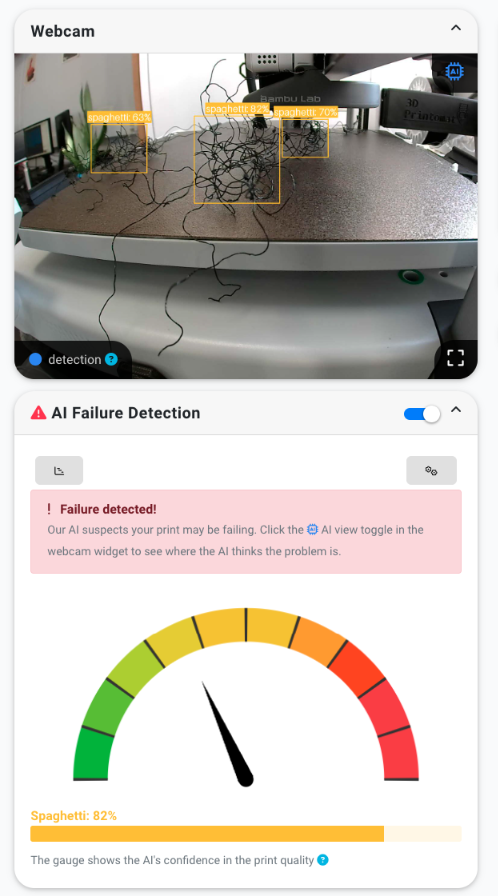
AI failure detection, right on your lock screen
If our AI Failure Detection catches a problem mid-print, the alert lands on your phone with a snapshot of the camera and a confidence gauge. You can pause or cancel the print from the notification itself - no need to unlock the app, fire up a laptop or drive home. The webcam tile updates live, the AI overlay shows where the model thinks the issue is, and a single tap stops the printer before it wastes another hour of filament.
Learn about AI failure detectionPause, cancel and resume in one tap
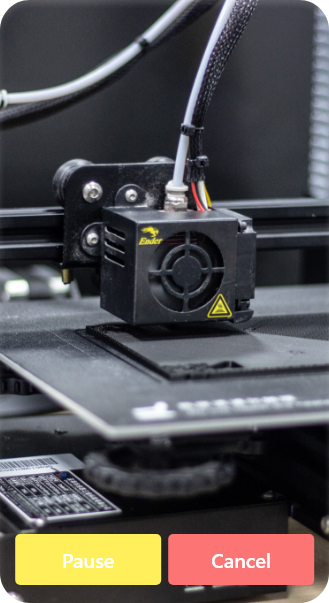
Tap any printer to see its live camera in full screen with Pause and Cancel buttons sitting right under it. Whatever you can do from the web panel - pause mid-print, cancel a failed one, resume after a filament change, preheat the next job - you can do from the app. Pinch to zoom on the camera, rotate to landscape, and keep an eye on the bed while you're on the couch, in a meeting or at the gym.

Push notifications when it matters
Get a notification on your lock screen the moment a print starts, finishes, pauses, is cancelled, runs out of filament or fails. Notifications fire through your phone's native notification system, so they show up even when the app is closed. You choose which events notify you, per printer, and you can mute a single machine without touching the others.
See all notification optionsBuilt for one printer or one hundred
The app scales with your account. Hobbyists watching one printer get a clean home screen with the live camera and a single status row. Print farms and school labs running dozens of machines get the same grouped, filterable list the web panel offers - sort by group, model or state, and jump straight to the printer that needs attention.
Every workspace, on your phone
The app is not a stripped-down viewer. The same workspaces you use on the web - print queue, slicer, history, maintenance, filament inventory and your file library - are on the phone, sized for one-handed use. Screenshots are from the iOS app; the Android app shows the same surfaces.
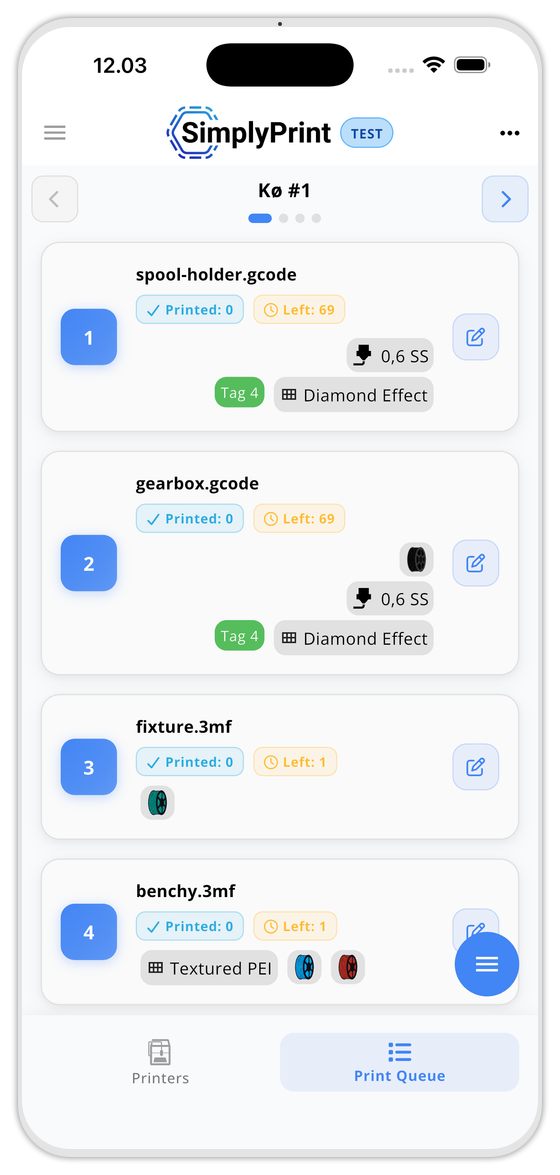
Inspect what's queued, reorder, and approve pending submissions on the go.
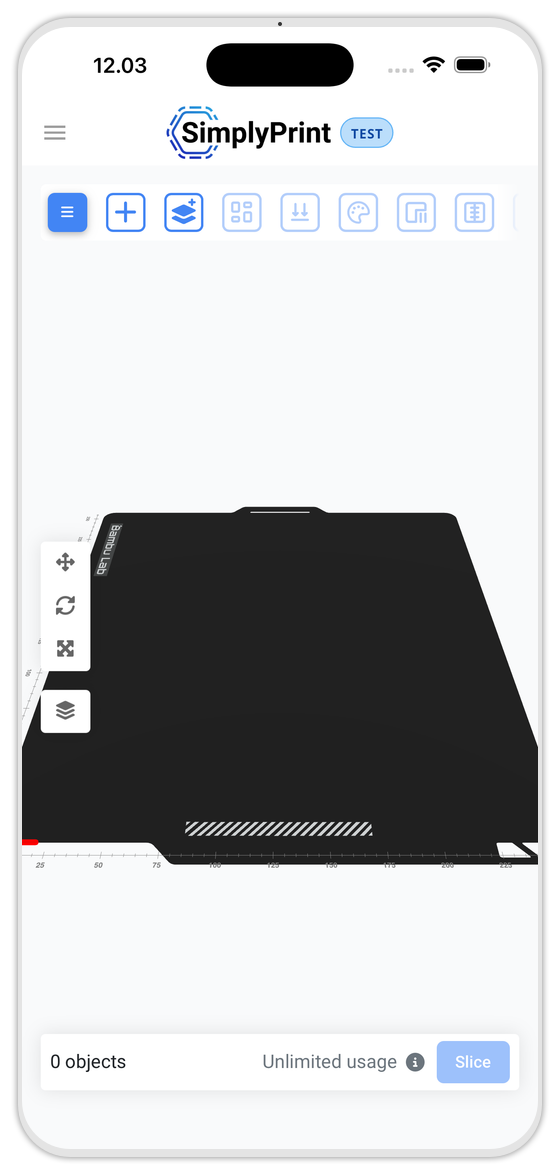
Open a model, slice and send it to the queue without a laptop.
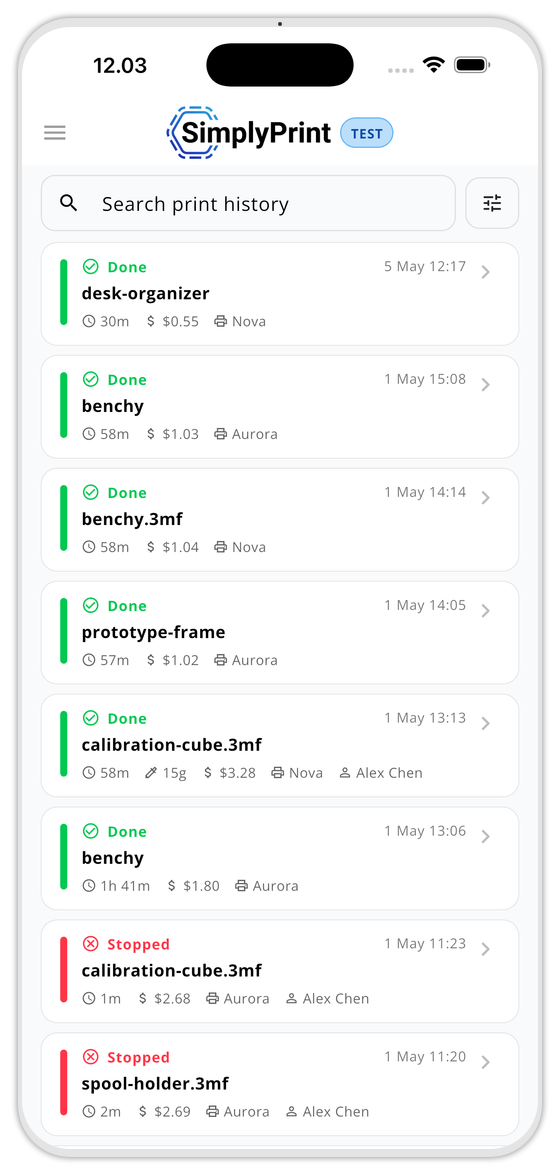
Every completed and stopped print, with cost, duration, printer and operator at a glance.
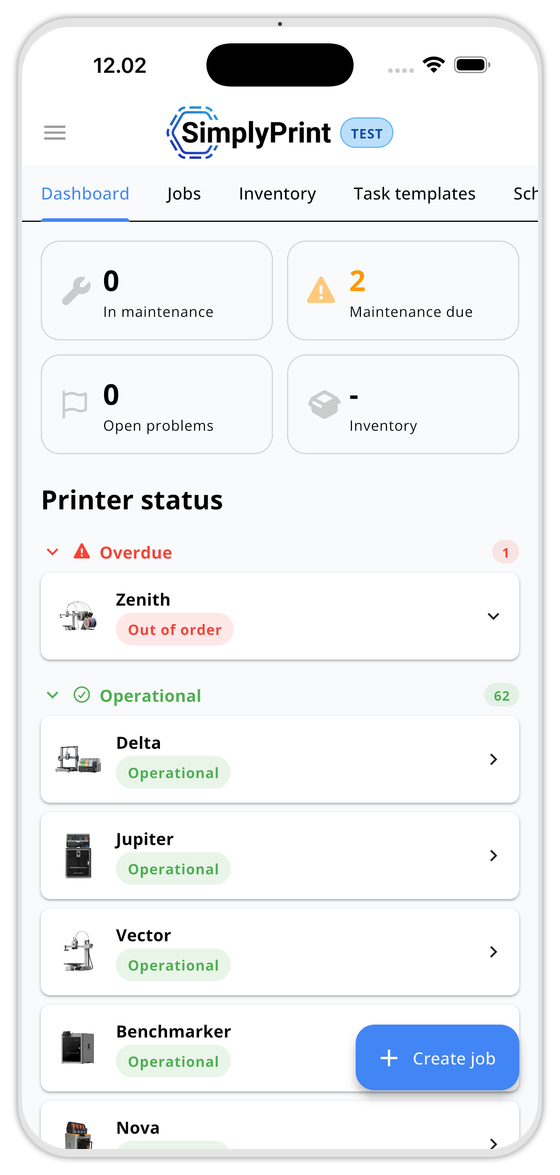
Maintenance KPIs, overdue jobs and printer status. Create a job from the floating button.
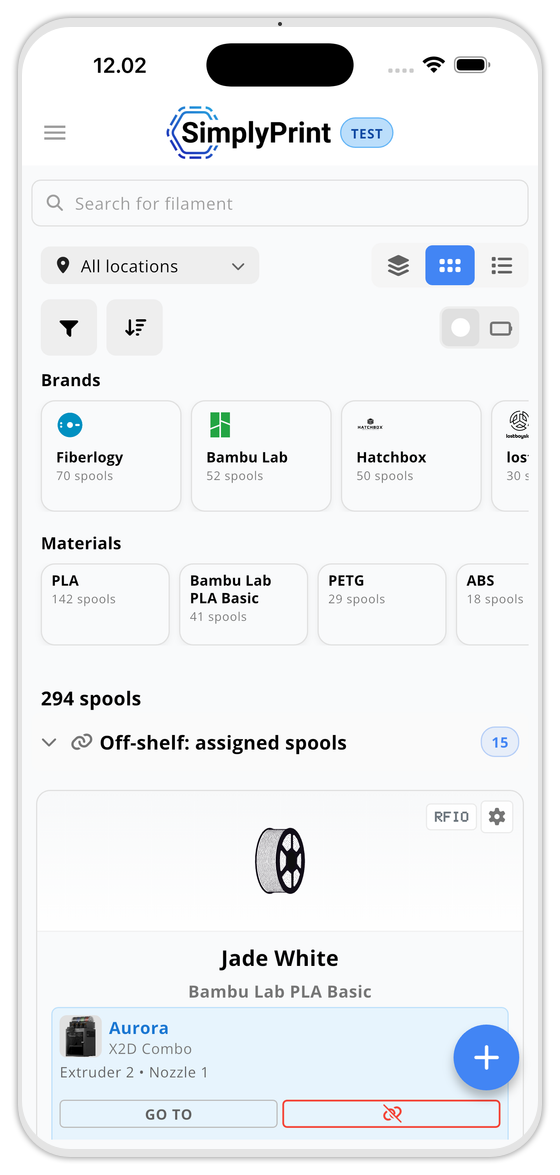
Spool inventory by brand, material and location. Spot the off-shelf rolls before you leave the workshop.
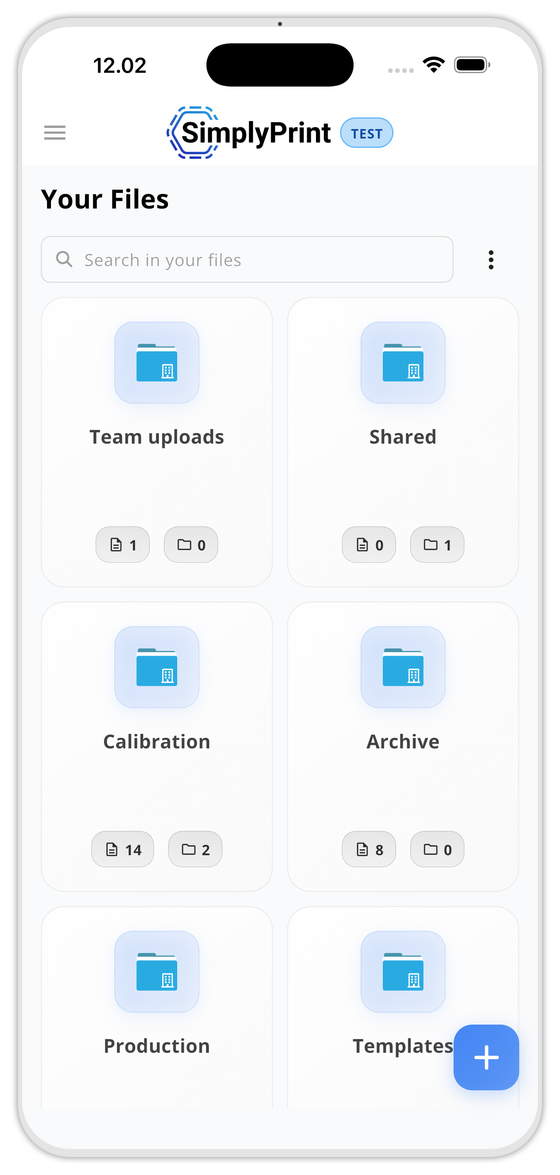
Your folders, shared spaces and templates - browse and send to print from the phone.
Included on every plan, including Free
No app subscription, no per-device fee, no premium tier - the app mirrors whatever your plan unlocks on the web.
Compare plansFrequently asked questions
Does the app cost extra?
Is it on iOS and Android?
Will I get notifications when the app is closed?
Does it work offline?
Does it support multiple printers?
Can I do everything I can do on the web?
What can I do on mobile vs the web panel?
What devices support the app?
Is the app required to use SimplyPrint?
Ready to put your print farm in your pocket?
Free to install, included with every SimplyPrint plan.


Works on iPhone, iPad and Android phones & tablets.