OrcaSlicer forks are branded versions of OrcaSlicer that printer manufacturers ship with their machines. Nearly every major FDM brand now ships one, from Creality to Elegoo to Anycubic. OrcaSlicer itself is a community fork of Bambu Studio, which forks PrusaSlicer, which forks the original Slic3r. The whole family shares one slicing engine, four generations deep. This guide maps the full family tree, lists every brand fork, and explains the one thing the marketing pages avoid: for most printers you do not need the branded fork at all.
The practical takeaway up front: every Orca-family fork runs the same engine and uses the same profile format. So you can usually slice for any of these printers with plain OrcaSlicer, or run the real engine online and skip installing a separate app for every brand. The fork mostly exists to pre-load a profile and add a logo.
What is an OrcaSlicer fork?
A fork is a copy of an open-source program that someone modifies and ships under a new name. OrcaSlicer is open source under the AGPL license. So any manufacturer can take its code, add their printer profiles and branding, and release it as their own slicer. That is exactly what most FDM printer brands did between 2024 and 2026.
A typical brand fork changes very little under the hood. It bundles a ready-to-use profile for the brand's printers, adds a brand cloud login, swaps the logo, and occasionally adds one hardware-specific feature. The slicing engine, the settings, and the G-code output are OrcaSlicer's. That is why a profile exported from one fork almost always imports into vanilla OrcaSlicer with little or no editing. It is a point worth remembering if you ever want to run the engine online instead.
The slicer family tree: Slic3r to OrcaSlicer to brand forks
Every mainstream FDM slicer except Cura descends from one project. Slic3r, released in 2011, is the root. Prusa Research forked it into PrusaSlicer in 2016. Bambu Lab forked PrusaSlicer into Bambu Studio in 2022. The community developer SoftFever then forked Bambu Studio into OrcaSlicer, so the answer to "is OrcaSlicer a fork of Bambu Studio" is yes. Each brand fork below branches off OrcaSlicer (or, for a couple of cousins, off Bambu Studio or PrusaSlicer directly).
Here is the lineage as a chain:
- Slic3r (2011) - the original open-source slicer, now largely retired
- PrusaSlicer (2016) - Prusa's fork of Slic3r, still actively developed
- SuperSlicer - a separate enthusiast fork of PrusaSlicer
- Bambu Studio (2022) - Bambu Lab's fork of PrusaSlicer
- OrcaSlicer - SoftFever's community fork of Bambu Studio
- Brand forks - Creality Print 6+, ElegooSlicer, Anycubic Slicer Next, Orca-Flashforge, Snapmaker Orca, Sovol-OrcaSlicer, all forked from OrcaSlicer
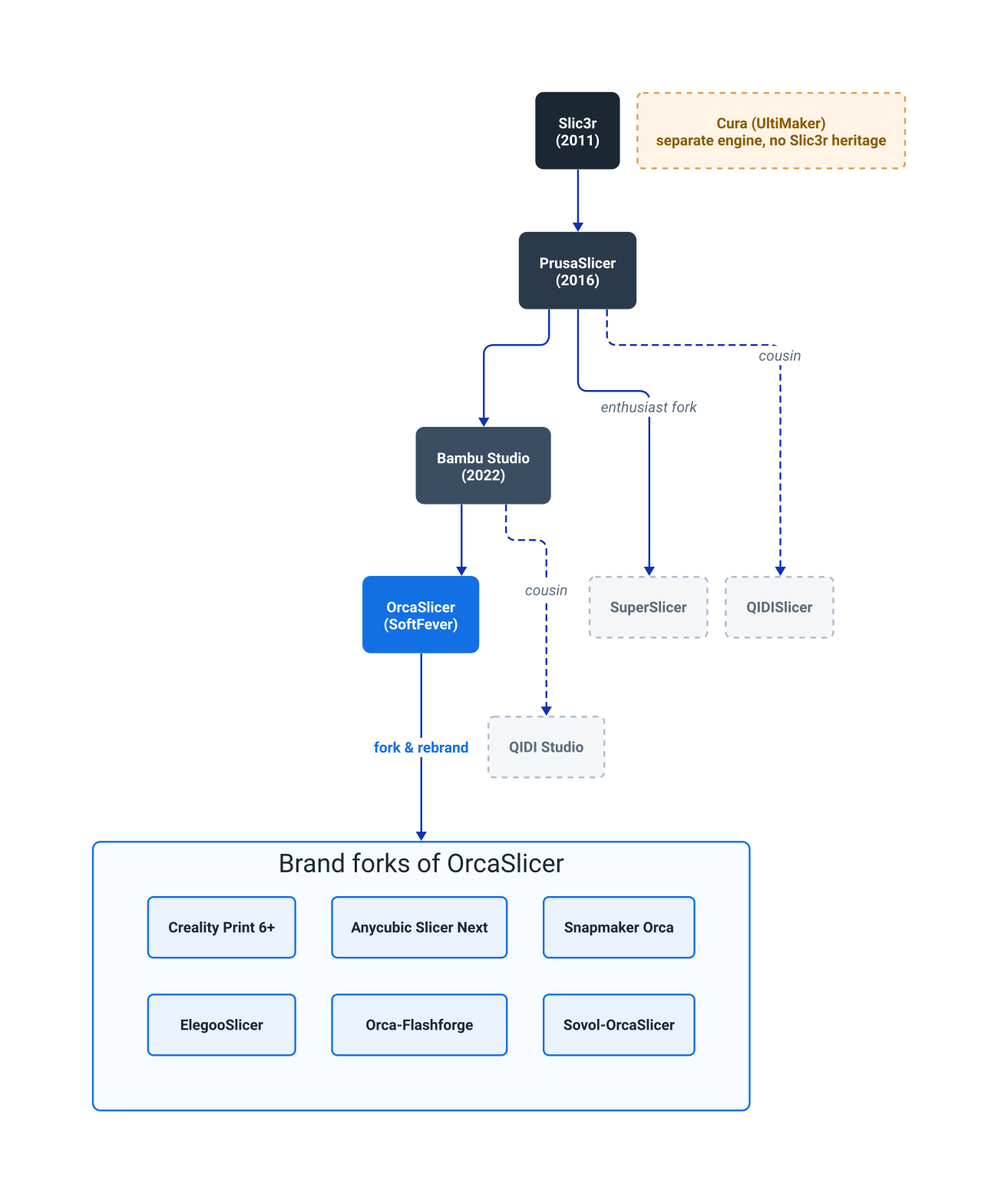
Cura, made by UltiMaker, is the one big exception. It uses a completely separate engine (CuraEngine) with no Slic3r heritage, which is why Cura profiles do not import into any Orca-family slicer. Knowing which side of this split a slicer sits on tells you instantly whether its profiles will travel.
Every OrcaSlicer fork, compared
The table below is the practical OrcaSlicer fork list: the current brand slicers, what they fork, what each one actually adds on top of OrcaSlicer, and whether a typical user needs it. The honest answer in the right-hand column is "not really" far more often than the brands would like.
| Brand slicer | Based on | What it adds over OrcaSlicer | Do you need it? |
|---|---|---|---|
| Creality Print 6+ | OrcaSlicer | Creality printer profiles, Creality Cloud login | Optional - vanilla Orca works fine |
| ElegooSlicer | OrcaSlicer | Centauri Carbon / Neptune profiles, Elegoo cloud | Optional - profiles import to Orca |
| Anycubic Slicer Next | OrcaSlicer | Kobra profiles, Anycubic Cloud, Skip Part | Optional for most prints |
| Orca-Flashforge | OrcaSlicer | Adventurer 5M / AD5X profiles, LAN/WAN pairing | Useful for AD5X multicolor pairing |
| Snapmaker Orca (beta) | OrcaSlicer | U1 toolchanger + Full Spectrum color blending | Needed for U1 Full Spectrum work |
| Sovol-OrcaSlicer | OrcaSlicer | Tuned SV08 / SV06 profiles | Optional - just import the profile |
| QIDI Studio | Bambu Studio | QIDI machine profiles, Fluidd monitoring | Cousin, not an Orca fork |
| QIDISlicer | PrusaSlicer | Klipper high-speed QIDI profiles | Cousin, not an Orca fork |
Two notes that the SERP usually gets wrong. First, if you are wondering "is Creality Print OrcaSlicer", the answer for the current version is yes. Creality Print is an Orca fork, not a Cura fork. Only the retired Creality Slicer was Cura-based, confirmed in Creality's own repository. Second, QIDI is not an Orca fork: QIDI Studio forks Bambu Studio and QIDISlicer tracks PrusaSlicer, so they are cousins on the same family tree rather than children of OrcaSlicer.
Do you actually need your printer's branded fork?
For most printers, no. The branded fork's main job is to save you one step: loading the right printer profile. If you already have OrcaSlicer installed, you can add almost any of these machines by importing the brand's printer and filament profile. The vendor publishes that profile on GitHub, MakerWorld, or Printables. From then on the experience is identical, because it is the same engine.
There are a few genuine exceptions where the fork matters:
- Snapmaker U1 Full Spectrum color blending is a fork-only feature, not in vanilla Orca yet
- Orca-Flashforge handles the AD5X's pairing and multi-material flow more smoothly out of the box
- Brand cloud printing (Creality Cloud, Anycubic Cloud) only works from the matching fork
If none of those apply to you, the branded download is a convenience, not a requirement. Many farm and classroom operators skip it entirely and standardize on one slicer, so every machine follows the same settings. That is far easier when you are not juggling six near-identical desktop apps. You can read more about how the OrcaSlicer engine runs unmodified in the cloud if that approach appeals.
Why so many brands forked OrcaSlicer
The wave of brand forks happened for a specific reason. Before 2024, many budget FDM brands shipped a rebadged copy of Cura, because Cura was the mature, permissively documented slicer of the 2010s. OrcaSlicer changed the calculus. It had better calibration tools, native pressure-advance and Klipper support, and a modern interface. Its AGPL license also let any brand ship it for free, as long as they shared their source changes.
So within about two years, Creality replaced its Cura-based Creality Slicer with the Orca-based Creality Print. Anycubic moved from the PrusaSlicer-based AnycubicSlicer to the Orca-based Anycubic Slicer Next. Elegoo, FlashForge, Snapmaker, and Sovol all shipped Orca forks for their CoreXY machines. Even Bambu Lab, whose Bambu Studio is OrcaSlicer's direct parent, sits on the same tree.
There has been friction. Bambu Lab and the OrcaSlicer project have had public licensing tension over how Bambu Studio code is reused, a reminder that "open source" and "freely brandable" are not the same thing. The maintainers track these issues openly on the OrcaSlicer GitHub repository, which is the authoritative place to confirm what is and is not part of the upstream engine.
Are OrcaSlicer forks profile-compatible with each other?
Mostly, yes, and this is the most useful practical fact in the whole family tree. Every Orca-family fork shares the same engine and the same JSON profile structure. So a printer or filament profile exported from one fork usually imports into vanilla OrcaSlicer cleanly, or with only a few settings to confirm. A tuned Sovol SV08 profile, an Elegoo Centauri Carbon profile, or a Creality K2 profile will all load into plain Orca.
The limits are worth stating plainly:
- Orca to Orca: profiles transfer cleanly between any Orca-family forks
- PrusaSlicer to Orca: Orca can import many Prusa settings, but not as a drop-in
- Bambu Studio to Orca: very close, since Bambu Studio is Orca's parent
- Cura to anything Orca: does not transfer, different engine
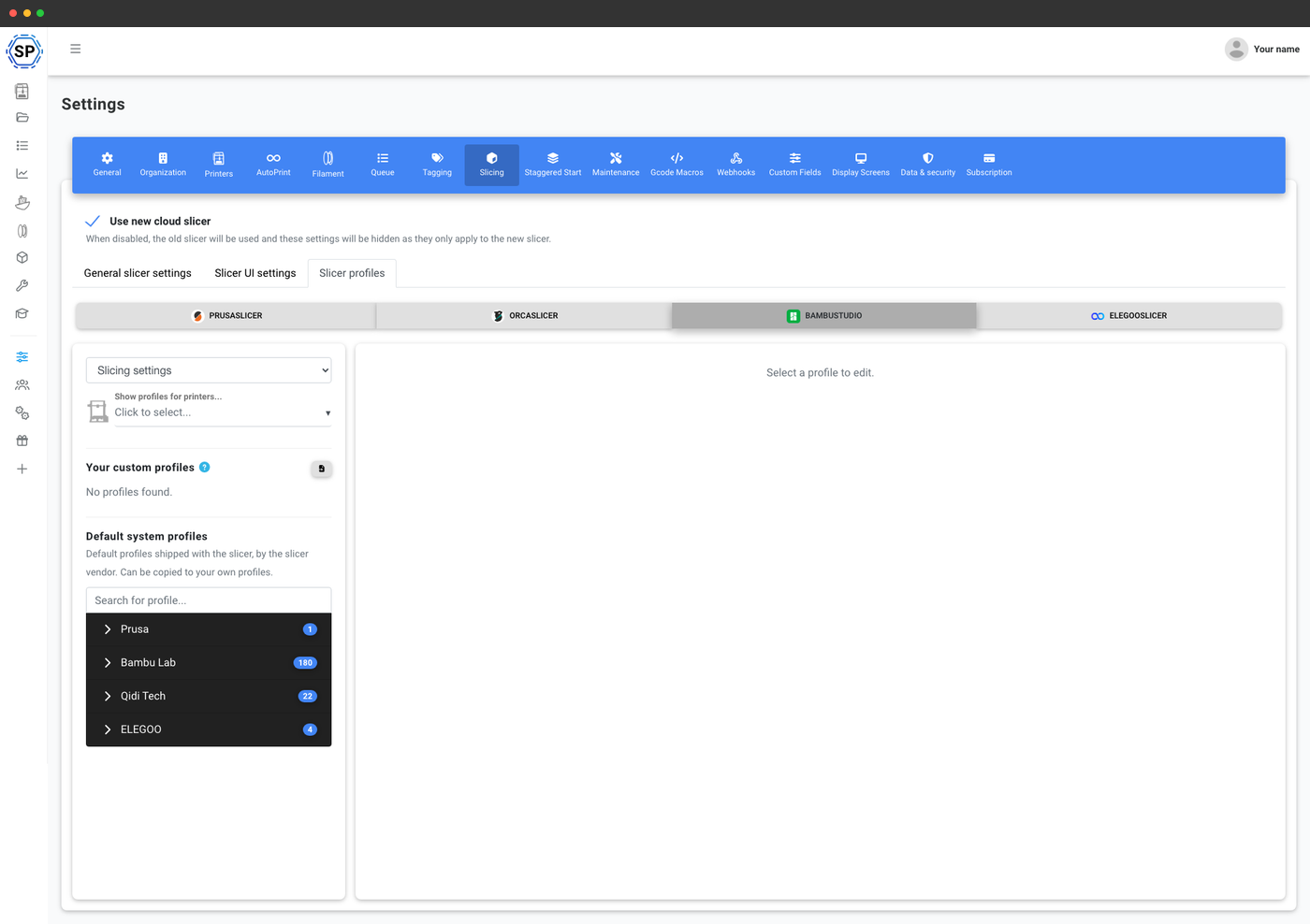
This is also why running the engine online makes sense for a fleet. When you slice in the SimplyPrint cloud slicer, you are using the unmodified OrcaSlicer, PrusaSlicer, BambuStudio, ElegooSlicer, and CrealityPrint engines through their official command-line interface. Your existing brand profiles carry over, and one tuned profile can be shared across every printer in a farm or classroom. Slicing on a Chromebook or tablet works the same way, as covered in the guide to slicing online on a Chromebook.
Run all six engines online, with zero install
If you own printers from more than one brand, installing a separate fork for each one is a lot of duplicated software that all does the same job. There is a simpler option: run the canonical engine once, in your browser, and import each brand's profile into it.
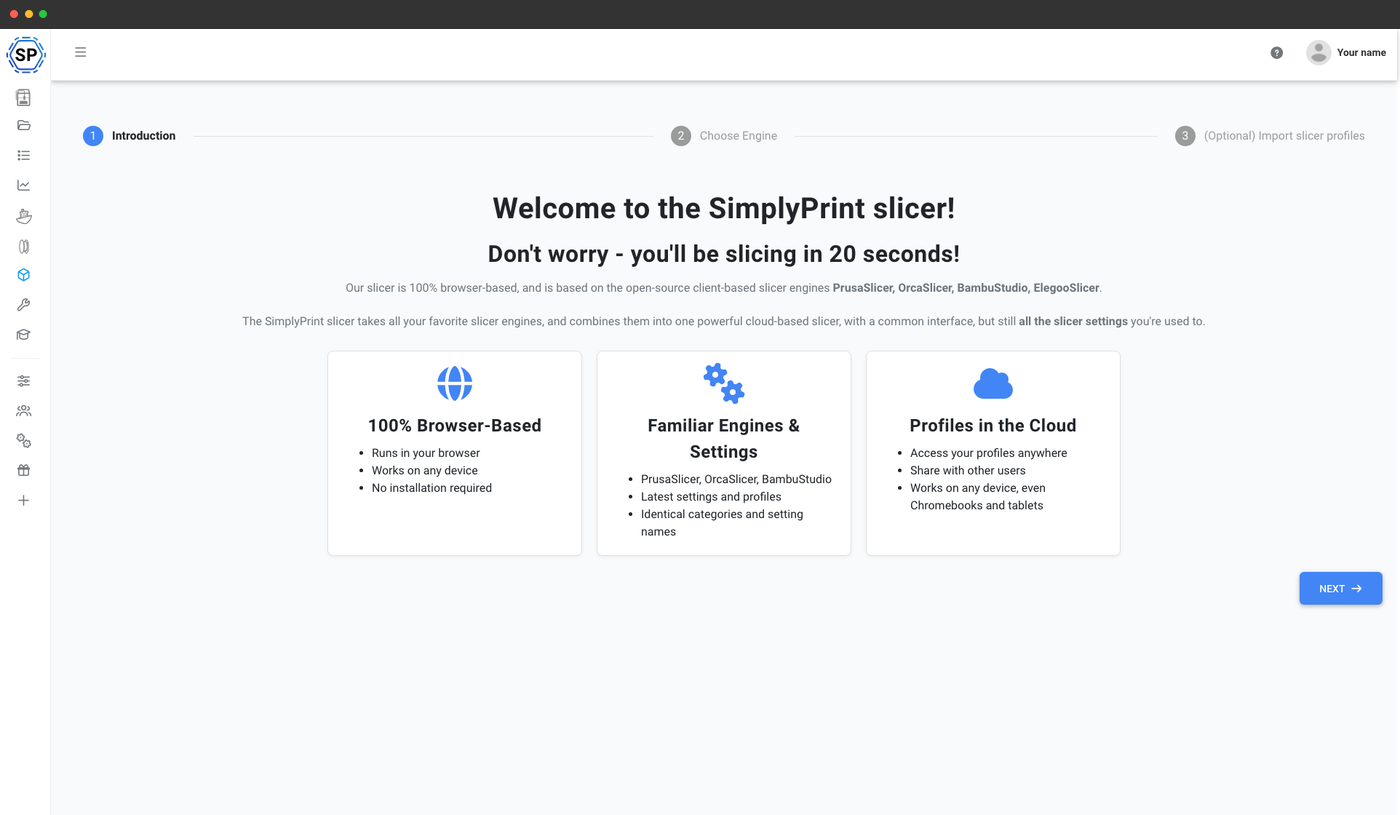
That is exactly what SimplyPrint does. It runs the real, unmodified engines server-side, so you can slice for a Creality, an Elegoo, an Anycubic, and a Bambu machine from one browser tab without downloading anything. Every engine in the family tree above is available, free, with nothing to install, and so is Cura, the one engine from outside the tree:
- OrcaSlicer, online - the full OrcaSlicer engine in any browser
- PrusaSlicer, online - the grandparent of the whole family, cloud-based
- Bambu Studio, online - OrcaSlicer's parent engine, no desktop app needed
- ElegooSlicer, online - the Elegoo Orca fork, in the browser
- Creality Print, online - the Creality engine, without the download
- Cura, online - the one big non-Orca engine, in the same browser tab
The G-code is identical to the desktop fork, because it is the same engine. A profile you tune once can be pushed to every machine on your account, so a mixed-brand fleet runs one slicer setup instead of a dozen. There is no "which fork do I install" question when every engine lives in the same tab.
The branded fork still has its place. For a single-brand workshop that wants the vendor's cloud features, or for a hardware-specific tool like Snapmaker's Full Spectrum mode, downloading the fork from the manufacturer is the right move. For everyone else, the family tree has a simpler ending: it is all OrcaSlicer underneath, so you can pick the setup that fits how many printers you run, not how many logos you want to install.