Anycubic ACE filament manager

Tag any spool for the Anycubic ACE Pro

The Anycubic ACE Pro reads NFC tags to identify spools. SimplyPrint writes ACE-format tags for any filament - even non-Anycubic brands - so the box recognizes them, and reads back ACE-tagged spools when you scan.

View NFC filament tags overview Get started for free More info & how-to
Feature image

One ecosystem, any filament

Anycubic's ACE (Anycubic Consumable Ecosystem) box reads NFC tags to know which spool is loaded. SimplyPrint lets you write that same tag format onto any spool you own, so the ACE Pro accepts it.

Not locked to Anycubic filament

The ACE Pro validates a SKU field on each tag before it trusts the spool. SimplyPrint automatically generates a valid SKU from the spool's material type, so every tag you write is accepted - whatever brand the filament actually is.

How it works

Three steps to a spool the ACE Pro recognizes.

Pick the spool

Choose any spool in your SimplyPrint filament records - material type, full RGB color, nozzle and bed temps, diameter, length and weight are all on file.

Write the ACE tag

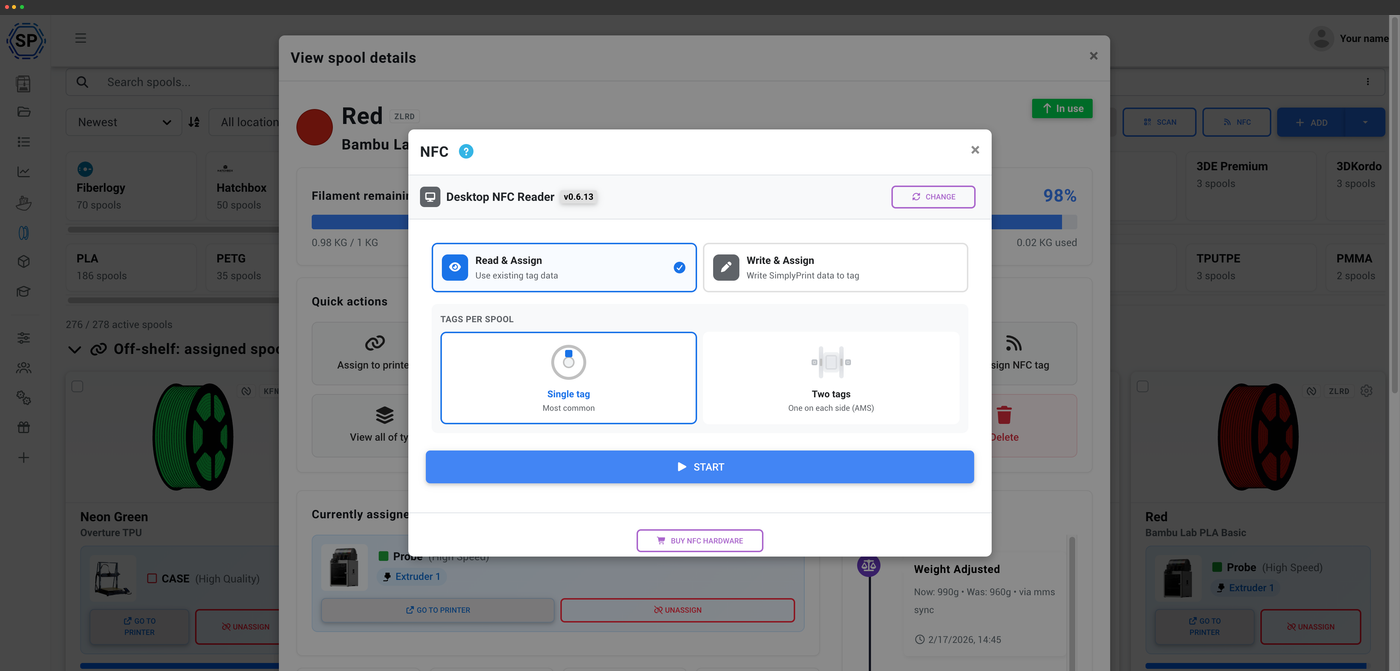
Hold a blank tag to the SimplyPrint mobile app (iOS and Android) or the desktop NFC Agent with a USB reader. The ACE format is written as raw page data, no encryption.

Load and scan

Load the spool into the ACE Pro - it reads the tag and identifies it. To assign it in SimplyPrint after loading, a quick scan is all it takes.

What's stored on the tag

Each ACE tag carries the SKU (the product code the ACE Pro validates), a brand code, material type, full RGB color, min and max nozzle temps, min and max bed temps, diameter, length and weight. Material type is free-form up to a short code.

Which tags work

MIFARE Ultralight C is the native ACE tag, and NTAG216, NTAG215 and NTAG213 all work too. Data is written as raw page data with no encryption, so writing is fast and reliable.

Usage tracks itself

Filament usage is deducted automatically from your G-code whether or not a spool carries a tag. The tag just makes identifying the right spool a one-second scan instead of a manual pick.

How automatic tracking works

Plan access: what's included?

The filament manager is on every plan. NFC tag writes are metered by a monthly consumable.

Feature / Limit Free Basic Pro Print Farm Enterprise School Cloud Slicer Filament Manager
Filament manager
Spool records and automatic usage deduction, on every plan including Free.
NFC tag writes per month
How many NFC tags you can write to spools each month.
10 30 100 10

Want to learn more about our plans?

View full pricing & feature comparison

Frequently asked questions

Yes. The ACE Pro validates a SKU field on the tag, and SimplyPrint automatically generates a valid SKU from the spool's material type, so a tag you write for any brand is accepted.
MIFARE Ultralight C is the native ACE tag. NTAG216, NTAG215 and NTAG213 also work. The data is written as raw page data with no encryption.
Use the SimplyPrint mobile app on iOS or Android, or the desktop NFC Agent with a USB NFC reader. Web NFC is not used for writing the ACE format because it needs raw page writes.
The ACE syncs its loaded material and color to SimplyPrint through the SimplyPrint Client. What it can't do is auto-create or auto-assign the exact inventory spool, because the ACE doesn't report a per-spool ID - so you assign the spool yourself after loading, a quick scan with a tag. Hands-free auto-assign needs a per-spool ID, which only Bambu Lab spools send today.
Yes. SimplyPrint deducts filament usage automatically from your G-code whether or not the spool carries a tag. The tag only speeds up identifying which spool is loaded.
The SKU the ACE Pro validates, a brand code, material type, full RGB color, min and max nozzle temps, min and max bed temps, diameter, length and weight. The ACE format was reverse-engineered by the community (DnG-Crafts, github.com/DnG-Crafts/ACE-RFID).

Table of Contents