Setting up SimplyPrint on FLSUN T1 Max
Easy steps to connect your FLSUN T1 Max 3D printer to SimplyPrint.
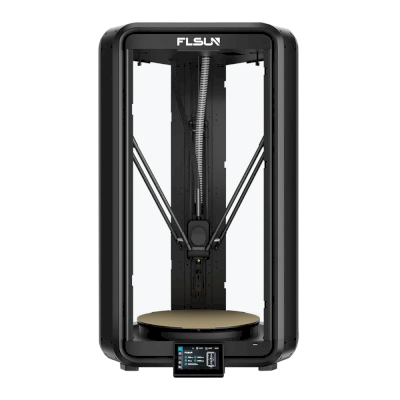
You'll need to use something called "SSH" to run a few commands.
We know — we wish we could skip this part too. But your device doesn't give us a simpler option. The good news: it's just copying and pasting. If you can follow instructions, you can do this.
Your printer manufacturer doesn't provide a simpler way for platforms like SimplyPrint to connect. SSH is how we work around that limitation to give you the features you need.
You'll run a few commands that we provide - mostly just copy and paste. No coding required.
Some FLSUN T1 and S1 printers ship with outdated SSL certificates, which may prevent SimplyPrint from connecting properly. To fix this, you just need to run a quick command on your printer via SSH.
Yes, this is the annoying technical part. We're sorry — we've tried everything to avoid it, but your device simply doesn't give us another option.
But here's the thing: it's easier than it looks. You're just going to copy-paste a few commands. That's it. Pick your computer type below and follow the steps — we'll walk you through every click.
192.168.1.42).
Do not include http://, slashes, or port numbers.
ssh username@ip-address
ssh [email protected]
yes and press Enter
ssh username@ip-address
ssh [email protected]
yes and press Enter
ssh username@ip-address
ssh [email protected]
yes and press Enter
ssh username@ip-address
ssh [email protected]
yes and press Enter
ssh-keygen -R <ip-address>
While there are SSH apps available for Android and iOS, we recommend using a computer for SSH connections. A proper keyboard and screen make typing commands much easier.
[ip-address] with your printer's IP:ssh pi@[ip-address]
Example:
ssh [email protected]
1
(yes, the password is just "1" by default)
(it won't show as you type, just press ENTER)
Once connected to your printer, paste this one-liner and press ENTER:
wget -qO- https://download.simplyprint.io/flsun/flsun-ssl.sh | sudo bash
This is a small script made by us to update the certificates to allow your printer to connect to our servers.
If no errors are shown when running the command, the update worked.
Continue to the next step to enable SimplyPrint inside of your printer's web panel (Mainsail/Fluidd).
Thousands complete this setup every week. Follow each step carefully - most issues come from skipping ahead.
You're now ready to connect your printer and start using SimplyPrint.
Create your free account