
Printpal.io
Send 3D models from Printpal.io's model library straight to your SimplyPrint account in one click
Browse Printpal.io Read the full setup guide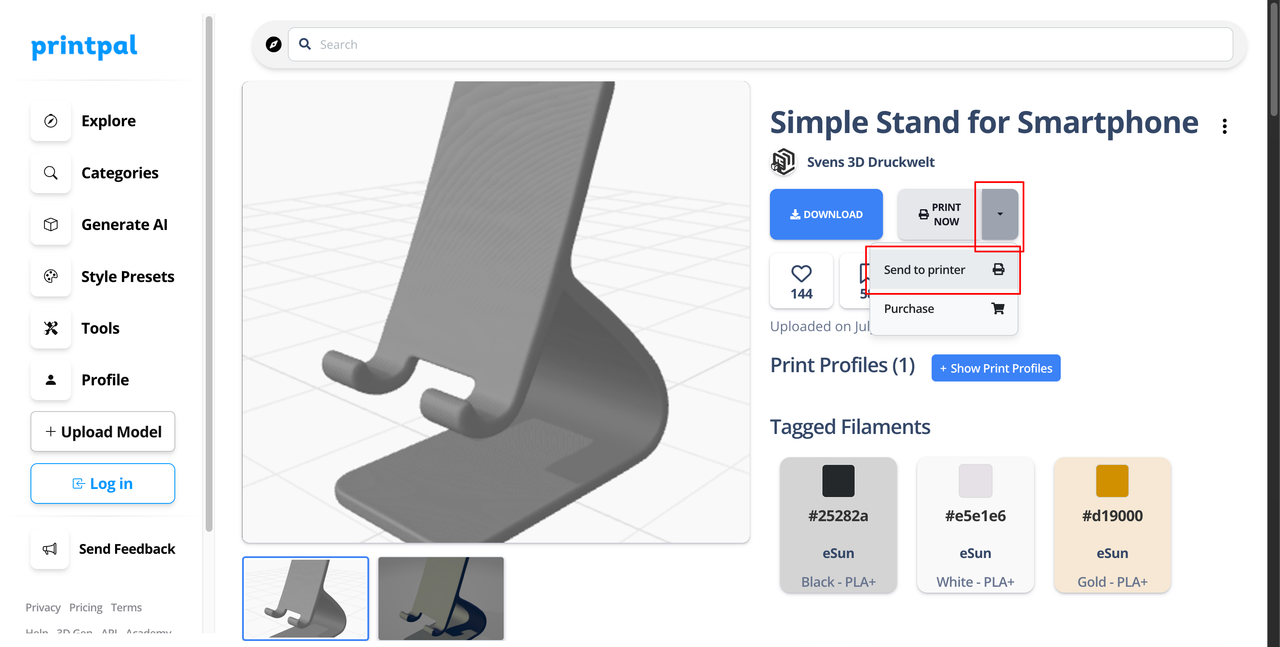
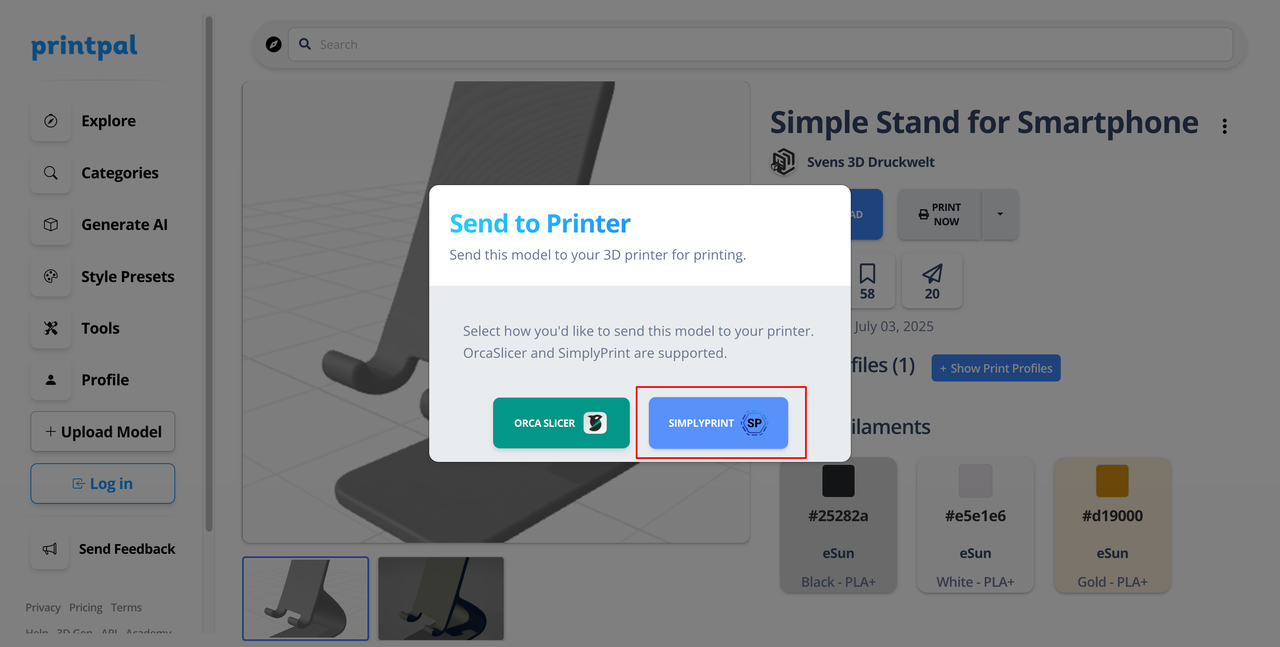
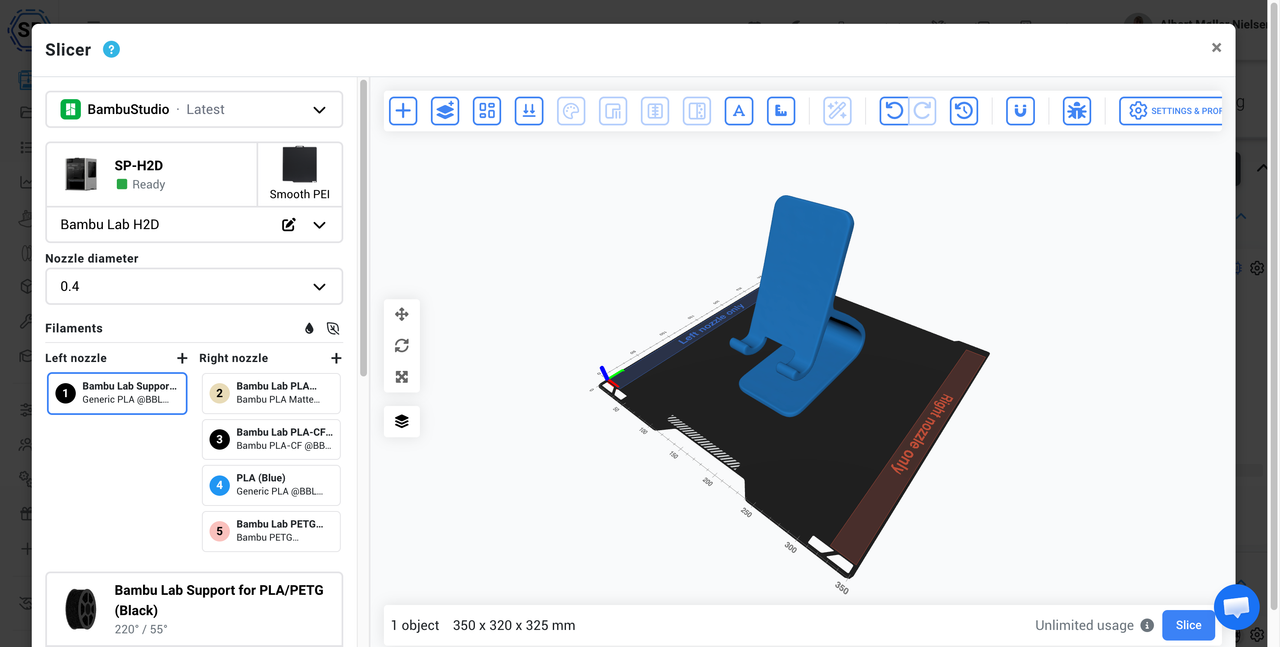
Send 3D models from Printpal.io's model library straight to your SimplyPrint account in one click
Browse Printpal.io Read the full setup guide
With the SimplyPrint + Printpal.io integration, you can browse Printpal's 3D model library and send any model to your SimplyPrint account with a single click - no downloading, no re-uploading.
The integration is built into Printpal.io, so there's nothing to install. Pick a model, hit Send to printer, choose SimplyPrint, and the file lands in your SimplyPrint files ready to slice or print.
Full setup steps and troubleshooting are in the help desk article.
Integration for SimplyPrint allows for applications to interact with your 3D printers, and your 3D printers to interact with other applications. This allows for endless possibilities, and we strongly believe that your 3D printer should be able to function as an IOT device, working together with any and all applications you can imagine!
This is why the team behind SimplyPrint work to provide official integrations for the most popular platforms, slicer and applications, while also allowing our users to create custom integrations using our API, or for approved third party vendors to create integrations to be used by all SimplyPrint users, using a "Log in with SimplyPrint" method (using the "OAuth2" method).
If you're a developer interested in creating an integration for SimplyPrint, please read our documentation on the subject.
If you're not a developer yourself, but would like to see an integration for a specific application, go check if it's already on our roadmap or suggestion list, and if not, feel free to suggest it!