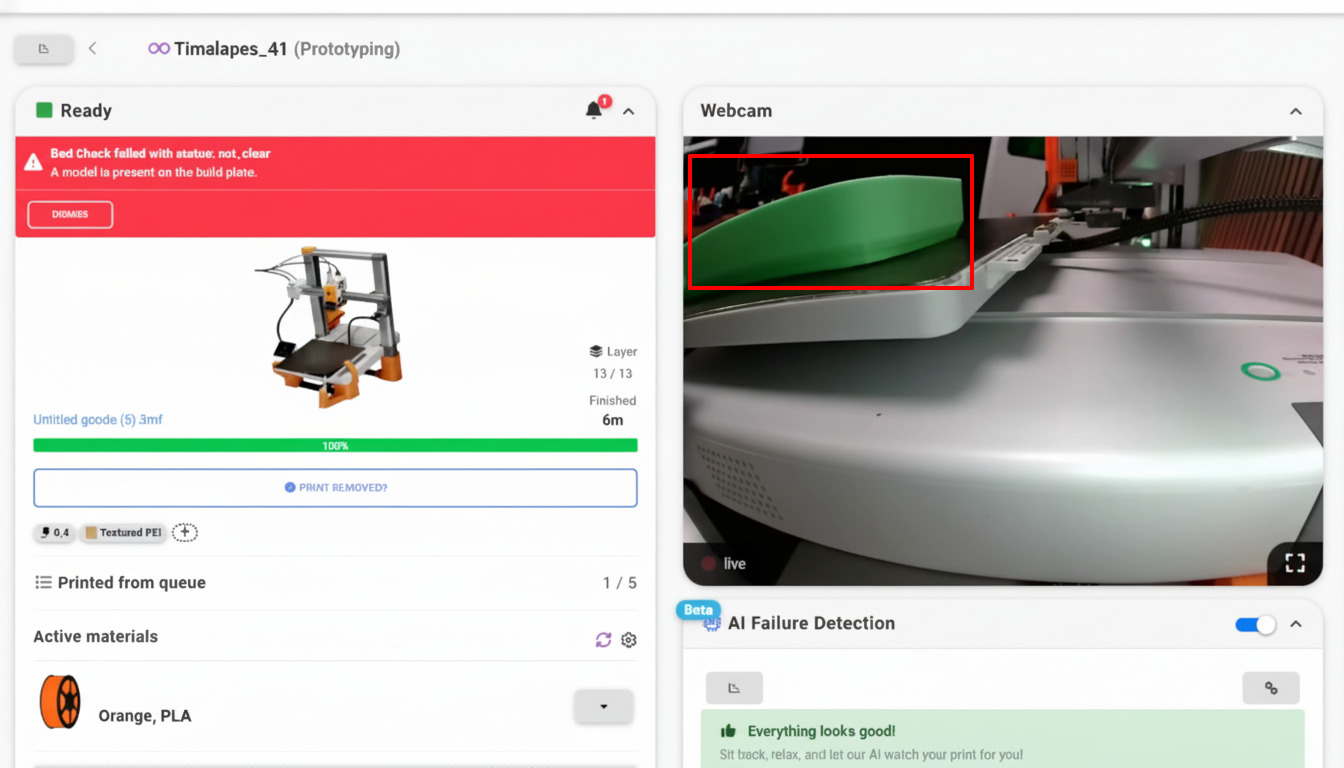
However the bed gets cleared, AI confirms it's really clear
Bed clearing - whether by hand, by a hardware mod like FarmLoop, or by your own gcode macro - can occasionally fail: a part sticks, a plate is put back wrong, or someone forgets. AI bed check is the camera-powered check that catches it before the next print starts, so unattended printing stays safe. It's currently in beta and free to use as part of AutoPrint.
What is AI bed check?
AI bed check is a safety and verification step for AutoPrint. After a print finishes and the bed is cleared, SimplyPrint sends a frame from your printer's camera to our bed-check AI, which decides whether the plate is empty and correctly seated. If it isn't, AutoPrint is paused and the next job is held back until the bed is genuinely ready.
It's deliberately lenient about the things that don't matter - a tiny, inconsequential bit of stray filament won't block a print - while still catching a whole leftover part, a missing plate or one that's been put back off-center. That makes it especially useful for plate swappers, where the wrong or misaligned plate is exactly the kind of mistake that ruins a print.
What the AI can see
Every check returns one of four results, and AutoPrint reacts to each automatically.
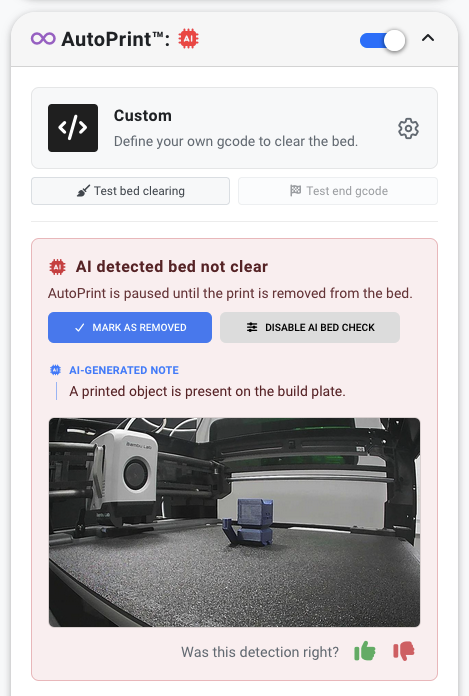
When the bed isn't clear, AutoPrint pauses
You stay in control
If the AI decides the bed isn't ready, the AutoPrint widget shows an AI detected bed not clear card telling you AutoPrint is paused until the print is removed from the bed, with an AI-generated note explaining what it saw. From there you can hit Mark as removed to tell SimplyPrint the bed is clear and let AutoPrint carry on, or Disable AI bed check to jump straight to the setting. Every detection has a thumbs up / thumbs down so you can tell us when it got it right or wrong, and the model keeps improving.
How to turn on AI bed check
It's a single toggle inside your AutoPrint settings - turn it on per printer, or roll it out across a model or your whole account.
What you need to use it
AI bed check only runs for AutoPrint-managed prints - it doesn't apply to prints you start manually.
Stacks on top of any clearing method
AI bed check doesn't replace your clearing method, it backs it up. Run it alongside manual mode, a hardware mod like FarmLoop or your own bed-clear gcode, and whichever path you use, the AI gives the final yes/no before the next print starts. FarmLoop can even run AI bed clear detection, powered by SimplyPrint, to confirm the push-off worked.
Plan access: what plan do I need?
AI bed check runs through AutoPrint. It's currently in beta and free to use as part of AutoPrint, and may become a separately paid add-on in the future - we'll be upfront when that changes. AutoPrint is included on Pro as 1 license (up to 5 total), and unlimited on Print Farm, Enterprise and Education.
| Feature / Limit | Free | Basic | Pro | Print Farm | Enterprise | School | Cloud Slicer | Filament Manager |
|---|---|---|---|---|---|---|---|---|
|
AutoPrint licenses
AI bed check is part of AutoPrint - each printer running AutoPrint uses one license.
|
1 included Up to 5 total · $3.00/mo per extra license |
Want to learn more about our plans?
View full pricing & feature comparisonFrequently asked questions
What does AI bed check actually check?
Do I need a camera?
Does it work on prints I start manually?
Is it safe for overnight or lights-out printing?
What happens if the AI isn't sure?
How is this different from AI failure detection?
Is it free?
Learn more
The full guide and the wider bed-clearing workflow.