Setting up SimplyPrint on Flashforge AD5X
Easy steps to connect your Flashforge AD5X 3D printer to SimplyPrint.
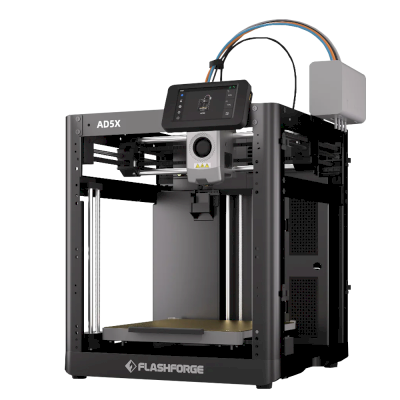
Your Flashforge Adventurer 5X requires custom firmware to work with SimplyPrint.
We know that sounds technical — and it is one of the more involved setups — but we've worked hard to make it as straightforward as possible.
Some printer manufacturers don't provide an easy way for platforms like SimplyPrint to communicate with their printers. The community has developed alternative firmware that unlocks these capabilities.
Yes! The firmware is developed by active communities, can typically be removed, and preserves your printer's core functionality. You can usually roll back or factory reset if needed.
Some manufacturers may consider custom firmware a warranty modification. The risk is low — to date, we haven't had a single known case of a SimplyPrint user damaging their printer or being denied warranty repair because of this setup.
That said, it's ultimately your choice to proceed.
Estimated time: 15–30 minutes
We'll guide you through every step.
SimplyPrint support for the AD5X via ZMOD is experimental: it's been confirmed by a couple of users but is not tested in-house. Some features like material mapping may not work or are unknown.
Welcome to the Flashforge AD5X setup guide for SimplyPrint (via ZMOD).
This guide helps you bring a Moonraker web interface (Fluidd/Mainsail) to the stock Klipper on your AD5X using the ZMOD project. For full details, refer to the official resources below.
What you'll need:
Important notes:
ZFLASH macro. See the ZMOD wiki for steps. .tgz you download; checksums are listed on the ZMOD README. AD5X-zmod-*.tgz). After a successful install, ZMOD exposes a Klipper web UI (Fluidd/Mainsail) and Moonraker on your printer.
Once on your network, access the UI in a browser:
http://[printer-ip]/ (port 80) http://[printer-ip]:7125 Replace [printer-ip] with the printer’s IP address (check your router).
If the stock camera does not stream reliably or does not appear in SimplyPrint, enable the alternative camera implementation in ZMOD:
CAMERA_ON macro (ZMOD). This alternative camera uses fewer resources and allows resolution changes.
LANG macro (EN/DE/IT/FR/ES/ZH/JA/KO). Now, proceed to the next step to enable SimplyPrint on your AD5X.
You're now ready to connect your printer and start using SimplyPrint.
Create your free account