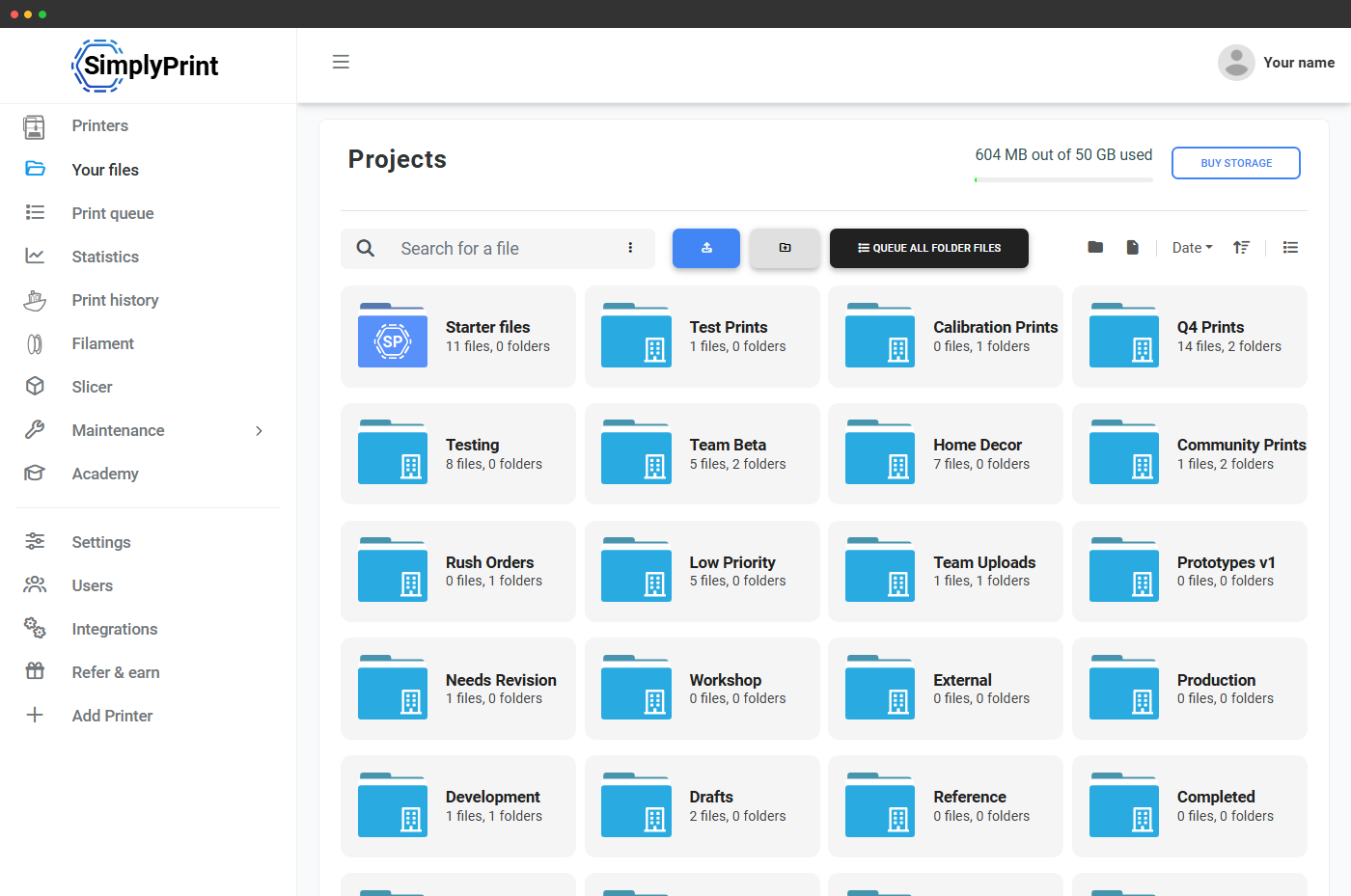
Stop hunting for files on USB sticks and SD cards
Your 3D print files are scattered - downloads folder, USB sticks, SD cards, that one project drive nobody remembers. SimplyPrint pulls every model into a single cloud library that any device can reach, that knows how to render and analyse each file, and that drives every other part of the platform - slicer, queue, AutoPrint, start-print.
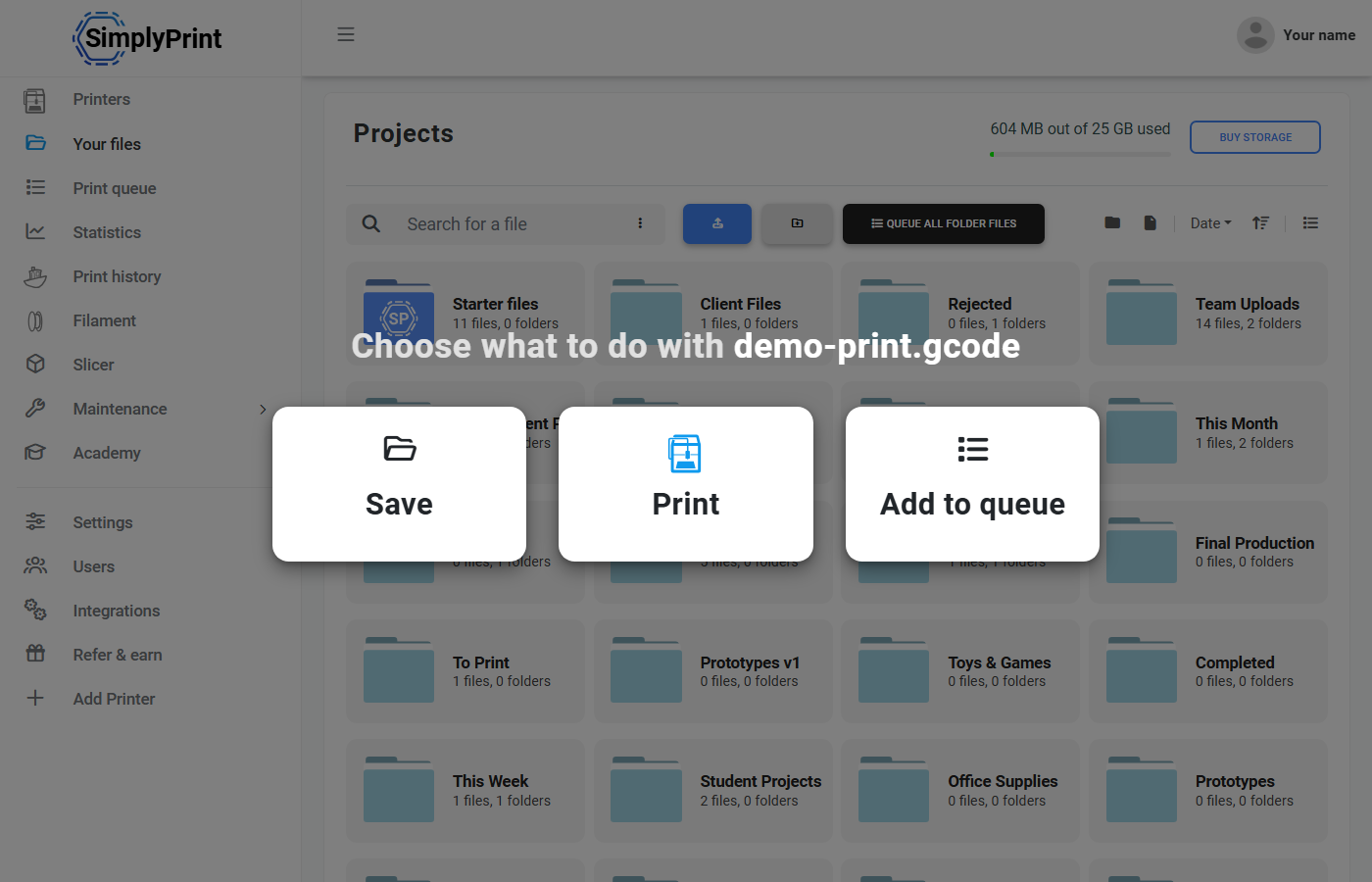
Add files from anywhere: phone, browser, drag-and-drop
Drop a file onto any SimplyPrint page and a full-screen upload overlay accepts the drop. Upload from your laptop, your phone's photo roll, the workshop tablet, anywhere you can open a browser - it lands in the same library on the same account. Batch upload with per-file progress and automatic G-code analysis the moment the upload finishes.
Access your library from any device
iPad on the workshop bench. Phone in your pocket. Chromebook in the classroom. The desktop at home. Same account, same library, same files - the SimplyPrint web panel runs in any modern browser, no install. The SimplyPrint mobile app wraps the same library in a phone-first UI, with native push notifications when prints finish.
See the SimplyPrint mobile appSlice from anywhere - your slicer lives in the cloud too
Upload an STL on your phone, slice it in your browser on the chromebook, send the G-code to a printer at home from the cafe. The SimplyPrint cloud slicer runs PrusaSlicer, OrcaSlicer, BambuStudio, ElegooSlicer, CrealityPrint & Cura in our cloud against your saved slicer profiles - no laptop, no installs, no syncing settings between machines. The sliced output drops back into the same cloud library, ready to print.
See the cloud slicerShare folders with your team
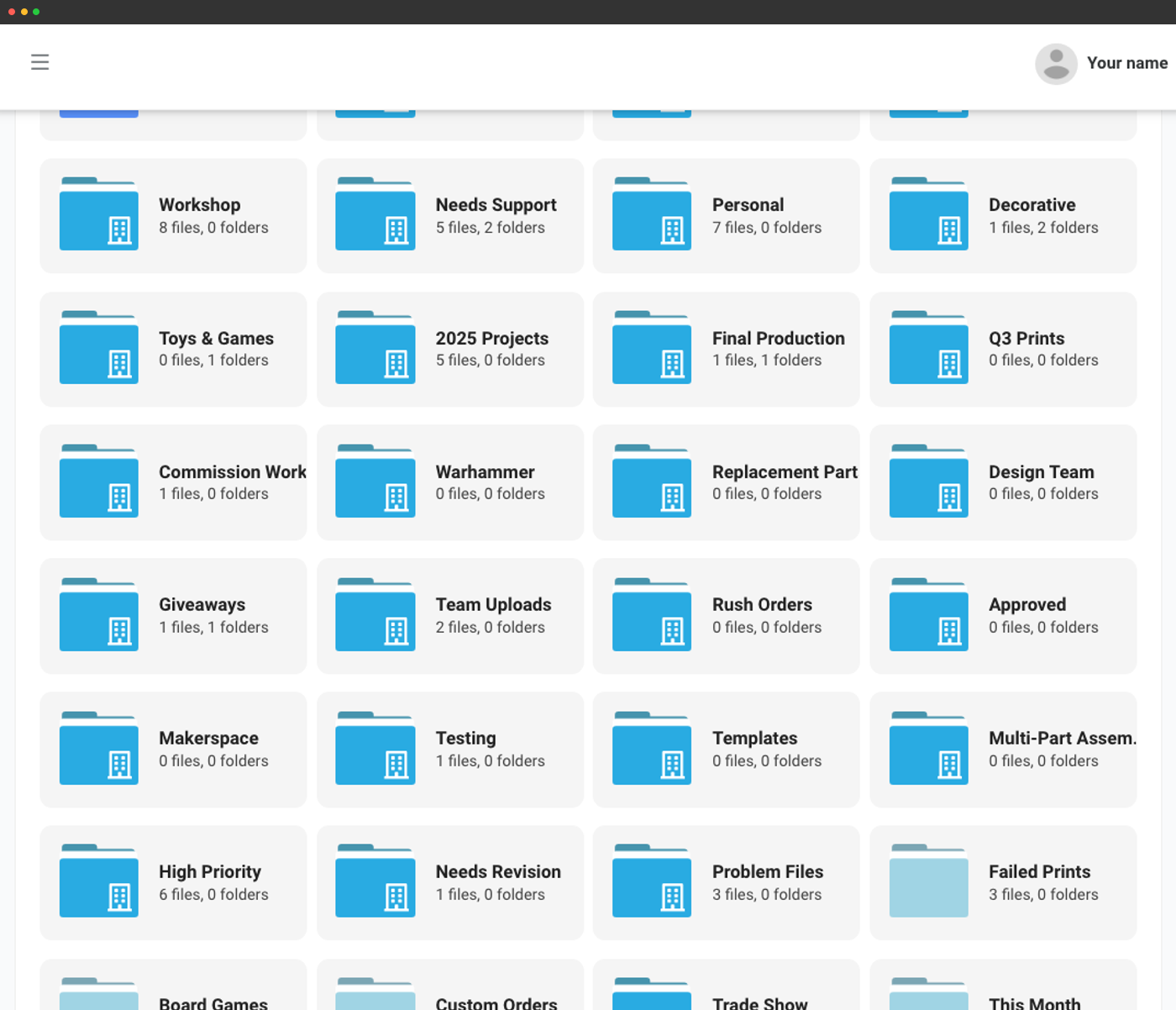
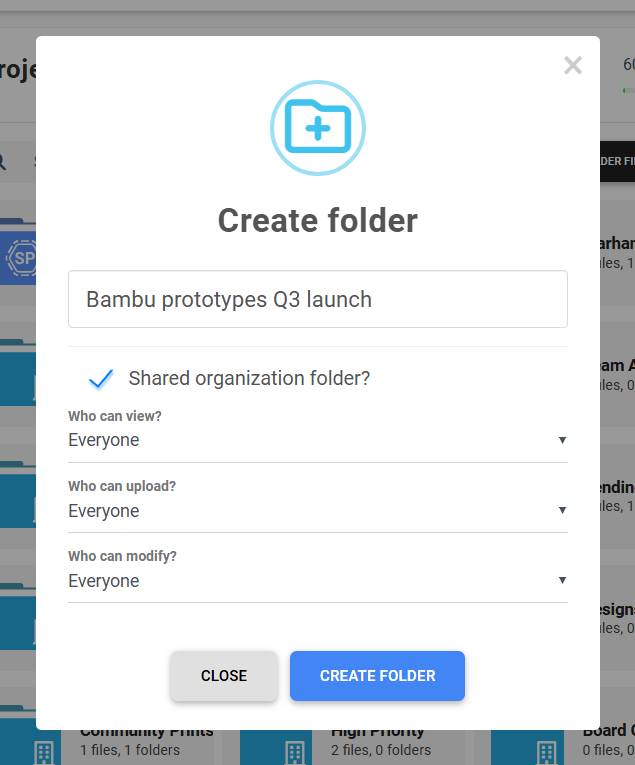
Personal folders for what's yours. Shared organization folders for what your team needs. Drag files between them, set per-folder permissions (who can view, who can upload, who can modify), and everyone on your account sees the same files at the same time - no more emailing G-code attachments back and forth.
Personal & shared roots
Your own folder tree alongside the team's shared one.
Nested any depth
Projects, clients, classes, product lines - structure however your workshop thinks.
Per-folder permissions
View, upload, modify - controlled per user group on every folder.
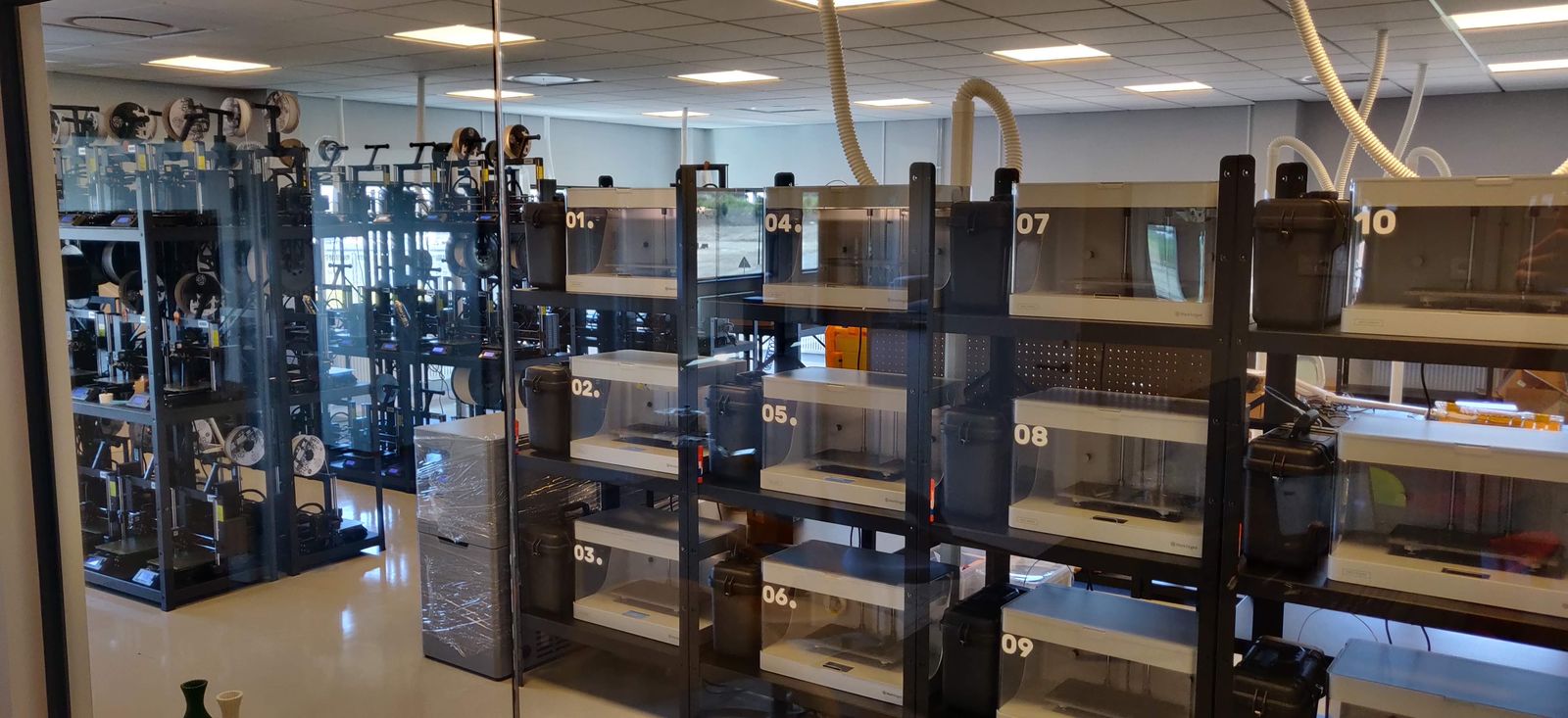
See how lostboyslab uses Files to run ~100 printers across 3 farms (Prusa, Markforged, Voron, Modix)
The print farm that pioneered circular manufacturing: recycled materials, full traceability, CO2 tracking, local on-demand production, and a digital product passport for every part.
Multi-site farms: push from CAD, pull from fulfilment
For multi-site teams, the same file library is reachable via the SimplyPrint API and webhooks - push from your CAD pipeline, pull from your fulfilment site, no manual FTP. One library spanning your design studio, your production floor and your finishing line, with every upload, move and delete exposed as a webhook event your other systems can act on.
See the API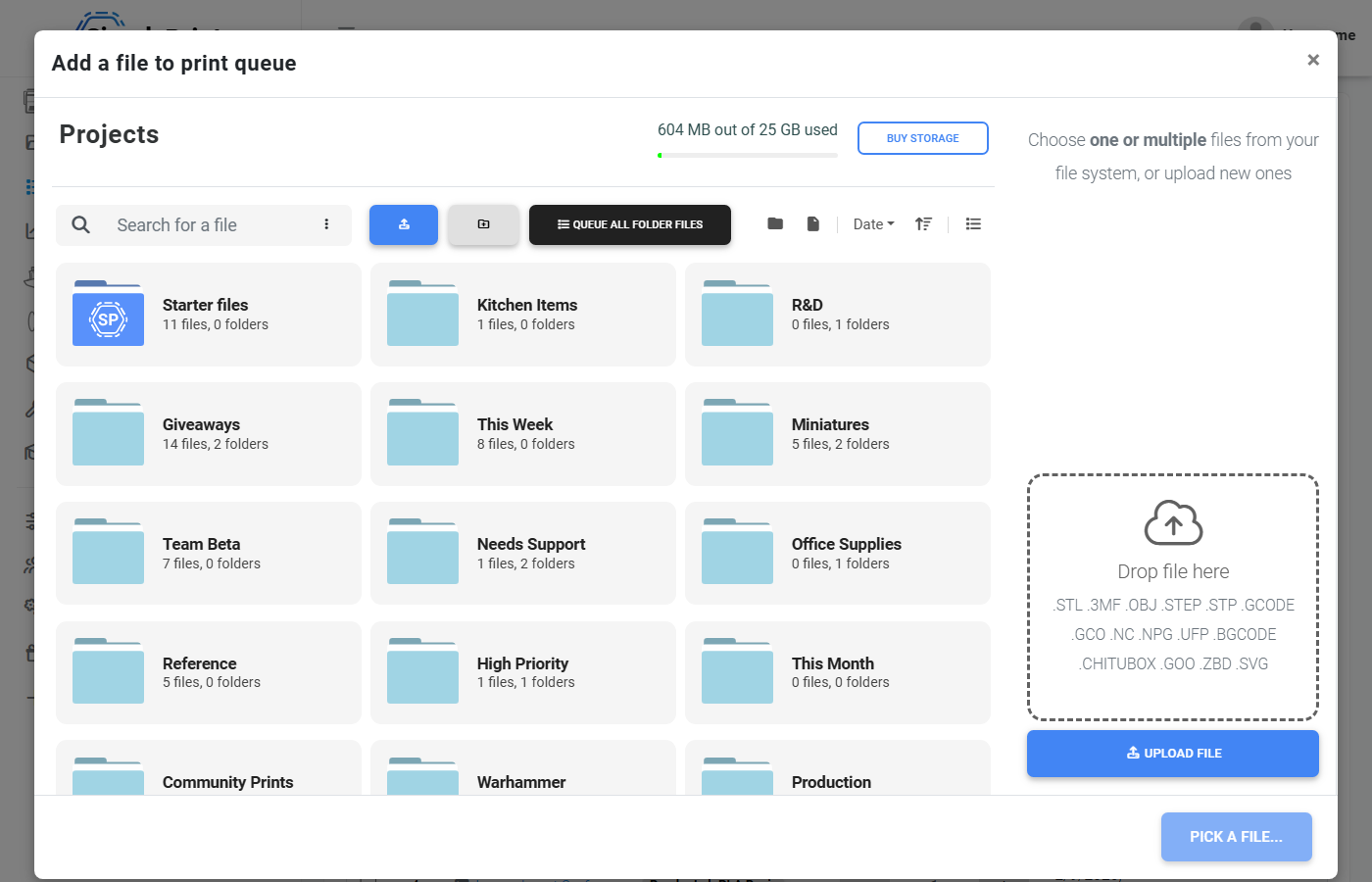
Built for every 3D print file format you actually use
Upload STL, 3MF, OBJ, STEP/STP models, G-code (.gcode / .gco / .nc / .npg), Prusa Binary G-code (.bgcode), Ultimaker .ufp packages, plus Chitubox, Goo and ZBD files for resin and powder printers. Files up to 1 GB each. SVG sign files unlock with the PolyFusion Sign-Maker add-on. The same library powers your slicer, your queue, your AutoPrint runs and your start-print flow.
Browse the way your brain works
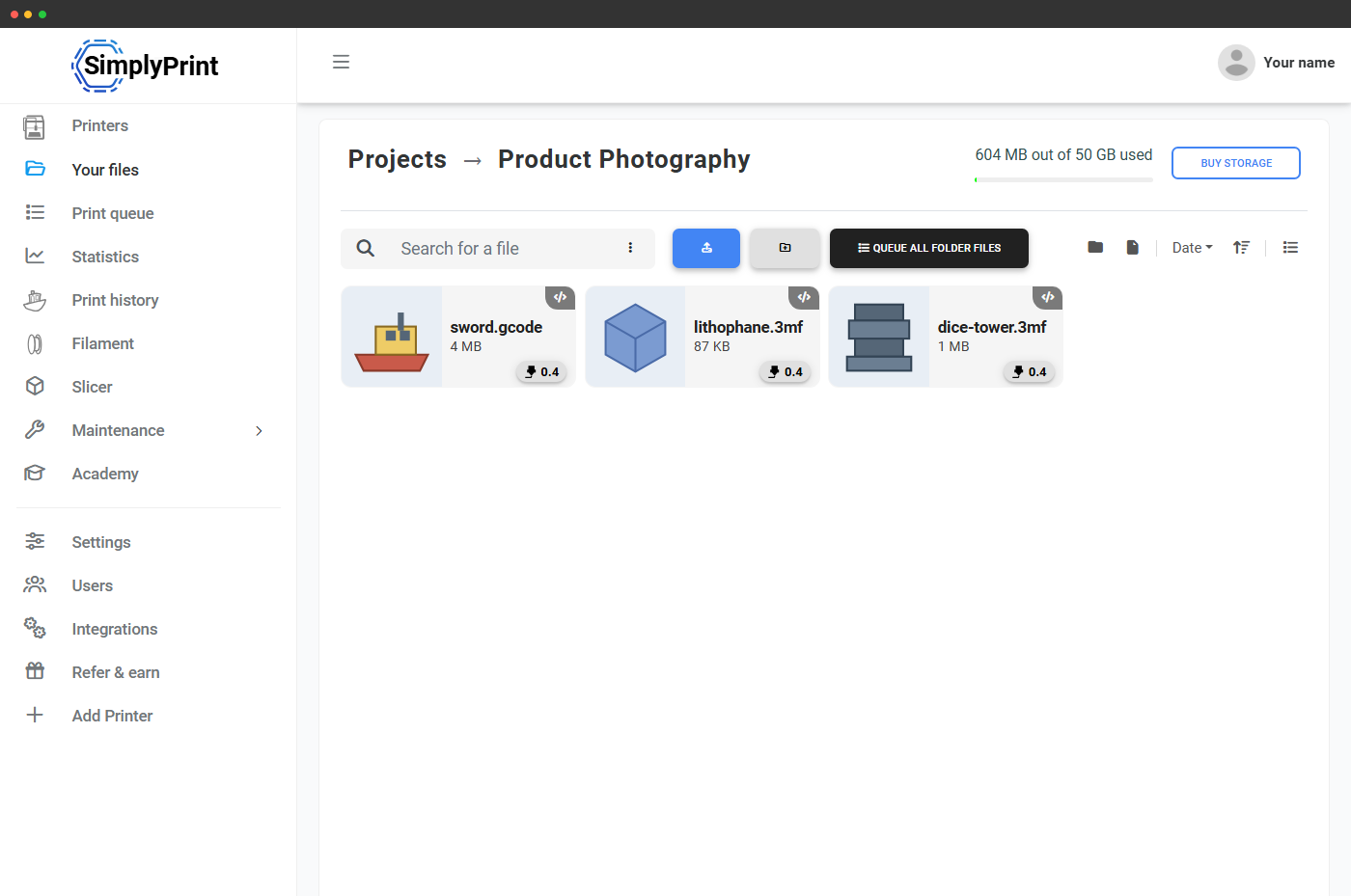
Thumbnail grid for visual browsing, column list for scanning metadata, tree layout for deep project structures. Sort by name, size or date. Filter by format, size range, upload date, custom field value, or just type into the search box.
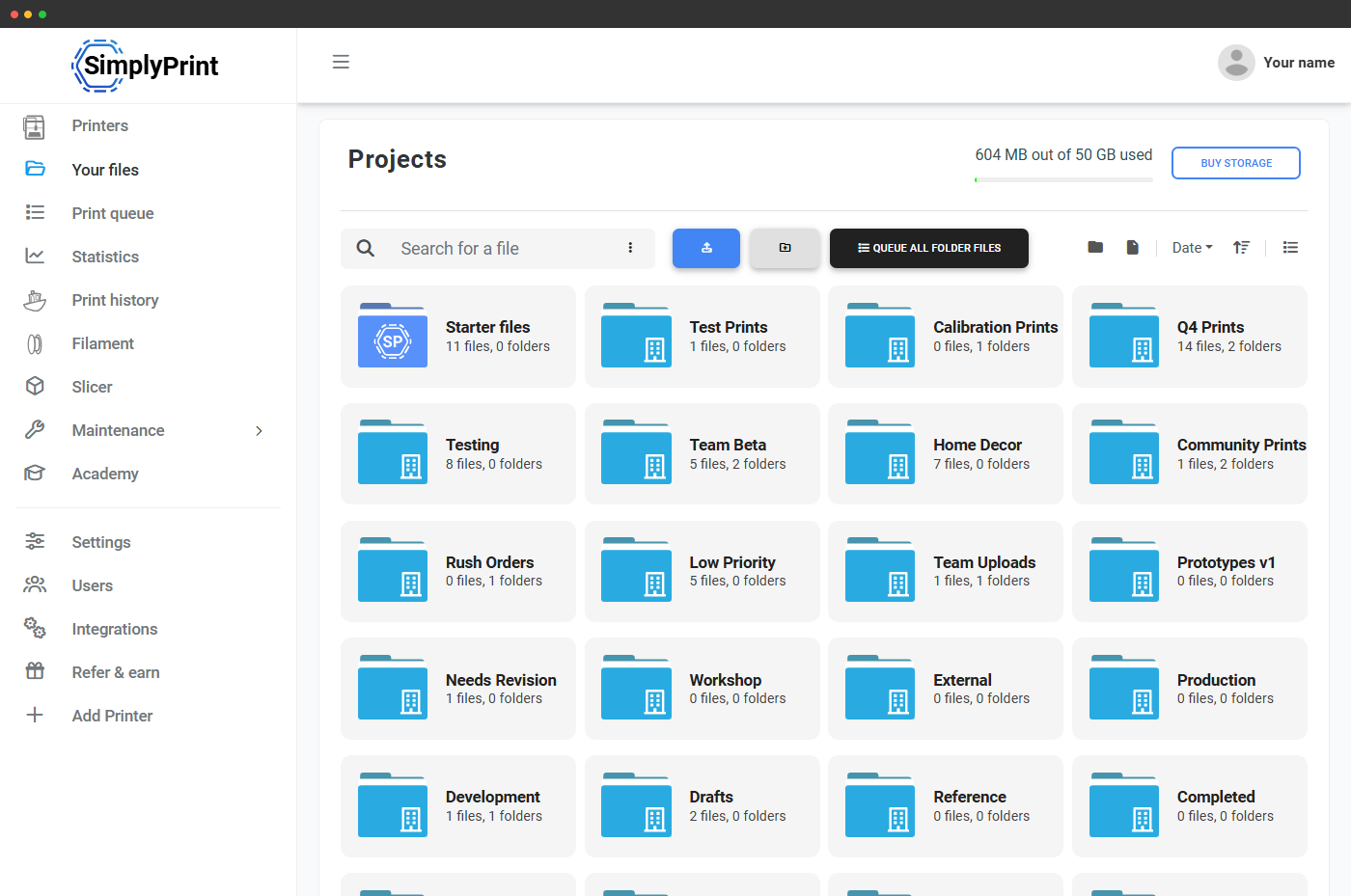
Thumbnail cards for visual browsing.
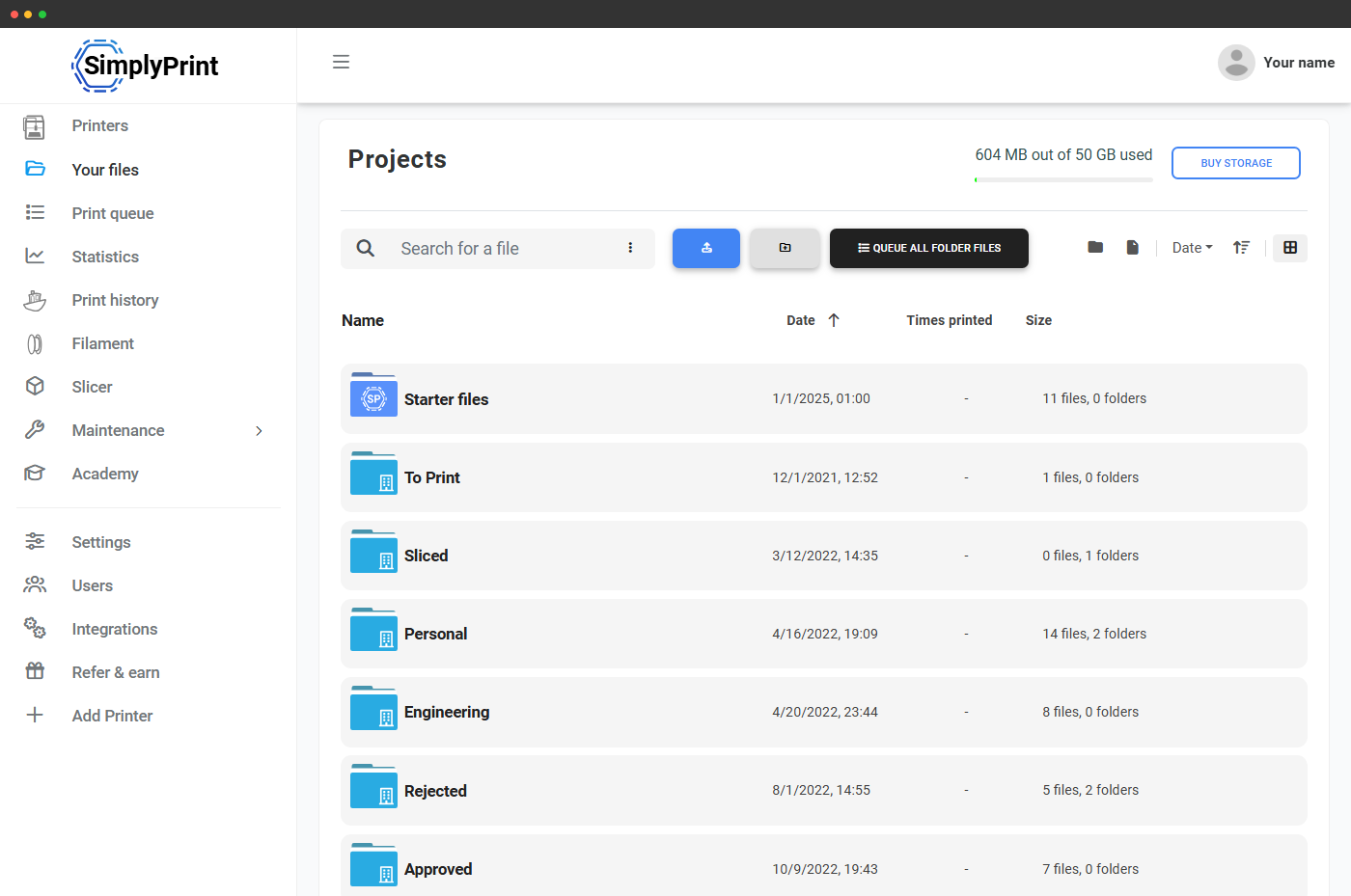
Columns for scanning metadata across lots of files.
Tree sidebar for deep project structures.
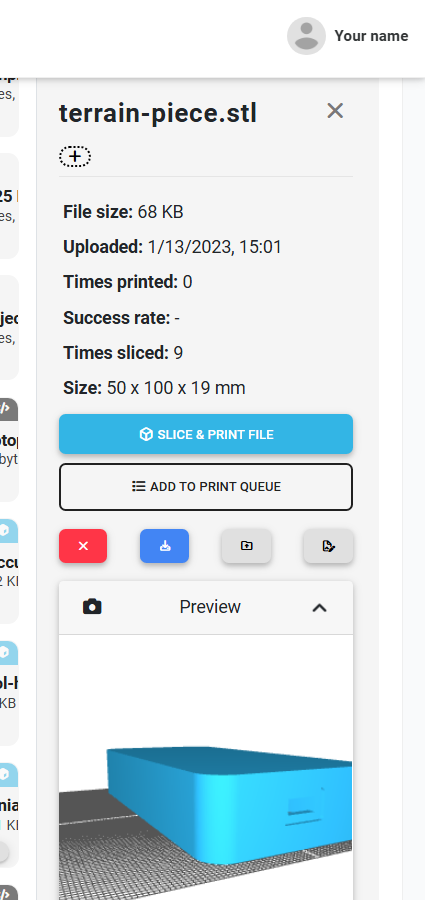
Click a file - see everything that matters
The single-file sidebar is where this cloud earns its keep. For every file, you get an interactive 3D preview, the parsed slicer settings (layer height, infill, supports, temperatures), estimated print time and cost, success rate, times printed, times sliced, model dimensions, and a list of printers in your fleet that the file is compatible with.
From the same sidebar: slice and print, add to queue, download the original, duplicate, delete, edit custom fields. No round-trip to a separate viewer or analyser.
Automatic G-code analysis on every printable upload
Drop in a G-code file and SimplyPrint reads it line-by-line in your browser, extracting the slicer used, nozzle size, bed and tool temperatures, filament type / colour / density / diameter, model footprint, layer count, estimated print time and filament usage. That metadata then drives printer-match checks, material tag suggestions, temperature safety warnings and cost estimates across the rest of the platform.
Want the full list of supported slicers, parsed fields and the safety-flagged G-code commands we warn on? Read the G-code analysis deep-dive.
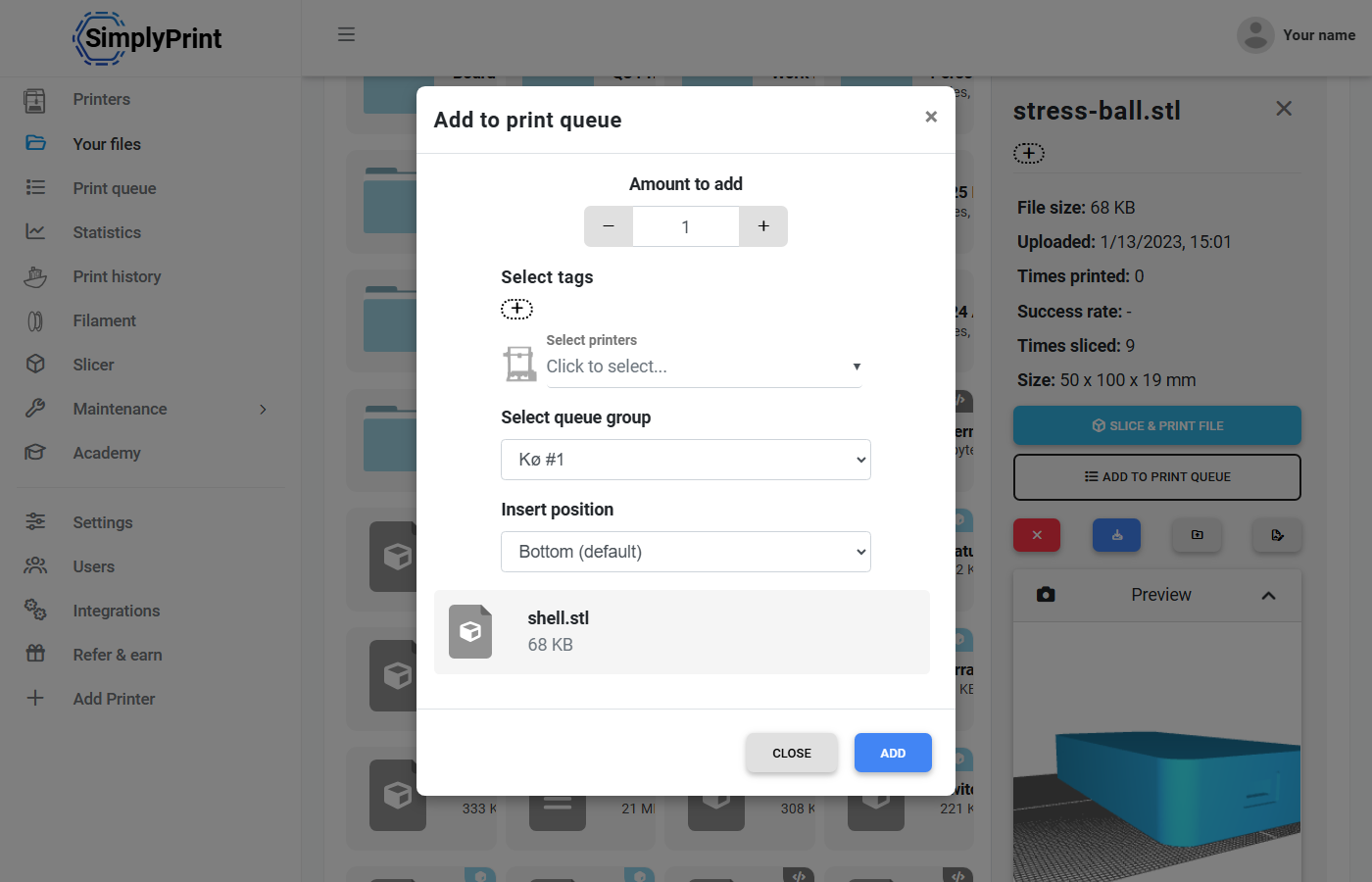
One click from file to print queue
Open any file and send it straight to the queue with a printer assignment, material tag, quantity and queue position - all in one modal. Multi-select files first and the modal lets you batch-add a whole project at once, with per-file quantity and material tags. The queue then matches each item to the right printer automatically.
Bulk operations on hundreds of files at once
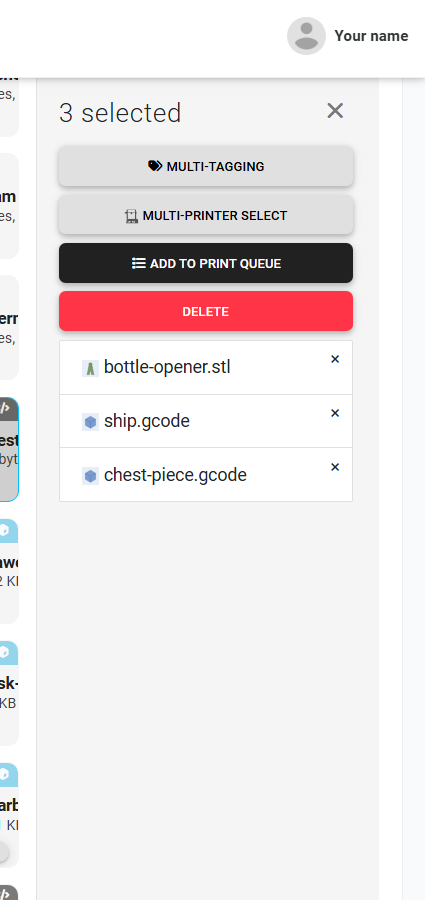
Checkbox or shift-click to select files across a folder, then act on the whole selection: move to another folder, delete, apply nozzle / material / custom tags, multi-printer assign, or add the whole batch to the print queue. Bulk tag changes use the same permission model as single-file edits - no surprises, no shortcut around the account's rules.
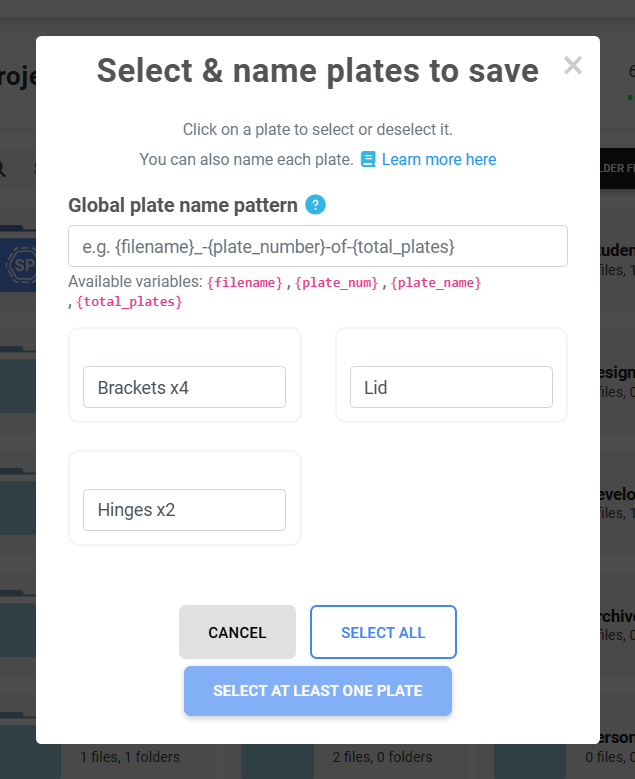
Split multi-plate .3mf files into separate prints
Drop in a Bambu Studio or OrcaSlicer multi-plate .3mf and SimplyPrint detects every plate inside. Name each plate, apply a naming pattern, and we save them as separate files in your library - ready to be queued, scheduled or sent to different printers individually. No more re-slicing just to split a project.
The same file picker, everywhere you need a file
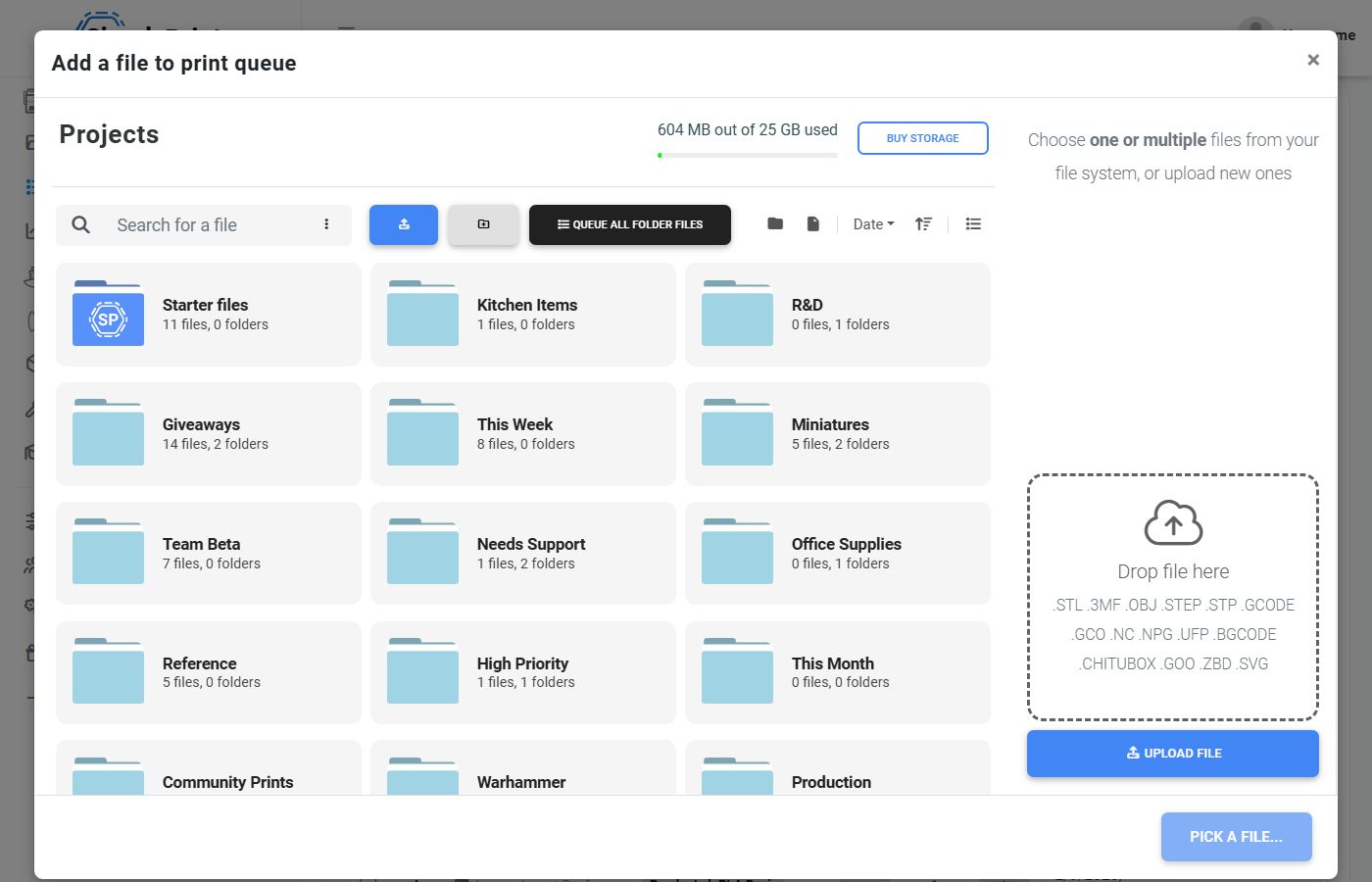
When the queue, slicer or AutoPrint flow asks for a file, you get the full file browser - folders, search, filters, sort, plus an upload zone in the same modal. No "oops, I forgot to upload it first" - just pick what you need and keep going. Single or multi-select, with G-code analysis warnings surfaced before you commit.

Storage you can trust - backed up around the clock
Your files live on backed-up cloud storage and are served from the edge closest to you for fast downloads everywhere. No more lost prints because an SD card corrupted or a Raspberry Pi gave up. The header always shows how much storage you're using and when you're getting close to the limit - and you can buy more on most paid plans without changing tier.
Prefer to keep some files local only? You're never forced to upload anything - SimplyPrint also works as a pure printer-control platform if you'd rather print straight from SD card.
Plan access: storage allowance and library features
Cloud files, folders, G-code analysis and view-toggle are included on every plan, including Free. Shared organization folders and custom fields unlock on Print Farm and above. Included GB grows with the plan; Pro, Print Farm, Enterprise and School let you stack extra GB on top.
| Feature / Limit | Free | Basic | Pro | Print Farm | Enterprise | School | Cloud Slicer | Filament Manager |
|---|---|---|---|---|---|---|---|---|
|
Included cloud storage
Free: 1 GB. Basic: 2 GB. Pro: 5 GB. Print Farm: 25 GB (stackable). Enterprise: 50 GB (stackable). School: 1 GB (stackable in 1 GB increments).
|
1 included | 2 included |
5 included $0.15/mo per extra GB |
25 included $0.15/mo per extra GB |
50 included $0.15/mo per extra GB |
1 included $0.04/mo per extra GB |
1 included | 1 included |
|
Shared organization folders
Folders visible to your whole team, with per-folder view / upload / modify permissions.
|
||||||||
|
Custom fields on files
Define your own metadata columns - client, project, batch, status - and filter the library by them.
|
||||||||
|
Custom tags on files
Beyond nozzle and material tags, add your own taxonomy and bulk-apply across hundreds of files.
|
Want to learn more about our plans?
View full pricing & feature comparison