Your whole print farm, on one timeline
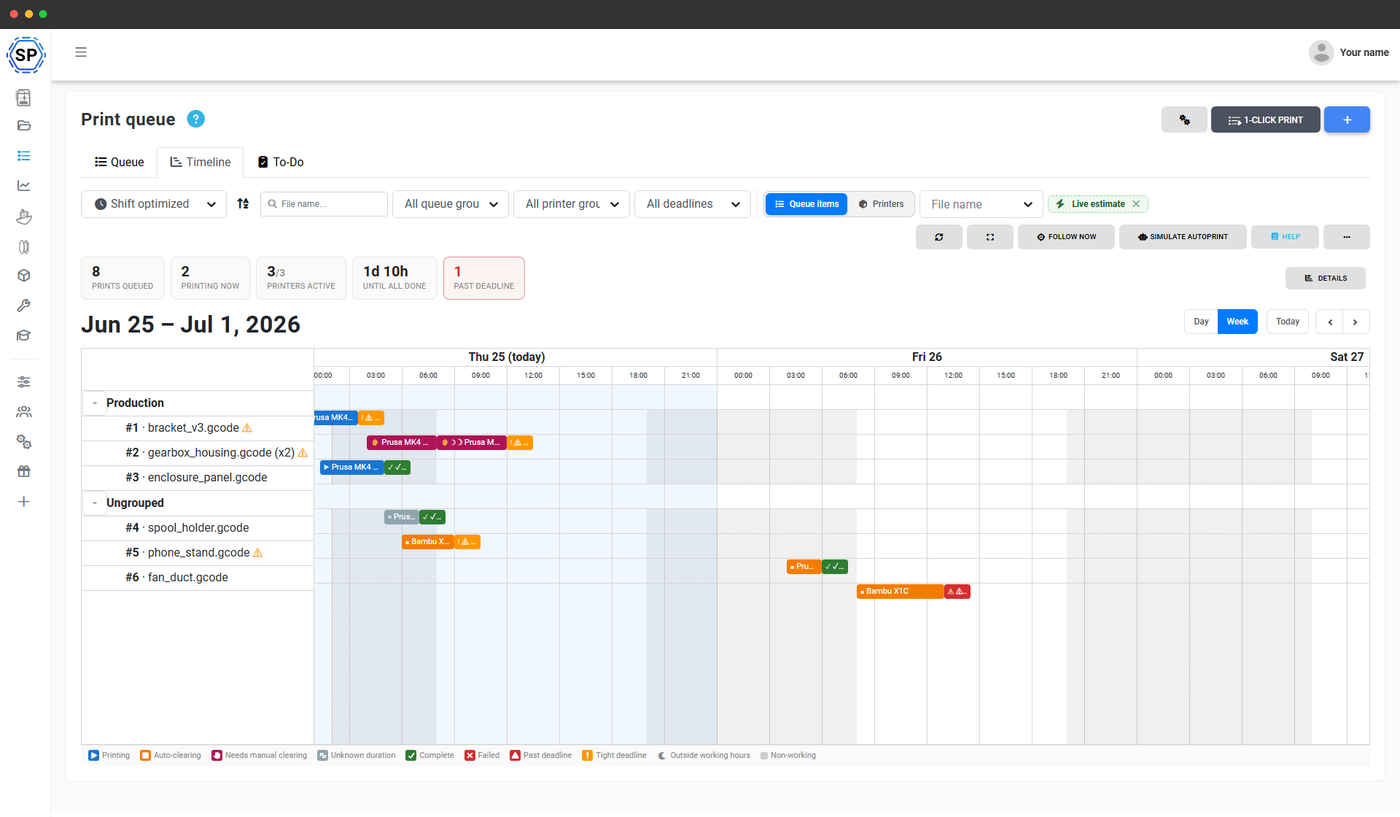
When you run dozens of printers, the hard question is never "what should I print?" - it's "when will it all be done, and can I commit to that deadline?". The timeline answers it. It lays your live queue across every printer as a Gantt chart, simulates which job lands on which machine and when, and shows the projected finish for the whole farm. It is built for print-farm operators scheduling made-to-order work against real customer deadlines.
A printer Gantt chart that schedules itself
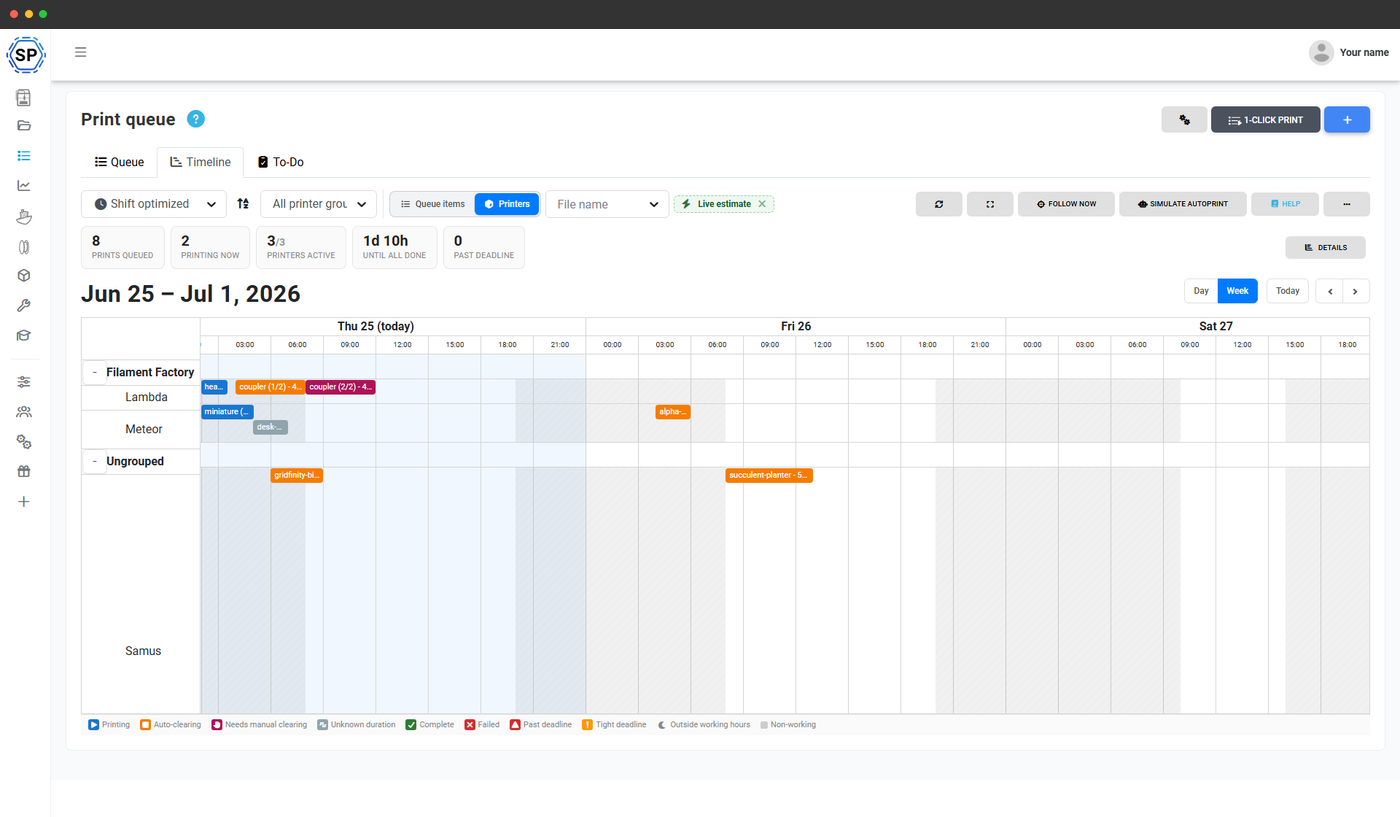
Each printer gets its own row. The timeline takes your live queue, runs the same matching that 1-click print uses, and plots which job goes on which printer and in what order - so you read your schedule instead of building it by hand.
Bars are colour- and glyph-coded so a glance tells you the state: blue for printing right now, amber for jobs scheduled to start automatically, pink for a print that needs a bed cleared by hand before the next one can start, and grey for a job whose duration we can only estimate. Switch between a job-first view and a printer-first view depending on whether you're chasing an order or balancing a machine.
Predictions that respect your working hours
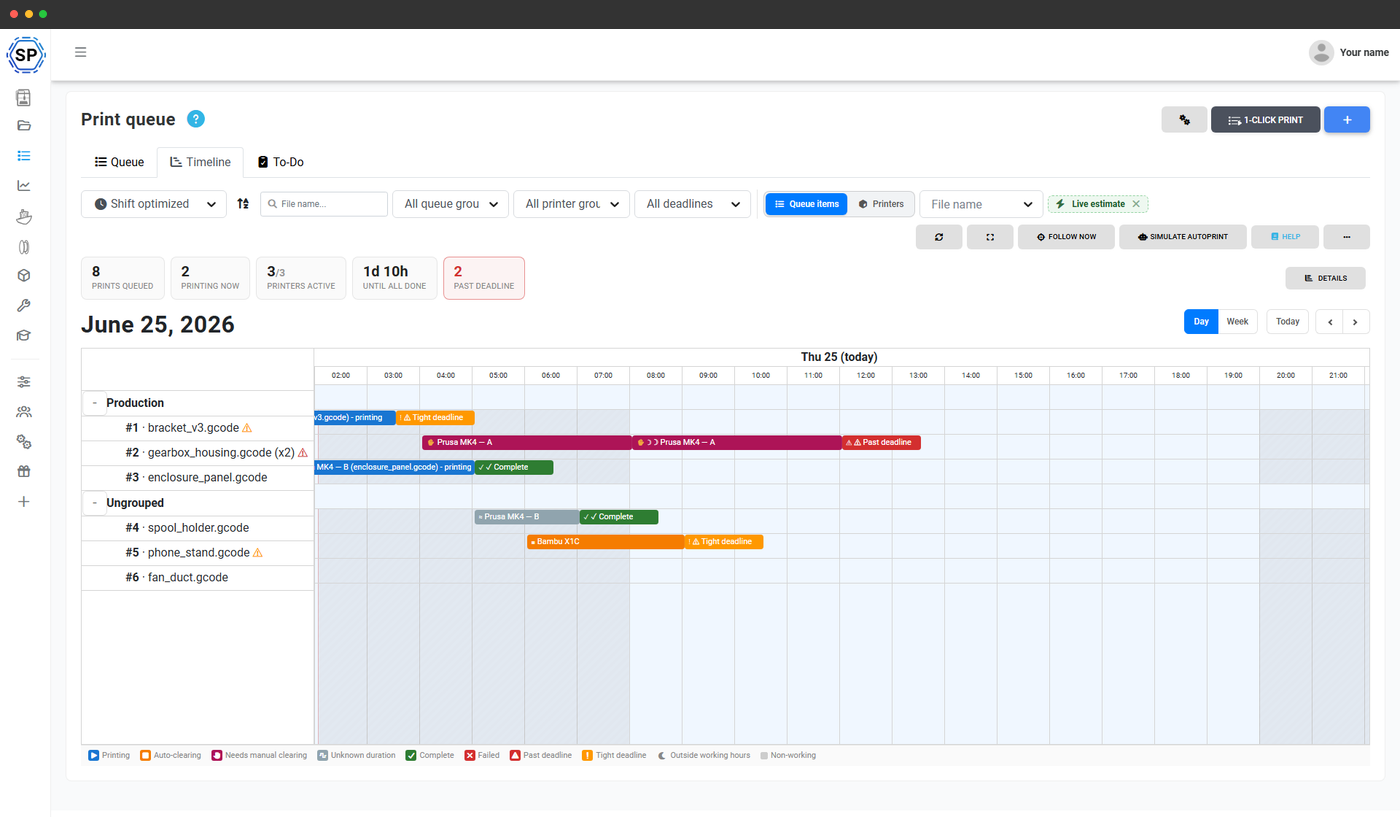
A farm where someone clears beds during the day is not a 24/7 machine, and the timeline knows it. Set your working hours and the non-working evenings, nights and weekends shade out on the chart. Any print that needs a manual bed clear waits until the next working hour to hand off to the following job, so the projected finish reflects what your staff will actually do - not a fantasy where prints swap themselves at midnight.
Printers running AutoPrint are treated as unattended and keep going around the clock, so the timeline correctly mixes staffed and unstaffed machines. Pulling a late shift or knocking off early? Apply a one-off override to extend to 24/7 or stop new prints, and the whole timeline re-projects.
Know which orders will miss their deadline before they do
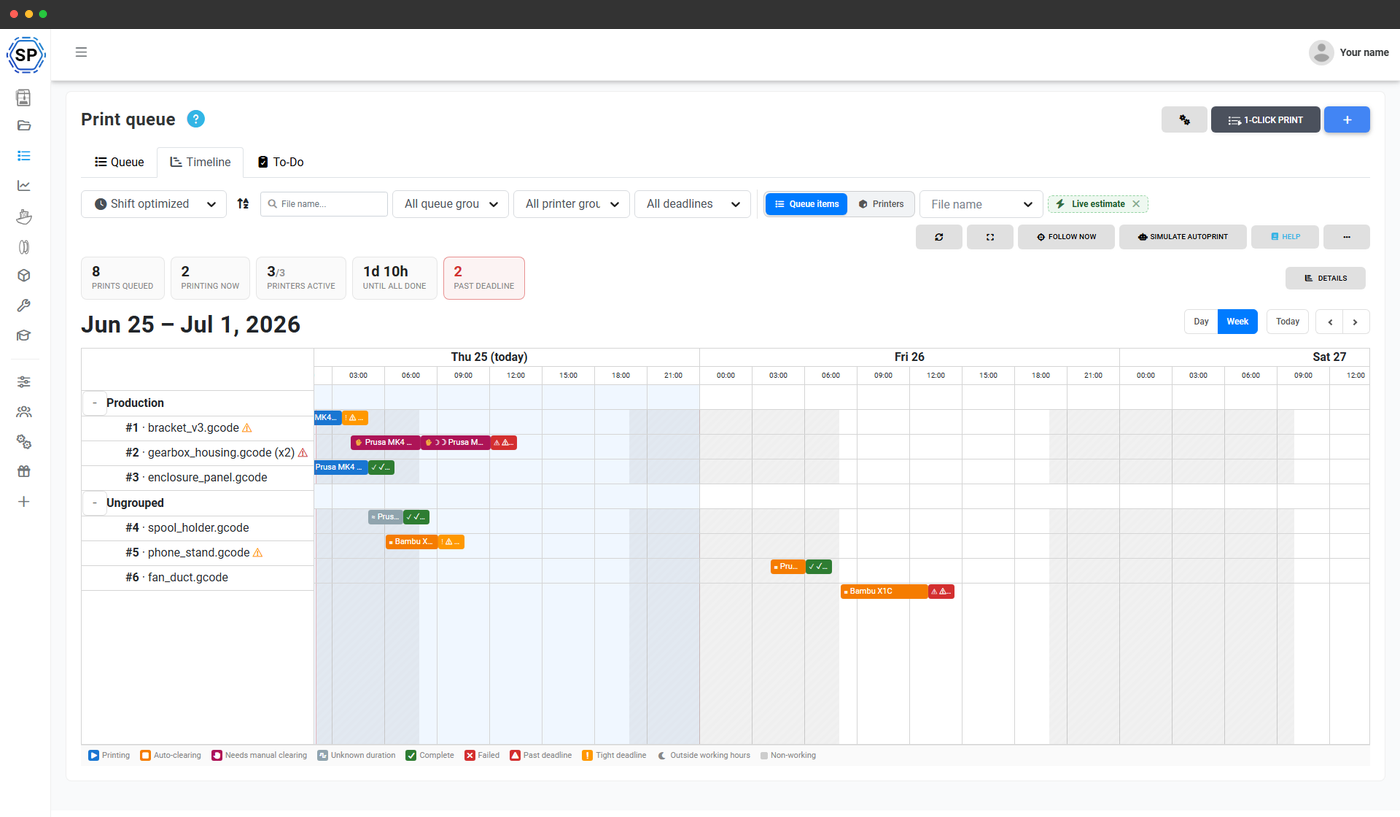
Put a deadline on a queue item and the timeline grades it against the projected finish. Jobs that will finish late turn red; jobs that land within a day of their deadline turn orange, so you spot the at-risk orders while you still have time to move them. A stats bar tells you how many items are on track, tight, or already projected to miss.
Caught one that's going to be late? Reorder the queue or push the job to the top, and the timeline immediately re-simulates so you can see whether the change actually saves the deadline.
Stop guessing when your farm will be done
Add your printers, queue your jobs, and read your whole farm's schedule off one timeline.
Start your free trialBuilt-in turnaround buffers and honest confidence
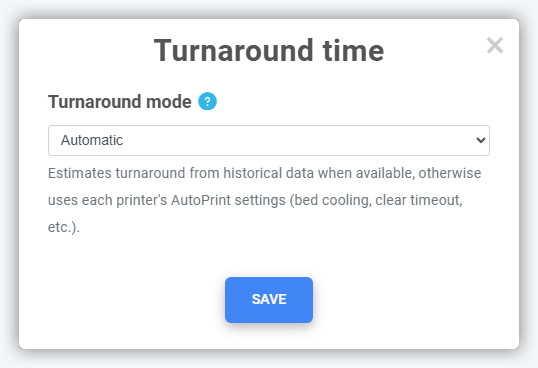
Real farms don't restart a printer the instant a job ends - there's a bed to clear, a part to inspect, a plate to swap. Set a turnaround buffer and the timeline leaves that gap between jobs on every printer, so its finish times match reality instead of a best-case lab run.
The timeline is also upfront about how sure it is. It shows a confidence level on every projection and explains what's dragging it down - a queue with lots of estimated-only durations, missing working hours, or printers stuck offline - so you know whether to trust the date or tighten your setup first.
See what automation would save you
The timeline can overlay a second simulation that assumes every printer clears its own bed automatically, then tells you how much sooner the whole backlog would finish and the effective speed-up. It turns "should I add AutoPrint hardware?" from a hunch into a number you can read straight off your own queue.
Part of the print queue
The timeline is one view of the print queue. These features feed it and build on top of it.