Your AMS and SimplyPrint, in sync
Bambu's AMS already weighs and identifies official spools by RFID. SimplyPrint connects to that, so instead of re-entering spools by hand, your inventory mirrors what's loaded in every AMS automatically - and usage keeps deducting as you print, even for third-party filament.
How AMS auto-sync works
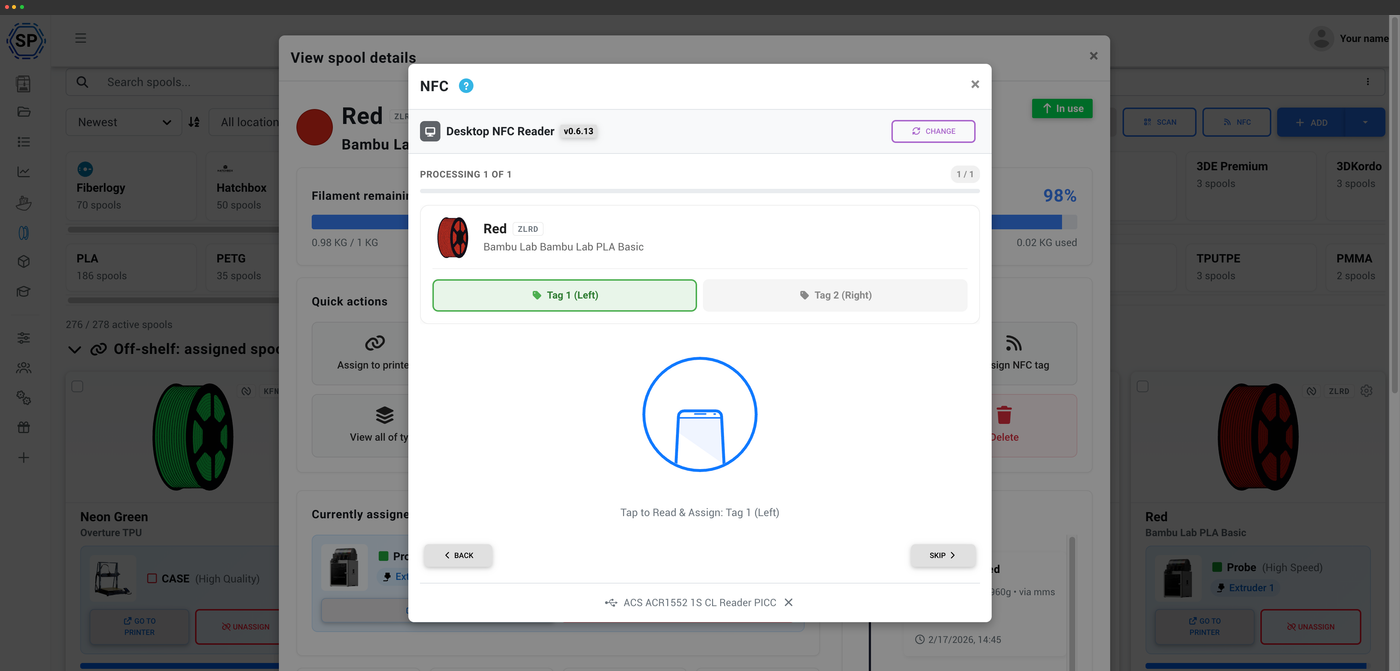
Official Bambu Lab spools carry RFID tags that the AMS reads on load. SimplyPrint picks that up and automatically creates the spool, assigns it to the AMS slot it's loaded in, and syncs the AMS-calculated weight both ways. As the AMS recalculates remaining filament, your inventory updates, and as SimplyPrint deducts usage, it stays aligned. Some Bambu spools carry two tags (one per side) - both can be linked to the same spool, so it doesn't matter which way round it goes in.
How to use SimplyPrint with your Bambu AMS
Three steps to a hands-off AMS inventory.
The tag data, on the spool record
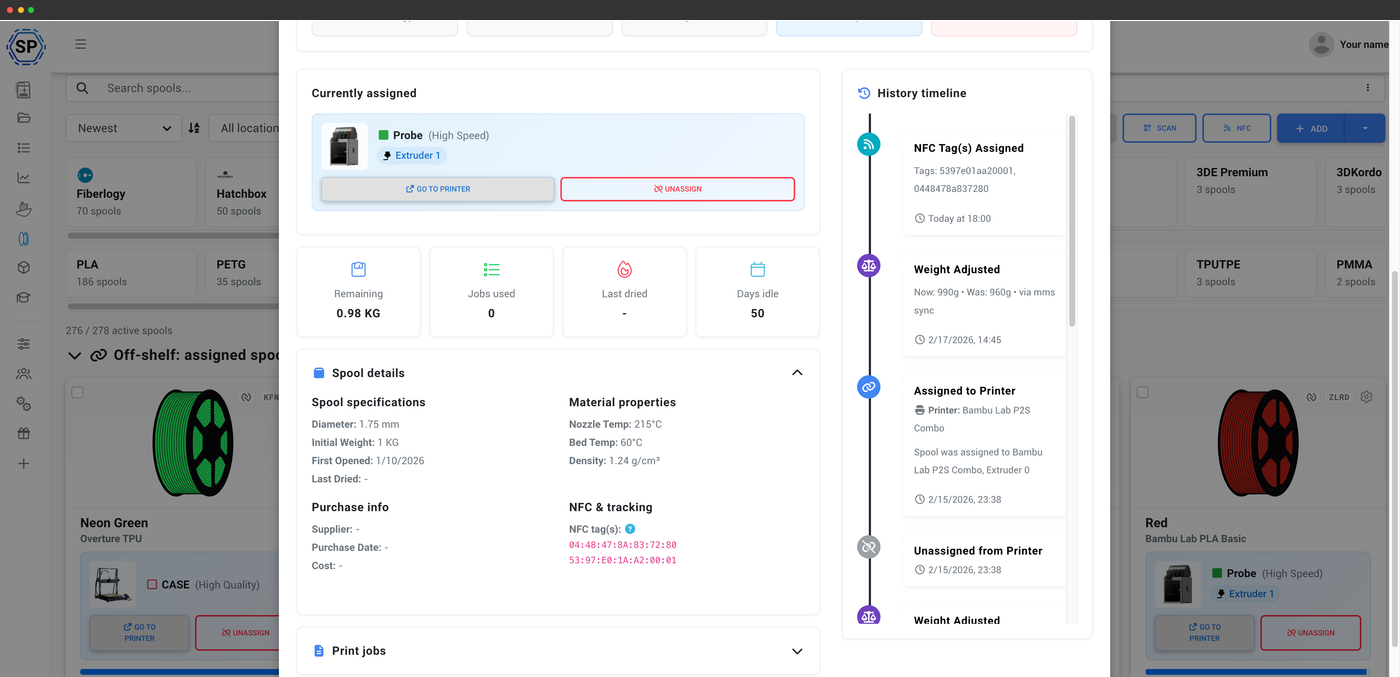
Identity, weight and history in one place
Once a tag is read, its identifier lands on the spool record alongside the material, color and remaining weight. SimplyPrint keeps a timeline of every tag assignment and weight adjustment, so you can see exactly when a spool was identified and how its remaining weight has changed since.
AMS auto-create and weight sync, live
Official Bambu spools show up automatically and stay in sync as the AMS reports remaining weight.
Third-party filament in the AMS
Running cheaper or specialty filament in your AMS? Third-party spools have no Bambu RFID, so the AMS itself can't recognize them, and there's no tag you can write that it would trust. SimplyPrint fills that gap: assign the spool to its slot once, and we deduct usage automatically from the G-code of every print, so its remaining weight stays accurate on your side even though the AMS leaves it unknown.
Every AMS slot, one inventory
With several Bambu printers and AMS units, knowing what color is where becomes a real chore. SimplyPrint rolls every AMS slot across every printer into a single live inventory you can search, group and filter - so you can see at a glance which printer is loaded with the PETG you need before you queue a job.
Bambu Lab AMS multi-materialUsage deducted automatically
Whether a spool is auto-synced from the AMS or assigned by hand, SimplyPrint deducts filament as you print. We analyze the G-code, convert it to grams and subtract it from the right slot's spool when the print ends - so your AMS inventory tells you how much is actually left, not what it weighed when you opened it.
How automatic tracking worksRead and auto-sync, not writing
SimplyPrint reads Bambu Lab RFID tags and auto-syncs them, but it does not write them - Bambu has no official write spec, so no platform can safely re-encode a Bambu tag. If you want to write your own NFC tags to spools, use an open standard like Prusa OpenPrintTag or OpenSpool, or write Creality CFS tags. Bambu spools stay read-and-sync only.
Standards you can writePlan access: what's included?
Reading and auto-syncing Bambu AMS spools comes with the filament manager on every plan. Writing tags for other standards uses a monthly NFC-write allowance.
| Feature / Limit | Free | Basic | Pro | Print Farm | Enterprise | School | Cloud Slicer | Filament Manager |
|---|---|---|---|---|---|---|---|---|
|
Filament manager
Spool records, AMS auto-sync and automatic usage deduction, on every plan including Free.
|
||||||||
|
NFC tag writes per month
How many NFC tags you can write to spools each month (for writable standards).
|
10 | 30 | 100 | 10 |
Want to learn more about our plans?
View full pricing & feature comparison