
Blender
Send your 3D models directly from Blender to SimplyPrint for slicing and printing
Download extension Read the full guide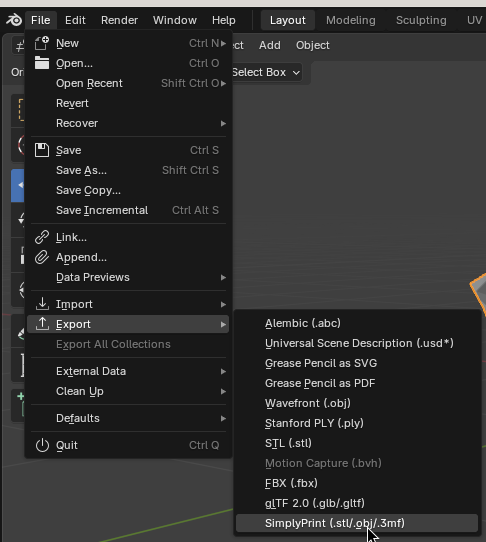
Send your 3D models directly from Blender to SimplyPrint for slicing and printing
Download extension Read the full guide
SimplyPrint is not endorsed by or affiliated with Blender. We use trademarks and images only to indicate compatibility with our platform. Use of Blender hardware with SimplyPrint may not be as intended by Blender. All rights belong to respective owners.
The SimplyPrint extension for Blender bridges the gap between 3D modeling and 3D printing. Design your model in Blender, then export and send it to your printer in a single click - no need to manually export files, open a browser, or fumble with SD cards.
New to this? Read the full walkthrough: how to 3D print from Blender.
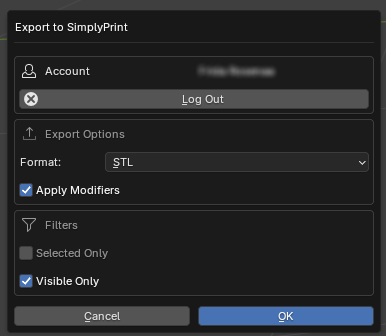
The extension adds a SimplyPrint panel to Blender's sidebar where you can log in, pick a printer, choose your export format (STL, OBJ or 3MF) and hit print. Your model goes straight to SimplyPrint for slicing and printing - or into your queue for later.
Download the extension:
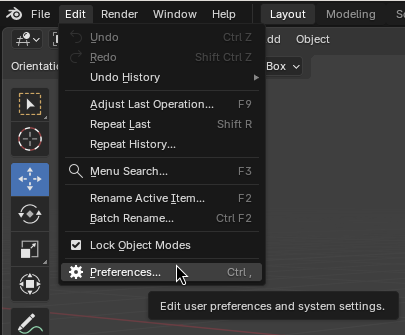
Download simplyprint.zipIn Blender, go to Edit → Preferences
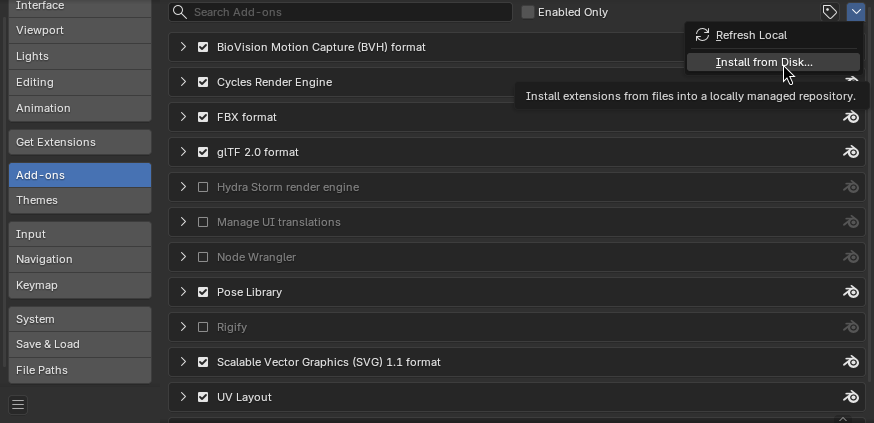
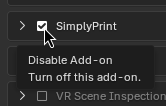
Go to the Add-ons tab, click the dropdown arrow in the top-right, and select Install from Disk
Select the downloaded simplyprint.zip file
Enable the extension if it's not enabled automatically
Once installed, press N in the 3D viewport to open the sidebar, then select the SimplyPrint tab. Log in with your SimplyPrint account and you're ready to go - select a printer, pick your export format, and hit print.
Install the SimplyPrint extension
Download the simplyprint.zip extension, then in Blender open Edit, Preferences, Add-ons and choose Install from Disk to add it. It works on Windows, macOS and Linux.
Open the panel and log in
Press N in the 3D viewport to open the sidebar, select the SimplyPrint tab, and log in with your account to connect Blender to your printers.
Export and print in one click
Pick a printer, choose your export format (STL, OBJ or 3MF) and hit print. Your model goes straight to SimplyPrint to slice and print, or into your queue for later.
Install the free SimplyPrint extension in Blender, open the SimplyPrint panel in the sidebar, then pick a printer and export format and hit print. Your model is exported, sliced and sent to your printer in one click.
Yes. The Blender extension and sending models to SimplyPrint are free, and SimplyPrint's free plan lets you connect a printer and print wirelessly.
You can export your Blender model as STL, OBJ or 3MF, and the extension sends it straight to SimplyPrint to be sliced for your printer.
It works with any printer connected to SimplyPrint - 140+ brands and 600+ models through OctoPrint, Klipper or a built-in integration.
It is not on the official Blender Extensions platform, so you download the simplyprint.zip file from this page and install it in Blender's Add-ons preferences.
Integration for SimplyPrint allows for applications to interact with your 3D printers, and your 3D printers to interact with other applications. This allows for endless possibilities, and we strongly believe that your 3D printer should be able to function as an IOT device, working together with any and all applications you can imagine!
This is why the team behind SimplyPrint work to provide official integrations for the most popular platforms, slicer and applications, while also allowing our users to create custom integrations using our API, or for approved third party vendors to create integrations to be used by all SimplyPrint users, using a "Log in with SimplyPrint" method (using the "OAuth2" method).
If you're a developer interested in creating an integration for SimplyPrint, please read our documentation on the subject.
If you're not a developer yourself, but would like to see an integration for a specific application, go check if it's already on our roadmap or suggestion list, and if not, feel free to suggest it!