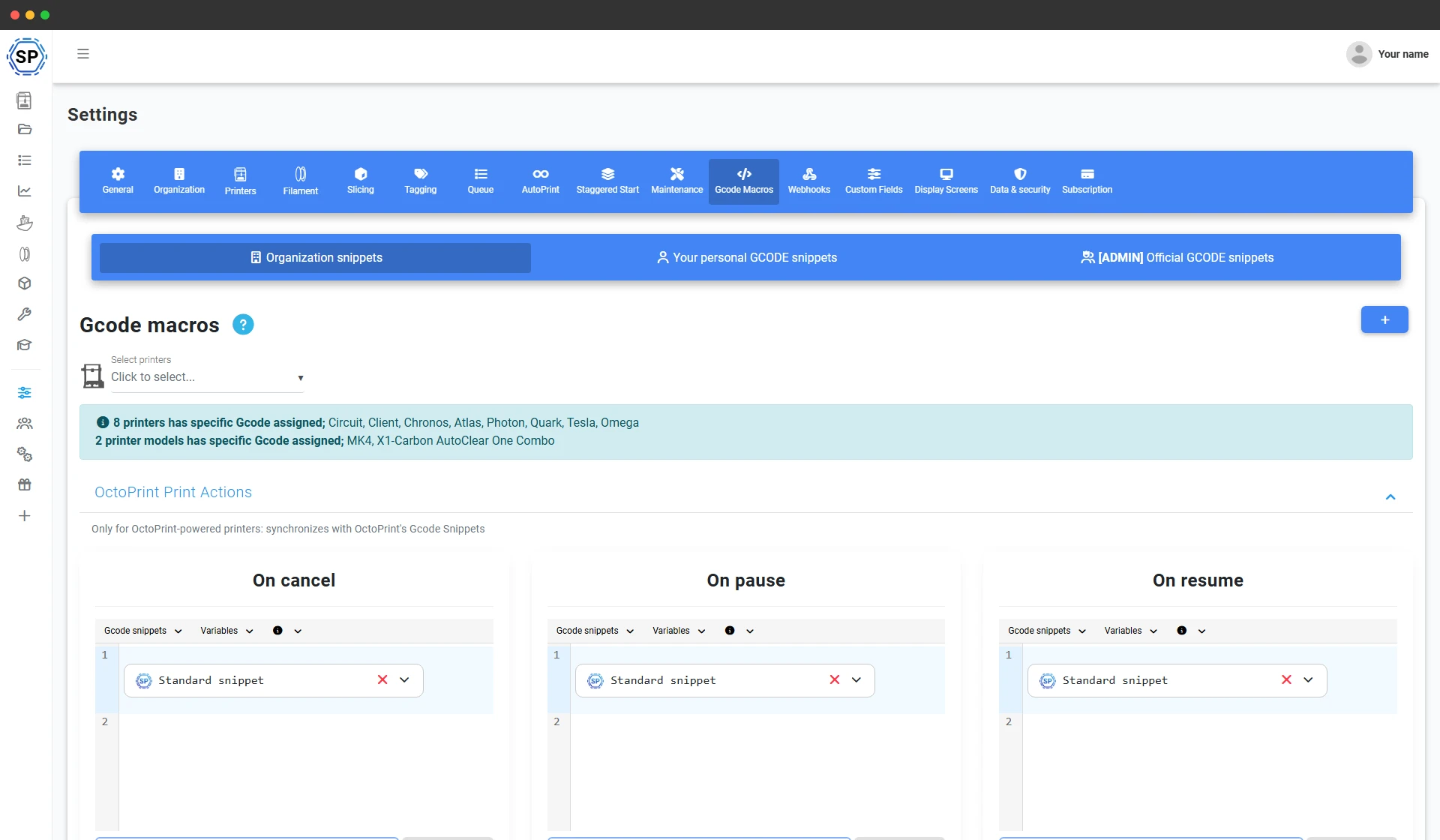
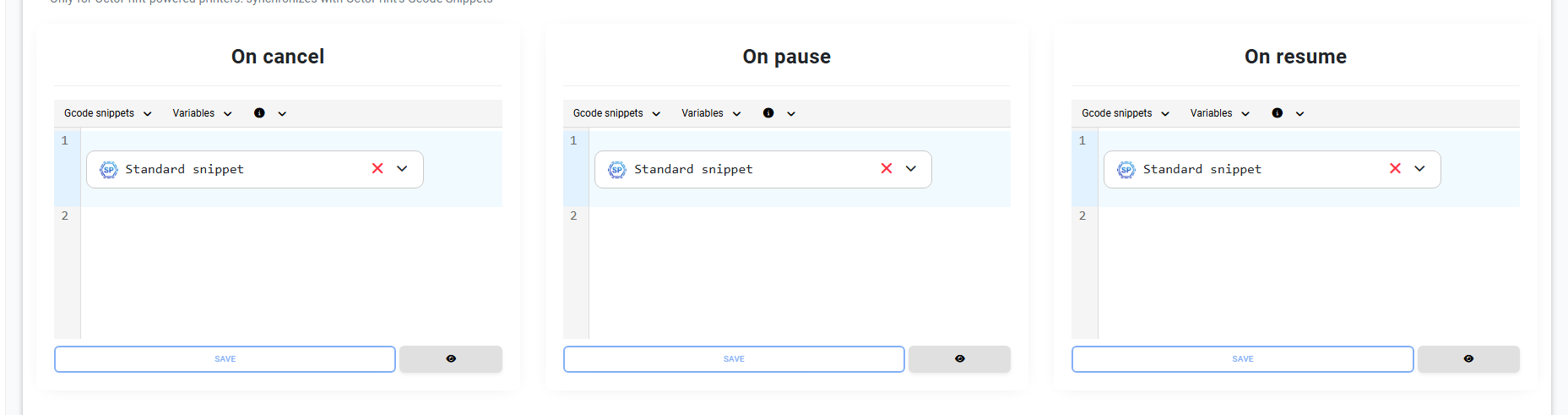
Start G-code, end G-code, pause and your own custom macros
Every macro is a named slot you fill with G-code. The big ones - the start G-code that homes, heats and primes before a print, and the end G-code that parks the head, cools down and presents the bed - run automatically around every job. Pause, resume, cancel, clear-bed, filament-change and more are macros too, so a button in the panel sends exactly the commands you wrote.
Macros run through SimplyPrint, not your slicer, so the same start and end routine applies no matter which slicer or profile produced the file - and you change it in one place instead of editing every profile.
A real code editor, not a tiny text box
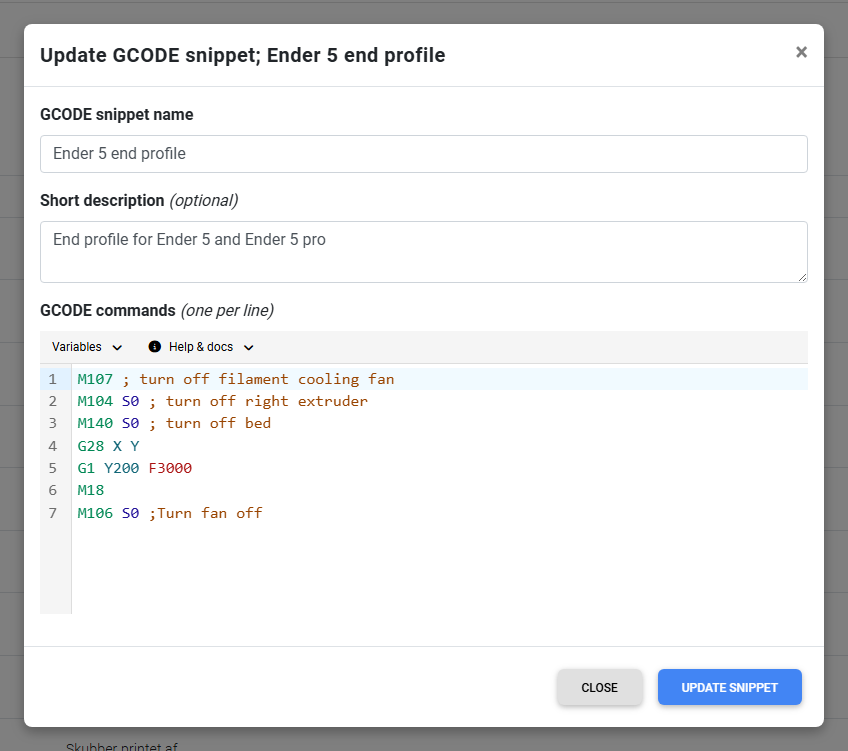
Write your G-code in a proper editor with syntax highlighting, bracket matching and inline autocomplete for G-code commands. Hover any command or variable to see what it does, and a help panel links straight to the Marlin and Klipper G-code references while you work.
The editor recognises G-code the way an IDE recognises code, so a long start routine stays readable and you catch a typo before it ever reaches a printer.
Variables and slicer placeholders make one macro fit every printer
Instead of hard-coding a bed temperature or a nozzle size, drop a variable like {bed_temp} or {nozzle_size} into your G-code and SimplyPrint fills in the real value for the printer and job it runs on. Start and end macros also accept slicer placeholders, so the values your slicer worked out flow straight into the routine.
A Variables menu in the editor lists everything available - standard variables, slicer placeholders and context-specific ones for the active macro - so you click to insert the exact token and never guess at a name. That is how one start G-code can serve a whole mixed fleet instead of one macro per machine.
Build a library of reusable snippets
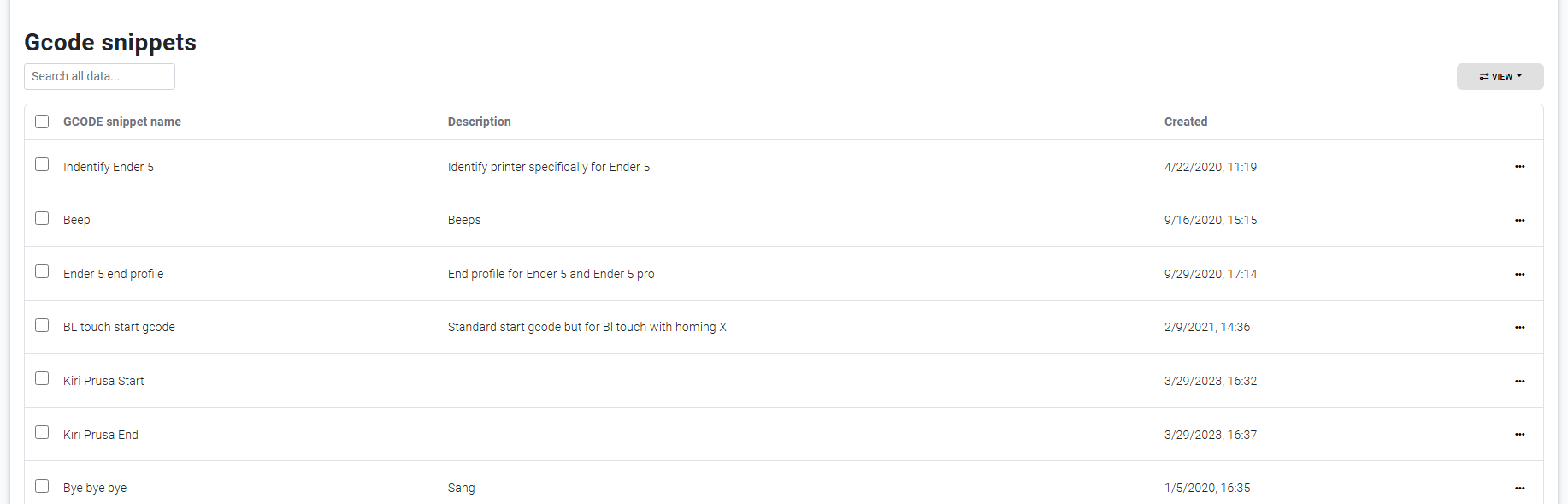
A snippet is a named chunk of G-code you save once and reuse anywhere - a nozzle-wipe routine, a purge line, a beep-when-done, a mesh-leveling block. Insert a snippet into any macro and it expands to the real commands at run time, so when you improve the snippet, every macro that uses it updates with it.
You manage snippets in a searchable, drag-to-reorder table and pull them into the editor from a snippets menu. One fix in one place, applied everywhere you used it.
Ready to write your G-code once?
Set your start and end G-code, save a few snippets, and let SimplyPrint run them across your fleet.
Start your free trialAssign a macro to one printer, a group, or everything
Set an account-wide default macro and it applies to every printer. Pick a single printer and override just that machine - handy when one printer needs a different purge line or a custom park position. The override system shows you, at a glance, which printers differ from the default, so a fleet of twenty machines never drifts out of sync without you knowing.
For teams, organization macros apply to everyone, and individual users can keep their own personal macros that take over when they print - without touching the shared defaults.

Marlin, Klipper and beyond - your G-code, your firmware
Macros send raw G-code, so anything your printer's firmware understands works: Marlin, Klipper, RepRapFirmware and the rest. The editor links to both the Marlin and Klipper command references, and you can call your printer's own macros from a SimplyPrint macro. It is the same model-agnostic approach as the rest of SimplyPrint - over 500 printer models from 130+ brands in one account, all driven by the G-code you write.
Preview the exact G-code before it runs
Before you commit a macro, preview the fully assembled G-code - snippets expanded, variables filled in for the printer you picked - exactly as it will be sent. You can even check it across multiple printers at once, so you confirm a fleet-wide change does the right thing on every machine before a single one runs it.
Where your macros do their work
Macros run all over SimplyPrint. These are the features they plug straight into.
Included on every plan
G-code macros and snippets are part of the core SimplyPrint platform - on the Free plan and every plan above it. The editor, variables, snippets and per-printer, per-group and account-wide assignment are all included, with no separate macros add-on to buy.