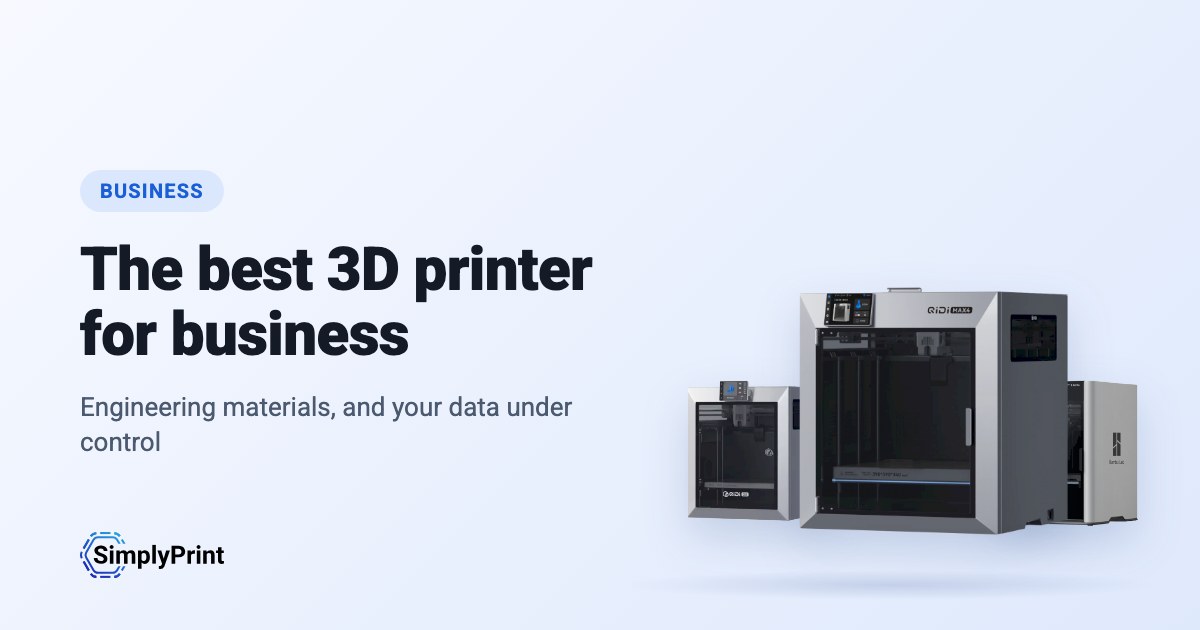
The best 3D printer for small business use prints the parts you need, in the material they have to be in. It does so without a specialist babysitting it. For most businesses that is no longer an industrial machine: today's enclosed printers print PETG, ABS, ASA and fibre-filled filaments that needed a five-figure printer a few years ago. This guide ranks the printers on sale today for business use, from what our printer catalog knows right now. It weighs materials, reliability, real-world use, reviews, price in your region, and how much each one depends on its maker's cloud. That makes it the best 3D printer for business work of most kinds, from jigs to the best professional 3D printer for a design studio.
Our picks: the best 3D printer for small business in 2026
The best printer for a business overall, then the best for each budget and for engineering materials. Every reason under a printer is read from its data and our assessment of it for business use, and the score is out of 100.
Ingen printer i vores katalog opfylder denne guides regler lige nu. Se i stedet alle printere, der virker med SimplyPrint. Vælg din 3D-printer
The ranking for business
The top ten for business. Open a printer for its specs, reviews and setup guide, or compare the top four on our printer comparison.
| # | Printer | Resultat | Fra | Med SimplyPrint | Kabinet | Multifarve | Mærkets åbenhed |
|---|---|---|---|---|---|---|---|
| 1 | Prusa CORE One+ INDX 248 x 205 x 270 mm |
75 | - | Forventes at fungere | Helt lukket | - | Åbn |
| 2 | Anycubic Kobra S1 250 x 250 x 250 mm |
32 | $401.00 | Kompatibel | Ukendt | - | Blandet |
Priserne er de laveste, vi har fundet i butikker i din region de sidste to uger, og de ændrer sig ofte. Sammenlign de fire bedste side om side
What a business needs from a 3D printer
The materials your parts are made of
The best 3D printer for prototyping prints the material the part will be made in, because prototypes are only useful if they behave like the real part. An enclosed printer with a hot enough hotend prints ABS and ASA; nylon and polycarbonate want more heat and often a heated chamber; carbon- and glass-filled filaments need a hardened nozzle. Each printer's page in our compatibility list shows what it prints well, and why.
Reliability and support
A printer that stops when its one expert is on holiday costs more than it saves. Prefer printers many others run, makers that sell spare parts in your country, and a support channel that answers. Buy two of the same model before one bigger one: one prints while the other is serviced, and a rush job never waits for a repair.
Data, compliance and the cloud
Some printers send every job and every design file through their maker's cloud. For a business that means your designs, and sometimes your customers', pass through a third party. Check where that cloud runs and what it keeps, and whether that fits your data-protection obligations, or choose printers you can run on your own network. Our brand ratings below show how much each maker depends on its own cloud.
From one printer to a fleet
Most companies don't stay at one printer. SimplyPrint runs printers from more than 130 brands in one account, with a shared print queue, users and permissions, approval before a job starts, and maintenance tracking. See what that costs on our pricing page.
Total cost, not the sticker price
The printer is often the smallest part of what it costs. Count filament for prototypes that fail, hardened nozzles for abrasive materials, a dryer for nylon, and the hours someone spends looking after it. A printer that costs more but needs no attention is often the cheaper one by the end of the year.
Before you buy: a checklist
- Print your own part first. Send the maker or a reseller a real file and ask for a sample, or find a review that prints something like it.
- List your materials. Which filaments do your parts need now, and which next year?
- Ask about support. How do you reach the maker, how fast do spare parts arrive, and is there a local reseller?
- Check the data path. Where do your files go when you print, and can you keep them on your own network?
- Plan for the second printer. Will the same model still be on sale next year, and can one account run both?
- Count the people. Who will run it day to day, and who covers when they are away?
Open or walled garden: the brands behind the picks
Some printer makers work like Apple: their printer, slicer, cloud and spare parts work together, on their terms. Others work like Android: open firmware, any slicer, any filament, parts you can buy or print. A closed system can be simpler to buy and support, but your workflow then depends on one company's choices. We rate each brand in six areas from public sources, with a dated record of recalls, layoffs and policy changes.
Prusa
Åbenhed: Åbn (4.9 ud af 5)
Åbn
Lukket økosystemÅbn
Prusa
Åbenhed: Åbn (4.9 ud af 5)Prusa Research is a Prague company founded in 2012 by Josef Průša, who came from the open-source RepRap project. It designs and builds the Original Prusa and Prusa CORE printers, makes Prusament filament, develops the PrusaSlicer slicer and runs the Printables model site. Printers are built in Prague and at its US site in Delaware, sold assembled or as kits, and used by hobbyists, schools, businesses and print farms.
Grundlagt: 2012 · Hovedkvarter: Prague, Czech Republic · Ejerskab: Prusa Research a.s., founded and led by Josef Průša · Personer: More than 1,200 people (company site, 2026) · Hjemmeside: www.prusa3d.com
Prusa is the most open of the large brands: GPL firmware, an open slicer, full local control without an account and spare parts for everything. Hardware design files now come under Prusa's own Open Community License, which allows personal and in-house business use but not selling machines.
| Firmware og brugerdefineret firmware ●●●●● |
Firmware for current printers is published on GitHub under GPL-3.0 and updated with every release. Official firmware is signed, but Prusa documents how to flash custom firmware by breaking a seal on the board and says this does not void the warranty. Prusa says firmware and printable parts are shared right away and electronics schematics later. [1][2][3] |
| Lokal styring og integrationer ●●●●● |
PrusaLink, built into the CORE One, MK4S, MK3.9, MK3.5 and XL, handles monitoring, file uploads and print control on the local network without internet or an account, and printing from USB works offline. Prusa publishes PrusaLink's HTTP API as an OpenAPI specification on GitHub, and its help centre covers OctoPrint setup. Prusa Connect is an optional cloud service for remote access. [4][15] |
| Tredjepartsfilament, slicere og dele ●●●●● |
Printers are open to any filament; PrusaSlicer is GPL-licensed and other slicers work. Instead of a locked RFID system, Prusa created OpenPrintTag, an NFC spool-tag standard that is free for any brand to use and works offline. [5][6] |
| Reparationer og reservedele ●●●●● |
The e-shop sells spare parts for each printer, printable parts are published, and the full CORE One CAD files are released. Prusa's open-source page says its goal is printers that stay moddable and easy to repair for decades, and its licence explicitly allows making spare parts for your own machines. [7][3][5] |
| Data og privatliv ●●●●● |
No account is needed for local use through PrusaLink or USB. Prusa Connect needs a Prusa account and stores G-codes and telemetry in the cloud. Prusa Research is an EU company and publishes its privacy policy and a Trust Center. [4][8] |
| Fællesskab og dokumentation ●●●●● |
Large community around Printables and the forum, a detailed knowledge base, and firmware and slicer developed in public on GitHub with open issue trackers. [1][4] |
- GPL firmware with a documented, warranty-safe way to flash custom firmware.
- Full control on the local network through PrusaLink, with no account needed.
- Spare parts for every printer, published printable parts and released CAD files.
- Kits available for people who want to build and understand their printer.
- Made in Prague, with a second factory in Delaware for US buyers.
- OpenPrintTag is an open spool-tag standard any brand can use.
- Hardware files use Prusa's own OCL licence, which bars selling machines built from them; it is not an OSI open-source licence.
- Electronics schematics are published later than firmware and printable parts.
- Remote access and cloud storage need Prusa Connect and an account.
- juli 2026: Printed Solid, the Delaware company Prusa Research bought in 2022, was renamed Prusa USA. Its Wilmington site builds the MK4S and CORE One+, makes filament and is Prusa's US service centre. [9]
- december 2025: Prusa released the full CAD files of the CORE One under its new Open Community License (OCL). OCL allows modifying, sharing mods and in-house commercial use, and grants patent and repair rights, but bars selling machines built from the files without an agreement, so it is not a standard open-source licence. Prusa said it is also filing patents on its designs. [5]
- oktober 2025: Prusa launched OpenPrintTag, a published NFC standard for smart filament spools that any brand can use without licence fees, starting with redesigned Prusament spools. [6]
- november 2024: Prusa announced the CORE One, its first fully enclosed CoreXY printer with active chamber temperature control. [10]
- marts 2023: Josef Průša wrote that open source in 3D printing was under strain from cloners and licence violations. With the MK4, Prusa released firmware sources and models of the plastic parts but held back the electronics plans, planning to publish them later under a new licence. [11]
Baseret på 15 kilder, sidst kontrolleret 18. oktober 2026. Vis kilder
- prusa3d/Prusa-Firmware-Buddy on GitHub github.com
- Flashing custom firmware (MINI/MINI+) | Prusa Knowledge Base help.prusa3d.com
- Open-source at Prusa Research prusa3d.com
- Prusa Connect and PrusaLink explained | Prusa Knowledge Base help.prusa3d.com
- Open-sourcing CORE One CAD Files Under the New Open Community License (OCL) blog.prusa3d.com
- The OpenPrintTag Is Here! The Open-Source Smart Spool Standard blog.prusa3d.com
- Spare parts | Original Prusa 3D printers prusa3d.com
- Privacy Policy | Original Prusa 3D printers prusa3d.com
- Delaware's Printed Solid rebrands to Prusa USA | Tom's Hardware tomshardware.com
- Introducing Prusa CORE One: Our new fully-enclosed CoreXY 3D printer blog.prusa3d.com
- The state of open-source in 3D printing in 2023 blog.prusa3d.com
- About us | Original Prusa 3D printers directly from Josef Prusa prusa3d.com
- The Great Recap of 2024 in Prusa Research blog.prusa3d.com
- Introducing the INDX: fast and affordable 8-material printing, exclusively on the CORE One blog.prusa3d.com
- github.com
I denne guide: Prusa CORE One+ INDX
Anycubic
Åbenhed: Blandet (3.0 ud af 5)
Blandet
Lukket økosystemÅbn
Anycubic
Åbenhed: Blandet (3.0 ud af 5)Anycubic is a Chinese 3D printer maker founded in 2015. It sells the Kobra line of FDM printers, including the enclosed Kobra S1 and S1 Max, the large Kobra 3 Max and the low-cost Kobra X, the ACE Pro multi-material unit and Photon resin printers. Its printers are aimed at hobbyists and home users at budget to mid-range prices.
Grundlagt: 2015 · Hovedkvarter: China (its global store is run by Hongkong Anycubic Technology Co., Limited) · Hjemmeside: www.anycubic.com
Anycubic is mixed: its printers work locally in LAN mode, take third-party filament and slicers, and have spare parts and guides, but its published firmware source leaves proprietary parts closed, custom firmware is unsupported, and its cloud had a security incident in 2024.
| Firmware og brugerdefineret firmware ●●●●● |
The Kobra 3, 3 Max and S1 run Klipper-go, Anycubic's Go port of Klipper. Anycubic published its source with the kernel and U-Boot under GPL, for the Kobra 3 in October 2024 and for the wider family in October 2025, but says some proprietary features are kept closed, and that modifying the firmware voids the warranty. The community project Rinkhals adds Fluidd, Mainsail and SSH, and reports that the newer Kobra X only accepts signed updates. [1][2][3] |
| Lokal styring og integrationer ●●●●● |
LAN mode lets Anycubic Slicer Next send prints, show progress and stream video on the local network without an account, and the S1's firmware 2.5.9.9 added sending from OrcaSlicer. With LAN mode on, the cloud, the app and AI failure detection are off, and the S1 must leave LAN mode and be bound to an account to update its firmware. Anycubic documents no local API for other software; Moonraker, Fluidd and Mainsail come only with the community firmware Rinkhals. [4][5][3] |
| Tredjepartsfilament, slicere og dele ●●●●● |
Third-party filament works. Anycubic Slicer Next is an open-source OrcaSlicer fork, and recent firmware accepts files sent from OrcaSlicer. Hotends, extruders and many other parts are model-specific Anycubic parts. [6][5][7] |
| Reparationer og reservedele ●●●●● |
Anycubic's store sells hotends, extruders, motherboards, heated beds, motors and screens, and its wiki has replacement guides for current models, for example the Kobra S1 Max XY motors and the Kobra X Y-axis motor. [7][8][9] |
| Data og privatliv ●●●●● |
LAN mode keeps data on the local network, but the app and cloud need an account. Anycubic's privacy policy allows broad collection, including product usage, device signals and nearby Wi-Fi access points, and storage in the United States. In February 2024 a flaw in its cloud MQTT server let a third party push a file to Kobra 2 printers; Anycubic apologised and patched it. [10][11][4] |
| Fællesskab og dokumentation ●●●●● |
Active user community and a wiki with guides and error codes for each model. Source releases leave proprietary parts closed, and custom firmware is a community effort. [4][2][3] |
- Budget to mid-range prices, with multi-colour Combo bundles.
- LAN mode works without an account.
- Spare parts and replacement guides for current models.
- Open-source slicer, and third-party filament works.
- Published firmware source leaves some features closed; modifying firmware voids the warranty.
- LAN mode turns off the app, cloud and AI failure detection, and firmware updates need the cloud.
- The privacy policy allows broad data collection.
- Its cloud was used to push files to printers in 2024 (fixed).
- oktober 2025: Anycubic published Klipper-go, its Go port of Klipper, as a standalone project for the Kobra 3, Kobra 3 V2, Kobra 3 Max and Kobra S1, with the MCU firmware, Linux kernel and U-Boot sources, on GitHub under GPL-3.0. It says some proprietary features remain closed. [2][12]
- oktober 2024: Anycubic published the Kobra 3 firmware sources (Klipper-go, MCU firmware, Linux kernel and U-Boot) on GitHub under GPL-3.0. [1]
- februar 2024: A third party used a vulnerability in Anycubic's cloud MQTT server to make Kobra 2 Pro/Plus/Max printers download a file named 'hacked_machine_readme.gcode'. Anycubic counted 237 affected printers and over 2,000 that received the file, apologised for its late response, tightened cloud authorisation and released a firmware fix. [11]
Baseret på 14 kilder, sidst kontrolleret 18. oktober 2026. Vis kilder
- ANYCUBIC-3D/Kobra3 on GitHub github.com
- ANYCUBIC-3D/Klipper-go on GitHub github.com
- jbatonnet/Rinkhals (community custom firmware) on GitHub github.com
- Kobra S1 Max-LAN Connection Guide | Anycubic Wiki wiki.anycubic.com
- Kobra S1- Firmware update guide | Anycubic Wiki wiki.anycubic.com
- ANYCUBIC-3D/AnycubicSlicerNext on GitHub github.com
- Anycubic 3D Printer Parts & Accessories store.anycubic.com
- Kobra S1 Max - XY Motor Replacement Guide | Anycubic Wiki wiki.anycubic.com
- Kobra X - Y Axis Motor Replacement Guide | Anycubic Wiki wiki.anycubic.com
- Privacy policy | Anycubic Store store.anycubic.com
- Security Issue of Anycubic Cloud store.anycubic.com
- ANYCUBIC-3D/rv1106-kernel-open-source on GitHub github.com
- Anycubic 3D Printer | About anycubic.com
- About Anycubic | Anycubic Global Store store.anycubic.com
I denne guide: Anycubic Kobra S1
Where they come from, and staying compliant
Most of the best 3D printers today come from Chinese companies, and this ranking reflects that: right now they give you the most printer for the money. That's no judgement of the people who make them. But for some buyers, where a printer comes from matters: your company may have procurement, security or customer requirements about where its equipment comes from and where its data goes.
En af de bedste 2 printere i denne guide kommer fra en kinesisk virksomhed. Her er de bedst rangerede fra EU-virksomheder:
Ingen er rangeret i denne guide endnu.
Any printer, on your terms, with SimplyPrint
Whoever makes your printer, SimplyPrint decides what it talks to:
- Off its maker's cloud. Most printers connect through the SimplyPrint Client on your own network, or in their local-network mode (Bambu Lab's LAN-only mode, with Developer Mode on its newer printers), so they never need their maker's cloud. You can block them from the internet entirely and let only the SimplyPrint Client connect out.
- Your data stored in Europe. SimplyPrint's cloud is hosted in Frankfurt, Germany, under the GDPR. See how we keep it secure and who processes data for us.
- One place for access. Users, permissions, single sign-on and an audit log, for every printer, whatever its brand.
- On your own servers, if you need it. See cloud vs. on-premise.
How we choose
No brand pays for its place in this guide. The ranking is a formula over our catalog, the same for every printer, and it runs again each time the page loads. For business it weighs our assessment, the enclosure, materials and proven compatibility most:
| Hvad vi vægter | Point | Sådan måles det |
|---|---|---|
| Vores vurdering til dette formål | 20 | Vores skriftlige vurdering af printeren til denne type køber: fremragende, god, OK eller dårlig. En printer, vi vurderer som dårlig til formålet, udelades. Ikke alle printere er vurderet endnu. For dem udelades denne faktor, og de andre tæller mere. |
| Virker med SimplyPrint | 12 | Verificeret af SimplyPrint, kompatibel eller forventes at virke ud fra tilslutningsmåden. |
| Kabinet | 12 | Helt lukket tæller mest, delvist lukket tæller halvt. |
| Materialer, den printer godt med | 10 | Hvor mange slags filament den printer godt med ud fra dens temperaturer, kabinet og producentens liste. |
| Hvor mange der er i brug | 6 | Hvor mange printere af modellen der kører med SimplyPrint, på en logaritmisk skala: et tegn på, hvor mange der stoler på den. |
| Uafhængige anmeldelser | 6 | Hvor mange anerkendte anmeldere, presse og YouTube, der har anmeldt den, op til fire. |
| Hvor ny den er | 5 | Lanceret i år eller sidste år tæller fuldt med, derefter mindre for hvert år. |
| Byggevolumen | 5 | Større tæller mere, op til ca. 400 mm på hver side. |
| Multifarve og multimateriale | 4 | Om den leveres med eller fungerer med en multimaterialeenhed, en toolchanger eller to extrudere. |
| Indbygget kamera | 4 | Et indbygget kamera til at overvåge print og registrere fejl. |
| Mærkets åbenhed | 4 | Mærkets placering på vores skala fra åben til lukket økosystem nedenfor. Ikke vurderet endnu tæller som midten. |
| Bedømmelse fra SimplyPrint-brugere | 3 | Hvad SimplyPrint-brugere vurderer den til, når de har vurderet den. |
| Pris | 3 | Den laveste aktuelle pris i din region, sammenlignet på en logaritmisk skala med de andre i guiden. Ingen aktuel pris tæller som lav. |
| Ethernet | 3 | En Ethernet-port til en stabil forbindelse på et belastet netværk. |
| Mærkets historik | 3 | Negative hændelser i mærkets seneste tre år, tilbagekaldelser, afskedigelser og politikændringer, der fjernede funktioner, hver med tilhørende kilder. Endnu ikke undersøgt tæller som et mindre fradrag. |
En printer er med i udvalget, når den virker med SimplyPrint (bekræftet, kompatibel eller forventet ud fra forbindelsen), er producentens egen model og stadig sælges: producenten sælger den stadig, en butik har en aktuel pris, eller den blev lanceret inden for de seneste 3 år.
Scoren udvælger printerne, med én undtagelse: Hvis vores egen praktiske erfaring med en printer ikke stemmer overens med dens score, kan vores redaktør vælge en anden anbefaling, og det fremgår af anbefalingen. En printer, der er erstattet af en nyere model, som vi anbefaler i stedet, udelades.
Nogle producenter sender os printere eller samarbejder direkte med os. Når de gør det, angiver guiden det ved deres printere.
Har du set noget forkert? Fortæl os det, så retter vi det. Kontakt os
Åbenhedsskalaen
Hvert mærke vurderes fra 1 (lukket) til 5 (åbent) inden for seks områder ud fra offentlige kilder, som vi angiver ved hver vurdering. Den samlede vurdering er det vægtede gennemsnit og placerer mærket på en skala fra lukket økosystem til åbent:
| Område | Vægt |
|---|---|
| Firmware og brugerdefineret firmware | 30% |
| Lokal styring og integrationer | 30% |
| Tredjepartsfilament, slicere og dele | 15% |
| Reparationer og reservedele | 10% |
| Data og privatliv | 10% |
| Fællesskab og dokumentation | 5% |
Åbn fra 4.25 · Overvejende åben fra 3.50 · Blandet fra 2.75 · Overvejende lukket fra 2.00 · Lukket økosystem under det
Some buying links earn us a commission at no cost to you; they never change the ranking. We make SimplyPrint, which runs printers from every brand here, so "works with SimplyPrint" is one factor: it is the software a business would manage its printers with if it chose to.
Baseret på vores katalog i dag: 2 printere rangeret ud af 3 til salg, som virker med SimplyPrint. 1 af dem har vores skriftlige vurdering til denne anvendelse. 2 af de 2 viste mærker er vurderet for åbenhed.