The best 3D printer for small business use prints the parts you need, in the material they have to be in. It does so without a specialist babysitting it. For most businesses that is no longer an industrial machine: today's enclosed printers print PETG, ABS, ASA and fibre-filled filaments that needed a five-figure printer a few years ago. This guide ranks the printers on sale today for business use, from what our printer catalog knows right now. It weighs materials, reliability, real-world use, reviews, price in your region, and how much each one depends on its maker's cloud. That makes it the best 3D printer for business work of most kinds, from jigs to the best professional 3D printer for a design studio.
Our picks: the best 3D printer for small business in 2026
The best printer for a business overall, then the best for each budget and for engineering materials. Every reason under a printer is read from its data and our assessment of it for business use, and the score is out of 100.
Informasjon om partnerlenker: Enkelte lenker på denne siden er partnerlenker. Vi kan motta provisjon hvis du kjøper noe, uten ekstra kostnad for deg. Som Amazon-partner tjener vi på kvalifiserte kjøp.
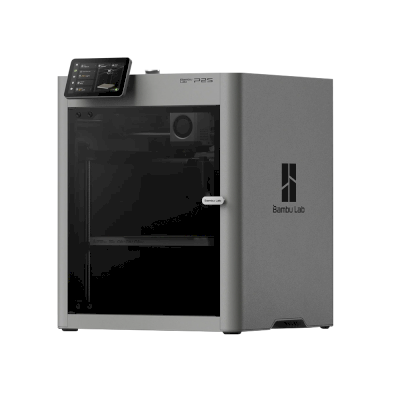
Bambu Lab P2S
 Kina
The P2S is Bambu Lab's enclosed CoreXY printer and the successor to the P1S, with a 5-inch touchscreen, a quick-swap nozzle, AI failure detection and a 256 mm build cube. It is for anyone who wants an easy, fast printer that handles ABS and ASA as well as PLA and PETG.
- Enclosed with AI failure detection and a wide material range, but it uses Bambu's cloud by default and has no Ethernet.
- 1 000+ printere bruker SimplyPrint
- Helt lukket, så ABS og ASA kan skrives ut godt
- Printer PETG, TPU og fleksible materialer, ABS & ASA, Nylon (PA), Polycarbonate (PC), Karbonfiber- og glassfiberforsterket godt, i tillegg til PLA
- Anmeldt av Tom's Hardware, TechRadar, Wired
- By default it runs through Bambu Lab's own software and cloud, which some organisations' compliance rules don't allow; with SimplyPrint it can run without them and use SimplyPrint's European cloud, in Bambu Lab's LAN-only mode (with Developer Mode on current firmware, which Bambu Lab doesn't support).
- Multi-colour prints produce a lot of purge waste (TechRadar, Tom's Hardware, Wired).
- Bambu Lab vurderer «For det meste lukket» på vår åpenhetsskala: se merknadene om merket nedenfor
- Bambu Lab har hatt tilbakeslag de siste tre årene: se merknadene om merket nedenfor
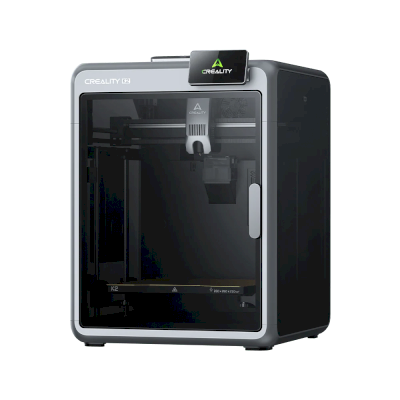
Creality K2
Kina
- Helt lukket, så ABS og ASA kan skrives ut godt
- Printer PETG, TPU og fleksible materialer, ABS & ASA, Nylon (PA), Polycarbonate (PC) godt, i tillegg til PLA
- 100+ printere bruker SimplyPrint
- Lansert august 2025
- Et innebygd kamera for å se utskrifter hvor som helst
- Creality har hatt tilbakeslag de siste tre årene: se merknadene om merket nedenfor
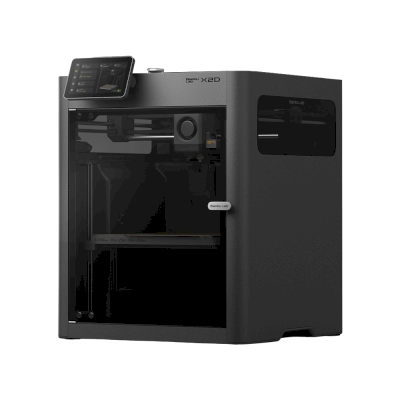
Bambu Lab X2D
Kina
- 250+ printere bruker SimplyPrint
- Helt lukket, så ABS og ASA kan skrives ut godt
- Printer PETG, TPU og fleksible materialer, ABS & ASA, Nylon (PA), Polycarbonate (PC), Karbonfiber- og glassfiberforsterket godt, i tillegg til PLA
- Anmeldt av Tom's Hardware, TechRadar, Notebookcheck
- Lansert 14. april 2026
- Bambu Lab vurderer «For det meste lukket» på vår åpenhetsskala: se merknadene om merket nedenfor
- Bambu Lab har hatt tilbakeslag de siste tre årene: se merknadene om merket nedenfor
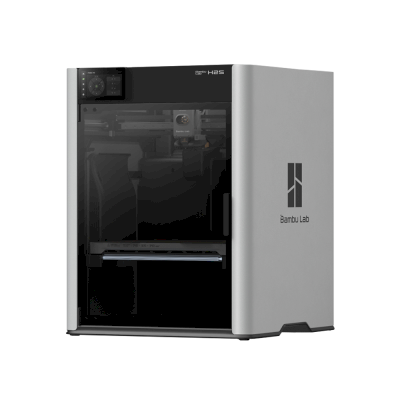
Bambu Lab H2S
Kina
The H2S is Bambu Lab's large, fully enclosed single-nozzle printer: 340 x 320 x 340 mm, a 350 °C hotend and a 65 °C actively heated chamber. It is for makers and small businesses that want big, clean prints in everything from PLA to nylon and PC without paying for the H2D's second nozzle.
- An enclosed, heated-chamber machine for engineering materials with strong reliability reports; the closed Bambu ecosystem is the one compliance question.
- 250+ printere bruker SimplyPrint
- Helt lukket, så ABS og ASA kan skrives ut godt
- Printer PETG, TPU og fleksible materialer, ABS & ASA, Nylon (PA), Polycarbonate (PC), Karbonfiber- og glassfiberforsterket, Høytemperatur (PEI, PEEK, PEKK) godt, i tillegg til PLA
- Anmeldt av Tom's Hardware, TechRadar, CNC Kitchen
- One nozzle means more purge waste on multi-colour prints than the dual-nozzle H2D, and Tom's Hardware sees skipping the second nozzle as a waste.
- Heavy, and CNC Kitchen measured a bed temperature spread of roughly 10 °C.
- Bambu Lab vurderer «For det meste lukket» på vår åpenhetsskala: se merknadene om merket nedenfor
- Bambu Lab har hatt tilbakeslag de siste tre årene: se merknadene om merket nedenfor

Sovol SV08 Max (Heat Chamber)
Kina
- Helt lukket, så ABS og ASA kan skrives ut godt
- Printer PETG, TPU og fleksible materialer, ABS & ASA, Nylon (PA), Polycarbonate (PC) godt, i tillegg til PLA
- 10+ printere bruker SimplyPrint
- Lansert mai 2025
- Et stort byggevolum: 500 x 500 x 450 mm
The ranking for business
The top ten for business. Open a printer for its specs, reviews and setup guide, or compare the top four on our printer comparison.
| # | Printer | Resultat | Fra | Med SimplyPrint | Kabinett | Flerfarge | Merkeåpenhet |
|---|---|---|---|---|---|---|---|
| 1 | Bambu Lab P2S 256 x 256 x 256 mm |
83 | $449.00 | Verifisert av SimplyPrint | Helt lukket | Tillegg | For det meste lukket |
| 2 | Bambu Lab H2S 340 x 320 x 340 mm |
90 | $1,049.00 | Verifisert av SimplyPrint | Helt lukket | Tillegg | For det meste lukket |
| 3 | Bambu Lab H2D 325 x 320 x 325 mm |
90 | $1,399.00 | Verifisert av SimplyPrint | Helt lukket | Innebygd | For det meste lukket |
| 4 | Creality K2 Plus 350 x 350 x 350 mm |
87 | $999.00 | Kompatibel | Helt lukket | Tillegg | For det meste åpen |
| 5 | Bambu Lab H2C 330 x 320 x 325 mm |
85 | $1,899.00 | Verifisert av SimplyPrint | Helt lukket | Innebygd | For det meste lukket |
| 6 | Bambu Lab X2D 256 x 256 x 260 mm |
85 | $589.00 | Verifisert av SimplyPrint | Helt lukket | Innebygd | For det meste lukket |
| 7 | QIDI Q2 270 x 270 x 256 mm |
85 | $449.00 | Kompatibel | Helt lukket | Tillegg | For det meste åpen |
| 8 | Creality K2 Pro 300 x 300 x 300 mm |
84 | $599.00 | Kompatibel | Helt lukket | Tillegg | For det meste åpen |
| 9 | QIDI Max4 390 x 390 x 340 mm |
82 | $1,049.00 | Kompatibel | Helt lukket | Tillegg | For det meste åpen |
| 10 | Sovol SV08 Max (Heat Chamber) 500 x 500 x 450 mm |
80 | $1,099.00 | Kompatibel | Helt lukket | - | Åpne |
QIDI sender oss noen av sine nye printere gratis.
Prisene er de laveste vi fant i butikker i regionen din de siste to ukene, og de endres ofte. Sammenlign de fire beste side om side
What a business needs from a 3D printer
The materials your parts are made of
The best 3D printer for prototyping prints the material the part will be made in, because prototypes are only useful if they behave like the real part. An enclosed printer with a hot enough hotend prints ABS and ASA; nylon and polycarbonate want more heat and often a heated chamber; carbon- and glass-filled filaments need a hardened nozzle. Each printer's page in our compatibility list shows what it prints well, and why.
Reliability and support
A printer that stops when its one expert is on holiday costs more than it saves. Prefer printers many others run, makers that sell spare parts in your country, and a support channel that answers. Buy two of the same model before one bigger one: one prints while the other is serviced, and a rush job never waits for a repair.
Data, compliance and the cloud
Some printers send every job and every design file through their maker's cloud. For a business that means your designs, and sometimes your customers', pass through a third party. Check where that cloud runs and what it keeps, and whether that fits your data-protection obligations, or choose printers you can run on your own network. Our brand ratings below show how much each maker depends on its own cloud.
From one printer to a fleet
Most companies don't stay at one printer. SimplyPrint runs printers from more than 130 brands in one account, with a shared print queue, users and permissions, approval before a job starts, and maintenance tracking. See what that costs on our pricing page.
Total cost, not the sticker price
The printer is often the smallest part of what it costs. Count filament for prototypes that fail, hardened nozzles for abrasive materials, a dryer for nylon, and the hours someone spends looking after it. A printer that costs more but needs no attention is often the cheaper one by the end of the year.
Before you buy: a checklist
- Print your own part first. Send the maker or a reseller a real file and ask for a sample, or find a review that prints something like it.
- List your materials. Which filaments do your parts need now, and which next year?
- Ask about support. How do you reach the maker, how fast do spare parts arrive, and is there a local reseller?
- Check the data path. Where do your files go when you print, and can you keep them on your own network?
- Plan for the second printer. Will the same model still be on sale next year, and can one account run both?
- Count the people. Who will run it day to day, and who covers when they are away?
Open or walled garden: the brands behind the picks
Some printer makers work like Apple: their printer, slicer, cloud and spare parts work together, on their terms. Others work like Android: open firmware, any slicer, any filament, parts you can buy or print. A closed system can be simpler to buy and support, but your workflow then depends on one company's choices. We rate each brand in six areas from public sources, with a dated record of recalls, layoffs and policy changes.
Sovol
Åpenhet: Åpne (4.3 av 5)
Åpne
Lukket økosystemÅpne
Sovol
Åpenhet: Åpne (4.3 av 5)Sovol is a Chinese 3D printer maker founded in 2018 that sells low-cost printers and publishes their designs. Its SV08 is a lower-cost derivative of the open-source Voron 2.4, released with its structure, electronics and firmware files, and most current models run Klipper. Its buyers are mainly hobbyists who like to tinker.
Grunnlagt: 2018 · Nettsted: www.sovol3d.com
Sovol is among the most open brands: its printers are standard Klipper machines on open designs, with published files and no cloud. The trade-off is less hand-holding: Tom's Hardware found its larger printer needs experience to tune.
| Fastvare og tilpasset fastvare ●●●●● |
Sovol publishes firmware source on GitHub; for the SV08 under GPL-3.0 together with structure files and motherboard designs. Newer repositories, such as the SV08 Max, carry no licence file. Sovol says damage caused by modified or third-party firmware voids its one-year warranty and that it does not help with modifying the source. [1][2][3] |
| Lokal styring og integrasjoner ●●●●● |
The SV08 family runs Klipper with the Mainsail interface on the local network, so other software can use Moonraker's documented API. Tom's Hardware drove the SV08 from Mainsail, listed 'doesn't require the cloud', and found 'vanilla Klipper' on the SV08 Max. We found no Sovol cloud service or account requirement. [5][4][1][11] |
| Filament, slicere og deler fra tredjeparter ●●●●● |
Built on open designs and Klipper, so any filament can be used; Sovol supplies OrcaSlicer profiles, and Tom's Hardware notes the SV08 also works with Cura or PrusaSlicer using Voron settings and takes Bambu-style nozzles. Hotends and extruders are Sovol parts, sold in its store. [6][1][7] |
| Reparasjoner og reservedeler ●●●●● |
Sovol's store sells parts per model (hotends, extruders, fans, eMMC modules, heated beds), and the SV08's full CAD and motherboard files are public, so parts can be identified or made. [7][1] |
| Fellesskap og dokumentasjon ●●●●● |
Strong overlap with the Voron community, which Sovol supports with a donation programme, public GitHub repositories and a wiki; Sovol does not give technical help for modifying the source. [8][1][9] |
- Standard Klipper with Mainsail on the local network, no account or cloud.
- SV08 structure, electronics and firmware files are published.
- Spare parts sold per model, and open designs make parts easy to source.
- Low prices for Voron-style machines.
- Damage caused by modified or third-party firmware voids the one-year warranty.
- Sovol does not help with modifying its source code.
- Tom's Hardware found the SV08's default slicer profiles very conservative and says the SV08 Max needs an experienced hand to tune.
- Newer repositories (SV08 Max, Zero) have no licence file.
- juli 2026: Sovol launched the M1D, an open-source IDEX printer with a tool changer, on Kickstarter, where it passed $2.8 million in pledges. [10]
- mars 2024: Sovol released the SV08, a lower-cost derivative of the Voron 2.4, and published its structure, hardware and firmware files on GitHub under GPL-3.0. Sovol says it set up a donation programme with the Voron Design team. [1][8]
Undersøkt fra 11 kilder, sist sjekket 18. oktober 2026. Vis kilder
- Sovol3d/SV08 on GitHub github.com
- Sovol3d/klipper on GitHub github.com
- Sovol3d/SV08MAX on GitHub github.com
- Sovol SV08 Max review: Monster printer | Tom's Hardware tomshardware.com
- Sovol SV08 Review: A Speedy Voron Tribute | Tom's Hardware tomshardware.com
- Sovol3d/Sovol-OrcaSlicer on GitHub github.com
- FDM Parts | Sovol sovol3d.com
- About Us | Sovol sovol3d.com
- Sovol Wiki wiki.sovol3d.com
- Sovol M1D 3D printer is the first open-source IDEX design with an integrated tool-changer | Tom's Hardware tomshardware.com
- moonraker.readthedocs.io
I denne veiledningen: Sovol SV08 Max (Heat Chamber)
QIDI
Åpenhet: For det meste åpen (4.2 av 5)
For det meste åpen
Lukket økosystemÅpne
QIDI
Åpenhet: For det meste åpen (4.2 av 5)QIDI Tech is a Chinese 3D printer maker formed in 2014. It sells enclosed, Klipper-based CoreXY printers such as the compact Q2 and the larger Plus4 and Max4, and develops the open-source QIDI Studio slicer and the QIDI Link app.
Grunnlagt: 2014 · Nettsted: qidi3d.com
QIDI is mostly open: its printers are standard Klipper machines you can run fully on the local network, with published source and plenty of spare parts. The phone app and the store-only privacy policy are the weak spots.
| Fastvare og tilpasset fastvare ●●●●● |
QIDI printers run QIDI's editions of Klipper and Moonraker with Fluidd. QIDI publishes them and per-model firmware packages on GitHub under GPL (for example the Q2 in January 2026 and the Max4 in August 2026) and answers issues there. [1][2][3] |
| Lokal styring og integrasjoner ●●●●● |
QIDI printers run Klipper and Moonraker with Fluidd on the printer, and QIDI Studio connects to them on the local network by IP without an account. QIDI publishes its Moonraker edition on GitHub, and other software can use Moonraker's documented API. Only the QIDI Link phone app needs an account and QIDI's cloud. [4][5][11][12] |
| Filament, slicere og deler fra tredjeparter ●●●●● |
Third-party filament works; QIDI Studio is open source, and as Klipper and Moonraker printers they work with other Moonraker-compatible software. Hotends and nozzles are QIDI parts made per model. [6][1][7] |
| Reparasjoner og reservedeler ●●●●● |
QIDI's store lists many individual parts, including motherboards, eMMC modules, fans, extruders, hotends and Wi-Fi cards, and its wiki has replacement guides such as the Plus4 hotend. [7][8] |
| Data og personvern ●●●●● |
Local use needs no account. QIDI Link requires one and says which server it uses (Aliyun in China, AWS elsewhere). The published privacy policy covers the online store, not the printers or the app. [5][9] |
| Fellesskap og dokumentasjon ●●●●● |
Firmware is released and issues are taken on GitHub, and QIDI keeps a wiki per model with manuals, maintenance and troubleshooting guides. [1][4] |
- QIDI is one of the few printer makers we work with directly: they occasionally send us new printers, and put us in touch with their developers when we need them.
- Runs fully on the local network through Fluidd, with no account needed.
- Klipper and Moonraker sources and firmware updates are published on GitHub.
- Many individual spare parts, down to motherboards and eMMC modules.
- Open-source slicer and open filament choice.
- The QIDI Link app needs an account and QIDI's cloud.
- The privacy policy covers only the online store, not the printers or app.
- Hotends and nozzles are QIDI-specific parts.
- august 2026: QIDI published the firmware repository for the Max4 on GitHub under GPL-3.0. [2]
- januar 2026: QIDI published the Q2's Klipper-based firmware on GitHub under GPL-3.0, with update packages and an issue tracker. [1]
Undersøkt fra 12 kilder, sist sjekket 18. oktober 2026. Vis kilder
- QIDITECH/QIDI_Q2 on GitHub github.com
- QIDITECH/QIDI_MAX4 on GitHub github.com
- QIDITECH/klipper on GitHub github.com
- Connect device and Fluidd | QIDI Wiki wiki.qidi3d.com
- QIDI Link | QIDI Wiki wiki.qidi3d.com
- QIDITECH/QIDIStudio on GitHub github.com
- Accessories | QIDI Online Store qidi3d.com
- PLUS4 Replace Hot End | QIDI Wiki wiki.qidi3d.com
- Privacy policy | QIDI Online Store qidi3d.com
- QIDI | 3D Printer Manufacturer Since 2014 qidi3d.com
- github.com
- moonraker.readthedocs.io
Creality
Åpenhet: For det meste åpen (3.6 av 5)
For det meste åpen
Lukket økosystemÅpne
Creality
Åpenhet: For det meste åpen (3.6 av 5)Creality is a Shenzhen 3D printer maker founded in 2014. Its low-cost Ender series, launched in 2017, made desktop 3D printing affordable for many hobbyists. It now sells Klipper-based K-series CoreXY printers, Ender and CR open-frame printers, the Hi and SPARKX beginner lines, the CFS multi-material system, 3D scanners and laser engravers, and runs the Creality Cloud model platform. It listed on the Hong Kong Stock Exchange in 2026.
Grunnlagt: 2014 · Hovedkontor: Shenzhen, China · Eierskap: Listed on the Hong Kong Stock Exchange (3388.HK) since 2026; founder Jack Chen is chief executive · Nettsted: www.creality.com
Creality sits in the middle: its Klipper-based printers can be run locally with Fluidd and open slicers, and it publishes firmware source, but usually months after launch, and it dropped root access on its 2025 K1 revisions.
| Fastvare og tilpasset fastvare ●●●●● |
Creality publishes Klipper firmware source for the K1, K2, Hi and Ender-3 V3 KE on GitHub under GPL, but after launch: the K1 source came about three months after the series launched in May 2023, the K2 and Hi sources in September 2025. Earlier K1 printers have an official root option with a published guide, but Creality's wiki says the 2025 K1C and K1 Max do not support root access. [1][2][3][4][5] |
| Lokal styring og integrasjoner ●●●●● |
Creality Print sends jobs over the local network with no account, and Creality Cloud is optional. The K2 series and Ender-3 V3 serve Fluidd on the printer, so other software can use Klipper's documented Moonraker API. On the K1 series, Creality's firmware notes treat Fluidd and Mainsail as add-ons owners install themselves, and Creality says the 2025 K1C and K1 Max do not support root access. The SPARKX i7 is set up through the Creality Cloud app. [6][20][7][21][4][8][22] |
| Filament, slicere og deler fra tredjeparter ●●●●● |
Third-party filament works; Creality Print is an open-source (AGPL-3.0) slicer and OrcaSlicer supports Creality printers. Creality sells nozzle, hotend and extruder kits per model; newer K2 parts such as its nozzle kit are Creality designs. [10][11][12] |
| Reparasjoner og reservedeler ●●●●● |
Creality's store sells extruder, hotend, heating-block and print-head kits per model, and its wiki has parts lists and replacement guides for current printers (for example the K2 Plus and SPARKX i7 hotends). [12][13][14] |
| Data og personvern ●●●●● |
Local printing needs no account; Creality Cloud and its app need one. Creality's published privacy policy is written for its websites and services, allows use of data for targeted advertising, and says little about printer data or where it is stored. [15][6] |
| Fellesskap og dokumentasjon ●●●●● |
One of the largest user bases (second in consumer 3D printers by 2025 sales value, per figures in its listing), a public wiki with model-specific guides, firmware and slicer sources on GitHub, and an official forum. [16][10][6] |
- Klipper-based models can be run entirely on the local network through Fluidd, without an account.
- Firmware for most current models and the Creality Print slicer are published as source on GitHub.
- Wide range, from budget Ender printers to multi-colour K2 machines.
- Spare-part kits and model-specific replacement guides are easy to find.
- Very large user base, so community help is easy to find.
- Firmware source has usually appeared months after a model ships.
- Root access, offered on earlier K1 printers, is not supported on the 2025 K1C and K1 Max.
- The privacy policy says little about printer and cloud data.
- The SPARKX line is built around the Creality Cloud app and an account.
- mai 2026: Creality listed on the Main Board of the Hong Kong Stock Exchange (3388.HK), raising about HK$1.27 billion net. Its prospectus showed 2025 revenue of RMB 3.13 billion and a net loss of RMB 182.4 million, after a profit in 2024. [16][5]
- november 2025: Creality's wiki states that the 2025 revisions of the K1C and K1 Max do not support root access, which earlier K1 printers offered through an official option and guide. [4][17][3]
- september 2025: Creality published the Klipper source for its K2 series and for the Hi on GitHub under GPL-3.0. [2][18]
- august 2023: About three months after the K1 series launched, Creality published its K1 Klipper source on GitHub, followed by a repository with a root guide and Fluidd and Mainsail install instructions. [1][3][5]
Undersøkt fra 22 kilder, sist sjekket 18. oktober 2026. Vis kilder
- CrealityOfficial/K1_Series_Klipper on GitHub github.com
- CrealityOfficial/K2_Series_Klipper on GitHub github.com
- CrealityOfficial/K1_Series_Annex on GitHub github.com
- Root Disclaimer and Risk Warning | Creality Wiki wiki.creality.com
- New Creality IPO Prospectus Shows Record Revenue Alongside Competitive Pressure - 3D Printing Industry 3dprintingindustry.com
- LAN printing | Creality Wiki wiki.creality.com
- How To Control The Ender-3 V3 Using Fluidd Over A Local Area Network | Creality Wiki wiki.creality.com
- SPARKX i7: One-click printing with the Creality Cloud APP | Creality Wiki wiki.creality.com
- SPARKX i7: How to Print Using a USB Drive | Creality Wiki wiki.creality.com
- CrealityOfficial/CrealityPrint on GitHub github.com
- OrcaSlicer/OrcaSlicer on GitHub github.com
- 3D Printer Accessories | Creality Printer Upgrades & Parts store.creality.com
- Replace K2 Plus Hotend | Creality Wiki wiki.creality.com
- i7 Series Quick-Release Hotend Replacement Guide | Creality Wiki wiki.creality.com
- Privacy Policy | Creality creality.com
- Oversubscribed Creality IPO raises $177M, valuing desktop 3D printing company at $1.12 billion - 3D Printing Industry 3dprintingindustry.com
- Creality Root Disclaimer Explained: Risks, Impact, and 2025 K1 Changes | Makers101 makers101.com
- CrealityOfficial/Hi_Klipper on GitHub github.com
- About Us | Creality Official creality.com
- wiki.creality.com
- wiki.creality.com
- moonraker.readthedocs.io
I denne veiledningen: Creality K2, Creality K2 Plus, Creality K2 Pro
Bambu Lab
Åpenhet: For det meste lukket (2.3 av 5)
For det meste lukket
Lukket økosystemÅpne
Bambu Lab
Åpenhet: For det meste lukket (2.3 av 5)Bambu Lab is a Shenzhen company founded in 2020 by former DJI engineers. It makes FDM printers in four families (A, P, X and H), the AMS multi-material units, the Bambu Studio slicer, the Bambu Handy app and the MakerWorld model site, and designs them to be used together. Its printers are used by beginners, hobbyists, schools and print farms.
Grunnlagt: 2020 · Hovedkontor: Shenzhen, China · Eierskap: Privately held; founded by CEO Ye Tao and other former DJI staff, with venture investors (BGR, 2026) · Nettsted: bambulab.com
Bambu Lab works like Apple: printer, slicer, app, cloud and multi-material system come from one company and are made to work together. Filament and slicer choice stay open, but the firmware is closed and signed, and since 2025 third-party control needs Bambu Connect or the unsupported Developer Mode.
| Fastvare og tilpasset fastvare ●●●●● |
The printer firmware is Bambu's own and closed; in 2022 Bambu said it would keep it in-house. Its security white paper describes secure boot that only runs verified firmware on X1, H2, P1 and A1 printers. Bambu publishes the GPL parts it uses (Linux kernel, U-Boot, BusyBox) but not the printer software. Rooting the X1 only became possible through a security flaw the X1Plus project used in 2024; Bambu then published a one-off rootable X1 firmware for owners who give up their warranty, and blocks rooting in later firmware. [1][2][3][4][22] |
| Lokal styring og integrasjoner ●●●●● |
LAN Only mode prints and monitors from Bambu Studio or Bambu Connect without internet or an account; the Handy app, printing from outside the network and print history need Bambu's cloud. Since the 2025 authorization firmware, other software can only read status in normal mode. Full control needs Developer Mode, which cuts the cloud link and which Bambu says it cannot support because the protocols are not official. Bambu documents no local protocol; it offers a file hand-off to Bambu Connect and a Local Server SDK on application. [23][24][6][7][5] |
| Filament, slicere og deler fra tredjeparter ●●●●● |
Third-party filament works, and Bambu publicly denied in 2025 that it would restrict it. OrcaSlicer and other slicers can be used, but since the 2025 firmware they send and control prints through Bambu Connect or Developer Mode. Hotends are Bambu's own designs, and Bambu says it cannot promise long-term support for accessories that control the printer unless it approved them first. [7][6][4] |
| Reparasjoner og reservedeler ●●●●● |
Bambu's store sells individual spare parts down to motors, belts, encoders and boards, and its wiki has step-by-step replacement guides for each model (for example the P2S hotend and the H2D/H2C AP board). Many parts, hotends included, are Bambu-specific, so spares come from Bambu. [8][9][10] |
| Data og personvern ●●●●● |
Cloud features need a Bambu account, while LAN Only mode keeps jobs on the local network. Bambu publishes a Trust Center and a 38-page security white paper, says it holds ISO/IEC 27001, ISO/IEC 27701 and TRUSTe certifications, and runs a paid bug bounty. In August 2023 a cloud outage made some printers start earlier jobs on their own; Bambu apologised. [2][11][5][12] |
| Fellesskap og dokumentasjon ●●●●● |
Very large user community, the MakerWorld model site, a detailed wiki and a blog where Bambu explains its policy changes. Bambu Studio is developed in public on GitHub with an open issue tracker. The printer protocol is not documented, and Developer Mode is unsupported. [13][5][7] |
- Printer, slicer, app and AMS come from one company and are designed to work together, which makes a first setup simple.
- Step-by-step repair guides for each model and individual spare parts sold in Bambu's store.
- LAN Only mode works without internet or an account.
- Bambu Studio is open source, and third-party filament works.
- Publishes security certifications and runs a public bug bounty.
- Firmware is closed and signed; current models have no supported way to run custom firmware.
- Since the 2025 firmware, third-party software and accessories need Bambu Connect or the unsupported Developer Mode to control the printer.
- Remote printing, the Handy app and print history depend on Bambu's cloud.
- Hotends and many parts are Bambu-specific, so spares come from Bambu.
- In 2026 a US jury found the X1, P1 and A1 infringe Stratasys patents; Bambu is appealing.
- september 2026: A US federal jury in Texas found that Bambu Lab's X1, P1 and A1 printers infringe Stratasys patents on prime towers and bed levelling, and awarded Stratasys $27.6 million. No injunction was placed on the printers. Bambu told Tom's Hardware it disagrees with the verdict and intends to seek post-trial review and appeal. Stratasys had filed two suits in 2024; more patents are still to be decided. [14]
- mai 2026: Bambu Lab pressed the developer of 'OrcaSlicer-bambulab', a fork that restored direct cloud printing from OrcaSlicer, to remove it, according to Manufactur3D. On 7 May Bambu said the fork impersonated the official Bambu Studio client to its cloud, which its user agreement does not allow, and that modifying and sharing its AGPL code remains fine. The developer disputed the claims. [15][16][17]
- oktober 2025: Bambu Lab opened a Trust Center with a security white paper and listed ISO/IEC 27001, ISO/IEC 27701 and TRUSTe privacy certifications. A year later it said its bug bounty had worked with over 100 researchers and that it had added a public security update log. [2][11]
- 20. januar 2025: After criticism from users and print farms, Bambu Lab announced an optional Developer Mode for X1, P1, A1 and A1 mini that leaves MQTT, FTP and the live stream open for third-party software in LAN mode, without official support. It also said LAN mode via Bambu Connect needs neither internet nor an account, and that third-party filament would not be restricted. [7]
- 16. januar 2025: Bambu Lab announced firmware with 'authorization control', first for the X1: starting prints, moving axes, changing temperatures and binding the printer now require Bambu-approved software, also in LAN mode. On updated printers, third-party slicers and accessories such as the Panda Touch could no longer control the printer except through Bambu Connect; reading status still worked. Bambu cited security and up to 30 million unauthorised cloud requests a day; older firmware stayed optional. [6]
- mars 2024: After the X1Plus jailbreak, Bambu Lab published a one-off rootable firmware for the X1 series for owners who give up their warranty support. It said it does not support X1Plus, and that firmware after it would block rooting again. [4]
- februar 2024: Bambu Lab extended its A1 heatbed-cable callback to a recall of all A1 printers and asked owners to stop using them. It reported electrical faults in under 0.1% of units and offered a full refund plus an $80 voucher, or a redesigned heatbed plus a $120 voucher and six extra months of warranty. The A1 mini was not affected. [18][19]
- januar 2024: Community developers rooted the X1 series through a security flaw in its firmware (up to version 1.07) and released the X1Plus custom firmware. Bambu Lab closed the flaw in later firmware. [22]
- august 2023: During a Bambu cloud outage on 15 August 2023, some printers started print jobs without user action, because jobs stuck in the cloud were resent when service returned. Bambu apologised, took responsibility and said it would add checks before a print starts. [12]
- mai 2022: Before its first printers shipped, Bambu Lab said its firmware would stay closed and in-house to remain competitive, and promised to open-source everything if the company ever could not survive. [1]
Undersøkt fra 24 kilder, sist sjekket 20. oktober 2026. Vis kilder
- To open, or not to open, that is the question blog.bambulab.com
- The Bambu Lab Trust Center for Complete Security and Privacy Transparency blog.bambulab.com
- Open Source Software | Bambu Lab Wiki wiki.bambulab.com
- Custom Firmware Plan and Our Principles on Ecosystem blog.bambulab.com
- How to enable LAN Mode on Bambu Lab printers | Bambu Lab Wiki wiki.bambulab.com
- Firmware Update Introducing New Authorization Control System blog.bambulab.com
- Updates and Third-Party Integration with Bambu Connect blog.bambulab.com
- 3D Printer Parts | Bambu Lab EU Store eu.store.bambulab.com
- Hotend Replacement Guide for the P2S | Bambu Lab Wiki wiki.bambulab.com
- Replace H2D/H2C AP Board | Bambu Lab Wiki wiki.bambulab.com
- One Year On: strengthening IoT Security through Global Certifications and Community Collaboration blog.bambulab.com
- Initial Investigation in the Bambu Cloud Temporary Outage blog.bambulab.com
- bambulab/BambuStudio on GitHub github.com
- Texas jury hits Bambu Lab with $27.6M verdict in Stratasys patent fight | Tom's Hardware tomshardware.com
- Bambu Lab OrcaSlicer controversy escalates | Manufactur3D manufactur3dmag.com
- Setting the record straight on Cloud Access and Community blog.bambulab.com
- jarczakpawel/OrcaSlicer-bambulab on GitHub github.com
- A1 Recall Update blog.bambulab.com
- A1 Heatbed Cable Callback blog.bambulab.com
- Who Owns Bambu Lab, The 3D Printer Manufacturer? | BGR bgr.com
- Bambu Lab A2L - Creative Playground. Extra Large. blog.bambulab.com
- X1Plus: Open Source Bambu Lab X1 Firmware | Hackaday hackaday.com
- wiki.bambulab.com
- wiki.bambulab.com
I denne veiledningen: Bambu Lab P2S, Bambu Lab X2D, Bambu Lab H2S, Bambu Lab H2D, Bambu Lab H2C
Where they come from, and staying compliant
Most of the best 3D printers today come from Chinese companies, and this ranking reflects that: right now they give you the most printer for the money. That's no judgement of the people who make them. But for some buyers, where a printer comes from matters: your company may have procurement, security or customer requirements about where its equipment comes from and where its data goes.
10 av de 10 beste printerne i denne guiden kommer fra et kinesisk selskap. Her er de høyest rangerte fra EU-selskaper:
 Tsjekkia
 · Poengsum 78 av 100 · $1,999.00
Tsjekkia
· Poengsum 70 av 100 · $1,299.00
 Portugal
· Poengsum 49 av 100
Portugal
· Poengsum 47 av 100 · $476.10
Any printer, on your terms, with SimplyPrint
Whoever makes your printer, SimplyPrint decides what it talks to:
- Off its maker's cloud. Most printers connect through the SimplyPrint Client on your own network, or in their local-network mode (Bambu Lab's LAN-only mode, with Developer Mode on its newer printers), so they never need their maker's cloud. You can block them from the internet entirely and let only the SimplyPrint Client connect out.
- Your data stored in Europe. SimplyPrint's cloud is hosted in Frankfurt, Germany, under the GDPR. See how we keep it secure and who processes data for us.
- One place for access. Users, permissions, single sign-on and an audit log, for every printer, whatever its brand.
- On your own servers, if you need it. See cloud vs. on-premise.
How we choose
No brand pays for its place in this guide. The ranking is a formula over our catalog, the same for every printer, and it runs again each time the page loads. For business it weighs our assessment, the enclosure, materials and proven compatibility most:
| Hva vi vektlegger | Poeng | Slik måles det |
|---|---|---|
| Vår vurdering for dette bruksområdet | 22 | Vår skriftlige vurdering av printeren for denne typen kjøper: svært god, god, OK eller dårlig. En printer vi vurderer som dårlig for dette, utelates. Ikke alle printere er vurdert ennå. For disse utelates denne faktoren, og de andre teller mer. |
| Fungerer med SimplyPrint | 13 | Verifisert av SimplyPrint, kompatibel eller forventes å fungere basert på tilkoblingsmåten. |
| Kabinett | 12 | Helt lukket teller mest, delvis lukket halvparten. |
| Materialer den skriver godt ut | 11 | Hvor mange typer filament den skriver ut godt med, ut fra temperaturene, kabinettet og produsentens liste. |
| Hvor mange som er i bruk | 6 | Hvor mange printere av modellen som kjører på SimplyPrint, på en logaritmisk skala: et tegn på hvor mange som stoler på SimplyPrint. En nyere versjon regnes som brukt av minst halvparten så mange som den mest brukte printeren den etterfølger, så den ikke får lavere score fordi den er ny. |
| Uavhengige anmeldelser | 6 | Hvor mange anerkjente anmeldere (presse og YouTube) som har anmeldt den, opptil fire. |
| Hvor ny den er | 5 | Lansert i år eller i fjor teller fullt, og mindre for hvert år etter det. En printer med en nyere versjon får ingenting her. |
| Byggevolum | 5 | Større teller mer, opptil rundt 400 mm på hver side. |
| Flerfarge og multimateriale | 4 | Om den leveres med eller fungerer med en multimaterialenhet, en verktøyveksler eller to ekstrudere. |
| Innebygd kamera | 4 | Et innebygd kamera for å se utskrifter og oppdage feil. |
| Vurdering fra SimplyPrint-brukere | 3 | Hva SimplyPrint-brukere vurderer den til, når de har vurdert den. |
| Pris | 3 | Den laveste nåværende prisen i regionen din, sammenlignet med de andre i guiden på en logaritmisk skala. Ingen nåværende pris regnes som lav. |
| Ethernet | 3 | En Ethernet-port for en stabil tilkobling på et belastet nettverk. |
| Merkets åpenhet | 3 | Merkets plass på skalaen vår fra åpen til lukket nedenfor. Ikke vurdert ennå regnes som midten. |
En printer er med i utvalget når den fungerer med SimplyPrint (verifisert, kompatibel eller forventet ut fra hvordan den kobles til), er produsentens egen modell og fortsatt er i salg: produsenten selger den fortsatt, en butikk har en aktuell pris, eller den ble lansert de siste 3 årene.
Denne guiden rangerer printere som koster opptil US$3,000 i den billigste butikken. Dyrere modeller tas ikke med, med mindre redaktøren vår velger dem.
Hvor åpent et merke er, gir noen få poeng, men aldri nok til å gjøre en svakere printer best. Historikken vises for hvert valg, men endrer ikke poengsummen: nyheter om et selskap sier ingenting om printeren deres.
Poengsummen velger printerne, med ett unntak: Hvis vår egen praktiske erfaring med en printer er i strid med poengsummen, kan redaktøren vår velge en annen anbefaling, og den anbefalingen opplyser om det.
Når en nyere versjon av en printer er i guiden og er kjent for å fungere med SimplyPrint, utelates den eldre. Når den nyere ikke er det, beholdes den eldre, får ingen poeng for hvor ny den er, og opplyser om at den har en nyere versjon.
Noen produsenter sender oss printere eller samarbeider direkte med oss. Når de gjør det, står det i veiledningen ved printerne deres.
Oppdaget du noe feil? Si ifra, så fikser vi det. Kontakt oss
Åpenhetsskalaen
Hvert merke vurderes fra 1 (lukket) til 5 (åpent) på seks områder, basert på offentlige kilder som vi oppgir ved hver vurdering. Totalvurderingen er det vektede gjennomsnittet og plasserer merket på en skala fra lukket økosystem til åpent:
| Område | Vekt |
|---|---|
| Fastvare og tilpasset fastvare | 30% |
| Lokal styring og integrasjoner | 30% |
| Filament, slicere og deler fra tredjeparter | 15% |
| Reparasjoner og reservedeler | 10% |
| Data og personvern | 10% |
| Fellesskap og dokumentasjon | 5% |
Åpne fra 4.25 · For det meste åpen fra 3.50 · Blandet fra 2.75 · For det meste lukket fra 2.00 · Lukket økosystem under det
Some buying links earn us a commission at no cost to you; they never change the ranking. We make SimplyPrint, which runs printers from every brand here, so "works with SimplyPrint" is one factor: it is the software a business would manage its printers with if it chose to.
Basert på katalogen vår i dag: 184 printere rangert av 230 printere som er i salg og fungerer med SimplyPrint. 43 av dem har vår skriftlige vurdering for denne bruken. 4 av 4 viste merker er vurdert for åpenhet.