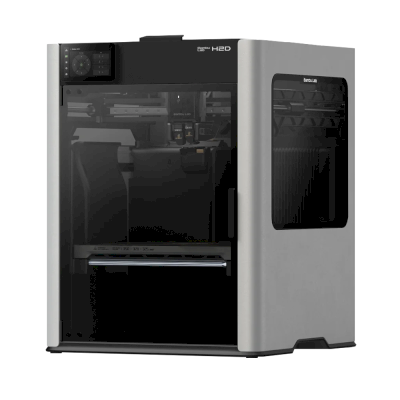
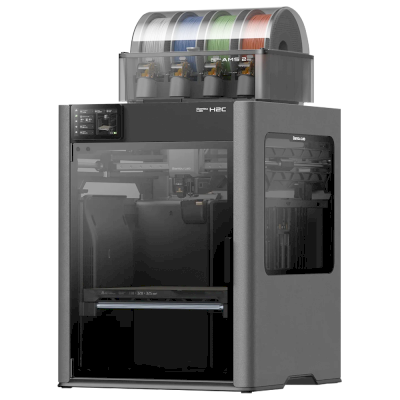
The H2D is Bambu Lab's dual-nozzle enclosed printer: up to 350 x 320 x 325 mm, a 350 °C hotend and a 65 °C heated chamber, with optional laser and cutting modules. It is for makers and businesses that print in several materials or colours, or want a printer and a laser machine in one.
Fungerer 3D-printeren Bambu Lab H2D med SimplyPrint, OctoPrint, Mainsail og Fluidd?
Hver tilkoblingsmåte, hva den trenger og hvordan du setter den opp.
SimplyPrint-klienten
Verifisert av SimplyPrint
SimplyPrint can't choose yet which nozzle each AMS slot feeds (nozzle mapping), so multi-material prints that use both nozzles can be awkward to start from SimplyPrint.
Stem på den
Dette trenger du: En datamaskin eller Raspberry Pi på samme nettverk som alltid er på, og som kjører SimplyPrint-klienten
Koblet til via SimplyPrint-klienten i kun LAN-modus, støtter SimplyPrint alt Bambu Lab H2D lar annen programvare gjøre: kameraet og KI-feildeteksjon, fjernutskrift, hoppe over objekter, temperatur- og bevegelseskontroll, filamenttilordning for multimaterialenheten og AutoPrint. De eneste unntakene er det Bambu Lab H2D ikke lar annen programvare gjøre: Baby stepping, Nivellering av printplate og Z-offset-kalibrering. Tabellen nedenfor sammenligner de to måtene å koble den til SimplyPrint på.
Alle SimplyPrint-funksjoner for hver måte å koble til SimplyPrint på
Koblet til SimplyPrint via
SimplyPrint-funksjon
SimplyPrint-klienten (Kun LAN-modus, anbefalt)
Verifisert av SimplyPrint
SimplyPrint-klienten (Skymodus)
Verifisert av SimplyPrint
Overvåking
Sanntidsstatus og fremdrift
Ja
Ja
Webkamera
Ja
Ja
AI-feildeteksjon
Ja
Ja
Tid igjen
Ja
Ja
Lagfremdrift
Ja
Ja
Temperaturer
Ja
Ja
Print
Starte en utskrift
Ja
Avhenger1
Sett på pause, fortsett og avbryt
Ja
Avhenger1
Hopp over objekter
Ja
Avhenger1
Alternativer for printstart
Ja
Avhenger1
Filer
Skriv ut slicede 3MF-filer
Ja
Ja
Printerstyring
Endre temperaturer
Ja
Ja
Bevegelse med kontrollene
Ja
Avhenger1
Hjemkjøring
Ja
Avhenger1
Ekstrudering og tilbaketrekking
Ja
Avhenger1
Endre printhastighet
Ja
Avhenger1
Viftehastighet
Ja
Avhenger1
Baby stepping
Tilbys ikke av printeren2
Tilbys ikke av printeren2
Send G-code
Ja
Avhenger1
Kalibrering
Skift filament
Ja
Avhenger1
Nivellering av printplate
Tilbys ikke av printeren2
Tilbys ikke av printeren2
Z-offset-kalibrering
Tilbys ikke av printeren2
Tilbys ikke av printeren2
Multimateriale
Tilordne filament til multimaterialspor
Ja3
Ja3
Synkroniser lastet filament fra multimaterialenheten
Ja3
Ja3
Automatisering
AutoPrint
Pro
Ja
Avhenger1
Last ned filen før utskriften starter
Ja
Tilbys ikke av printeren2
Koblet til SimplyPrint via SimplyPrint-klienten (Kun LAN-modus, anbefalt)
Verifisert av SimplyPrint
Overvåking
Sanntidsstatus og fremdriftJa
WebkameraJa
AI-feildeteksjonJa
Tid igjenJa
LagfremdriftJa
TemperaturerJa
Print
Starte en utskriftJa
Sett på pause, fortsett og avbrytJa
Hopp over objekterJa
Alternativer for printstartJa
Filer
Skriv ut slicede 3MF-filerJa
Printerstyring
Endre temperaturerJa
Bevegelse med kontrolleneJa
HjemkjøringJa
Ekstrudering og tilbaketrekkingJa
Endre printhastighetJa
ViftehastighetJa
Baby steppingTilbys ikke av printeren2
Send G-codeJa
Kalibrering
Skift filamentJa
Nivellering av printplateTilbys ikke av printeren2
Z-offset-kalibreringTilbys ikke av printeren2
Multimateriale
Tilordne filament til multimaterialsporJa3
Synkroniser lastet filament fra multimaterialenhetenJa3
Automatisering
AutoPrint ProJa
Last ned filen før utskriften starterJa
Koblet til SimplyPrint via SimplyPrint-klienten (Skymodus)
Verifisert av SimplyPrint
Overvåking
Sanntidsstatus og fremdriftJa
WebkameraJa
AI-feildeteksjonJa
Tid igjenJa
LagfremdriftJa
TemperaturerJa
Print
Starte en utskriftAvhenger1
Sett på pause, fortsett og avbrytAvhenger1
Hopp over objekterAvhenger1
Alternativer for printstartAvhenger1
Filer
Skriv ut slicede 3MF-filerJa
Printerstyring
Endre temperaturerJa
Bevegelse med kontrolleneAvhenger1
HjemkjøringAvhenger1
Ekstrudering og tilbaketrekkingAvhenger1
Endre printhastighetAvhenger1
ViftehastighetAvhenger1
Baby steppingTilbys ikke av printeren2
Send G-codeAvhenger1
Kalibrering
Skift filamentAvhenger1
Nivellering av printplateTilbys ikke av printeren2
Z-offset-kalibreringTilbys ikke av printeren2
Multimateriale
Tilordne filament til multimaterialsporJa3
Synkroniser lastet filament fra multimaterialenhetenJa3
Automatisering
AutoPrint ProAvhenger1
Last ned filen før utskriften starterTilbys ikke av printeren2
Fungerer
Avhenger
Ikke støttet
Tilbys ikke av printeren
Bambu Lab-fastvare fra 2025 tillater kun overvåking i skymodus: Bruk kun LAN-modus for å starte utskrifter og styre printeren. Eldre fastvare tillater fortsatt begge deler.
Printeren tilbyr ikke dette til annen programvare.
Krever en multimaterialenhet
Bambu Lab H2D-eiere på SimplyPrint
100+ printere bruker SimplyPrint
SimplyPrint-klienten
4,6 av 5
7 bekreftede eiere
Vurderingene kommer fra eiere hvis printer har fullført minst 10 utskrifter med SimplyPrint.
Hvilken slicer du bør bruke til Bambu Lab H2D
Bruk BambuStudio, Bambu Labs egen slicer: Den har en ferdig profil for Bambu Lab H2D. Også med profil for den: OrcaSlicer, ElegooSlicer.
Vi viser bare slicere du kan bruke i SimplyPrint-skyen, så det kan finnes andre for Bambu Lab H2D.
Skybasert slicer for Bambu Lab H2D: bruk BambuStudio på nett
Bruk BambuStudio og andre slicere direkte i nettleseren med SimplyPrints skybaserte nettslicer. Ingen installasjon kreves. Slice Bambu Lab H2D-modellene dine fra hvilken som helst enhet, hvor som helst i verden!
Merk: Andre slicere, som Simplify3D, ideaMaker, SuperSlicer og KISSlicer, finnes ikke i skyen vår, så vi sporer ikke profilene deres. De kan fortsatt fungere godt med Bambu Lab H2D: Se slicerens egen dokumentasjon eller forum etter en profil. Du kan også bidra med profiler til vår åpen kildekode-database for slicerprofiler på GitHub.
Appen for Bambu Lab H2D
SimplyPrint fungerer som appen til Bambu Lab H2D: på telefonen din og i alle nettlesere, med en slicer i skyen.
Hva du får med SimplyPrint
En app for iPhone og Android, det samme i enhver nettleser og en slicer i skyen.
Mer enn overvåking: en skriverkø, AI-basert feildeteksjon, AutoPrint og kontoer for et team.
Printere fra mange merker på ett sted, side om side.
Det finnes ennå ingen byggeplatebytter eller automatisk utmatingssett for Bambu Lab H2D i SimplyPrint, men AutoPrint kan fortsatt holde den i gang: Når byggeplaten er ryddet, starter den neste jobb fra køen din.
Lukkede printere skyver ut utskriftene sine
Printplaten til Bambu Lab H2D beveger seg bare opp og ned inne i kabinettet, så i stedet for å bytte byggeplater lar sett som disse verktøyhodet skyve den avkjølte utskriften av byggeplaten og ut gjennom frontdøren, som de åpner for deg når en utskrift er ferdig.
Skyv utskrifter av med verktøyhodetPå en CoreXY-printer kan en G-code-rutine skyve den avkjølte utskriften av fronten av printplaten før neste jobb starter.
Din egen utmatings-G-codeSkriv rutinen som rydder printplaten, så kjører AutoPrint den etter hver utskrift.
En robotarm eller noe med et APIFortell SimplyPrint at printplaten er fri via API eller en webhook, fra en robotarm eller ditt eget system.
Ja
Tilgjengelige alternativer: Use AMS, Bed Leveling, Flow Calibration, Timelapse
Printeren
Printerprodusent / merke
Bambu Lab
Printermodellnavn
H2D
Laget av et selskap fra
Kina
Lansert
25. mars 2025
Ansvarsfraskrivelse:
Vi streber etter å holde denne informasjonen så oppdatert og nøyaktig som mulig, men kan ikke garantere at den er fullstendig eller pålitelig. Dataene våre er basert på brukerinnsendelser og produsentreferanser.
Hvilket filament kan Bambu Lab H2D skrive ut?
Filamentkompatibilitet for Bambu Lab H2D: materialene Bambu Lab oppgir for den.
Filament
Egnethet
Notater
PLA
Flott
På produsentens liste over materialer for denne printeren.
PETG
Flott
På produsentens liste over materialer for denne printeren.
TPU og fleksible materialer
Flott
På produsentens liste over materialer for denne printeren.
ABS & ASA
Flott
På produsentens liste over materialer for denne printeren.
Nylon (PA)
Flott
På produsentens liste over materialer for denne printeren.
Polycarbonate (PC)
Flott
På produsentens liste over materialer for denne printeren.
Karbonfiber- og glassfiberforsterket
Flott
På produsentens liste over materialer for denne printeren.
Høytemperatur (PEI, PEEK, PEKK)
Flott
På produsentens liste over materialer for denne printeren.
Tips: dette er en generell veiledning basert på printerens spesifikasjoner. Sjekk alltid anbefalte innstillinger for filamentet ditt. Med SimplyPrint kan du lagre en profil for hver spole og holde nøyaktig oversikt over filamentet på lager.
Beste filament til Bambu Lab H2D
Filamenter som Bambu Lab H2D skriver ut godt, først Bambu Labs egne, deretter de mest kjente.
Review of the H2D Pro (the H2D with the Vision Encoder) by an engineering team: calibration routines, dimensional benchmarks and application tests. Concludes it turns its specs into functional parts with minimal post-processing and suits professional multi-material work.
“the H2D Pro stands out as one of the most capable systems currently on the market.”
Tests the dual-hotend H2D with its larger build volume, faster AMS and optional laser combo. Praises the filament saving, enclosure for high-temperature printing, auto bed leveling and ease of use; against that, proprietary replacement parts and the high cost of the extras. Editor's Choice.
“Bambu Lab knocked it out of the park, making the new functions seriously easy to use.”
A month with the H2D Laser Edition: print quality matches dedicated machines, tool swaps are easy and the laser and cutter work well. Downsides are a learning curve for filament routing, purge waste beyond two filaments, a small laser bed and an AMS whose curved top stops stacking. Recommended.
“Once configured, the results are superb.”
Teaching Tech · 18. juli 2025
Review after nearly 400 hours of printing, covering features, performance, pros and cons, and a multicolor time and waste comparison against a Prusa XL. Found it very reliable apart from software and firmware glitches, still a closed ecosystem. Unit supplied free by Bambu Lab; no sponsorship or affiliate links.
Aurora Tech · 5. mai 2025
In-depth tests of the dual extruder, multiple AMS units, the 10 W and 40 W lasers, blade and pen. Calls it the most advanced midsize 3D printer and a worthwhile step up from the X1 Carbon with far less purge waste; the laser version is costly next to dedicated engravers. Units from Bambu Lab, VoxelPLA sponsor (disclosed).
CNC Kitchen · 25. mars 2025
Launch-day test of the H2D with its laser and drag-knife options. Finds 3D printing was not compromised, build quality exceptional and the new drying AMS a highlight; price is high and a toolchanger beats it beyond two materials. Partly sponsored by VoxelPLA (disclosed).
Når du bør velge Bambu Lab H2D
Choose the H2D when you regularly print multi-colour or multi-material parts and want the second nozzle to cut purge waste or to carry dedicated support material, or when you want the Laser Edition's 10 W or 40 W laser and cutter. If you mostly print in one material, the H2S has a similar enclosed plate and is listed for less, and CNC Kitchen notes a toolchanger beats the H2D beyond two materials. For an open-frame multi-colour machine at a far lower price, look at the A2L.
Fordeler
Two nozzles cut purge waste on multi-colour prints and let one carry support material (Bambu; Aurora Tech found far less purge waste than the X1 Carbon).
Fully enclosed with a 65 °C heated chamber and a 350 °C hotend for high-temperature materials (Tom's Hardware).
Tom's Hardware gave it 5/5 and an Editor's Choice for filament savings, ease of use and auto bed leveling.
Teaching Tech found it very reliable after nearly 400 hours, apart from software and firmware glitches.
Up to 4 AMS 2 Pro and 8 AMS HT units (24 slots), with filament drying; great for multi-material with the AMS.
Works with SimplyPrint through the SimplyPrint Client, a verified connection.
Ulemper
SimplyPrint can't yet choose which nozzle each AMS slot feeds (nozzle mapping), so multi-material prints using both nozzles can be awkward to start from SimplyPrint.
Expensive, and the extras add a lot; Tom's Hardware also notes proprietary replacement parts.
Filament routing has a learning curve and purge waste grows beyond two filaments (TechRadar).
A closed ecosystem, which both Teaching Tech and CNC Kitchen point out.
By default it runs through Bambu Lab's own software and cloud, which some organisations' compliance rules don't allow; with SimplyPrint it can run without them and use SimplyPrint's European cloud, in Bambu Lab's LAN-only mode (with Developer Mode on current firmware, which Bambu Lab doesn't support).
Hvem den passer for
SkolerKan fungere
Enclosed and well supported, but a dual-nozzle machine with filament routing to learn, and laser variants that need supervision, is more than most classrooms need or can afford.
HobbybrukereKan fungere
Very capable, but more printer and more money than a first printer needs: start with an A1 Mini, or a P2S for multi-colour, and move up when you outgrow it.
BedrifterPasser svært godt
An enclosed, heated machine with two nozzles for production-style multi-material work; 3D Printing Industry found the H2D Pro suited to professional use.
PrintfarmerKan fungere
Reliable, but the price per machine and the missing nozzle mapping in SimplyPrint make a farm of H2Ds a harder sell than single-nozzle printers.
Skrevet på grunnlag av produsentens informasjon og uavhengige anmeldelser.
Les mer fra produsenten
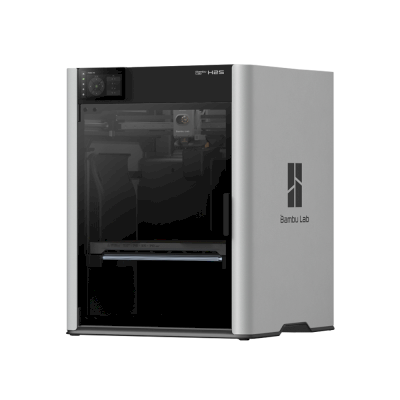
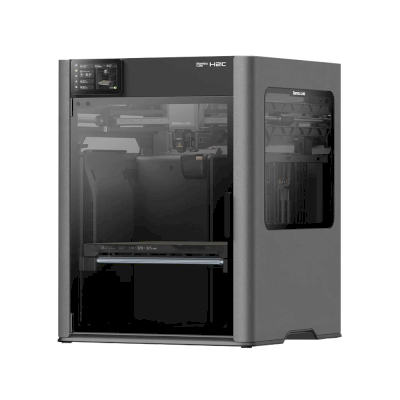
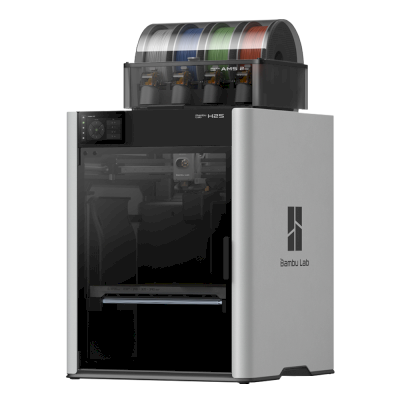
Printere fra samme produsent, med lignende størrelse, som printer de samme tekniske materialene eller multimateriale som den, og som du kan kjøpe i dag. Sammenlign opptil fire side om side, med spesifikasjoner og hvordan hver kobles til.
Også fra Bambu Lab · Lignende byggevolum · Skriver også ut ABS & ASA, Nylon (PA), Polycarbonate (PC), Karbonfiber- og glassfiberforsterket, Høytemperatur (PEI, PEEK, PEKK) · Også multimateriale
Også fra Bambu Lab · Lignende byggevolum · Skriver også ut ABS & ASA, Nylon (PA), Polycarbonate (PC), Karbonfiber- og glassfiberforsterket, Høytemperatur (PEI, PEEK, PEKK) · Også multimateriale
Hvem som lager Bambu Lab H2D, og hvor åpent Bambu Lab lar deg bruke den: om printerne deres fungerer uten skyen deres, godtar hvilket som helst filament og hvilken som helst slicer, og kan repareres. Hvert område er vurdert basert på offentlige kilder.
Åpenhet: For det meste lukket (2.3 av 5)
For det meste lukket
Lukket økosystemÅpne
Bambu Lab is a Shenzhen company founded in 2020 by former DJI engineers. It makes FDM printers in four families (A, P, X and H), the AMS multi-material units, the Bambu Studio slicer, the Bambu Handy app and the MakerWorld model site, and designs them to be used together. Its printers are used by beginners, hobbyists, schools and print farms.
Grunnlagt:
2020 ·
Hovedkontor:
Shenzhen, China ·
Eierskap:
Privately held; founded by CEO Ye Tao and other former DJI staff, with venture investors (BGR, 2026) ·
Nettsted:bambulab.com
Bambu Lab works like Apple: printer, slicer, app, cloud and multi-material system come from one company and are made to work together. Filament and slicer choice stay open, but the firmware is closed and signed, and since 2025 third-party control needs Bambu Connect or the unsupported Developer Mode.
Fastvare og tilpasset fastvare ●●●●●
The printer firmware is Bambu's own and closed; in 2022 Bambu said it would keep it in-house. Its security white paper describes secure boot that only runs verified firmware on X1, H2, P1 and A1 printers. Bambu publishes the GPL parts it uses (Linux kernel, U-Boot, BusyBox) but not the printer software. Rooting the X1 only became possible through a security flaw the X1Plus project used in 2024; Bambu then published a one-off rootable X1 firmware for owners who give up their warranty, and blocks rooting in later firmware.
[1][2][3][4][22]
Lokal styring og integrasjoner ●●●●●
LAN Only mode prints and monitors from Bambu Studio or Bambu Connect without internet or an account; the Handy app, printing from outside the network and print history need Bambu's cloud. Since the 2025 authorization firmware, other software can only read status in normal mode. Full control needs Developer Mode, which cuts the cloud link and which Bambu says it cannot support because the protocols are not official. Bambu documents no local protocol; it offers a file hand-off to Bambu Connect and a Local Server SDK on application.
[23][24][6][7][5]
Filament, slicere og deler fra tredjeparter ●●●●●
Third-party filament works, and Bambu publicly denied in 2025 that it would restrict it. OrcaSlicer and other slicers can be used, but since the 2025 firmware they send and control prints through Bambu Connect or Developer Mode. Hotends are Bambu's own designs, and Bambu says it cannot promise long-term support for accessories that control the printer unless it approved them first.
[7][6][4]
Reparasjoner og reservedeler ●●●●●
Bambu's store sells individual spare parts down to motors, belts, encoders and boards, and its wiki has step-by-step replacement guides for each model (for example the P2S hotend and the H2D/H2C AP board). Many parts, hotends included, are Bambu-specific, so spares come from Bambu.
[8][9][10]
Data og personvern ●●●●●
Cloud features need a Bambu account, while LAN Only mode keeps jobs on the local network. Bambu publishes a Trust Center and a 38-page security white paper, says it holds ISO/IEC 27001, ISO/IEC 27701 and TRUSTe certifications, and runs a paid bug bounty. In August 2023 a cloud outage made some printers start earlier jobs on their own; Bambu apologised.
[2][11][5][12]
Fellesskap og dokumentasjon ●●●●●
Very large user community, the MakerWorld model site, a detailed wiki and a blog where Bambu explains its policy changes. Bambu Studio is developed in public on GitHub with an open issue tracker. The printer protocol is not documented, and Developer Mode is unsupported.
[13][5][7]
Fordeler
Printer, slicer, app and AMS come from one company and are designed to work together, which makes a first setup simple.
Step-by-step repair guides for each model and individual spare parts sold in Bambu's store.
LAN Only mode works without internet or an account.
Bambu Studio is open source, and third-party filament works.
Publishes security certifications and runs a public bug bounty.
Ulemper
Firmware is closed and signed; current models have no supported way to run custom firmware.
Since the 2025 firmware, third-party software and accessories need Bambu Connect or the unsupported Developer Mode to control the printer.
Remote printing, the Handy app and print history depend on Bambu's cloud.
Hotends and many parts are Bambu-specific, so spares come from Bambu.
In 2026 a US jury found the X1, P1 and A1 infringe Stratasys patents; Bambu is appealing.
Merittliste
september 2026: A US federal jury in Texas found that Bambu Lab's X1, P1 and A1 printers infringe Stratasys patents on prime towers and bed levelling, and awarded Stratasys $27.6 million. No injunction was placed on the printers. Bambu told Tom's Hardware it disagrees with the verdict and intends to seek post-trial review and appeal. Stratasys had filed two suits in 2024; more patents are still to be decided.
[14]
mai 2026: Bambu Lab pressed the developer of 'OrcaSlicer-bambulab', a fork that restored direct cloud printing from OrcaSlicer, to remove it, according to Manufactur3D. On 7 May Bambu said the fork impersonated the official Bambu Studio client to its cloud, which its user agreement does not allow, and that modifying and sharing its AGPL code remains fine. The developer disputed the claims.
[15][16][17]
oktober 2025: Bambu Lab opened a Trust Center with a security white paper and listed ISO/IEC 27001, ISO/IEC 27701 and TRUSTe privacy certifications. A year later it said its bug bounty had worked with over 100 researchers and that it had added a public security update log.
[2][11]
20. januar 2025: After criticism from users and print farms, Bambu Lab announced an optional Developer Mode for X1, P1, A1 and A1 mini that leaves MQTT, FTP and the live stream open for third-party software in LAN mode, without official support. It also said LAN mode via Bambu Connect needs neither internet nor an account, and that third-party filament would not be restricted.
[7]
16. januar 2025: Bambu Lab announced firmware with 'authorization control', first for the X1: starting prints, moving axes, changing temperatures and binding the printer now require Bambu-approved software, also in LAN mode. On updated printers, third-party slicers and accessories such as the Panda Touch could no longer control the printer except through Bambu Connect; reading status still worked. Bambu cited security and up to 30 million unauthorised cloud requests a day; older firmware stayed optional.
[6]
mars 2024: After the X1Plus jailbreak, Bambu Lab published a one-off rootable firmware for the X1 series for owners who give up their warranty support. It said it does not support X1Plus, and that firmware after it would block rooting again.
[4]
februar 2024: Bambu Lab extended its A1 heatbed-cable callback to a recall of all A1 printers and asked owners to stop using them. It reported electrical faults in under 0.1% of units and offered a full refund plus an $80 voucher, or a redesigned heatbed plus a $120 voucher and six extra months of warranty. The A1 mini was not affected.
[18][19]
januar 2024: Community developers rooted the X1 series through a security flaw in its firmware (up to version 1.07) and released the X1Plus custom firmware. Bambu Lab closed the flaw in later firmware.
[22]
august 2023: During a Bambu cloud outage on 15 August 2023, some printers started print jobs without user action, because jobs stuck in the cloud were resent when service returned. Bambu apologised, took responsibility and said it would add checks before a print starts.
[12]
mai 2022: Before its first printers shipped, Bambu Lab said its firmware would stay closed and in-house to remain competitive, and promised to open-source everything if the company ever could not survive.
[1]
Undersøkt fra 24 kilder, sist sjekket 20. oktober 2026. Vis kilder
Ja. Du kan koble Bambu Lab H2D til SimplyPrint via SimplyPrint-klienten, og deretter slice, legge i kø, starte og overvåke utskrifter fra nettleseren eller mobilappen.
Hvordan kobler jeg Bambu Lab H2D til SimplyPrint?
Følg vår trinnvise oppsettsveiledning for Bambu Lab H2D. Den viser hvordan du kobler den til via SimplyPrint-klienten, hva du trenger for hver metode og hvilken du bør velge.
Hvilken slicer bør jeg bruke for Bambu Lab H2D?
Vi anbefaler BambuStudio for Bambu Lab H2D. Du kan kjøre den, og 6 andre slicere, direkte i SimplyPrints nettbaserte slicer, uten installasjon, på alle enheter, med profiler for Bambu Lab H2D som holdes automatisk oppdatert.
Kan jeg bruke OrcaSlicer med Bambu Lab H2D?
Ja. OrcaSlicer har en profil for Bambu Lab H2D, og du kan kjøre den i SimplyPrints nettbaserte slicer, så du trenger ikke installere noe.
Hvilket filament kan Bambu Lab H2D skrive ut?
Bambu Lab oppgir PLA, PETG, TPU og fleksible materialer, ABS & ASA, Nylon (PA), Polycarbonate (PC), Karbonfiber- og glassfiberforsterket og Høytemperatur (PEI, PEEK, PEKK) for H2D.
Fungerer Bambu Lab H2D med OctoPrint eller Klipper?
Ikke direkte: En OctoPrint-plugin fra fellesskapet kan i stedet koble den til over nettverket. Men du trenger ingen av delene: SimplyPrint kobler til Bambu Lab H2D via SimplyPrint-klienten.
Hva er printplatestørrelsen og byggevolumet til Bambu Lab H2D?
Bambu Lab H2D har en printplate på 325 x 320 mm og skriver ut opptil 325 mm høyt, med et byggevolum på omtrent 325 x 320 x 325 mm. Se hele spesifikasjonstabellen over for platetype, temperaturer og mer.
Når kom Bambu Lab H2D ut?
Bambu Lab lanserte H2D den 25. mars 2025.
Kan Bambu Lab H2D løse ut utskrifter automatisk?
Det finnes ennå ikke noe sett for den som vi støtter, men AutoPrint i SimplyPrint kan skyve utskrifter av med verktøyhodet eller kjøre din egen utmatings-G-code, og deretter starte neste jobb fra køen din.
Hvor kan jeg kjøpe Bambu Lab H2D?
Fra Bambu Labs egen butikk, som har butikker for Australia, Canada, EU, Storbritannia og USA. Lenkene på denne siden går til disse butikkene. Noen er partnerlenker, så vi kan få provisjon uten ekstra kostnad for deg.
Informasjon om partnerlenker: Enkelte lenker på denne siden er partnerlenker. Vi kan motta provisjon hvis du kjøper noe, uten ekstra kostnad for deg. Som Amazon-partner tjener vi på kvalifiserte kjøp.
 Kina
Kina
 SimplyPrint-klienten





 PrusaSlicer
 CrealityPrint
 Cura
Cura Kiri:Moto



 Best for USA: Bambu Labs butikk for USA
 Bambu Lab for Australia
 Bambu Lab for Canada
 Bambu Lab for EU
 Bambu Lab for Storbritannia