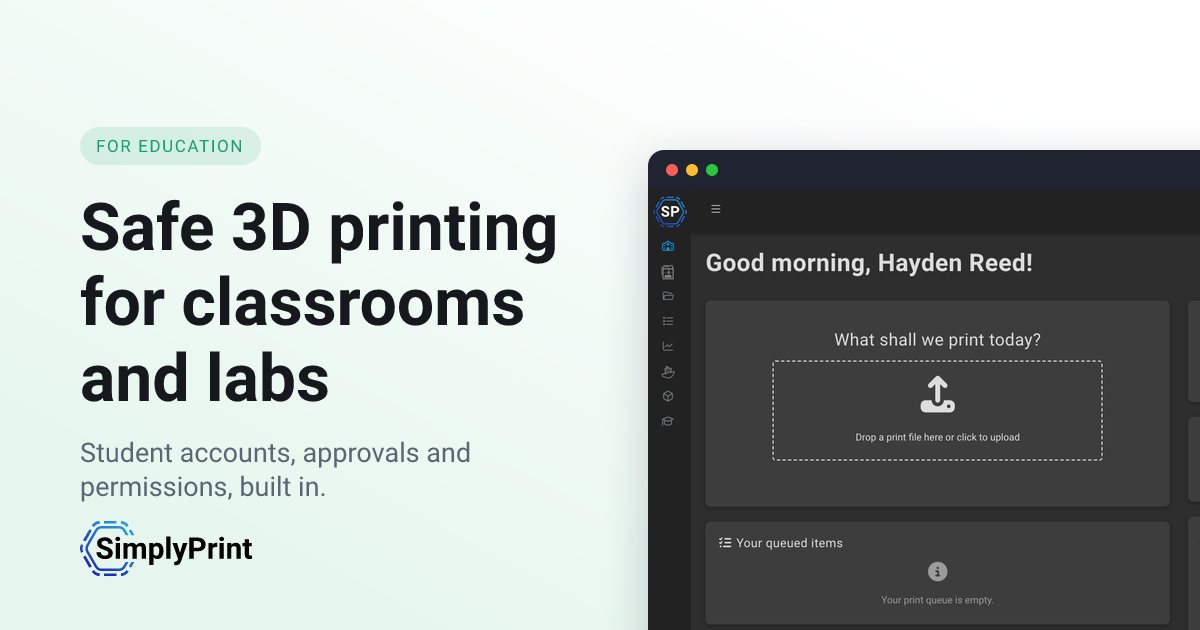
The best 3D printing software for schools in 2026 is SimplyPrint for most classrooms, labs and makerspaces. It has a published Education plan, teacher approval, per-student quotas, courses that unlock the printers and a full slicer that runs on Chromebooks. 3DPrinterOS is the long-standing incumbent. Polar Cloud is built for the K-12 classroom. Printago is a print-farm platform that has just added a Student role.
We make SimplyPrint, so read this as a vendor's comparison. It is also a comparison we have made before, for ourselves. SimplyPrint started in 2017, at the school we attended, when we went looking for software to run our own school's printers. We tried 3DPrinterOS, AstroPrint and Polar Cloud, and none of them fit. We did not believe school software had to be stripped down to be easy. A platform can be simple on day one, with every advanced option switched off for a young class, and still have the full depth an older student or a university lab needs. That is what we set out to build, and SimplyPrint's very first account, in 2020, was a school.
This article is how we see the market today. We have tried to make it one you can check: every claim about a competitor was checked against its own website, documentation or app listing in September 2026, and the key ones are linked. Where a competitor does something better, we say so.
A note on scope. "3D printing software" can mean design tools like Tinkercad, slicers like Cura, or the platform that runs the printers. This article is about the last one, 3D printer management software for schools: the software that gets 30 students' files onto 8 printers without a teacher losing a lesson to it. If you are just starting a program, read our guide to 3D printing in schools first.
What should schools look for in 3D printing software?
A school runs printers differently from a print farm or a home user. Many people share few machines, most of them are beginners, and the teacher answers for every print. Here are the questions we used to compare the platforms:
- Can a teacher approve a print before it starts? A student's 14-hour print of a 20 cm cube should not reach a printer unchecked.
- Can you limit each student? Quotas on prints, print time or material stop one student from using a whole term's filament.
- Can students slice on the devices they have? In most schools that means Chromebooks and iPads, where desktop slicers do not install.
- Does it run the printers you already own? Most labs are mixed: a Bambu Lab bought last year, an UltiMaker from a grant, a Dremel from years ago.
- Will IT say yes? That means single sign-on, published privacy commitments and a price the business office can budget.
- Does it keep printers safe unattended? AI failure detection pauses a failing print before it wastes a spool or a school night.
Comparison at a glance
| SimplyPrint | 3DPrinterOS | Polar Cloud | Printago | |
|---|---|---|---|---|
| Education plan | Published, $40/mo | Quote-only | Published, $199-799/yr | None (Commercial slots) |
| Teacher approval | Yes | Yes | Yes | No approval step |
| Per-student limits | Quotas, reset per semester | Balances and quotas | Student billing | Coming soon |
| Courses that unlock printing | Yes, built-in Academy | Not found | Not found | No (lessons only) |
| Roster sync | SCIM 2.0 (Entra ID, Okta, OneLogin); classes from SSO groups | Not found | Google Classroom, Clever, ClassLink | No |
| Single sign-on | Google, Microsoft, Clever, ClassLink, Okta, any SAML or OIDC | SAML, Google, Microsoft, Okta | Google, Office 365; SAML on District | Per school, on request |
| Slicer in the browser | 7 engines, every setting | 5 engines, some read-only | Basic settings (supports, rafts, infill) | Automatic only, no slicer view |
| Bambu AMS multi-colour | Slice and map in the browser | Slice locally, then upload | Shows AMS slots; multi-colour not stated | Yes |
| AI failure detection | Spaghetti, warping, blobbing | Spaghetti | Spaghetti | Spaghetti, via a self-hosted AI model |
| Student privacy | FERPA/COPPA aligned, signed SDPC NDPA | No statement found | FERPA and COPPA stated | None published |
"Not found" means we searched the vendor's site and documentation and could not find the feature. It does not prove the feature is missing. Tell us if we missed something and we will correct it.
SimplyPrint: the best all-round platform for schools
SimplyPrint is a cloud platform for running 3D printers. Its very first account, in 2020, was a school. The same platform runs production print farms, so a university lab can run as a classroom and as a small farm at once.
For the classroom, the Education plan includes classes and teachers. It adds teacher approval before a student's print starts, and quotas on prints, print time or material that reset each semester. The Academy ships ready-made 3D printing courses, and teachers can write their own. A teacher can make a course the key to the printers: the start-print button, the slicer or the queue stays locked until the student passes it.
Students slice in the browser slicer. It runs seven engines: OrcaSlicer, PrusaSlicer, BambuStudio, ElegooSlicer, CrealityPrint, Cura and Kiri:Moto. A Basic mode shows the common settings, and teachers decide what students can change. Students can send designs straight from Tinkercad, Fusion and Onshape.
For IT, there is sign-in with Google Workspace, Microsoft Entra ID, Clever, ClassLink, Okta or any SAML or OIDC provider. Rosters stay in sync through SCIM 2.0 from Entra ID, Okta or OneLogin, which creates students and teachers and places them in classes, and classes can also come straight from SSO groups. SimplyPrint is FERPA and COPPA aligned, has signed the SDPC multi-state National Data Privacy Agreement, and is hosted in the EU. A district panel lets a district add and bill whole schools from one place.
In the lab, AI failure detection spots spaghetti, warping and blobbing. AutoPrint and an AI bed check keep a queue printing overnight, and NFC filament tags and maintenance tracking look after the hardware.
Where it falls short: there is no Canvas or other LMS connector, and rosters come through SCIM or SSO rather than a direct Google Classroom import.
3DPrinterOS: the university incumbent, with gaps in multi-colour and automation
3DPrinterOS is the name most universities know, and it has earned that. It has workgroups, per-user balances and quotas, job approval, SAML single sign-on and AI spaghetti detection. Its Slicer 5 engine offers more than 400 parameters in Expert Mode. Its help center was updated as recently as August 2026. If a long list of university references is what your procurement office wants, it is a credible choice.
Look at the newer parts of a school lab, though, and gaps show up in 3DPrinterOS's own documentation. We compare the two in depth on our 3DPrinterOS alternative page.
Multi-colour Bambu Lab prints need a desktop slicer
Bambu Lab printers with an AMS are now common in schools. 3DPrinterOS's cloud slicing guide says "The Cloud Bambu Slicer does not currently support multi-color slicing for the AMS". It also says the cloud slicer "currently supports single-plate .3mf files". Its AMS guide confirms that "AMS multi-colour jobs are still prepared by slicing locally and uploading the file".
That means a student with a two-colour keychain needs Bambu Studio or OrcaSlicer on a computer, and a Chromebook will not run either. 3DPrinterOS does let you assign colours to AMS slots when you print, so AMS printing works once the file is sliced. In SimplyPrint, students slice multi-colour files for the AMS in the browser, and the colours map to the loaded slots when the print starts.
Some of the slicer settings are read-only
3DPrinterOS offers five slicer engines. On its Prusa and Bambu engines, the expert settings tab is a read-only view of the configuration file. The guide warns that "Any changes made to the JSON text will not apply to the print." In SimplyPrint, OrcaSlicer, PrusaSlicer and BambuStudio run with their full desktop settings, and teachers decide which ones students may change.
Automatic queueing is off by default
3DPrinterOS supports several print queues with priorities, so it is not limited to one central queue. Sending jobs to whichever printer is free is a separate feature. Its AutoQueue guide says: "This feature is only available by request. It is not visible in your organization's settings by default." It also needs a workgroup whose name begins with "AutoQueuePrint-". And "AMS slot selection is not supported when queuing through the AutoQueue virtual printer".
In SimplyPrint, the shared queue matches each job to a free printer with the right material, colour and nozzle, AMS included.
The mobile app and lab automation
3DPrinterOS's iOS app is at version 1.3, released on 14 April 2020, with a 3.2-star rating from five reviews. We found no automatic bed clearing, AI bed check, NFC spool tags or maintenance scheduling in its documentation. 3DPrinterOS Education pricing is custom, by quote. The quotes we have seen land around $200-250 per printer per year. Its general FAQ says the cloud is hosted on Microsoft Azure, and we found no FERPA or COPPA statement on its public pages.
Our take: 3DPrinterOS still covers the basics. But much of what a 2026 school lab relies on, from multi-colour Bambu prints on a Chromebook to a published price, is either missing, needs a desktop computer, or needs a call to sales.
Polar Cloud: built for K-12, with tiered limits
Polar Cloud is built for the K-12 classroom. Teachers can sync a class from Google Classroom, Clever or ClassLink, so students arrive without manual setup. Students can slice and request prints, but in Polar's words "nothing touches the build plate until you say 'Go.'" It states FERPA and COPPA compliance, supports Google and Office 365 sign-in, and ships NGSS-aligned lesson plans. Its pricing is published: Classroom at $199 a year (2 printers, 30 students), School at $499 (5 printers, 250 students), School Plus at $799 (10 printers), and custom District plans with SAML single sign-on. Its browser slicer covers the basics, such as supports, rafts and infill, rather than a desktop slicer's full settings.
The limits show at scale and in the lab. The free tier allows 1 printer and 5 print jobs a month. Polar's AI detection covers spaghetti, and its other AI feature is model generation from images, sold as AI credits. A School plan covers 5 printers, so a 12-printer lab starts at the top tier or a district quote. SimplyPrint adds automation, warping and blobbing detection on top of spaghetti, and courses that unlock the printers, priced per printer. Full detail is on our Polar Cloud alternative page.
Printago: a print-farm platform with a Student role
Printago calls itself a "Commerce OS" for print farms: it turns Shopify and Etsy orders into queued prints. In September 2026 it launched Printago Education and a free Classwork add-on. Teachers write lessons, attach parts and assign them. There is a Student role, and Printago promises free access for verified students at a paying school, including their printers at home. That last point is a genuine plus.
For running a classroom, though, the gaps are in Printago's own materials:
- No approval step. Students print and cancel their own jobs, which go straight into the queue.
- Limits are not live yet. Per-student limits, chargeback, school-level IT admin and student verification are all listed as "coming soon".
- No slicer students can work in. Printago slices automatically in the background, and students cannot change the settings.
- Classroom printers are missing. Printago's compatibility list marks the Dremel 3D20, 3D40 and 3D45 as not compatible. The UltiMaker 2 is its only UltiMaker, and most Flashforge models are "coming soon". SimplyPrint runs the UltiMaker S-series, newer Flashforge printers like the Adventurer 5M, AD5X and Creator 5, and the Dremel 3D40 and 3D45.
- Spaghetti detection only, and you host it. Printago does not ship a failure detector; its docs have you run an open-source AI model yourself, in Docker, and it watches for spaghetti and similar failures.
- No school paperwork. It is hosted in the US and publishes no FERPA, COPPA or data privacy agreement. We did not find it in the SDPC agreement registry. Single sign-on is set up per school on request.
- No education plan. Schools buy Commercial slots at $4 per slot a month, and setup is a custom quote.
Printago is a fine tool for a lab that works like a small production shop. For a classroom, see the Education tab on our Printago comparison.
Honourable mention: AstroPrint
AstroPrint was one of the first cloud platforms with a slicer in the browser, and it served schools as well as hobbyists. It then went quiet for a stretch, was bought by BCN3D in 2021 and by Spain's Print&Go in September 2024, and has been relaunching since. New features have been slow to arrive under the new owners, so for now it is a name to know rather than a platform to plan a school around. We compare it in full on our AstroPrint alternative page.
What replaced MakerBot CloudPrint?
MakerBot CloudPrint was popular in schools, partly because students could join through Google Classroom. It has been retired. MakerBot's page gave the retirement date as 1 October 2025, it shut down in December 2025, and UltiMaker's migration article points users to UltiMaker Digital Factory. Digital Factory is free to start and runs UltiMaker printers and the MakerBot Method and Sketch lines.
If your lab is all UltiMaker and MakerBot Method or Sketch, Digital Factory is the natural next step. If the lab also has Bambu Lab, Prusa, Creality or Flashforge machines, a CloudPrint school needs a MakerBot CloudPrint alternative that runs all of them from one queue. SimplyPrint does, including the UltiMaker S-series.
How much does 3D printing software for schools cost?
| Platform | School price | What it includes |
|---|---|---|
| SimplyPrint | $40/month | 2 printers and 500 users; extra printers $20 down to about $11/month each |
| 3DPrinterOS | Quote-only | Quotes we have seen: about $200-250 per printer per year |
| Polar Cloud | $199-799/year | 2 to 10 printers depending on tier; District is a quote |
| Printago | No education plan | Commercial slots, $4 per slot per month; setup quoted |
For a 10-printer lab on SimplyPrint, that is roughly $200 a month: the $40 plan plus 8 extra printers, where each printer after the fifth costs a little less. The per-printer price keeps falling until it reaches about $11 a month at around 30 printers. There is no yearly discount; the monthly price is the price. See the Education tab on our pricing page for the exact figure for your lab. A free plan covers 2 printers if you want to try SimplyPrint with a class first.
Which 3D printing software should your school choose?
- Choose SimplyPrint if you want the whole classroom in one platform: teacher approval, semester quotas, courses that unlock the printers, a slicer students use on Chromebooks, AI failure detection and a price you can read before the school year starts. It fits a single classroom, a university lab or a whole district.
- Choose Polar Cloud if you run a single small K-12 classroom and one of its fixed tiers matches your printer count.
- Choose 3DPrinterOS if your institution already runs it and a long list of university references is the deciding factor.
- Choose Printago if your lab works like a production shop and free home access for students is the priority.
- Choose UltiMaker Digital Factory if every printer you own is an UltiMaker or a MakerBot Method or Sketch.
For most schools, the deciding question is simple: who checks a student's print before it runs, and can students prepare it on the devices they have? SimplyPrint answers both on every Education plan, and you can try it with a real class for 14 days before you pay.