Mindre kontoadministration, mere print
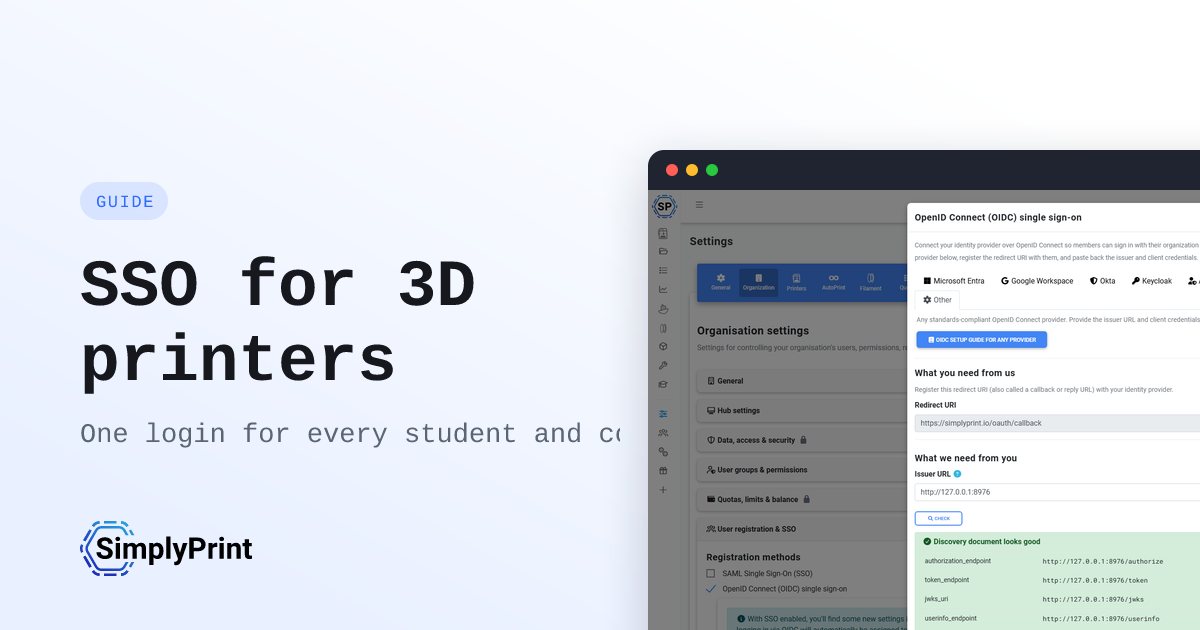
Single sign-on er forskellen mellem en klasse, der kan starte et projekt i dag, og en lærer, der bruger timen på at uddele adgangskoder. Forbind den katalogtjeneste, din skole allerede bruger, så håndterer SimplyPrint, hvem der er i hvilken klasse, og hvem der må hvad.
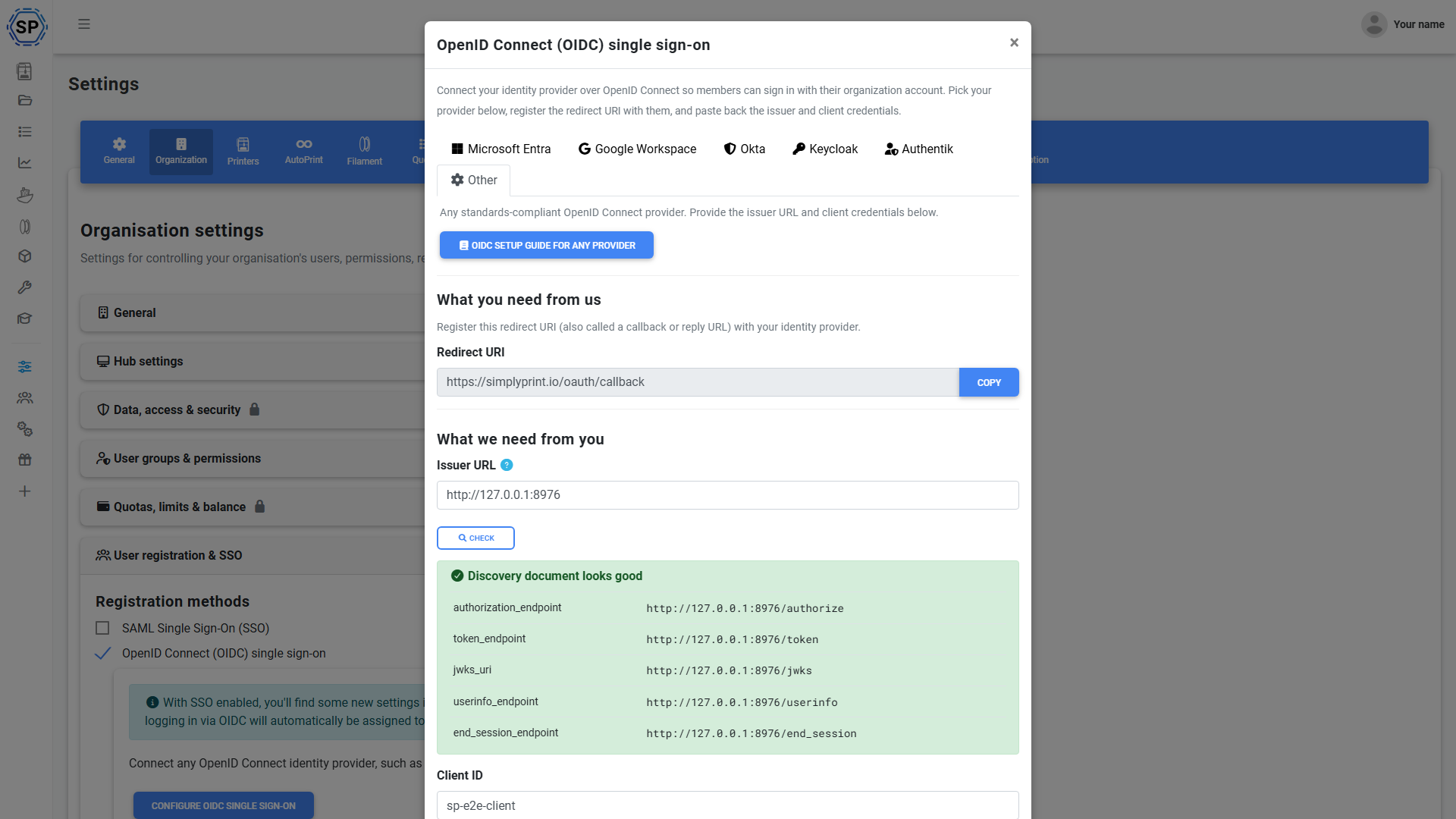
Ét skolelogin til sliceren og printerne
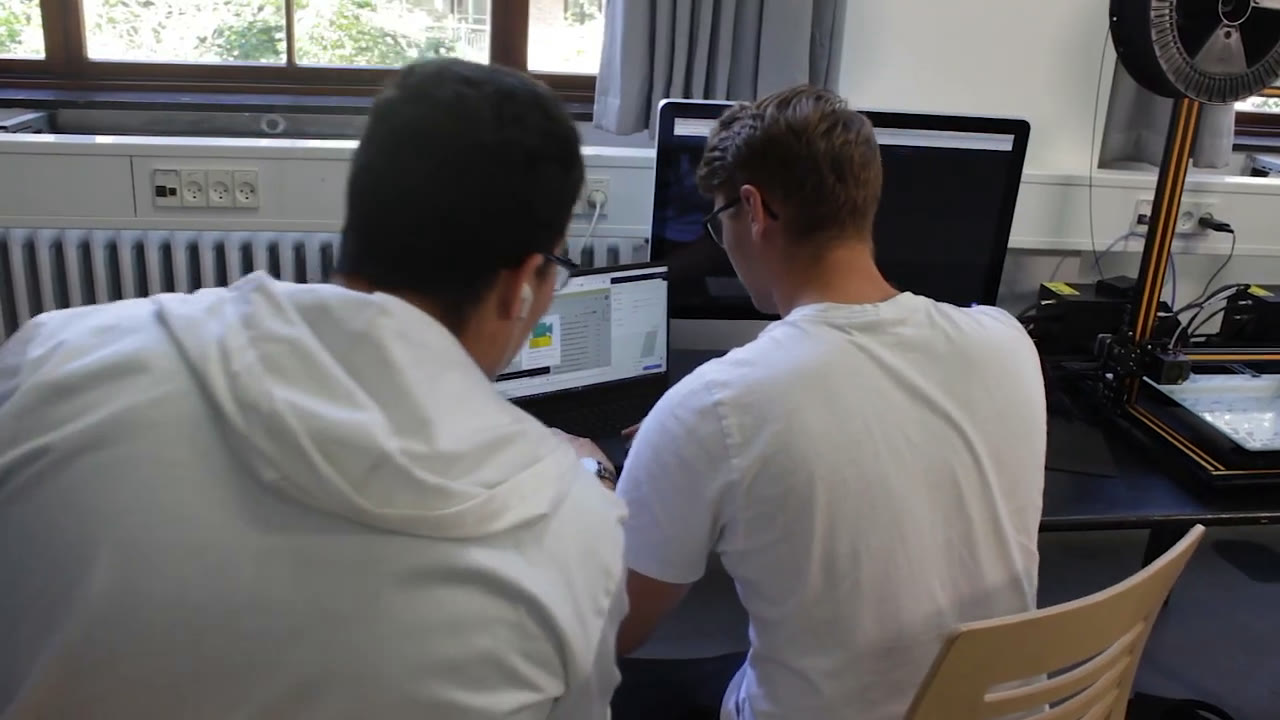
Elever har allerede en skolekonto til Google Workspace eller Microsoft. SimplyPrint lader dem bruge netop den til at logge ind, til cloud-sliceren, printkøen og alt andet, så de ikke skal huske noget nyt, og du ikke skal nulstille noget. Kombinér det med den browserbaserede slicer, så er en klasse med Chromebooks klar til at designe og printe uden installationer og adgangskoder.
Se online-sliceren til skolerDin deltagerliste forbliver automatisk synkroniseret
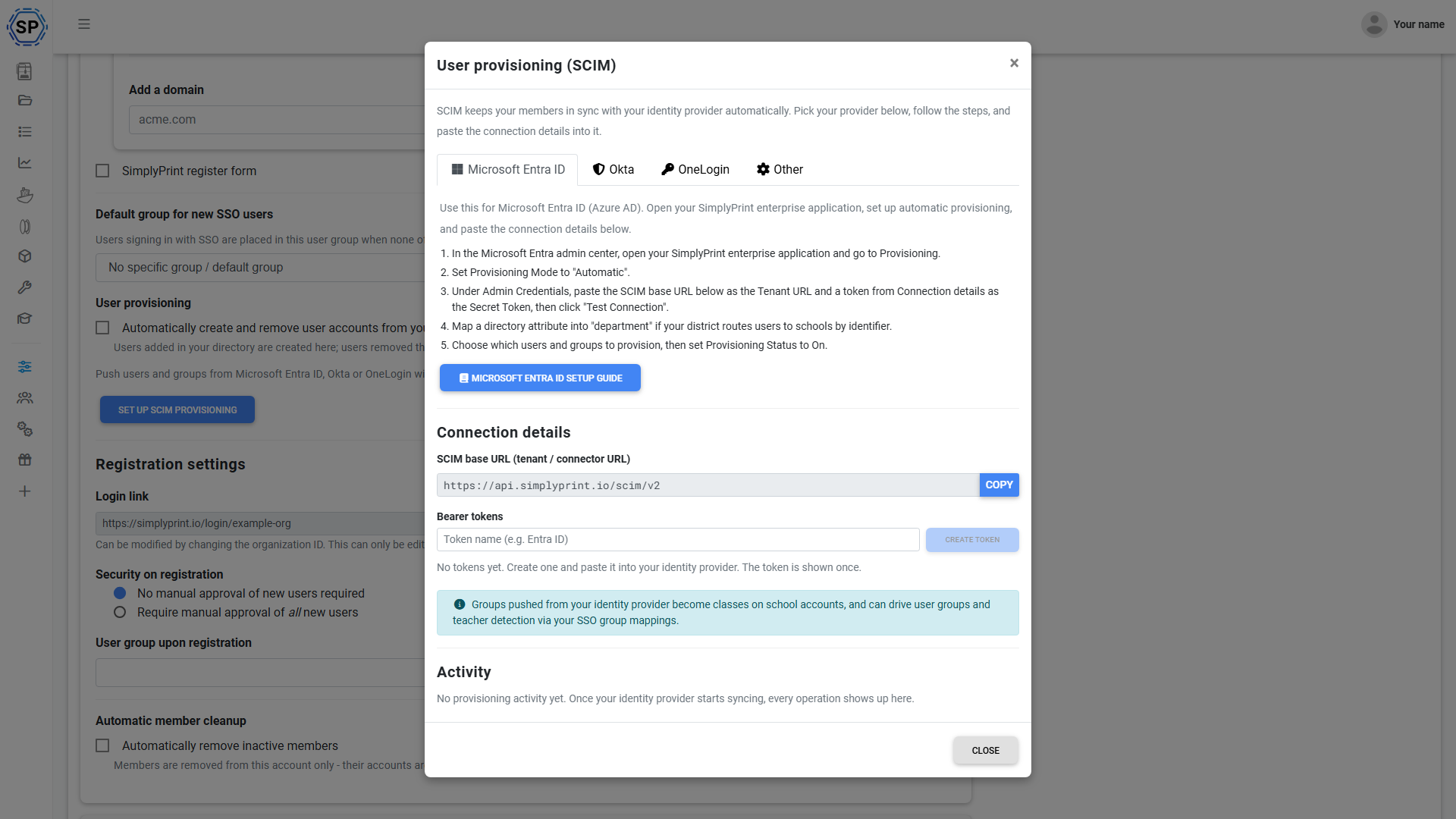
Nye elever kommer til hele året, og andre stopper. Med just-in-time-provisionering får en elev en SimplyPrint-konto, første gang de logger ind, og med SCIM-synkronisering af elevlister klarer dit katalog resten: elever, der tilføjes til skolens katalog, dukker op i SimplyPrint, og elever, der stopper, fjernes automatisk. Intet regneark at vedligeholde, ingen oprydning ved skoleårets afslutning, ingen efterladte logins. Aktuelle guider til synkronisering af elevlister dækker Okta og Microsoft Entra ID.
Elever tilføjes automatisk
Første login opretter kontoen, ingen manuel opsætning.
Brugere, der forlader skolen, fjernes automatisk
SCIM fjerner adgangen, når en elev fjernes fra brugerkataloget.
Ingen oprydning ved skoleårets afslutning
Elevlisten matcher dit katalog hele året.
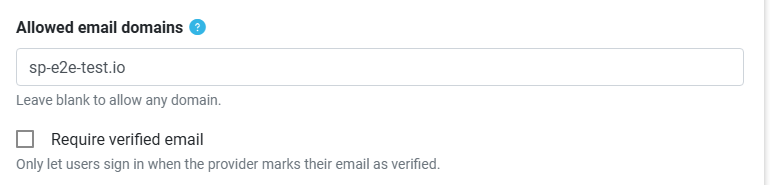

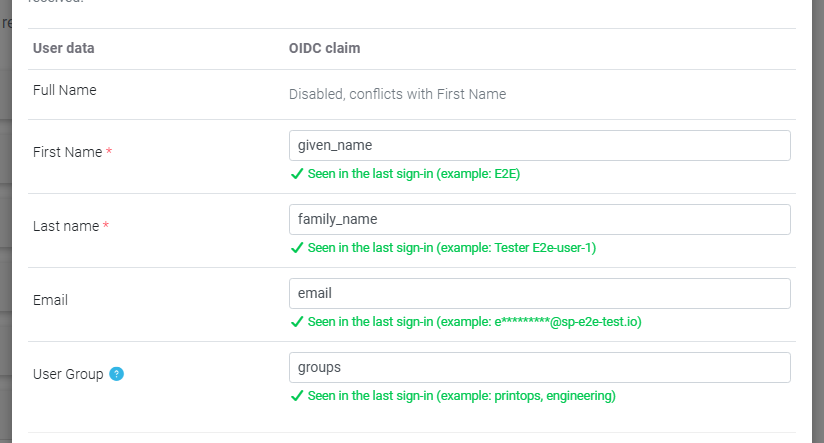
Lærere logger ind som lærere, elever som elever
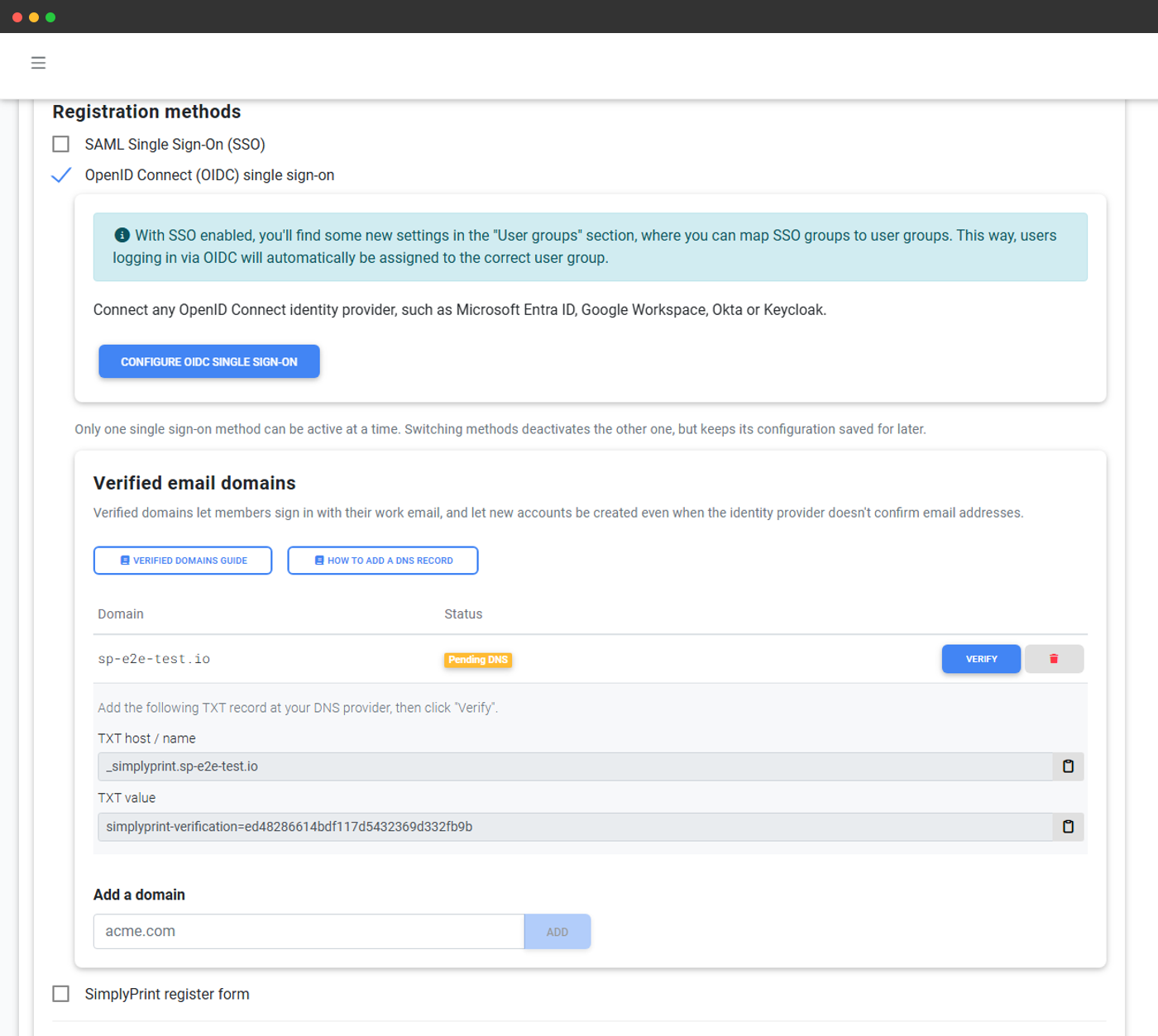
Fortæl SimplyPrint, hvilken gruppe eller attribut i dit katalog der markerer en lærer, så de rette personer får den rette rolle: lærere med klasseoverblik, elever med den sikre, begrænsede adgang, du vælger. Du skal ikke gennemgå listen manuelt efter hver indlogning, og der er ingen risiko for, at en elev får lærerrettigheder. Du kan også knytte kataloggrupper til SimplyPrint-klasser, så en elevs klasser sættes op ved indlogning.
Tilknytning af lærere og grupperÉt skoledistriktslogin til alle administrerede skoler
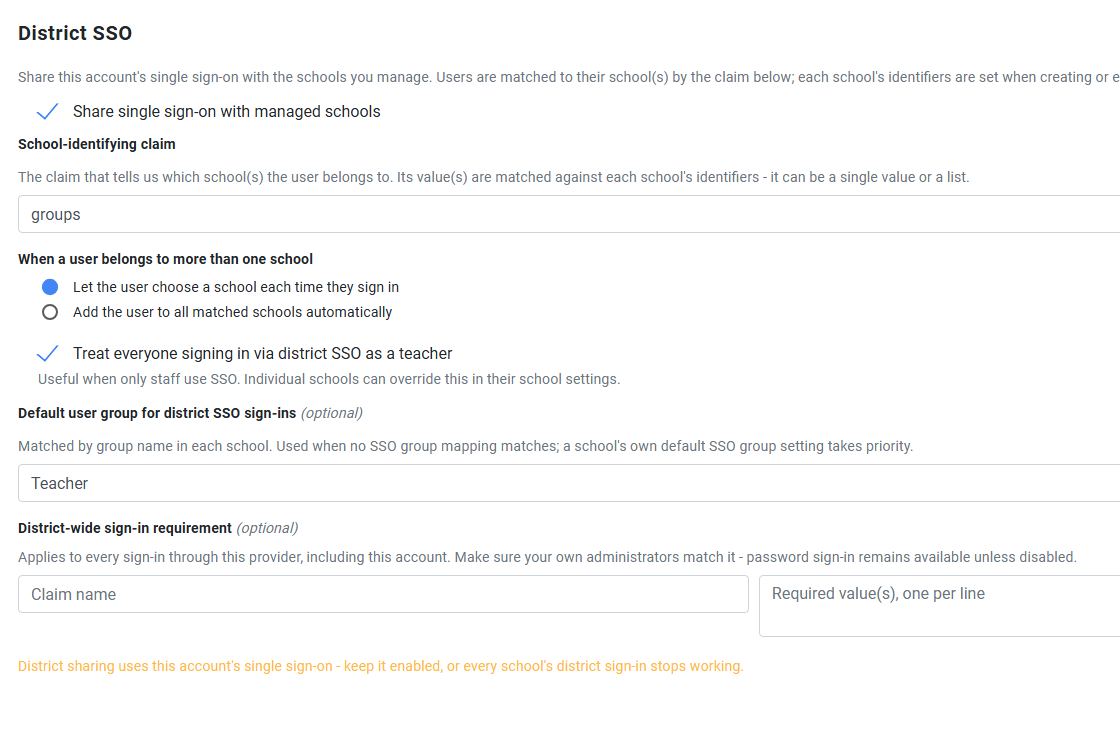
Driver du 3D-print på tværs af et helt distrikt? Forbind distriktets identitetsudbyder én gang, så kan den logge folk ind på alle administrerede skoler. Når nogen logger ind, sender SimplyPrint dem til den rigtige skole, direkte ved ét match, ved at tilføje dem til alle deres skoler eller ved at lade dem vælge i en skolevælger, hvis de hører til mere end én. Lærertilknytning og en standardrolle gælder på tværs af distriktet, så alle skoler starter med samme fornuftige opsætning.
Virker på de Chromebooks og tablets, dine elever allerede har
Single sign-on kører i browseren, så det virker ens på en Chromebook, iPad eller delt laboratorie-pc. Der er intet at installere og ingen administratorrettigheder nødvendige på enheden. Elever åbner browseren, logger ind med deres skolekonto, og så er de i gang. Det er præcis, hvad 3D-print i klasseværelset på administrerede enheder har brug for.
Abonnementsadgang: SSO er en del af School-abonnementet
Single sign-on, herunder elevlogin, automatisk synkronisering af holdlister, lærermapping og distriktslogin, følger med abonnementet School og Enterprise. Der er ikke et særskilt SSO-tilvalg til skoler.
| Funktion/grænse | Gratis | Basic | Pro | Printfarm | Enterprise | Skole | Cloud Slicer | Filament Manager |
|---|---|---|---|---|---|---|---|---|
|
Single sign-on (SSO)
Elever logger ind med Google eller Microsoft, SCIM-synkronisering af elevlister, lærerkobling, klassekobling og distriktslogin.
|
Vil du vide mere om vores abonnementer?
Se fuld pris- og funktionssammenligning