Unfortunately, MakerBot Replicator Z18 is not currently supported by SimplyPrint
This specific model is not currently supported by SimplyPrint. You can still explore other setup methods and compatible printers below.

[simplyprint] to the moonraker.conf config filemoonraker.conf filemoonraker.generated.config, you may need to edit that file instead[simplyprint] to the bottom of the file (with an empty line above it)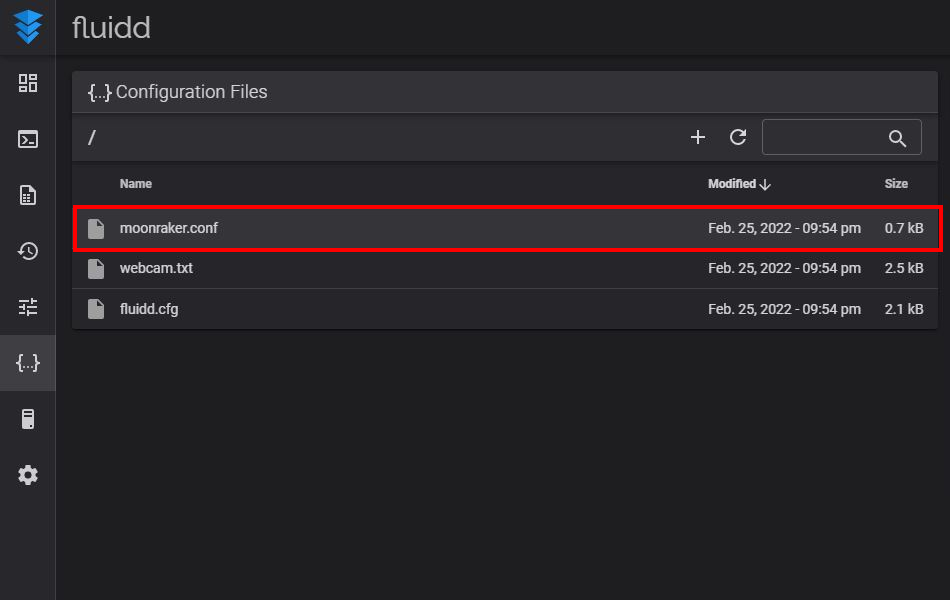
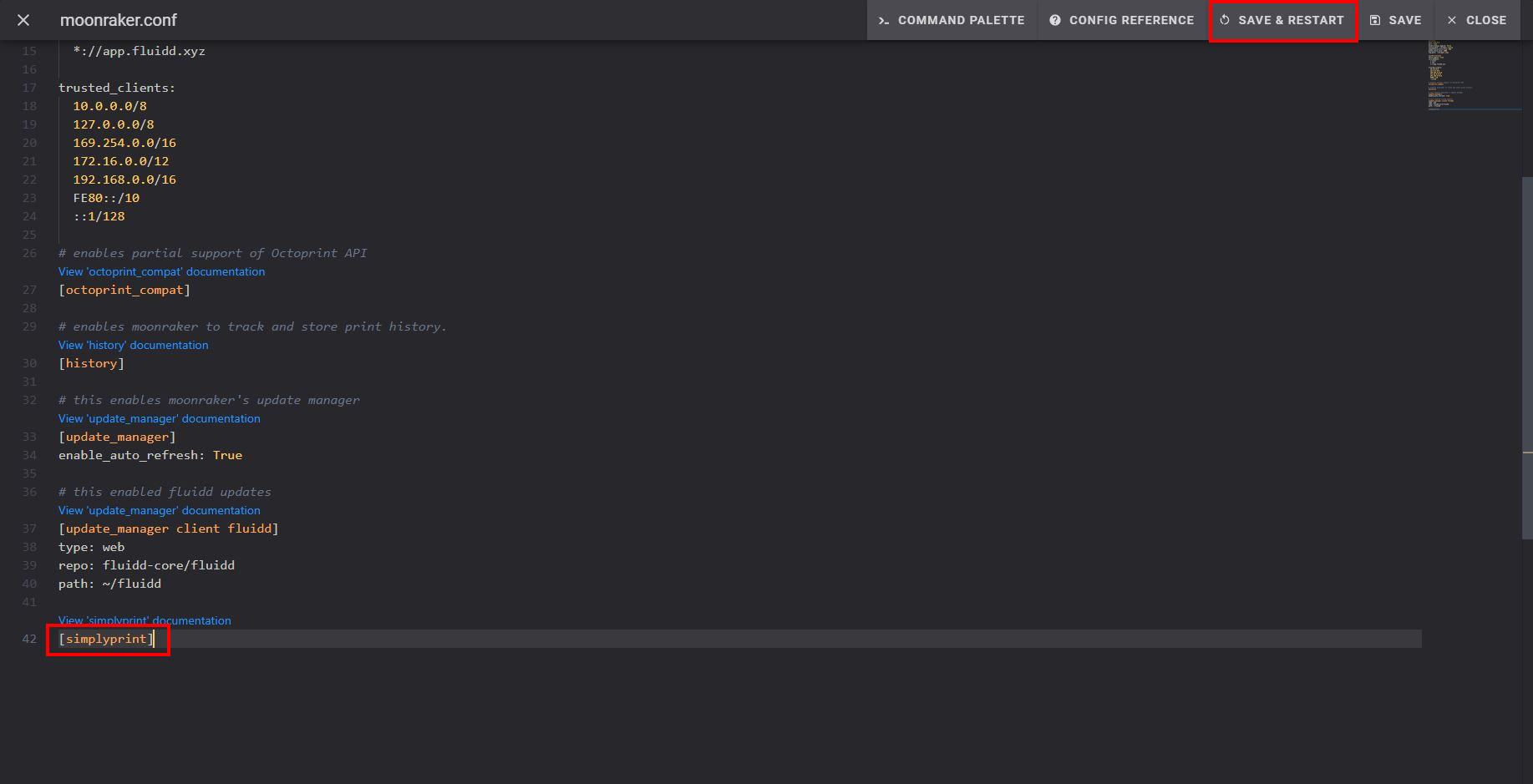
After saving and restarting, your printer should appear automatically in SimplyPrint!
If your printer doesn't appear in Pending Printers:
This can happen if you're not on the same network as your printer (different outgoing IP). In this case, use the setup code:
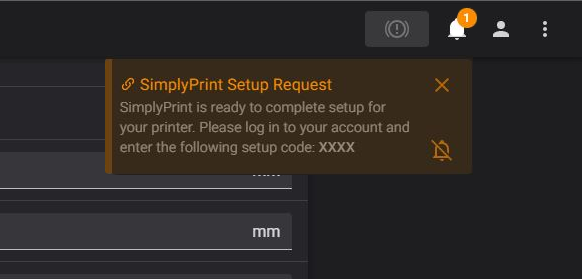
Still having trouble? See our guide: Printer in setup isn't detected / can't find setup code.
Thousands complete this setup every week. Follow each step carefully - most issues come from skipping ahead.
You're now ready to connect your printer and start using SimplyPrint.
Create your free account