Fra en 5-printer Bambu-printfarm til en 200-printer multi-site-operation
Printfarme fortæller os, at de sparer 10 til 15 timer om ugen med SimplyPrint og cirka fordobler kapaciteten. Det resultat skalerer kun, hvis den menneskelige del af driften også skalerer: masseoprettelse af nye operatører, de rette tilladelser til de rette personer uden at give alle adgang til alt og overførsel af saldo- og brugsdata til de systemer, der allerede driver forretningen.
"SimplyPrint er en game changer"
"SimplyPrint er en gamechanger. Det gør det muligt at øge din produktion uden at øge din arbejdsbyrde."
168 detaljerede tilladelser fordelt på 8 kategorier
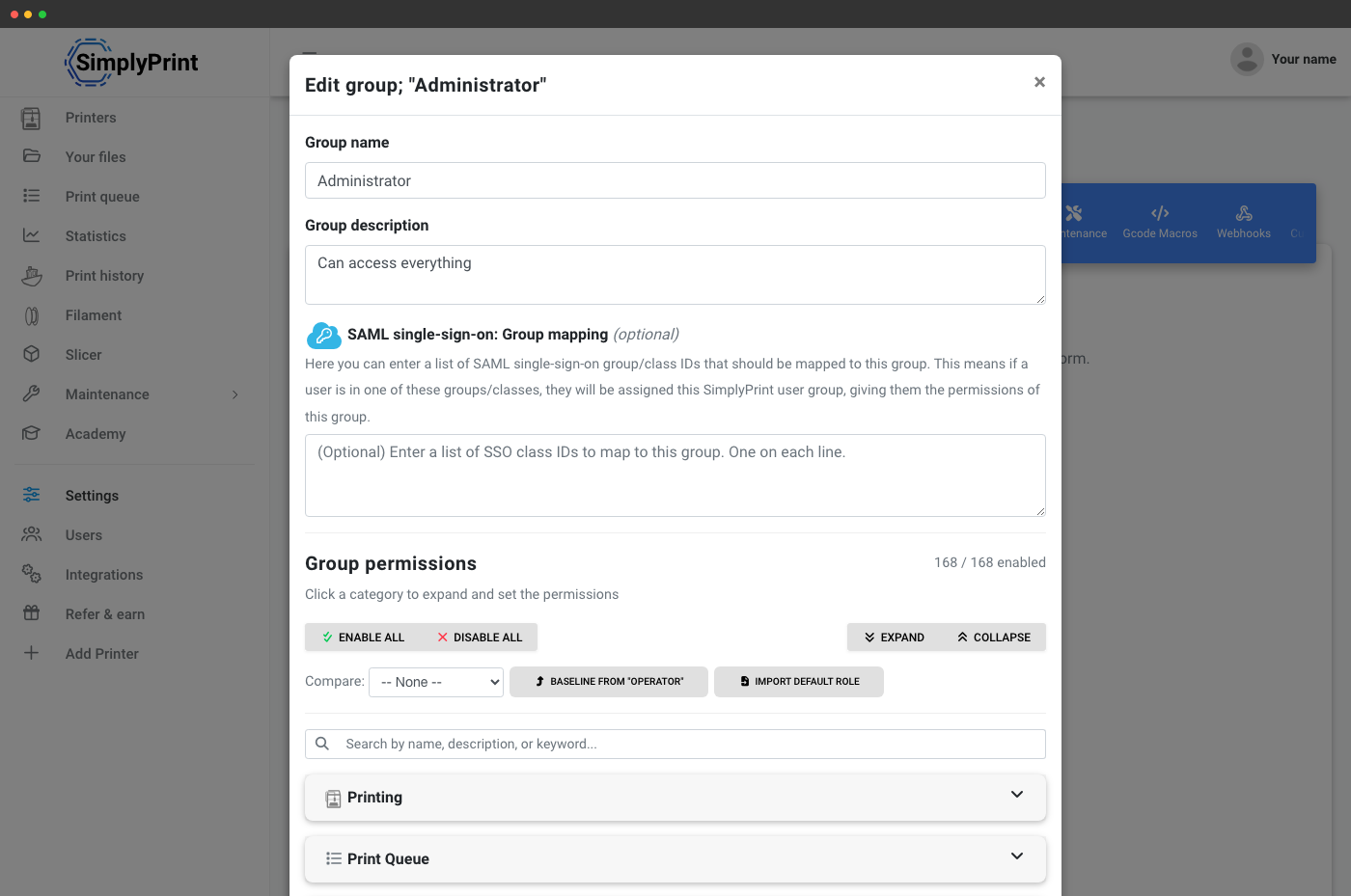
Hver printfarm har brug for svaret på "hvem kan gøre hvad". SimplyPrint leveres med to standardgrupper, Administrator og Operatør, og lader dig oprette ubegrænsede brugerdefinerede grupper (Vagtleder, Ekstern leverandør, Servicetekniker, Salgsingeniør, hvad din drift end kalder dem).
Hver gruppe knyttes til en tilladelsesmatrix med 168 tilladelser fordelt på 8 kategorier: Print, printkø, slicer, kurser, filamentsystem, brugere, organisationsstyring og vedligeholdelse. Søg på nøgleord, udvid en enkelt kategori, sammenlign to grupper side om side for at se forskellene eller brug en eksisterende gruppe som udgangspunkt for en ny brugerdefineret. Tildel alle medlemmer igen, når du sletter en gruppe, ingen efterladte brugere, ingen brudte tilladelseskæder.
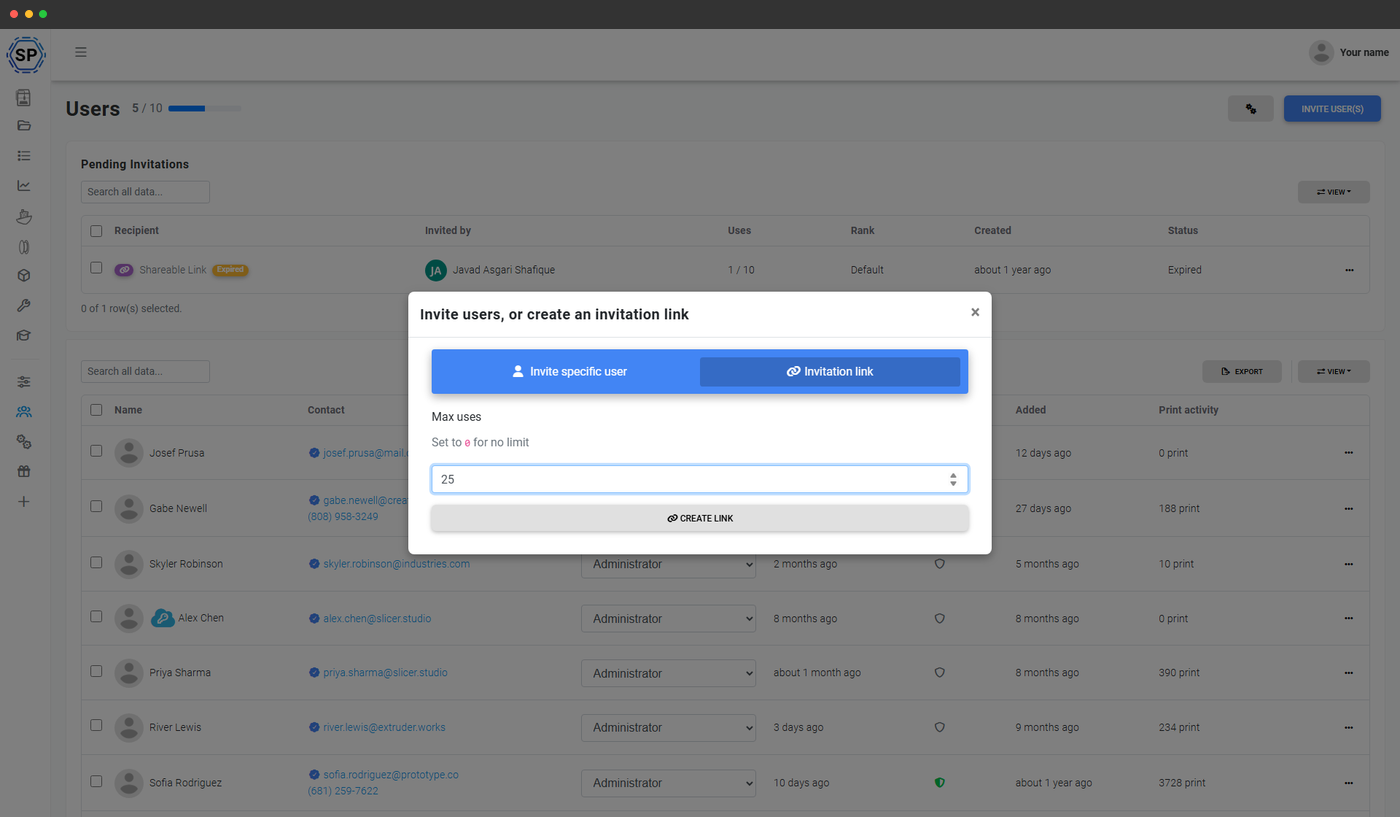
Invitér operatører via direkte e-mail eller delt link
To invitationsmetoder passer til to forskellige driftsbehov. Direkte e-mailinvitationer tildeler gruppe, sprog og landestandard på forhånd og lader derefter brugeren acceptere, når det passer. Invitationslinks er velegnede ved mange nyansættelser og onboarding af eksterne medarbejdere: Opret et link knyttet til en bestemt brugergruppe ("Operatører"), angiv en udløbsdato, send det ud, og alle, der accepterer invitationen, placeres automatisk i den rette gruppe. De samme regler gælder for begge: Eksisterende brugere kan ikke ved en fejl inviteres igen, og hver invitation logges i kontoens revisionslog.
Én brugertabel til hele driften
Hvert medlem af din printfarm eller virksomhed bor på siden Brugere: søg, filtrer efter gruppe, sorter efter tilmeldingsdato eller sidst set, udvid en række for det fulde detaljekort, og udfør handlinger på en bruger (administrer kvote, skift gruppe, deaktiver, fjern, gensend invitation) fra rækkehandlingerne. Bulk-handlinger til ændringer af flere brugere: bulk-skift gruppe, bulk-nulstil kvoter, bulk-deaktiver. Eksporter hele listen til CSV til HR eller compliance med ét klik.
Se funktionssiden for flere brugere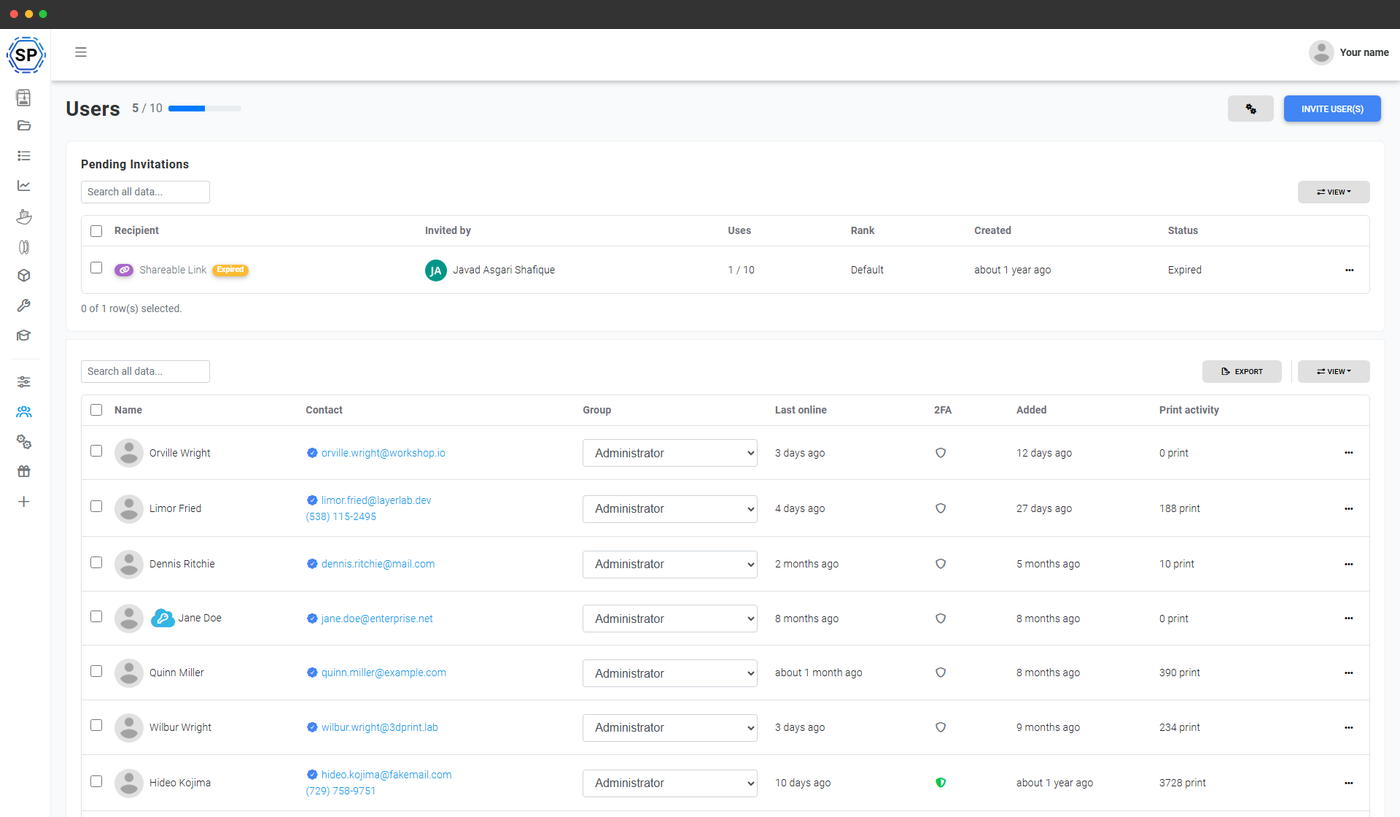
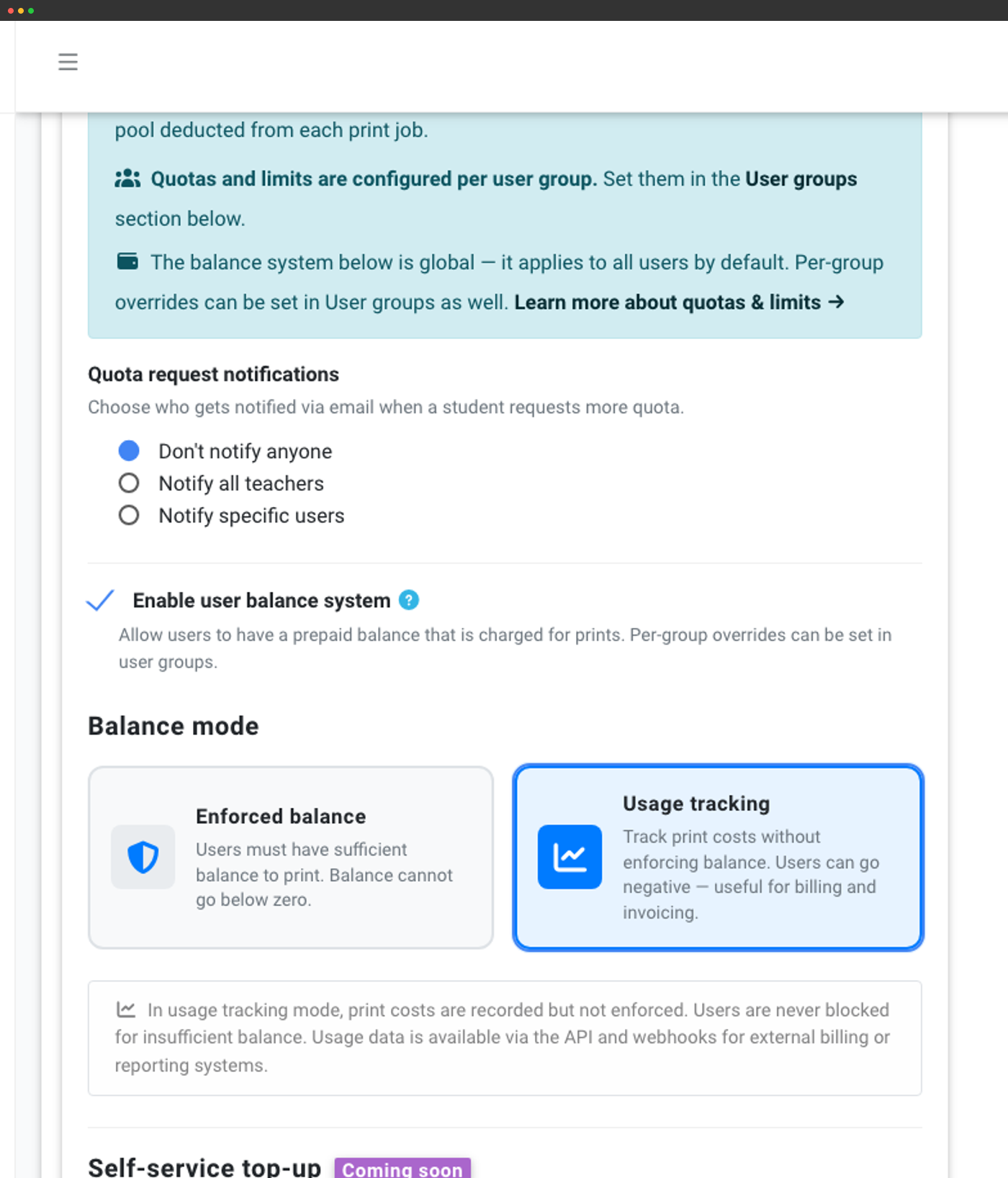
Saldo i forbrugssporingstilstand: blokerer aldrig et print, logger altid omkostningen
Saldosystemet findes i School- og Enterprise-planerne. Enterprise-printfarme bruger det typisk i tilstand for brugsregistrering frem for håndhævet tilstand: Hvert print skriver en omkostningstransaktion på brugeren, og dermed brugerens gruppe, afdeling eller kunde, men det afviser aldrig et print. Resultatet er en ryddelig hovedbog, som finans- og faktureringssystemer kan hente data fra til intern afregning mellem afdelinger, kundefakturering eller PaperCut-lignende integrationer.
Vælg tilstanden Håndhævet, når printet skal blokeres, indtil saldoen dækker det, eller tilstanden Forbrugssporing, når du blot vil have et overskueligt regnskab til fakturering. Automatisk optankning dagligt, ugentligt, månedligt eller på valgte dage holder de interne konti fyldt op. Rabatregler med valgfrie start- og slutdatoer håndterer kampagnepriser. Hver saldohændelse, såsom opkrævning, refundering, optankning eller justering, udløser en webhook, som dine eksisterende systemer kan bruge.
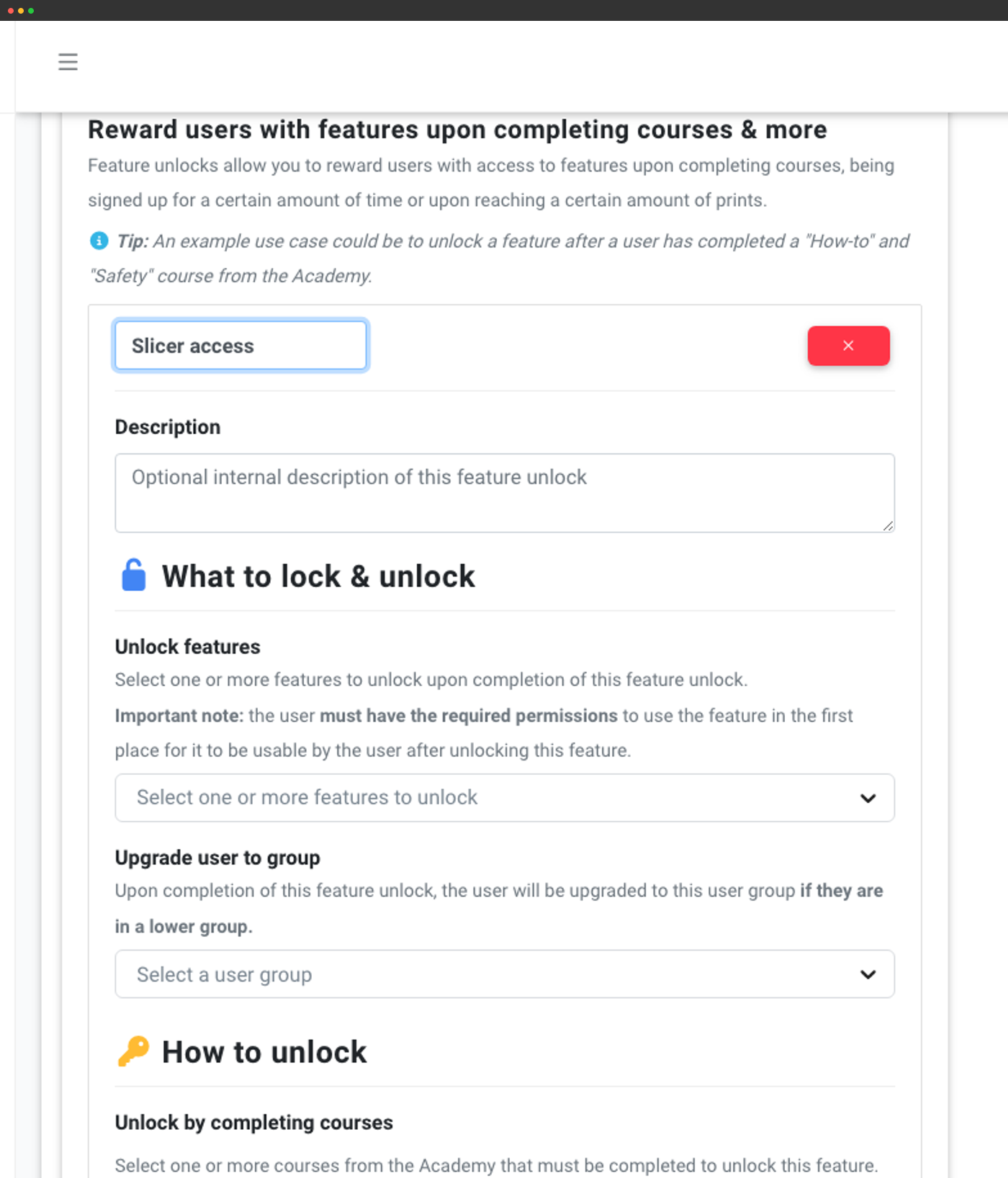
Funktionsoplåsninger: progressiv onboarding for nye operatører
Giv ikke en helt ny kontraktansat nøglerne til printfarmen den første dag. Funktionsoplåsninger lader dig i stedet gradvist give tilladelser. Opret regler, der giver adgang til en funktion, når en bruger:
- Fuldfører et eller flere Academy-kurser ("Sådan betjener du en 3D-printer sikkert", "Grundlæggende om filament")
- Har været tilmeldt i et konfigureret antal dage
- Har gennemført et konfigureret antal vellykkede print

API- og MCP-adgang til de systemer, der allerede driver din drift
De mest succesfulde printfarme på SimplyPrint integrerer det med det, de allerede bruger. Én kunde byggede en ShipStation-integration til automatisk køsætning, så e-handelsordrer automatisk lander i produktionskøen. En anden sender hændelser om filamentforbrug til sit regnskabssystem. Vi har lanceret både et udvidet API (Print Farm+) og en MCP-server (Pro+), så dine AI-værktøjer kan styre printere, genbestille filament, godkende køelementer og hente statistik direkte.
OAuth2 med PKCE håndterer tredjepartsintegrationer (Zapier, n8n, Make, dine egne apps). Webhooks udløses ved enhver saldoændring, kvotahændelse, ændring af printstatus, indsendelse til printkøen og AutoPrint-handling. Alt er dokumenteret på apidocs.simplyprint.io og i MCP-serverregistret.
SAML-enkeltlogon, IP-hvidlistning og påkrævet 2FA i Enterprise
Enterprise-IT-teams gennemfører næsten altid en leverandørgennemgang, før de tilføjer et værktøj. SimplyPrint klarer standardtjeklisten:
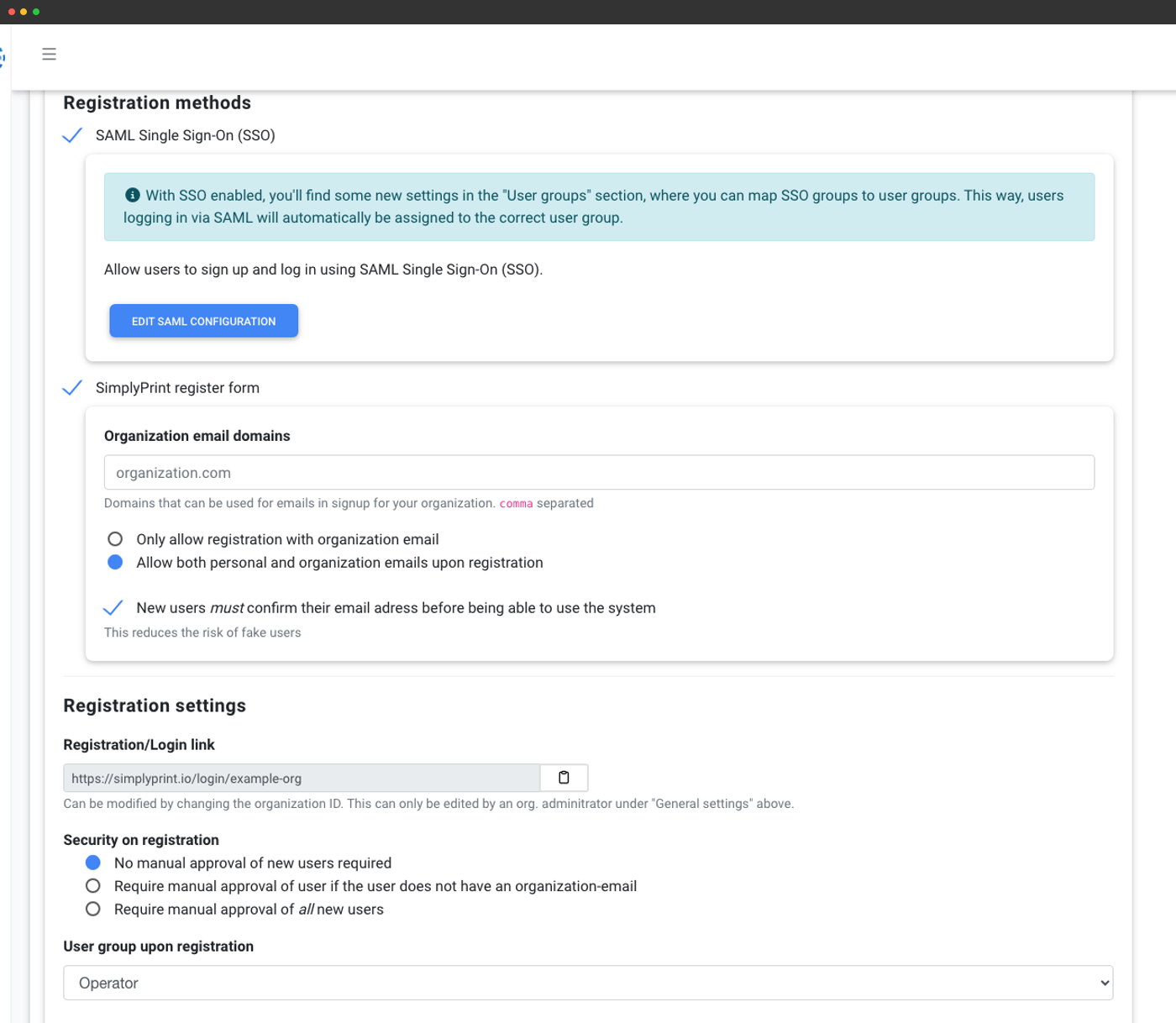
- SAML 2.0 SSO - Google Workspace, Microsoft Entra ID, Auth0, federationsbaseret SAML, enhver SAML 2.0 IdP. Attributmapping for fornavn, efternavn, e-mail og gruppetildeling samt automatisk import ved første login til en standardgruppe, du vælger.
- IP-whitelisting - begræns paneladgang til din kontos IP-intervaller.
- Påkrævet 2FA for alle medlemmer (Enterprise-abonnement).
- Databehandleraftale i produktet - underskriv DPA'en direkte i panelet.
- Kontoens revisionslog med eksport (Enterprise) - komplet historik over kontoens handlinger til compliancegennemgang.
- SLA med oppetidsgaranti (Enterprise) - dedikeret support, telefonsupport, Slack Connect-kanal.
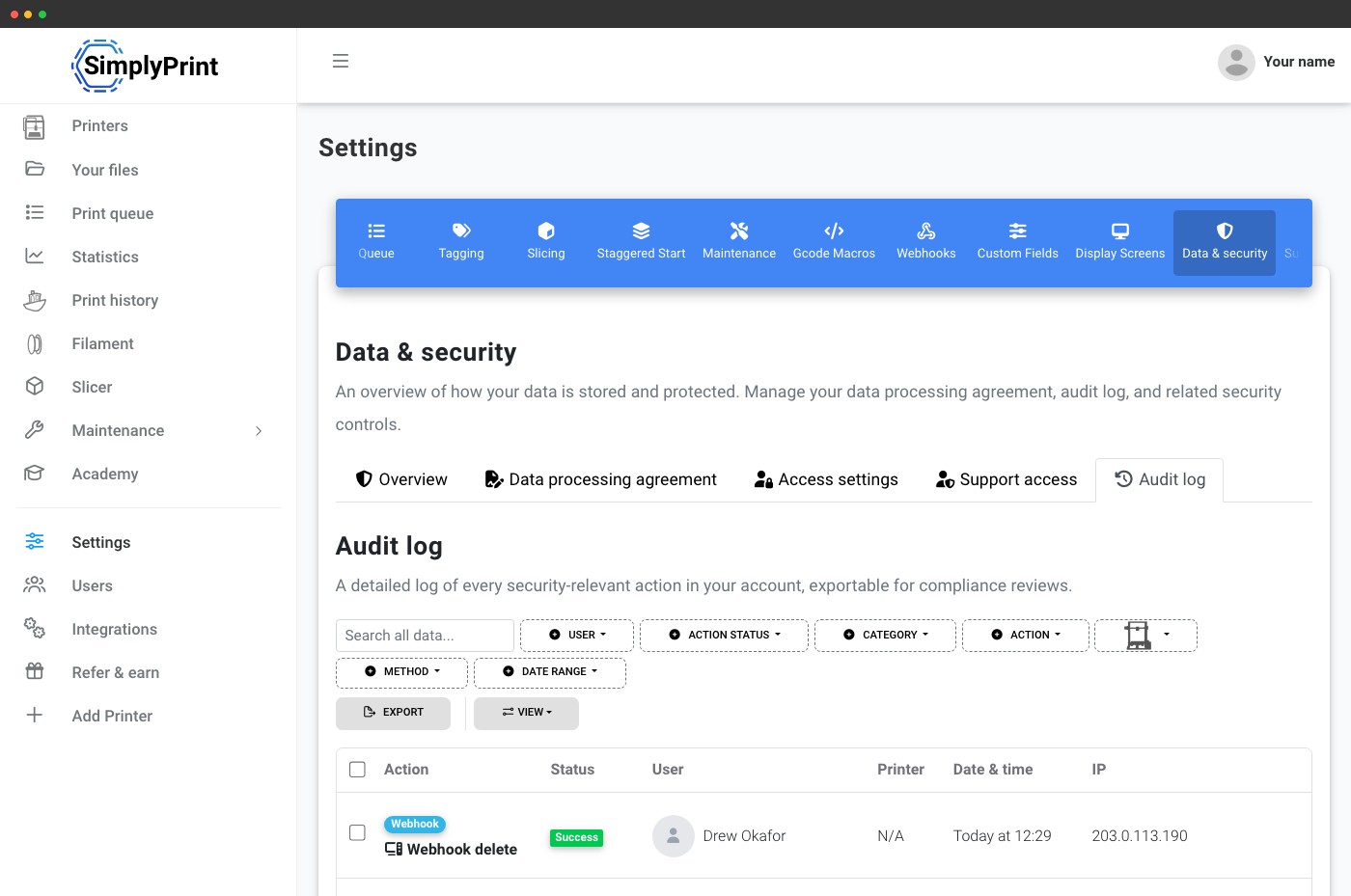
Revisionslog for kontoen, underskrivelse af databehandleraftale og den dokumentation, dit sikkerhedsteam vil bede om
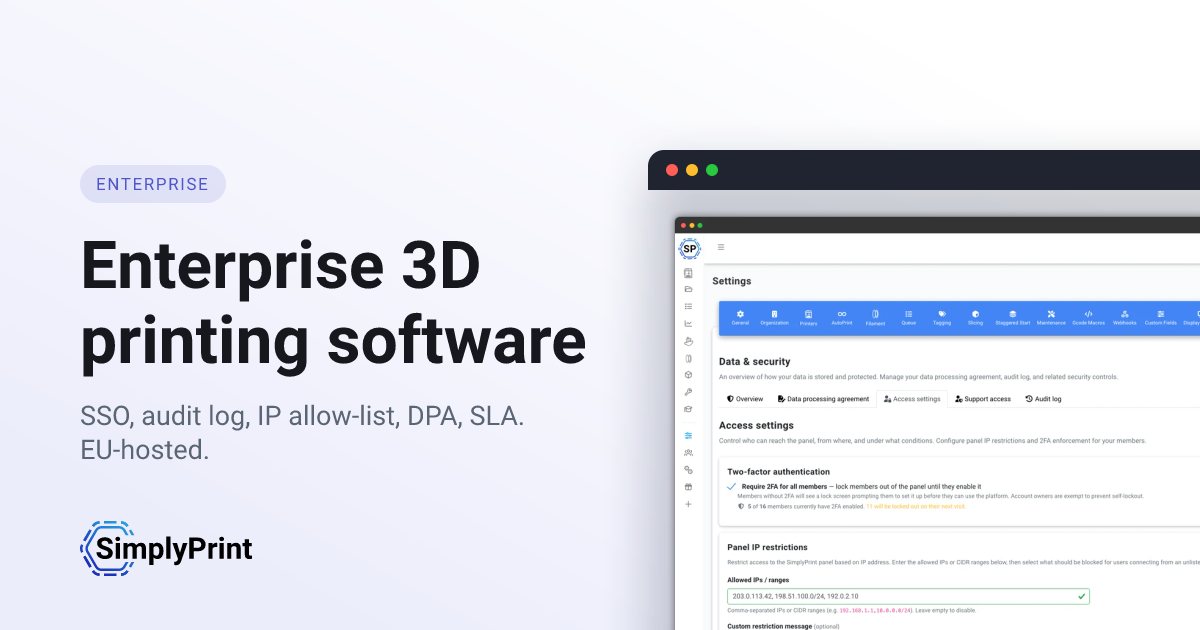
Sikkerhedsrelaterede indstillinger, den fulde audit-log for kontoen med eksport, IP-begrænsninger til panelet, påkrævet 2FA-håndhævelse, den indbyggede databehandleraftale og godkendelse af supportadgang, findes alle under Data og sikkerhed, tilgået direkte fra fanen Organisation. Audit-loggen og signering af den indbyggede DPA er på School- og Enterprise-planerne. Eksport af audit-log, påkrævet 2FA-håndhævelse og SLA-oppetidsgarantien er kun til Enterprise.
Trinvis: kræv 2FA og begræns paneladgang via IP.
Fem faner, alle de kontroller dit IT-team vil gennemføre
Hver fane nedenfor er en reel side i området Data og sikkerhed. De er bygget, så en sikkerhedsgennemgang kan besvares med ét skærmbillede i stedet for en lang mailudveksling.
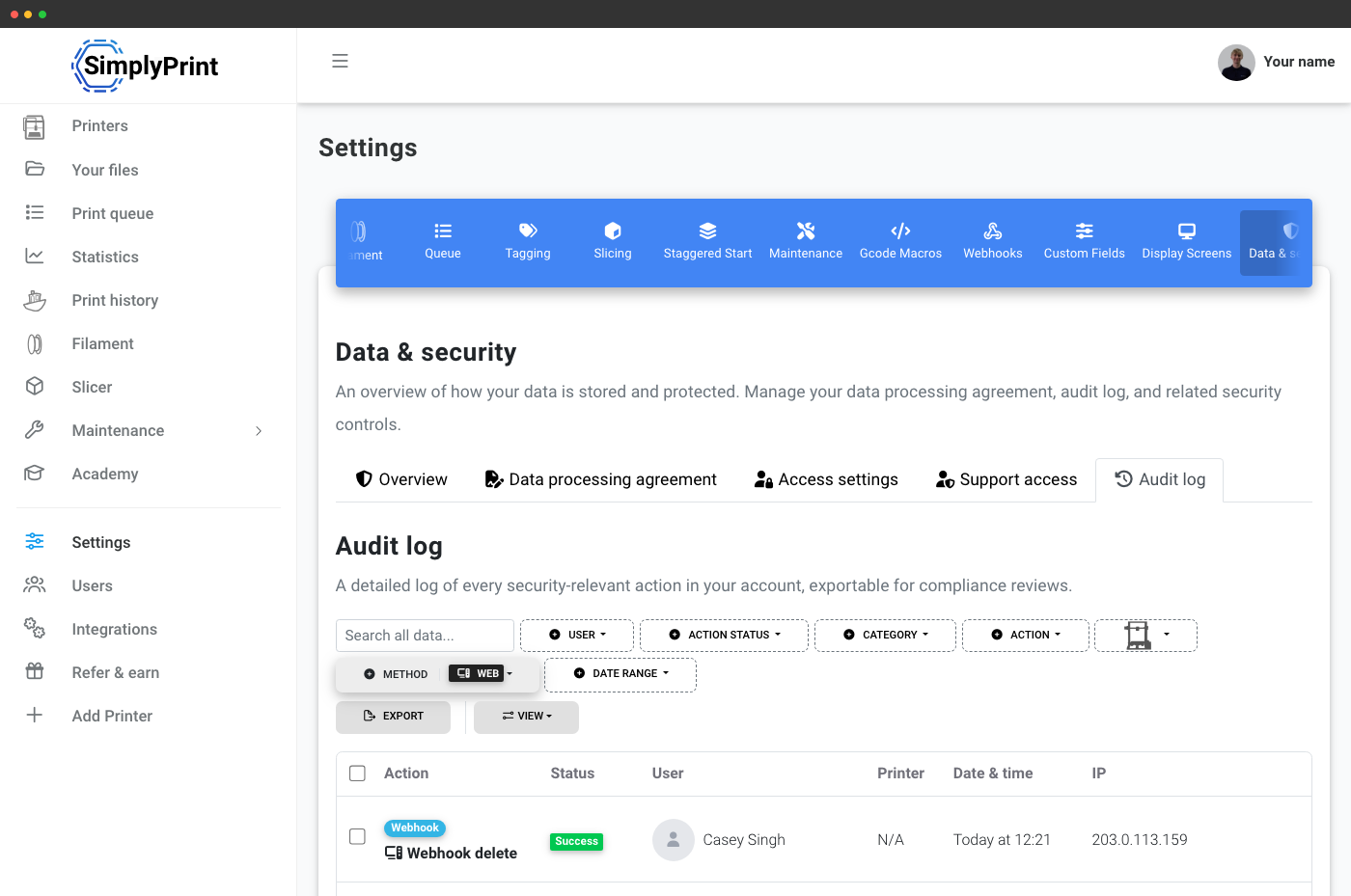
Enhver sikkerhedsrelevant handling, filtrerbar efter bruger, handling, metode og dato.
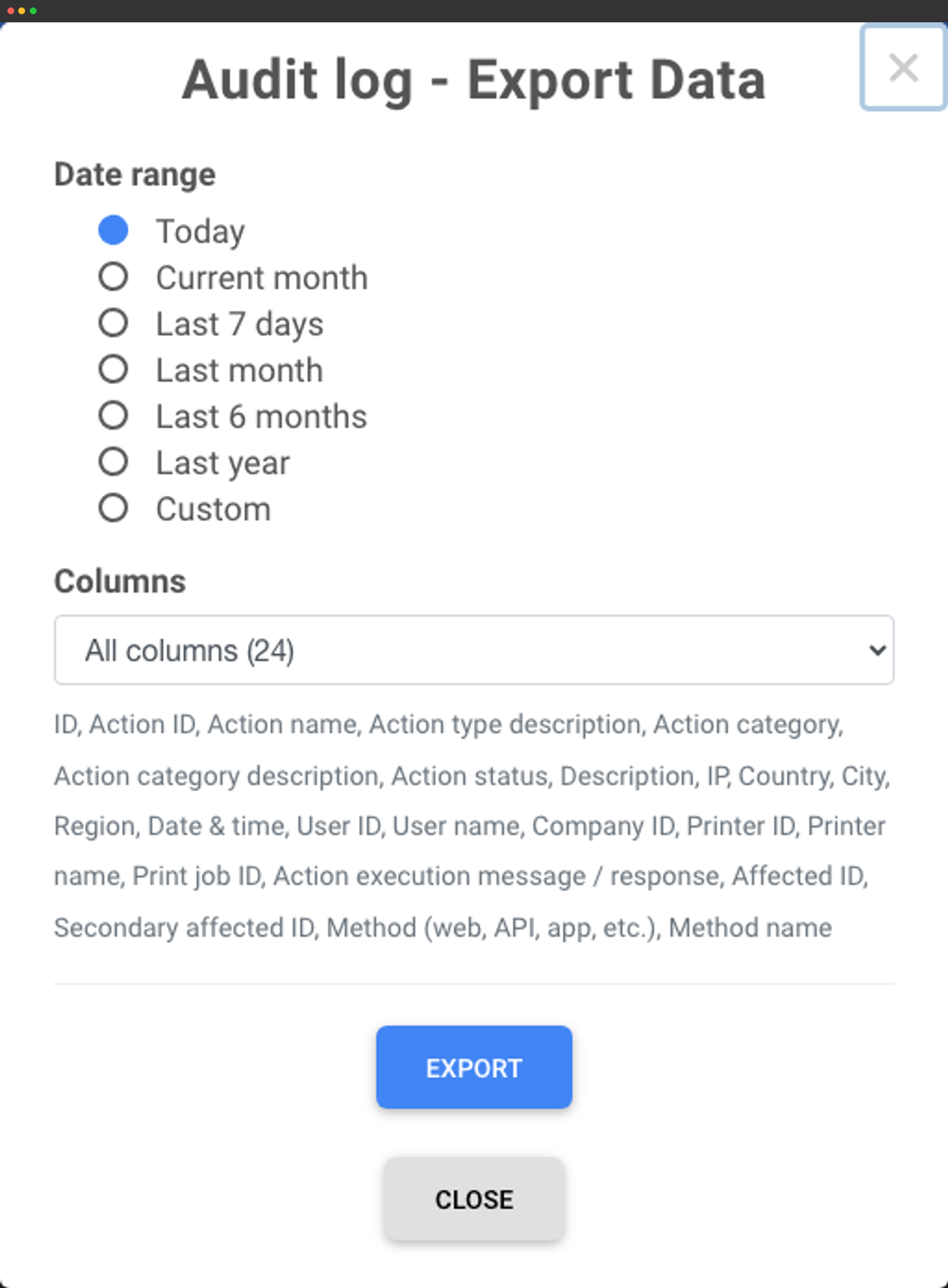
CSV-eksport med 24 kolonner (kun Enterprise) til compliancearkiver.
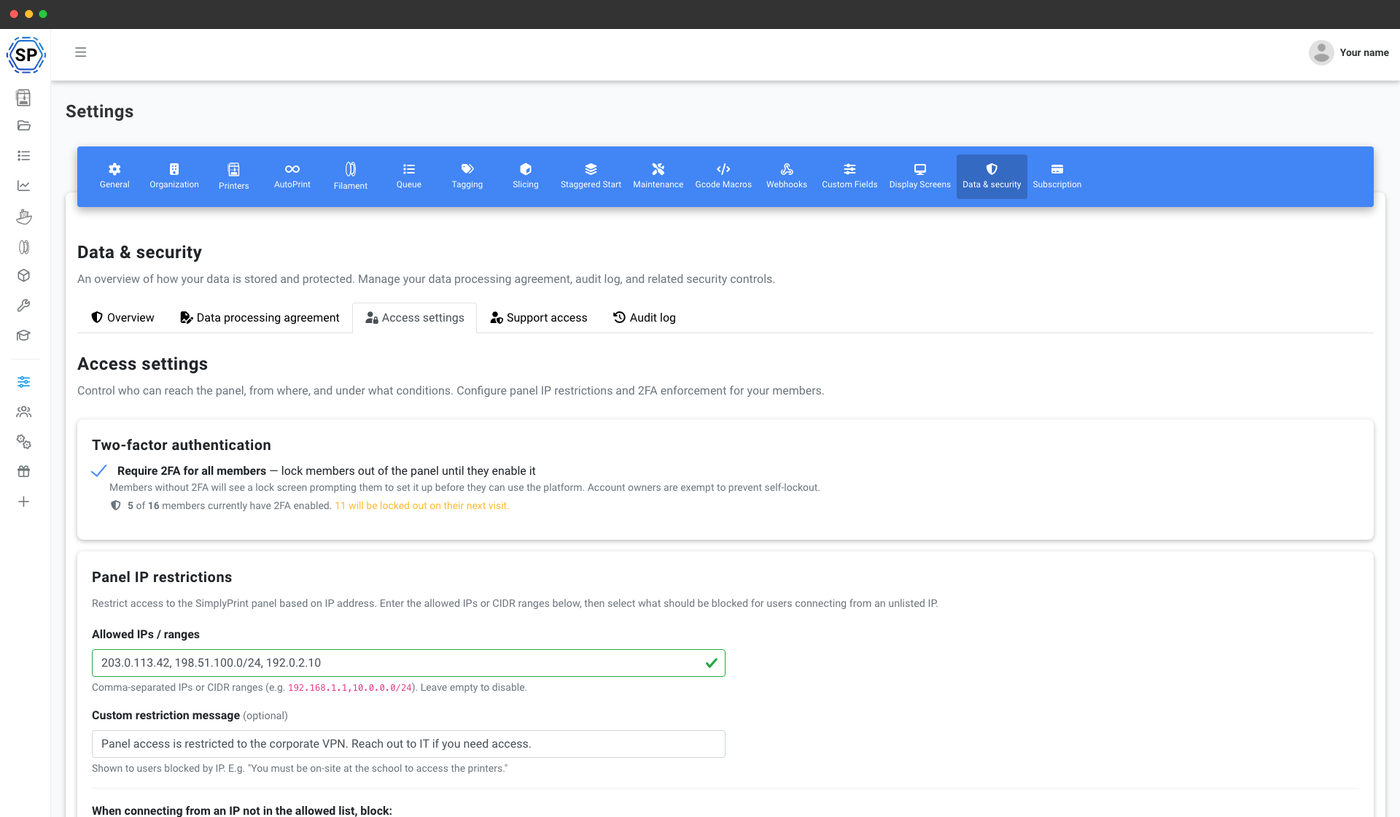
Obligatorisk 2FA samt IP-hvidlistning med detaljerede blokeringsområder.
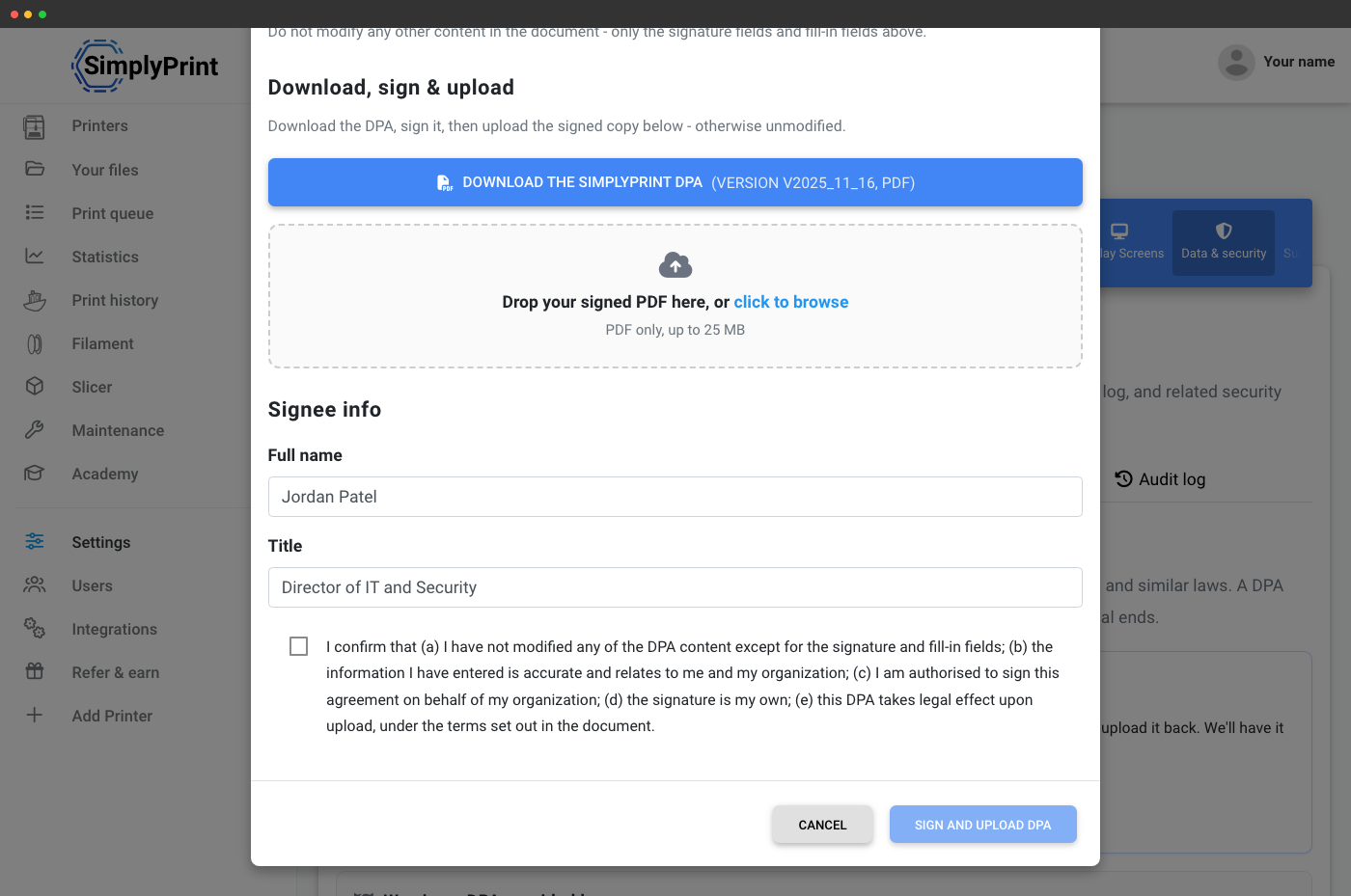
Download, underskriv og upload SimplyPrint-DPA'en fra panelet.
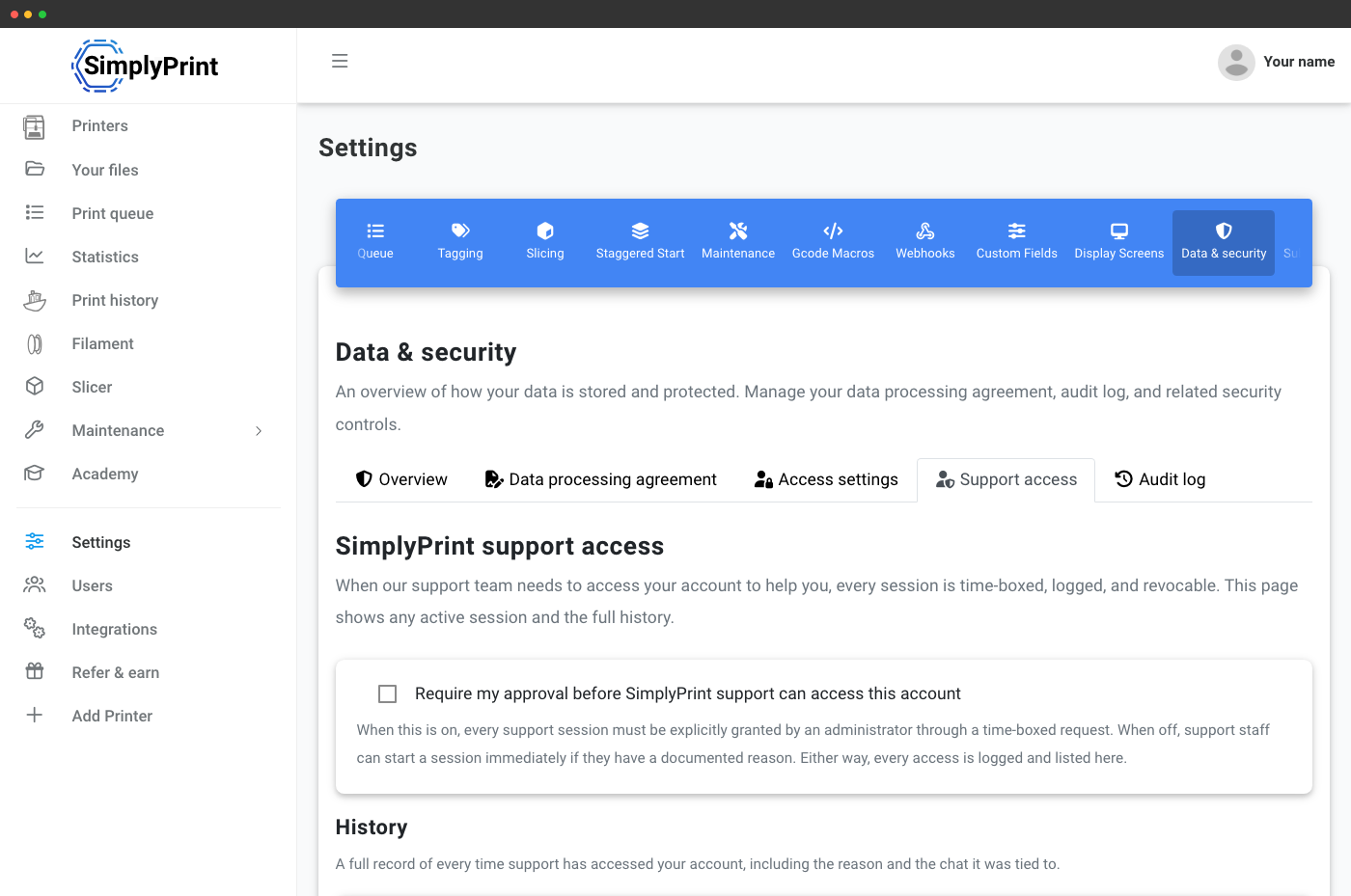
Kræv godkendelse, før SimplyPrint-support nogensinde kan få adgang til din konto.
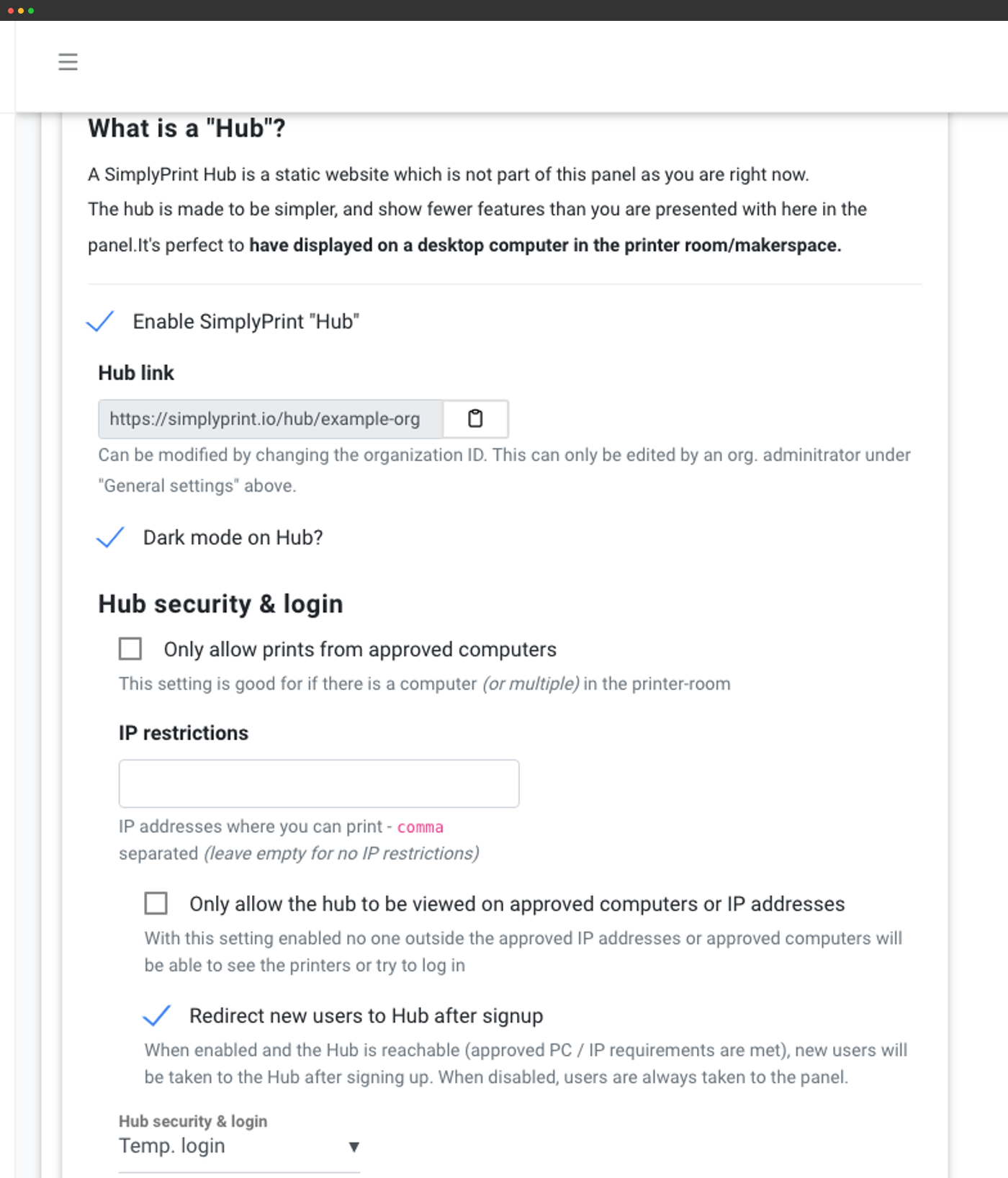
Hub: en kioskagtig side til produktionsgulvet
Din konto får en dedikeret, offentlig Hub på simplyprint.io/hub/{your-organisation-id}: en forenklet printerrumsgrænseflade til en vægmonteret skærm eller gulvterminal. Samme logins som i hovedpanelet, men langt mindre at klikke sig igennem. Begræns den til bestemte IP-adresser eller godkendte computere, så kun værkstedsterminalen kan åbne den, slå mørk tilstand til, send nye tilmeldinger direkte til Hub, og vælg husk-mig-sessioner for personale eller automatisk logout for delte skiftterminaler.
Hvilke printfarm- og enterprisefunktioner følger med hvilket abonnement
Samarbejde mellem flere brugere, Hub, brugerdefinerede felter, funktionsoplåsninger og webhooks kommer med Print Farm-planen. Printkøgodkendelse, kvote- og saldosystemet, SSO, revisionsloggen og DPA'en i produktet er forbeholdt School- og Enterprise-planerne, hvor drift med delte printere kræver mest kontrol. Obligatorisk 2FA, eksport af revisionsloggen og SLA-garantien for oppetid er kun på Enterprise.
| Funktion/grænse | Gratis | Basic | Pro | Printfarm | Enterprise | Skole | Cloud Slicer | Filament Manager |
|---|---|---|---|---|---|---|---|---|
|
Flere brugere
Invitér operatører, kontraktarbejdere og administratorer med separate logins.
|
||||||||
|
Offentlig Hub-grænseflade
En kiosklignende side til printerrummet på simplyprint.io/hub/{your-id}.
|
||||||||
|
Brugerdefinerede felter
Registrer vilkårlige metadata på print, køelementer, brugere og mere.
|
||||||||
|
Funktionsoplåsninger
Beløn operatører med nye tilladelser efter kurser, print eller tidsgrænser.
|
||||||||
|
Forbedret API-adgang
Programmatisk kontrol af hver del af din flåde, med OAuth2 og webhooks.
|
||||||||
|
Webhooks
Realtidslevering af hændelser for saldo, kvoter, printkø, print og AutoPrint.
|
||||||||
|
Kvoter, grænser og saldo
Periodiske kvoter, grænser pr. job, forudbetalt saldo med håndhævelses- eller sporingstilstand.
|
||||||||
|
Godkendelsesflow for printkø
Send hver indsendelse til godkendelse, før den når den aktive printkø.
|
||||||||
|
SAML-enkeltlogon
Google Workspace, Microsoft Entra ID, Auth0, føderationsbaseret SAML eller enhver SAML 2.0-IdP.
|
||||||||
|
Revisionslog for kontoen
Fuld historik over organisationshandlinger, med eksport på Enterprise-planen.
|
||||||||
|
IP-hvidlistning
Begræns adgangen til panelet til jeres IP-intervaller.
|
||||||||
|
Påkrævet 2FA
Håndhæv 2-faktor-autentificering for alle medlemmer af kontoen.
|
||||||||
|
SLA med oppetidsgaranti
Kontraktligt garanteret oppetid, dedikeret support, telefonsupport og Slack Connect-kanal.
|
Vil du vide mere om vores abonnementer?
Se fuld pris- og funktionssammenligning