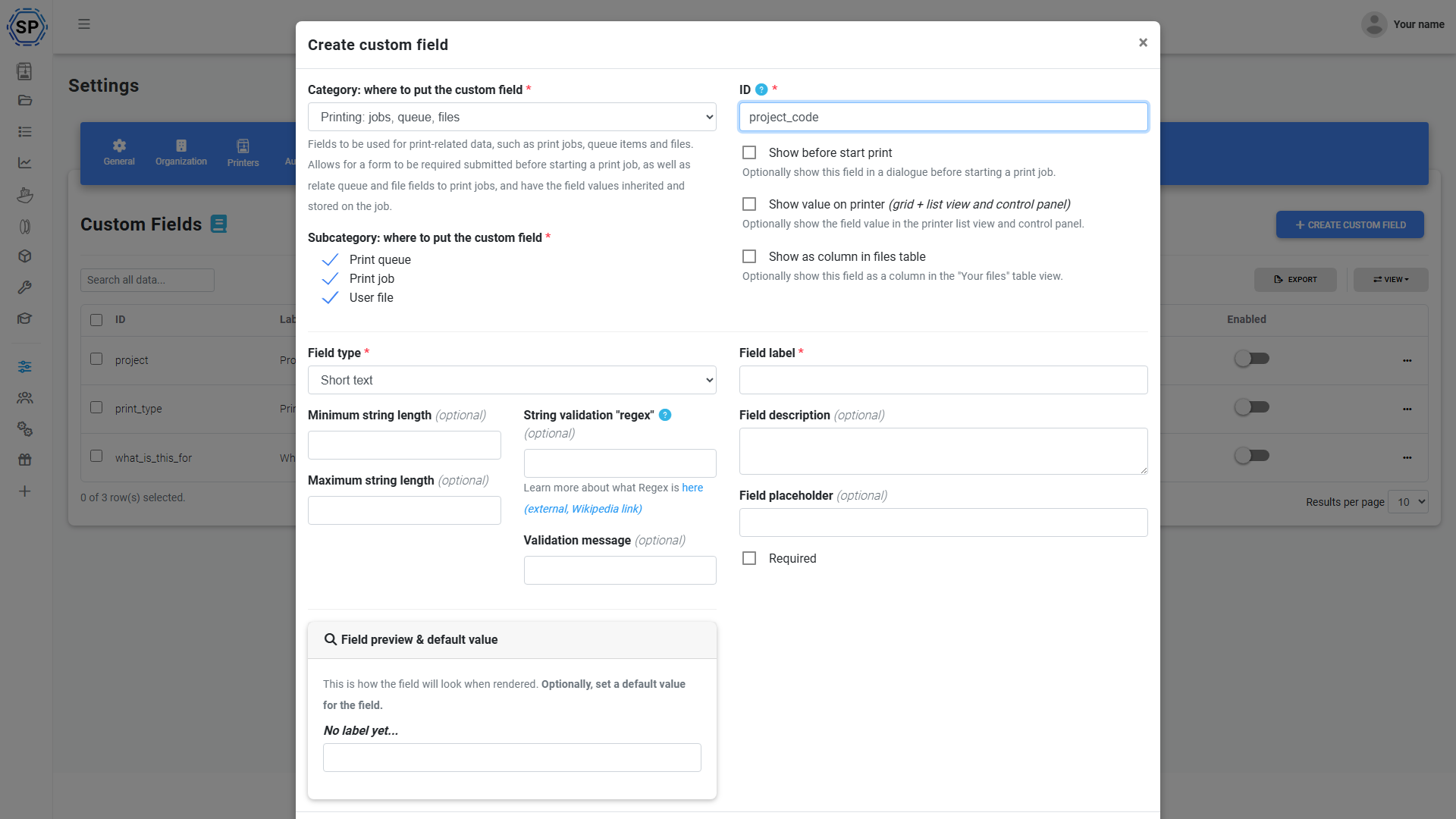
Én definition. Hver printflade. Ende til ende.
Definér et brugerdefineret felt én gang på kontoniveau, så bliver det tilgængeligt for printkøelementer, filer, filament og opgaver, med redigering direkte i feltet, kolonner i listevisningen, CSV-eksport, webhook-payloads og fuld API-understøttelse, der følger dataene hele vejen igennem.
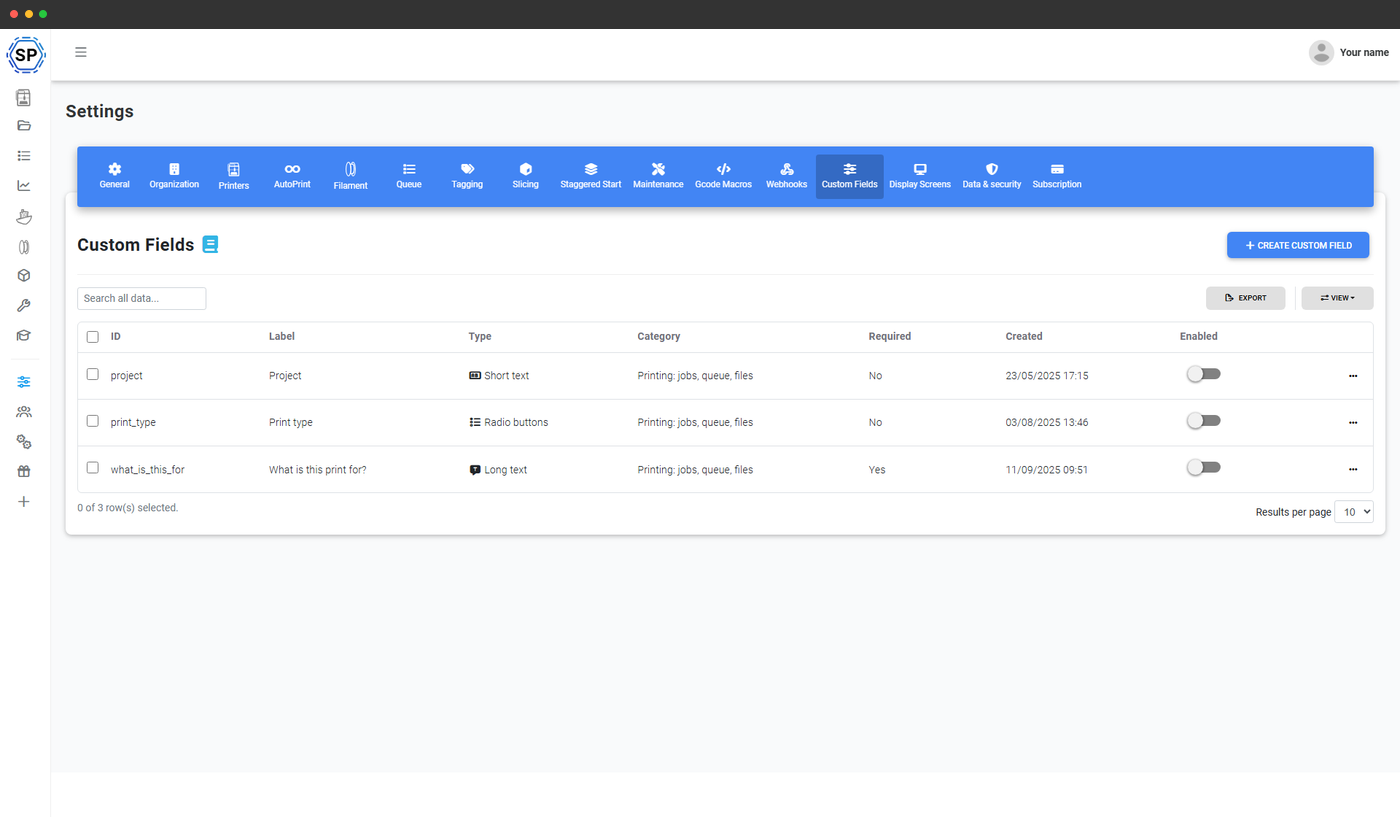
Definér felterne, din arbejdsgang har brug for
Vælg mellem 13 felttyper: tekst, lang tekst, tal, dato, dato/tid, rullemenu, multivalg, radioknap, afkrydsningsfelt, e-mail, telefon, URL og boolesk. Vælg derefter, hvor de skal bruges: elementer i printkøen, filer, filament, jobs og vedligeholdelsesregistreringer (skabeloner, opgaver, problemer, lager). Skift rækkefølgen, markér dem som påkrævede, og begræns dem til administratorer. Én indstillingsside for brugerdefinerede felter styrer dem alle.
Redigering direkte i køtabellen
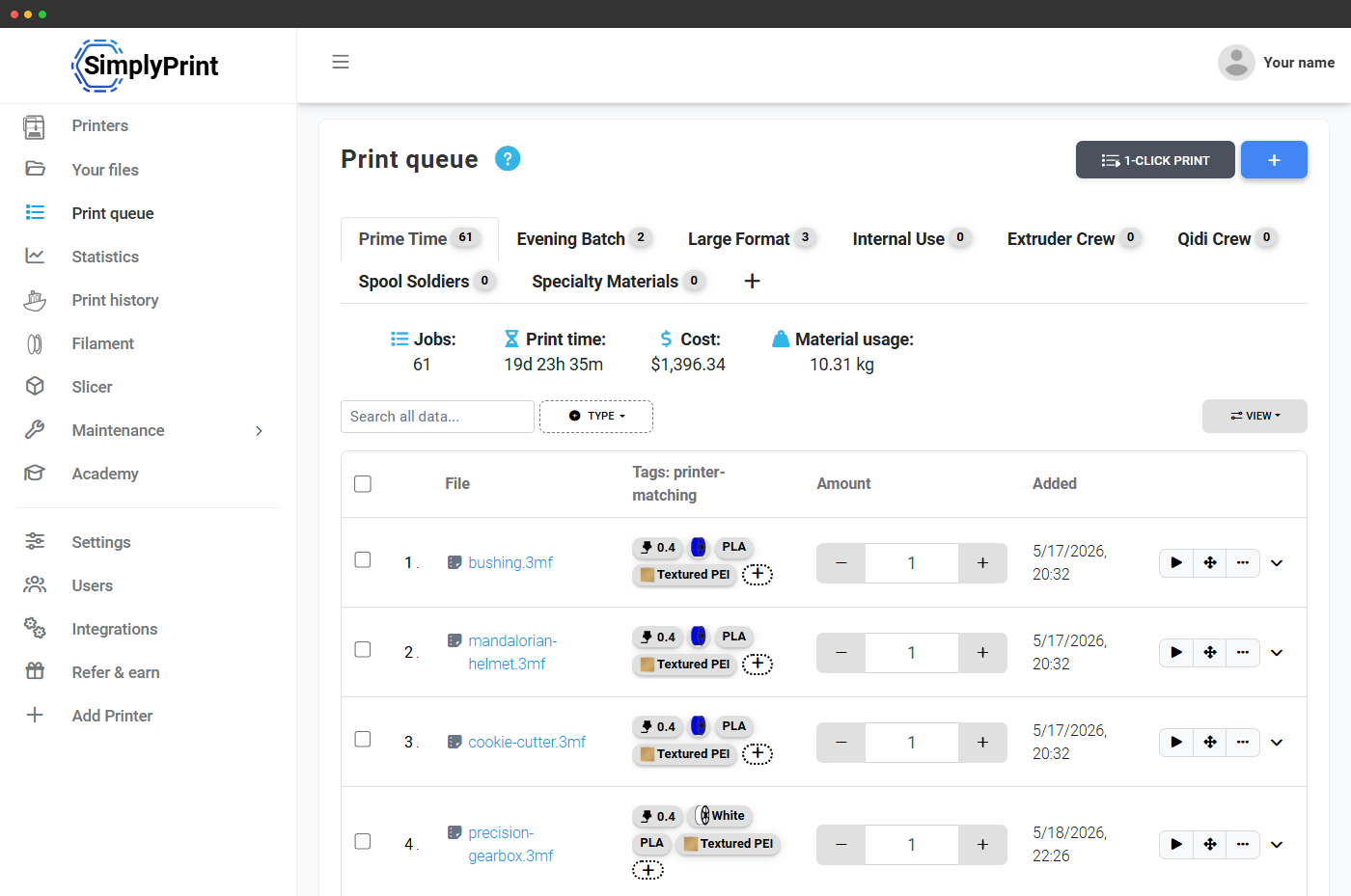
Brugerdefinerede felter vises som ekstra kolonner i printkøen. Klik på en celle for at redigere, værdierne gemmes med det samme. Ingen dialogboks eller ekstra indlæsning, samme redigering direkte i feltet som i et regneark.
Værdier følger printet: fil → kø → job → historik
Sæt et brugerdefineret felt på en fil, f.eks. kunde = "Acme Robotics", så følger det automatisk med videre. Filens værdier forudfyldes i alle elementer i printkøen, der bruger filen. Værdierne fra elementet i printkøen overføres til printjobbet, så snart det starter. Jobbet beholder dem permanent i printhistorikken og i CSV-eksporten af printjob. Én værdi, én kilde til sandhed, overført til alle poster, ingen genindtastning, ingen afvigelser.
Fuldt integreret i SimplyPrint-API'et
Brugerdefinerede felter er ikke et eftermonteret tilvalg, de er en central del af API'et. Send værdier, når du opretter et køelement via POST /queue/AddItem, tilføj dem ved filupload via POST /files/Upload, hent feltdefinitionerne for enhver kategori via GET /custom_fields/GetFieldsFor, og administrer selve skemaet via POST /custom_fields/Save, /SetEnabled og /Delete. Hver webhook-payload indeholder også feltværdierne, så n8n, Zapier og din egen ERP-integration får dataene uden ekstra kortlægningsarbejde.
Det gør brugerdefinerede felter til det rette værktøj, når du integrerer SimplyPrint i et større system: før ordre-id'et fra din butik, ticket-id'et fra din helpdesk eller elev-id'et fra dit LMS ind, og lad SimplyPrint føre det gennem hele printets livscyklus.
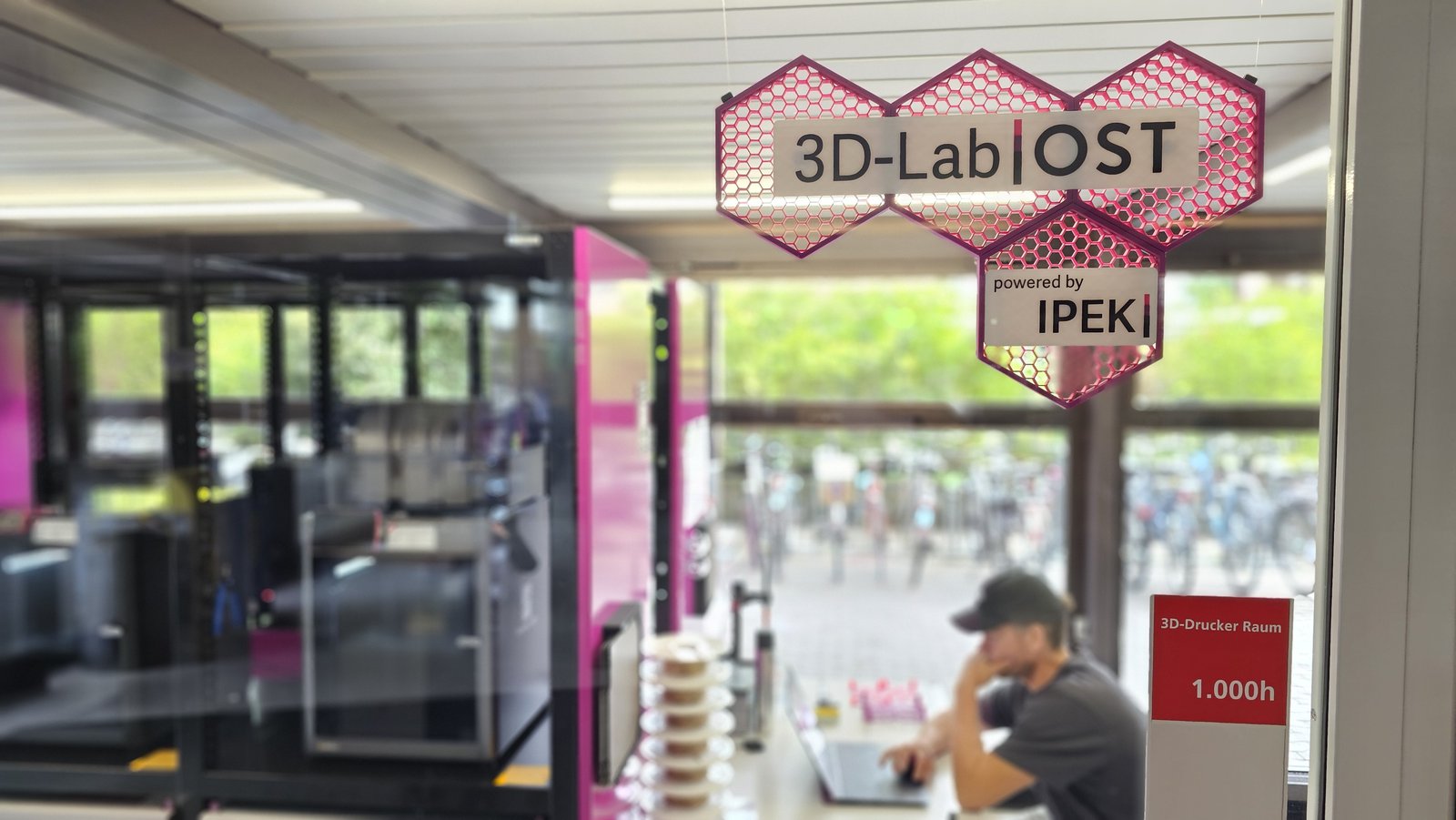
Se, hvordan OST 3D-Lab bruger Brugerdefinerede felter til at styre 8 printers (expanding to 12)
Thanks to the custom fields feature, which SimplyPrint developed (mostly) for us, we are able to do that. Before a print is started you must enter the specific SAP-number or label the print as private.
Brugerdefinerede felter også på vedligeholdelsesposter
Samme definitionsmotor, anvendt på vedligeholdelsesjobs, skabeloner, opgaver, problemer og lager. Spor leverandørers PO-numre i lagerbeholdningen, sagsnumre på problemer og teknikergodkendelser på opgaver. Dine vedligeholdelsesregistreringer indeholder de samme metadata som dine print. Filtrer vedligeholdelsesvisningerne efter din egen taksonomi, eksportér til CSV med dine egne kolonner, og send data gennem de samme webhook-payloads.
Se printervedligeholdelseIkke-destruktive sletninger, dataene bevares, selv når kolonnen ikke gør.
Sletning af et felt er ikke destruktiv: Eksisterende værdier bliver på de poster, de var knyttet til, men skjules i kolonnevisningerne. Du kan aktivere feltet igen senere for at gøre dem synlige eller lade dataene blive liggende til revisionsformål. Det samme sikkerhedsnet gælder, når du omdøber eller begrænser et felt. De gamle værdier omskrives ikke, men knyttes blot til den nye definition.
Brugerdefinerede felter også på filamentspoler
Samme definitionsmotor, anvendt på din filamentbeholdning. Spor lotnumre, leverandør-ID'er, udløbsdatoer, batchkoder, farvebatch-numre, pr. spole. Filtrer filamentbiblioteket efter din egen taksonomi, og lad dataene flyde ind i printjobs og webhook-payloads på samme måde.
Send feltværdier til Discord, n8n, Zapier eller din egen URL
Hver webhook-hændelse indeholder de brugerdefinerede feltværdier for det relevante køelement, den relevante fil eller det relevante job. Når et print afsluttes med customer = "Acme Robotics", vises kundenavnet derfor i beskeden på din Slack-kanal, uden ekstra integrationer eller endnu et API-kald.
Se webhooksCSV-eksport klar til din faktureringssoftware
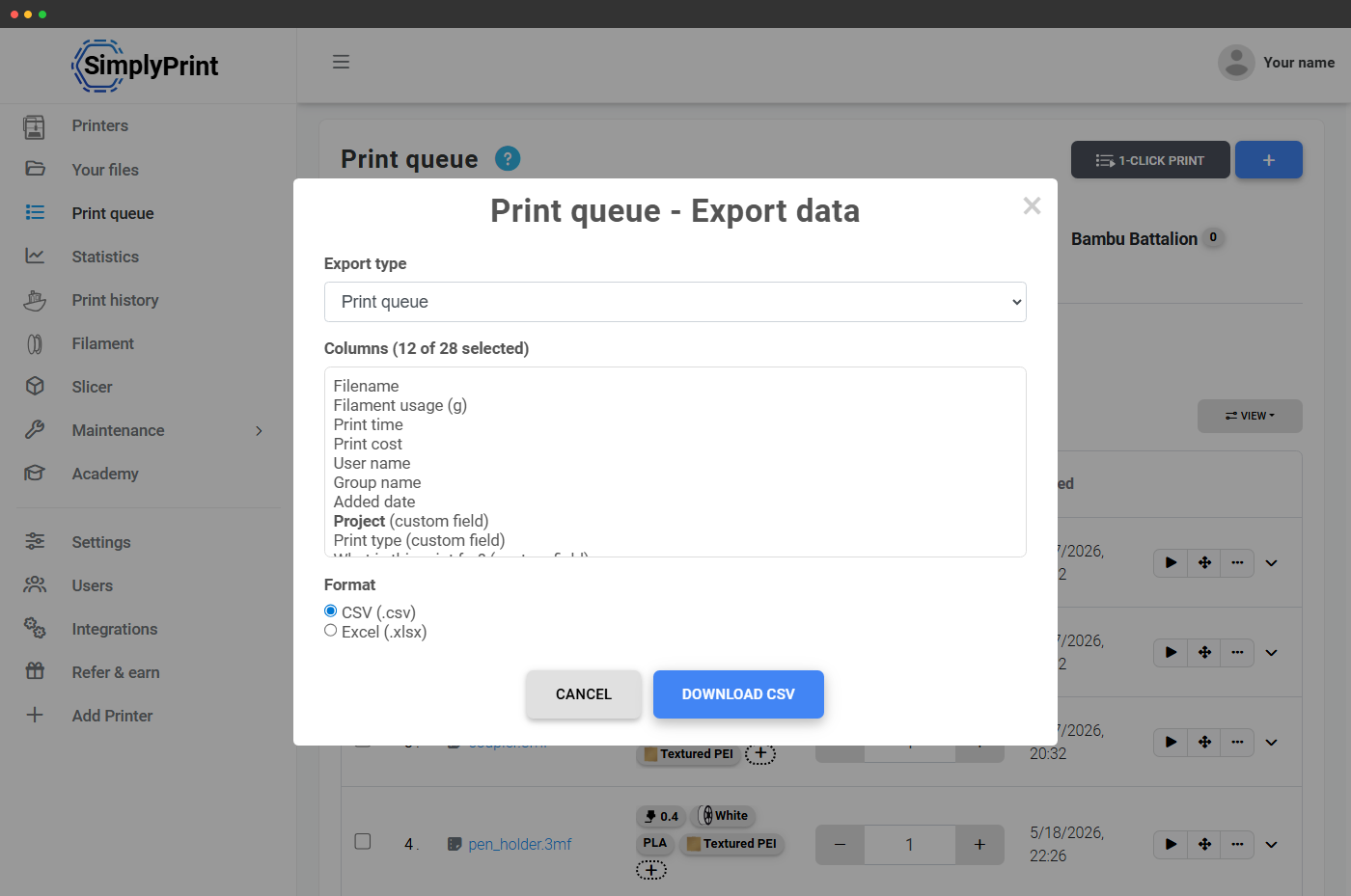
Hvert brugerdefineret felt bliver en kolonne i CSV-eksporten for printkøen og jobs. Giv filen til regnskabet, læg den i et regneark, eller send den til dit ERP-system. Dataene er struktureret, som du har defineret dem.
Abonnementstilgængelighed
Brugerdefinerede felter er tilgængelige fra Print Farm og op og indgår i Print Farm-, Enterprise- og School-abonnementerne. Free-, Basic- og Pro-abonnementerne bruger i stedet de indbyggede systemer til tags og dysetags.
| Funktion/grænse | Gratis | Basic | Pro | Printfarm | Enterprise | Skole | Cloud Slicer | Filament Manager |
|---|---|---|---|---|---|---|---|---|
|
Brugerdefinerede felter på printkø, filer og opgaver
Tilgængelig fra Print Farm og opefter. Definer ubegrænsede felter, rediger direkte i tabellen, eksporter til CSV, send via webhooks, læs og skriv via API'et.
|
||||||||
|
Brugerdefinerede felter på filamentspoler
Samme definitioner, anvendt på filamentbeholdning, spor lotnumre og leverandør-ID'er, udløbsdatoer pr. spole. Print Farm og derover.
|
||||||||
|
CSV-eksport med brugerdefinerede felter
CSV-eksport indeholder hvert brugerdefineret felt i sin egen kolonne. Print Farm og op.
|
Vil du vide mere om vores abonnementer?
Se fuld pris- og funktionssammenligningOfte stillede spørgsmål
Hvem kan redigere værdien i et brugerdefineret felt?
Følger feltværdierne med printjobbet til historikken?
Kan jeg angive brugerdefinerede felter, når jeg uploader en fil via API?
POST /files/Upload og POST /queue/AddItem accepterer parameteren custom_fields (et array af par med feltnøgler og værdier). Hent de tilgængelige feltdefinitioner for en kategori via GET /custom_fields/GetFieldsFor, før du sender.