Open source, DIY-venlig, understøttet her
OpenSpool udsprang af et community, der ville have en åben måde at mærke spoler på uden en leverandørs velsignelse. SimplyPrint understøtter den nativt, så de billige NTAG-mærkater, du allerede har, kan bære en fuld spoleidentitet, læst og skrevet fra samme lager som alle andre standarder.
Hvad OpenSpool er
OpenSpool er en åben gør-det-selv-standard udviklet af fællesskabet, der gemmer filamentdata som NDEF-poster på almindelige NTAG-tags. Den er open source og bevidst enkel, så alle kan mærke en spole med billige, bredt tilgængelige mærkater - ingen proprietær hardware, ingen leverandørgodkendelse. SimplyPrint læser og skriver den som enhver anden standard.
Sådan bruger du OpenSpool med SimplyPrint
Tre trin fra et billigt klistermærke til en fuldt sporet spole.
Opret et OpenSpool-tag til enhver spole
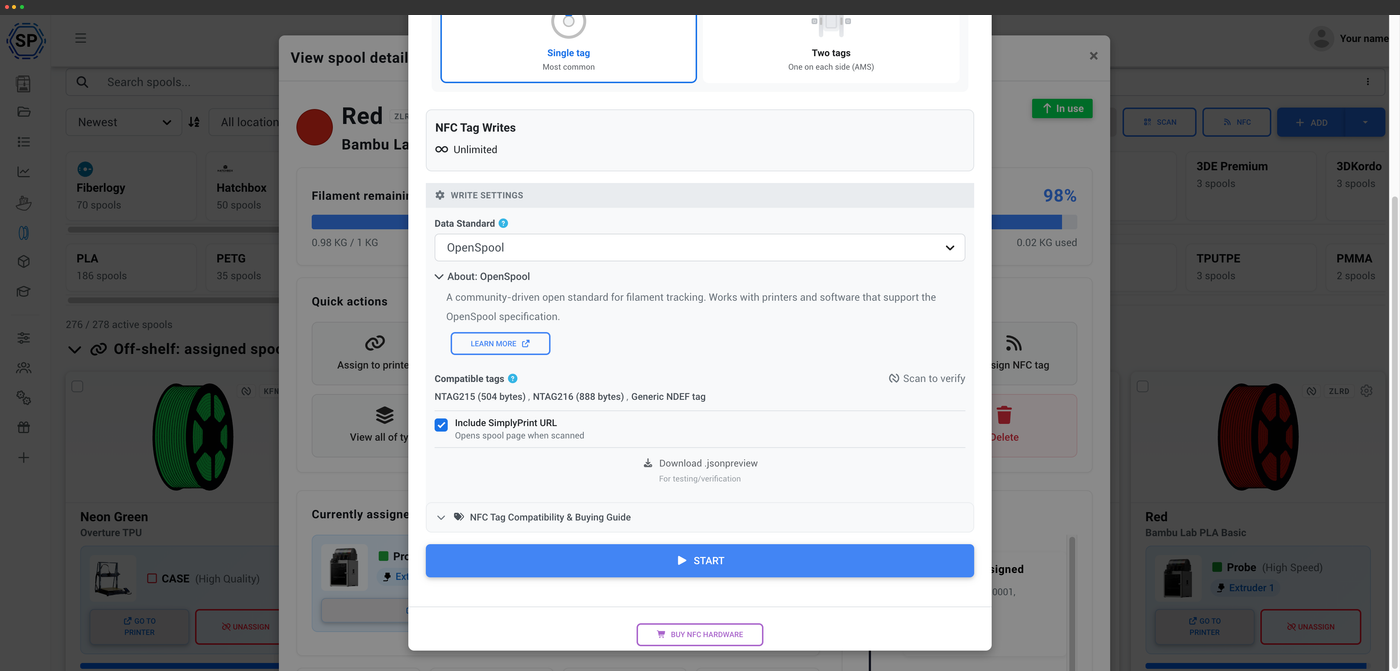
OpenSpool er open source og leverandørneutral, så du kan mærke en hvilken som helst spole, du ejer, med et billigt NTAG-mærkat og få den genkendt af ethvert OpenSpool-kompatibelt værktøj. Skriv dataene til mærkatet én gang i SimplyPrint, så bærer spolen sin egen identitet med sig, uanset hvor den ender.
Åben, ikke bundet til ét værktøj
Fordi OpenSpool bruger almindelige NDEF-records på almindelige NTAG-tags, er et tag, du skriver i SimplyPrint, ikke låst til ét værktøj. Enhver læser eller software, der understøtter OpenSpool-specifikationen, kan læse det. Skriv én gang, og læs det overalt, hvor OpenSpool understøttes.
Open source som grundprincip
OpenSpool er open source og vedligeholdes af fællesskabet, hvilket betyder, at formatet er offentligt, og alle kan bygge videre på det. Når SimplyPrint understøtter det nativt, får du bekvemmeligheden ved NFC uden at binde dig til ét firmas økosystem. Spolens data tilhører dig.
Skriv fra telefon eller computer, spores automatisk
OpenSpools NDEF-on-NTAG-format kan læses og skrives med din telefon eller NFC Agent på computeren. Når en spole er identificeret, fratrækkes forbruget automatisk ud fra G-code for hvert print, du starter, så et DIY-tag giver dig samme præcise sporing af restvægten som enhver mærkevarespole.
Sådan fungerer automatisk sporing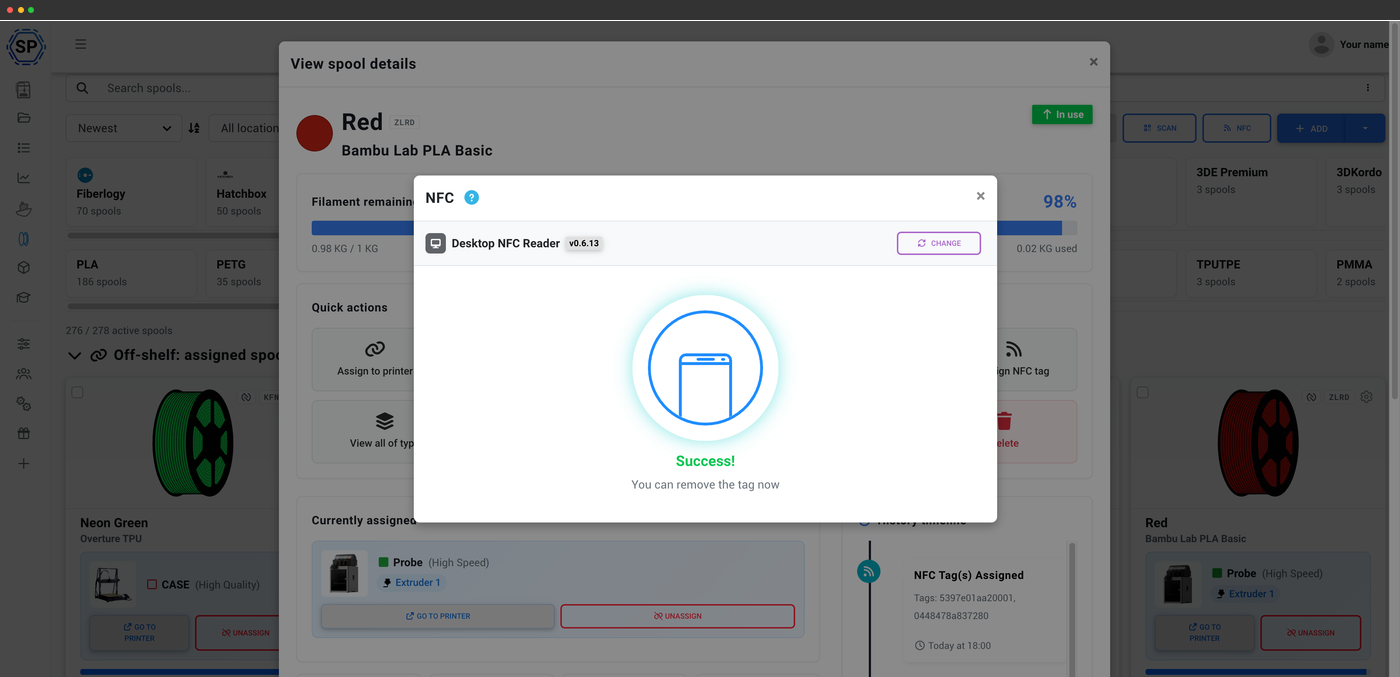
Skrevet og klar
En tydelig bekræftelse, når tagget er kodet
Når SimplyPrint er færdig med at skrive et tag, får du en enkel bekræftelse på, at spolens data nu ligger på det. Fra det tidspunkt indeholder NTAG-mærkatet spolens identitet, så enhver kompatibel læser kan hente den frem, og forbruget bliver fortsat trukket fra, mens du printer.
OpenSpool er ikke OpenPrintTag
Navnene ligner hinanden, men standarderne er ikke de samme. OpenSpool er en åben gør-det-selv-standard fra fællesskabet, der bruger NDEF på NTAG-tags. OpenPrintTag er Prusas standard, bygget på NDEF og ICODE SLIX. SimplyPrint understøtter begge, så du kan bruge den, der passer, men et tag skrevet til den ene fungerer ikke med den anden.
OpenPrintTag-understøttelseAbonnementsadgang: hvad er inkluderet?
Læsning af OpenSpool og filamentstyring er med i alle abonnementer. Skrivning af tags bruger din månedlige NFC-skrivekvote.
| Funktion/grænse | Gratis | Basic | Pro | Printfarm | Enterprise | Skole | Cloud Slicer | Filament Manager |
|---|---|---|---|---|---|---|---|---|
|
Filamentstyring
Spoleposter og automatisk forbrugsfratræk på alle planer, også Free.
|
||||||||
|
NFC-tag-skrivninger pr. måned
Hvor mange NFC-tags du kan skrive til spoler hver måned
|
10 | 30 | 100 | 10 |
Vil du vide mere om vores abonnementer?
Se fuld pris- og funktionssammenligning