Ledsagerappen til SimplyPrint-webpanelet
Log ind én gang med den samme konto, som du bruger på simplyprint.io, så har du alle printere, kameraer og notifikationsindstillinger lige ved hånden. Ingen ekstra opsætning, intet separat abonnement og intet gebyr pr. enhed. Appen er inkluderet i alle abonnementer fra Free til Enterprise.
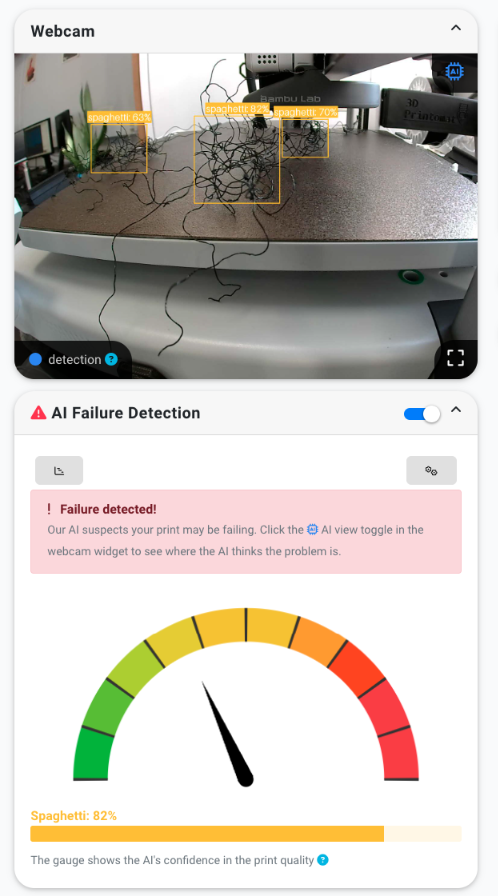
AI-fejldetektion, direkte på din låseskærm
Hvis vores AI-fejldetektion opdager et problem midt i et print, får du en notifikation på telefonen med et billede fra kameraet og en sikkerhedsindikator. Du kan sætte printet på pause eller annullere det direkte fra notifikationen uden at låse appen op, tænde en bærbar computer eller køre hjem. Webcam-feltet opdateres live, AI-overlejringen viser, hvor modellen mener, problemet er, og et enkelt tryk stopper printeren, før den spilder endnu en times filament.
Læs om AI-fejldetektionPause, annuller og genoptag med ét tryk
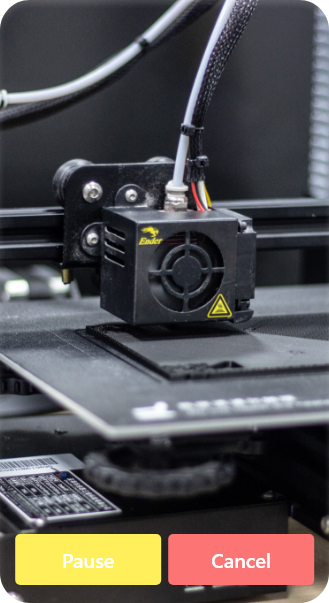
Tryk på en vilkårlig printer for at se dens livekamera i fuld skærm med knapperne Pause og Annuller lige under. Alt, du kan gøre fra webpanelet, pause midt i et print, annullere et mislykket print, genoptage efter et filamentskift, forvarme næste job, kan du gøre fra appen. Knib for at zoome på kameraet, drej til liggende format, og hold øje med printpladen, mens du sidder på sofaen, er til møde eller i fitnesscenteret.

Push-notifikationer når det gælder
Få en notifikation på låseskærmen, så snart et print starter, afsluttes, sættes på pause, annulleres, løber tør for filament eller mislykkes. Notifikationerne sendes via telefonens indbyggede notifikationssystem, så de vises, selv når appen er lukket. Du vælger pr. printer, hvilke hændelser du vil have notifikationer om, og du kan slå notifikationer fra for én maskine uden at ændre indstillingerne for de andre.
Se alle notifikationsmulighederBygget til én printer eller hundrede
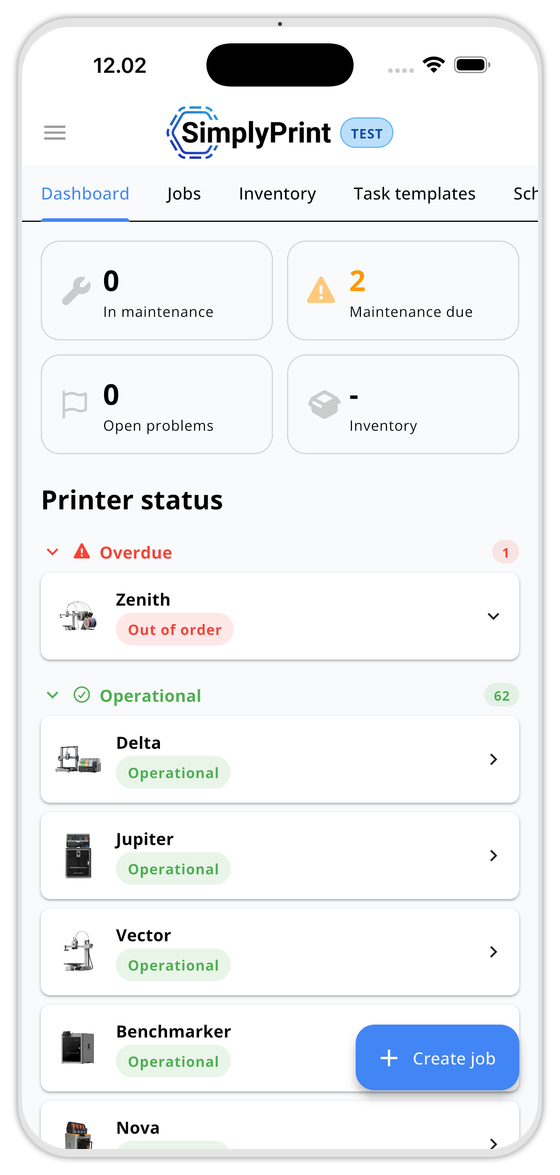
Appen skalerer med din konto. Hobbybrugere, der overvåger én printer, får en enkel startskærm med livekamera og én statuslinje. Printfarme og skolelaboratorier med snesevis af maskiner får den samme grupperede, filtrerbare liste som i webpanelet, sorter efter gruppe, model eller status, og gå direkte til printeren, der kræver opmærksomhed.
Alle dine arbejdsområder på din telefon
Appen er ikke en nedskåret fremviser. De samme arbejdsområder, du bruger på nettet, printkø, slicer, historik, vedligeholdelse, filamentbeholdning og filbibliotek, findes på telefonen, tilpasset brug med én hånd. Skærmbillederne er fra iOS-appen; Android-appen viser de samme flader.
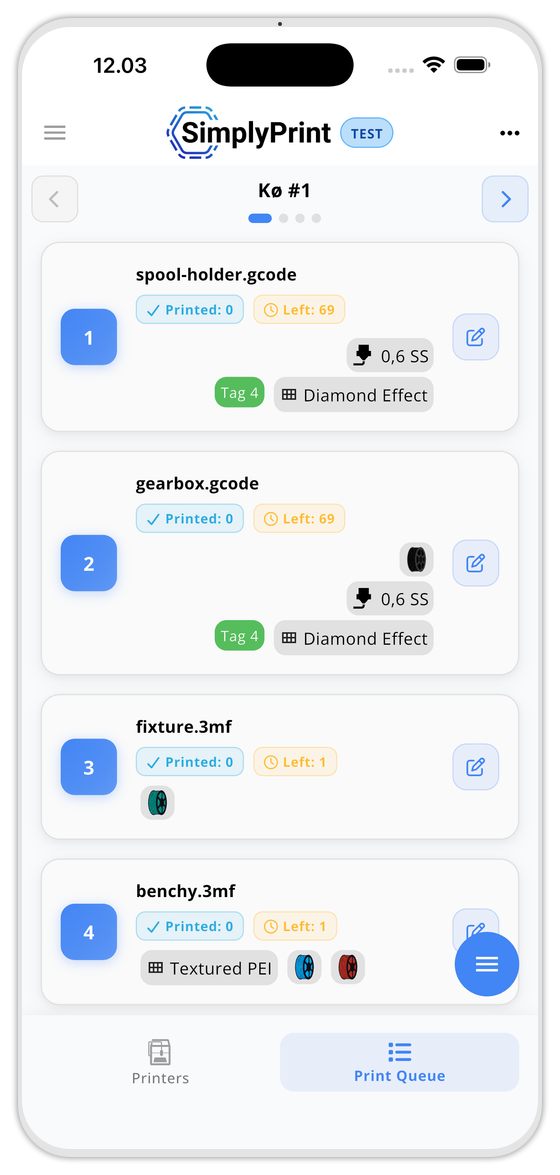
Se hvad der er i køen, omorganisér og godkend afventende indsendelser på farten.
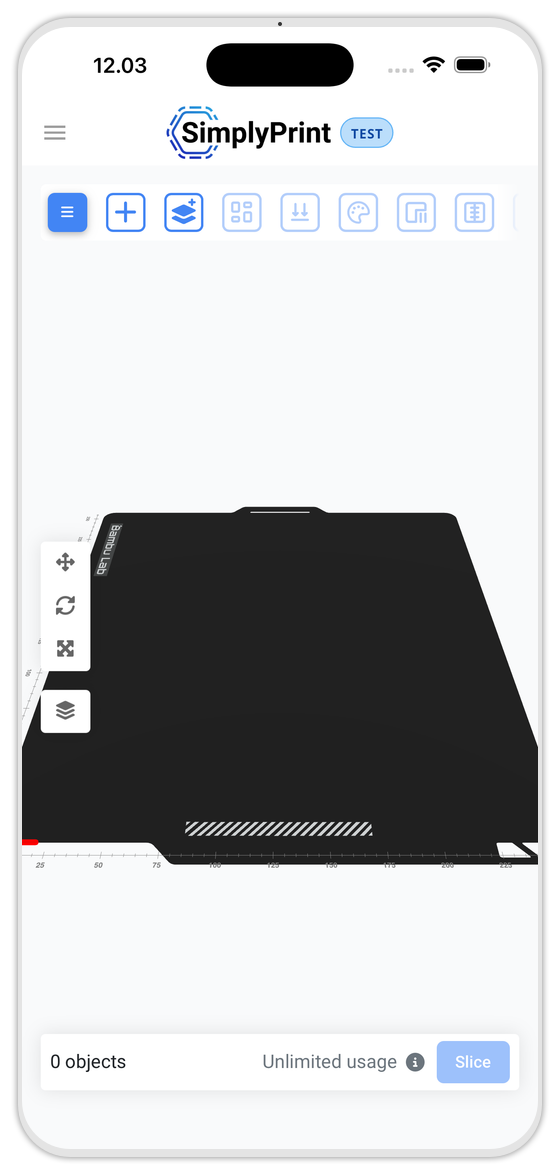
Åbn en model, slice den og send den til printkøen uden en bærbar computer.
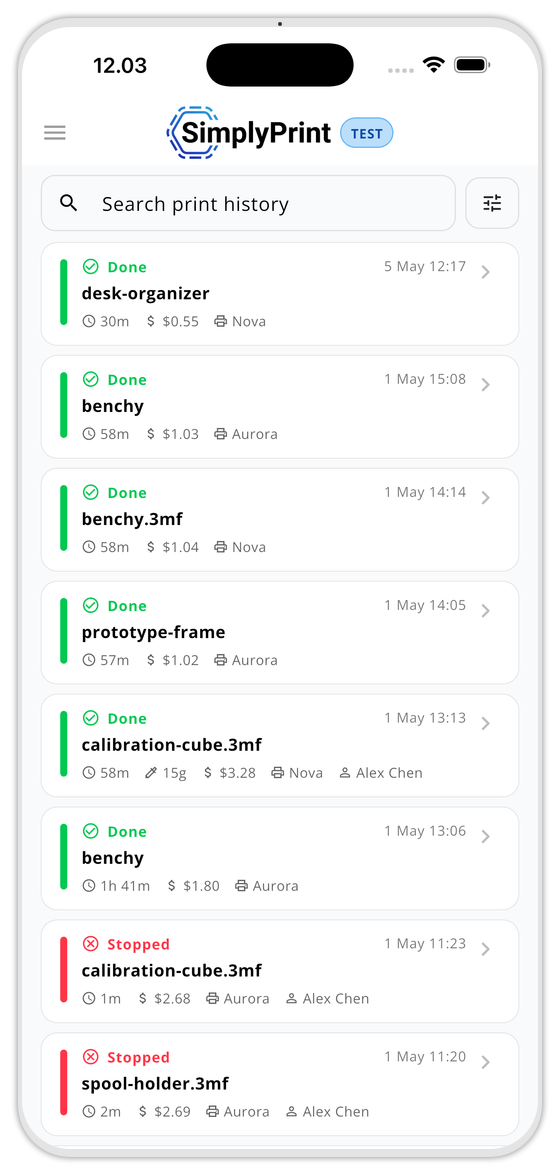
Få et hurtigt overblik over alle gennemførte og stoppede print med pris, varighed, printer og operatør.
Vedligeholdelses-KPI'er, forfaldne vedligeholdelsesjob og printerstatus. Opret et job med den flydende knap.
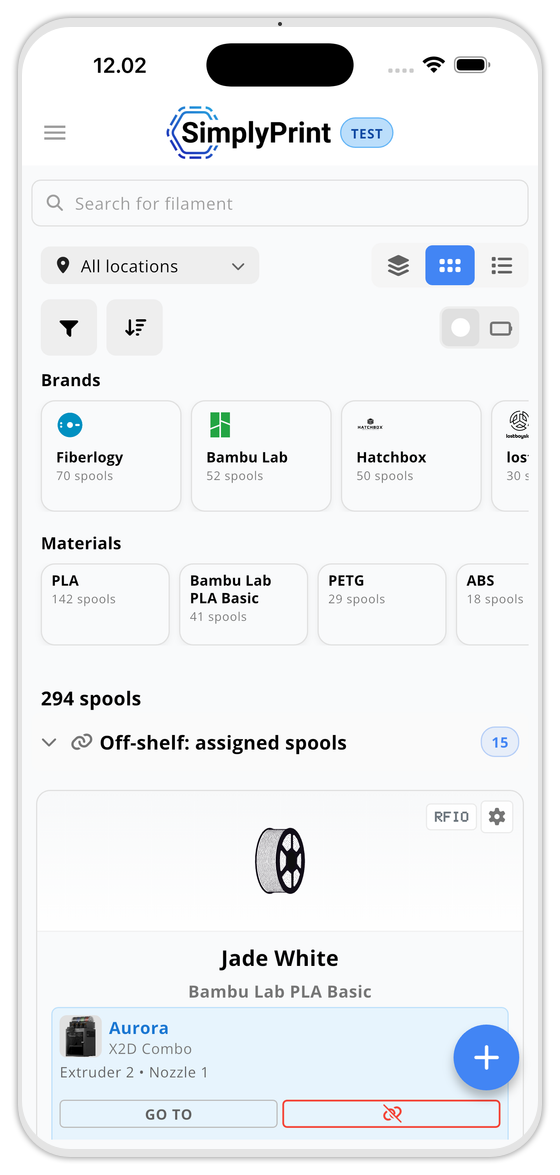
Spolebeholdning efter mærke, materiale og placering. Find ruller, der ikke er på hylden, før du forlader værkstedet.
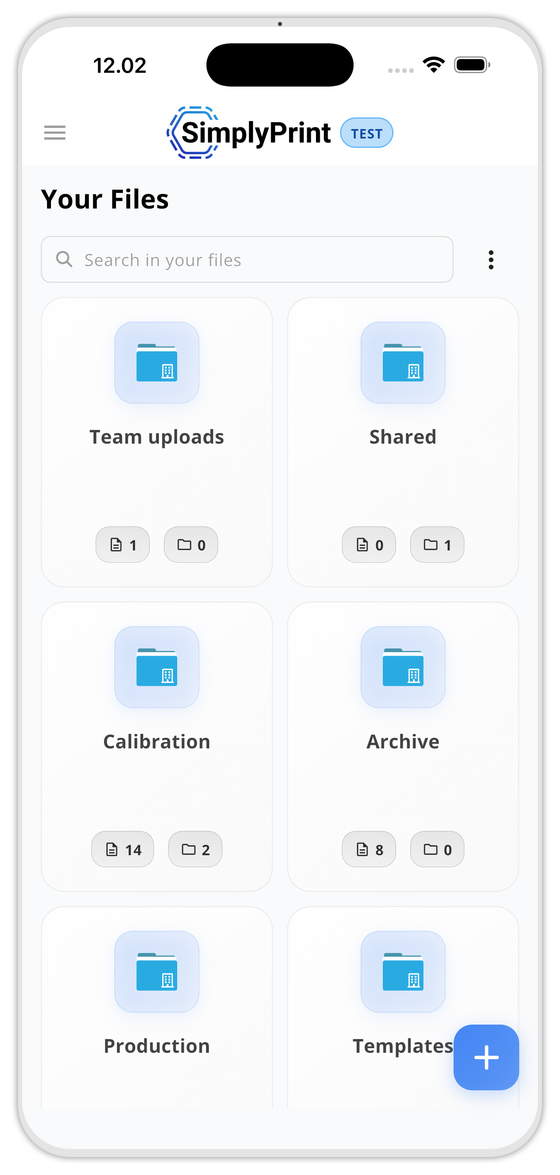
Dine mapper, delte områder og skabeloner. Gennemse og send til print fra telefonen.
Inkluderet i alle planer, inklusive Gratis
Intet app-abonnement, intet gebyr pr. enhed, intet premium-niveau, appen afspejler blot det, din plan låser op på nettet.
Sammenlign planerOfte stillede spørgsmål
Koster appen ekstra?
Findes den til iOS og Android?
Får jeg notifikationer, når appen er lukket?
Fungerer den offline?
Understøtter den flere printere?
Kan jeg gøre alt det samme som på webversionen?
Hvad kan jeg gøre på mobilen kontra webpanelet?
Hvilke enheder understøtter appen?
Er appen nødvendig for at bruge SimplyPrint?
Klar til at have din printfarm i lommen?
Gratis at installere, inkluderet i alle SimplyPrint-planer.


Virker på iPhone, iPad og Android-telefoner og tablets.