Ét bibliotek, tre målgrupper
Academy er bygget til printfarmoperatører, der lærer en ny arbejdsgang, elever, der lærer at 3D-printe for første gang, og partnere, der certificerer installatørteams. Læsning af kurser er inkluderet på alle planer.
Hvad er SimplyPrint Academy?
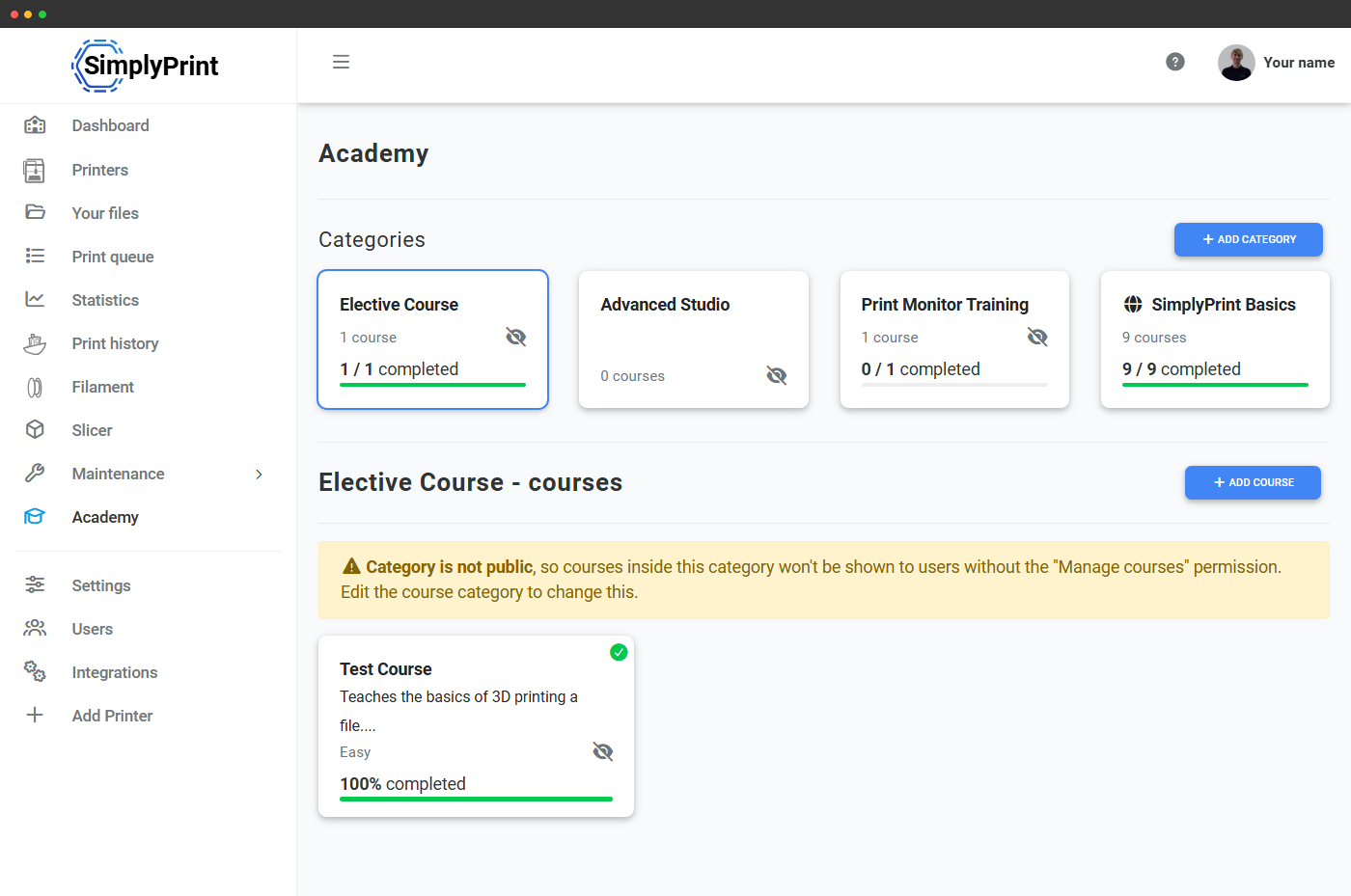
Academy er kursusafspilleren i panelet på /panel/academy. Hvert kursus består af en række slides (tekst, billeder, videoer og quizzer) med sporing af fremskridt og en afslutningsskærm, der kan låse op for belønninger, som konfigureres for hvert kursus. Alle abonnementer har adgang uden tilkøb.
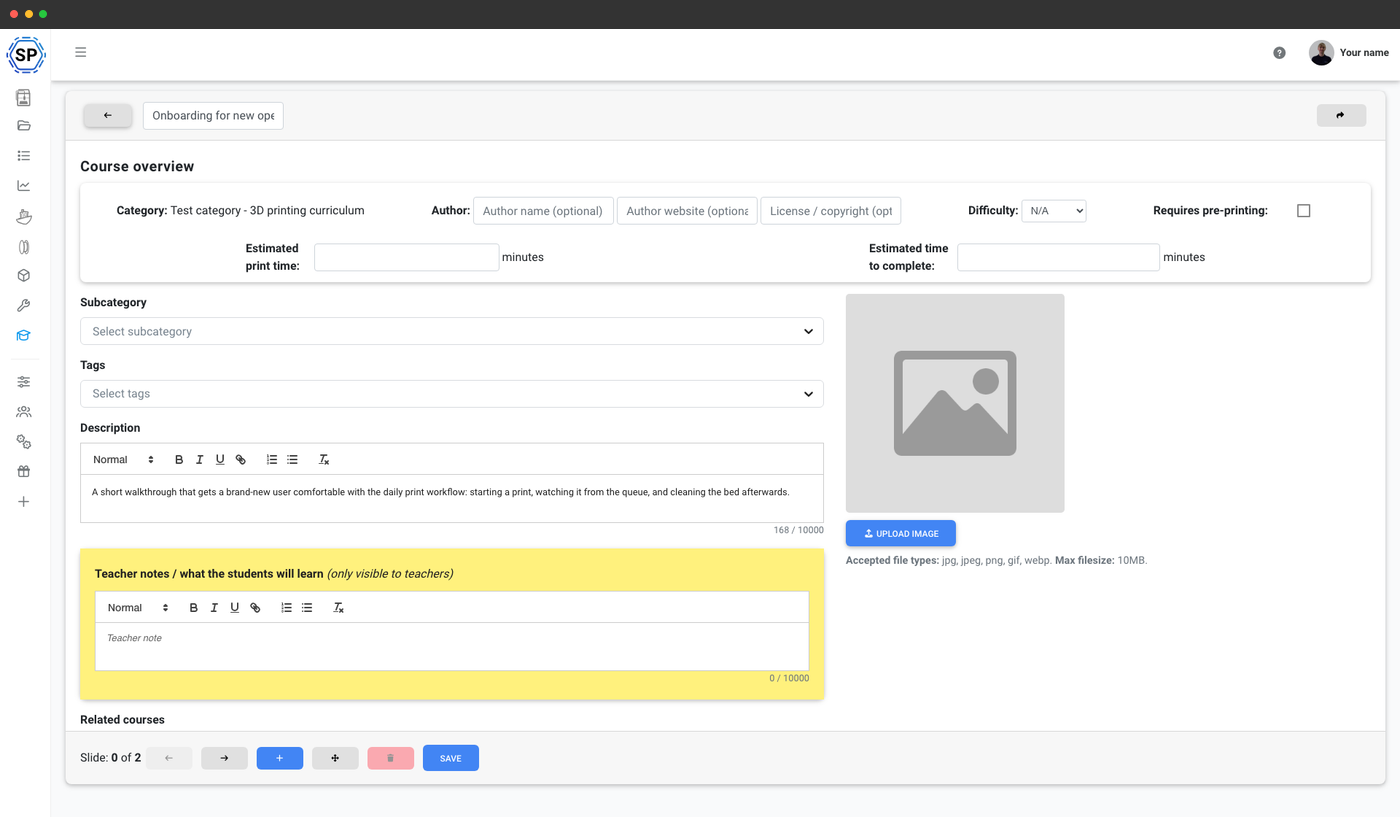
Opret dine egne kurser
Enterprise- og skoleplaner låser op for kursuseditoren: Skriv dine egne slides, indlejr YouTube-videoer, tilføj quizzer, og udrul intern træning, som dit team kan gennemføre fra panelet. Print Farm-abonnenter fra før lanceringen af Enterprise beholder deres tidligere adgang.
Eksempelkurser du kunne forfatte
Et startsæt med kurser, som de fleste konti ender med at afholde i en eller anden form. Brug dem som udgangspunkt, og rediger slides, så de passer til dit udstyr og workflow:
- Grundlæggende 3D-printersikkerhed (~15 min), passende personlige værnemidler, varme overflader og hvad du aldrig må røre.
- Slicer-grundlag: fra STL til G-code (~25 min) - slicingindstillinger, printretning, supports
- Forstå et mislykket print (~20 min) - almindelige fejl, hvad de betyder, og hvad du skal gøre
- Ilægning og skift af filament (~15 min) - manuel skifteproces, tilstopninger, skifteprocedurer
- Vedligeholdelse af din printer mellem print (~10 min) - rengøring af printplade, aftørring af dyse, regelmæssige tjek
Tre måder teams bruger Academy på
Samme oprettelsesværktøj, tre meget forskellige anvendelser. Vælg den, der passer til den måde, dit team arbejder på.
Uddan nyt personale på printfarmen, før de rører en $5k-maskine: SOP'er, genoprettelsesøvelser og de dele af din arbejdsgang, der ikke passer ind i en hurtig demo.
Gør printeradgang betinget af en bestået sikkerhedsquiz. Elever kan ikke starte et print, før de har bestået modulet om ikke at røre dysen.
Giv forhandlere og installatører et grundlæggende pensum, før de går i gang hos kunderne. Samme værktøjer til indholdsoprettelse, med levering afgrænset til den enkelte partner.
Sådan fungerer e-læringsforløbet i praksis
På School-planen med e-læringsrummet låst op er en elevs forløb gennem Academy en enkel cyklus med fem trin:
- Eleven tilmelder sig et kursus (eller tilmeldes automatisk via sin klassetilknytning)
- Gennemfører lektioner med adgangskrav i rækkefølge, quizzer bekræfter forståelsen, før næste slide låses op
- Låser næste kursus op i forløbet, når de består
- Giver printeradgang, når obligatoriske sikkerheds- og slicerkurser er gennemført
- Underviseren ser fremskridtsmatricen til enhver tid: hvem der har lavet hvad, hvem der er gået i stå, og hvor der skal gribes ind
Et komplet e-læringsmiljø til klasseværelser
På School-planen bliver Academy et struktureret e-læringsmiljø: kræv et sikkerhedskursus, før eleverne kan starte et print, kræv et kursus i, hvordan en slicer fungerer, før de bruger sliceren, og gør en gennemgang af, hvad der kendetegner et godt print, obligatorisk før trinnet til rydning af printpladen. Lærere ser en separat visning med lærernoter, mens elever ser et gennemarbejdet kursus med en tydelig vej igennem. Forfrem automatisk eleverne til næste klasse eller brugerrolle, når de består.
Academy til skolerAfslutningsskærm og belønninger
Når et kursus afsluttes, vises en festlig afslutningsskærm, og det kan frigive belønninger (badges, kreditter) sat op pr. kursus. Nyttigt til onboarding af nye operatører, certificering af elevbrugere før de kan indsende jobs, eller partner-installatørtræning.
Hvad er inkluderet i hvert abonnement
Det er gratis at læse Academy-kurser på alle abonnementer. At oprette tilpassede kurser kræver Enterprise eller School. Den komplette e-læringsproces er kun tilgængelig med School.
| Funktion/grænse | Gratis | Basic | Pro | Printfarm | Enterprise | Skole | Cloud Slicer | Filament Manager |
|---|---|---|---|---|---|---|---|---|
|
Brugerdefinerede Academy-kurser
Lav dine egne slides, videoer og quizzer.
|
||||||||
|
Academy-e-læringsrum
Progression, oplåsning ved gennemførsel, lærer-/elevvisninger, lærernoter.
|
Vil du vide mere om vores abonnementer?
Se fuld pris- og funktionssammenligning