Setting up SimplyPrint on Snapmaker U1

Easy steps to connect your Snapmaker U1 3D printer to SimplyPrint.

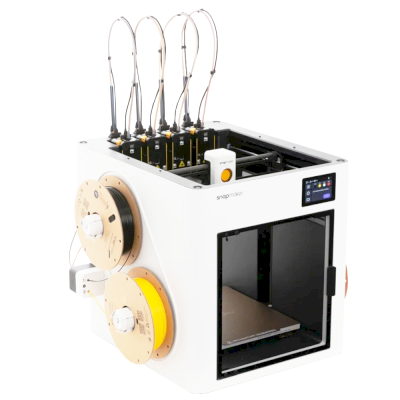
Snapmaker U1 image
  • 1 Getting Started
  • 2 Enable SimplyPrint

Good news! Your Snapmaker U1 works with SimplyPrint out of the box. No extra hardware or complicated setup required - just make sure your firmware is up to date and you're good to go!


Before You Start

Make sure your Snapmaker U1 is running firmware version 1.0.0 or later. This version includes built-in support for SimplyPrint through the Moonraker configuration.

To check your firmware version, look in your printer's settings menu or access the Fluidd web interface.

View the v1.0.0 release notes →


Known Limitations

The Snapmaker U1 works great with SimplyPrint for basic printing, but there are a few things that don't work yet due to how Snapmaker designed the printer:

  • Webcam streaming - The built-in camera doesn't stream automatically. Getting it to work requires extra setup (see below).
  • Material mapping & syncing - We can't sync filament information between SimplyPrint and the printer.
  • Light control - The printer's LED lights can't be controlled through SimplyPrint.
  • Internal slicer - The U1 uses Snapmaker's custom Orca-based slicer, which our cloud slicer doesn't support yet. For now, slice your models in Snapmaker Orca, then upload the G-code to SimplyPrint. We're working on adding support for the Snapmaker Orca engine to our cloud slicer!

Want Webcam Streaming?

Getting the webcam to work is unfortunately a bit complicated - this isn't something we can fix on our end, it's just how Snapmaker built the U1. But if you're up for a bit of tinkering, there are two ways to make it work:

  1. Keep stock firmware + run a keepalive script - You'll need a separate device (like a Raspberry Pi or NAS) running 24/7 to keep the camera feed active. Your official firmware stays untouched.

  2. Install custom firmware (paxx12) - A community-made firmware that includes built-in webcam streaming with hardware acceleration, plus SSH access for advanced users. Note that while custom firmware typically won't void your warranty, any damage caused by it isn't covered.

Read our detailed webcam setup guide →

For custom firmware, visit the Snapmaker U1 Extended Firmware documentation →


What's Coming Soon

We're working on making the Snapmaker U1 experience even better:

  • Direct Bridge integration - Similar to our Bambu Lab integration, we're developing a Bridge solution that will connect to your U1 through a separate device on your network, unlocking more features.
  • Material syncing - Once Snapmaker opens up their RFID system (which they've promised to do), we'll be able to sync your filament data.
  • Cloud slicer support - We're adding Snapmaker Orca engine support to our internal slicer, so you'll be able to slice directly in SimplyPrint.

Once your firmware is updated, continue to the next step to enable SimplyPrint in your printer's Fluidd interface.

That's it! You're all set

You're now ready to connect your printer and start using SimplyPrint.

Create your free account