The Centauri Carbon 2 is Elegoo's second fully enclosed CoreXY printer: the original's 256 mm build cube with a 350 degree C hardened-steel nozzle, a 5-inch touchscreen and a better camera and lighting, and the Combo adds Elegoo's Canvas unit for four colours ($449 at launch). It is for hobbyists and small workshops who want an enclosed printer for engineering filaments, and multi-colour, on a budget.
Det betyder, at den deler mange egenskaber med basismodellen, men kan have specifikke ændringer, ekstra funktioner eller medfølgende tilbehør.
Forbind ELEGOO Centauri Carbon 2 Combo med SimplyPrint
Fungerer ELEGOO Centauri Carbon 2 Combo-3D-printeren med SimplyPrint, OctoPrint, Mainsail og Fluidd?
Hver forbindelsesmetode, hvad den kræver, og hvordan den sættes op.
SimplyPrint-klient
Kompatibel
Hvad du har brug for: En computer eller Raspberry Pi på samme netværk, der altid er tændt og kører SimplyPrint-klienten
Når den er forbundet via SimplyPrint-klient, understøtter SimplyPrint alt, som ELEGOO Centauri Carbon 2 Combo lader anden software gøre: kameraet og AI-fejldetektering, fjernprint, springe objekter over, temperatur- og bevægelseskontrol, filamenttilknytning til dens multimaterialeenhed og AutoPrint. De eneste undtagelser er det, som ELEGOO Centauri Carbon 2 Combo ikke lader anden software gøre: Baby stepping, Send G-code, Udskift filament, Bed leveling og Z-offset-kalibrering.
Alle SimplyPrint-funktioner for hver forbindelsesmetode til SimplyPrint
Forbundet til SimplyPrint via
SimplyPrint-funktion
SimplyPrint-klient
Kompatibel
Overvågning
Livestatus og fremdrift
Ja
Kamera
Ja
AI-fejldetektion
Ja
Tid tilbage
Ja
Lagfremdrift
Ja
Temperaturer
Ja
Printning
Starter et print
Ja
Sæt på pause, genoptag og annuller
Ja
Spring objekter over
Ja
Printstartindstillinger
Ja
Printerstyring
Skift temperaturer
Ja
Bevægelse med betjeningen
Ja
Hjemkørsel
Ja
Ekstrudér og træk tilbage
Ja
Ændr printhastighed
Ja
Blæserhastighed
Ja
Baby stepping
Tilbydes ikke af printeren1
Send G-code
Tilbydes ikke af printeren1
Kalibrering
Udskift filament
Tilbydes ikke af printeren1
Bed leveling
Tilbydes ikke af printeren1
Z-offset-kalibrering
Tilbydes ikke af printeren1
Multimateriale
Tilknyt filament til multimaterialeslots
Ja
Synkroniser indlæst filament fra multimaterialeenheden
Ja
Automatisering
AutoPrint
Pro
Ja
Download filen, før printet starter
Ja
Forbundet til SimplyPrint via SimplyPrint-klient
Kompatibel
Overvågning
Livestatus og fremdriftJa
KameraJa
AI-fejldetektionJa
Tid tilbageJa
LagfremdriftJa
TemperaturerJa
Printning
Starter et printJa
Sæt på pause, genoptag og annullerJa
Spring objekter overJa
PrintstartindstillingerJa
Printerstyring
Skift temperaturerJa
Bevægelse med betjeningenJa
HjemkørselJa
Ekstrudér og træk tilbageJa
Ændr printhastighedJa
BlæserhastighedJa
Baby steppingTilbydes ikke af printeren1
Send G-codeTilbydes ikke af printeren1
Kalibrering
Udskift filamentTilbydes ikke af printeren1
Bed levelingTilbydes ikke af printeren1
Z-offset-kalibreringTilbydes ikke af printeren1
Multimateriale
Tilknyt filament til multimaterialeslotsJa
Synkroniser indlæst filament fra multimaterialeenhedenJa
Automatisering
AutoPrint ProJa
Download filen, før printet starterJa
Virker
Afhænger af
Ikke understøttet
Tilbydes ikke af printeren
Printeren tilbyder ikke dette til anden software.
ELEGOO Centauri Carbon 2 Combo-ejere på SimplyPrint
100+ printere bruger SimplyPrint
Hvilken slicer skal du bruge til ELEGOO Centauri Carbon 2 Combo
Brug ElegooSlicer, ELEGOOs egen slicer: den har en færdig profil til ELEGOO Centauri Carbon 2 Combo. Også med en profil til den: OrcaSlicer.
Vi viser kun slicere, du kan bruge i SimplyPrint-skyen, så der kan være andre til ELEGOO Centauri Carbon 2 Combo.
Cloud-baseret slicer til ELEGOO Centauri Carbon 2 Combo: brug ElegooSlicer online
Brug ElegooSlicer og andre slicere direkte i din browser med SimplyPrints online-cloud-slicer. Ingen installation nødvendig. Slice dine ELEGOO Centauri Carbon 2 Combo-modeller fra enhver enhed, hvor som helst i verden!
Automatiske profilopdateringer: Profiler kontrolleres automatisk og hentes dagligt fra slicerens GitHub-repositorier samt fra vores egen open source-database med slicerprofiler, drevet af fællesskabet. Det sikrer, at du altid har adgang til de nyeste profiler.
Bemærk: Andre slicere som Simplify3D, ideaMaker, SuperSlicer og KISSlicer findes ikke i vores cloud, så vi sporer ikke deres profiler. De kan stadig fungere fint med din ELEGOO Centauri Carbon 2 Combo: Se slicerens egen dokumentation eller fora for en profil. Du kan også bidrage med profiler til vores open source-slicerprofildatabase på GitHub.
Appen til ELEGOO Centauri Carbon 2 Combo
Brug SimplyPrint som app til din ELEGOO Centauri Carbon 2 Combo: Overvåg og styr den fra din telefon eller en vilkårlig browser, slice i skyen, og behold den sammen med dine andre printere. Det er gratis at komme i gang. ELEGOOs egen app er ELEGOO Matrix.
Hvad den gør
SimplyPrint
ELEGOO Matrix
Printere fra andre mærker
Ja
Kun ELEGOO-printere
Også i SimplyPrint
En app til iPhone og Android, den samme i alle browsere og en slicer i skyen.
Mere end overvågning: en printkø, AI-fejldetektering, AutoPrint og konti til et team.
Der findes endnu ingen pladeskifter eller automatisk udskubningskit til ELEGOO Centauri Carbon 2 Combo i SimplyPrint, men AutoPrint kan stadig holde den i gang: Når printpladen er ryddet, starter den næste job i din kø.
Printere med kabinet skubber deres print ud
ELEGOO Centauri Carbon 2 Combos printplade bevæger sig kun op og ned inde i kabinettet, så i stedet for at skifte printplader lader en udskubningsrutine printhovedet skubbe det afkølede print af printpladen og ud gennem frontlågen, som skal være åben, mens den kører. Nogle printere kan ikke printe med åben låge, Prusa CORE One har en lågesensor, så tjek din først.
Måder at automatisere den på
Skub printene af med printhovedetPå en CoreXY-printer kan en G-code-rutine skubbe det afkølede print af forsiden af printpladen, før næste job starter.
Din egen udskubnings-G-codeSkriv rutinen, der rydder din printplade, så kører AutoPrint den efter hvert print.
En robotarm eller noget med en APIFortæl SimplyPrint via API eller webhook, at printpladen er tom, fra en robotarm eller dit eget system.
Ryd den manuelt, behold køenAutoPrint venter på, at du markerer printpladen som ryddet, og starter derefter næste job.
ELEGOO Centauri Carbon 2 Combo-specifikationer: printpladestørrelse, printhøjde og mere
Dens størrelse, temperaturer, multimateriale og forbindelsesmuligheder, baseret på producentens oplysninger og vores egen research.
Læs mere fra producenten
Størrelse
Byggevolumen
256 x 256 x 256 mm
Printpladetype
Square
Printpladestørrelse
256 x 256 mm
Maks. printhøjde
256 mm
Printning
Kabinet
Helt lukket
Bevægelsessystem
CoreXY
Maks. printhastighed
500 mm/s
Maksimal extrudertemperatur
350 °C
Har opvarmet bed
Ja
Maks. printpladetemperatur
110 °C
Antal dyser
1
Toolheads
1
Direct drive
Ja
Probing tool / Auto Bed Leveling
Ja
Filamentbredde
1.75 mm
Multimateriale
Leveres med multi-materiale
Elegoo Canvas
Multimaterialeenheder, den virker med
Elegoo Canvas
Toolchanger eller hotend-skifter
Nej
IDEX (uafhængige dobbeltekstrudere)
Nej
Opretter forbindelse
Forbindelse
Wi-Fi, USB
Indbygget kamera
Ja
Understøtter serieprint
Nej
Medfølgende firmware
Producentens egen
Filer og slicing
Understøttede filformater
G-code (.gcode, .gco, .g)
Har startmuligheder
Ja
Tilgængelige muligheder: Bed Leveling, Timelapse
Printeren
Printerproducent / mærke
ELEGOO
Printermodelnavn
Centauri Carbon 2 Combo
Fremstillet af en virksomhed fra
Kina
Lanceret
26. januar 2026
Produceres stadig
Ja
Ansvarsfraskrivelse:
Vi stræber efter at holde denne information så aktuel og præcis som muligt, men kan ikke garantere dens fuldstændighed eller pålidelighed. Vores data er baseret på brugeres indsendelser og producentreferencer.
Hvilket filament kan ELEGOO Centauri Carbon 2 Combo printe?
Filamentkompatibilitet for ELEGOO Centauri Carbon 2 Combo: de materialer, den kan håndtere, vurderet ud fra dens hotend, printplade, kammer og kabinet.
Filament
Egnethed
Noter
PLA
Fantastisk
Det nemmeste filament at printe med. Virker på næsten alle printere. En opvarmet printplade forbedrer vedhæftningen, men er ikke nødvendig.
PETG
Fantastisk
Komfortabelt inden for området (PETG kan lide en hotend på ~230-250 °C og en printplade på ~70-85 °C).
TPU og fleksible materialer
Fantastisk
Direct-drive-ekstruderen fremfører fleksibelt filament godt. Print langsomt for rene resultater.
ABS & ASA
Fantastisk
Lukket kabinet med tilstrækkeligt varm hotend og printplade: ABS og ASA kan printes godt.
Nylon (PA)
God
Det kan lade sig gøre med omtanke: Tør filamentet grundigt, og et kabinet hjælper meget.
Polycarbonate (PC)
God
Inden for normalområdet for PC. Tør filamentet, print langsomt, og brug et kabinet for at få de bedste resultater.
Kul- og glasfiberforstærket
Med omhu
Muligt, hvis du monterer en hærdet eller slidstærk dyse. De slibende fibre slider hurtigt en standardmessingdyse.
Tip: dette er en generel vejledning ud fra printerens specifikationer - tjek altid filamentets anbefalede indstillinger. Med SimplyPrint kan du gemme en profil for hver spole og holde styr på præcis, hvilket filament du har på lager.
Bedste filament til ELEGOO Centauri Carbon 2 Combo
Filamenter, som ELEGOO Centauri Carbon 2 Combo printer godt med, først ELEGOOs egne, derefter de mest kendte.
Tested the Combo (unit supplied by Elegoo). PLA, PLA-CF and PETG print well on stock profiles and Canvas is easy to use; it measured 44-47 dB. Cons: unreliable connections from ElegooSlicer and the Matrix app, false spaghetti alerts, ASA warping until the bed was preheated, lots of purge waste and print-time estimates more than 17% off.
“Overall, the hardware is on point but the software needs more tuning”
Tested the Combo at $449. Prints PAHT-CF and polycarbonate cleanly without a heated chamber, handles 95A TPU through Canvas, needs no cloud, and has an excellent camera. Cons: the loading routine is too cool to clear PC or PA, spool holders that fit other brands poorly, and a cold plate that is not sticky enough. Says the original Centauri Carbon is still its pick for single colour.
“Like the first Centauri Carbon, the CC2 is a delightful Core XY 3D printer that’s easy on the budget.”
Recommended. Scored 29 of 30 in its print tests, with strong dimensional accuracy, very little colour contamination and engineering filaments that fed reliably. Cons: only four filaments, spools stored outside the enclosure with no drying (damp filament caused stringing), purge waste, and a locked-down slicer. For single-colour printing it says the original Centauri is still superb.
“If you are a small business looking to make functional parts on a budget, then the Centauri Carbon 2 really does live up to expectations.”
Aurora Tech · 19. februar 2026
Sponsored by Elegoo (disclosed). Over 2,000 colour changes with two false unload errors; faster changes and less purge than first-gen AMS, about half the K2 Pro's waste, but far slower than a Snapmaker U1. Printed PPS-CF and ABS well. Cons: average surface quality, skinned OrcaSlicer with poor estimates. Names it the best-value enclosed multi-colour printer.
Hvornår du skal vælge ELEGOO Centauri Carbon 2 Combo
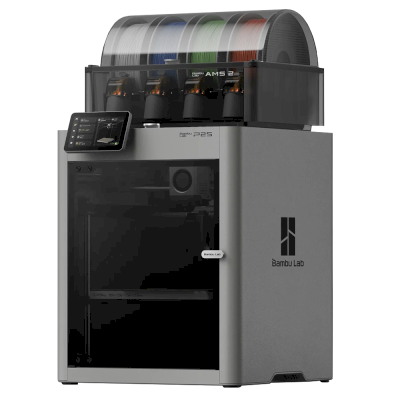
Choose the Centauri Carbon 2 for one of the cheapest ways into enclosed four-colour CoreXY printing: Tom's Hardware rated it 4/5, TechRadar recommended it and scored its prints 29 of 30. Every review we found tested the Combo. If you only print one colour, Tom's Hardware and TechRadar both say the original Centauri Carbon is still a superb, cheaper pick. The Bambu Lab P2S Combo costs much more and may be a bit more polished (Tom's Hardware). In Aurora Tech's tests the Creality K2 Pro printed faster with a cleaner surface but purged about twice as much, and a tool changer such as the Snapmaker U1 was far faster at multi-colour with almost no waste.
Fordele
Fully enclosed with a 350 degree C hardened-steel nozzle: Tom's Hardware printed PAHT-CF and polycarbonate without warping, and Aurora Tech printed PPS-CF and ABS.
Four colours for little money with the Combo's Canvas unit, which Aurora Tech ran through over 2,000 colour changes and found faster and less wasteful than first-generation AMS-style systems.
Accurate, clean prints: TechRadar scored it 29 of 30 in its print tests, with very little colour contamination.
Quiet for an enclosed printer (Elegoo says 45 dB; Notebookcheck measured 44-47 dB), with a glass door and an excellent camera with AI detection (Tom's Hardware).
Needs no cloud account (Tom's Hardware), so it can stay on your own network.
Works with SimplyPrint through the SimplyPrint Client, for one queue and remote monitoring across your printers.
Ulemper
Elegoo's software lags the hardware: Notebookcheck had unreliable connections from ElegooSlicer and the Matrix app, print-time estimates were off by up to about 20% (Notebookcheck, Aurora Tech), and TechRadar calls the slicer locked down.
Multi-colour prints waste a lot of filament in purge (Notebookcheck, TechRadar), and the spools sit outside the enclosure with no drying, so damp filament shows (TechRadar).
Its monitoring can cry wolf: Notebookcheck saw false spaghetti alerts, and Aurora Tech saw false unload errors that paused prints until someone pressed continue.
No heated chamber, and with high-temperature filaments the loading routine is too cool to clear PC or PA (Tom's Hardware) and the Z offset runs low (Aurora Tech).
The side spool holders suit Elegoo spools but not some other brands, and the cold plate is not sticky enough (Tom's Hardware).
Hvem den passer til
SkolerGodt match
Enclosed with a glass door, quiet and self-calibrating, with a good camera; Elegoo's software and alerts are still uneven, and SimplyPrint adds queue approval and control over who can start prints.
HobbybrugereRigtig godt match
Four colours, engineering filaments and an enclosure for $449 at launch; Tom's Hardware, TechRadar and Aurora Tech all rate it highly for value.
VirksomhederGodt match
TechRadar says it lives up to expectations for small businesses making functional parts, and it needs no cloud; the build cube is small and Elegoo's software still needs work.
PrintfarmeKan fungere
Cheap per machine and works with SimplyPrint through the Client, but false alerts can pause prints, multi-colour purges a lot, and no AutoPrint plate-swapping kit is listed for it.
Sammenlign ELEGOO Centauri Carbon 2 Combo med lignende printere
Printere fra samme producent i lignende størrelse, som printer med de samme tekniske materialer eller multimateriale, og som du kan købe i dag. Sammenlign op til fire side om side med deres specifikationer og forbindelsesmetoder.
Hvem der laver ELEGOO Centauri Carbon 2 Combo, og hvor åben ELEGOO er: om printerne kan køre uden deres cloud, bruge alle filamenter og slicere og repareres. Hvert område vurderes ud fra offentlige kilder.
Åbenhed: Overvejende åben (3.8 ud af 5)
Overvejende åben
Lukket økosystemÅbn
ELEGOO is a Shenzhen company founded in 2015 that makes FDM and resin 3D printers, filament, laser engravers and STEM electronics kits. Its FDM range is the Centauri Carbon, an enclosed CoreXY printer, and the Neptune 4 series of open-frame Klipper printers, sold to hobbyists at budget to mid-range prices. DJI became a shareholder in 2025.
Grundlagt:
2015 ·
Hovedkvarter:
Shenzhen, China ·
Ejerskab:
Privately held through its parent, Shenzhen Zhinengpai (SmartPie) Technology; DJI became a shareholder in 2025 ·
Hjemmeside:www.elegoo.com
ELEGOO is fairly open in daily use: its printers work over the LAN with open slicers and any filament, and it now publishes firmware source. Source releases have followed community pressure rather than launch, and spare parts for the newest printers are thin in its store.
Firmware og brugerdefineret firmware ●●●●●
The Neptune 4 series runs Klipper. For the Centauri Carbon, which went on sale in February 2025, ELEGOO published its modified source on GitHub under GPL-3.0 in September 2025, saying it did so in response to user feedback.
[1][2][3][4]
Lokal styring og integrationer ●●●●●
ELEGOO's printers connect to its slicer on the local network by IP without an account. The Neptune 4 series serves Klipper's web interface and Moonraker, which OrcaSlicer reaches as an Octo/Klipper host. For the Centauri Carbon and Centauri Carbon 2, ELEGOO published Elegoo Link on GitHub in January 2026, an Apache-2.0 SDK for local discovery, status, file upload and print control. The Matrix phone app adds remote printing while the printer is online.
[5][4][16][6][17]
Tredjepartsfilament, slicere og dele ●●●●●
Third-party filament works; ElegooSlicer is an open-source OrcaSlicer-based slicer, OrcaSlicer works with the Neptune 4, and ELEGOO published the data format of its RFID filament tags so others can use it.
[7][8][4]
Reparationer og reservedele ●●●●●
ELEGOO sells hotend, extruder and nozzle kits and some boards for the Neptune 4, and its wiki has many replacement guides, including the Centauri Carbon motherboard. The store's Centauri Carbon parts list is short (hotend kit, touchscreen, upper shell).
[9][10][11]
Data og privatliv ●●●●●
LAN printing needs no account; the Matrix app and cloud do. The privacy policy names the companies responsible for personal data in each region (Shenzhen, Hong Kong, United States) but is written mainly for the online store.
[12][5]
Fællesskab og dokumentation ●●●●●
Active community and a wiki with guides per model; firmware and slicer sources are on GitHub, although the Centauri Carbon source came after users asked for it.
[11][7][1]
Fordele
Works on the local network with ElegooSlicer or OrcaSlicer, with no account needed.
Open-source slicer and a published RFID tag format for filament.
Many step-by-step replacement guides in its wiki.
Offered owners compensation when the Centauri Carbon multi-colour add-on was delayed.
Ulemper
Centauri Carbon firmware source came about seven months after sales began, after users asked.
The Centauri Carbon's multi-colour add-on only became available in April 2026, after ELEGOO said in November 2025 it could not give a date.
Few complete Centauri Carbon parts are listed in its store.
The privacy policy is written mainly for the online store.
Dokumenteret erfaring
maj 2026: ELEGOO's parent closed a B+ financing round of over 500 million yuan (about $73 million) from investors including Meituan, Hillhouse Capital and Shenzhen Capital Group. It reported 2025 revenue of 2.3 billion yuan.
[13]
27. april 2026: CANVAS, the multi-colour system for the Centauri Carbon, became available, five months after ELEGOO said it could not give a release date.
[14]
18. november 2025: DJI and Hangzhou Jiangyu Technology became shareholders of ELEGOO's parent company, according to a business registration update reported by TechNode. The size of the stake was not disclosed.
[15]
november 2025: ELEGOO said the multi-colour system it was developing for the Centauri Carbon did not yet perform as it wanted and that it could not guarantee a release date. It offered owners a choice of a $50 filament coupon, a 365-day warranty extension or $80 off a Centauri Carbon 2 Combo.
[14]
26. september 2025: In response to user feedback, ELEGOO published the modified source code of the Centauri series firmware on GitHub under GPL-3.0.
[1][2]
februar 2025: ELEGOO opened pre-orders for the Centauri Carbon, its first enclosed CoreXY printer, on 17 February 2025.
[3]
Baseret på 17 kilder, sidst kontrolleret 18. oktober 2026. Vis kilder
Er ELEGOO Centauri Carbon 2 Combo kompatibel med SimplyPrint?
Ja. Du kan forbinde ELEGOO Centauri Carbon 2 Combo med SimplyPrint via SimplyPrint-klient og derefter slice, sætte i kø, starte og overvåge print fra din browser eller mobilappen.
Hvordan forbinder jeg ELEGOO Centauri Carbon 2 Combo med SimplyPrint?
Følg vores trin-for-trin-opsætningsguide til ELEGOO Centauri Carbon 2 Combo. Den viser, hvordan du forbinder den via SimplyPrint-klient, hvad du skal bruge til hver mulighed, og hvilken du skal vælge.
Hvilken slicer skal jeg bruge til ELEGOO Centauri Carbon 2 Combo?
Vi anbefaler ElegooSlicer til ELEGOO Centauri Carbon 2 Combo. Du kan køre den samt 6 andre slicere direkte i SimplyPrints online slicer, uden installation, på alle enheder, med profiler til ELEGOO Centauri Carbon 2 Combo, der automatisk holdes opdateret.
Kan jeg bruge OrcaSlicer med ELEGOO Centauri Carbon 2 Combo?
Ja. OrcaSlicer har en profil til ELEGOO Centauri Carbon 2 Combo, og du kan bruge den i SimplyPrints online slicer, så du ikke behøver installere noget.
Hvilket filament kan ELEGOO Centauri Carbon 2 Combo printe?
Ud fra specifikationerne (hotend op til 350C, opvarmet printbed op til 110C) håndterer ELEGOO Centauri Carbon 2 Combo PLA, PETG, TPU og fleksible materialer eller ABS & ASA godt. Se hele filamentguiden ovenfor for ABS, nylon, PC og kompositmaterialer.
Fungerer ELEGOO Centauri Carbon 2 Combo med OctoPrint eller Klipper?
Ikke så vidt vi ved, men du behøver ingen af delene: SimplyPrint forbinder til ELEGOO Centauri Carbon 2 Combo via SimplyPrint-klient.
Hvad er ELEGOO Centauri Carbon 2 Combos printpladestørrelse og byggevolumen?
ELEGOO Centauri Carbon 2 Combo har en printplade på 256 x 256 mm og kan printe op til 256 mm i højden, med et byggevolumen på cirka 256 x 256 x 256 mm. Se den fulde specifikationstabel ovenfor for printpladetype, temperaturer og mere.
Hvornår udkom ELEGOO Centauri Carbon 2 Combo?
ELEGOO lancerede Centauri Carbon 2 Combo den 26. januar 2026.
Kan ELEGOO Centauri Carbon 2 Combo automatisk skubbe print af?
Der findes endnu ikke et kit til den, som vi understøtter, men SimplyPrints AutoPrint kan skubbe print af med printhovedet eller køre din egen udskubnings-G-code og derefter starte næste job i din kø.
Hvor kan jeg købe ELEGOO Centauri Carbon 2 Combo?
Fra ELEGOOs egen butik, som har butikker i Australien, Canada, EU, Storbritannien, USA og alle andre steder. Linkene på denne side fører til disse butikker. Nogle er affiliate-links, så vi kan få provision uden ekstra omkostning for dig.
Affiliate-oplysning: Nogle links på denne side er affiliate-links. Vi kan tjene provision, hvis du foretager et køb, uden ekstra omkostning for dig. Som Amazon-associeret tjener vi på kvalificerende køb.
 Kina
Kina
 SimplyPrint-klient




 PrusaSlicer
 BambuStudio
 CrealityPrint
 Cura
Cura Kiri:Moto


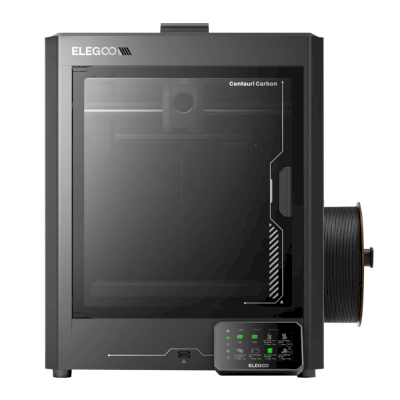
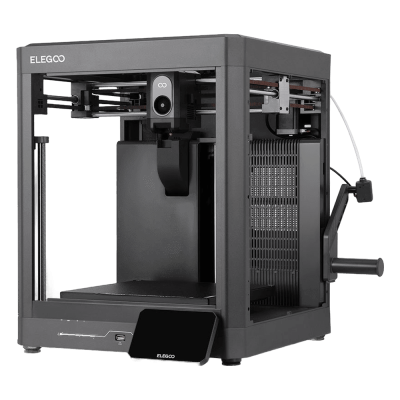


 Bedst for USA: ELEGOOs butik for USA
 ELEGOO til Australien
 ELEGOO til Canada
 ELEGOO til EU
 ELEGOO til Storbritannien