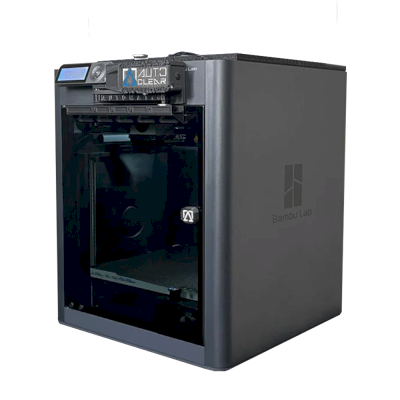
Det betyder, at den deler mange egenskaber med basismodellen, men kan have specifikke ændringer, ekstra funktioner eller medfølgende tilbehør.
Forbind Bambu Lab X1-Carbon FarmLoop Combo med SimplyPrint
Fungerer Bambu Lab X1-Carbon FarmLoop Combo-3D-printeren med SimplyPrint, OctoPrint, Mainsail og Fluidd?
Hver forbindelsesmetode, hvad den kræver, og hvordan den sættes op.
SimplyPrint-klient
Bekræftet af SimplyPrint
Hvad du har brug for: En computer eller Raspberry Pi på samme netværk, der altid er tændt og kører SimplyPrint-klienten
Når den er forbundet via SimplyPrint-klient i kun-LAN-tilstand, understøtter SimplyPrint alt, som Bambu Lab X1-Carbon FarmLoop Combo lader anden software gøre: kameraet og AI-fejldetektering, fjernprint, springe objekter over, temperatur- og bevægelseskontrol, filamenttilknytning til dens multimaterialeenhed og AutoPrint. De eneste undtagelser er det, som Bambu Lab X1-Carbon FarmLoop Combo ikke lader anden software gøre: Baby stepping, Bed leveling og Z-offset-kalibrering. Tabellen nedenfor sammenligner de to måder at forbinde den med SimplyPrint på.
Alle SimplyPrint-funktioner for hver forbindelsesmetode til SimplyPrint
Forbundet til SimplyPrint via
SimplyPrint-funktion
SimplyPrint-klient (Kun LAN-tilstand, anbefalet)
Bekræftet af SimplyPrint
SimplyPrint-klient (Cloud-tilstand)
Bekræftet af SimplyPrint
Overvågning
Livestatus og fremdrift
Ja
Ja
Kamera
Ja
Ja
AI-fejldetektion
Ja
Ja
Tid tilbage
Ja
Ja
Lagfremdrift
Ja
Ja
Temperaturer
Ja
Ja
Printning
Starter et print
Ja
Afhænger af1
Sæt på pause, genoptag og annuller
Ja
Afhænger af1
Spring objekter over
Ja
Afhænger af1
Printstartindstillinger
Ja
Afhænger af1
Filer
Print slicede 3MF-filer
Ja
Ja
Printerstyring
Skift temperaturer
Ja
Afhænger af1
Bevægelse med betjeningen
Ja
Afhænger af1
Hjemkørsel
Ja
Afhænger af1
Ekstrudér og træk tilbage
Ja
Afhænger af1
Ændr printhastighed
Ja
Afhænger af1
Blæserhastighed
Ja
Afhænger af1
Baby stepping
Tilbydes ikke af printeren2
Tilbydes ikke af printeren2
Send G-code
Ja
Afhænger af1
Kalibrering
Udskift filament
Ja
Afhænger af1
Bed leveling
Tilbydes ikke af printeren2
Tilbydes ikke af printeren2
Z-offset-kalibrering
Tilbydes ikke af printeren2
Tilbydes ikke af printeren2
Multimateriale
Tilknyt filament til multimaterialeslots
Ja
Ja
Synkroniser indlæst filament fra multimaterialeenheden
Ja
Ja
Automatisering
AutoPrint
Pro
Ja
Afhænger af1
Download filen, før printet starter
Ja
Tilbydes ikke af printeren2
Forbundet til SimplyPrint via SimplyPrint-klient (Kun LAN-tilstand, anbefalet)
Bekræftet af SimplyPrint
Overvågning
Livestatus og fremdriftJa
KameraJa
AI-fejldetektionJa
Tid tilbageJa
LagfremdriftJa
TemperaturerJa
Printning
Starter et printJa
Sæt på pause, genoptag og annullerJa
Spring objekter overJa
PrintstartindstillingerJa
Filer
Print slicede 3MF-filerJa
Printerstyring
Skift temperaturerJa
Bevægelse med betjeningenJa
HjemkørselJa
Ekstrudér og træk tilbageJa
Ændr printhastighedJa
BlæserhastighedJa
Baby steppingTilbydes ikke af printeren2
Send G-codeJa
Kalibrering
Udskift filamentJa
Bed levelingTilbydes ikke af printeren2
Z-offset-kalibreringTilbydes ikke af printeren2
Multimateriale
Tilknyt filament til multimaterialeslotsJa
Synkroniser indlæst filament fra multimaterialeenhedenJa
Automatisering
AutoPrint ProJa
Download filen, før printet starterJa
Forbundet til SimplyPrint via SimplyPrint-klient (Cloud-tilstand)
Bekræftet af SimplyPrint
Overvågning
Livestatus og fremdriftJa
KameraJa
AI-fejldetektionJa
Tid tilbageJa
LagfremdriftJa
TemperaturerJa
Printning
Starter et printAfhænger af1
Sæt på pause, genoptag og annullerAfhænger af1
Spring objekter overAfhænger af1
PrintstartindstillingerAfhænger af1
Filer
Print slicede 3MF-filerJa
Printerstyring
Skift temperaturerAfhænger af1
Bevægelse med betjeningenAfhænger af1
HjemkørselAfhænger af1
Ekstrudér og træk tilbageAfhænger af1
Ændr printhastighedAfhænger af1
BlæserhastighedAfhænger af1
Baby steppingTilbydes ikke af printeren2
Send G-codeAfhænger af1
Kalibrering
Udskift filamentAfhænger af1
Bed levelingTilbydes ikke af printeren2
Z-offset-kalibreringTilbydes ikke af printeren2
Multimateriale
Tilknyt filament til multimaterialeslotsJa
Synkroniser indlæst filament fra multimaterialeenhedenJa
Automatisering
AutoPrint ProAfhænger af1
Download filen, før printet starterTilbydes ikke af printeren2
Virker
Afhænger af
Ikke understøttet
Tilbydes ikke af printeren
Bambu Lab-firmware fra 2025 tillader kun overvågning i cloudtilstand: Brug kun LAN-tilstand til at starte print og styre printeren. Ældre firmware tillader stadig begge dele.
Printeren tilbyder ikke dette til anden software.
Bambu Lab X1-Carbon FarmLoop Combo-ejere på SimplyPrint
Bruges med SimplyPrint
SimplyPrint-klient
4,5 ud af 5
8 verificerede ejere
Bedømmelser kommer fra ejere, hvis printer har færdiggjort mindst 10 print med SimplyPrint.
Hvilken slicer skal du bruge til Bambu Lab X1-Carbon FarmLoop Combo
Brug BambuStudio, Bambu Labs egen slicer: den har en færdig profil til Bambu Lab X1-Carbon FarmLoop Combo. Også med en profil til den: OrcaSlicer, ElegooSlicer, CrealityPrint.
Færdig profil til Bambu Lab X1-Carbon FarmLoop Combo
Vi viser kun slicere, du kan bruge i SimplyPrint-skyen, så der kan være andre til Bambu Lab X1-Carbon FarmLoop Combo.
Cloud-baseret slicer til Bambu Lab X1-Carbon FarmLoop Combo: brug BambuStudio online
Brug BambuStudio og andre slicere direkte i din browser med SimplyPrints online-cloud-slicer. Ingen installation nødvendig. Slice dine Bambu Lab X1-Carbon FarmLoop Combo-modeller fra enhver enhed, hvor som helst i verden!
Automatiske profilopdateringer: Profiler kontrolleres automatisk og hentes dagligt fra slicerens GitHub-repositorier samt fra vores egen open source-database med slicerprofiler, drevet af fællesskabet. Det sikrer, at du altid har adgang til de nyeste profiler.
Bemærk: Andre slicere som Simplify3D, ideaMaker, SuperSlicer og KISSlicer findes ikke i vores cloud, så vi sporer ikke deres profiler. De kan stadig fungere fint med din Bambu Lab X1-Carbon FarmLoop Combo: Se slicerens egen dokumentation eller fora for en profil. Du kan også bidrage med profiler til vores open source-slicerprofildatabase på GitHub.
Appen til Bambu Lab X1-Carbon FarmLoop Combo
SimplyPrint fungerer som app til Bambu Lab X1-Carbon FarmLoop Combo: på din telefon og i enhver browser, med en slicer i skyen.
Hvad du får med SimplyPrint
En app til iPhone og Android, den samme i alle browsere og en slicer i skyen.
Mere end overvågning: en printkø, AI-fejldetektering, AutoPrint og konti til et team.
Printere fra mange mærker samlet ét sted, side om side.
Printpladeudskiftere og auto-udskubningssæt til Bambu Lab X1-Carbon FarmLoop Combo fungerer med AutoPrint fra SimplyPrint: Efter hvert print ryddes printpladen, og næste job starter fra din kø, så den printer videre selv.
Printere med kabinet skubber deres print ud
Bambu Lab X1-Carbons printplade bevæger sig kun op og ned inde i kabinettet, så i stedet for at skifte printplader kan printhovedet skubbe det afkølede print af printpladen og ud gennem fronten. Fronten skal være åben, mens den kører.
Skub printene af med printhovedetPå en CoreXY-printer kan en G-code-rutine skubbe det afkølede print af forsiden af printpladen, før næste job starter.
Din egen udskubnings-G-codeSkriv rutinen, der rydder din printplade, så kører AutoPrint den efter hvert print.
En robotarm eller noget med en APIFortæl SimplyPrint via API eller webhook, at printpladen er tom, fra en robotarm eller dit eget system.
Ryd den manuelt, behold køenAutoPrint venter på, at du markerer printpladen som ryddet, og starter derefter næste job.
Bambu Lab X1-Carbon FarmLoop Combo-specifikationer: printpladestørrelse, printhøjde og mere
Dens størrelse, temperaturer, multimateriale og forbindelsesmuligheder, baseret på producentens oplysninger og vores egen research.
Læs mere fra producenten
Ja
Tilgængelige muligheder: Use AMS, Bed Leveling, Flow Calibration, Timelapse
Printeren
Printerproducent / mærke
Bambu Lab
Printermodelnavn
X1-Carbon FarmLoop Combo
Fremstillet af en virksomhed fra
Kina
Lanceret
2022
Produceres stadig
Nej, udgået
Ansvarsfraskrivelse:
Vi stræber efter at holde denne information så aktuel og præcis som muligt, men kan ikke garantere dens fuldstændighed eller pålidelighed. Vores data er baseret på brugeres indsendelser og producentreferencer.
Hvilket filament kan Bambu Lab X1-Carbon FarmLoop Combo printe?
Filamentkompatibilitet for Bambu Lab X1-Carbon FarmLoop Combo: de materialer, Bambu Lab angiver til den.
Filament
Egnethed
Noter
PLA
Fantastisk
På producentens materialeliste til denne printer.
PETG
Fantastisk
På producentens materialeliste til denne printer.
TPU og fleksible materialer
Fantastisk
På producentens materialeliste til denne printer.
ABS & ASA
Fantastisk
På producentens materialeliste til denne printer.
Nylon (PA)
Fantastisk
På producentens materialeliste til denne printer.
Polycarbonate (PC)
Fantastisk
På producentens materialeliste til denne printer.
Kul- og glasfiberforstærket
Fantastisk
På producentens materialeliste til denne printer.
Tip: dette er en generel vejledning ud fra printerens specifikationer - tjek altid filamentets anbefalede indstillinger. Med SimplyPrint kan du gemme en profil for hver spole og holde styr på præcis, hvilket filament du har på lager.
Bedste filament til Bambu Lab X1-Carbon FarmLoop Combo
Filamenter, som Bambu Lab X1-Carbon FarmLoop Combo printer godt med, først Bambu Labs egne, derefter de mest kendte.
Sammenlign Bambu Lab X1-Carbon FarmLoop Combo med lignende printere
Printere fra samme producent i lignende størrelse, som printer med de samme tekniske materialer eller multimateriale, og som du kan købe i dag. Sammenlign op til fire side om side med deres specifikationer og forbindelsesmetoder.
Hvad du skal købe i stedet for Bambu Lab X1-Carbon FarmLoop Combo
Bambu Lab fremstiller eller sælger ikke længere X1-Carbon FarmLoop Combo som ny. Disse lignende printere er til salg i dag og fungerer med SimplyPrint.
Hvem der laver Bambu Lab X1-Carbon FarmLoop Combo, og hvor åben Bambu Lab er: om printerne kan køre uden deres cloud, bruge alle filamenter og slicere og repareres. Hvert område vurderes ud fra offentlige kilder.
Åbenhed: Overvejende lukket (2.3 ud af 5)
Overvejende lukket
Lukket økosystemÅbn
Bambu Lab is a Shenzhen company founded in 2020 by former DJI engineers. It makes FDM printers in four families (A, P, X and H), the AMS multi-material units, the Bambu Studio slicer, the Bambu Handy app and the MakerWorld model site, and designs them to be used together. Its printers are used by beginners, hobbyists, schools and print farms.
Grundlagt:
2020 ·
Hovedkvarter:
Shenzhen, China ·
Ejerskab:
Privately held; founded by CEO Ye Tao and other former DJI staff, with venture investors (BGR, 2026) ·
Hjemmeside:bambulab.com
Bambu Lab works like Apple: printer, slicer, app, cloud and multi-material system come from one company and are made to work together. Filament and slicer choice stay open, but the firmware is closed and signed, and since 2025 third-party control needs Bambu Connect or the unsupported Developer Mode.
Firmware og brugerdefineret firmware ●●●●●
The printer firmware is Bambu's own and closed; in 2022 Bambu said it would keep it in-house. Its security white paper describes secure boot that only runs verified firmware on X1, H2, P1 and A1 printers. Bambu publishes the GPL parts it uses (Linux kernel, U-Boot, BusyBox) but not the printer software. Rooting the X1 only became possible through a security flaw the X1Plus project used in 2024; Bambu then published a one-off rootable X1 firmware for owners who give up their warranty, and blocks rooting in later firmware.
[1][2][3][4][22]
Lokal styring og integrationer ●●●●●
LAN Only mode prints and monitors from Bambu Studio or Bambu Connect without internet or an account; the Handy app, printing from outside the network and print history need Bambu's cloud. Since the 2025 authorization firmware, other software can only read status in normal mode. Full control needs Developer Mode, which cuts the cloud link and which Bambu says it cannot support because the protocols are not official. Bambu documents no local protocol; it offers a file hand-off to Bambu Connect and a Local Server SDK on application.
[23][24][6][7][5]
Tredjepartsfilament, slicere og dele ●●●●●
Third-party filament works, and Bambu publicly denied in 2025 that it would restrict it. OrcaSlicer and other slicers can be used, but since the 2025 firmware they send and control prints through Bambu Connect or Developer Mode. Hotends are Bambu's own designs, and Bambu says it cannot promise long-term support for accessories that control the printer unless it approved them first.
[7][6][4]
Reparationer og reservedele ●●●●●
Bambu's store sells individual spare parts down to motors, belts, encoders and boards, and its wiki has step-by-step replacement guides for each model (for example the P2S hotend and the H2D/H2C AP board). Many parts, hotends included, are Bambu-specific, so spares come from Bambu.
[8][9][10]
Data og privatliv ●●●●●
Cloud features need a Bambu account, while LAN Only mode keeps jobs on the local network. Bambu publishes a Trust Center and a 38-page security white paper, says it holds ISO/IEC 27001, ISO/IEC 27701 and TRUSTe certifications, and runs a paid bug bounty. In August 2023 a cloud outage made some printers start earlier jobs on their own; Bambu apologised.
[2][11][5][12]
Fællesskab og dokumentation ●●●●●
Very large user community, the MakerWorld model site, a detailed wiki and a blog where Bambu explains its policy changes. Bambu Studio is developed in public on GitHub with an open issue tracker. The printer protocol is not documented, and Developer Mode is unsupported.
[13][5][7]
Fordele
Printer, slicer, app and AMS come from one company and are designed to work together, which makes a first setup simple.
Step-by-step repair guides for each model and individual spare parts sold in Bambu's store.
LAN Only mode works without internet or an account.
Bambu Studio is open source, and third-party filament works.
Publishes security certifications and runs a public bug bounty.
Ulemper
Firmware is closed and signed; current models have no supported way to run custom firmware.
Since the 2025 firmware, third-party software and accessories need Bambu Connect or the unsupported Developer Mode to control the printer.
Remote printing, the Handy app and print history depend on Bambu's cloud.
Hotends and many parts are Bambu-specific, so spares come from Bambu.
In 2026 a US jury found the X1, P1 and A1 infringe Stratasys patents; Bambu is appealing.
Dokumenteret erfaring
september 2026: A US federal jury in Texas found that Bambu Lab's X1, P1 and A1 printers infringe Stratasys patents on prime towers and bed levelling, and awarded Stratasys $27.6 million. No injunction was placed on the printers. Bambu told Tom's Hardware it disagrees with the verdict and intends to seek post-trial review and appeal. Stratasys had filed two suits in 2024; more patents are still to be decided.
[14]
maj 2026: Bambu Lab pressed the developer of 'OrcaSlicer-bambulab', a fork that restored direct cloud printing from OrcaSlicer, to remove it, according to Manufactur3D. On 7 May Bambu said the fork impersonated the official Bambu Studio client to its cloud, which its user agreement does not allow, and that modifying and sharing its AGPL code remains fine. The developer disputed the claims.
[15][16][17]
oktober 2025: Bambu Lab opened a Trust Center with a security white paper and listed ISO/IEC 27001, ISO/IEC 27701 and TRUSTe privacy certifications. A year later it said its bug bounty had worked with over 100 researchers and that it had added a public security update log.
[2][11]
20. januar 2025: After criticism from users and print farms, Bambu Lab announced an optional Developer Mode for X1, P1, A1 and A1 mini that leaves MQTT, FTP and the live stream open for third-party software in LAN mode, without official support. It also said LAN mode via Bambu Connect needs neither internet nor an account, and that third-party filament would not be restricted.
[7]
16. januar 2025: Bambu Lab announced firmware with 'authorization control', first for the X1: starting prints, moving axes, changing temperatures and binding the printer now require Bambu-approved software, also in LAN mode. On updated printers, third-party slicers and accessories such as the Panda Touch could no longer control the printer except through Bambu Connect; reading status still worked. Bambu cited security and up to 30 million unauthorised cloud requests a day; older firmware stayed optional.
[6]
marts 2024: After the X1Plus jailbreak, Bambu Lab published a one-off rootable firmware for the X1 series for owners who give up their warranty support. It said it does not support X1Plus, and that firmware after it would block rooting again.
[4]
februar 2024: Bambu Lab extended its A1 heatbed-cable callback to a recall of all A1 printers and asked owners to stop using them. It reported electrical faults in under 0.1% of units and offered a full refund plus an $80 voucher, or a redesigned heatbed plus a $120 voucher and six extra months of warranty. The A1 mini was not affected.
[18][19]
januar 2024: Community developers rooted the X1 series through a security flaw in its firmware (up to version 1.07) and released the X1Plus custom firmware. Bambu Lab closed the flaw in later firmware.
[22]
august 2023: During a Bambu cloud outage on 15 August 2023, some printers started print jobs without user action, because jobs stuck in the cloud were resent when service returned. Bambu apologised, took responsibility and said it would add checks before a print starts.
[12]
maj 2022: Before its first printers shipped, Bambu Lab said its firmware would stay closed and in-house to remain competitive, and promised to open-source everything if the company ever could not survive.
[1]
Baseret på 24 kilder, sidst kontrolleret 20. oktober 2026. Vis kilder
Er Bambu Lab X1-Carbon FarmLoop Combo kompatibel med SimplyPrint?
Ja. Du kan forbinde Bambu Lab X1-Carbon FarmLoop Combo med SimplyPrint via SimplyPrint-klient og derefter slice, sætte i kø, starte og overvåge print fra din browser eller mobilappen.
Hvordan forbinder jeg Bambu Lab X1-Carbon FarmLoop Combo med SimplyPrint?
Følg vores trin-for-trin-opsætningsguide til Bambu Lab X1-Carbon FarmLoop Combo. Den viser, hvordan du forbinder den via SimplyPrint-klient, hvad du skal bruge til hver mulighed, og hvilken du skal vælge.
Hvilken slicer skal jeg bruge til Bambu Lab X1-Carbon FarmLoop Combo?
Vi anbefaler BambuStudio til Bambu Lab X1-Carbon FarmLoop Combo. Du kan køre den samt 6 andre slicere direkte i SimplyPrints online slicer, uden installation, på alle enheder, med profiler til Bambu Lab X1-Carbon FarmLoop Combo, der automatisk holdes opdateret.
Kan jeg bruge OrcaSlicer med Bambu Lab X1-Carbon FarmLoop Combo?
Ja. OrcaSlicer har en profil til Bambu Lab X1-Carbon FarmLoop Combo, og du kan bruge den i SimplyPrints online slicer, så du ikke behøver installere noget.
Hvilket filament kan Bambu Lab X1-Carbon FarmLoop Combo printe?
Bambu Lab angiver PLA, PETG, TPU og fleksible materialer, ABS & ASA, Nylon (PA), Polycarbonate (PC) og Kul- og glasfiberforstærket til X1-Carbon FarmLoop Combo.
Fungerer Bambu Lab X1-Carbon FarmLoop Combo med OctoPrint eller Klipper?
Ikke direkte: Et OctoPrint-plugin fra fællesskabet kan i stedet forbinde den via netværket. Men du behøver ingen af delene: SimplyPrint forbinder til Bambu Lab X1-Carbon FarmLoop Combo via SimplyPrint-klient.
Hvad er Bambu Lab X1-Carbon FarmLoop Combos printpladestørrelse og byggevolumen?
Bambu Lab X1-Carbon FarmLoop Combo har en printplade på 256 x 256 mm og kan printe op til 256 mm i højden, med et byggevolumen på cirka 256 x 256 x 256 mm. Se den fulde specifikationstabel ovenfor for printpladetype, temperaturer og mere.
Hvornår udkom Bambu Lab X1-Carbon FarmLoop Combo?
Bambu Lab lancerede X1-Carbon FarmLoop Combo i 2022. Den er siden udgået, så du kan ikke længere købe den ny hos Bambu Lab.
Kan Bambu Lab X1-Carbon FarmLoop Combo automatisk skubbe print af?
Ja, med et AutoPrint-kit til den: Bambu Lab X1-Carbon AutoClear One eller Bambu Lab X1-Carbon FarmLoop. SimplyPrints AutoPrint starter derefter det næste job fra din kø, hver gang printpladen er ryddet, så den fortsætter med at printe selv.
Sælges Bambu Lab X1-Carbon FarmLoop Combo stadig?
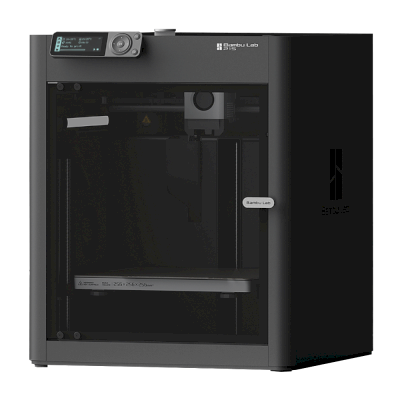
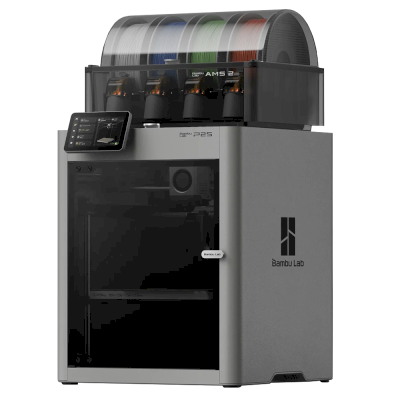
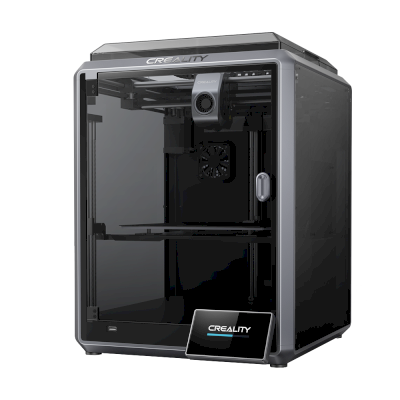
Nej. Bambu Lab producerer eller sælger ikke længere X1-Carbon FarmLoop Combo som ny. Lignende printere, du kan købe i dag: Bambu Lab P1S, Bambu Lab P2S Combo og Creality K1C.
Affiliate-oplysning: Nogle links på denne side er affiliate-links. Vi kan tjene provision, hvis du foretager et køb, uden ekstra omkostning for dig. Som Amazon-associeret tjener vi på kvalificerende køb.
 Kina
Kina

 SimplyPrint-klient






 PrusaSlicer
 Cura
Cura Kiri:Moto