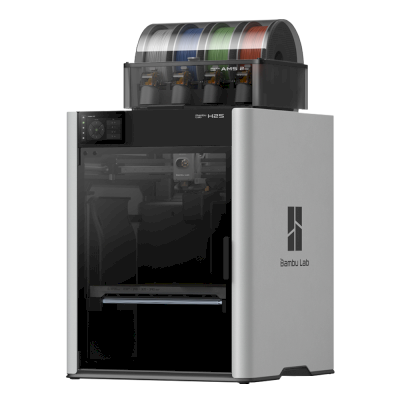
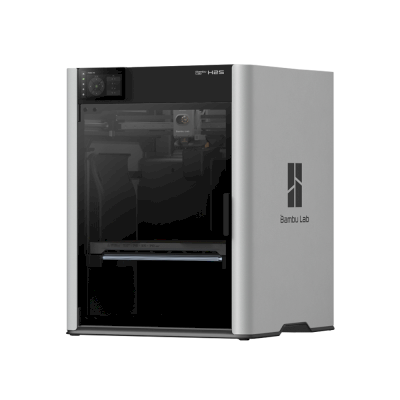
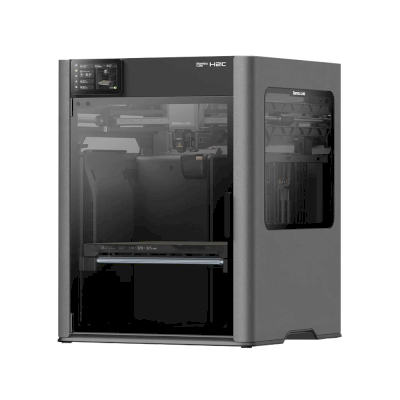
The H2S is Bambu Lab's large, fully enclosed single-nozzle printer: 340 x 320 x 340 mm, a 350 °C hotend and a 65 °C actively heated chamber. It is for makers and small businesses that want big, clean prints in everything from PLA to nylon and PC without paying for the H2D's second nozzle.
Volume di stampa
340 x 320 x 340 mm
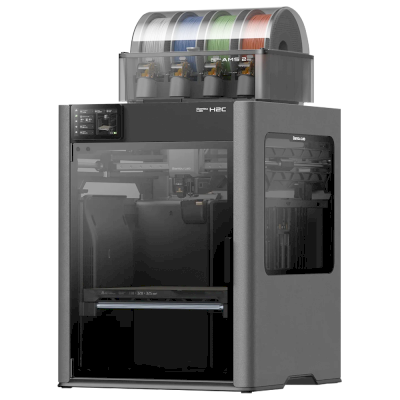
Include il multi-materiale
Bambu Lab AMS 2 Pro
Camera chiusa
Completamente chiusa
Velocità di stampa massima
600 mm/s
Sistema di movimento
CoreXY
Stampa bene
PLA, PETG, TPU e flessibili, ABS & ASA, Nylon (PA), Polycarbonate (PC), Con fibra di carbonio e vetro, Alta temperatura (PEI, PEEK, PEKK)
Bambu Lab H2S Combo è una variante di Bambu Lab H2S.
Ciò significa che condivide molte caratteristiche con il modello base, ma può avere modifiche specifiche, funzioni aggiuntive o accessori inclusi.
Collegare Bambu Lab H2S Combo a SimplyPrint
La stampante 3D Bambu Lab H2S Combo è compatibile con SimplyPrint, OctoPrint, Mainsail e Fluidd?
Ogni modalità di connessione, requisiti e configurazione.
SimplyPrint Client
Verificato da SimplyPrint
Cosa serve: Un computer o un Raspberry Pi sulla stessa rete, sempre acceso, con SimplyPrint Client in esecuzione
Collegata tramite SimplyPrint Client in modalità solo LAN, SimplyPrint supporta tutto ciò che Bambu Lab H2S Combo consente ad altri software di fare: la fotocamera e il rilevamento degli errori tramite IA, stampa remota, esclusione degli oggetti, controllo di temperatura e movimento, mappatura del filamento per l'unità multi-materiale e AutoPrint. Le uniche eccezioni sono le funzioni che Bambu Lab H2S Combo non consente ad altri software di usare: Baby stepping, Livellamento del piano e Calibrazione Z-offset. La tabella seguente confronta i due modi per collegarla a SimplyPrint.
Ogni funzionalità di SimplyPrint, per ogni modalità di connessione a SimplyPrint
Collegata a SimplyPrint tramite
funzione di SimplyPrint
SimplyPrint Client (Modalità solo LAN, consigliata)
Verificato da SimplyPrint
SimplyPrint Client (Modalità cloud)
Verificato da SimplyPrint
Monitoraggio
Stato e avanzamento in tempo reale
Sì
Sì
Webcam
Sì
Sì
Rilevamento errori con IA
Sì
Sì
Tempo rimanente
Sì
Sì
Avanzamento dei layer
Sì
Sì
Temperature
Sì
Sì
Stampa
Avvio della stampa
Sì
Dipende1
Mettere in pausa, riprendere e annullare
Sì
Dipende1
Ignorare oggetti
Sì
Dipende1
Opzioni di avvio della stampa
Sì
Dipende1
File
Stampare file 3MF sezionati
Sì
Sì
Controllo della stampante
Modificare le temperature
Sì
Sì
Movimento con i comandi
Sì
Dipende1
Ritorno all'origine
Sì
Dipende1
Estrudere e retrarre
Sì
Dipende1
Modificare la velocità di stampa
Sì
Dipende1
Velocità ventola
Sì
Dipende1
Baby stepping
Non offerto dalla stampante2
Non offerto dalla stampante2
Inviare G-code
Sì
Dipende1
Calibrazione
Cambio filamento
Sì
Dipende1
Livellamento del piano
Non offerto dalla stampante2
Non offerto dalla stampante2
Calibrazione Z-offset
Non offerto dalla stampante2
Non offerto dalla stampante2
Multimateriale
Associare filamento agli slot multi-materiale
Sì
Sì
Sincronizzare il filamento caricato dall'unità multimateriale
Sì
Sì
Automazione
AutoPrint
Pro
Sì
Dipende1
Scaricare il file prima dell'avvio della stampa
Sì
Non offerto dalla stampante2
Collegata a SimplyPrint tramite SimplyPrint Client (Modalità solo LAN, consigliata)
Verificato da SimplyPrint
Monitoraggio
Stato e avanzamento in tempo realeSì
WebcamSì
Rilevamento errori con IASì
Tempo rimanenteSì
Avanzamento dei layerSì
TemperatureSì
Stampa
Avvio della stampaSì
Mettere in pausa, riprendere e annullareSì
Ignorare oggettiSì
Opzioni di avvio della stampaSì
File
Stampare file 3MF sezionatiSì
Controllo della stampante
Modificare le temperatureSì
Movimento con i comandiSì
Ritorno all'origineSì
Estrudere e retrarreSì
Modificare la velocità di stampaSì
Velocità ventolaSì
Baby steppingNon offerto dalla stampante2
Inviare G-codeSì
Calibrazione
Cambio filamentoSì
Livellamento del pianoNon offerto dalla stampante2
Calibrazione Z-offsetNon offerto dalla stampante2
Multimateriale
Associare filamento agli slot multi-materialeSì
Sincronizzare il filamento caricato dall'unità multimaterialeSì
Automazione
AutoPrint ProSì
Scaricare il file prima dell'avvio della stampaSì
Collegata a SimplyPrint tramite SimplyPrint Client (Modalità cloud)
Verificato da SimplyPrint
Monitoraggio
Stato e avanzamento in tempo realeSì
WebcamSì
Rilevamento errori con IASì
Tempo rimanenteSì
Avanzamento dei layerSì
TemperatureSì
Stampa
Avvio della stampaDipende1
Mettere in pausa, riprendere e annullareDipende1
Ignorare oggettiDipende1
Opzioni di avvio della stampaDipende1
File
Stampare file 3MF sezionatiSì
Controllo della stampante
Modificare le temperatureSì
Movimento con i comandiDipende1
Ritorno all'origineDipende1
Estrudere e retrarreDipende1
Modificare la velocità di stampaDipende1
Velocità ventolaDipende1
Baby steppingNon offerto dalla stampante2
Inviare G-codeDipende1
Calibrazione
Cambio filamentoDipende1
Livellamento del pianoNon offerto dalla stampante2
Calibrazione Z-offsetNon offerto dalla stampante2
Multimateriale
Associare filamento agli slot multi-materialeSì
Sincronizzare il filamento caricato dall'unità multimaterialeSì
Automazione
AutoPrint ProDipende1
Scaricare il file prima dell'avvio della stampaNon offerto dalla stampante2
Funziona
Dipende
Non supportato
Non offerto dalla stampante
Il firmware Bambu Lab dal 2025 consente il monitoraggio solo in modalità cloud: usare la modalità solo LAN per avviare le stampe e controllare la stampante. I firmware precedenti consentono ancora entrambe le modalità.
La stampante non offre questa funzione ad altri software.
Proprietari di Bambu Lab H2S Combo su SimplyPrint
100+ stampanti usano SimplyPrint
Quale slicer usare per la Bambu Lab H2S Combo
Usare BambuStudio, lo slicer di Bambu Lab: dispone di un profilo preconfigurato per la Bambu Lab H2S Combo. Profilo disponibile anche per: OrcaSlicer, ElegooSlicer.
Sono elencati solo gli slicer utilizzabili nel cloud di SimplyPrint, potrebbero quindi essercene altri per Bambu Lab H2S Combo.
Slicer cloud per Bambu Lab H2S Combo: usare BambuStudio online
Usare BambuStudio e altri slicer, direttamente nel browser con lo slicer cloud online di SimplyPrint. Non richiede installazione. Sezionare i modelli Bambu Lab H2S Combo da qualsiasi dispositivo, ovunque nel mondo.
Aggiornamenti automatici dei profili: i profili vengono verificati e recuperati automaticamente ogni giorno dai repository GitHub degli slicer, oltre che dal nostro database open source di profili slicer gestito dalla community. Questo garantisce sempre l'accesso ai profili più recenti.
Nota: Altri slicer, come Simplify3D, ideaMaker, SuperSlicer e KISSlicer, non sono nel nostro cloud, quindi i relativi profili non vengono monitorati. Potrebbero comunque funzionare bene con Bambu Lab H2S Combo: consultare la documentazione o i forum dello slicer per un profilo. È inoltre possibile contribuire con profili al nostro database open source dei profili slicer su GitHub.
L'app per Bambu Lab H2S Combo
SimplyPrint funge da app per Bambu Lab H2S Combo: sul telefono e in qualsiasi browser, con uno slicer nel cloud.
Cosa si ottiene con SimplyPrint
Un'app per iPhone e Android, accessibile da qualsiasi browser, e uno slicer nel cloud.
Più del monitoraggio: coda di stampa, rilevamento guasti con IA, AutoPrint e account per un team.
Stampanti di molti marchi in un unico posto, affiancate.
Non esiste ancora un dispositivo di sostituzione della piastra o un kit di espulsione automatica per la Bambu Lab H2S Combo in SimplyPrint, ma AutoPrint può comunque mantenerla operativa: quando la piastra è libera, avvia il lavoro successivo dalla coda.
Le stampanti chiuse espellono le stampe
Il piano di stampa della stampante Bambu Lab H2S Combo si muove solo su e giù all'interno della sua camera chiusa, quindi, invece di sostituire le piastre, kit come questi consentono alla testa di stampa di spingere la stampa raffreddata fuori dalla piastra e dalla porta frontale, che aprono automaticamente al termine di una stampa.
Spingere via le stampe con la testa di stampaSu una stampante CoreXY, una routine G-code può spingere la stampa raffreddata fuori dal davanti del piano di stampa prima dell'avvio del lavoro successivo.
Sì
Opzioni disponibili: Use AMS, Bed Leveling, Flow Calibration, Timelapse
La stampante
Produttore / marca della stampante
Bambu Lab
Nome del modello di stampante
H2S Combo
Prodotto da un'azienda di
Cina
Lanciato
26 agosto 2025
Ancora in produzione
Sì
Avviso legale:
Ci impegniamo a mantenere queste informazioni il più aggiornate e accurate possibile, ma non possiamo garantirne la completezza o l'affidabilità. I dati si basano su segnalazioni degli utenti e riferimenti dei produttori.
Quale filamento può stampare Bambu Lab H2S Combo?
Compatibilità dei filamenti per Bambu Lab H2S Combo: materiali indicati da Bambu Lab.
Filamento
Idoneità
Note
PLA
Ottimo
Nell'elenco dei materiali del produttore per questa stampante.
PETG
Ottimo
Nell'elenco dei materiali del produttore per questa stampante.
TPU e flessibili
Ottimo
Nell'elenco dei materiali del produttore per questa stampante.
ABS & ASA
Ottimo
Nell'elenco dei materiali del produttore per questa stampante.
Nylon (PA)
Ottimo
Nell'elenco dei materiali del produttore per questa stampante.
Polycarbonate (PC)
Ottimo
Nell'elenco dei materiali del produttore per questa stampante.
Con fibra di carbonio e vetro
Ottimo
Nell'elenco dei materiali del produttore per questa stampante.
Alta temperatura (PEI, PEEK, PEKK)
Ottimo
Nell'elenco dei materiali del produttore per questa stampante.
Suggerimento: questa è una guida generale basata sulle specifiche della stampante. Controlla sempre le impostazioni consigliate per il filamento. Con SimplyPrint puoi salvare un profilo per ogni bobina e tracciare con precisione il filamento disponibile.
Miglior filamento per Bambu Lab H2S Combo
Filamenti stampati bene da Bambu Lab H2S Combo, prima quelli di Bambu Lab, poi i più noti.
The 340 mm single-nozzle H2 machine with servo extruder, strong airflow and the AMS 2 Pro ($1,499 Combo). Sees skipping the second nozzle as a waste and says it will not dethrone the H2D, but it is a smart choice for a full-featured Bambu with a big plate. Editor's Choice.
“The H2S has a generous build volume that makers have been craving, but skipping the dual nozzle of the H2D seems like a waste.”
Reviewed the Combo. Exceptionally clean large prints in an enclosed chamber; about on par with the X1C at default speed, with a 20-30% cut in print times after tuning. Downsides: purge waste from the AMS, no dual nozzle, and not for first-time hobbyists. Recommended award.
“The test prints that came out of this machine were some of the cleanest I've seen”
Frankly Built · 13 ottobre 2025
Bambu sent the units and Polymaker sponsors the channel (disclosed). Calls the H2S his new favourite printer: big build volume, great results out of the box. Buy a separate laser if you want one, or look at the H2D.
CNC Kitchen · 26 agosto 2025
Tested months early under embargo. Great for large single-material work: feeds soft TPU well and finished a six-day print with about 3,000 material changes without a failure. Gripes: heavy, a roughly 10 C bed temperature spread, closed ecosystem. Pick the H2D for real multi-material. VoxelPLA sponsored.
Made with Layers · 26 agosto 2025
His take: more a bigger X1C than a baby H2D. Praises the design and near-flawless prints at a reasonable price, but finds it a poor fit for engineering filaments like PPS-CF, where the H2D is better. Suits single-material, PLA and PETG multicolour, or batch production. VoxelPLA sponsored part.
Quando scegliere Bambu Lab H2S Combo
Choose the H2S when most of your work is single-material or simple multi-colour on a large plate, and you want an enclosed machine that handles ABS, ASA, nylon and PC. Multi-colour works with the AMS 2 Pro, AMS HT or first-generation AMS, but with one nozzle it purges more than the H2D, so if you print in several materials or want dedicated support material, the H2D is the better pick (Tom's Hardware, CNC Kitchen). If you want a lower price and can live with an open frame and basic filaments, the A2L is the cheaper large Bambu.
Vantaggi
Fully enclosed with an actively heated chamber (up to 65 °C) and a 350 °C hotend, so ABS, ASA, nylon and PC print well.
A 340 x 320 x 340 mm plate, and the servo extruder feeds soft TPU well (CNC Kitchen).
TechRadar called its test prints some of the cleanest it had seen, with print times cut 20-30% after tuning.
Reliable on very long jobs: CNC Kitchen finished a six-day print with about 3,000 material changes without a failure.
Great for multi-material with the AMS 2 Pro or AMS HT, up to 24 slots in total; the first-generation AMS also works, without drying (Bambu).
Works with SimplyPrint through the SimplyPrint Client, a verified connection.
Svantaggi
One nozzle means more purge waste on multi-colour prints than the dual-nozzle H2D, and Tom's Hardware sees skipping the second nozzle as a waste.
Heavy, and CNC Kitchen measured a bed temperature spread of roughly 10 °C.
A poor fit for the hardest engineering filaments such as PPS-CF, where the H2D is better (Made with Layers).
Not aimed at first-time hobbyists (TechRadar), and the Combo launched at $1,499 (Tom's Hardware).
By default it runs through Bambu Lab's own software and cloud, which some organisations' compliance rules don't allow; with SimplyPrint it can run without them and use SimplyPrint's European cloud, in Bambu Lab's LAN-only mode (with Developer Mode on current firmware, which Bambu Lab doesn't support).
A chi è adatto
ScuoleBuona compatibilità
Enclosed, rated below 50 dB by Bambu, with flame sensors and an emergency stop, and SimplyPrint can hold student prints for approval; it is expensive for a classroom and not aimed at first-time users.
HobbistiOttima compatibilità
Large, fast and very clean out of the box, with multi-colour through the AMS (Frankly Built called it his new favourite printer).
AziendeOttima compatibilità
An enclosed, heated-chamber machine for engineering materials with strong reliability reports; the closed Bambu ecosystem is the one compliance question.
Farm di stampaBuona compatibilità
Dependable on long jobs and the big plate suits batches, but the unit price is high and a single nozzle purges more than the H2D on colour work.
Confrontare Bambu Lab H2S Combo con stampanti simili
Stampanti dello stesso produttore, di dimensioni simili, che stampano gli stessi materiali tecnici o multimateriale, acquistabili oggi. È possibile confrontarne fino a quattro affiancate, con specifiche e modalità di connessione.
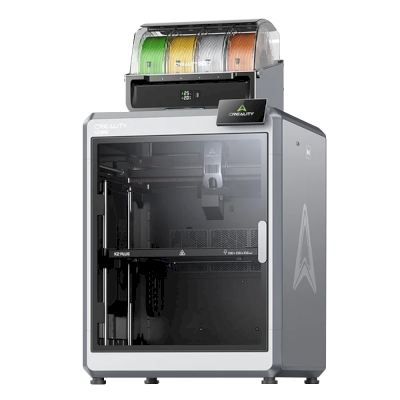
Anche di Bambu Lab · Volume di stampa simile · Stampa anche ABS & ASA, Nylon (PA), Polycarbonate (PC), Con fibra di carbonio e vetro, Alta temperatura (PEI, PEEK, PEKK) · Anche multimateriale
Anche di Bambu Lab · Volume di stampa simile · Stampa anche ABS & ASA, Nylon (PA), Polycarbonate (PC), Con fibra di carbonio e vetro, Alta temperatura (PEI, PEEK, PEKK) · Anche multimateriale
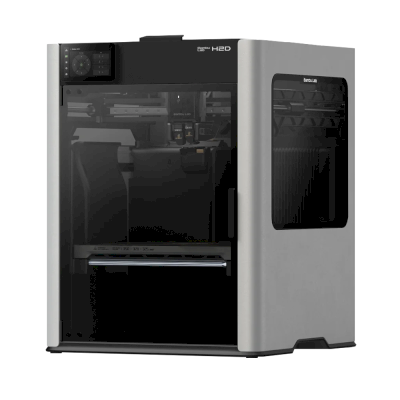
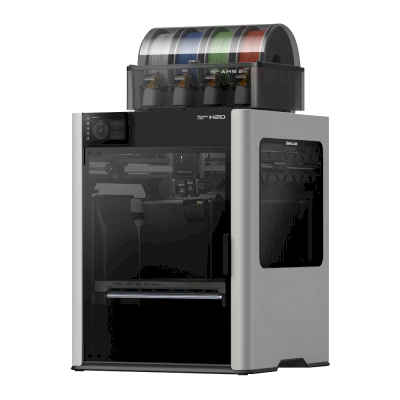
Venduta anche senza l'unità multimateriale, come Bambu Lab H2S.
Informazioni su Bambu Lab
Chi produce Bambu Lab H2S Combo e quanto margine di libertà offre Bambu Lab: se le sue stampanti funzionano senza il suo cloud, accettano qualsiasi filamento e slicer e possono essere riparate. Ogni aspetto è valutato su fonti pubbliche.
Apertura: Per lo più chiusa (2.3 su 5)
Per lo più chiusa
Sistema chiusoAperto
Bambu Lab is a Shenzhen company founded in 2020 by former DJI engineers. It makes FDM printers in four families (A, P, X and H), the AMS multi-material units, the Bambu Studio slicer, the Bambu Handy app and the MakerWorld model site, and designs them to be used together. Its printers are used by beginners, hobbyists, schools and print farms.
Fondata:
2020 ·
Sede centrale:
Shenzhen, China ·
Proprietà:
Privately held; founded by CEO Ye Tao and other former DJI staff, with venture investors (BGR, 2026) ·
Sito web:bambulab.com
Bambu Lab works like Apple: printer, slicer, app, cloud and multi-material system come from one company and are made to work together. Filament and slicer choice stay open, but the firmware is closed and signed, and since 2025 third-party control needs Bambu Connect or the unsupported Developer Mode.
Firmware e firmware personalizzato ●●●●●
The printer firmware is Bambu's own and closed; in 2022 Bambu said it would keep it in-house. Its security white paper describes secure boot that only runs verified firmware on X1, H2, P1 and A1 printers. Bambu publishes the GPL parts it uses (Linux kernel, U-Boot, BusyBox) but not the printer software. Rooting the X1 only became possible through a security flaw the X1Plus project used in 2024; Bambu then published a one-off rootable X1 firmware for owners who give up their warranty, and blocks rooting in later firmware.
[1][2][3][4][22]
Controllo locale e integrazioni ●●●●●
LAN Only mode prints and monitors from Bambu Studio or Bambu Connect without internet or an account; the Handy app, printing from outside the network and print history need Bambu's cloud. Since the 2025 authorization firmware, other software can only read status in normal mode. Full control needs Developer Mode, which cuts the cloud link and which Bambu says it cannot support because the protocols are not official. Bambu documents no local protocol; it offers a file hand-off to Bambu Connect and a Local Server SDK on application.
[23][24][6][7][5]
Filamenti, slicer e parti di terze parti ●●●●●
Third-party filament works, and Bambu publicly denied in 2025 that it would restrict it. OrcaSlicer and other slicers can be used, but since the 2025 firmware they send and control prints through Bambu Connect or Developer Mode. Hotends are Bambu's own designs, and Bambu says it cannot promise long-term support for accessories that control the printer unless it approved them first.
[7][6][4]
Riparazioni e ricambi ●●●●●
Bambu's store sells individual spare parts down to motors, belts, encoders and boards, and its wiki has step-by-step replacement guides for each model (for example the P2S hotend and the H2D/H2C AP board). Many parts, hotends included, are Bambu-specific, so spares come from Bambu.
[8][9][10]
Dati e privacy ●●●●●
Cloud features need a Bambu account, while LAN Only mode keeps jobs on the local network. Bambu publishes a Trust Center and a 38-page security white paper, says it holds ISO/IEC 27001, ISO/IEC 27701 and TRUSTe certifications, and runs a paid bug bounty. In August 2023 a cloud outage made some printers start earlier jobs on their own; Bambu apologised.
[2][11][5][12]
Community e documentazione ●●●●●
Very large user community, the MakerWorld model site, a detailed wiki and a blog where Bambu explains its policy changes. Bambu Studio is developed in public on GitHub with an open issue tracker. The printer protocol is not documented, and Developer Mode is unsupported.
[13][5][7]
Vantaggi
Printer, slicer, app and AMS come from one company and are designed to work together, which makes a first setup simple.
Step-by-step repair guides for each model and individual spare parts sold in Bambu's store.
LAN Only mode works without internet or an account.
Bambu Studio is open source, and third-party filament works.
Publishes security certifications and runs a public bug bounty.
Svantaggi
Firmware is closed and signed; current models have no supported way to run custom firmware.
Since the 2025 firmware, third-party software and accessories need Bambu Connect or the unsupported Developer Mode to control the printer.
Remote printing, the Handy app and print history depend on Bambu's cloud.
Hotends and many parts are Bambu-specific, so spares come from Bambu.
In 2026 a US jury found the X1, P1 and A1 infringe Stratasys patents; Bambu is appealing.
Esperienza comprovata
settembre 2026: A US federal jury in Texas found that Bambu Lab's X1, P1 and A1 printers infringe Stratasys patents on prime towers and bed levelling, and awarded Stratasys $27.6 million. No injunction was placed on the printers. Bambu told Tom's Hardware it disagrees with the verdict and intends to seek post-trial review and appeal. Stratasys had filed two suits in 2024; more patents are still to be decided.
[14]
maggio 2026: Bambu Lab pressed the developer of 'OrcaSlicer-bambulab', a fork that restored direct cloud printing from OrcaSlicer, to remove it, according to Manufactur3D. On 7 May Bambu said the fork impersonated the official Bambu Studio client to its cloud, which its user agreement does not allow, and that modifying and sharing its AGPL code remains fine. The developer disputed the claims.
[15][16][17]
ottobre 2025: Bambu Lab opened a Trust Center with a security white paper and listed ISO/IEC 27001, ISO/IEC 27701 and TRUSTe privacy certifications. A year later it said its bug bounty had worked with over 100 researchers and that it had added a public security update log.
[2][11]
20 gennaio 2025: After criticism from users and print farms, Bambu Lab announced an optional Developer Mode for X1, P1, A1 and A1 mini that leaves MQTT, FTP and the live stream open for third-party software in LAN mode, without official support. It also said LAN mode via Bambu Connect needs neither internet nor an account, and that third-party filament would not be restricted.
[7]
16 gennaio 2025: Bambu Lab announced firmware with 'authorization control', first for the X1: starting prints, moving axes, changing temperatures and binding the printer now require Bambu-approved software, also in LAN mode. On updated printers, third-party slicers and accessories such as the Panda Touch could no longer control the printer except through Bambu Connect; reading status still worked. Bambu cited security and up to 30 million unauthorised cloud requests a day; older firmware stayed optional.
[6]
marzo 2024: After the X1Plus jailbreak, Bambu Lab published a one-off rootable firmware for the X1 series for owners who give up their warranty support. It said it does not support X1Plus, and that firmware after it would block rooting again.
[4]
febbraio 2024: Bambu Lab extended its A1 heatbed-cable callback to a recall of all A1 printers and asked owners to stop using them. It reported electrical faults in under 0.1% of units and offered a full refund plus an $80 voucher, or a redesigned heatbed plus a $120 voucher and six extra months of warranty. The A1 mini was not affected.
[18][19]
gennaio 2024: Community developers rooted the X1 series through a security flaw in its firmware (up to version 1.07) and released the X1Plus custom firmware. Bambu Lab closed the flaw in later firmware.
[22]
agosto 2023: During a Bambu cloud outage on 15 August 2023, some printers started print jobs without user action, because jobs stuck in the cloud were resent when service returned. Bambu apologised, took responsibility and said it would add checks before a print starts.
[12]
maggio 2022: Before its first printers shipped, Bambu Lab said its firmware would stay closed and in-house to remain competitive, and promised to open-source everything if the company ever could not survive.
[1]
Basato su 24 fonti, ultima verifica 20 ottobre 2026. Mostrare le fonti
Bambu Lab H2S Combo è compatibile con SimplyPrint?
Sì. È possibile connettere Bambu Lab H2S Combo a SimplyPrint tramite SimplyPrint Client, quindi eseguire lo slicing, accodare, avviare e monitorare le stampe dal browser o dall'app mobile.
Come collegare Bambu Lab H2S Combo a SimplyPrint?
Seguire la guida alla configurazione passo passo per Bambu Lab H2S Combo. Mostra come collegare la stampante tramite SimplyPrint Client, cosa serve per ciascun metodo e quale scegliere.
Quale slicer usare per la stampante Bambu Lab H2S Combo?
Si consiglia BambuStudio per Bambu Lab H2S Combo. Può essere usato, insieme a 6 altri slicer, direttamente nello slicer online di SimplyPrint: nessuna installazione, su qualsiasi dispositivo, con profili per Bambu Lab H2S Combo aggiornati automaticamente.
È possibile usare OrcaSlicer con Bambu Lab H2S Combo?
Sì. OrcaSlicer include un profilo per Bambu Lab H2S Combo e può essere usato nello slicer online di SimplyPrint, senza necessità di installazione.
Quale filamento può stampare Bambu Lab H2S Combo?
Bambu Lab indica PLA, PETG, TPU e flessibili, ABS & ASA, Nylon (PA), Polycarbonate (PC), Con fibra di carbonio e vetro e Alta temperatura (PEI, PEEK, PEKK) per H2S Combo.
Bambu Lab H2S Combo funziona con OctoPrint o Klipper?
Non direttamente: un plugin OctoPrint della community può collegarla in rete. Ma non serve nessuno dei due: SimplyPrint si collega a Bambu Lab H2S Combo tramite SimplyPrint Client.
Quali sono le dimensioni del piano di stampa e il volume di stampa della Bambu Lab H2S Combo?
La stampante Bambu Lab H2S Combo ha un piano di stampa di 340 x 320 mm e stampa fino a 340 mm di altezza, con un volume di stampa di circa 340 x 320 x 340 mm. Per il tipo di piano di stampa, le temperature e altro, consultare la tabella delle specifiche completa qui sopra.
Quando è uscita la Bambu Lab H2S Combo?
Bambu Lab ha lanciato H2S Combo il 26 agosto 2025.
La Bambu Lab H2S Combo può espellere automaticamente le stampe?
Non esiste ancora un kit supportato, ma AutoPrint di SimplyPrint può espellere le stampe con la testa di stampa oppure eseguire un G-code di espulsione personalizzato, quindi avviare il lavoro successivo dalla coda.
Dove acquistare Bambu Lab H2S Combo?
Dal negozio di Bambu Lab, con punti vendita in Australia, Canada, l'UE, il Regno Unito e gli USA. I link in questa pagina rimandano a questi negozi. Alcuni sono link affiliati, quindi potremmo ricevere una commissione senza costi aggiuntivi.
Informativa di affiliazione: alcuni link in questa pagina sono link di affiliazione. Potremmo ricevere una commissione per gli acquisti, senza costi aggiuntivi. In qualità di Associati Amazon, guadagniamo dagli acquisti idonei.
 Cina
Cina
 SimplyPrint Client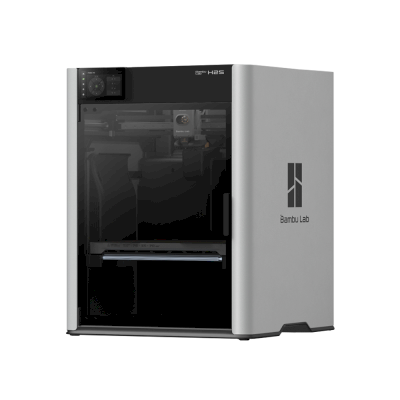





 PrusaSlicer
 CrealityPrint
 Cura
Cura Kiri:Moto



 Ideale per Stati Uniti: negozio di Bambu Lab per gli USA
 Bambu Lab per Australia
 Bambu Lab per Canada
 Bambu Lab per l'UE
 Bambu Lab per il Regno Unito